Introduction
Stadium Operations Software helps stadiums, arenas, sports venues, event centers, and large entertainment facilities manage daily operations and live-event execution from one centralized system. In simple terms, it supports everything that happens behind the scenes: event planning, staffing, incident reporting, maintenance, security coordination, guest services, work orders, crowd management, vendor coordination, and real-time communication.
Modern stadiums are no longer just seating spaces for sports. They are high-volume, technology-driven environments where fan experience, safety, compliance, revenue operations, and operational efficiency must work together. As venues handle larger crowds, complex events, hybrid security needs, digital ticketing, mobile ordering, connected devices, and real-time incident workflows, stadium operations platforms have become essential.
Real-world use cases include:
- Matchday and event-day operations
- Incident and safety reporting
- Facility maintenance and asset tracking
- Staff task management and communication
- Guest experience and service issue resolution
Buyers should evaluate:
- Incident management
- Facility and asset management
- Staff coordination
- Mobile access
- Real-time dashboards
- Integrations
- Security controls
- Reporting and analytics
- Scalability
- Ease of use
Best for: Stadium operators, arena managers, event operations teams, sports clubs, venue owners, facility managers, security teams, guest experience leaders, and enterprises managing large public venues.
Not ideal for: Very small sports grounds, simple booking-only facilities, or organizations that only need basic calendar scheduling without incident, facility, or live-event operations management.
Key Trends in Stadium Operations Software
- AI-assisted incident triage: Modern platforms are moving toward faster issue classification, priority scoring, and automated routing of incidents to the right teams.
- Real-time command center dashboards: Stadium teams increasingly need live visibility into security, maintenance, staffing, guest services, and crowd flow.
- Mobile-first field operations: Event-day teams now expect mobile apps for reporting issues, uploading images, assigning tasks, and tracking resolution.
- Connected venue ecosystems: Stadium software is integrating with ticketing, access control, POS, CCTV, digital signage, CRM, and workforce management systems.
- Predictive maintenance: Facility teams are using asset history, usage data, and inspection trends to reduce downtime before major events.
- Enhanced crowd safety workflows: Venues are prioritizing digital checklists, incident logs, escalation workflows, and post-event reporting.
- Guest experience analytics: Stadium operators are measuring service issues, queue problems, complaints, and response times to improve fan satisfaction.
- Cloud and hybrid deployment models: Cloud platforms are common, but larger venues may still need hybrid configurations for security and infrastructure control.
- Compliance-ready documentation: Digital records, audit trails, and structured reporting are becoming important for insurance, safety reviews, and regulatory needs.
- Operational cost control: Teams are using automation, digital workflows, and centralized dashboards to reduce manual coordination and spreadsheet dependency.
How We Selected These Tools
The tools below were selected using a practical buyer-focused methodology:
- Strong relevance to stadium, arena, venue, sports facility, or large-event operations.
- Market adoption across sports, entertainment, public venues, or facility management teams.
- Feature completeness across incidents, tasks, maintenance, events, assets, and reporting.
- Ability to support real-time communication during live events.
- Mobile usability for field staff, security teams, and operations teams.
- Integration flexibility with venue systems such as ticketing, POS, access control, CRM, and work management tools.
- Scalability for single venues, multi-site operators, and enterprise stadium groups.
- Security posture signals such as user permissions, access controls, audit logs, and authentication options.
- Support quality, onboarding resources, documentation, and vendor maturity.
- Fit across different venue sizes, from community sports facilities to enterprise-grade arenas.
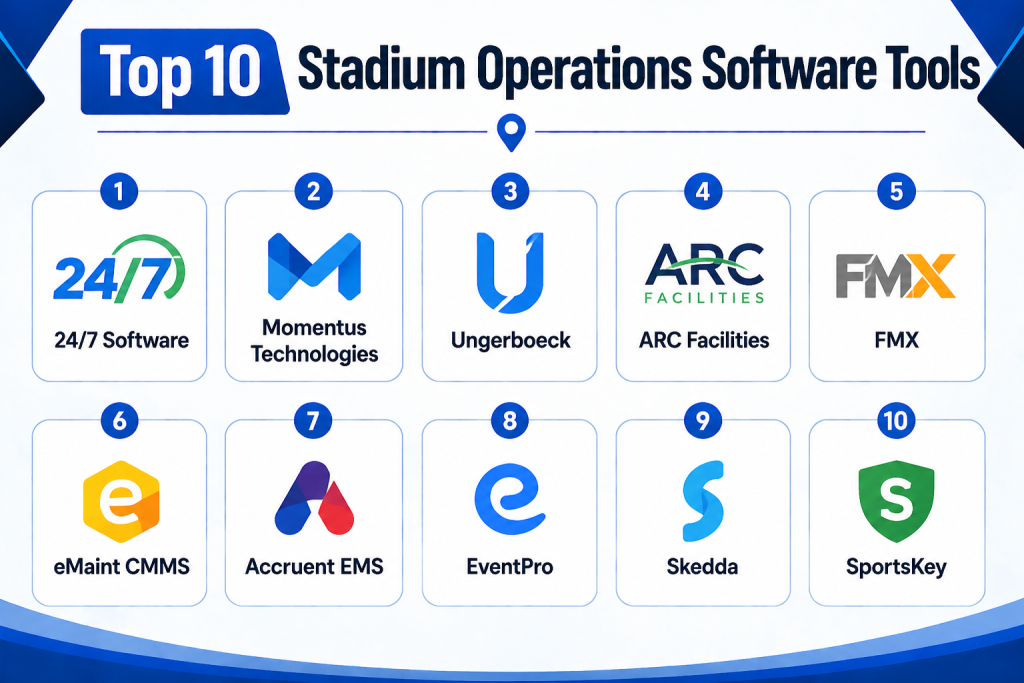
Top 10 Stadium Operations Software Tools
1- 24/7 Software
Short description:
24/7 Software is a venue operations platform designed for stadiums, arenas, convention centers, and large public facilities. It focuses on incident management, activity logs, inspections, task tracking, lost and found, maintenance requests, and real-time communication. The platform is especially useful for game-day and event-day command teams that need fast visibility into what is happening across the venue. Operations teams can document issues, assign follow-ups, track response activity, and build a reliable event history. It is well suited for sports organizations, security teams, guest services, and facility departments. For venues that need structured digital documentation instead of radio-only communication and spreadsheets, 24/7 Software is a strong fit.
Key Features
- Incident management and reporting
- Activity logs for event operations
- Lost and found tracking
- Inspection workflows
- Maintenance and service request tracking
- Real-time communication tools
- Dashboards and analytics for venue operations
Pros
- Strong focus on stadium and arena operations.
- Useful for live-event incident documentation.
- Supports multiple operational departments in one platform.
Cons
- May be more than small venues need.
- Advanced configuration may require onboarding support.
- Pricing details are usually custom or not publicly simple.
Platforms / Deployment
- Web / iOS / Android
- Cloud
Security & Compliance
- User access controls
- Role-based permissions
- Audit-friendly activity records
- Additional compliance details: Not publicly stated
Integrations & Ecosystem
24/7 Software is built for venue operations and commonly fits into broader stadium technology environments. It can support workflows connected to security, facility teams, guest services, and management reporting.
- Incident reporting workflows
- Facility operations tools
- Communication systems
- Reporting dashboards
- Venue department workflows
- API availability varies by plan
Support & Community
Support appears focused on onboarding, training, and customer success for venue teams. Community strength is more industry-specific than open community-based, making it better suited for professional venue operations teams.
2- Momentus Technologies
Short description:
Momentus Technologies provides venue and event management software for stadiums, arenas, convention centers, performing arts venues, and event spaces. It helps teams manage event booking, planning, operations, resources, contracts, and event delivery. For stadium operations, it is useful when the venue needs a structured system for planning events before execution and coordinating operational details across departments. The platform is broader than simple stadium task tracking because it supports the commercial and operational lifecycle of events. It is best suited for venues with many event types, complex calendars, and multiple stakeholders. Teams that need both event planning and operational coordination can benefit from its centralized approach.
Key Features
- Event booking and scheduling
- Venue calendar management
- Resource and space planning
- Event operations coordination
- Contract and document workflows
- Reporting and dashboards
- Multi-venue support
Pros
- Strong fit for complex venue and event management.
- Helps reduce spreadsheet-based planning.
- Useful for stadiums hosting sports, concerts, and private events.
Cons
- May require implementation planning.
- Not only focused on stadium incident management.
- Can be too advanced for simple sports facilities.
Platforms / Deployment
- Web
- Cloud
Security & Compliance
- User permissions
- Role-based access
- Enterprise authentication options may be available
- Additional compliance details: Not publicly stated
Integrations & Ecosystem
Momentus is useful for venues that need integrations across event planning, finance, CRM, ticketing, and operational systems. Its ecosystem is strongest for event lifecycle management.
- CRM systems
- Finance and billing tools
- Calendar systems
- Venue management workflows
- Reporting tools
- API and integration options vary by package
Support & Community
Momentus provides professional onboarding and support resources for venue teams. Because implementation can involve multiple departments, buyers should evaluate training, migration support, and admin enablement.
3- Ungerboeck
Short description:
Ungerboeck is a venue and event management platform used by event centers, stadiums, convention centers, arenas, and large venues. It supports event booking, space management, sales, operations, finance, and reporting. Stadium operators can use it to coordinate events, manage resources, track event details, and align commercial and operational teams. It is especially useful for venues that host multiple event types beyond sports, including concerts, conferences, exhibitions, and corporate events. The platform is designed for larger organizations with structured workflows and complex venue requirements. It works best when a stadium needs more than basic scheduling and wants a full venue operations backbone.
Key Features
- Event and venue management
- Booking and space scheduling
- Sales and CRM workflows
- Operations planning
- Financial management support
- Reporting and analytics
- Multi-department collaboration
Pros
- Comprehensive venue management capabilities.
- Good fit for complex event environments.
- Supports both business and operations teams.
Cons
- Can feel complex for smaller teams.
- Implementation may require process mapping.
- Advanced workflows may need training.
Platforms / Deployment
- Web
- Cloud / Hybrid
Security & Compliance
- User permissions
- Role-based access
- Enterprise security controls may be available
- Additional compliance details: Not publicly stated
Integrations & Ecosystem
Ungerboeck fits into venue ecosystems where sales, event planning, operations, finance, and reporting need to work together. It is more comprehensive than single-purpose stadium tools.
- CRM workflows
- Accounting and finance tools
- Event calendars
- Reporting systems
- Venue planning tools
- Integration availability varies by deployment
Support & Community
Support typically includes onboarding, training, customer success, and implementation guidance. Buyers should validate support tiers and admin training before rollout.
4- ARC Facilities
Short description:
ARC Facilities is a facility management and emergency information platform that helps stadium and sports facility teams access building information, asset data, maintenance records, and critical documents. It is valuable for stadium operations teams that need fast access to floor plans, shut-off locations, equipment documents, emergency information, and facility knowledge. Unlike event booking platforms, ARC Facilities focuses strongly on facility readiness, maintenance visibility, and emergency response support. It can help operations teams reduce delays when responding to building issues during live events. It is especially useful for facility managers, maintenance teams, engineering teams, and first responders. For stadiums with complex infrastructure, this type of platform can improve operational confidence.
Key Features
- Facility document access
- Asset information management
- Emergency response information
- Maintenance support workflows
- Mobile access for field teams
- Building information search
- Facility mapping and location details
Pros
- Strong fit for facility and maintenance teams.
- Helpful during emergency response and infrastructure issues.
- Mobile access supports on-site operations.
Cons
- Not a complete event booking system.
- May need document preparation before rollout.
- Best value appears in complex facilities.
Platforms / Deployment
- Web / iOS / Android
- Cloud
Security & Compliance
- User access controls
- Secure document access
- Additional compliance details: Not publicly stated
Integrations & Ecosystem
ARC Facilities works well as part of a broader stadium operations stack, especially where maintenance, safety, and building information must be available quickly.
- Facility documentation
- Asset data
- Emergency response workflows
- Maintenance operations
- Mobile field access
- Building information systems
Support & Community
Support is generally oriented around onboarding, document setup, training, and facility team enablement. Buyers should evaluate how much setup help is included.
5- FMX
Short description:
FMX is a facilities management platform that supports maintenance requests, preventive maintenance, scheduling, inspections, inventory, and facility operations. While it is not exclusively built for stadiums, it can be useful for sports complexes, school stadiums, campus athletic facilities, and multi-use venues. Operations teams can use FMX to manage work orders, track assets, schedule recurring maintenance, and coordinate staff activity. It is a practical fit for organizations that need a strong facility operations platform rather than a full stadium command center. FMX is especially valuable for maintenance-heavy environments where uptime, repairs, and preventive work are important. It can help teams move away from manual request tracking and disconnected spreadsheets.
Key Features
- Work order management
- Preventive maintenance
- Facility scheduling
- Asset management
- Inventory tracking
- Inspections
- Reporting dashboards
Pros
- Strong maintenance and facility management features.
- Easy to understand for operations teams.
- Useful for sports campuses and multi-use facilities.
Cons
- Not stadium-specific in every workflow.
- May need customization for live-event incident use.
- Advanced stadium integrations may vary.
Platforms / Deployment
- Web / iOS / Android
- Cloud
Security & Compliance
- User roles and permissions
- Secure user access
- Additional compliance details: Not publicly stated
Integrations & Ecosystem
FMX can connect facility operations with scheduling, maintenance, and administrative workflows. It is well suited for teams that need practical facilities coordination.
- Calendar tools
- Maintenance systems
- Asset workflows
- Request portals
- Reporting tools
- API options may vary
Support & Community
FMX provides customer support, onboarding resources, and documentation. It is generally approachable for facility teams that need structured implementation.
6- eMaint CMMS
Short description:
eMaint CMMS is a computerized maintenance management system used for asset management, work orders, preventive maintenance, inventory, and reliability operations. Stadiums and arenas with complex mechanical, electrical, HVAC, lighting, seating, and infrastructure assets can use eMaint to improve maintenance planning and uptime. It is not a complete stadium event operations platform, but it is strong for maintenance-heavy stadium environments. Facility managers can track assets, schedule recurring maintenance, monitor work completion, and analyze maintenance history. For stadiums where equipment reliability directly affects guest experience and event readiness, eMaint can be a valuable part of the operations stack. It is best suited for engineering, maintenance, and asset reliability teams.
Key Features
- Work order management
- Preventive maintenance
- Asset tracking
- Inventory and parts management
- Maintenance analytics
- Mobile maintenance workflows
- Custom reports and dashboards
Pros
- Strong maintenance and asset management depth.
- Good fit for complex venue infrastructure.
- Supports preventive maintenance planning.
Cons
- Not focused on event booking or crowd operations.
- Requires setup of assets and maintenance workflows.
- May need integration with other venue systems.
Platforms / Deployment
- Web / iOS / Android
- Cloud
Security & Compliance
- User permissions
- Role-based access
- Audit-friendly maintenance history
- Additional compliance details: Not publicly stated
Integrations & Ecosystem
eMaint is useful when integrated with broader facility, asset, and operational systems. Stadiums can use it alongside event platforms and incident management tools.
- Asset databases
- Inventory systems
- Reporting tools
- ERP systems
- Mobile maintenance workflows
- API options may vary
Support & Community
Support includes training resources, customer support, and implementation guidance. Buyers should validate onboarding scope and data migration support.
7- Accruent EMS
Short description:
Accruent EMS is a space scheduling and workplace resource management platform that can support venue, room, meeting, and event space coordination. For stadiums and sports facilities, it can help manage spaces such as suites, conference rooms, lounges, training areas, hospitality spaces, and internal event areas. It is not a stadium incident command platform, but it can be valuable for organizations managing large facilities with many bookable spaces. Operations teams can coordinate usage, reduce conflicts, and improve visibility into space demand. It is especially relevant for stadiums that generate revenue from non-game-day events, corporate hospitality, meetings, and private bookings. It works best as part of a broader stadium operations ecosystem.
Key Features
- Space and room scheduling
- Resource booking
- Event coordination
- Calendar management
- Visitor and service coordination
- Reporting on space usage
- Workflow approvals
Pros
- Strong space scheduling capabilities.
- Useful for multi-purpose venues.
- Supports non-game-day revenue operations.
Cons
- Not a complete stadium safety platform.
- May require pairing with maintenance and incident tools.
- Best suited for structured space management needs.
Platforms / Deployment
- Web
- Cloud / Hybrid
Security & Compliance
- User access controls
- Role-based permissions
- Additional compliance details: Not publicly stated
Integrations & Ecosystem
Accruent EMS can connect with calendars, workplace systems, service requests, and space management workflows. It is useful for stadiums with complex room and hospitality operations.
- Calendar systems
- Workplace tools
- Room scheduling displays
- Service workflows
- Reporting systems
- Enterprise integrations may vary
Support & Community
Support includes vendor documentation, onboarding services, and enterprise assistance. Buyers should evaluate configuration and training requirements.
8- EventPro
Short description:
EventPro is event management software used by venues, event planners, caterers, and facilities that need to manage bookings, event details, resources, invoices, and operational planning. For stadium operations, it can support event coordination, private events, hospitality planning, and multi-use venue scheduling. It is better suited for planning and administration than live incident command. Stadiums that host non-sporting events, banquets, conferences, corporate gatherings, or fan experiences can use EventPro to centralize event data. It helps teams manage event workflows from inquiry to execution. It is a practical choice for venues seeking structured event planning without deploying a very large enterprise venue platform.
Key Features
- Event booking management
- Resource planning
- Event documentation
- Catering and service coordination
- Calendar management
- Reporting
- Customer and contact tracking
Pros
- Strong event planning workflows.
- Useful for stadium hospitality and private events.
- Helps centralize event details.
Cons
- Not designed for real-time incident response.
- May not cover facility maintenance deeply.
- Advanced stadium operations may require additional tools.
Platforms / Deployment
- Web / Windows
- Cloud / Self-hosted options may vary
Security & Compliance
- User permissions
- Access controls
- Additional compliance details: Not publicly stated
Integrations & Ecosystem
EventPro integrates best with event administration, catering, scheduling, and customer workflows. It can support stadium departments focused on event sales and planning.
- Calendar workflows
- Customer records
- Accounting processes
- Event documentation
- Reporting
- Service planning
Support & Community
Support is generally available through vendor resources, onboarding, and documentation. Buyers should confirm support tier availability and implementation help.
9- Skedda
Short description:
Skedda is a space booking and scheduling platform that can help sports venues, stadium offices, training centers, community sports facilities, and hospitality spaces manage reservations. It is not a full stadium operations suite, but it is useful for managing bookable spaces and reducing scheduling conflicts. Teams can use it for meeting rooms, suites, practice spaces, media rooms, lounges, and shared facilities. Its strength is simplicity, clean scheduling workflows, and self-service booking. Smaller venues and departments that need space management without heavy enterprise complexity may find Skedda useful. It is best for operations teams that need booking clarity more than advanced live-event command features.
Key Features
- Space booking management
- Self-service reservations
- Calendar views
- User permissions
- Booking rules
- Online scheduling
- Usage reporting
Pros
- Easy to use and deploy.
- Strong for space booking.
- Good fit for smaller teams and specific departments.
Cons
- Not a complete stadium operations platform.
- Limited incident and maintenance depth.
- May need integration with other systems for enterprise venues.
Platforms / Deployment
- Web
- Cloud
Security & Compliance
- User permissions
- Access controls
- SSO may be available depending on plan
- Additional compliance details: Not publicly stated
Integrations & Ecosystem
Skedda fits into scheduling and space-management workflows. It can support stadium departments that need simple reservation control.
- Calendar tools
- User management systems
- Room and space workflows
- Reporting exports
- Booking portals
- Integration options vary by plan
Support & Community
Support includes documentation and customer assistance. It is generally easier to deploy than more complex enterprise venue platforms.
10- SportsKey
Short description:
SportsKey is sports facility management software focused on bookings, payments, scheduling, memberships, leagues, and facility administration. It is more suitable for sports centers, training venues, community facilities, academies, and recreational sports complexes than major stadium command centers. However, it can still support stadium-related operations when the main need is facility booking and sports program management. Teams can manage reservations, customer activity, payments, and administrative workflows in one place. It is useful for sports operators that want to reduce manual admin and improve facility utilization. For smaller stadiums and multi-sport facilities, SportsKey can be a practical operational tool.
Key Features
- Facility booking
- Membership management
- Payments
- Scheduling
- League and program management
- Customer administration
- Reporting
Pros
- Strong fit for sports facility administration.
- Helps reduce booking and payment manual work.
- Useful for community and recreational sports venues.
Cons
- Less suited for major stadium incident operations.
- Not focused on large-event command centers.
- Enterprise integrations may be limited.
Platforms / Deployment
- Web
- Cloud
Security & Compliance
- User access controls
- Payment-related security depends on payment provider
- Additional compliance details: Not publicly stated
Integrations & Ecosystem
SportsKey supports facility administration workflows and can connect sports bookings, customer management, and payments.
- Payment systems
- Booking calendars
- Customer records
- Sports program workflows
- Reporting
- Facility administration tools
Support & Community
Support appears focused on helping sports facilities manage operations, onboarding, and administration. Buyers should confirm support options based on plan and region.
Comparison Table
| Tool Name | Best For | Platform(s) Supported | Deployment | Standout Feature | Public Rating |
|---|---|---|---|---|---|
| 24/7 Software | Stadium event operations and incidents | Web / iOS / Android | Cloud | Real-time venue incident management | N/A |
| Momentus Technologies | Stadium and arena event lifecycle management | Web | Cloud | Event planning and venue operations in one system | N/A |
| Ungerboeck | Enterprise venue and event management | Web | Cloud / Hybrid | Full venue business and operations workflows | N/A |
| ARC Facilities | Facility information and emergency readiness | Web / iOS / Android | Cloud | Fast access to building and asset information | N/A |
| FMX | Facility maintenance and work orders | Web / iOS / Android | Cloud | Maintenance and facility operations management | N/A |
| eMaint CMMS | Stadium asset and maintenance reliability | Web / iOS / Android | Cloud | Preventive maintenance and asset tracking | N/A |
| Accruent EMS | Space scheduling and hospitality areas | Web | Cloud / Hybrid | Room and resource booking | N/A |
| EventPro | Event planning and private venue events | Web / Windows | Cloud / Varies | Event booking and service coordination | N/A |
| Skedda | Simple space booking | Web | Cloud | Self-service space reservations | N/A |
| SportsKey | Sports facility administration | Web | Cloud | Bookings, memberships, and payments | N/A |
Evaluation & Scoring of Stadium Operations Software
| Tool Name | Core (25%) | Ease (15%) | Integrations (15%) | Security (10%) | Performance (10%) | Support (10%) | Value (15%) | Weighted Total |
| 24/7 Software | 9 | 8 | 8 | 8 | 9 | 8 | 8 | 8.35 |
| Momentus Technologies | 9 | 7 | 8 | 8 | 8 | 8 | 7 | 8.00 |
| Ungerboeck | 9 | 7 | 8 | 8 | 8 | 8 | 7 | 8.00 |
| ARC Facilities | 8 | 8 | 7 | 8 | 8 | 8 | 8 | 7.85 |
| FMX | 8 | 9 | 7 | 7 | 8 | 8 | 9 | 8.05 |
| eMaint CMMS | 9 | 7 | 8 | 8 | 9 | 8 | 7 | 8.15 |
| Accruent EMS | 7 | 8 | 8 | 8 | 8 | 8 | 7 | 7.60 |
| EventPro | 7 | 8 | 7 | 7 | 8 | 8 | 8 | 7.45 |
| Skedda | 6 | 9 | 7 | 7 | 8 | 8 | 9 | 7.55 |
| SportsKey | 7 | 8 | 7 | 7 | 8 | 8 | 8 | 7.45 |
These scores are comparative, not universal ratings. A higher score means the tool appears stronger across the selected stadium operations criteria. However, buyers should not choose based only on the weighted total. A major arena may prioritize incident management, integrations, and security, while a smaller sports facility may prioritize bookings, affordability, and ease of use. The best tool depends on venue size, event complexity, operational maturity, and integration needs.
Which Stadium Operations Software Tool Is Right for You?
Solo / Freelancer
Solo consultants, independent sports venue managers, and small event operators usually do not need a heavy enterprise venue platform. A simple booking, scheduling, or facility coordination tool is often enough.
Best options:
- Skedda for simple space booking.
- SportsKey for sports facility bookings and memberships.
- FMX for basic maintenance and facility requests.
These tools are easier to deploy and do not require large IT teams.
SMB
Small and mid-sized sports facilities need practical software that reduces manual administration without creating too much complexity. They may need scheduling, maintenance, bookings, staff coordination, and basic reporting.
Best options:
- FMX for facility maintenance and work orders.
- SportsKey for bookings and payments.
- EventPro for event planning and venue coordination.
- Skedda for space booking.
SMBs should focus on ease of use, pricing flexibility, and fast onboarding.
Mid-Market
Mid-market stadiums, arenas, and multi-use venues usually need more structured operations. These organizations may host sports events, concerts, private events, training sessions, and community events.
Best options:
- 24/7 Software for live-event operations and incidents.
- Momentus Technologies for venue and event management.
- ARC Facilities for facility readiness and emergency access.
- FMX or eMaint CMMS for maintenance operations.
Mid-market buyers should look for mobile access, reporting, integrations, and clear workflows across departments.
Enterprise
Enterprise stadiums, major arenas, and multi-venue operators need scalable systems that support safety, event operations, asset management, compliance documentation, and complex integrations.
Best options:
- 24/7 Software for command center and incident operations.
- Momentus Technologies for event lifecycle management.
- Ungerboeck for enterprise venue and event operations.
- eMaint CMMS for asset-heavy maintenance environments.
- ARC Facilities for facility intelligence and emergency readiness.
Enterprise buyers should prioritize governance, data structure, security, integration flexibility, and vendor support.
Budget vs Premium
Budget-focused buyers should consider tools that solve the most urgent problem first instead of buying a broad platform immediately.
Budget-friendly direction:
- Skedda for space booking.
- SportsKey for sports facility administration.
- FMX for maintenance workflows.
Premium direction:
- 24/7 Software for stadium operations.
- Momentus Technologies for venue event management.
- Ungerboeck for enterprise venue operations.
- eMaint CMMS for advanced maintenance management.
Feature Depth vs Ease of Use
Tools with deeper functionality often require more setup, training, and process alignment. Tools with easier usability may not cover every stadium workflow.
For feature depth:
- 24/7 Software
- Momentus Technologies
- Ungerboeck
- eMaint CMMS
For ease of use:
- Skedda
- FMX
- SportsKey
- EventPro
Integrations & Scalability
Stadiums should think about integrations before buying. A tool may look strong during a demo but fail later if it cannot connect with ticketing, POS, access control, workforce tools, or reporting systems.
Strong integration-focused options:
- Momentus Technologies
- Ungerboeck
- 24/7 Software
- eMaint CMMS
- Accruent EMS
Buyers should ask about APIs, data exports, user provisioning, single sign-on, and reporting integrations.
Security & Compliance Needs
Stadium operations involve sensitive information, including incident records, staff activity, guest complaints, emergency procedures, facility maps, and security workflows. Buyers should prioritize access controls, audit logs, MFA, SSO, data retention, and permission management.
Best-fit options for stronger governance needs:
- 24/7 Software
- Momentus Technologies
- Ungerboeck
- eMaint CMMS
- ARC Facilities
Always validate security documentation directly with the vendor before signing a contract.
Frequently Asked Questions
1- What is Stadium Operations Software?
Stadium Operations Software helps venues manage live-event operations, incidents, maintenance, staff tasks, facility assets, guest issues, and event planning. It gives teams a centralized system instead of relying only on radios, spreadsheets, paper logs, or disconnected tools.
2- How much does Stadium Operations Software cost?
Pricing varies by vendor, venue size, number of users, modules, screens, integrations, and support needs. Many stadium-focused platforms use custom pricing, while smaller facility tools may offer subscription plans. Buyers should request a quote based on actual operational requirements.
3- Is Stadium Operations Software only for large stadiums?
No. Large stadiums need advanced incident, safety, and event workflows, but smaller sports facilities can also benefit from scheduling, maintenance, booking, and reporting tools. The key is choosing a platform that matches the venue’s scale and complexity.
4- What features are most important for stadiums?
Important features include incident management, real-time dashboards, mobile reporting, work orders, inspections, maintenance tracking, task assignments, communication logs, reporting, and integrations. Larger venues should also look for role-based access, audit history, and command center visibility.
5- How long does implementation usually take?
Implementation depends on the tool and the complexity of the venue. A simple booking or maintenance platform can be deployed quickly, while enterprise stadium operations software may require workflow design, data migration, user training, integrations, and testing before full rollout.
6- What are common mistakes when buying stadium operations software?
Common mistakes include buying too many features too early, ignoring mobile usability, failing to involve event-day staff, underestimating integration needs, and not testing workflows during a pilot. Buyers should validate the tool in real operational scenarios before full deployment.
7- Can Stadium Operations Software integrate with ticketing and POS systems?
Many stadium platforms can integrate with ticketing, POS, CRM, access control, calendars, workforce tools, reporting platforms, and facility systems. Integration availability varies by vendor and plan, so buyers should confirm supported systems before purchase.
8- Is cloud-based Stadium Operations Software secure?
Cloud-based platforms can be secure when they include strong authentication, encryption, access controls, audit logs, and secure data practices. However, security varies by vendor. Buyers should request security documentation and review compliance requirements before deployment.
9- Can stadium teams switch from spreadsheets to operations software easily?
Yes, but successful migration requires process planning. Teams should map current workflows, clean old data, define user roles, train staff, and start with priority use cases such as incidents, maintenance, or event planning before expanding.
10- What alternatives exist to Stadium Operations Software?
Alternatives include facility management software, CMMS platforms, event management tools, space booking tools, workforce management systems, and incident reporting systems. However, using disconnected tools may create visibility gaps during live events..
Conclusion
Stadium Operations Software plays a critical role in helping venues manage complex event environments with better visibility, faster response, and stronger documentation. The best platform depends on the venue’s size, event volume, operational maturity, and main pain points. A major stadium may need 24/7 Software, Momentus Technologies, Ungerboeck, ARC Facilities, or eMaint CMMS for structured operations and scalability. A smaller sports facility may get better value from FMX, Skedda, SportsKey, or EventPro. There is no single universal winner because stadium operations include many different workflows such as incidents, maintenance, bookings, facility readiness, and event planning. The smartest next step is to shortlist two or three tools, run a pilot during a real operational scenario, validate integrations and security controls, and choose the platform that best fits your venue’s daily and event-day reality.
