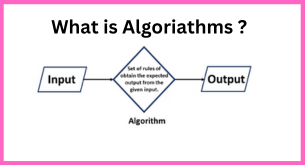
What is algorithm in programming?
An algorithm is a step-by-step procedure for solving a computational problem. It is a set of instructions that define how to achieve a specific goal. Algorithms are used in all aspects of programming, from simple tasks like sorting a list of numbers to complex problems like machine learning and artificial intelligence.
What is top use cases of algorithm?
Algorithms are used in various applications and industries to solve complex problems. Some of the top use cases of algorithms include:
- Sorting: Algorithms are used to sort data in ascending or descending order. This is useful in many applications such as organizing data, searching for specific items, and optimizing performance.
- Searching: Algorithms are used to search for specific elements in a collection of data. This is commonly used in databases, search engines, and recommendation systems.
- Graph algorithms: Algorithms are used to solve problems related to graphs, such as finding the shortest path between two nodes, determining connectivity, and identifying cycles.
- Machine learning: Algorithms are used in machine learning to train models, make predictions, and analyze data. This is used in various fields such as image recognition, natural language processing, and recommendation systems.
- Cryptography: Algorithms are used in cryptography to secure communications and protect sensitive data. This includes encryption algorithms, hash functions, and digital signatures.
What are feature of algorithm?
Good algorithms have the following features:
- Correctness: The algorithm must always produce the correct result.
- Efficiency: The algorithm should run in a reasonable amount of time and use a reasonable amount of memory.
- Generality: The algorithm should be able to solve a wide range of problems.
- Simplicity: The algorithm should be easy to understand and implement.
- Robustness: The algorithm should be able to handle errors and unexpected inputs.
What is the workflow of algorithm?
The workflow of an algorithm generally involves:
- Defining the problem: Identifying and describing the problem that needs to be solved.
- Designing the algorithm: Creating a step-by-step plan to solve the problem.
- Implementing the algorithm: Translating the algorithm into a programming language or code.
- Testing and debugging: Running the algorithm on test cases to verify its correctness and fix any issues.
- Analysis and optimization: Evaluating the algorithm’s performance and making necessary improvements.
Advantage and Disadvantages of Algorithms
Advantages of Algorithms:
- Enhanced Efficiency: Algorithms streamline operations, resulting in swifter and more optimized solutions.
- Consistent Reproducibility: They consistently produce the same outcomes when given identical inputs.
- Effective Problem-solving: Algorithms provide structured methodologies to effectively address intricate problems.
- Scalable Capability: Many algorithms manage larger datasets and expand alongside increasing input sizes.
- Task Automation: They facilitate the automation of tasks, minimizing the necessity for manual intervention.
Disadvantages of Algorithms:
- Complexity Challenges: Crafting intricate algorithms can pose challenges and consume considerable time.
- Limitations: Some problems lack efficient algorithms, leading to less-than-optimal solutions.
- Resource Intensiveness: Certain algorithms demand significant computational resources.
- Potential Inaccuracy: Incorrect outputs may result from inappropriate algorithm design or implementation.
- Maintenance Needs: Evolving technology might mandate updates for algorithms to remain pertinent and efficient.
