What is VBA?
VBA stands for Visual Basic for Applications, which is a programming language developed by Microsoft. It allows users to automate tasks and create custom functions. VBA is a powerful tool that can be used to save time and improve efficiency.
What are the top use cases of VBA?
Here are some of the top use cases of VBA:
- Automating repetitive tasks: VBA can be used to automate repetitive tasks, such as formatting data, creating reports, and sending emails. This can save users a lot of time and effort.
- Creating custom functions: VBA can be used to create custom functions that can be used in Excel, Word, PowerPoint, and Outlook. This can extend the functionality of these applications and make them more user-friendly.
- Building user interfaces: VBA can be used to build user interfaces, such as dialog boxes and forms. This allows users to interact with their VBA programs in a more intuitive way.
What are the features of VBA?
Features of VBA:
- Integration: VBA seamlessly integrates with Microsoft Office applications.
- Event Handling: It can respond to user actions or events triggered within Office applications.
- Object-Oriented: VBA is object-oriented, which means it works with objects like worksheets, ranges, and cells.
- Extensibility: Users can create custom functions, add-ins, and user forms.
- Automation: It can automate complex tasks using macros.
- Debugging Tools: VBA provides debugging tools to identify and fix errors in code.
What is the workflow of VBA?
Workflow of VBA:
- Open the Office Application: Start the Office application (e.g., Excel) where you want to work with VBA.
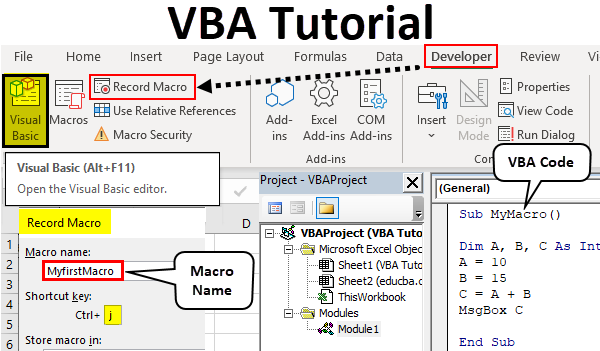
- Access the VBA Editor: Go to the Developer tab (if not visible, enable it in Excel options) and click on “Visual Basic” to open the VBA editor.
- Write or Record Code: You can write VBA code manually or use the macro recorder to record your actions as code.
- Edit and Debug: Use the VBA editor to write, edit, and debug your code. You can set breakpoints, watch variables, and step through code.
- Run Macros: Execute your VBA code by running the macros you’ve created.
How VBA Works & Architecture?
VBA works by manipulating objects within Office applications through a set of functions and methods. It follows an event-driven architecture, meaning code is executed in response to events like button clicks or worksheet changes.
The architecture includes:
- Objects: Everything in VBA is treated as an object, such as workbooks, worksheets, cells, and buttons.
- Methods: Objects have methods that allow you to perform actions on them, like copying data or formatting cells.
- Properties: Objects have properties (e.g., color, value) that you can get or set.
- Events: Office applications trigger events like “Button Click” or “Worksheet Change,” and you can write code to respond to these events.
- Modules: VBA code is organized into modules, which can contain functions, subs, and variables.
How to Install and Configure VBA?
VBA comes pre-installed with Microsoft Office. There is no separate installation process required.
Step by Step Tutorials for VBA for the Hello World program
Below are the steps to create a basic “Hello World” program in VBA within Excel: –
- Open Excel.
- Enable the Developer tab if not already visible:
- Click File > Options.
- In the Excel Options dialog, select Customize Ribbon.
- Check the Developer option in the right column.
- Click OK.
- Click on the Developer tab, then click on “Visual Basic” to open the VBA editor.
- In the VBA editor, insert a new module:
- Right-click on “VBAProject (YourWorkbookName)” in the Project Explorer (left pane).
- Choose Insert > Module.
- In the module, write a simple Hello World program:
Sub HelloWorld()
    MsgBox "Hello, World!"
End Sub
- Close the VBA editor.
- Back in Excel, you can run the macro:
- Click on the Developer tab.
- Click on Macros.
- Select HelloWorld and click Run.
A message box with the text “Hello, World!” will pop up, indicating that your VBA code executed successfully.
