Blade looping directives are used to iterate over collections of data in Laravel Blade templates. There are three main looping directives:
- @foreach
- @for
- @while
1. @foreach:
This directive allows you to loop over an array or collection. It has the following syntax:
   @foreach($items as $item)
       // Code to be executed for each iteration
   @endforeach
Example:
<!doctype html>
<html lang="en">

<head>
  <title>Title</title>
  <!-- Required meta tags -->
  <meta charset="utf-8">
  <meta name="viewport" content="width=device-width, initial-scale=1, shrink-to-fit=no">

  <!-- Bootstrap CSS v5.2.1 -->
  <link href="https://cdn.jsdelivr.net/npm/bootstrap@5.3.2/dist/css/bootstrap.min.css" rel="stylesheet"
    integrity="sha384-T3c6CoIi6uLrA9TneNEoa7RxnatzjcDSCmG1MXxSR1GAsXEV/Dwwykc2MPK8M2HN" crossorigin="anonymous">

</head>

<body>
  <div class = "container">
        @php
           $arr = [1,2,3,4,5,6,7,8,9,10];
        @endphp
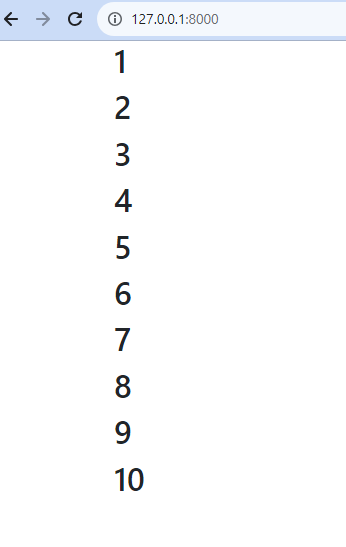
        @foreach ($arr as $i)
            <h2>{{$i}}</h2>
        @endforeach
    </div>
</body>

</html>
Output:
2. @for:
The @for directive allows you to loop a specific number of times. It has the following syntax:
   @for($i = 0; $i < $count; $i++)
       // Code to be executed for each iteration
   @endfor
Example:
<!doctype html>
<html lang="en">

<head>
  <title>Title</title>
  <!-- Required meta tags -->
  <meta charset="utf-8">
  <meta name="viewport" content="width=device-width, initial-scale=1, shrink-to-fit=no">

  <!-- Bootstrap CSS v5.2.1 -->
  <link href="https://cdn.jsdelivr.net/npm/bootstrap@5.3.2/dist/css/bootstrap.min.css" rel="stylesheet"
    integrity="sha384-T3c6CoIi6uLrA9TneNEoa7RxnatzjcDSCmG1MXxSR1GAsXEV/Dwwykc2MPK8M2HN" crossorigin="anonymous">

</head>

<body>
  <div class= "container">
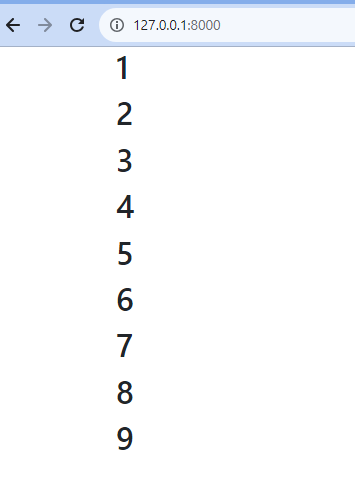
 @for ($i = 1; $i < 10; $i++)
      <h2>
         {{$i}}
      </h2>
 @endfor
</body>

</html>
Output:
3. @while:
This directive allows you to execute a block of code repeatedly as long as a specific condition is met. It has the following syntax:
   @while($condition)
       // Code to be executed while the condition is true
   @endwhile
Example:
<!doctype html>
<html lang="en">

<head>
  <title>Title</title>
  <!-- Required meta tags -->
  <meta charset="utf-8">
  <meta name="viewport" content="width=device-width, initial-scale=1, shrink-to-fit=no">

  <!-- Bootstrap CSS v5.2.1 -->
  <link href="https://cdn.jsdelivr.net/npm/bootstrap@5.3.2/dist/css/bootstrap.min.css" rel="stylesheet"
    integrity="sha384-T3c6CoIi6uLrA9TneNEoa7RxnatzjcDSCmG1MXxSR1GAsXEV/Dwwykc2MPK8M2HN" crossorigin="anonymous">

</head>

<body>
  <div class= "container">
        @php
        $i = 1;
        @endphp
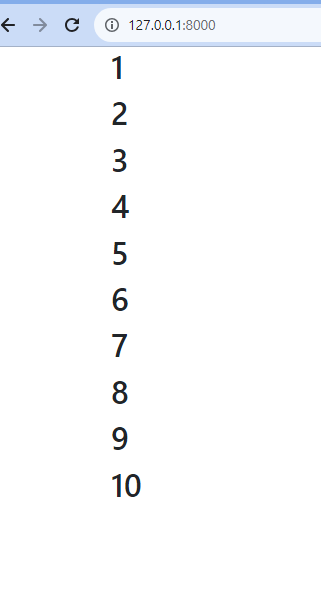
        @while($i<=10)
           <h2> {{$i}} </h2>
        @php $i++; @endphp
        @endwhile

    </div>
</body>

</html>
Output:
Loop Variable:
The Loop variable is a special variable that is available within loops. It provides information about the current iteration of the loop. Some of the properties of the Loop variable include:
- index: The current iteration number (starting from 0)
- first: Whether this is the first iteration
- last: Whether this is the last iteration
- even: Whether this is an even iteration
- odd: Whether this is an odd iteration
@continue:
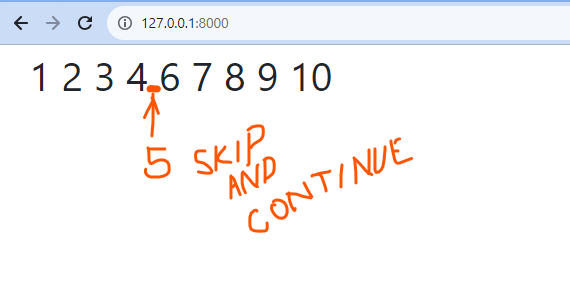
The @continue directive is used to skip the current iteration of a loop and continue to the next iteration.
Syntax:
@foreach($items as $item)
    @if(some_condition)
        @continue
    @endif
    // Code here executes only if the condition is false for the current item
    <li>{{ $item }}</li>
@endforeach
Example:
<!doctype html>
<html lang="en">

<head>
  <title>Title</title>
  <!-- Required meta tags -->
  <meta charset="utf-8">
  <meta name="viewport" content="width=device-width, initial-scale=1, shrink-to-fit=no">

  <!-- Bootstrap CSS v5.2.1 -->
  <link href="https://cdn.jsdelivr.net/npm/bootstrap@5.3.2/dist/css/bootstrap.min.css" rel="stylesheet"
    integrity="sha384-T3c6CoIi6uLrA9TneNEoa7RxnatzjcDSCmG1MXxSR1GAsXEV/Dwwykc2MPK8M2HN" crossorigin="anonymous">

</head>

<body>
  <div class = "container">
     @for ($i= 1; $i<= 10; $i++)
         @if ($i==5)
         @continue

    @endif
           {{$i}}
           @endfor
   </div>
</body>

</html>
Output:
@break:
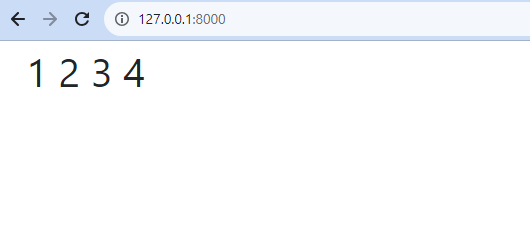
The @break directive is used to terminate a loop and exit the loop body.
Syntax:
@foreach($items as $item)
    @if(some_condition)
        @break
    @endif
    <li>{{ $item }}</li>
@endforeach
Example:
<!doctype html>
<html lang="en">

<head>
  <title>Title</title>
  <!-- Required meta tags -->
  <meta charset="utf-8">
  <meta name="viewport" content="width=device-width, initial-scale=1, shrink-to-fit=no">

  <!-- Bootstrap CSS v5.2.1 -->
  <link href="https://cdn.jsdelivr.net/npm/bootstrap@5.3.2/dist/css/bootstrap.min.css" rel="stylesheet"
    integrity="sha384-T3c6CoIi6uLrA9TneNEoa7RxnatzjcDSCmG1MXxSR1GAsXEV/Dwwykc2MPK8M2HN" crossorigin="anonymous">

</head>

<body>
 <div class = "container">
     @for ($i= 1; $i<= 10; $i++)
         @if ($i==5)
         <!-- @continue -->
         @break
    @endif
           {{$i}}
           @endfor
   </div>
</body>

</html>
Output:
These are just a few examples of the looping directives available in Laravel’s Blade templating engine. Thanks for Visiting.
