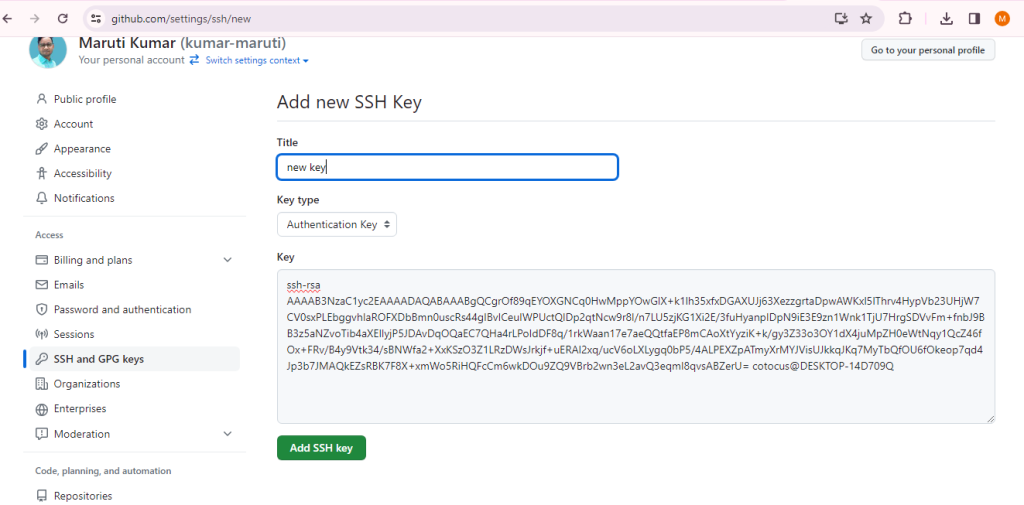
Setting up an SSH key on Windows 10 involves a few steps. SSH keys are used for secure authentication when connecting to remote servers, including services like GitHub. Here’s a step-by-step guide:
- Open a command prompt or PowerShell and Enter the following command:
ssh-keygen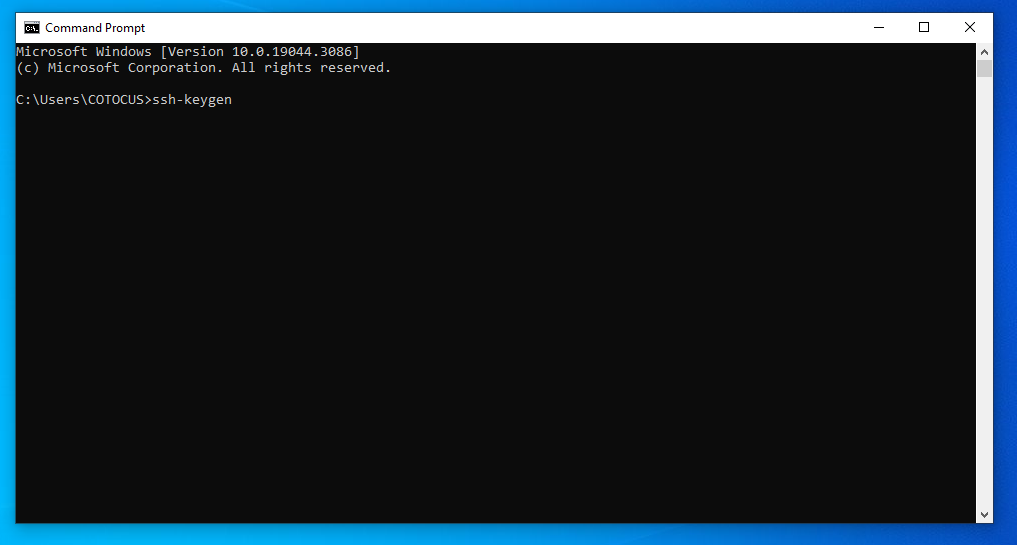
2. Next press enter keyboard
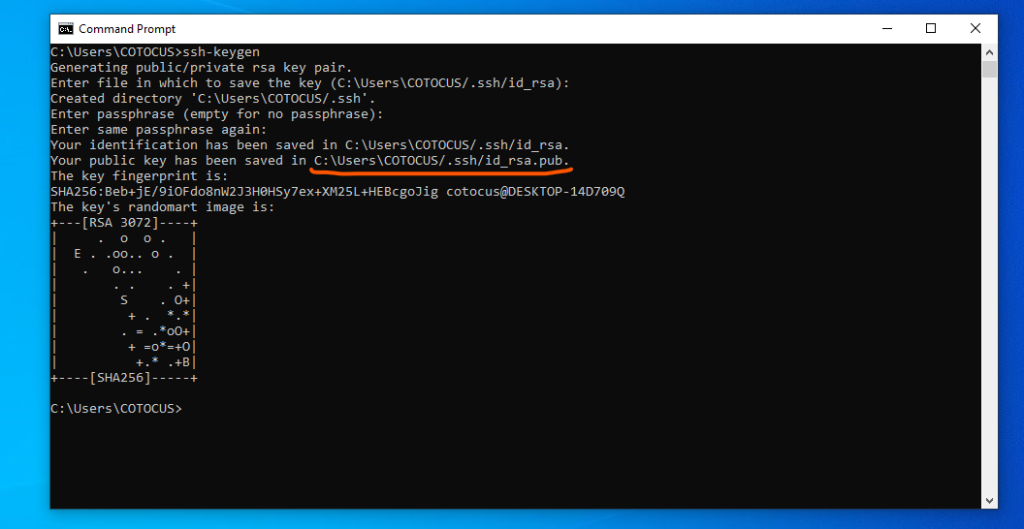
3. Next, navigate to C:\Users\COTOCUS.ssh.
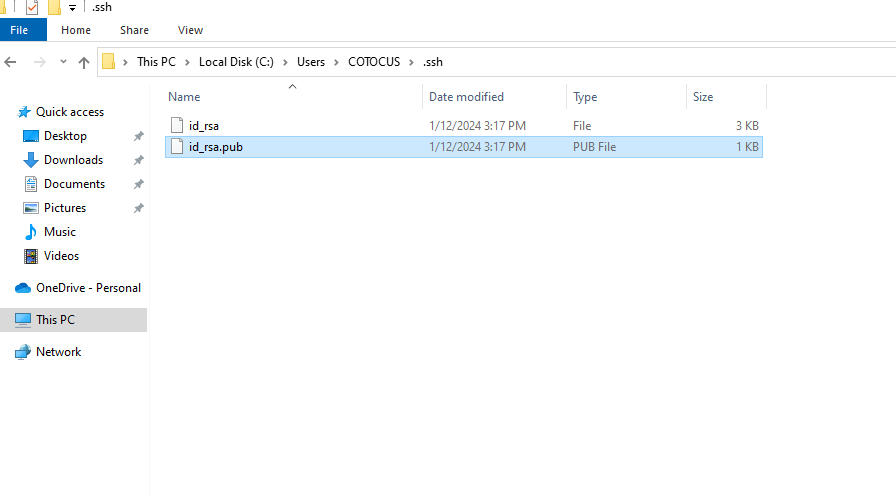
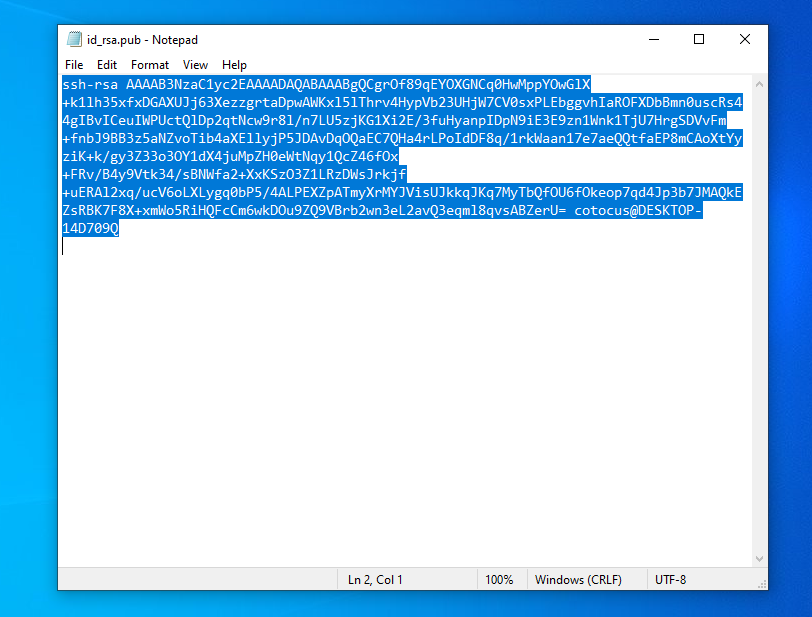
4. Open the id_rsa.pub file, select all of its contents, and copy them.
5. Next Go to https://github.com/settings/keys
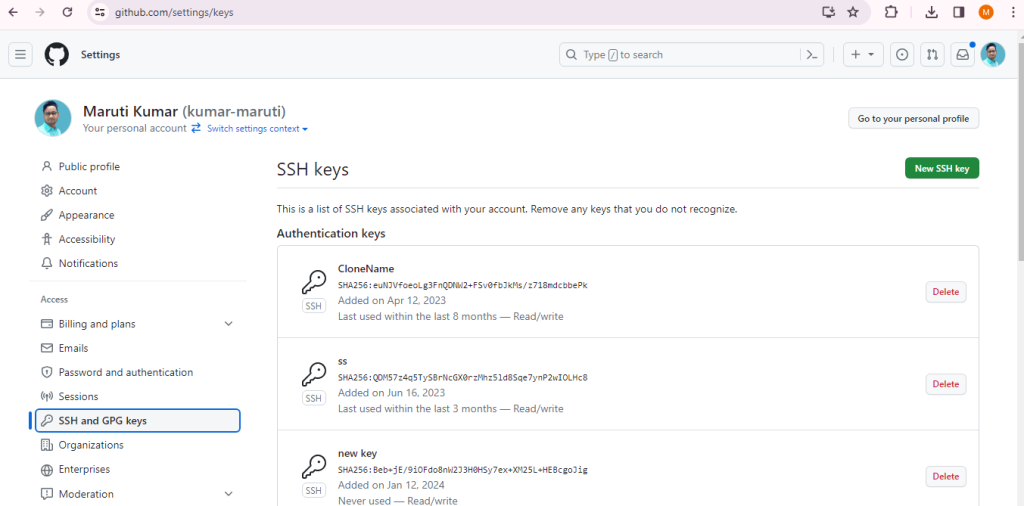
6. Next, click on the “New SSH key” button, provide a title, paste the code into the key field, and then click the “Add SSH Key” button.