Upgrade & Secure Your Future with DevOps, SRE, DevSecOps, MLOps!

We spend hours on Instagram and YouTube and waste money on coffee and fast food, but won’t spend 30 minutes a day learning skills to boost our careers.
Master in DevOps, SRE, DevSecOps & MLOps!

Learn from Guru Rajesh Kumar and double your salary in just one year.

Get Started Now!

How to Install Node.js and npm in cpanel step by step process

To install Node.js and npm (Node Package Manager) in cPanel, follow the steps below:

Step 1: Log in to cPanel
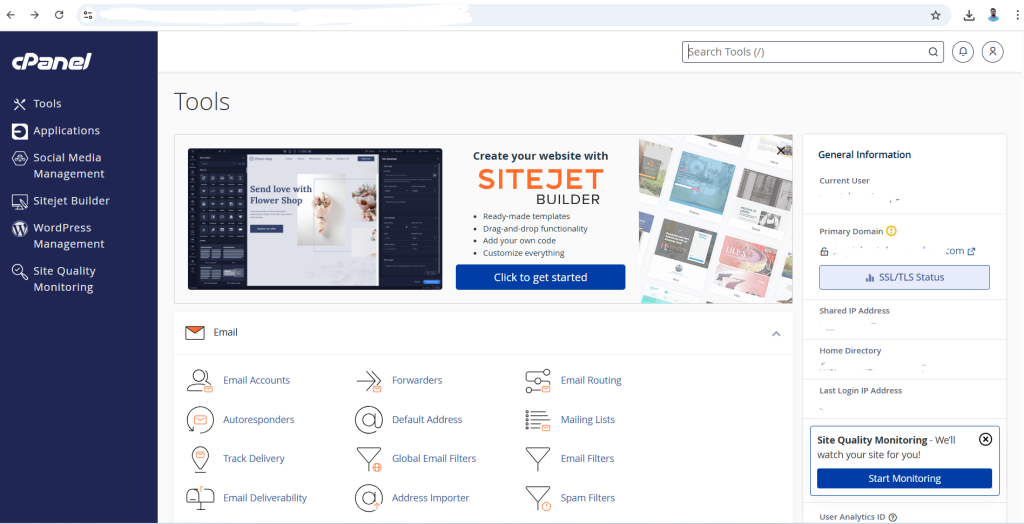
  1. Open your web browser and go to your cPanel login URL.
  2. Enter your username and password to log in.

Step 2: Access the Terminal (SSH)
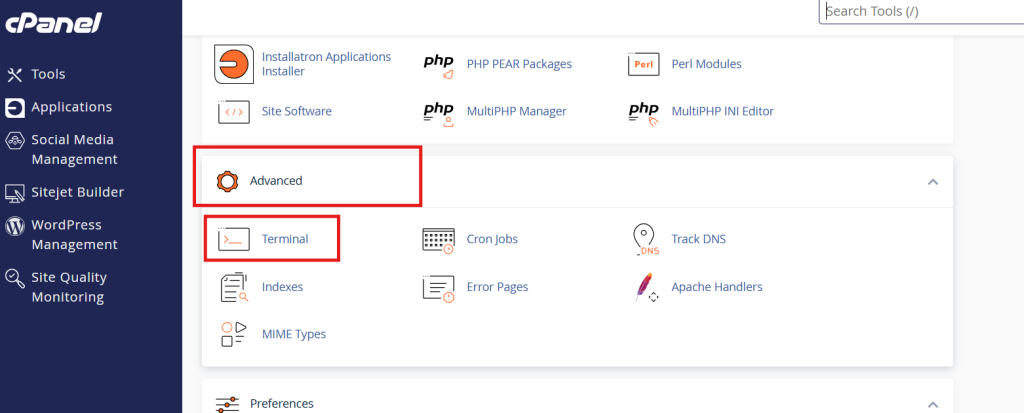
  1. In your cPanel, scroll down to the “Advanced” section and click on “Terminal”.
  2. If you don’t see the Terminal option, make sure that SSH access is enabled for your cPanel account. If not, contact your hosting provider to enable it.

Step 3: Manual Installation via Terminal
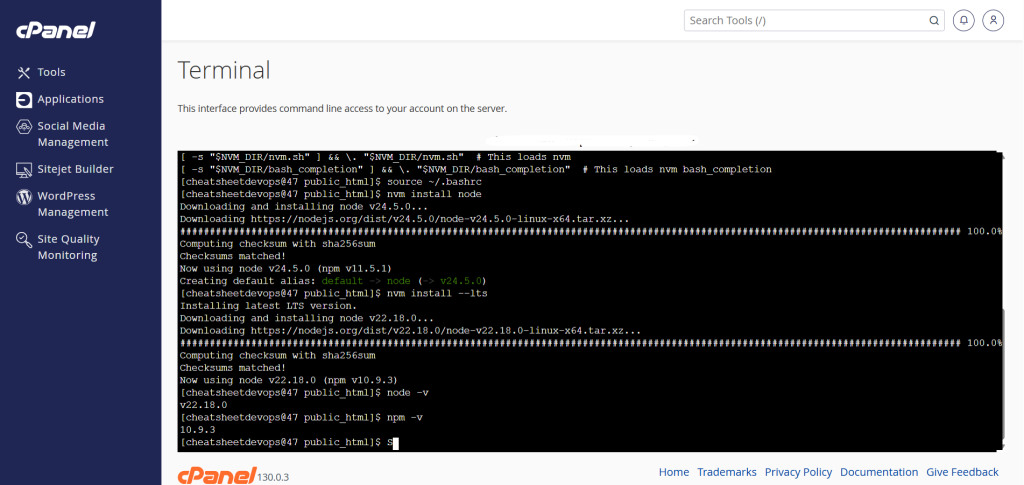
  1. Go to your project directory

2. Install Node Version Manager (nvm)

      curl -o- https://raw.githubusercontent.com/nvm-sh/nvm/v0.39.1/install.sh | bash
    1. Load nvm
      source ~/.bashrc
    1. Install Node.js
      nvm install node  # For latest version
      # OR
      nvm install --lts  # For LTS version
    1. Verify Installation
      node -v
      npm -v
    1. Make Node.js Available System-Wide (if needed)
      Create symlinks in your ~/bin directory:
       mkdir ~/bin
       ln -s "$(which node)" ~/bin/node
       ln -s "$(which npm)" ~/bin/npm

    That’s it! You’ve successfully installed Node.js and npm on your cPanel hosting account.

    Related Posts

    Top 10 Web Browsers: Features, Pros, Cons & Comparison

    Introduction Web browsers are software applications that allow users to access, navigate, and interact with content on the internet. They are essential for browsing websites, streaming media, Read More

    Read More

    Top 10 Internet Filtering Software: Features, Pros, Cons & Comparison

    Introduction Internet filtering software allows families, schools, and businesses to control access to web content, block unsafe websites, and enforce browsing policies. These tools help reduce exposure Read More

    Read More

    Top 10 Ad Blocking Tools: Features, Pros, Cons & Comparison

    Introduction Ad blocking tools are software applications or browser extensions that prevent unwanted advertisements from appearing during browsing or within apps. By filtering out banners, pop‑ups, video Read More

    Read More

    Top 10 Parental Control Software: Features, Pros, Cons & Comparison

    Introduction Parental control software helps parents monitor, manage, and protect their children’s online activities. These tools provide features like content filtering, screen time management, app monitoring, and Read More

    Read More

    Top 10 Child Safety Monitoring Apps: Features, Pros, Cons & Comparison

    Introduction Child safety monitoring apps help parents and guardians keep children safe in the digital and physical world. These tools offer monitoring of online activity, location tracking, Read More

    Read More

    Top 10 Password Vault Consumer Apps: Features, Pros, Cons & Comparison

    Introduction Password vault consumer apps are digital tools that help individuals securely store, manage, and autofill passwords for websites and apps. They reduce the risk of forgotten Read More

    Read More
    Subscribe
    Notify of
    guest
    0 Comments
    Oldest
    Newest Most Voted
    0
    Would love your thoughts, please comment.x
    ()
    x
