Introduction
Enterprise Social Networks (ESNs) are internal communication and collaboration platforms designed to improve how employees connect, share knowledge, and work together inside an organization. Unlike public social media, these platforms are private, secure, and built specifically for workplace communication across teams, departments, and global offices.
In modern enterprises, work is no longer limited to email chains or static documents. Employees expect real-time communication, transparent knowledge sharing, and community-driven collaboration. Enterprise Social Networks help organizations reduce communication silos, improve engagement, and accelerate decision-making by creating a unified digital workplace.
These platforms are increasingly important because hybrid and remote work environments require faster, more connected, and more transparent communication systems. ESNs also support organizational learning by enabling employees to share updates, ideas, and insights in structured social feeds.
Real-world use cases include:
- Company-wide internal communication and announcements
- Cross-department collaboration and knowledge sharing
- Employee engagement and culture building
- Project-based community discussions
- Leadership updates and internal communications
- Onboarding and training collaboration
What buyers should evaluate:
- Ease of adoption across the organization
- Integration with productivity tools
- Security and access control mechanisms
- Scalability for large enterprises
- Content organization and search capabilities
- Mobile and remote accessibility
- Workflow automation features
- Analytics and engagement tracking
- Customization and branding options
- Data governance and compliance readiness
Best for: Large enterprises, distributed teams, HR and internal communications departments, knowledge-driven organizations, and companies focused on employee engagement and digital workplace transformation.
Not ideal for: Small teams that only need basic chat tools, organizations with minimal internal collaboration needs, or companies already fully dependent on lightweight messaging apps without structured knowledge sharing requirements.
Key Trends in Enterprise Social Networks
- AI-powered content summarization and knowledge discovery inside enterprise feeds
- Deeper integration with digital workplace platforms and collaboration suites
- Shift toward unified employee experience platforms rather than standalone ESNs
- Increased focus on employee engagement analytics and sentiment tracking
- Stronger governance and content moderation using AI automation
- Mobile-first enterprise communication becoming standard
- Rise of personalized internal feeds based on roles and departments
- Integration of ESNs with HR systems for employee lifecycle communication
- Growth of community-based internal collaboration models
- Enhanced security controls for hybrid and remote workforce environments
How We Selected These Tools (Methodology)
- Market adoption and enterprise recognition across industries
- Depth of internal collaboration and social networking features
- Ability to scale across large organizations
- Security, governance, and administrative control capabilities
- Integration ecosystem with enterprise tools
- Real-world usage in internal communication scenarios
- Support for hybrid and remote workforce environments
- Reliability, performance, and usability in enterprise deployments
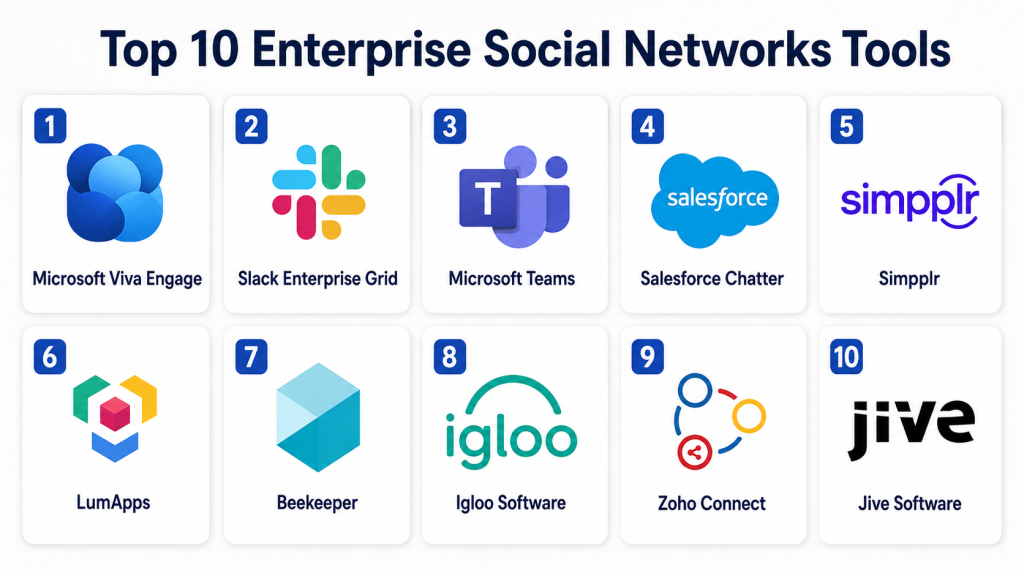
Top 10 Enterprise Social Networks Tools
1- Microsoft Viva Engage
Short description:
Microsoft Viva Engage is an enterprise social networking platform built to enhance internal communication and employee engagement within organizations using Microsoft 365. It enables employees to post updates, share knowledge, join communities, and interact with leadership communications in a structured social environment. The platform is widely used in large enterprises where Microsoft ecosystem adoption is already strong. It integrates deeply with productivity tools like Teams and Outlook, making it a natural extension of workplace communication. Viva Engage is designed to improve organizational transparency and employee engagement. It is especially valuable for companies focused on digital workplace transformation and internal communication efficiency.
Key Features
- Community-based communication feeds
- Leadership announcement spaces
- Employee engagement analytics
- Integration with Microsoft Teams
- Knowledge sharing and discussion threads
- Mobile-friendly experience
- Enterprise identity management
Pros
- Strong Microsoft ecosystem integration
- High enterprise adoption potential
- Excellent internal communication structure
Cons
- Best value only within Microsoft environments
- Limited flexibility outside Microsoft stack
- Can feel complex for smaller teams
Platforms / Deployment
- Web / Windows / macOS / iOS / Android
- Cloud
Security & Compliance
- SSO/SAML
- MFA
- Encryption
- RBAC
- Audit logs
Integrations & Ecosystem
Deep integration within Microsoft 365 ecosystem supports seamless enterprise communication workflows.
- Microsoft Teams
- SharePoint
- Outlook
- Power Platform
- Azure Active Directory
Support & Community
Strong enterprise documentation and Microsoft support ecosystem with global adoption.
2- Slack Enterprise Grid
Short description:
Slack Enterprise Grid is a large-scale enterprise communication platform designed for structured collaboration across departments, teams, and organizations. It enables real-time messaging, channels, file sharing, and workflow automation. While not a traditional ESN in the classic sense, it functions as a social collaboration network within enterprises. It supports cross-functional communication and internal communities. Slack is widely used for fast-moving organizations that prioritize communication speed and integration flexibility. Enterprise Grid adds governance and administrative controls for large organizations.
Key Features
- Channel-based communication structure
- Enterprise-wide messaging governance
- Workflow automation tools
- App integrations marketplace
- Advanced search and history
- Guest and external collaboration
- Notification controls
Pros
- Excellent real-time collaboration
- Strong integration ecosystem
- High user adoption and usability
Cons
- Not purpose-built as a social network
- Can become noisy without governance
- Enterprise pricing complexity
Platforms / Deployment
- Web / Windows / macOS / Linux / iOS / Android
- Cloud
Security & Compliance
- SSO/SAML
- MFA
- Encryption
- Audit logs
- Enterprise access controls
Integrations & Ecosystem
Slack supports one of the largest enterprise integration ecosystems.
- CRM tools
- Project management platforms
- DevOps tools
- HR systems
- Productivity apps
Support & Community
Strong enterprise documentation and global user community.
3- Microsoft Teams
Short description:
Microsoft Teams serves as a unified collaboration and communication platform that also functions as an enterprise social networking system through channels, posts, and organizational communities. It supports messaging, video conferencing, document collaboration, and internal social interaction. Teams is widely adopted in enterprises already using Microsoft 365. It enables structured communication across departments and global teams. Its integration with productivity tools makes it a central hub for workplace communication and engagement. Teams is particularly strong in regulated industries due to governance capabilities.
Key Features
- Team and channel communication
- Organizational announcements
- Video conferencing integration
- File collaboration
- Enterprise governance controls
- Guest access management
- Mobile collaboration support
Pros
- Strong enterprise adoption
- Deep Microsoft ecosystem integration
- Excellent governance features
Cons
- Interface can feel complex
- Requires Microsoft ecosystem dependency
- Can be overwhelming for small teams
Platforms / Deployment
- Web / Windows / macOS / Linux / iOS / Android
- Cloud
Security & Compliance
- MFA
- SSO/SAML
- Encryption
- Audit logs
- Compliance controls
Integrations & Ecosystem
- Microsoft 365 suite
- SharePoint
- Power Platform
- Outlook
- Enterprise apps
Support & Community
Extensive enterprise support and documentation through Microsoft ecosystem.
4- Salesforce Chatter
Short description:
Salesforce Chatter is an enterprise social collaboration tool integrated within the Salesforce ecosystem. It enables employees to communicate, share updates, and collaborate directly within business workflows. Chatter connects social communication with CRM data, making it useful for sales, service, and marketing teams. It supports structured communication around business records and projects. Organizations already using Salesforce benefit the most from its integration capabilities. It enhances internal communication while staying tied to business processes.
Key Features
- Feed-based collaboration
- CRM-linked discussions
- File sharing within records
- Group collaboration spaces
- Task and update tracking
- Notification system
- Mobile access
Pros
- Strong CRM integration
- Contextual business communication
- Good for sales-driven organizations
Cons
- Limited outside Salesforce ecosystem
- Not a standalone ESN platform
- Requires Salesforce dependency
Platforms / Deployment
- Web / iOS / Android
- Cloud
Security & Compliance
- SSO
- MFA
- Encryption
- Role-based access controls
Integrations & Ecosystem
- Salesforce CRM
- Marketing Cloud
- Service Cloud
- AppExchange ecosystem
Support & Community
Strong enterprise support via Salesforce ecosystem.
5- Simpplr
Short description:
Simpplr is a modern employee experience platform designed to improve internal communication and engagement through enterprise social networking capabilities. It provides personalized news feeds, employee communities, and centralized communication hubs. Simpplr is widely used for internal communication modernization and employee engagement initiatives. It focuses heavily on user experience and simplicity. Organizations use it to replace legacy intranet systems and improve engagement metrics. It is suitable for mid-to-large enterprises.
Key Features
- Personalized content feeds
- Employee communities
- Internal communication hubs
- Content publishing tools
- Analytics dashboard
- Mobile-first design
- Governance controls
Pros
- Modern user experience
- Strong engagement features
- Easy to adopt
Cons
- Less flexible than open platforms
- Enterprise pricing structure
- Limited developer extensibility
Platforms / Deployment
- Web / iOS / Android
- Cloud
Security & Compliance
- SSO
- MFA
- Encryption
- Access control policies
Integrations & Ecosystem
- HR systems
- CRM platforms
- Collaboration tools
- APIs
Support & Community
Strong onboarding support and customer success programs.
6- LumApps
Short description:
LumApps is an employee experience platform that provides enterprise social networking capabilities combined with intranet functionality. It helps organizations centralize communication, improve employee engagement, and create personalized internal experiences. It is commonly used by global enterprises to streamline communication across distributed teams. LumApps supports rich content publishing and community-based collaboration. It is especially useful for organizations looking to modernize internal communication systems.
Key Features
- Personalized employee homepage
- Internal communication feeds
- Community collaboration spaces
- Content management tools
- Mobile-first experience
- Analytics and engagement tracking
- Enterprise governance
Pros
- Strong intranet + ESN hybrid
- Good personalization features
- Scalable for large enterprises
Cons
- Implementation complexity
- Enterprise-focused pricing
- Requires configuration effort
Platforms / Deployment
- Web / iOS / Android
- Cloud
Security & Compliance
- SSO
- Encryption
- Access controls
- Audit capabilities
Integrations & Ecosystem
- Microsoft 365
- Google Workspace
- HR systems
- APIs
Support & Community
Strong enterprise support and implementation services.
7- Beekeeper
Short description:
Beekeeper is a mobile-first communication platform designed for frontline and deskless workers. It functions as an enterprise social network focused on operational communication, employee engagement, and real-time updates. Beekeeper is widely used in industries like manufacturing, hospitality, logistics, and retail. It helps organizations connect distributed workforces that do not rely on traditional office tools. The platform emphasizes simplicity and accessibility for non-desk employees.
Key Features
- Mobile-first communication
- Real-time updates
- Shift-based communication
- Employee communities
- Task notifications
- Multimedia messaging
- Operational workflows
Pros
- Excellent for frontline workers
- Strong mobile experience
- Easy adoption in operational environments
Cons
- Limited advanced enterprise features
- Not ideal for knowledge-heavy organizations
- Less customization flexibility
Platforms / Deployment
- Web / iOS / Android
- Cloud
Security & Compliance
- Encryption
- SSO
- Access controls
- Audit logs
Integrations & Ecosystem
- HR systems
- Workforce management tools
- APIs
- Operational platforms
Support & Community
Strong customer support and onboarding for operational teams.
8- Igloo Software
Short description:
Igloo Software provides digital workplace and intranet solutions with enterprise social networking features. It helps organizations centralize communication, documents, and collaboration in one platform. Igloo is widely used for internal communication and employee engagement programs. It enables structured communities and knowledge sharing within enterprises. The platform is suitable for organizations seeking customizable intranet experiences.
Key Features
- Employee intranet system
- Community collaboration tools
- Content management
- Communication hubs
- File sharing
- Search functionality
- Analytics dashboards
Pros
- Strong intranet capabilities
- Flexible customization
- Good for structured communication
Cons
- Requires setup effort
- UI can feel traditional
- Less modern than newer platforms
Platforms / Deployment
- Web / iOS / Android
- Cloud
Security & Compliance
- SSO
- MFA
- Encryption
- Audit logs
Integrations & Ecosystem
- Microsoft 365
- Google Workspace
- HR systems
- APIs
Support & Community
Strong enterprise support with onboarding assistance.
9- Zoho Connect
Short description:
Zoho Connect is an enterprise social networking and collaboration platform designed for team communication, knowledge sharing, and internal engagement. It supports groups, feeds, tasks, and shared resources. Zoho Connect is especially popular among SMB and mid-market organizations due to affordability and flexibility. It integrates well within the broader Zoho ecosystem. It is suitable for companies seeking a cost-effective ESN solution.
Key Features
- Team feeds
- Group collaboration
- Task management
- File sharing
- Polls and discussions
- Knowledge base
- Mobile access
Pros
- Cost-effective solution
- Easy to use
- Strong Zoho ecosystem integration
Cons
- Limited enterprise governance depth
- Less advanced than enterprise ESNs
- Smaller ecosystem outside Zoho
Platforms / Deployment
- Web / iOS / Android
- Cloud
Security & Compliance
- SSO
- Encryption
- Access controls
- Audit logs
Integrations & Ecosystem
- Zoho suite
- CRM systems
- Productivity apps
- APIs
Support & Community
Good support within Zoho ecosystem.
10- Jive Software
Short description:
Jive Software is one of the early enterprise social networking platforms designed for internal collaboration, knowledge sharing, and employee engagement. It provides structured communication environments, communities, and content collaboration features. Jive is used by enterprises seeking established ESN capabilities for internal communication. It supports both structured and unstructured communication workflows. The platform is suitable for large organizations with formal communication needs.
Key Features
- Community-based collaboration
- Internal communication feeds
- Knowledge management
- Document sharing
- Engagement analytics
- Content organization
- Enterprise governance
Pros
- Mature enterprise platform
- Strong knowledge-sharing structure
- Good governance capabilities
Cons
- Older interface compared to modern tools
- Complex configuration
- Less innovation compared to newer platforms
Platforms / Deployment
- Web / iOS / Android
- Cloud
Security & Compliance
- SSO
- MFA
- Encryption
- Audit logs
Integrations & Ecosystem
- Enterprise CRM systems
- HR platforms
- Productivity tools
- APIs
Support & Community
Enterprise-level support with structured onboarding programs.
Comparison Table
| Tool Name | Best For | Platform(s) Supported | Deployment | Standout Feature | Public Rating |
|---|---|---|---|---|---|
| Microsoft Viva Engage | Enterprise communication | Web, Mobile | Cloud | Microsoft ecosystem integration | N/A |
| Slack Enterprise Grid | Real-time collaboration | Web, Mobile, Desktop | Cloud | App integration ecosystem | N/A |
| Microsoft Teams | Unified workplace communication | Web, Mobile, Desktop | Cloud | Microsoft 365 integration | N/A |
| Salesforce Chatter | CRM-based collaboration | Web, Mobile | Cloud | CRM-linked communication | N/A |
| Simpplr | Employee engagement | Web, Mobile | Cloud | Modern employee experience | N/A |
| LumApps | Digital workplace intranet | Web, Mobile | Cloud | Personalized intranet feeds | N/A |
| Beekeeper | Frontline workers | Mobile, Web | Cloud | Mobile-first communication | N/A |
| Igloo Software | Enterprise intranet | Web, Mobile | Cloud | Custom intranet experience | N/A |
| Zoho Connect | SMB collaboration | Web, Mobile | Cloud | Cost-effective ESN | N/A |
| Jive Software | Knowledge sharing | Web, Mobile | Cloud | Structured enterprise communities | N/A |
Evaluation & Scoring of Enterprise Social Networks
| Tool Name | Core | Ease | Integrations | Security | Performance | Support | Value | Weighted Total |
|---|---|---|---|---|---|---|---|---|
| Microsoft Viva Engage | 9.0 | 8.5 | 9.5 | 9.0 | 9.0 | 9.0 | 8.5 | 8.9 |
| Slack Enterprise Grid | 9.0 | 9.0 | 9.5 | 8.5 | 9.0 | 9.0 | 8.5 | 8.9 |
| Microsoft Teams | 9.5 | 8.5 | 9.5 | 9.0 | 9.0 | 9.0 | 8.5 | 9.0 |
| Salesforce Chatter | 8.5 | 8.5 | 9.0 | 9.0 | 8.5 | 8.5 | 8.0 | 8.5 |
| Simpplr | 8.5 | 8.5 | 8.5 | 8.5 | 8.5 | 8.5 | 8.5 | 8.5 |
| LumApps | 8.5 | 8.0 | 8.5 | 8.5 | 8.5 | 8.5 | 8.0 | 8.3 |
| Beekeeper | 8.0 | 9.0 | 8.0 | 8.5 | 8.5 | 8.0 | 8.5 | 8.3 |
| Igloo Software | 8.0 | 8.0 | 8.5 | 8.5 | 8.5 | 8.0 | 8.0 | 8.2 |
| Zoho Connect | 8.0 | 9.0 | 8.0 | 8.0 | 8.0 | 8.0 | 9.0 | 8.2 |
| Jive Software | 8.0 | 7.5 | 8.0 | 8.5 | 8.0 | 8.0 | 7.5 | 8.0 |
Scores reflect comparative positioning across enterprise collaboration, governance, and usability. Organizations should prioritize based on workforce type, such as frontline workers, knowledge workers, or enterprise-wide communication needs. Integration depth and security requirements often influence final selection more than feature count alone.
Which Enterprise Social Network Tool Is Right for You?
Solo / Freelancer
Enterprise Social Networks are generally not required for solo users. Basic collaboration tools are more appropriate.
SMB
Zoho Connect and Slack provide cost-effective and easy-to-use communication environments for growing teams.
Mid-Market
Simpplr, LumApps, Microsoft Teams, and Slack Enterprise Grid offer balanced scalability and collaboration features.
Enterprise
Microsoft Viva Engage, Microsoft Teams, Salesforce Chatter, Jive Software, and LumApps are strong enterprise choices depending on ecosystem alignment.
Budget vs Premium
Zoho Connect and Beekeeper offer cost-friendly options, while Microsoft, Salesforce, and LumApps represent premium enterprise solutions.
Feature Depth vs Ease of Use
Slack and Microsoft Teams offer strong usability, while Jive and Igloo provide deeper structured enterprise capabilities.
Integrations & Scalability
Microsoft Teams, Slack, and Salesforce offer the strongest integration ecosystems for enterprise scalability.
Security & Compliance Needs
Highly regulated organizations should prioritize Microsoft, Salesforce, and enterprise intranet-focused platforms with strong governance controls.
Frequently Asked Questions (FAQs)
1. What is an Enterprise Social Network?
An Enterprise Social Network is an internal communication platform designed to improve collaboration, knowledge sharing, and employee engagement within organizations.
2. How is ESN different from chat tools?
ESNs focus on structured communication, communities, and knowledge sharing, while chat tools focus on real-time messaging and quick conversations.
3. Why do enterprises need social networks?
They help reduce communication silos, improve transparency, support remote work, and enhance employee engagement across large organizations.
4. Are ESNs secure?
Most enterprise ESNs include encryption, access controls, audit logs, and compliance features, but security levels vary by platform.
5. Can ESNs integrate with other business tools?
Yes, most ESNs integrate with CRM, HR, productivity, and analytics platforms through APIs and native connectors.
6. What industries benefit most from ESNs?
Large enterprises, healthcare, finance, technology companies, manufacturing, and global organizations benefit most from ESNs.
7. Are ESNs suitable for small businesses?
Small businesses often do not need full ESN platforms and can rely on simpler collaboration tools unless they have structured internal communication needs.
8. What are common ESN implementation challenges?
Challenges include adoption resistance, integration complexity, content governance, and maintaining engagement over time.
9. Can ESNs replace email?
They can reduce reliance on email for internal communication but usually complement rather than fully replace it.
10. How do companies measure ESN success?
Success is measured through engagement metrics, communication efficiency, collaboration speed, and employee participation levels.
Conclusion
Enterprise Social Networks are essential tools for modern organizations aiming to improve communication, collaboration, and employee engagement at scale. Platforms like Microsoft Viva Engage, Microsoft Teams, Slack Enterprise Grid, Simpplr, and Salesforce Chatter help organizations create structured digital workplaces where knowledge flows freely and teams stay connected. However, the best choice depends heavily on organizational size, ecosystem alignment, industry requirements, and governance needs. A practical next step is to shortlist two or three platforms, run a pilot across departments, evaluate adoption rates, and validate integration with existing enterprise systems before full deployment.
