Introduction
Scheduling Assistants are digital tools designed to simplify meeting coordination, calendar management, and time planning across individuals, teams, and organizations. Instead of manually exchanging emails or messages to find a common time, these tools automate availability matching, booking, reminders, and rescheduling.
In modern workplaces, scheduling has become increasingly complex due to remote work, global teams across time zones, and overloaded calendars. Scheduling assistants reduce friction by automating the entire coordination process and integrating directly with calendars, video conferencing tools, and productivity platforms.
These tools are now essential for sales teams, HR departments, recruiters, consultants, and customer success teams where time coordination directly impacts productivity and revenue.
Real-world use cases include:
- Sales meeting scheduling and lead booking
- Interview scheduling for HR and recruitment teams
- Client onboarding and consultation booking
- Internal team meeting coordination
- Customer support appointment scheduling
- Webinar and event scheduling
What buyers should evaluate:
- Calendar integration depth (Google, Outlook, etc.)
- Automation and AI scheduling capabilities
- Time zone handling accuracy
- Meeting routing and workflow logic
- Custom booking page flexibility
- Integration with CRM and productivity tools
- Analytics and reporting features
- Security and access controls
- Rescheduling and cancellation handling
- User experience for external users
Best for: Sales teams, HR and recruitment teams, customer success teams, consultants, agencies, and enterprises managing high volumes of meetings.
Not ideal for: Individuals with very low meeting volume or teams that only need basic calendar sharing without automation.
Key Trends in Scheduling Assistants
- AI-driven smart scheduling that predicts optimal meeting times
- Deep CRM integration for automated lead booking
- Fully automated meeting routing based on skills and availability
- Voice and chat-based scheduling assistants becoming common
- Time-zone intelligence improving global coordination accuracy
- Integration with video conferencing platforms by default
- Workflow-based scheduling inside business automation tools
- Increased focus on scheduling analytics and conversion tracking
- Self-service booking portals replacing email coordination
- Privacy and permission controls for enterprise scheduling governance
How We Selected These Tools (Methodology)
- Market adoption across SMB and enterprise segments
- Scheduling automation capabilities and intelligence
- Integration ecosystem (calendar, CRM, video tools)
- Ease of use for internal and external users
- Reliability in handling large scheduling volumes
- Security, compliance, and access control features
- Workflow flexibility and routing capabilities
- Scalability for distributed global teams
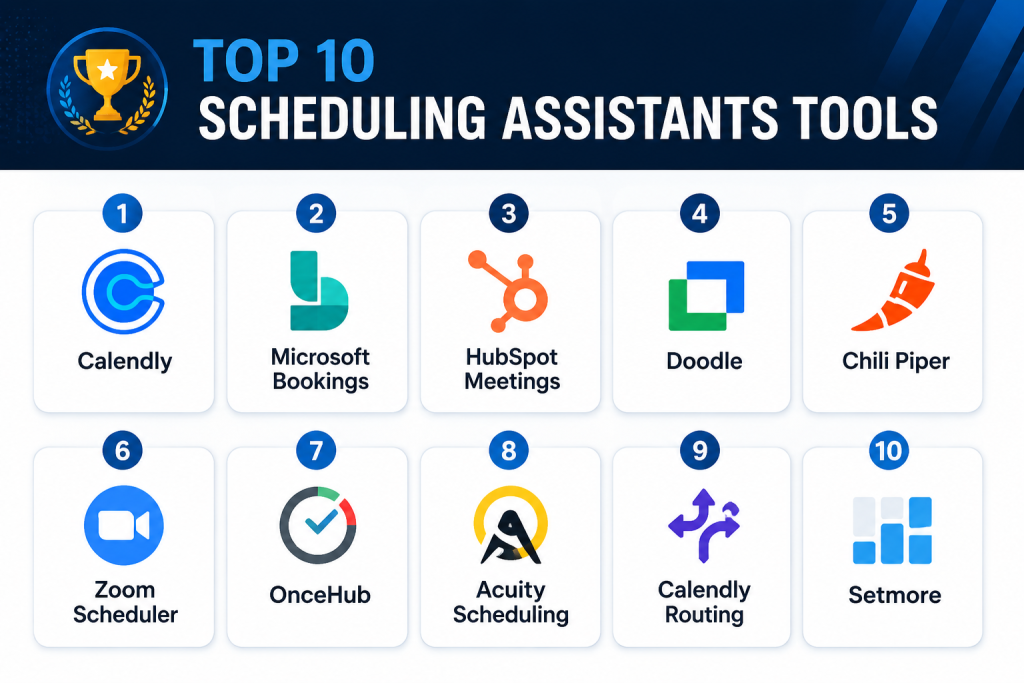
Top 10 Scheduling Assistants Tools
1- Calendly
Short description:
Calendly is one of the most widely used scheduling assistants designed to eliminate back-and-forth emails when booking meetings. It allows users to share availability links so others can instantly schedule meetings based on open time slots. Calendly supports individual scheduling, team scheduling, round-robin routing, and automated reminders. It is widely used in sales, recruitment, consulting, and customer success workflows. The platform integrates with calendars and video conferencing tools to streamline meeting coordination. It is known for its simplicity and ease of adoption.
Key Features
- Automated meeting scheduling links
- Calendar sync and availability detection
- Round-robin meeting assignment
- Team scheduling workflows
- Time zone detection
- Automated reminders
- Meeting routing rules
Pros
- Extremely easy to use
- Strong adoption across industries
- Reduces scheduling friction significantly
Cons
- Advanced features require paid plans
- Limited customization in lower tiers
- Not ideal for complex enterprise workflows
Platforms / Deployment
- Web / iOS / Android
- Cloud
Security & Compliance
- SSO/SAML
- MFA
- Encryption
- Access controls
Integrations & Ecosystem
Calendly integrates widely with productivity and business tools.
- Google Calendar
- Microsoft Outlook
- Zoom
- Salesforce
- HubSpot
- Zapier
Support & Community
Strong documentation, help center, and broad user community.
2- Microsoft Bookings
Short description:
Microsoft Bookings is a scheduling tool integrated into the Microsoft 365 ecosystem that allows users to schedule appointments and meetings easily. It is widely used by enterprises, service teams, and internal departments. The platform supports customer booking pages, staff scheduling, and automated notifications. It is especially useful for organizations already using Microsoft Teams and Outlook. Bookings simplifies appointment management and reduces manual scheduling efforts. It is suitable for enterprise and SMB environments within Microsoft ecosystems.
Key Features
- Appointment scheduling pages
- Staff availability management
- Calendar integration
- Automated reminders
- Customer self-booking
- Teams integration
- Email notifications
Pros
- Strong Microsoft 365 integration
- Easy for internal and external scheduling
- Good for service-based workflows
Cons
- Limited outside Microsoft ecosystem
- Basic customization options
- Not ideal for advanced routing logic
Platforms / Deployment
- Web / Mobile
- Cloud
Security & Compliance
- SSO/SAML
- MFA
- Encryption
- Audit logs
Integrations & Ecosystem
- Microsoft Outlook
- Microsoft Teams
- Microsoft 365 apps
- Power Platform
- APIs
Support & Community
Enterprise-grade Microsoft support and documentation.
3- HubSpot Meetings
Short description:
HubSpot Meetings is a scheduling assistant built into the HubSpot CRM ecosystem. It enables sales and marketing teams to book meetings directly from email signatures, landing pages, and CRM workflows. It automatically syncs with calendars and tracks meeting outcomes within CRM pipelines. It is widely used in inbound sales processes. The platform helps convert leads into scheduled conversations efficiently. It is best suited for CRM-driven organizations.
Key Features
- CRM-integrated scheduling
- Booking links for sales teams
- Automated meeting tracking
- Calendar synchronization
- Team scheduling options
- Lead routing
- Email integration
Pros
- Strong CRM integration
- Ideal for sales teams
- Easy lead conversion tracking
Cons
- Best value within HubSpot ecosystem
- Limited standalone functionality
- Advanced features require higher tiers
Platforms / Deployment
- Web
- Cloud
Security & Compliance
- SSO
- MFA
- Encryption
- Access controls
Integrations & Ecosystem
- HubSpot CRM
- Gmail
- Outlook
- Zoom
- Salesforce (via integrations)
Support & Community
Strong CRM ecosystem support and documentation.
4- Doodle
Short description:
Doodle is a simple scheduling tool designed to help groups find mutually available meeting times. It is widely used for team coordination, group meetings, and event planning. Users can propose multiple time slots and participants vote on availability. It reduces email-based coordination significantly. Doodle is best suited for informal or semi-structured scheduling scenarios. It is popular in education, consulting, and small business environments.
Key Features
- Group polling for meeting times
- Calendar integration
- Availability sharing
- Automated scheduling suggestions
- Time zone support
- Event scheduling tools
- Simple user interface
Pros
- Very easy group scheduling
- No complex setup required
- Good for informal coordination
Cons
- Limited automation features
- Not ideal for enterprise workflows
- Basic CRM integration
Platforms / Deployment
- Web / Mobile
- Cloud
Security & Compliance
- Encryption
- Access controls
- Compliance details: Not publicly stated
Integrations & Ecosystem
- Google Calendar
- Outlook
- Zoom
- Slack
- APIs
Support & Community
Basic support and documentation available.
5- Chili Piper
Short description:
Chili Piper is an advanced scheduling and lead routing platform designed for revenue teams. It automates meeting booking directly from inbound leads and routes them to the right sales representatives. It is widely used in high-performance sales organizations. The platform focuses on converting leads into meetings instantly. It supports real-time scheduling, CRM integration, and workflow automation. It is especially strong for demand generation and sales acceleration teams.
Key Features
- Instant meeting booking
- Lead routing automation
- CRM integration
- Round-robin scheduling
- Real-time availability matching
- Calendar sync
- Conversion tracking
Pros
- Strong for sales conversion
- Advanced routing capabilities
- Reduces lead response time
Cons
- Complex setup
- Enterprise-focused pricing
- Not ideal for simple scheduling needs
Platforms / Deployment
- Web
- Cloud
Security & Compliance
- SSO
- MFA
- Encryption
- Audit logs
Integrations & Ecosystem
- Salesforce
- HubSpot
- Marketo
- Zoom
- Slack
- APIs
Support & Community
Strong enterprise onboarding and customer success support.
6- Zoom Scheduler
Short description:
Zoom Scheduler is a meeting scheduling tool integrated directly with the Zoom platform. It allows users to schedule meetings, share booking links, and automatically generate Zoom meeting links. It is widely used by teams already relying on Zoom for communication. The platform simplifies video-first scheduling workflows. It is especially useful for remote teams and virtual collaboration environments. It reduces friction in booking video meetings.
Key Features
- Zoom meeting integration
- Scheduling links
- Calendar sync
- Automated meeting creation
- Time zone detection
- Availability sharing
- Email notifications
Pros
- Seamless Zoom integration
- Easy video meeting setup
- Good for remote teams
Cons
- Limited outside Zoom ecosystem
- Basic scheduling logic
- Not suitable for complex routing
Platforms / Deployment
- Web
- Cloud
Security & Compliance
- SSO
- MFA
- Encryption
- Meeting security controls
Integrations & Ecosystem
- Zoom Meetings
- Google Calendar
- Outlook
- Slack
- APIs
Support & Community
Strong Zoom documentation and support ecosystem.
7- OnceHub
Short description:
OnceHub is a scheduling automation platform designed for lead qualification, routing, and appointment booking. It is widely used by sales and customer service teams to automate scheduling workflows. The platform supports conditional routing, forms, and workflow automation. It is suitable for organizations that need more advanced scheduling logic than basic tools. OnceHub helps reduce manual coordination and improves conversion rates. It is strong in workflow-based scheduling.
Key Features
- Smart scheduling workflows
- Lead qualification forms
- Routing rules
- Calendar integration
- Automated booking pages
- CRM integration
- Analytics dashboard
Pros
- Strong workflow automation
- Good for lead qualification
- Flexible routing rules
Cons
- Requires setup effort
- Not beginner-friendly
- Enterprise pricing for advanced features
Platforms / Deployment
- Web
- Cloud
Security & Compliance
- SSO
- MFA
- Encryption
- Access controls
Integrations & Ecosystem
- Salesforce
- HubSpot
- Google Calendar
- Zoom
- APIs
Support & Community
Good enterprise support and documentation.
8- Acuity Scheduling
Short description:
Acuity Scheduling is a flexible appointment scheduling tool widely used by service-based businesses and consultants. It allows clients to book appointments online based on availability. The platform supports payment integration, reminders, and customization. It is especially popular among healthcare providers, coaches, and consultants. Acuity provides strong customization options for booking pages. It is suitable for SMB and service-driven businesses.
Key Features
- Online booking pages
- Calendar synchronization
- Payment integration
- Automated reminders
- Custom scheduling rules
- Intake forms
- Time zone handling
Pros
- Highly customizable
- Great for service businesses
- Supports payments
Cons
- Limited enterprise routing
- Not ideal for large teams
- Basic analytics
Platforms / Deployment
- Web / Mobile
- Cloud
Security & Compliance
- Encryption
- Access controls
- Compliance details: Not publicly stated
Integrations & Ecosystem
- Stripe
- PayPal
- Google Calendar
- Zoom
- APIs
Support & Community
Good support resources and documentation.
9- Calendly Routing
Short description:
Calendly Routing is an advanced extension of Calendly focused on intelligent lead distribution and scheduling automation. It enables organizations to route meetings based on form inputs, CRM data, and availability rules. It is widely used in sales and customer success teams. It enhances Calendly’s basic scheduling capabilities with automation logic. It is suitable for organizations that need structured meeting assignment workflows. It improves efficiency in high-volume scheduling environments.
Key Features
- Smart routing rules
- CRM-based scheduling
- Automated lead distribution
- Round-robin assignment
- Form-based booking
- Calendar integration
- Analytics tracking
Pros
- Strong automation capabilities
- Improves lead conversion speed
- Works within Calendly ecosystem
Cons
- Requires paid tiers
- Limited outside Calendly ecosystem
- Setup complexity for beginners
Platforms / Deployment
- Web
- Cloud
Security & Compliance
- SSO
- MFA
- Encryption
- Access controls
Integrations & Ecosystem
- Salesforce
- HubSpot
- Google Calendar
- Zoom
- APIs
Support & Community
Strong Calendly enterprise support ecosystem.
10- Setmore
Short description:
Setmore is a simple appointment scheduling tool designed for small businesses and service providers. It enables online booking, reminders, and calendar synchronization. It is widely used by salons, consultants, and small service businesses. The platform focuses on ease of use and fast setup. It provides basic scheduling automation features. It is suitable for SMBs looking for cost-effective scheduling solutions.
Key Features
- Online booking system
- Calendar integration
- Automated reminders
- Staff scheduling
- Payment integration
- Booking page customization
- Time zone handling
Pros
- Easy to use
- Affordable for SMBs
- Fast setup
Cons
- Limited advanced features
- Not suitable for enterprise workflows
- Basic analytics
Platforms / Deployment
- Web / Mobile
- Cloud
Security & Compliance
- Encryption
- Access controls
- Compliance details: Not publicly stated
Integrations & Ecosystem
- Google Calendar
- Zoom
- Stripe
- Facebook integrations
- APIs
Support & Community
Good SMB-focused support and documentation.
Comparison Table
| Tool Name | Best For | Platform(s) Supported | Deployment | Standout Feature | Public Rating |
|---|---|---|---|---|---|
| Calendly | General scheduling automation | Web, Mobile | Cloud | Simple booking links | N/A |
| Microsoft Bookings | Microsoft users | Web, Mobile | Cloud | M365 integration | N/A |
| HubSpot Meetings | Sales teams | Web | Cloud | CRM scheduling | N/A |
| Doodle | Group scheduling | Web, Mobile | Cloud | Poll-based scheduling | N/A |
| Chili Piper | Revenue teams | Web | Cloud | Lead routing automation | N/A |
| Zoom Scheduler | Video meetings | Web | Cloud | Zoom integration | N/A |
| OnceHub | Workflow scheduling | Web | Cloud | Smart routing | N/A |
| Acuity Scheduling | Service businesses | Web, Mobile | Cloud | Payment integration | N/A |
| Calendly Routing | Sales automation | Web | Cloud | Intelligent lead routing | N/A |
| Setmore | SMB booking | Web, Mobile | Cloud | Simple appointment booking | N/A |
Evaluation & Scoring of Scheduling Assistants
| Tool Name | Core | Ease | Integrations | Security | Performance | Support | Value | Weighted Total |
|---|---|---|---|---|---|---|---|---|
| Calendly | 9.5 | 9.5 | 9.0 | 9.0 | 9.0 | 9.0 | 9.5 | 9.3 |
| Microsoft Bookings | 8.5 | 9.0 | 9.5 | 9.5 | 9.0 | 9.0 | 9.0 | 9.0 |
| HubSpot Meetings | 9.0 | 9.0 | 9.5 | 9.0 | 9.0 | 9.0 | 8.5 | 8.9 |
| Doodle | 8.0 | 9.5 | 8.0 | 8.5 | 8.0 | 8.5 | 9.0 | 8.5 |
| Chili Piper | 9.0 | 8.5 | 9.5 | 9.0 | 9.0 | 9.0 | 8.5 | 8.9 |
| Zoom Scheduler | 8.5 | 9.0 | 9.0 | 9.0 | 9.0 | 9.0 | 9.0 | 8.8 |
| OnceHub | 9.0 | 8.5 | 9.0 | 9.0 | 9.0 | 8.5 | 8.5 | 8.8 |
| Acuity Scheduling | 8.5 | 9.0 | 8.5 | 8.5 | 8.5 | 8.5 | 9.0 | 8.6 |
| Calendly Routing | 9.0 | 8.5 | 9.0 | 9.0 | 9.0 | 8.5 | 8.5 | 8.8 |
| Setmore | 8.0 | 9.5 | 8.0 | 8.5 | 8.0 | 8.5 | 9.5 | 8.5 |
These scores reflect comparative evaluation across scheduling intelligence, ease of use, integrations, and enterprise readiness. Sales and revenue teams benefit most from routing-focused tools like Chili Piper, while SMBs benefit from simpler tools like Setmore or Acuity. Enterprise teams often prefer Microsoft Bookings or Calendly due to ecosystem alignment and governance capabilities.
Frequently Asked Questions (FAQs)
1. What is a scheduling assistant tool?
A scheduling assistant tool automates meeting booking by matching availability between participants and eliminating manual coordination.
2. How do scheduling assistants work?
They connect to calendars, detect availability, and allow users to book meetings through shared links or automated workflows.
3. Are scheduling assistants secure?
Most enterprise tools include encryption, SSO, MFA, and access controls, but security varies by provider.
4. Can these tools integrate with CRM systems?
Yes, many tools integrate with CRM platforms like Salesforce and HubSpot for automated meeting scheduling.
5. What is the best scheduling tool for sales teams?
Chili Piper, Calendly Routing, and HubSpot Meetings are widely used for sales automation workflows.
6. Can scheduling tools handle time zones?
Yes, most modern tools automatically detect and adjust for global time zones.
7. Are scheduling assistants suitable for small businesses?
Yes, tools like Setmore, Acuity Scheduling, and Doodle are ideal for SMBs.
8. Do these tools replace calendars?
No, they work on top of calendars like Google Calendar or Outlook.
9. What is the biggest challenge with scheduling tools?
The biggest challenge is configuring advanced workflows and ensuring correct integrations.
10. Can scheduling tools improve productivity?
Yes, they significantly reduce back-and-forth communication and improve meeting efficiency.
Conclusion
Scheduling Assistants are essential productivity tools for modern organizations that rely heavily on meetings, client interactions, and team coordination. Platforms like Calendly, Microsoft Bookings, Chili Piper, HubSpot Meetings, and Zoom Scheduler streamline scheduling workflows and eliminate inefficiencies caused by manual coordination. However, the right choice depends on business size, workflow complexity, and integration needs. A practical next step is to shortlist two or three tools, test them with real scheduling scenarios, validate CRM and calendar integrations, and measure time savings before full adoption.
