Introduction
Meeting Notes Automation Tools are AI-powered productivity platforms that automatically record, transcribe, summarize, and organize meeting discussions into structured notes. In simple terms, these tools act like a digital assistant that listens to your meetings, captures key points, and converts conversations into actionable summaries without manual note-taking.
In and beyond, these tools are becoming essential because organizations are running more remote and hybrid meetings than ever. Manual note-taking is inefficient, inconsistent, and often incomplete. AI-driven meeting assistants ensure every decision, action item, and insight is captured accurately and shared instantly across teams.
Real-world use cases include:
- Automated meeting summaries for team syncs and stand-ups.
- Sales call transcription and CRM note generation.
- Project planning and task extraction from meetings.
- Client meeting documentation and follow-ups.
- Legal, HR, and compliance meeting record keeping.
What buyers should evaluate:
- Accuracy of transcription and summarization.
- Real-time vs post-meeting note generation.
- Integration with Zoom, Teams, and Google Meet.
- AI quality for action item extraction.
- Security, privacy, and data encryption standards.
- Language support and global usability.
- Searchability and knowledge management features.
- Collaboration and sharing workflows.
- CRM and project management integrations.
- Ease of adoption across teams.
Best for: Remote teams, sales organizations, HR teams, product teams, consultants, agencies, and enterprises running frequent meetings.
Not ideal for: Very small teams with minimal meetings, organizations with strict offline-only policies, or teams that already use full manual documentation workflows without digital collaboration needs.
Key Trends in Meeting Notes Automation Tools
- AI meeting assistants becoming default workplace infrastructure.
- Real-time meeting summarization during live calls.
- Deep integration with CRMs like Salesforce and HubSpot.
- Automatic task creation in tools like Jira, Asana, and Trello.
- Multilingual transcription and global voice recognition improvements.
- Emotion and sentiment analysis from meeting conversations.
- Enterprise-grade privacy controls and on-prem deployment options.
- AI-generated follow-up emails and communication drafts.
- Meeting intelligence dashboards for performance insights.
- Cross-meeting knowledge search across entire organization.
How We Selected These Tools (Methodology)
The tools in this list were selected based on:
- Accuracy of transcription and AI summarization quality.
- Market adoption across enterprises and SMBs.
- Integration ecosystem with conferencing platforms.
- Ease of use and onboarding experience.
- Security, compliance, and enterprise readiness.
- Support for collaboration and sharing workflows.
- Ability to extract tasks, insights, and decisions.
- Scalability across teams and industries.
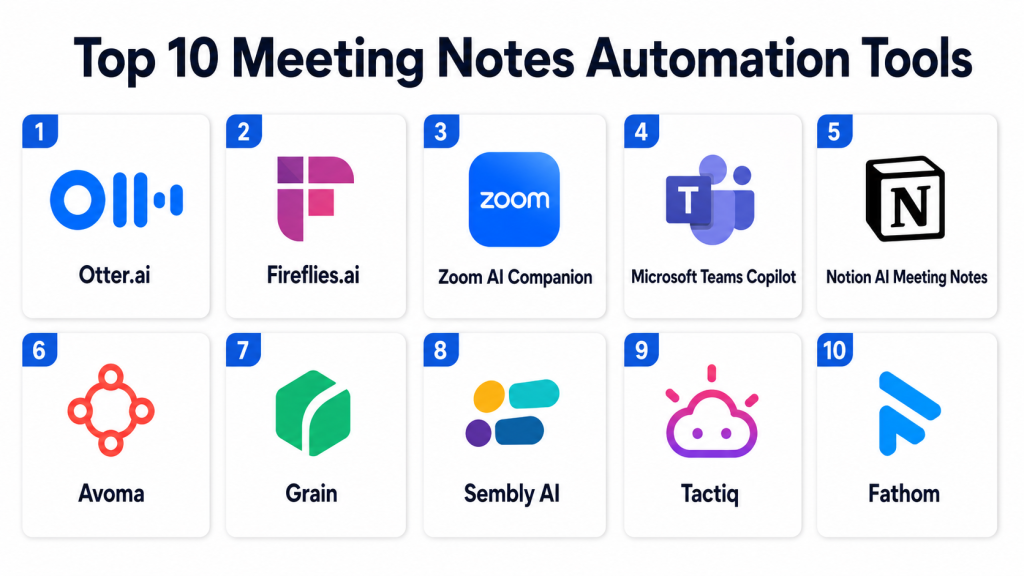
Top 10 Meeting Notes Automation Tools
1- Otter.ai
Short description:
Otter.ai is one of the most widely used AI meeting note-taking tools designed to transcribe conversations in real time and generate structured summaries. It is commonly used by professionals, educators, sales teams, and remote organizations. Otter.ai captures live audio from meetings, identifies speakers, and generates searchable transcripts. It also provides automated summaries and highlights key points. The platform integrates with major video conferencing tools. It is ideal for teams that need fast and reliable meeting documentation.
Key Features
- Real-time transcription.
- AI-generated meeting summaries.
- Speaker identification.
- Searchable meeting transcripts.
- Keyword highlighting.
- Collaboration and commenting.
- Export and sharing tools.
Pros
- Highly accurate transcription.
- Easy to use interface.
- Strong real-time capture capability.
Cons
- Limited advanced workflow automation.
- Accuracy depends on audio quality.
- Free tier has restrictions.
Platforms / Deployment
- Web
- iOS
- Android
- Cloud
Security & Compliance
- SSO/SAML
- MFA
- Encryption
- RBAC
- Audit logs
- Not publicly stated certifications
Integrations & Ecosystem
Otter.ai integrates with meeting and productivity tools.
- Zoom
- Google Meet
- Microsoft Teams
- Slack
- Calendar apps
- APIs
Support & Community
Strong documentation, onboarding guides, and wide user community.
2- Fireflies.ai
Short description:
Fireflies.ai is an AI meeting assistant that records, transcribes, and summarizes meetings while also enabling searchable conversation intelligence. It is widely used by sales teams, product teams, and customer success teams. Fireflies automatically joins meetings and captures notes in real time. It provides smart search across past conversations and highlights action items. The platform is known for its automation and CRM integration capabilities. It is a strong choice for teams focused on productivity and sales insights.
Key Features
- Automated meeting recording.
- AI transcription and summaries.
- Smart search across meetings.
- Action item detection.
- CRM integrations.
- Collaboration tools.
- Meeting analytics.
Pros
- Strong automation features.
- Excellent search capabilities.
- Good CRM integration support.
Cons
- Can join unwanted meetings if not configured.
- Advanced features require higher plans.
- Accuracy varies with accents.
Platforms / Deployment
- Web
- Cloud
Security & Compliance
- SSO/SAML
- MFA
- Encryption
- RBAC
- Audit logs
- Not publicly stated certifications
Integrations & Ecosystem
Fireflies integrates with collaboration and CRM platforms.
- Zoom
- Google Meet
- Microsoft Teams
- Salesforce
- HubSpot
- Slack
Support & Community
Good onboarding support and growing enterprise adoption.
3- Zoom AI Companion
Short description:
Zoom AI Companion is built directly into the Zoom ecosystem and provides AI-generated meeting summaries, transcription, and smart insights. It is designed for organizations already using Zoom for video conferencing. The tool helps users capture key points, decisions, and action items during meetings. It reduces the need for manual note-taking and improves post-meeting follow-ups. It is widely used in enterprise and SMB environments. It is best for teams deeply integrated into Zoom.
Key Features
- AI meeting summaries.
- Real-time transcription.
- Action item extraction.
- Chat summarization.
- Meeting highlights.
- Integration with Zoom ecosystem.
- Smart follow-up suggestions.
Pros
- Native Zoom integration.
- Easy adoption for Zoom users.
- Strong real-time support.
Cons
- Limited outside Zoom ecosystem.
- Feature depth depends on Zoom plan.
- Less flexible than standalone tools.
Platforms / Deployment
- Web
- Windows
- macOS
- iOS
- Android
- Cloud
Security & Compliance
- SSO/SAML
- MFA
- Encryption
- RBAC
- Audit logs
- Zoom enterprise compliance varies by plan
Integrations & Ecosystem
Deep integration within Zoom ecosystem.
- Zoom Meetings
- Zoom Chat
- Zoom Phone
- Calendar tools
- Third-party apps
- APIs
Support & Community
Strong enterprise support and Zoom documentation ecosystem.
4- Microsoft Teams Copilot
Short description:
Microsoft Teams Copilot is an AI-powered meeting assistant integrated into Microsoft Teams that helps generate summaries, capture action items, and provide intelligent insights from meetings. It is widely used in enterprise environments that rely on Microsoft 365. The tool enhances productivity by turning conversations into structured knowledge. It supports collaboration across chat, meetings, and documents. It is best suited for Microsoft-first organizations. It is a strong enterprise-grade solution for meeting intelligence.
Key Features
- AI meeting summaries.
- Action item extraction.
- Real-time transcription.
- Chat and document integration.
- Meeting insights.
- Workflow automation.
- Enterprise collaboration tools.
Pros
- Deep Microsoft ecosystem integration.
- Strong enterprise governance.
- High productivity impact.
Cons
- Requires Microsoft ecosystem.
- Advanced features need licensing.
- Complexity for small teams.
Platforms / Deployment
- Web
- Windows
- macOS
- iOS
- Android
- Cloud
Security & Compliance
- SSO/SAML
- MFA
- Encryption
- RBAC
- Audit logs
- Microsoft enterprise compliance standards
Integrations & Ecosystem
Strong Microsoft ecosystem integration.
- Microsoft Teams
- Outlook
- OneDrive
- SharePoint
- Office apps
- Power Platform
Support & Community
Enterprise-grade Microsoft support and global user community.
5- Notion AI Meeting Notes
Short description:
Notion AI provides meeting note automation capabilities within the Notion workspace, allowing teams to summarize discussions, organize action items, and store structured meeting documentation. It is widely used by startups, product teams, and creative organizations. Notion AI helps turn raw meeting notes into structured knowledge. It supports collaboration and documentation in a single workspace. It is ideal for teams that already use Notion for knowledge management. It is best for lightweight but structured meeting workflows.
Key Features
- AI-generated meeting summaries.
- Structured note organization.
- Action item extraction.
- Collaborative editing.
- Knowledge base integration.
- Searchable notes.
- Templates for meetings.
Pros
- Strong documentation integration.
- Easy collaboration.
- Flexible workspace usage.
Cons
- Not dedicated meeting recorder.
- Requires manual input or integration.
- Limited real-time transcription.
Platforms / Deployment
- Web
- iOS
- Android
- Cloud
Security & Compliance
- SSO/SAML
- MFA
- Encryption
- RBAC
- Audit logs
- Notion compliance varies by plan
Integrations & Ecosystem
Integrates with productivity and collaboration tools.
- Slack
- Google Drive
- Zoom
- APIs
- Notion workspace tools
- Third-party automation tools
Support & Community
Strong community, documentation, and growing enterprise adoption.
6- Avoma
Short description:
Avoma is an AI meeting assistant focused on conversation intelligence, meeting notes, and revenue team productivity. It is widely used by sales, customer success, and product teams. Avoma automatically records, transcribes, and analyzes meetings to extract insights and action items. It is particularly strong in sales coaching and deal intelligence. The platform helps teams improve communication quality and track customer interactions. It is best suited for revenue-driven organizations.
Key Features
- AI meeting transcription.
- Conversation intelligence.
- Sales call analysis.
- Meeting summaries.
- CRM integration.
- Action item tracking.
- Coaching insights.
Pros
- Strong for sales teams.
- Deep conversation analytics.
- Good CRM integration.
Cons
- Less suited for casual use.
- Requires structured setup.
- Advanced features require training.
Platforms / Deployment
- Web
- Cloud
Security & Compliance
- SSO/SAML
- MFA
- Encryption
- RBAC
- Audit logs
- Not publicly stated certifications
Integrations & Ecosystem
Integrates with sales and CRM ecosystems.
- Salesforce
- HubSpot
- Zoom
- Google Meet
- Microsoft Teams
- APIs
Support & Community
Strong onboarding support and sales-focused documentation.
7- Grain
Short description:
Grain is a meeting notes automation platform designed for capturing highlights, clips, and summaries from video meetings. It allows users to create shareable meeting snippets and organize conversations into searchable knowledge. Grain is widely used by sales, marketing, and product teams. It focuses on making meetings more actionable and shareable. The platform is especially useful for async collaboration and customer-facing teams. It is ideal for teams that want video-based meeting intelligence.
Key Features
- Meeting recording and transcription.
- Video clip creation.
- AI summaries.
- Highlight extraction.
- Collaboration tools.
- Searchable meeting library.
- Sharing features.
Pros
- Excellent for meeting highlights.
- Strong collaboration features.
- Easy sharing of insights.
Cons
- Less enterprise depth.
- Requires stable video integrations.
- Limited advanced analytics.
Platforms / Deployment
- Web
- Cloud
Security & Compliance
- SSO/SAML
- MFA
- Encryption
- RBAC
- Audit logs
- Not publicly stated certifications
Integrations & Ecosystem
Integrates with collaboration and CRM tools.
- Zoom
- Google Meet
- Slack
- HubSpot
- Salesforce
- APIs
Support & Community
Good onboarding support and growing user community.
8- Sembly AI
Short description:
Sembly AI is an intelligent meeting assistant that captures conversations, generates structured notes, and extracts insights and tasks. It is designed for professionals and teams that need detailed meeting documentation. Sembly supports multi-platform meeting recording and transcription. It provides AI-generated summaries and decision tracking. The platform is useful for project management and business analysis teams. It is suitable for organizations that need structured meeting intelligence.
Key Features
- AI meeting transcription.
- Structured meeting summaries.
- Task extraction.
- Decision tracking.
- Multi-platform integration.
- Searchable meeting archive.
- Collaboration tools.
Pros
- Strong structured summaries.
- Good for project tracking.
- Multi-platform support.
Cons
- UI may feel complex for beginners.
- Requires setup for best accuracy.
- Limited brand ecosystem.
Platforms / Deployment
- Web
- Cloud
Security & Compliance
- SSO/SAML
- MFA
- Encryption
- RBAC
- Audit logs
- Not publicly stated certifications
Integrations & Ecosystem
Integrates with productivity and collaboration tools.
- Zoom
- Google Meet
- Microsoft Teams
- Slack
- APIs
- Project tools
Support & Community
Standard documentation and customer support channels.
9- Tactiq
Short description:
Tactiq is a lightweight meeting transcription tool that works directly in the browser for platforms like Google Meet and Zoom. It captures live captions and turns them into structured notes and summaries. Tactiq is popular among individuals and small teams due to its simplicity. It focuses on real-time transcription rather than heavy analytics. The platform is easy to install and use. It is ideal for users who need quick meeting notes without complexity.
Key Features
- Real-time transcription.
- Browser-based capture.
- AI summaries.
- Action item extraction.
- Exportable notes.
- Meeting highlights.
- Searchable transcripts.
Pros
- Very easy to use.
- Lightweight and fast.
- No complex setup required.
Cons
- Limited advanced features.
- Browser dependency.
- Not ideal for enterprise workflows.
Platforms / Deployment
- Web
- Cloud
Security & Compliance
- Encryption
- MFA
- SSO/SAML (varies)
- Not publicly stated certifications
Integrations & Ecosystem
Integrates with collaboration and productivity tools.
- Google Meet
- Zoom
- Slack
- Notion
- Google Docs
- APIs
Support & Community
Good documentation and browser extension support.
10- Fathom
Short description:
Fathom is an AI meeting assistant designed to automatically record, transcribe, and summarize meetings with minimal user effort. It is widely used by professionals, sales teams, and consultants. Fathom generates instant summaries and highlights key points during meetings. It integrates with major video conferencing platforms. The tool is known for its simplicity and automation-first approach. It is ideal for users who want fully automated meeting notes without manual intervention.
Key Features
- Automatic meeting recording.
- AI-generated summaries.
- Real-time transcription.
- Highlight capture.
- Action item detection.
- Searchable meeting library.
- Sharing tools.
Pros
- Fully automated workflow.
- Easy to set up.
- Strong meeting capture accuracy.
Cons
- Limited deep customization.
- Best features may depend on plan.
- Less enterprise governance depth.
Platforms / Deployment
- Web
- Cloud
Security & Compliance
- SSO/SAML
- MFA
- Encryption
- RBAC
- Audit logs
- Not publicly stated certifications
Integrations & Ecosystem
Integrates with meeting and productivity tools.
- Zoom
- Google Meet
- Microsoft Teams
- Slack
- CRM tools
- APIs
Support & Community
Good onboarding support and growing user base.
Comparison Table
| Tool Name | Best For | Platform(s) Supported | Deployment | Standout Feature | Public Rating |
|---|---|---|---|---|---|
| Otter.ai | General meeting transcription | Web, iOS, Android | Cloud | Real-time transcription | N/A |
| Fireflies.ai | Meeting intelligence | Web | Cloud | Smart search across meetings | N/A |
| Zoom AI Companion | Zoom users | Web, Desktop, Mobile | Cloud | Native Zoom integration | N/A |
| Microsoft Copilot | Enterprise Microsoft users | Web, Desktop, Mobile | Cloud | Deep Microsoft integration | N/A |
| Notion AI | Documentation teams | Web, Mobile | Cloud | Meeting notes in workspace | N/A |
| Avoma | Sales teams | Web | Cloud | Conversation intelligence | N/A |
| Grain | Video meeting insights | Web | Cloud | Shareable meeting clips | N/A |
| Sembly AI | Structured meeting tracking | Web | Cloud | Decision tracking | N/A |
| Tactiq | Lightweight users | Web | Cloud | Browser-based transcription | N/A |
| Fathom | Automated meeting notes | Web | Cloud | Fully automated summaries | N/A |
Evaluation & Scoring of Meeting Notes Automation Tools
| Tool Name | Core (25%) | Ease (15%) | Integrations (15%) | Security (10%) | Performance (10%) | Support (10%) | Value (15%) | Weighted Total (0–10) |
|---|---|---|---|---|---|---|---|---|
| Otter.ai | 9 | 9 | 8 | 8 | 9 | 8 | 9 | 8.7 |
| Fireflies.ai | 9 | 8 | 9 | 8 | 9 | 8 | 8 | 8.6 |
| Zoom AI Companion | 9 | 9 | 9 | 9 | 9 | 9 | 8 | 9.0 |
| Microsoft Copilot | 10 | 8 | 10 | 10 | 9 | 9 | 8 | 9.2 |
| Notion AI | 8 | 9 | 9 | 8 | 8 | 8 | 9 | 8.4 |
| Avoma | 9 | 8 | 9 | 8 | 9 | 8 | 8 | 8.5 |
| Grain | 8 | 9 | 8 | 8 | 8 | 8 | 8 | 8.2 |
| Sembly AI | 8 | 8 | 8 | 8 | 8 | 8 | 8 | 8.0 |
| Tactiq | 7 | 10 | 8 | 7 | 8 | 7 | 9 | 8.0 |
| Fathom | 8 | 9 | 8 | 8 | 9 | 8 | 9 | 8.5 |
These scores are comparative and reflect how well each tool performs across transcription accuracy, AI intelligence, integrations, and usability. Enterprise tools like Microsoft Copilot and Zoom AI Companion score higher on governance and integration depth, while tools like Tactiq and Fathom excel in simplicity and automation.
Which Meeting Notes Automation Tool Is Right for You?
Solo / Freelancer
Tactiq, Fathom, and Otter.ai are ideal for individuals who need fast transcription and summaries without complex setup.
SMB
Otter.ai, Fireflies.ai, Notion AI, and Grain are strong choices for small teams needing collaboration and easy integration.
Mid-Market
Fireflies.ai, Avoma, Sembly AI, and Zoom AI Companion provide a balance of intelligence, integrations, and scalability.
Enterprise
Microsoft Copilot, Zoom AI Companion, Fireflies.ai, and Otter.ai enterprise plans are best suited for governance-heavy organizations.
Budget vs Premium
Budget tools include Tactiq and basic Otter.ai plans. Premium enterprise solutions include Microsoft Copilot, Zoom AI Companion, and Avoma enterprise offerings.
Feature Depth vs Ease of Use
Tactiq and Fathom are easiest to use. Avoma and Microsoft Copilot offer deeper intelligence but require more setup.
Integrations & Scalability
Microsoft Copilot, Fireflies.ai, and Zoom AI Companion offer the strongest integration ecosystems for large organizations.
Security & Compliance Needs
Enterprise users should prioritize Microsoft Copilot, Zoom AI Companion, and Fireflies.ai for stronger governance, auditability, and compliance readiness.
Frequently Asked Questions
1. What is a meeting notes automation tool?
It is an AI-powered tool that records meetings, transcribes conversations, and generates summaries and action items automatically.
2. How do these tools work?
They connect to video conferencing platforms, capture audio, convert speech to text, and use AI to generate structured notes.
3. Are meeting notes tools accurate?
Accuracy depends on audio quality, speaker clarity, and AI model quality, but most modern tools are highly reliable.
4. Do these tools work with Zoom and Teams?
Yes, most tools integrate with Zoom, Microsoft Teams, and Google Meet for seamless recording and transcription.
5. Are meeting notes tools secure?
Enterprise tools provide encryption, SSO, MFA, and compliance controls, but security varies by provider.
6. Can these tools replace manual note-taking?
Yes, they significantly reduce manual effort, but human review is still recommended for critical meetings.
7. Do they support multiple languages?
Many modern tools support multilingual transcription, but accuracy varies by language.
8. Can they create action items automatically?
Yes, most AI tools extract tasks, decisions, and follow-ups from conversations.
9. What is the biggest limitation?
The biggest challenge is transcription accuracy in noisy environments or with overlapping speech.
10. Are they suitable for sales teams?
Yes, sales teams widely use them for call analysis, CRM updates, and customer interaction tracking.
Conclusion
Meeting Notes Automation Tools are transforming how teams capture, organize, and act on meeting information. Tools like Microsoft Copilot and Zoom AI Companion lead enterprise adoption, while Fireflies.ai and Otter.ai provide strong cross-platform intelligence. Fathom and Tactiq deliver simplicity and speed for individuals, and Avoma and Grain add deeper conversation insights for revenue teams. The right tool depends on your ecosystem, meeting volume, and need for automation depth. Organizations should shortlist a few tools, test them in real meetings, and evaluate integration with their collaboration stack before full-scale adoption.
