Introduction
Meeting Transcription Tools are software platforms that automatically convert spoken conversations from meetings, calls, and virtual discussions into accurate written text. These tools often go beyond simple transcription by adding features like speaker identification, summaries, action items, keyword tracking, and integration with collaboration platforms.
In today’s hybrid and remote-first workplaces, meetings happen across Zoom, Microsoft Teams, Google Meet, and phone calls. Manually taking notes is inefficient and error-prone. Meeting transcription tools solve this by capturing every detail in real time and making it searchable, shareable, and actionable.
These tools are becoming essential for productivity, compliance, training, and knowledge management, especially in fast-moving organizations where decisions need to be documented accurately.
Real-world use cases include:
- Automatic meeting notes and summaries
- Sales call transcription and coaching
- Customer support call documentation
- Legal and compliance record keeping
- Product and engineering meeting documentation
- Remote team knowledge sharing
What buyers should evaluate:
- Transcription accuracy across accents and languages
- Real-time vs post-meeting transcription
- AI summarization quality
- Integration with meeting platforms (Zoom, Teams, Meet)
- Speaker identification accuracy
- Searchability and knowledge management features
- Security and data privacy controls
- Export and sharing options
- Workflow automation and CRM integration
- Cost per user and scalability
Best for: Sales teams, customer success teams, HR teams, legal teams, product teams, researchers, and enterprises managing large volumes of meetings.
Not ideal for: Individuals with very few meetings or teams that do not require documentation or knowledge retention.
Key Trends in Meeting Transcription Tools
- AI-generated meeting summaries replacing manual note-taking
- Real-time transcription becoming standard across platforms
- Multilingual transcription with improved accent recognition
- Deep integration with CRM and productivity ecosystems
- Automatic action item detection and task creation
- Voice intelligence for sales and customer success coaching
- Privacy-first transcription with on-device processing options
- Searchable organizational knowledge bases from meetings
- Video + transcript synchronization for learning and training
- Increasing use of generative AI for meeting insights
How We Selected These Tools (Methodology)
- Accuracy and reliability of transcription engines
- AI summarization and insight capabilities
- Integration ecosystem with meeting platforms
- Ease of use and adoption across teams
- Enterprise security and compliance readiness
- Scalability for large organizations
- Multi-language and global support capabilities
- Workflow automation and export features
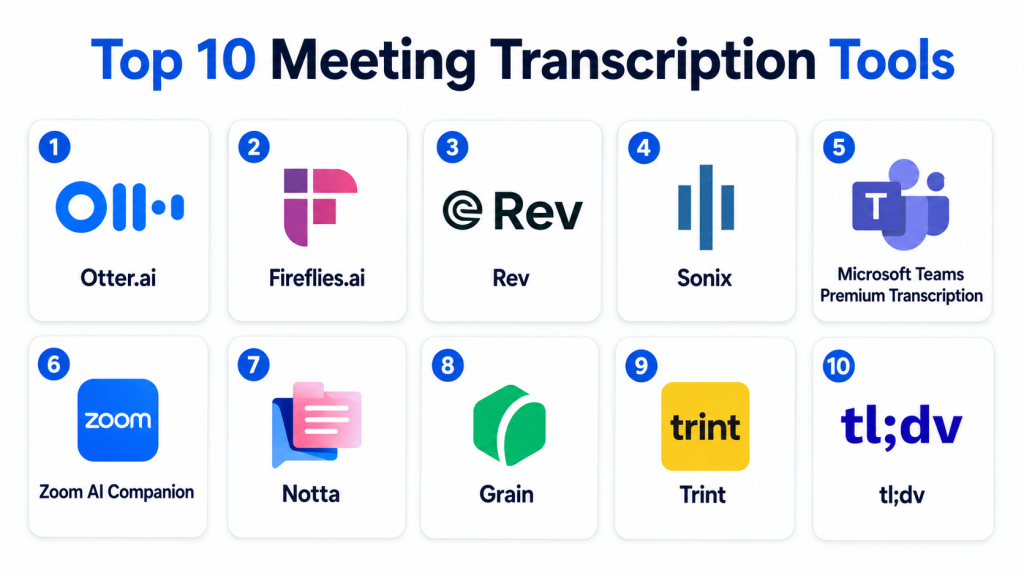
Top 10 Meeting Transcription Tools
1- Otter.ai
Short description:
Otter.ai is one of the most widely used meeting transcription tools designed to convert spoken conversations into searchable, structured text in real time. It is commonly used for meetings, interviews, lectures, and business discussions. The platform provides live transcription, speaker identification, and AI-generated summaries. Otter.ai integrates with major video conferencing tools, making it easy to capture meetings automatically. It is widely adopted by professionals, educators, and teams that need accurate meeting documentation. It is especially strong in real-time collaboration and note sharing.
Key Features
- Real-time transcription
- Speaker identification
- AI meeting summaries
- Searchable transcripts
- Audio and video sync
- Collaboration notes
- Keyword highlighting
Pros
- Easy to use interface
- Real-time transcription accuracy
- Strong collaboration features
Cons
- Limited advanced enterprise governance
- Accuracy varies with accents
- Premium features required for scale
Platforms / Deployment
- Web / iOS / Android
- Cloud
Security & Compliance
- Encryption
- SSO
- MFA
- Access controls
Integrations & Ecosystem
- Zoom
- Google Meet
- Microsoft Teams
- Dropbox
- Calendar tools
- APIs
Support & Community
Strong documentation and growing user community.
2- Fireflies.ai
Short description:
Fireflies.ai is an AI-powered meeting assistant that records, transcribes, and analyzes meetings automatically. It is widely used in sales, marketing, and customer success teams for capturing conversation intelligence. The platform supports automated note-taking, keyword tracking, and CRM integration. Fireflies.ai helps teams turn conversations into actionable insights. It is especially strong for sales call analysis and workflow automation. It integrates deeply with collaboration tools.
Key Features
- Automated meeting transcription
- AI-generated summaries
- Keyword tracking
- Conversation intelligence
- Meeting search database
- Task extraction
- Collaboration notes
Pros
- Strong automation features
- Good CRM integration
- Useful for sales insights
Cons
- UI can feel complex
- Accuracy depends on audio quality
- Advanced features require paid plans
Platforms / Deployment
- Web / iOS / Android
- Cloud
Security & Compliance
- Encryption
- SSO
- Access controls
- Compliance details: Not publicly stated
Integrations & Ecosystem
- Salesforce
- HubSpot
- Zoom
- Google Meet
- Slack
- APIs
Support & Community
Good support resources and onboarding guides.
3- Rev
Short description:
Rev is a transcription platform that combines AI and human transcription services for high-accuracy meeting notes. It is widely used in legal, media, and enterprise environments where accuracy is critical. Rev offers both automated transcription and human-reviewed transcripts. It is known for high-quality output and reliability. The platform supports audio, video, and meeting transcription workflows. It is ideal for professional-grade documentation needs.
Key Features
- AI transcription
- Human transcription option
- Speaker labeling
- Timestamping
- Audio/video upload support
- Caption generation
- Secure transcription workflows
Pros
- Very high accuracy with human review
- Reliable for professional use
- Strong compliance focus
Cons
- Human transcription increases cost
- Slower turnaround for manual review
- Less real-time focus
Platforms / Deployment
- Web / Mobile
- Cloud
Security & Compliance
- Encryption
- Access controls
- Compliance details: Not publicly stated
Integrations & Ecosystem
- Zoom
- Dropbox
- Google Drive
- APIs
- Video platforms
Support & Community
Strong enterprise and professional support.
4- Sonix
Short description:
Sonix is an automated transcription platform designed for fast and accurate conversion of audio and video into text. It supports multilingual transcription and advanced editing tools. Sonix is widely used by media teams, researchers, and businesses. It offers a clean editing interface and powerful search capabilities. The platform also supports subtitle generation and export formats. It is suitable for content-heavy workflows.
Key Features
- Automated transcription
- Multi-language support
- Transcript editing tools
- Speaker labeling
- Subtitle generation
- Searchable transcripts
- Export options
Pros
- Fast transcription processing
- Good multilingual support
- Easy editing interface
Cons
- Limited real-time capabilities
- Enterprise governance features are basic
- Accuracy varies by audio quality
Platforms / Deployment
- Web
- Cloud
Security & Compliance
- Encryption
- Access controls
- Audit logs
Integrations & Ecosystem
- Zoom
- Google Drive
- Dropbox
- APIs
- Video editing tools
Support & Community
Good documentation and customer support.
5- Microsoft Teams Premium Transcription
Short description:
Microsoft Teams transcription is built into the Microsoft ecosystem and provides real-time meeting transcription and AI-generated meeting notes. It is widely used by enterprises already using Microsoft 365. The tool integrates directly into Teams meetings, making it seamless for organizations. It supports speaker identification and meeting summaries. It is especially useful for corporate environments with strong compliance requirements. It is best suited for Microsoft-centric organizations.
Key Features
- Real-time transcription
- AI meeting summaries
- Speaker identification
- Meeting recording sync
- Searchable transcripts
- Teams integration
- Action item extraction
Pros
- Deep Microsoft integration
- Strong enterprise security
- Easy adoption for Teams users
Cons
- Limited outside Microsoft ecosystem
- Advanced features require premium licensing
- Less flexible than standalone tools
Platforms / Deployment
- Web / Desktop / Mobile
- Cloud
Security & Compliance
- SSO/SAML
- MFA
- Encryption
- Audit logs
- Compliance controls
Integrations & Ecosystem
- Microsoft Teams
- Outlook
- Microsoft 365
- Power Platform
- Azure services
Support & Community
Strong enterprise support via Microsoft ecosystem.
6- Zoom AI Companion
Short description:
Zoom AI Companion provides transcription and AI-generated meeting summaries directly inside Zoom meetings. It automatically captures conversations and creates structured notes. It is widely used by remote teams and organizations relying heavily on Zoom. The platform integrates seamlessly into video workflows. It is useful for teams that want built-in transcription without third-party tools. It is especially strong for real-time meeting documentation.
Key Features
- Real-time transcription
- AI-generated summaries
- Meeting highlights
- Speaker identification
- Action item detection
- Zoom integration
- Searchable transcripts
Pros
- Seamless Zoom integration
- Easy to use
- Good real-time insights
Cons
- Limited outside Zoom ecosystem
- Advanced analytics are basic
- Requires Zoom dependency
Platforms / Deployment
- Web / Mobile
- Cloud
Security & Compliance
- Encryption
- MFA
- Access controls
- Compliance settings
Integrations & Ecosystem
- Zoom Meetings
- Calendar tools
- Slack
- APIs
- Productivity tools
Support & Community
Strong Zoom documentation and enterprise support.
7- Notta
Short description:
Notta is an AI transcription tool designed for real-time and recorded meeting transcription. It supports multilingual transcription and cross-platform usage. Notta is widely used for meetings, interviews, and content documentation. It provides AI summaries and export features. The platform is suitable for professionals needing flexible transcription support. It is especially strong in multilingual environments.
Key Features
- Real-time transcription
- Multi-language support
- AI summaries
- Speaker identification
- Audio/video import
- Transcript editing
- Export formats
Pros
- Strong multilingual support
- Easy to use
- Flexible input options
Cons
- Limited enterprise governance
- Accuracy varies with audio quality
- Advanced features require subscription
Platforms / Deployment
- Web / Mobile
- Cloud
Security & Compliance
- Encryption
- Access controls
- Compliance details: Not publicly stated
Integrations & Ecosystem
- Zoom
- Google Meet
- Dropbox
- APIs
- Calendar tools
Support & Community
Good support documentation and user resources.
8- Grain
Short description:
Grain is a meeting recording and transcription tool designed for teams that need shareable meeting highlights. It allows users to capture key moments from meetings and turn them into shareable clips. Grain is widely used in sales and customer success teams. It helps improve collaboration by making meeting insights easy to share. The platform supports AI transcription and summaries. It is best for collaborative meeting intelligence.
Key Features
- Meeting transcription
- Clip creation
- AI summaries
- Highlight sharing
- Speaker tracking
- Searchable library
- Collaboration tools
Pros
- Excellent for sharing insights
- Strong collaboration features
- Good sales enablement tool
Cons
- Not deeply enterprise-focused
- Limited offline capabilities
- Requires stable recording setup
Platforms / Deployment
- Web
- Cloud
Security & Compliance
- Encryption
- Access controls
- SSO support
- Compliance details: Not publicly stated
Integrations & Ecosystem
- Zoom
- Google Meet
- Slack
- CRM tools
- APIs
Support & Community
Good support and onboarding for teams.
9- Trint
Short description:
Trint is a professional transcription platform focused on media, journalism, and enterprise documentation. It converts audio and video into editable text with collaboration tools. Trint supports multi-language transcription and editing workflows. It is widely used in media production and corporate environments. The platform also supports subtitle creation. It is best suited for content-heavy and editorial workflows.
Key Features
- Automated transcription
- Multi-language support
- Editing interface
- Collaboration tools
- Subtitle generation
- Searchable transcripts
- Export formats
Pros
- Strong editing workflow
- Good for media teams
- Multi-language support
Cons
- Not real-time focused
- Enterprise pricing can be high
- Requires training for advanced use
Platforms / Deployment
- Web
- Cloud
Security & Compliance
- Encryption
- Access controls
- Audit logs
Integrations & Ecosystem
- Adobe tools
- Zoom
- Dropbox
- APIs
- Media platforms
Support & Community
Strong professional and enterprise support.
10- tl;dv
Short description:
tl;dv is a meeting transcription and recording tool designed for remote teams that need to capture, summarize, and share meeting insights. It focuses on creating searchable meeting libraries and highlights. tl;dv is widely used in product, sales, and remote collaboration teams. It supports AI summaries and multi-platform meeting integration. It is especially strong for asynchronous team collaboration. It helps reduce meeting overload by making insights reusable.
Key Features
- Meeting transcription
- AI summaries
- Highlight creation
- Searchable meeting library
- Speaker identification
- Collaboration tools
- Multi-platform support
Pros
- Strong async collaboration features
- Easy to use
- Good meeting searchability
Cons
- Limited enterprise governance
- Accuracy depends on audio quality
- Not deeply CRM-focused
Platforms / Deployment
- Web
- Cloud
Security & Compliance
- Encryption
- Access controls
- Compliance details: Not publicly stated
Integrations & Ecosystem
- Zoom
- Google Meet
- Slack
- Notion
- APIs
Support & Community
Good user community and support resources.
Comparison Table
| Tool Name | Best For | Platform(s) Supported | Deployment | Standout Feature | Public Rating |
|---|---|---|---|---|---|
| Otter.ai | Real-time notes | Web, Mobile | Cloud | Live transcription | N/A |
| Fireflies.ai | Sales intelligence | Web, Mobile | Cloud | Conversation insights | N/A |
| Rev | High accuracy transcription | Web, Mobile | Cloud | Human + AI transcription | N/A |
| Sonix | Media workflows | Web | Cloud | Fast multilingual transcription | N/A |
| Microsoft Teams | Enterprise meetings | Web, Desktop, Mobile | Cloud | Microsoft integration | N/A |
| Zoom AI Companion | Zoom users | Web, Mobile | Cloud | Built-in AI summaries | N/A |
| Notta | Multilingual users | Web, Mobile | Cloud | Multi-language support | N/A |
| Grain | Sales collaboration | Web | Cloud | Shareable clips | N/A |
| Trint | Media & journalism | Web | Cloud | Editing + subtitles | N/A |
| tl;dv | Remote teams | Web | Cloud | Meeting library + highlights | N/A |
Evaluation & Scoring of Meeting Transcription Tools
| Tool Name | Core | Ease | Integrations | Security | Performance | Support | Value | Weighted Total |
|---|---|---|---|---|---|---|---|---|
| Otter.ai | 9.0 | 9.0 | 9.0 | 8.5 | 9.0 | 8.5 | 9.0 | 8.8 |
| Fireflies.ai | 9.0 | 8.5 | 9.5 | 8.5 | 9.0 | 8.5 | 8.5 | 8.7 |
| Rev | 9.5 | 8.0 | 8.5 | 9.5 | 9.0 | 9.0 | 8.0 | 8.8 |
| Sonix | 8.5 | 9.0 | 8.5 | 8.5 | 8.5 | 8.5 | 9.0 | 8.6 |
| Microsoft Teams | 9.0 | 9.0 | 9.5 | 9.5 | 9.0 | 9.0 | 8.5 | 9.0 |
| Zoom AI Companion | 8.5 | 9.0 | 9.0 | 9.0 | 9.0 | 9.0 | 9.0 | 8.8 |
| Notta | 8.5 | 9.0 | 8.5 | 8.5 | 8.5 | 8.5 | 9.0 | 8.6 |
| Grain | 8.5 | 8.5 | 9.0 | 8.5 | 8.5 | 8.5 | 8.5 | 8.6 |
| Trint | 8.5 | 8.0 | 8.5 | 9.0 | 8.5 | 8.5 | 8.0 | 8.5 |
| tl;dv | 8.5 | 9.0 | 9.0 | 8.5 | 8.5 | 8.5 | 9.0 | 8.6 |
These scores reflect comparative performance across transcription accuracy, usability, integrations, and enterprise readiness. Tools like Microsoft Teams and Zoom perform best in ecosystem-native environments, while Fireflies and Otter.ai lead in standalone AI transcription capabilities. Buyers should prioritize based on whether their primary need is sales intelligence, compliance recording, or general meeting documentation.
Frequently Asked Questions (FAQs)
1. What is a meeting transcription tool?
It is software that converts spoken conversations in meetings into written text automatically using AI or human transcription.
2. Are meeting transcription tools accurate?
Accuracy is generally high but depends on audio quality, accents, and background noise.
3. Can these tools summarize meetings?
Yes, most modern tools use AI to generate summaries and action items from transcripts.
4. Are meeting transcripts secure?
Enterprise tools include encryption, access controls, and compliance features, but security varies by vendor.
5. Do they work with Zoom and Teams?
Yes, most tools integrate with platforms like Zoom, Microsoft Teams, and Google Meet.
6. Can transcription tools identify speakers?
Yes, most modern platforms support speaker identification and labeling.
7. Do these tools support multiple languages?
Many tools support multilingual transcription, but accuracy varies by language.
8. Are human transcription services better than AI?
Human transcription is more accurate but slower and more expensive than AI transcription.
9. Can transcripts be exported?
Yes, most tools support export in formats like TXT, DOCX, PDF, or subtitle files.
10. What is the biggest benefit of transcription tools?
The biggest benefit is saving time and creating searchable, structured meeting knowledge.
Conclusion
Meeting Transcription Tools have become essential for modern teams that rely heavily on virtual communication and need accurate, searchable records of conversations. Tools like Otter.ai, Fireflies.ai, Microsoft Teams, Zoom AI Companion, and Rev provide powerful capabilities for capturing, analyzing, and sharing meeting insights. However, the right choice depends on use case—sales intelligence, compliance recording, or general productivity. A practical next step is to shortlist, test transcription accuracy in real meetings, evaluate integration with your video platforms, and validate AI summarization quality before full adoption.
