Introduction
Visitor Pre-registration Tools are software platforms that allow organizations to register, screen, and manage visitors before they arrive on-site. These tools digitize the entire visitor management process—from sending invites and capturing visitor details to security screening, check-in automation, and badge printing.
In today’s security-conscious workplaces, especially in corporate offices, manufacturing plants, hospitals, and government facilities, controlling who enters a building is critical. Manual logbooks are no longer sufficient due to security risks, compliance requirements, and the need for faster, contactless experiences.
Modern visitor pre-registration systems improve safety, reduce front-desk workload, and provide real-time visibility into who is on-site at any moment.
Real-world use cases include:
- Corporate office visitor check-in and badge issuance
- Vendor and contractor access management
- Hospital patient and guest entry tracking
- Manufacturing plant safety compliance screening
- Event and conference attendee pre-registration
- Government building access control
What buyers should evaluate:
- Pre-registration workflow flexibility
- ID verification and security screening capabilities
- Badge printing and check-in automation
- Integration with access control systems
- Visitor notifications and host alerts
- Data privacy and compliance controls
- Multi-location management capabilities
- User experience for visitors and reception staff
- Hardware support (kiosks, tablets, printers)
- Analytics and reporting dashboards
Best for: Corporate offices, enterprises, hospitals, manufacturing facilities, coworking spaces, educational institutions, and high-security environments.
Not ideal for: Very small offices with minimal visitor traffic or businesses without formal security requirements.
Key Trends in Visitor Pre-registration Tools
- AI-powered visitor risk scoring and identity verification
- Contactless and mobile-first check-in experiences
- Integration with physical access control systems (turnstiles, doors)
- Cloud-based centralized visitor logs across global offices
- Automated compliance workflows for regulated industries
- QR code and digital badge systems replacing physical logbooks
- Real-time visitor tracking and evacuation readiness dashboards
- Multi-tenant visitor management for coworking spaces
- Integration with HR and contractor management systems
- Enhanced data privacy and GDPR-aligned visitor data handling
How We Selected These Tools (Methodology)
- Market adoption in enterprise and mid-market facilities
- Security and compliance feature depth
- Ease of visitor check-in experience
- Integration capabilities with access control systems
- Hardware compatibility (kiosks, printers, tablets)
- Scalability across multiple locations
- Analytics and reporting capabilities
- Reliability in high-traffic environments
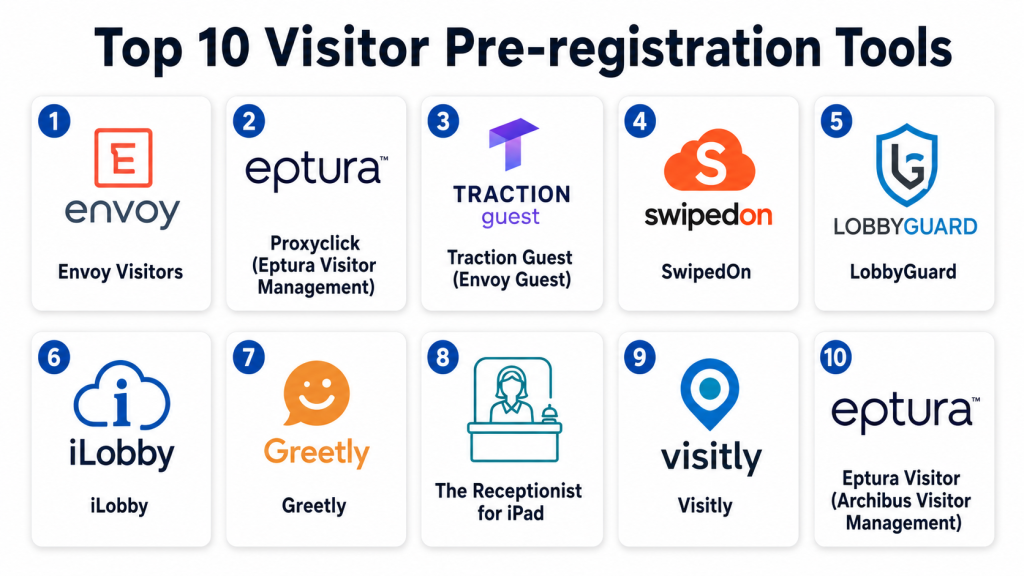
Top 10 Visitor Pre-registration Tools
1- Envoy Visitors
Short description:
Envoy Visitors is one of the most widely used visitor management platforms designed to simplify pre-registration, check-in, and visitor tracking. It allows hosts to pre-invite guests, automatically notify them, and streamline on-site check-in through kiosks or mobile devices. Envoy is widely used in corporate offices and enterprise environments. It provides strong security screening and compliance features. The platform integrates with access control systems and workplace tools. It is especially strong for modern office environments with hybrid work models.
Key Features
- Visitor pre-registration workflows
- Contactless check-in via QR codes
- Host notifications
- ID scanning and verification
- Badge printing support
- Visitor logs and analytics
- Watchlist screening
Pros
- Very strong enterprise adoption
- Easy and modern user experience
- Strong security controls
Cons
- Premium pricing model
- Requires setup for hardware integration
- Advanced features locked in higher tiers
Platforms / Deployment
- Web / iOS / Android
- Cloud
Security & Compliance
- SSO/SAML
- MFA
- Encryption
- Audit logs
- RBAC
Integrations & Ecosystem
- Slack
- Microsoft Teams
- Google Workspace
- Access control systems
- HR platforms
- APIs
Support & Community
Strong enterprise support and onboarding services.
2- Proxyclick (Eptura Visitor Management)
Short description:
Proxyclick, now part of Eptura, is a powerful visitor management platform designed for enterprise-level security and global office environments. It enables visitor pre-registration, compliance tracking, and secure check-in workflows. The platform is widely used in multinational corporations and regulated industries. It supports advanced visitor screening and policy enforcement. Proxyclick is especially strong in compliance-heavy environments. It provides centralized visitor management across multiple locations.
Key Features
- Pre-registration workflows
- Visitor screening and watchlists
- Multi-site visitor management
- Badge printing
- Compliance workflows
- Host notifications
- Visitor analytics
Pros
- Strong enterprise compliance features
- Scalable for global organizations
- Robust reporting capabilities
Cons
- Complex setup for small teams
- Enterprise-focused pricing
- Requires training for full use
Platforms / Deployment
- Web / Mobile
- Cloud
Security & Compliance
- SSO/SAML
- MFA
- Encryption
- Audit logs
- GDPR support
Integrations & Ecosystem
- Access control systems
- Microsoft 365
- Google Workspace
- Slack
- HR systems
- APIs
Support & Community
Strong enterprise support and implementation assistance.
3- Traction Guest (Envoy Guest)
Short description:
Traction Guest, now integrated into Envoy, is an enterprise visitor management solution focused on secure, scalable visitor workflows. It provides advanced visitor screening, compliance tracking, and global visitor management capabilities. The platform is widely used in high-security environments. It supports complex visitor policies and multi-location deployments. It is especially useful for organizations with strict security requirements. It integrates with physical access systems for seamless entry control.
Key Features
- Advanced visitor screening
- Global visitor management
- Pre-registration workflows
- Badge printing
- Watchlist integration
- Multi-site dashboards
- Compliance tracking
Pros
- Strong enterprise security focus
- Scalable architecture
- Advanced visitor policies
Cons
- High complexity for SMBs
- Premium pricing
- Requires onboarding support
Platforms / Deployment
- Web / Mobile
- Cloud
Security & Compliance
- SSO
- MFA
- Encryption
- Audit logs
- Compliance controls
Integrations & Ecosystem
- Access control systems
- HR platforms
- Microsoft Teams
- Slack
- APIs
- Identity providers
Support & Community
Enterprise-grade support and dedicated onboarding teams.
4- SwipedOn
Short description:
SwipedOn is a simple and user-friendly visitor management system designed for SMBs and mid-sized organizations. It provides easy visitor pre-registration, check-in, and badge printing features. The platform is widely used in offices, schools, and small enterprises. It focuses on simplicity and quick deployment. SwipedOn is known for its intuitive interface. It is ideal for organizations that need straightforward visitor management without complexity.
Key Features
- Visitor pre-registration
- QR code check-in
- Badge printing
- Host notifications
- Visitor logs
- Contactless sign-in
- Multi-location support
Pros
- Very easy to use
- Fast deployment
- Affordable for SMBs
Cons
- Limited enterprise features
- Basic analytics
- Less advanced integrations
Platforms / Deployment
- Web / iOS / Android
- Cloud
Security & Compliance
- Encryption
- Access controls
- Compliance details: Not publicly stated
Integrations & Ecosystem
- Google Workspace
- Microsoft Teams
- Slack
- APIs
- Calendar tools
Support & Community
Good SMB-focused support and documentation.
5- LobbyGuard
Short description:
LobbyGuard is a visitor management system focused on security-first environments such as schools, government buildings, and enterprises. It offers visitor screening, ID verification, and compliance workflows. The platform is widely used in regulated environments where security is a priority. It supports background screening and watchlist checks. LobbyGuard is known for its strong security capabilities. It is suitable for organizations requiring strict access control.
Key Features
- Visitor ID scanning
- Watchlist screening
- Pre-registration workflows
- Badge printing
- Visitor logs
- Compliance tracking
- Real-time alerts
Pros
- Strong security focus
- Good for regulated environments
- Reliable visitor screening
Cons
- Less modern UI
- Limited customization
- Enterprise setup complexity
Platforms / Deployment
- Web / On-prem / Cloud (varies)
Security & Compliance
- SSO
- Encryption
- Audit logs
- Compliance controls
Integrations & Ecosystem
- Access control systems
- HR systems
- APIs
- Security platforms
- Identity systems
Support & Community
Good enterprise support, especially for regulated industries.
6- iLobby
Short description:
iLobby is an enterprise visitor management platform designed for high-security facilities such as manufacturing plants, logistics centers, and government buildings. It offers advanced pre-registration, screening, and compliance workflows. The platform supports kiosk-based check-ins and centralized visitor dashboards. It is widely used in industrial environments. iLobby focuses on security automation and compliance enforcement. It is strong for large-scale visitor operations.
Key Features
- Pre-registration system
- Visitor screening
- Kiosk-based check-in
- Badge printing
- Compliance workflows
- Multi-site management
- Visitor tracking
Pros
- Strong industrial use case fit
- Highly secure workflows
- Scalable for large facilities
Cons
- Complex for small offices
- Premium pricing
- Requires hardware setup
Platforms / Deployment
- Web / Cloud / On-prem
Security & Compliance
- SSO
- MFA
- Encryption
- Audit logs
- Compliance controls
Integrations & Ecosystem
- Access control systems
- HR platforms
- Security systems
- APIs
- Identity providers
Support & Community
Strong enterprise onboarding and support.
7- Greetly
Short description:
Greetly is a digital receptionist and visitor management system designed for SMBs and offices that want simple pre-registration and check-in workflows. It allows visitors to check in via tablets and notifies hosts automatically. The platform is widely used in small offices and coworking spaces. It focuses on simplicity and affordability. Greetly is easy to deploy and manage. It is suitable for basic visitor management needs.
Key Features
- Visitor pre-registration
- Digital receptionist
- Host notifications
- Badge printing
- QR code check-in
- Visitor logs
- Custom workflows
Pros
- Easy to set up
- Affordable pricing
- Good for small offices
Cons
- Limited enterprise capabilities
- Basic reporting
- Fewer integrations
Platforms / Deployment
- Web / iOS / Android
- Cloud
Security & Compliance
- Encryption
- Access controls
- Compliance details: Not publicly stated
Integrations & Ecosystem
- Slack
- Google Workspace
- Microsoft Teams
- APIs
- Calendar tools
Support & Community
Good SMB-focused support.
8- The Receptionist for iPad
Short description:
The Receptionist for iPad is a visitor management app designed for iPad-based check-in systems. It enables visitor pre-registration, badge printing, and host notifications. It is widely used in offices, schools, and clinics. The platform focuses on simple, tablet-based visitor workflows. It is easy to deploy and manage. It is best suited for organizations that prefer iPad-based reception systems.
Key Features
- iPad-based check-in
- Visitor pre-registration
- Host notifications
- Badge printing
- Visitor logs
- Custom workflows
- Photo capture
Pros
- Simple iPad-based setup
- Affordable for SMBs
- Easy user experience
Cons
- Limited enterprise scalability
- Dependent on Apple hardware
- Basic analytics
Platforms / Deployment
- iOS / Web
- Cloud
Security & Compliance
- Encryption
- Access controls
- Compliance details: Not publicly stated
Integrations & Ecosystem
- Google Calendar
- Microsoft Teams
- Slack
- APIs
- Email systems
Support & Community
Good SMB support and onboarding resources.
9- Visitly
Short description:
Visitly is a visitor management platform designed for modern offices that need pre-registration, check-in, and visitor tracking capabilities. It offers contactless check-in, visitor badges, and analytics. The platform is widely used in SMB and mid-market organizations. It focuses on ease of use and fast deployment. Visitly provides cloud-based visitor logs and reporting. It is suitable for growing companies with structured office environments.
Key Features
- Visitor pre-registration
- Contactless check-in
- Badge printing
- Host notifications
- Visitor analytics
- Multi-location support
- QR-based check-in
Pros
- Easy to deploy
- Good user experience
- Suitable for SMBs
Cons
- Limited advanced enterprise features
- Basic automation
- Smaller ecosystem
Platforms / Deployment
- Web / Mobile
- Cloud
Security & Compliance
- Encryption
- Access controls
- Audit logs
Integrations & Ecosystem
- Google Workspace
- Microsoft Teams
- Slack
- APIs
- Calendar tools
Support & Community
Good SMB support and documentation.
10- Eptura Visitor (Archibus Visitor Management)
Short description:
Eptura Visitor is an enterprise-grade visitor management solution built for large organizations with complex facilities and compliance needs. It enables advanced pre-registration, visitor tracking, and global policy enforcement. The platform is widely used in corporate campuses and regulated industries. It supports centralized visitor governance across multiple locations. Eptura Visitor is highly scalable and secure. It is best suited for enterprise facility management ecosystems.
Key Features
- Enterprise visitor pre-registration
- Multi-location management
- Compliance workflows
- Badge printing
- Visitor screening
- Analytics dashboards
- Access control integration
Pros
- Strong enterprise scalability
- Advanced compliance features
- Centralized management
Cons
- Complex implementation
- High cost
- Not suitable for SMBs
Platforms / Deployment
- Web / Cloud / On-prem (varies)
Security & Compliance
- SSO
- MFA
- Encryption
- Audit logs
- Compliance frameworks
Integrations & Ecosystem
- Access control systems
- Facility management tools
- HR systems
- APIs
- Identity platforms
Support & Community
Strong enterprise support and implementation services.
Comparison Table
| Tool Name | Best For | Platform(s) Supported | Deployment | Standout Feature | Public Rating |
|---|---|---|---|---|---|
| Envoy Visitors | Modern offices | Web, Mobile | Cloud | Smart visitor workflows | N/A |
| Proxyclick | Global enterprises | Web, Mobile | Cloud | Compliance management | N/A |
| Traction Guest | High-security orgs | Web, Mobile | Cloud | Advanced screening | N/A |
| SwipedOn | SMB offices | Web, Mobile | Cloud | Simplicity | N/A |
| LobbyGuard | Regulated environments | Web | Hybrid | Visitor screening | N/A |
| iLobby | Industrial facilities | Web, Mobile | Cloud | Kiosk-based check-in | N/A |
| Greetly | Small offices | Web, Mobile | Cloud | Digital receptionist | N/A |
| Receptionist iPad | SMB iPad setups | iOS | Cloud | iPad-based check-in | N/A |
| Visitly | SMB/mid-market | Web, Mobile | Cloud | Easy deployment | N/A |
| Eptura Visitor | Enterprises | Web | Cloud/On-prem | Facility-scale control | N/A |
Evaluation & Scoring of Visitor Pre-registration Tools
| Tool Name | Core | Ease | Integrations | Security | Performance | Support | Value | Weighted Total |
|---|---|---|---|---|---|---|---|---|
| Envoy | 9.5 | 9.0 | 9.5 | 9.5 | 9.0 | 9.0 | 8.5 | 9.0 |
| Proxyclick | 9.5 | 8.5 | 9.5 | 9.5 | 9.0 | 9.0 | 8.0 | 8.9 |
| Traction Guest | 9.5 | 8.5 | 9.5 | 9.5 | 9.0 | 9.0 | 8.0 | 8.9 |
| SwipedOn | 8.0 | 9.5 | 8.5 | 8.5 | 8.5 | 8.5 | 9.0 | 8.6 |
| LobbyGuard | 9.0 | 8.0 | 8.5 | 9.0 | 8.5 | 8.5 | 8.0 | 8.6 |
| iLobby | 9.5 | 8.0 | 9.0 | 9.5 | 9.0 | 9.0 | 8.0 | 8.9 |
| Greetly | 8.0 | 9.5 | 8.0 | 8.5 | 8.5 | 8.5 | 9.0 | 8.5 |
| Receptionist iPad | 8.0 | 9.5 | 8.0 | 8.5 | 8.0 | 8.5 | 9.0 | 8.5 |
| Visitly | 8.5 | 9.0 | 8.5 | 8.5 | 8.5 | 8.5 | 9.0 | 8.6 |
| Eptura Visitor | 9.5 | 8.0 | 9.0 | 9.5 | 9.0 | 9.0 | 8.0 | 8.8 |
These scores reflect differences between SMB-focused simplicity tools and enterprise-grade security platforms. Organizations with high compliance needs should prioritize Proxyclick, iLobby, or Eptura, while SMBs benefit more from SwipedOn, Greetly, or Visitly due to ease of use and faster deployment.
Frequently Asked Questions (FAQs)
1. What is a visitor pre-registration tool?
It is software that allows organizations to register and manage visitors before they arrive, improving security and efficiency.
2. Why is visitor pre-registration important?
It enhances security, reduces manual check-in time, and improves compliance tracking.
3. Do these tools replace reception desks?
No, they support reception teams by automating visitor workflows.
4. Can visitors check in using mobile phones?
Yes, most tools support QR codes and mobile-based check-in.
5. Are visitor management systems secure?
Enterprise platforms include encryption, SSO, audit logs, and compliance features.
6. Do these tools integrate with access control systems?
Yes, many integrate with door access and security systems.
7. Can they handle multiple office locations?
Yes, enterprise tools support multi-location visitor management.
8. Are these tools suitable for small businesses?
Yes, SMB tools like SwipedOn and Greetly are designed for small offices.
9. What hardware is needed?
Typically tablets, kiosks, badge printers, and access control devices.
10. What is the biggest benefit?
The biggest benefit is improved security and faster, contactless visitor experience.
Conclusion
Visitor Pre-registration Tools are essential for modern organizations that prioritize security, compliance, and operational efficiency. Platforms like Envoy, Proxyclick, iLobby, and Eptura provide enterprise-grade visitor governance, while SwipedOn, Greetly, and Visitly offer simple and affordable solutions for SMBs. The right choice depends on security requirements, office size, and integration needs. A practical next step is to shortlist , test visitor workflows in real scenarios, evaluate integration with access control systems, and validate user experience for both staff and visitors before deployment.
