Introduction
Mailroom Management Tools are digital systems designed to automate, track, and streamline the handling of incoming and outgoing mail, parcels, and internal deliveries within an organization. In simple terms, these tools replace manual logbooks and paper-based tracking with real-time digital workflows for receiving, scanning, notifying, and distributing mail and packages.
In and beyond, these tools are increasingly important because workplaces are handling higher parcel volumes due to hybrid work, e-commerce growth, and distributed office models. Traditional mailrooms struggle with delays, lost packages, and lack of visibility. Modern mailroom systems solve these problems with automation, notifications, and analytics.
Real-world use cases include:
- Tracking incoming parcels and courier deliveries in corporate offices.
- Notifying employees instantly when packages arrive.
- Managing inter-office document distribution.
- Handling mailroom workflows in universities and hospitals.
- Providing audit trails for compliance-sensitive deliveries.
What buyers should evaluate:
- Real-time parcel tracking and logging capabilities.
- Notification systems (email, SMS, app alerts).
- Barcode/QR scanning and automation features.
- Integration with workplace systems and HR directories.
- Security controls and chain-of-custody tracking.
- Reporting and analytics dashboards.
- Mobile app usability for staff and employees.
- Hardware support (scanners, kiosks, lockers).
- Scalability across multiple locations.
- Data privacy and compliance readiness.
Best for: Enterprises, corporate offices, coworking spaces, universities, hospitals, government offices, logistics-heavy organizations, and facilities management teams.
Not ideal for: Very small offices with minimal mail volume, fully remote companies, or organizations without physical delivery workflows.
Key Trends in Mailroom Management Tools
- AI-powered parcel recognition and auto-categorization.
- Smart lockers integrated with access control systems.
- Mobile-first mailroom workflows with instant notifications.
- IoT-enabled tracking for real-time package movement visibility.
- Integration with workplace experience platforms and intranets.
- Contactless pickup and delivery systems.
- Automated courier check-in using QR/barcode scanning.
- Advanced analytics for mailroom efficiency optimization.
- Cloud-based centralized mailroom management across campuses.
- Sustainability tracking for paperless mailroom operations.
How We Selected These Tools (Methodology)
The tools in this list were selected based on:
- Market adoption in workplace and facilities management.
- Parcel tracking and workflow automation capabilities.
- Integration with enterprise systems and directories.
- Ease of deployment across multi-location organizations.
- Security, auditability, and chain-of-custody tracking.
- Mobile and hardware ecosystem support.
- Scalability for enterprises, campuses, and large offices.
- User experience for staff, couriers, and employees.
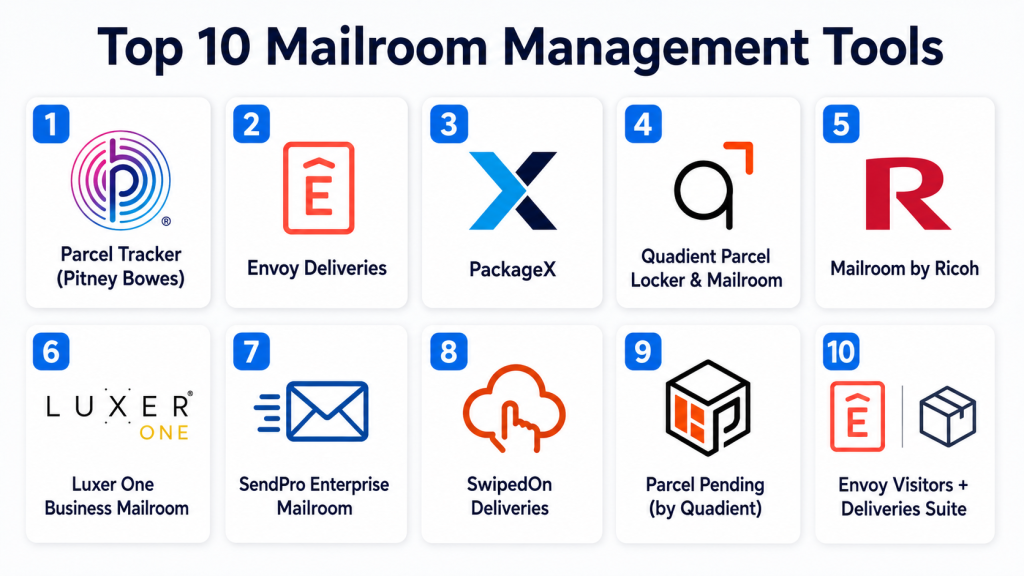
Top 10 Mailroom Management Tools
1- Parcel Tracker (Pitney Bowes)
Short description:
Parcel Tracker by Pitney Bowes is a widely used enterprise mailroom management system designed to track incoming parcels, automate notifications, and streamline mailroom workflows. It helps organizations digitize mail handling processes with barcode scanning, delivery logging, and real-time tracking. It is commonly used in corporate offices, universities, and government facilities. The platform improves visibility across incoming and outgoing shipments. It reduces manual errors and improves accountability in mailrooms. It is best suited for large organizations with high parcel volume.
Key Features
- Parcel scanning and tracking.
- Automated employee notifications.
- Delivery logging and audit trails.
- Barcode and QR code support.
- Reporting dashboards.
- Chain-of-custody tracking.
- Multi-location management.
Pros
- Strong enterprise reliability.
- Excellent tracking accuracy.
- Good scalability for large offices.
Cons
- Requires setup and training.
- Hardware dependency for full features.
- Pricing varies by deployment.
Platforms / Deployment
- Web
- Mobile apps
- Cloud / Hybrid
Security & Compliance
- SSO/SAML
- MFA
- Encryption
- RBAC
- Audit logs
- Not publicly stated certifications
Integrations & Ecosystem
Integrates with enterprise workplace systems and logistics workflows.
- HR directories
- Email systems
- Workplace apps
- APIs
- Barcode scanners
- Facility management systems
Support & Community
Enterprise support with onboarding and implementation services.
2- Envoy Deliveries
Short description:
Envoy Deliveries is part of the Envoy workplace platform designed to manage incoming mail and package deliveries in modern offices. It helps automate parcel check-in, employee notifications, and pickup workflows. Envoy is widely used in hybrid workplaces and coworking spaces. It provides real-time tracking and notification capabilities. The platform integrates with workplace management systems. It is ideal for companies looking for a modern, integrated mailroom solution.
Key Features
- Package check-in system.
- Employee notifications.
- Delivery tracking dashboard.
- QR code scanning.
- Mobile pickup alerts.
- Workplace integration.
- Analytics reporting.
Pros
- Easy to use interface.
- Strong workplace ecosystem integration.
- Good for hybrid offices.
Cons
- Requires Envoy ecosystem for full value.
- Enterprise pricing tiers.
- Limited offline functionality.
Platforms / Deployment
- Web
- iOS
- Android
- Cloud
Security & Compliance
- SSO/SAML
- MFA
- Encryption
- RBAC
- Audit logs
- Not publicly stated certifications
Integrations & Ecosystem
- Google Workspace
- Microsoft 365
- Slack
- HR systems
- APIs
- Workplace tools
Support & Community
Strong onboarding support and enterprise customer success services.
3- PackageX
Short description:
PackageX is an AI-powered mailroom and logistics automation platform designed to digitize package handling workflows. It uses computer vision and AI for package recognition and tracking. The platform is widely used in corporate mailrooms, universities, and logistics-heavy environments. It helps automate intake, labeling, and delivery notifications. PackageX improves efficiency and reduces manual handling errors. It is ideal for organizations with high parcel volume.
Key Features
- AI-based package recognition.
- Barcode and label scanning.
- Real-time tracking.
- Automated notifications.
- Mobile-first workflow.
- Chain-of-custody tracking.
- Analytics dashboards.
Pros
- Strong AI automation capabilities.
- High accuracy in tracking.
- Mobile-friendly design.
Cons
- Requires training for advanced features.
- Hardware setup may be needed.
- Pricing varies by scale.
Platforms / Deployment
- Web
- iOS
- Android
- Cloud
Security & Compliance
- SSO/SAML
- MFA
- Encryption
- RBAC
- Audit logs
- Not publicly stated certifications
Integrations & Ecosystem
- Workplace systems
- HR directories
- APIs
- Logistics tools
- Barcode systems
- Facility management platforms
Support & Community
Good enterprise onboarding and customer support.
4- Quadient Parcel Locker & Mailroom
Short description:
Quadient provides integrated mailroom and smart locker solutions for enterprises managing high volumes of mail and parcels. It combines digital mailroom software with physical locker systems for secure package pickup. The platform is widely used in corporate campuses, universities, and residential complexes. It enhances security and efficiency in parcel management. It supports automation across mail intake and delivery. It is best suited for large-scale facilities.
Key Features
- Smart parcel locker integration.
- Mailroom automation workflows.
- Delivery tracking system.
- Employee notifications.
- Barcode scanning.
- Secure pickup systems.
- Reporting dashboards.
Pros
- Strong physical + digital integration.
- High security for deliveries.
- Scalable for large campuses.
Cons
- Requires hardware investment.
- Complex setup process.
- Enterprise-focused pricing.
Platforms / Deployment
- Web
- Hardware systems
- Cloud / Hybrid
Security & Compliance
- SSO/SAML
- MFA
- Encryption
- RBAC
- Audit logs
- Compliance varies by deployment
Integrations & Ecosystem
- Facility management systems
- HR directories
- Workplace tools
- APIs
- Smart lockers
- Enterprise systems
Support & Community
Enterprise-level implementation and support services.
5- Mailroom by Ricoh
Short description:
Ricoh Mailroom Management is an enterprise solution designed to digitize mail handling and distribution workflows. It helps organizations track mail, automate sorting, and improve delivery efficiency. Ricoh’s solution is widely used in corporate and government environments. It supports scanning, logging, and secure mail handling. The platform focuses on operational efficiency and compliance. It is suitable for organizations with structured mailroom operations.
Key Features
- Mail scanning and tracking.
- Automated logging system.
- Delivery workflow management.
- Chain-of-custody tracking.
- Reporting tools.
- Barcode integration.
- Multi-location support.
Pros
- Reliable enterprise-grade system.
- Strong document tracking.
- Good compliance support.
Cons
- Requires infrastructure setup.
- Less modern UI compared to newer tools.
- Hardware dependency.
Platforms / Deployment
- Web
- Cloud / On-premise / Hybrid
Security & Compliance
- SSO/SAML
- MFA
- Encryption
- RBAC
- Audit logs
- Compliance varies by deployment
Integrations & Ecosystem
- Enterprise document systems
- HR directories
- APIs
- Facility systems
- Barcode hardware
- Workflow tools
Support & Community
Enterprise support with implementation assistance.
6- Luxer One Business Mailroom
Short description:
Luxer One provides smart mailroom and locker-based delivery solutions designed for secure package management. It is widely used in corporate offices, apartments, and campuses. The platform automates package intake and secure pickup using locker systems. It reduces manual handling in mailrooms. Luxer One improves delivery security and efficiency. It is ideal for organizations needing automated package handling systems.
Key Features
- Smart locker integration.
- Automated package notifications.
- QR-based pickup system.
- Delivery tracking.
- Chain-of-custody logs.
- Mobile app support.
- Reporting dashboards.
Pros
- Strong locker-based security.
- Easy user pickup experience.
- Good automation features.
Cons
- Hardware dependency.
- Best suited for larger installations.
- Limited flexibility without lockers.
Platforms / Deployment
- Web
- Mobile apps
- Hardware + Cloud
Security & Compliance
- SSO/SAML
- MFA
- Encryption
- RBAC
- Audit logs
- Not publicly stated certifications
Integrations & Ecosystem
- Workplace systems
- HR directories
- Facility management tools
- APIs
- Access control systems
- Notification platforms
Support & Community
Strong enterprise support and onboarding services.
7- SendPro Enterprise Mailroom
Short description:
SendPro by Pitney Bowes is an enterprise mailroom management solution designed for shipping, tracking, and mail processing. It helps organizations manage incoming and outgoing mail efficiently. The platform integrates postage, tracking, and delivery workflows. It is widely used in corporate and government environments. It improves visibility and accountability in mail handling. It is best suited for organizations with high mailing volumes.
Key Features
- Mail and parcel tracking.
- Shipping workflow automation.
- Barcode scanning.
- Delivery reporting.
- Cost tracking tools.
- Multi-location support.
- Notification systems.
Pros
- Strong enterprise shipping integration.
- Reliable tracking system.
- Good scalability.
Cons
- Complex configuration.
- Hardware dependency.
- Pricing varies by scale.
Platforms / Deployment
- Web
- Cloud / Hybrid
Security & Compliance
- SSO/SAML
- MFA
- Encryption
- RBAC
- Audit logs
- Compliance varies
Integrations & Ecosystem
- HR systems
- Shipping carriers
- APIs
- Facility tools
- Barcode systems
- Enterprise platforms
Support & Community
Enterprise-grade support and implementation services.
8- SwipedOn Deliveries
Short description:
SwipedOn Deliveries is a lightweight mailroom management tool focused on simplifying package tracking and employee notifications. It is designed for SMBs and mid-sized organizations. The platform helps log deliveries, notify recipients, and manage pickup workflows. It is easy to deploy and use. SwipedOn improves visibility in small to mid-sized mailrooms. It is ideal for offices needing simple mail tracking.
Key Features
- Delivery logging system.
- Employee notifications.
- QR code scanning.
- Simple tracking dashboard.
- Mobile access.
- Pickup confirmation.
- Basic reporting.
Pros
- Very easy to use.
- Fast setup.
- Affordable for SMBs.
Cons
- Limited enterprise features.
- Basic analytics.
- Smaller ecosystem.
Platforms / Deployment
- Web
- iOS
- Android
- Cloud
Security & Compliance
- SSO/SAML
- MFA
- Encryption
- RBAC
- Audit logs
- Not publicly stated certifications
Integrations & Ecosystem
- Google Workspace
- Microsoft 365
- APIs
- Notification tools
- HR systems
- Facility apps
Support & Community
Good SMB-focused support and onboarding documentation.
9- Parcel Pending (by Quadient)
Short description:
Parcel Pending is a smart locker-based mailroom solution that automates package delivery and pickup workflows. It is widely used in corporate offices, universities, and residential buildings. The platform reduces manual handling by enabling secure self-service package retrieval. It integrates with enterprise mailroom workflows. It improves efficiency and reduces delivery bottlenecks. It is best suited for high-traffic environments.
Key Features
- Smart locker systems.
- Automated notifications.
- QR-based pickup.
- Delivery tracking.
- Chain-of-custody logs.
- Mobile access.
- Analytics dashboards.
Pros
- Strong security model.
- Reduces mailroom workload.
- Scalable for large sites.
Cons
- Requires hardware investment.
- Setup complexity.
- Enterprise pricing structure.
Platforms / Deployment
- Hardware + Cloud
Security & Compliance
- SSO/SAML
- MFA
- Encryption
- RBAC
- Audit logs
- Compliance varies by deployment
Integrations & Ecosystem
- Facility management systems
- HR directories
- APIs
- Access control systems
- Workplace tools
- Notification platforms
Support & Community
Enterprise implementation and support services.
10- Envoy Visitors + Deliveries Suite
Short description:
Envoy Deliveries combined with its visitor management suite provides a unified workplace logistics system for mailroom and guest handling. It helps organizations track packages, manage deliveries, and notify employees instantly. The platform is widely used in modern office environments. It integrates mailroom operations into broader workplace experience systems. It is ideal for hybrid and enterprise workplaces. It improves efficiency and visibility across workplace logistics.
Key Features
- Delivery tracking system.
- Employee notifications.
- Visitor + mailroom integration.
- QR scanning workflows.
- Workplace analytics.
- Mobile access.
- Reporting dashboards.
Pros
- Unified workplace platform.
- Strong user experience.
- Good integration ecosystem.
Cons
- Requires Envoy ecosystem.
- Pricing varies by scale.
- Limited offline capabilities.
Platforms / Deployment
- Web
- iOS
- Android
- Cloud
Security & Compliance
- SSO/SAML
- MFA
- Encryption
- RBAC
- Audit logs
- Not publicly stated certifications
Integrations & Ecosystem
- Google Workspace
- Microsoft 365
- Slack
- HR systems
- APIs
- Workplace tools
Support & Community
Strong enterprise onboarding and customer success support.
Comparison Table
| Tool Name | Best For | Platform(s) Supported | Deployment | Standout Feature | Public Rating |
|---|---|---|---|---|---|
| Parcel Tracker | Enterprise mailrooms | Web, Mobile | Cloud/Hybrid | Parcel tracking automation | N/A |
| Envoy Deliveries | Modern offices | Web, Mobile | Cloud | Workplace integration | N/A |
| PackageX | AI mailroom automation | Web, Mobile | Cloud | AI package recognition | N/A |
| Quadient | Smart locker systems | Web + Hardware | Cloud/Hybrid | Smart lockers | N/A |
| Ricoh Mailroom | Enterprise mailrooms | Web | Cloud/On-prem | Document tracking | N/A |
| Luxer One | Secure lockers | Web + Hardware | Cloud | Smart locker delivery | N/A |
| SendPro | Shipping-heavy orgs | Web | Cloud/Hybrid | Shipping + tracking | N/A |
| SwipedOn | SMB mailrooms | Web, Mobile | Cloud | Simple delivery tracking | N/A |
| Parcel Pending | Campus logistics | Hardware + Cloud | Cloud | Secure lockers | N/A |
| Envoy Suite | Workplace logistics | Web, Mobile | Cloud | Unified workplace system | N/A |
Evaluation & Scoring of Mailroom Management Tools
| Tool Name | Core (25%) | Ease (15%) | Integrations (15%) | Security (10%) | Performance (10%) | Support (10%) | Value (15%) | Weighted Total (0–10) |
|---|---|---|---|---|---|---|---|---|
| Parcel Tracker | 9 | 8 | 9 | 9 | 9 | 9 | 8 | 8.8 |
| Envoy Deliveries | 9 | 9 | 9 | 9 | 9 | 9 | 8 | 9.0 |
| PackageX | 9 | 8 | 9 | 9 | 9 | 8 | 8 | 8.7 |
| Quadient | 10 | 7 | 10 | 10 | 9 | 9 | 7 | 8.8 |
| Ricoh Mailroom | 9 | 7 | 9 | 9 | 8 | 9 | 7 | 8.3 |
| Luxer One | 9 | 8 | 9 | 9 | 9 | 9 | 7 | 8.6 |
| SendPro | 9 | 7 | 9 | 9 | 8 | 9 | 7 | 8.4 |
| SwipedOn | 7 | 10 | 7 | 8 | 8 | 8 | 9 | 8.1 |
| Parcel Pending | 9 | 8 | 9 | 9 | 9 | 9 | 7 | 8.6 |
| Envoy Suite | 9 | 9 | 9 | 9 | 9 | 9 | 8 | 8.9 |
These scores are comparative and reflect how each tool performs across automation, security, integrations, and usability. Enterprise locker-based systems score high on security and scale, while SMB tools score higher on ease of use and deployment speed. The right choice depends on mail volume, facility size, and integration needs.
Which Mailroom Management Tool Is Right for You?
Solo / Freelancer
Mailroom tools are generally not required for solo users or freelancers.
SMB
SwipedOn, Envoy Deliveries, and basic Parcel Tracker solutions are ideal for small offices with low-to-moderate mail volume.
Mid-Market
PackageX, Envoy, Ricoh, and Luxer One offer a strong balance of automation, tracking, and scalability.
Enterprise
Quadient, SendPro, Parcel Pending, and Envoy Suite are best suited for large organizations with high parcel volumes and multi-location operations.
Budget vs Premium
Budget-friendly tools include SwipedOn and Envoy basic plans. Premium enterprise solutions include Quadient, Luxer One, and Parcel Pending.
Feature Depth vs Ease of Use
SwipedOn and Envoy are easiest to deploy. PackageX and Quadient offer deeper automation but require setup.
Integrations & Scalability
Envoy, PackageX, and Quadient offer strong integration ecosystems for enterprise workplace environments.
Security & Compliance Needs
Enterprise buyers should prioritize Quadient, Luxer One, and SendPro for stronger chain-of-custody tracking and governance controls.
Frequently Asked Questions
1. What is a mailroom management tool?
It is software that automates the tracking, logging, and distribution of incoming and outgoing mail and packages within an organization.
2. How do these tools work?
They scan packages using barcode or QR systems, log them digitally, and notify employees when deliveries arrive.
3. Do they replace manual mailrooms?
Yes, they significantly reduce manual logging and improve accuracy and visibility.
4. Are these tools suitable for small offices?
Yes, SMB-focused tools like SwipedOn and Envoy are designed for smaller workplaces.
5. Do they support smart lockers?
Yes, many enterprise solutions integrate with smart locker systems for secure pickup.
6. Are mailroom tools secure?
Enterprise tools offer encryption, access control, audit logs, and chain-of-custody tracking.
7. Can employees get notifications?
Yes, most tools send email, SMS, or app notifications when packages arrive.
8. Do they integrate with HR systems?
Yes, many tools integrate with HR directories and workplace systems for employee lookup.
9. What is the biggest challenge?
The biggest challenge is hardware setup and integration with existing workplace systems.
10. Can they handle multiple office locations?
Yes, enterprise platforms are designed for multi-location mailroom management.
Conclusion
Mailroom Management Tools are becoming essential for modern workplaces that handle increasing volumes of deliveries and distributed operations. Platforms like Envoy, PackageX, Quadient, and Luxer One lead enterprise automation with smart lockers and AI tracking, while SwipedOn and Envoy basic solutions serve SMBs with simple workflows. The right choice depends on organizational scale, delivery volume, and required integration depth. Organizations should shortlist a few tools, evaluate real-world package workflows, and validate integration with workplace systems before full deployment.
