Introduction
eFax & Fax Server Software are digital communication platforms that allow organizations to send and receive fax documents over the internet without traditional fax machines. In simple terms, they replace physical fax devices with secure, cloud-based or server-based systems that can send documents via email, web apps, or APIs while maintaining compliance and auditability.
In and beyond, these tools remain important because many industries like healthcare, legal, government, and finance still rely on fax for regulatory and secure document exchange. However, legacy fax machines are being replaced with cloud fax platforms that offer encryption, integrations, automation, and remote access.
Real-world use cases include:
- Sending medical records securely in healthcare systems.
- Legal document transmission with audit trails.
- Government form submissions and compliance workflows.
- Financial document exchange between institutions.
- API-based fax automation in enterprise applications.
What buyers should evaluate:
- Security and encryption standards for document transfer.
- HIPAA, GDPR, and compliance readiness.
- Email-to-fax and API capabilities.
- Integration with ERP, CRM, and document systems.
- Scalability for high-volume fax traffic.
- Delivery confirmation and audit logs.
- Ease of use and mobile access.
- Support for international faxing.
- On-premise vs cloud deployment options.
- Cost per page or subscription pricing model.
Best for: Healthcare organizations, legal firms, banks, insurance companies, government agencies, enterprises with compliance needs, and large document-heavy workflows.
Not ideal for: Fully digital-native startups with no compliance constraints, small teams with minimal document transmission needs, or organizations using modern e-signature alternatives exclusively.
Key Trends in eFax & Fax Server Software
- Full transition from hardware fax machines to cloud fax APIs.
- AI-based document classification and routing before faxing.
- Deep integration with EHR systems in healthcare.
- API-first fax infrastructure for enterprise automation.
- Stronger encryption and zero-trust security models.
- Mobile-first faxing via secure apps.
- Automated compliance logging and retention policies.
- Hybrid fax systems combining cloud + on-prem deployments.
- Fax-to-email intelligence with OCR extraction.
- Workflow automation inside ERP and document platforms.
How We Selected These Tools (Methodology)
The tools in this list were selected based on:
- Market adoption in enterprise fax and compliance industries.
- Security and regulatory compliance capabilities.
- API maturity and integration ecosystem.
- Reliability in high-volume fax delivery.
- Ease of use for business users and IT teams.
- Cloud readiness and hybrid deployment support.
- Audit logging and traceability features.
- Vendor reputation in healthcare, legal, and finance sectors.
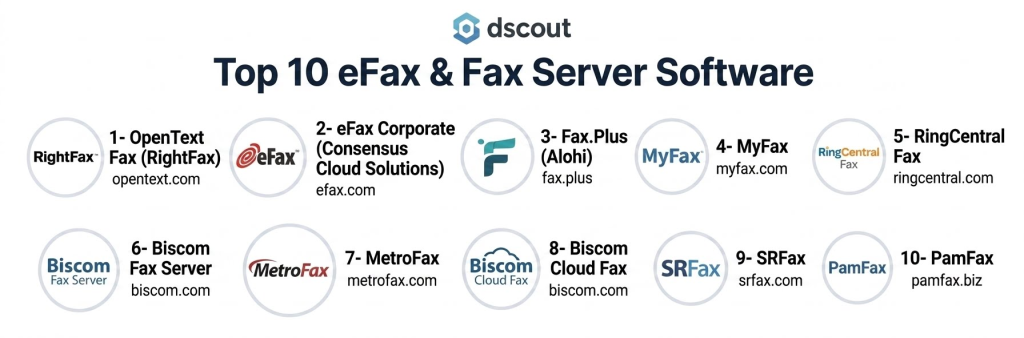
Top 10 eFax & Fax Server Software
1- OpenText Fax (RightFax)
Short description:
OpenText RightFax is one of the most widely used enterprise fax server solutions designed for high-volume, secure fax communication. It enables organizations to send and receive faxes through email, desktop applications, and integrated business systems. It is heavily used in healthcare, legal, and financial industries due to its strong compliance capabilities. RightFax supports both on-premise and hybrid deployments. It integrates deeply with enterprise applications and document workflows. It is ideal for large organizations requiring secure and scalable fax infrastructure.
Key Features
- Email-to-fax and fax-to-email workflows.
- High-volume fax automation.
- Centralized fax server management.
- Document routing and distribution.
- OCR support for faxed documents.
- Multi-location fax handling.
- API-based integration.
Pros
- Strong enterprise reliability.
- Excellent scalability.
- Deep system integration.
Cons
- Complex setup and maintenance.
- Higher cost for enterprise deployment.
- Requires IT expertise.
Platforms / Deployment
- Windows Server
- On-premise / Hybrid / Cloud (varies by setup)
Security & Compliance
- SSO/SAML
- MFA
- Encryption (TLS, AES)
- RBAC
- Audit logs
- HIPAA compliance support (commonly used in healthcare)
Integrations & Ecosystem
RightFax integrates deeply with enterprise and clinical systems.
- EHR systems
- ERP platforms
- Microsoft Exchange
- Email systems
- APIs
- Document management systems
Support & Community
Strong enterprise support with global implementation services.
2- eFax Corporate (Consensus Cloud Solutions)
Short description:
eFax Corporate is a cloud-based fax solution designed for businesses needing secure, scalable, and compliant fax communication. It eliminates the need for physical fax machines and enables users to send faxes via email, web, or mobile applications. It is widely used in healthcare, legal, and financial industries. The platform focuses on simplicity, compliance, and mobility. It is ideal for organizations transitioning from legacy fax systems to cloud faxing.
Key Features
- Email-to-fax functionality.
- Secure cloud fax storage.
- Mobile faxing apps.
- Fax number management.
- Delivery confirmation reports.
- Document encryption.
- Archiving and search tools.
Pros
- Easy to deploy.
- Strong mobility support.
- No hardware required.
Cons
- Subscription-based cost model.
- Limited advanced automation features.
- Dependent on internet connectivity.
Platforms / Deployment
- Web
- iOS
- Android
- Cloud
Security & Compliance
- SSO/SAML
- MFA
- Encryption (TLS)
- HIPAA compliance support
- Audit logs
- Secure storage policies
Integrations & Ecosystem
- Email systems
- CRM platforms
- EHR systems
- APIs
- Cloud storage tools
- Workflow applications
Support & Community
Strong enterprise support and onboarding assistance.
3- Fax.Plus (Alohi)
Short description:
Fax.Plus is a modern cloud fax platform designed for individuals, SMBs, and enterprises needing secure and simple faxing. It allows users to send and receive faxes through web, email, and mobile apps. The platform is known for its clean interface and ease of use. It supports global faxing with strong encryption. It is ideal for teams looking for lightweight and flexible faxing without infrastructure complexity.
Key Features
- Web-based fax sending.
- Email-to-fax integration.
- Mobile fax apps.
- Global fax coverage.
- Document storage and archiving.
- Team management features.
- API access for automation.
Pros
- Very easy to use.
- Fast setup process.
- Good for SMB and enterprise use.
Cons
- Limited deep enterprise workflows.
- Advanced features require higher plans.
- Dependency on cloud connectivity.
Platforms / Deployment
- Web
- iOS
- Android
- Cloud
Security & Compliance
- SSO/SAML
- MFA
- Encryption (TLS, AES)
- HIPAA compliance support
- Audit logs
- Data protection controls
Integrations & Ecosystem
- Google Workspace
- Microsoft 365
- Slack
- APIs
- CRM tools
- Cloud storage systems
Support & Community
Good documentation and responsive customer support.
4- MyFax
Short description:
MyFax is a cloud-based fax service that allows users to send and receive faxes via email and web applications. It is designed for small to mid-sized businesses needing simple fax capabilities without infrastructure overhead. MyFax is known for its straightforward setup and usability. It supports international faxing and document archiving. It is best suited for teams with moderate faxing needs.
Key Features
- Email-to-fax and fax-to-email.
- Online fax management portal.
- Mobile fax access.
- Document storage.
- Fax scheduling.
- International fax support.
- Delivery notifications.
Pros
- Easy to use.
- Good for SMBs.
- Quick setup.
Cons
- Limited enterprise automation.
- Basic integration capabilities.
- Less advanced compliance features.
Platforms / Deployment
- Web
- iOS
- Android
- Cloud
Security & Compliance
- Encryption (TLS)
- MFA
- Secure storage
- Audit logs
- Not publicly stated certifications
Integrations & Ecosystem
- Email systems
- Cloud storage
- Office tools
- APIs
- CRM systems
- Document workflows
Support & Community
Standard customer support with onboarding help.
5- RingCentral Fax
Short description:
RingCentral Fax is part of the RingCentral unified communications platform that includes cloud faxing capabilities. It allows users to send and receive faxes from email, desktop, and mobile devices. It is widely used in enterprises already using RingCentral for communication. The platform integrates faxing into a broader communication ecosystem. It is ideal for organizations seeking unified messaging and fax services.
Key Features
- Cloud faxing via email.
- Unified communication platform integration.
- Mobile fax support.
- Document storage.
- Fax scheduling and delivery tracking.
- Team fax management.
- API access.
Pros
- Strong unified communications ecosystem.
- Easy integration with business tools.
- Reliable cloud performance.
Cons
- Requires RingCentral ecosystem.
- Pricing bundled with broader services.
- Limited standalone fax specialization.
Platforms / Deployment
- Web
- iOS
- Android
- Cloud
Security & Compliance
- SSO/SAML
- MFA
- Encryption
- RBAC
- Audit logs
- Enterprise compliance support varies
Integrations & Ecosystem
- Microsoft 365
- Google Workspace
- CRM systems
- APIs
- Collaboration tools
- Business communication suite
Support & Community
Strong enterprise support and global customer base.
6- Biscom Fax Server
Short description:
Biscom Fax Server is an enterprise-grade fax solution designed for secure and high-volume fax communication. It is widely used in healthcare, legal, and government sectors. The platform supports both cloud and on-premise deployment. It provides strong workflow automation and integration capabilities. Biscom is known for its reliability and compliance focus. It is ideal for organizations with strict regulatory requirements.
Key Features
- Enterprise fax server management.
- Email-to-fax automation.
- Secure document routing.
- High-volume fax processing.
- Workflow automation tools.
- Audit logging.
- API integrations.
Pros
- Strong enterprise reliability.
- Excellent compliance support.
- Scalable architecture.
Cons
- Complex implementation.
- Higher cost structure.
- Requires IT management.
Platforms / Deployment
- Windows Server
- Cloud / On-premise / Hybrid
Security & Compliance
- SSO/SAML
- MFA
- Encryption
- RBAC
- Audit logs
- HIPAA compliance support
Integrations & Ecosystem
- EHR systems
- ERP platforms
- Email systems
- APIs
- Document management systems
- Enterprise workflows
Support & Community
Strong enterprise-level support and consulting services.
7- MetroFax
Short description:
MetroFax is a cloud fax service designed for SMBs and professionals who need simple and affordable faxing capabilities. It allows users to send and receive faxes via email or web interface. The platform focuses on ease of use and affordability. It supports mobile faxing and document storage. MetroFax is ideal for small businesses with basic fax requirements.
Key Features
- Email-to-fax functionality.
- Web fax dashboard.
- Mobile fax app.
- Document storage.
- Fax scheduling.
- Delivery notifications.
- International fax support.
Pros
- Affordable pricing.
- Easy to use.
- Quick setup.
Cons
- Limited enterprise features.
- Basic integrations.
- Not suitable for large-scale workflows.
Platforms / Deployment
- Web
- iOS
- Android
- Cloud
Security & Compliance
- Encryption (TLS)
- MFA
- Secure storage
- Audit logs
- Not publicly stated certifications
Integrations & Ecosystem
- Email platforms
- Cloud storage
- Office tools
- APIs
- CRM systems
- Document workflows
Support & Community
Standard customer support and onboarding resources.
8- Biscom Cloud Fax
Short description:
Biscom Cloud Fax is a modern cloud-based fax solution that extends Biscom’s enterprise fax capabilities into a fully managed cloud environment. It enables secure faxing without on-premise infrastructure. The platform is widely used in healthcare and regulated industries. It supports automation, compliance, and scalability. It is ideal for organizations transitioning from legacy fax systems.
Key Features
- Cloud fax infrastructure.
- Email-to-fax integration.
- Secure document handling.
- High-volume fax processing.
- Workflow automation.
- Audit logs and reporting.
- API support.
Pros
- No on-prem infrastructure needed.
- Strong compliance features.
- Scalable cloud architecture.
Cons
- Enterprise pricing.
- Requires configuration for workflows.
- Limited offline functionality.
Platforms / Deployment
- Web
- Cloud
Security & Compliance
- SSO/SAML
- MFA
- Encryption
- RBAC
- Audit logs
- HIPAA compliance support
Integrations & Ecosystem
- EHR systems
- ERP platforms
- APIs
- Email systems
- Document management systems
- Enterprise tools
Support & Community
Strong enterprise onboarding and support services.
9- SRFax
Short description:
SRFax is a secure cloud fax service designed for healthcare, legal, and business users needing compliant fax communication. It is known for its strong security focus and simple interface. The platform supports email and web-based faxing. It is widely used for HIPAA-compliant document transmission. SRFax is ideal for organizations prioritizing security and compliance.
Key Features
- Secure cloud faxing.
- Email-to-fax integration.
- Web fax portal.
- Document storage.
- Delivery tracking.
- Fax scheduling.
- Compliance-ready workflows.
Pros
- Strong security focus.
- Good for healthcare use.
- Simple interface.
Cons
- Limited advanced integrations.
- Basic UI experience.
- Fewer automation features.
Platforms / Deployment
- Web
- Cloud
Security & Compliance
- HIPAA compliance support
- Encryption (TLS)
- MFA
- Secure storage
- Audit logs
- RBAC
Integrations & Ecosystem
- Email systems
- EHR platforms
- APIs
- Cloud storage tools
- Document workflows
- Enterprise applications
Support & Community
Reliable support with compliance-focused onboarding.
10- PamFax
Short description:
PamFax is a cloud-based fax service designed for individuals and businesses needing simple and flexible fax communication. It allows users to send faxes via web, email, and mobile apps. The platform supports international faxing and document management. It is known for its simplicity and low setup requirements. PamFax is suitable for SMBs and occasional fax users.
Key Features
- Web-based fax sending.
- Email-to-fax functionality.
- Mobile fax app.
- Document storage.
- International fax support.
- Fax scheduling.
- Delivery notifications.
Pros
- Easy to use.
- Flexible usage options.
- Good for occasional faxing.
Cons
- Limited enterprise features.
- Basic integrations.
- Not suited for high-volume environments.
Platforms / Deployment
- Web
- iOS
- Android
- Cloud
Security & Compliance
- Encryption (TLS)
- MFA
- Secure storage
- Audit logs
- Not publicly stated certifications
Integrations & Ecosystem
- Email systems
- Cloud storage
- Office tools
- APIs
- Document workflows
- CRM tools
Support & Community
Standard support with documentation resources.
Comparison Table
| Tool Name | Best For | Platform(s) Supported | Deployment | Standout Feature | Public Rating |
|---|---|---|---|---|---|
| OpenText RightFax | Enterprise fax infrastructure | Windows Server | Hybrid | Enterprise fax automation | N/A |
| eFax Corporate | Cloud faxing | Web, Mobile | Cloud | Simple enterprise fax | N/A |
| Fax.Plus | SMB + enterprise | Web, Mobile | Cloud | Modern cloud fax UX | N/A |
| MyFax | SMB users | Web, Mobile | Cloud | Simple email faxing | N/A |
| RingCentral Fax | Unified communications | Web, Mobile | Cloud | UC integration | N/A |
| Biscom Fax Server | Regulated enterprises | Windows Server | Hybrid | High-volume secure fax | N/A |
| MetroFax | Small businesses | Web, Mobile | Cloud | Affordable faxing | N/A |
| Biscom Cloud Fax | Cloud-first enterprises | Web | Cloud | No infrastructure needed | N/A |
| SRFax | Healthcare/legal | Web | Cloud | HIPAA-focused faxing | N/A |
| PamFax | Occasional users | Web, Mobile | Cloud | Simple global faxing | N/A |
Evaluation & Scoring of eFax & Fax Server Software
| Tool Name | Core (25%) | Ease (15%) | Integrations (15%) | Security (10%) | Performance (10%) | Support (10%) | Value (15%) | Weighted Total (0–10) |
|---|---|---|---|---|---|---|---|---|
| OpenText RightFax | 10 | 7 | 10 | 10 | 9 | 9 | 7 | 8.8 |
| eFax Corporate | 9 | 9 | 9 | 9 | 9 | 9 | 8 | 8.9 |
| Fax.Plus | 8 | 10 | 9 | 9 | 9 | 8 | 9 | 8.7 |
| MyFax | 7 | 10 | 7 | 8 | 8 | 8 | 9 | 8.1 |
| RingCentral Fax | 8 | 9 | 9 | 9 | 9 | 9 | 8 | 8.6 |
| Biscom Fax Server | 10 | 7 | 10 | 10 | 9 | 9 | 7 | 8.8 |
| MetroFax | 7 | 10 | 7 | 8 | 8 | 8 | 9 | 8.0 |
| Biscom Cloud Fax | 9 | 8 | 9 | 10 | 9 | 9 | 8 | 8.7 |
| SRFax | 8 | 9 | 8 | 10 | 8 | 8 | 8 | 8.4 |
| PamFax | 7 | 10 | 7 | 8 | 8 | 8 | 9 | 8.0 |
These scores are comparative and reflect differences in compliance strength, scalability, integration depth, and usability. Enterprise fax servers score higher in security and workflow control, while cloud fax tools score higher in ease of use and deployment speed. The best choice depends on regulatory requirements, fax volume, and infrastructure strategy.
Which eFax & Fax Server Tool Is Right for You?
Solo / Freelancer
Fax.Plus, MetroFax, and PamFax are suitable for individuals with occasional fax needs.
SMB
MyFax, Fax.Plus, and MetroFax provide affordable and simple faxing solutions.
Mid-Market
RingCentral Fax, SRFax, and Biscom Cloud Fax offer balance between compliance and scalability.
Enterprise
OpenText RightFax, Biscom Fax Server, and eFax Corporate are best for high-volume regulated environments.
Budget vs Premium
Budget options include MetroFax and PamFax. Premium enterprise solutions include RightFax and Biscom Fax Server.
Feature Depth vs Ease of Use
Fax.Plus and eFax Corporate are easiest to use. RightFax and Biscom offer deeper enterprise workflows.
Integrations & Scalability
RightFax, Biscom, and RingCentral Fax offer the strongest integration ecosystems.
Security & Compliance Needs
Healthcare and legal environments should prioritize SRFax, RightFax, and Biscom Cloud Fax.
Frequently Asked Questions
1. What is eFax software?
It is a digital system that allows sending and receiving faxes over the internet instead of using physical fax machines.
2. Is fax still used in 2026?
Yes, industries like healthcare, legal, and government still rely on fax for secure document transmission.
3. Is eFax secure?
Yes, most modern fax platforms use encryption, MFA, and compliance frameworks like HIPAA.
4. Do I need a fax machine?
No, cloud fax software eliminates the need for physical fax machines.
5. Can fax tools integrate with email?
Yes, most tools support email-to-fax and fax-to-email workflows.
6. What industries use fax the most?
Healthcare, legal, finance, insurance, and government sectors.
7. Can fax software handle bulk sending?
Yes, enterprise fax servers support high-volume batch faxing.
8. Is cloud fax better than on-premise?
Cloud fax is easier to deploy, while on-premise offers more control and customization.
9. What is the biggest limitation?
Dependency on internet connectivity and legacy system integration challenges.
10. Can fax be automated?
Yes, API-based fax systems allow full workflow automation.
Conclusion
eFax & Fax Server Software remain essential in regulated industries where secure document transmission is critical. Tools like OpenText RightFax, Biscom, and eFax Corporate lead enterprise adoption, while Fax.Plus, MyFax, and MetroFax serve SMBs and individual users with simpler workflows. The market is steadily shifting toward cloud-first and API-driven faxing, reducing reliance on legacy hardware. The best solution depends on compliance needs, fax volume, and integration requirements. Organizations should evaluate security, scalability, and workflow compatibility before choosing a platform for long-term deployment.
