Introduction
Mail Merge Tools are software solutions that automate the creation and sending of personalized emails, letters, documents, or messages at scale by combining templates with dynamic data sources such as spreadsheets, CRMs, or contact databases. In simple terms, they let you send thousands of personalized messages that feel individually written, without doing manual copy-paste work.
In and beyond, mail merge tools are becoming even more important because outreach, marketing, recruitment, and customer communication are increasingly data-driven and personalization-focused. Businesses can no longer rely on generic mass emails—engagement depends on contextual, personalized communication delivered at scale.
Real-world use cases include:
- Personalized email marketing campaigns.
- Recruitment outreach and hiring communication.
- Sales prospecting and lead nurturing.
- Customer onboarding and engagement emails.
- Bulk document generation like contracts and invoices.
What buyers should evaluate:
- Data integration with spreadsheets, CRMs, and databases.
- Personalization depth (fields, conditional logic, templates).
- Email deliverability and sender reputation management.
- Automation and scheduling capabilities.
- Multi-channel support (email, documents, messaging).
- Compliance with email regulations (GDPR, CAN-SPAM).
- Template management and dynamic content features.
- Reporting and analytics dashboards.
- Ease of use for non-technical users.
- Scalability for high-volume campaigns.
Best for: Marketing teams, sales teams, HR recruiters, educators, startups, SMBs, and enterprises running personalized communication workflows.
Not ideal for: Very small users sending occasional emails manually, or organizations that do not rely on structured contact data.
Key Trends in Mail Merge Tools
- AI-powered personalization of email content at scale.
- Dynamic content generation based on user behavior and CRM data.
- Deep CRM-native mail merge capabilities.
- Multichannel mail merge (email + LinkedIn + SMS).
- Real-time deliverability optimization and sender scoring.
- No-code automation workflows for outreach sequences.
- Stronger compliance controls for GDPR and privacy laws.
- Integration with generative AI for message drafting.
- Template intelligence with adaptive personalization.
- Advanced analytics for conversion tracking and engagement insights.
How We Selected These Tools (Methodology)
The tools in this list were selected based on:
- Market adoption in sales, marketing, and HR workflows.
- Quality of personalization and automation features.
- Integration ecosystem with CRMs, spreadsheets, and email providers.
- Deliverability performance and reliability.
- Ease of use for business users.
- Scalability for high-volume campaigns.
- Template flexibility and conditional logic support.
- Reporting, tracking, and analytics capabilities.
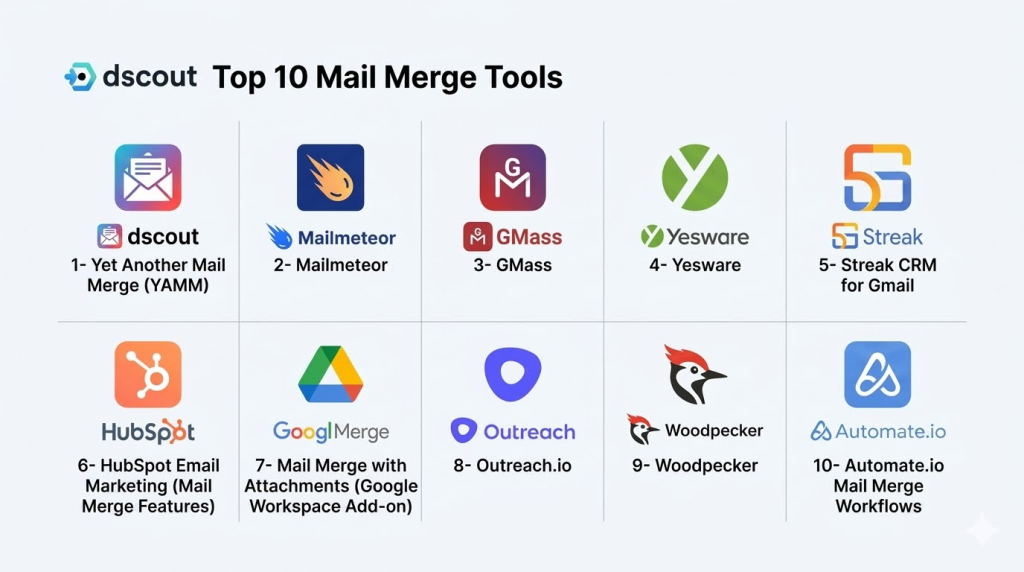
Top 10 Mail Merge Tools
1- Yet Another Mail Merge (YAMM)
Short description:
Yet Another Mail Merge (YAMM) is a popular Gmail-based mail merge tool that allows users to send personalized emails directly from Google Sheets. It is widely used by marketers, educators, recruiters, and small businesses. YAMM enables users to create email templates and merge them with spreadsheet data for bulk personalized communication. It integrates seamlessly with Google Workspace. It is simple, lightweight, and ideal for Gmail-centric workflows. It is best suited for SMBs and individual professionals.
Key Features
- Gmail-based mail merge automation.
- Google Sheets integration.
- Email tracking (opens and clicks).
- Personalized email templates.
- Scheduling and sending limits control.
- Attachment support via Drive.
- Basic analytics dashboard.
Pros
- Very easy to use.
- Strong Google Workspace integration.
- Affordable for SMBs.
Cons
- Limited advanced automation.
- Gmail sending limits apply.
- Basic CRM-like features.
Platforms / Deployment
- Web (Google Workspace add-on)
- Cloud
Security & Compliance
- Google OAuth authentication
- Encryption
- SSO/SAML (via Google Workspace)
- Access control via Google permissions
- Not publicly stated certifications
Integrations & Ecosystem
- Google Sheets
- Gmail
- Google Drive
- Google Workspace
- Add-ons ecosystem
- Basic APIs
Support & Community
Strong user community, documentation, and Google Workspace support ecosystem.
2- Mailmeteor
Short description:
Mailmeteor is a powerful yet simple mail merge tool for Gmail users that focuses on privacy-first email campaigns. It allows users to send personalized emails directly from Google Sheets without storing data on external servers. Mailmeteor is widely used for cold outreach, marketing, and educational communication. It emphasizes deliverability and simplicity. It is ideal for users who want lightweight and privacy-conscious mail merge capabilities.
Key Features
- Gmail-based mail merge.
- Google Sheets integration.
- Email personalization fields.
- Scheduling and automation.
- Tracking opens and clicks.
- Attachment support.
- Privacy-first architecture.
Pros
- Strong privacy focus.
- Easy setup and usage.
- Good deliverability.
Cons
- Limited CRM capabilities.
- Gmail dependency.
- Fewer enterprise features.
Platforms / Deployment
- Web
- Cloud (Google Workspace add-on)
Security & Compliance
- Google OAuth authentication
- Encryption
- SSO/SAML (Google Workspace-based)
- Data privacy-first design
- Not publicly stated certifications
Integrations & Ecosystem
- Google Sheets
- Gmail
- Google Workspace
- Google Drive
- Add-ons ecosystem
- APIs
Support & Community
Good documentation and active user base.
3- GMass
Short description:
GMass is a powerful Gmail-based mail merge and email automation tool widely used for cold email campaigns, marketing outreach, and newsletters. It provides advanced automation features like follow-ups, scheduling, and campaign analytics. GMass turns Gmail into a full email marketing platform. It is widely used by sales teams and marketers. It is best suited for users who need advanced Gmail automation.
Key Features
- Gmail mail merge automation.
- Automated follow-up sequences.
- Email scheduling and drip campaigns.
- Personalization with spreadsheet data.
- Detailed analytics and tracking.
- Bounce detection and handling.
- Campaign segmentation.
Pros
- Advanced automation features.
- Strong cold email capabilities.
- High flexibility.
Cons
- Can be complex for beginners.
- Gmail limitations apply.
- UI feels extension-based.
Platforms / Deployment
- Web (Chrome extension)
- Cloud
Security & Compliance
- Google OAuth authentication
- Encryption
- SSO/SAML (via Google Workspace)
- Access control via Gmail permissions
- Not publicly stated certifications
Integrations & Ecosystem
- Gmail
- Google Sheets
- Google Workspace
- CRM tools
- APIs
- Marketing tools
Support & Community
Strong documentation and active marketing community.
4- Yesware
Short description:
Yesware is a sales productivity and mail merge tool designed for sales teams using Gmail and Outlook. It provides email tracking, templates, and mail merge capabilities integrated into the inbox. Yesware is widely used in sales organizations for outreach and pipeline management. It focuses on email productivity and engagement tracking. It is best suited for sales-driven teams and account executives.
Key Features
- Email tracking (opens, clicks).
- Mail merge templates.
- Automated follow-ups.
- CRM synchronization.
- Sales campaign tracking.
- Reporting dashboards.
- Meeting scheduling tools.
Pros
- Strong sales focus.
- Good CRM integration.
- Easy inbox usage.
Cons
- Less flexible for marketing.
- Pricing is higher than basic tools.
- Limited design customization.
Platforms / Deployment
- Web
- Outlook
- Gmail
- Cloud
Security & Compliance
- SSO/SAML
- MFA
- Encryption
- RBAC
- Audit logs
- Not publicly stated certifications
Integrations & Ecosystem
- Salesforce
- HubSpot
- Gmail
- Outlook
- APIs
- CRM systems
Support & Community
Strong enterprise sales support and onboarding.
5- Streak CRM for Gmail
Short description:
Streak is a CRM built directly inside Gmail that includes powerful mail merge capabilities. It allows users to manage pipelines, send personalized emails, and track communication directly from their inbox. Streak is widely used by startups, sales teams, and small businesses. It combines CRM and mail merge in one system. It is ideal for users who want Gmail-native sales workflows.
Key Features
- Gmail-native CRM system.
- Mail merge campaigns.
- Pipeline tracking.
- Email tracking.
- Shared inbox features.
- Templates and automation.
- Workflow customization.
Pros
- Fully integrated with Gmail.
- Easy pipeline management.
- All-in-one CRM + mail merge.
Cons
- Gmail dependency.
- Limited enterprise depth.
- Performance varies with large datasets.
Platforms / Deployment
- Web (Chrome extension)
- Cloud
Security & Compliance
- Google OAuth authentication
- Encryption
- SSO/SAML (Google Workspace-based)
- Access controls
- Not publicly stated certifications
Integrations & Ecosystem
- Gmail
- Google Sheets
- Google Drive
- APIs
- CRM tools
- Google Workspace ecosystem
Support & Community
Good documentation and active SMB community.
6- HubSpot Email Marketing (Mail Merge Features)
Short description:
HubSpot provides powerful email personalization and mail merge capabilities as part of its CRM and marketing platform. It allows users to send highly personalized emails using CRM data at scale. HubSpot is widely used by marketing and sales teams for inbound and outbound communication. It integrates mail merge into full marketing automation workflows. It is best suited for mid-market and enterprise organizations.
Key Features
- CRM-based email personalization.
- Automated workflows.
- Smart email templates.
- Contact segmentation.
- A/B testing tools.
- Campaign analytics.
- Lead nurturing automation.
Pros
- Strong CRM integration.
- Advanced automation workflows.
- Enterprise-ready scalability.
Cons
- Complex setup for beginners.
- Higher pricing tiers.
- Requires ecosystem adoption.
Platforms / Deployment
- Web
- Cloud
Security & Compliance
- SSO/SAML
- MFA
- Encryption
- RBAC
- Audit logs
- Enterprise compliance support varies
Integrations & Ecosystem
- HubSpot CRM
- Gmail
- Outlook
- Salesforce
- APIs
- Marketing tools ecosystem
Support & Community
Strong enterprise support and global user community.
7- Mail Merge with Attachments (Google Workspace Add-on)
Short description:
Mail Merge with Attachments is a Google Sheets-based mail merge tool that allows users to send personalized emails with attachments directly from Gmail. It is widely used in education, HR, and small business communication. The tool focuses on simplicity and document-based email workflows. It is ideal for users who need attachment-heavy email campaigns. It is best suited for SMB and educational use cases.
Key Features
- Google Sheets-based mail merge.
- Attachment support from Google Drive.
- Personalized email fields.
- Gmail integration.
- Scheduling options.
- Basic tracking features.
- Template management.
Pros
- Easy to use.
- Strong attachment handling.
- Good for structured campaigns.
Cons
- Limited automation features.
- Gmail dependency.
- Basic analytics.
Platforms / Deployment
- Web
- Cloud (Google Workspace add-on)
Security & Compliance
- Google OAuth authentication
- Encryption
- SSO via Google Workspace
- Access control via Google permissions
- Not publicly stated certifications
Integrations & Ecosystem
- Google Sheets
- Gmail
- Google Drive
- Google Workspace
- APIs
- Add-ons ecosystem
Support & Community
Good Google Workspace-based support and documentation.
8- Outreach.io
Short description:
Outreach.io is a leading sales engagement platform that includes advanced mail merge and email sequencing capabilities. It is widely used by enterprise sales teams for outbound communication and pipeline generation. Outreach automates personalized email sequences at scale. It integrates deeply with CRM systems. It is best suited for large sales organizations and revenue teams.
Key Features
- Advanced email sequencing.
- CRM-based personalization.
- Automated follow-ups.
- Sales pipeline analytics.
- AI-driven recommendations.
- Multi-channel outreach.
- Performance tracking dashboards.
Pros
- Enterprise-grade automation.
- Strong sales intelligence.
- High scalability.
Cons
- Complex implementation.
- High cost structure.
- Requires sales ops expertise.
Platforms / Deployment
- Web
- Cloud
Security & Compliance
- SSO/SAML
- MFA
- Encryption
- RBAC
- Audit logs
- Enterprise compliance standards vary
Integrations & Ecosystem
- Salesforce
- Microsoft Dynamics
- Gmail
- Outlook
- APIs
- Sales tools ecosystem
Support & Community
Strong enterprise onboarding and support programs.
9- Woodpecker
Short description:
Woodpecker is a cold email and mail merge automation platform designed for B2B outreach and lead generation. It enables users to send personalized email sequences with automated follow-ups. Woodpecker is widely used by sales and marketing teams. It focuses on deliverability and campaign safety. It is ideal for SMB and mid-market outbound campaigns.
Key Features
- Cold email automation.
- Mail merge personalization.
- Follow-up sequences.
- Deliverability monitoring.
- Bounce detection.
- Campaign analytics.
- CRM integration.
Pros
- Strong deliverability focus.
- Easy automation setup.
- Good for outreach campaigns.
Cons
- Limited CRM depth.
- Not ideal for large enterprises.
- UI is functional but basic.
Platforms / Deployment
- Web
- Cloud
Security & Compliance
- SSO/SAML
- MFA
- Encryption
- RBAC
- Not publicly stated certifications
Integrations & Ecosystem
- Salesforce
- HubSpot
- Gmail
- Outlook
- APIs
- Marketing tools
Support & Community
Good support and active user community.
10- Automate.io Mail Merge Workflows
Short description:
Automate.io (or similar automation platforms) enables mail merge workflows by connecting spreadsheets, CRMs, and email systems through automation pipelines. It allows users to build no-code email personalization workflows at scale. It is widely used by SMBs and operations teams. It focuses on automation across multiple apps. It is ideal for users needing flexible, cross-platform mail merge automation.
Key Features
- No-code workflow automation.
- Email personalization triggers.
- CRM and spreadsheet integration.
- Conditional logic workflows.
- Multi-step automation sequences.
- Data syncing across apps.
- Scheduled email workflows.
Pros
- Highly flexible automation.
- No-code setup.
- Cross-platform integration.
Cons
- Not a dedicated mail merge tool.
- Requires workflow setup.
- Advanced features depend on integrations.
Platforms / Deployment
- Web
- Cloud
Security & Compliance
- SSO/SAML
- MFA
- Encryption
- RBAC
- Audit logs
- Not publicly stated certifications
Integrations & Ecosystem
- Google Sheets
- CRMs
- Email providers
- APIs
- SaaS tools
- Workflow automation ecosystem
Support & Community
Good documentation and automation community support.
Comparison Table
| Tool Name | Best For | Platform(s) Supported | Deployment | Standout Feature | Public Rating |
|---|---|---|---|---|---|
| YAMM | Gmail users | Web | Cloud | Google Sheets mail merge | N/A |
| Mailmeteor | Privacy-first outreach | Web | Cloud | No data storage | N/A |
| GMass | Cold email automation | Web | Cloud | Gmail automation sequences | N/A |
| Yesware | Sales teams | Web | Cloud | Email tracking + CRM sync | N/A |
| Streak CRM | Gmail CRM users | Web | Cloud | CRM inside Gmail | N/A |
| HubSpot | Marketing teams | Web | Cloud | CRM-based personalization | N/A |
| Mail Merge Attachments | SMB email campaigns | Web | Cloud | Attachment support | N/A |
| Outreach.io | Enterprise sales | Web | Cloud | Sales sequencing | N/A |
| Woodpecker | B2B outreach | Web | Cloud | Deliverability focus | N/A |
| Automate.io | Workflow automation | Web | Cloud | No-code mail merge workflows | N/A |
Evaluation & Scoring of Mail Merge Tools
| Tool Name | Core (25%) | Ease (15%) | Integrations (15%) | Security (10%) | Performance (10%) | Support (10%) | Value (15%) | Weighted Total (0–10) |
|---|---|---|---|---|---|---|---|---|
| YAMM | 8 | 10 | 9 | 8 | 8 | 8 | 9 | 8.6 |
| Mailmeteor | 8 | 10 | 9 | 9 | 8 | 8 | 9 | 8.7 |
| GMass | 9 | 9 | 9 | 8 | 9 | 8 | 8 | 8.8 |
| Yesware | 9 | 8 | 9 | 9 | 9 | 9 | 8 | 8.7 |
| Streak CRM | 9 | 9 | 9 | 8 | 8 | 8 | 9 | 8.6 |
| HubSpot | 10 | 8 | 10 | 10 | 9 | 9 | 8 | 9.1 |
| Mail Merge Attachments | 7 | 10 | 8 | 8 | 8 | 8 | 9 | 8.3 |
| Outreach.io | 10 | 7 | 10 | 10 | 9 | 9 | 7 | 8.9 |
| Woodpecker | 8 | 8 | 9 | 8 | 8 | 8 | 8 | 8.3 |
| Automate.io | 8 | 9 | 9 | 8 | 8 | 8 | 9 | 8.5 |
These scores are comparative and reflect differences in automation depth, ease of use, CRM integration, and enterprise readiness. Gmail-based tools excel in simplicity, while CRM and sales platforms dominate in scalability and intelligence. The right choice depends on whether the priority is outreach, automation, or full marketing integration.
Which Mail Merge Tool Is Right for You?
Solo / Freelancer
YAMM, Mailmeteor, and Mail Merge Attachments are ideal for simple, low-volume personalization needs.
SMB
GMass, Streak CRM, Woodpecker, and Mailmeteor offer a balance of automation and affordability.
Mid-Market
HubSpot, Yesware, and Woodpecker provide scalable workflows and CRM integration.
Enterprise
Outreach.io and HubSpot enterprise setups are best for large-scale sales and marketing operations.
Budget vs Premium
Budget tools include YAMM and Mailmeteor. Premium tools include HubSpot and Outreach.io.
Feature Depth vs Ease of Use
YAMM and Mailmeteor are easiest to use. Outreach and HubSpot offer deeper but more complex workflows.
Integrations & Scalability
HubSpot, Outreach.io, and Yesware provide the strongest ecosystem integrations.
Security & Compliance Needs
Enterprise tools like HubSpot and Outreach.io are best for governance, auditability, and compliance requirements.
Frequently Asked Questions
1. What is a mail merge tool?
It is software that sends personalized emails or documents at scale using templates and data sources like spreadsheets or CRMs.
2. Do mail merge tools work with Gmail?
Yes, many tools like YAMM, GMass, and Mailmeteor integrate directly with Gmail.
3. Can I track emails sent via mail merge?
Yes, most tools provide tracking for opens, clicks, and responses.
4. Are mail merge tools safe to use?
Yes, reputable tools use secure authentication and encryption, but compliance varies by vendor.
5. Can I attach files in mail merge?
Yes, many tools support attachments from cloud storage like Google Drive.
6. What is the difference between CRM and mail merge tools?
CRM manages relationships; mail merge focuses on sending personalized bulk messages.
7. Can mail merge tools automate follow-ups?
Yes, advanced tools like GMass and Outreach.io support automated sequences.
8. Are there free mail merge tools?
Yes, tools like YAMM and Mailmeteor offer free tiers with limitations.
9. Can mail merge improve sales outreach?
Yes, it significantly improves personalization and response rates in sales campaigns.
10. What is the biggest limitation?
Email sending limits and deliverability constraints are the most common challenges.
Conclusion
Mail Merge Tools are essential for scaling personalized communication across marketing, sales, HR, and customer engagement workflows. Gmail-based tools like YAMM and Mailmeteor excel in simplicity, while GMass and Woodpecker enhance cold outreach automation. HubSpot and Outreach.io dominate enterprise-grade CRM-driven personalization. The best tool depends on your workflow complexity, integration needs, and communication volume. Organizations should shortlist a few tools, test deliverability, and validate CRM or spreadsheet integration before full-scale adoption.
