Introduction
Workflow Form Automation Tools are platforms that combine online forms with automated workflows to collect data, trigger actions, and move information across systems without manual intervention. In simple terms, they don’t just capture form responses—they automatically route, process, approve, notify, and integrate that data into business systems like CRMs, HR platforms, and databases.
In and beyond, these tools are becoming central to digital operations because organizations are shifting from static forms to fully automated, AI-driven workflows. Instead of just collecting data, businesses now expect instant processing, approvals, task creation, and system synchronization.
Real-world use cases include:
- Employee onboarding workflows with automated approvals and notifications.
- Customer request processing and ticket creation.
- Purchase request and procurement approvals.
- Lead qualification and CRM entry automation.
- IT service request and incident routing.
What buyers should evaluate:
- Workflow automation depth (multi-step processes, branching logic).
- Form builder flexibility and conditional logic.
- Integration ecosystem with CRMs, HRMS, ERP systems.
- AI-assisted workflow automation capabilities.
- Security, encryption, and compliance readiness.
- Scalability for enterprise-grade processes.
- Approval routing and role-based access control.
- API and webhook support.
- Ease of use for non-technical teams.
- Reporting and workflow analytics.
Best for: Enterprises, HR teams, IT departments, finance teams, SaaS companies, and operations teams that rely on structured approval or routing workflows.
Not ideal for: Users who only need simple static forms or one-time data collection without automation requirements.
Key Trends in Workflow Form Automation Tools
- AI-driven workflow generation from natural language prompts.
- Hyper-automation combining forms, RPA, and integrations.
- No-code/low-code workflow orchestration becoming standard.
- Event-driven automation triggered by form submissions.
- Deep CRM-native workflow automation.
- Cross-platform orchestration across HR, finance, and IT systems.
- Embedded analytics for workflow optimization.
- Stronger compliance automation (GDPR, HIPAA, SOC2 readiness).
- Integration-first architecture using APIs and webhooks.
- Conversational and chatbot-based workflow initiation.
How We Selected These Tools (Methodology)
The tools in this list were selected based on:
- Market adoption in workflow automation and digital process management.
- Strength of form + workflow integration capabilities.
- Depth of automation (multi-step, conditional workflows).
- Enterprise scalability and performance.
- Integration ecosystem with SaaS and enterprise systems.
- Ease of use for business and operations teams.
- Security, compliance, and governance features.
- API maturity and extensibility.
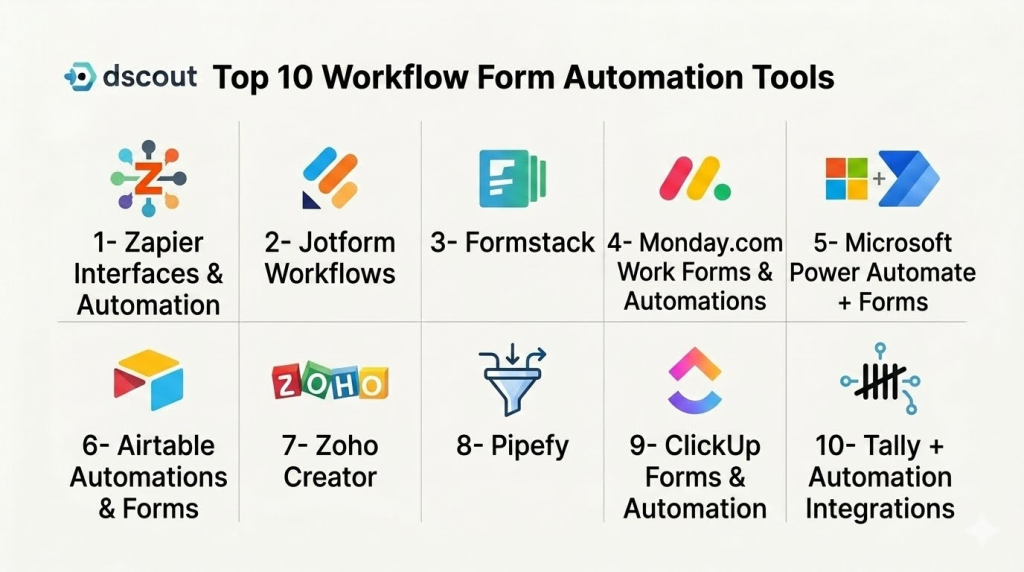
Top 10 Workflow Form Automation Tools
1- Zapier Interfaces & Automation
Short description:
Zapier is a leading no-code automation platform that connects forms with thousands of apps to create automated workflows. Zapier Interfaces allows users to build simple forms that trigger multi-step workflows across SaaS tools. It is widely used by startups, SMBs, and operations teams. It enables seamless automation between forms and business systems. Zapier is ideal for teams needing flexible cross-app automation. It is best suited for lightweight to mid-level workflow automation.
Key Features
- No-code workflow automation builder.
- Form creation via Zapier Interfaces.
- Multi-step automation workflows (Zaps).
- 6,000+ app integrations.
- Conditional logic workflows.
- Webhook support.
- AI-assisted automation features.
Pros
- Extremely large integration ecosystem.
- Easy to set up automations.
- Flexible cross-app workflows.
Cons
- Can become expensive at scale.
- Limited deep enterprise workflow control.
- Complex workflows require learning curve.
Platforms / Deployment
- Web
- Cloud
Security & Compliance
- SSO/SAML
- MFA
- Encryption
- RBAC
- Audit logs
- Not publicly stated certifications
Integrations & Ecosystem
Zapier integrates with a vast ecosystem of SaaS tools and enterprise platforms.
- CRM systems
- HR tools
- Email platforms
- Cloud storage systems
- Marketing tools
- APIs and webhooks
Support & Community
Strong documentation, tutorials, and large automation community.
2- Jotform Workflows
Short description:
Jotform Workflows extends Jotform’s form builder into a powerful automation engine that supports approvals, routing, and multi-step business processes. It is widely used in HR, education, healthcare, and operations teams. It allows users to turn form submissions into automated workflows with approvals and notifications. Jotform supports conditional routing and integrations. It is ideal for SMBs and mid-market organizations needing structured workflows.
Key Features
- Multi-step workflow builder.
- Approval routing system.
- Conditional logic workflows.
- Form-to-workflow automation.
- E-signature integration.
- Payment-enabled workflows.
- Data routing and notifications.
Pros
- Strong form + workflow combination.
- Easy to use drag-and-drop builder.
- Good for structured processes.
Cons
- Complex workflows can become hard to manage.
- UI can feel dense for beginners.
- Advanced enterprise features require higher plans.
Platforms / Deployment
- Web
- Cloud
Security & Compliance
- SSO/SAML
- MFA
- Encryption
- RBAC
- Audit logs
- HIPAA support (plan-dependent)
Integrations & Ecosystem
- Stripe
- PayPal
- Google Workspace
- Slack
- Salesforce
- APIs and webhooks
Support & Community
Strong documentation and active user base.
3- Formstack
Short description:
Formstack is a powerful workflow automation platform combining forms, document generation, and approval workflows. It is widely used in regulated industries such as healthcare, finance, and government. Formstack enables users to automate entire business processes from form submission to final approval. It is highly focused on compliance and enterprise-grade automation. It is ideal for organizations needing secure and structured workflows.
Key Features
- Advanced workflow automation builder.
- Conditional routing and approvals.
- Document generation automation.
- E-signature integration.
- HIPAA-compliant workflows.
- Data routing and transformation.
- Analytics and reporting dashboards.
Pros
- Strong enterprise automation capabilities.
- Excellent compliance features.
- End-to-end workflow management.
Cons
- Higher pricing tiers.
- Complex setup for beginners.
- Requires training for advanced use.
Platforms / Deployment
- Web
- Cloud
Security & Compliance
- HIPAA compliance support
- SSO/SAML
- MFA
- Encryption
- RBAC
- Audit logs
Integrations & Ecosystem
- Salesforce
- HubSpot
- Microsoft 365
- Google Workspace
- APIs
- Zapier ecosystem
Support & Community
Strong enterprise onboarding and support.
4- Monday.com Work Forms & Automations
Short description:
Monday.com is a work management platform that includes powerful form-based intake systems combined with workflow automation. It allows users to collect data via forms and instantly trigger workflows across boards and teams. It is widely used in project management, operations, and marketing teams. It supports visual workflow automation. It is ideal for teams wanting a unified work + form automation system.
Key Features
- Form-based data intake.
- Visual workflow automation builder.
- Task creation from form submissions.
- Multi-step approval workflows.
- Real-time notifications.
- Dashboards and reporting.
- Cross-board automation.
Pros
- Highly visual workflow builder.
- Strong collaboration features.
- Easy team adoption.
Cons
- Can become expensive at scale.
- Advanced automation requires premium plans.
- Limited deep form customization.
Platforms / Deployment
- Web
- Mobile apps
- Cloud
Security & Compliance
- SSO/SAML
- MFA
- Encryption
- RBAC
- Audit logs
- Enterprise compliance varies
Integrations & Ecosystem
- Slack
- Google Workspace
- Microsoft Teams
- Salesforce
- APIs
- Zapier ecosystem
Support & Community
Strong enterprise and SMB support.
5- Microsoft Power Automate + Forms
Short description:
Microsoft Power Automate combined with Microsoft Forms provides a powerful workflow automation ecosystem for enterprise users. It enables organizations to create automated workflows triggered by form submissions. It is widely used in Microsoft-centric enterprises. It supports deep integration with Microsoft 365 apps. It is ideal for enterprise workflow automation and IT governance.
Key Features
- Forms-based data collection.
- Workflow automation triggers.
- Multi-step approval processes.
- Integration with Microsoft ecosystem.
- AI Builder capabilities.
- Data routing and transformation.
- Enterprise governance controls.
Pros
- Strong enterprise integration.
- Highly scalable automation engine.
- Deep Microsoft ecosystem alignment.
Cons
- Complex setup for beginners.
- Requires Microsoft licensing.
- Steep learning curve for advanced workflows.
Platforms / Deployment
- Web
- Cloud
Security & Compliance
- Azure Active Directory SSO
- MFA
- Encryption
- RBAC
- Audit logs
- Microsoft compliance standards
Integrations & Ecosystem
- Microsoft 365
- SharePoint
- Teams
- Dynamics 365
- APIs
- Third-party connectors
Support & Community
Strong enterprise Microsoft support.
6- Airtable Automations & Forms
Short description:
Airtable combines spreadsheets with database-like functionality and includes powerful forms and workflow automation features. It allows users to collect data via forms and automate workflows using triggers and actions. It is widely used in operations, marketing, and product teams. It is flexible and highly customizable. It is ideal for teams building custom workflow systems without coding.
Key Features
- Form-based data collection.
- Workflow automation triggers.
- Database-driven structure.
- Conditional logic workflows.
- Integration with apps via automation.
- Real-time collaboration.
- Dashboard and reporting tools.
Pros
- Highly flexible system.
- Easy to build custom workflows.
- Strong collaboration features.
Cons
- Not fully enterprise workflow-focused.
- Advanced automation requires learning.
- Can get complex at scale.
Platforms / Deployment
- Web
- Mobile apps
- Cloud
Security & Compliance
- SSO/SAML
- MFA
- Encryption
- RBAC
- Audit logs
- Not publicly stated certifications
Integrations & Ecosystem
- Slack
- Google Workspace
- Salesforce
- APIs
- Zapier
- Automation tools
Support & Community
Strong documentation and user community.
7- Zoho Creator
Short description:
Zoho Creator is a low-code application builder that includes form creation and powerful workflow automation capabilities. It is widely used by SMBs and enterprises within the Zoho ecosystem. It allows users to build custom applications with integrated forms and workflows. It supports scripting and automation. It is ideal for businesses building internal process apps.
Key Features
- Low-code form builder.
- Workflow automation engine.
- Custom scripting support.
- Multi-step approvals.
- App builder for business workflows.
- Data reporting tools.
- Mobile app deployment.
Pros
- Strong customization capabilities.
- Affordable pricing.
- Good Zoho ecosystem integration.
Cons
- Learning curve for advanced features.
- Best within Zoho ecosystem.
- UI less modern than competitors.
Platforms / Deployment
- Web
- Mobile apps
- Cloud
Security & Compliance
- SSO/SAML
- MFA
- Encryption
- RBAC
- Audit logs
- Zoho security framework
Integrations & Ecosystem
- Zoho CRM
- Google Workspace
- Microsoft 365
- APIs
- Slack
- Third-party tools
Support & Community
Strong Zoho ecosystem support.
8- Pipefy
Short description:
Pipefy is a business process automation platform that uses forms as the entry point for structured workflows. It is widely used in HR, finance, procurement, and operations. Pipefy allows users to create standardized workflows triggered by form submissions. It focuses on process governance and automation. It is ideal for teams needing structured workflow control.
Key Features
- Form-based workflow intake.
- Process automation engine.
- Approval routing system.
- SLA tracking.
- Workflow templates.
- Integration capabilities.
- Analytics dashboards.
Pros
- Strong process control.
- Good for structured workflows.
- Easy workflow standardization.
Cons
- Less flexible for creative workflows.
- Enterprise pricing tiers.
- Limited UI customization.
Platforms / Deployment
- Web
- Cloud
Security & Compliance
- SSO/SAML
- MFA
- Encryption
- RBAC
- Audit logs
- Enterprise compliance varies
Integrations & Ecosystem
- Slack
- Salesforce
- Google Workspace
- APIs
- HR systems
- Automation tools
Support & Community
Strong enterprise onboarding and support.
9- ClickUp Forms & Automation
Short description:
ClickUp is a productivity platform that includes forms and workflow automation features for task and project management. It allows users to convert form submissions into tasks and automate workflows across teams. It is widely used in project management and operations. It provides flexible automation rules. It is ideal for teams already using ClickUp for productivity.
Key Features
- Form-to-task automation.
- Workflow automation rules.
- Conditional logic forms.
- Task routing and assignment.
- Project tracking dashboards.
- Collaboration tools.
- Reporting features.
Pros
- Strong project management integration.
- Flexible automation system.
- Easy collaboration.
Cons
- Can become complex at scale.
- Performance varies with large workflows.
- Requires onboarding for full use.
Platforms / Deployment
- Web
- Mobile apps
- Cloud
Security & Compliance
- SSO/SAML
- MFA
- Encryption
- RBAC
- Audit logs
- Not publicly stated certifications
Integrations & Ecosystem
- Slack
- Google Workspace
- GitHub
- APIs
- Zapier
- Productivity tools
Support & Community
Strong community and documentation.
10- Tally + Automation Integrations
Short description:
Tally is a modern form builder that integrates with automation platforms to create workflow-driven systems. While lightweight, it becomes powerful when combined with tools like Zapier or Make. It is widely used by startups and creators for simple workflow automation. It focuses on speed and simplicity. It is ideal for lightweight workflow automation setups.
Key Features
- Simple form creation.
- Conditional logic support.
- Integration with automation tools.
- Payment collection.
- Email notifications.
- Custom branding.
- API and webhook support.
Pros
- Very easy to use.
- Fast setup and deployment.
- Generous free plan.
Cons
- Requires external tools for advanced workflows.
- Limited enterprise features.
- Basic reporting.
Platforms / Deployment
- Web
- Cloud
Security & Compliance
- SSO/SAML
- MFA
- Encryption
- RBAC
- Audit logs
- Not publicly stated certifications
Integrations & Ecosystem
- Zapier
- Make (Integromat)
- Google Sheets
- Slack
- Stripe
- APIs and webhooks
Support & Community
Fast-growing community and good documentation.
Comparison Table
| Tool Name | Best For | Platform(s) Supported | Deployment | Standout Feature | Public Rating |
|---|---|---|---|---|---|
| Zapier | Cross-app automation | Web | Cloud | 6,000+ integrations | N/A |
| Jotform | SMB workflows | Web | Cloud | Form + workflow builder | N/A |
| Formstack | Enterprise compliance | Web | Cloud | End-to-end workflow automation | N/A |
| Monday.com | Team operations | Web, Mobile | Cloud | Visual automation boards | N/A |
| Microsoft Power Automate | Enterprise IT workflows | Web | Cloud | Microsoft ecosystem integration | N/A |
| Airtable | Custom workflows | Web, Mobile | Cloud | Database + automation | N/A |
| Zoho Creator | SMB apps | Web, Mobile | Cloud | Low-code workflow builder | N/A |
| Pipefy | Process governance | Web | Cloud | Structured workflow control | N/A |
| ClickUp | Project workflows | Web, Mobile | Cloud | Form-to-task automation | N/A |
| Tally | Lightweight workflows | Web | Cloud | Simple + fast form automation | N/A |
Evaluation & Scoring of Workflow Form Automation Tools
| Tool Name | Core (25%) | Ease (15%) | Integrations (15%) | Security (10%) | Performance (10%) | Support (10%) | Value (15%) | Weighted Total (0–10) |
|---|---|---|---|---|---|---|---|---|
| Zapier | 10 | 9 | 10 | 9 | 9 | 9 | 8 | 9.1 |
| Jotform | 9 | 9 | 9 | 9 | 9 | 9 | 9 | 9.0 |
| Formstack | 10 | 8 | 10 | 10 | 9 | 9 | 8 | 9.1 |
| Monday.com | 9 | 9 | 9 | 9 | 9 | 9 | 8 | 8.9 |
| Microsoft Power Automate | 10 | 7 | 10 | 10 | 9 | 9 | 8 | 9.0 |
| Airtable | 9 | 9 | 9 | 8 | 9 | 8 | 9 | 8.8 |
| Zoho Creator | 9 | 8 | 9 | 9 | 9 | 9 | 9 | 8.9 |
| Pipefy | 9 | 8 | 9 | 9 | 9 | 9 | 8 | 8.8 |
| ClickUp | 8 | 9 | 9 | 8 | 8 | 8 | 9 | 8.6 |
| Tally | 7 | 10 | 8 | 8 | 8 | 8 | 10 | 8.4 |
These scores are comparative and reflect differences in automation depth, integration ecosystems, and workflow complexity. Enterprise platforms excel in governance and scalability, while lightweight tools prioritize speed and usability. The right choice depends on whether your focus is structured enterprise workflows or flexible no-code automation.
Which Workflow Form Automation Tool Is Right for You?
Solo / Freelancer
Tally, Zapier, and Airtable are ideal for lightweight automation and personal workflows.
SMB
Jotform, Monday.com, Zoho Creator, and ClickUp offer balanced workflow automation and usability.
Mid-Market
Formstack, Airtable, and Pipefy provide strong automation with governance features.
Enterprise
Microsoft Power Automate, Formstack, and Pipefy are best for large-scale regulated workflows.
Budget vs Premium
Budget tools include Tally and Airtable. Premium tools include Formstack and Microsoft Power Automate.
Feature Depth vs Ease of Use
Tally and Monday.com are easiest. Formstack and Power Automate offer deeper but more complex capabilities.
Integrations & Scalability
Zapier, Microsoft Power Automate, and Airtable provide the strongest ecosystem connectivity.
Security & Compliance Needs
Formstack, Microsoft Power Automate, and Pipefy are best suited for compliance-heavy industries.
Frequently Asked Questions
1. What is workflow form automation?
It is the process of combining forms with automated workflows to process data without manual intervention.
2. How is it different from form builders?
Form builders only collect data, while workflow automation tools process and route that data automatically.
3. Do these tools require coding?
Most tools are no-code or low-code, though advanced platforms allow scripting.
4. Can they integrate with CRMs?
Yes, most tools integrate with Salesforce, HubSpot, and other CRMs.
5. Are they suitable for enterprises?
Yes, especially tools like Microsoft Power Automate and Formstack.
6. Can workflows include approvals?
Yes, approval routing is a core feature in most platforms.
7. Are they secure?
Yes, enterprise tools include encryption, SSO, and audit logs.
8. Can they automate HR and finance processes?
Yes, they are widely used for onboarding, procurement, and approvals.
9. What is the biggest limitation?
Complex workflows may require setup time and process design.
10. Who uses these tools?
HR teams, IT departments, operations teams, and business process managers.
Conclusion
Workflow Form Automation Tools are transforming how organizations handle data collection and business processes by turning simple forms into fully automated workflows. Platforms like Microsoft Power Automate, Formstack, and Zapier lead enterprise automation, while Jotform, Airtable, and Tally offer accessible solutions for SMBs and startups. The right choice depends on workflow complexity, integration needs, and governance requirements. Organizations should start with pilot workflows, validate integrations, and gradually scale automation across departments for maximum efficiency.
