Introduction
Asset Inspection Apps are mobile and web-based tools that help organizations inspect, monitor, and maintain physical assets such as equipment, infrastructure, vehicles, facilities, and industrial machines. These apps replace paper-based checklists and manual inspection reports with structured digital workflows that improve accuracy, traceability, and compliance.
In and beyond, asset-intensive industries are moving toward predictive maintenance, real-time reporting, and AI-assisted inspections. Organizations need faster defect detection, standardized inspection processes, and real-time visibility across distributed assets. Asset inspection apps enable field teams to capture data using mobile devices, photos, videos, GPS, and sensor inputs while ensuring centralized reporting.
These tools are essential for industries like manufacturing, construction, energy, utilities, transportation, and facility management.
Real-world use cases include:
- Industrial equipment inspections and preventive maintenance
- Construction site safety and compliance inspections
- Utility infrastructure monitoring (power lines, pipelines, grids)
- Fleet and vehicle inspection reporting
- Facility and building safety audits
- Oil & gas asset integrity inspections
What buyers should evaluate:
- Mobile offline inspection capabilities
- Custom checklist and workflow builder
- Photo, video, and sensor data capture
- Real-time reporting and analytics dashboards
- Integration with CMMS and EAM systems
- GPS tagging and geofencing support
- Automated alerts and defect tracking
- Compliance and audit trail features
- AI-assisted defect detection capabilities
- Scalability for enterprise asset networks
Best for: Manufacturing companies, construction firms, utilities, energy companies, facility managers, and enterprise maintenance teams.
Not ideal for: Small teams without physical assets or organizations that do not require structured inspections.
Key Trends in Asset Inspection Apps
- AI-powered visual inspection using computer vision
- Predictive maintenance integration with IoT sensors
- Real-time defect detection and automated reporting
- Offline-first mobile inspection workflows
- Digital twin integration for asset monitoring
- Cloud-based centralized inspection dashboards
- Automated compliance reporting and audit readiness
- Voice-assisted and AR-based inspection support
- Integration with CMMS/EAM and ERP systems
- ESG and sustainability-focused asset tracking
How We Selected These Tools (Methodology)
- Market adoption in asset-heavy industries
- Mobile inspection capabilities and offline performance
- Workflow customization and checklist flexibility
- Integration with CMMS, EAM, and IoT systems
- Data capture richness (photo, video, sensor, GPS)
- Security, compliance, and audit readiness
- Scalability for enterprise asset networks
- Ease of use for field technicians
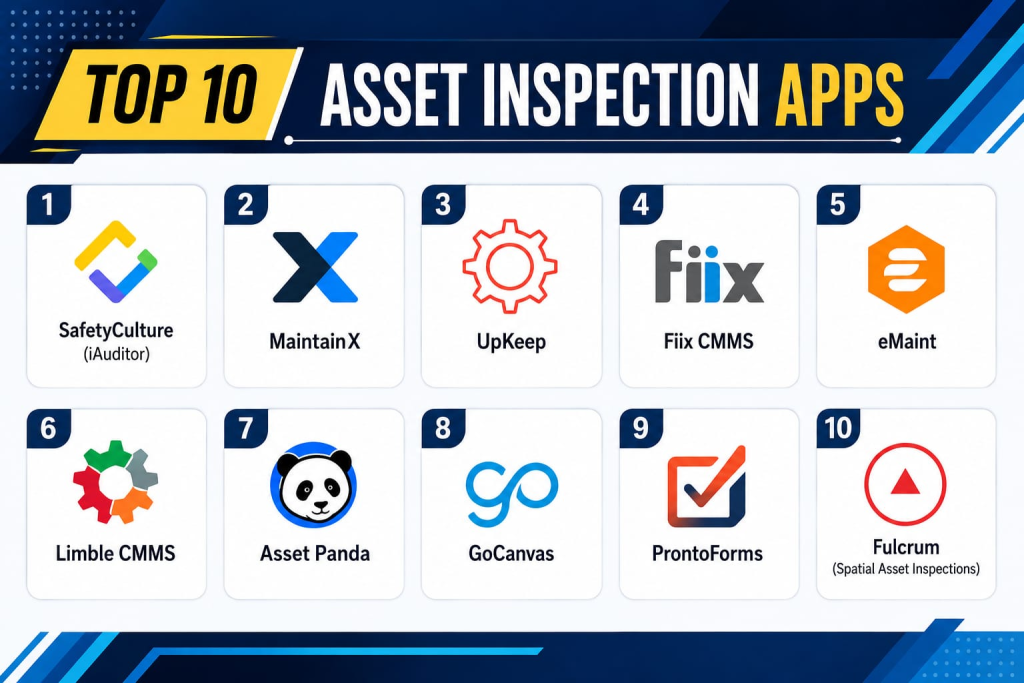
Top 10 Asset Inspection Apps
1- SafetyCulture (iAuditor)
Short description:
SafetyCulture (iAuditor) is one of the most widely used asset inspection platforms for safety audits, compliance inspections, and operational checklists. It enables organizations to digitize inspections using customizable templates and mobile workflows. The platform is widely used in construction, manufacturing, and facilities management. It supports offline inspections and real-time reporting. SafetyCulture is known for its ease of use and strong reporting capabilities. It is ideal for enterprise and SMB operations.
Key Features
- Custom inspection templates
- Offline mobile inspections
- Photo and video capture
- Real-time reporting dashboards
- Task assignment and tracking
- Analytics and insights
- Automated workflows
Pros
- Very easy to use
- Strong reporting capabilities
- Fast deployment
Cons
- Limited advanced asset modeling
- Enterprise customization can be limited
- Pricing scales with usage
Platforms / Deployment
- Android / iOS / Web
- Cloud
Security & Compliance
- SSO/SAML
- MFA
- Encryption
- Audit logs
- RBAC
Integrations & Ecosystem
- CMMS systems
- ERP platforms
- APIs
- Slack
- Microsoft Teams
- Data export tools
Support & Community
Strong global support and training resources.
2- MaintainX
Short description:
MaintainX is a mobile-first asset inspection and maintenance platform designed for industrial teams. It enables digital checklists, inspections, and work order management. The platform is widely used in manufacturing, facilities, and maintenance operations. It helps teams improve asset reliability and reduce downtime. MaintainX is known for its intuitive interface and operational simplicity. It is suitable for SMB and mid-market organizations.
Key Features
- Digital inspection checklists
- Work order management
- Asset tracking
- Preventive maintenance scheduling
- Mobile inspections
- Real-time collaboration
- Reporting dashboards
Pros
- Strong maintenance integration
- Easy to adopt
- Good mobile experience
Cons
- Limited deep enterprise customization
- Advanced analytics require higher tiers
- Not ideal for complex asset hierarchies
Platforms / Deployment
- Android / iOS / Web
- Cloud
Security & Compliance
- SSO
- MFA
- Encryption
- Audit logs
Integrations & Ecosystem
- CMMS systems
- ERP platforms
- APIs
- IoT systems
- Slack
- Analytics tools
Support & Community
Good SMB and mid-market support.
3- UpKeep
Short description:
UpKeep is a computerized maintenance management system (CMMS) with strong asset inspection capabilities. It allows teams to create inspection workflows, manage assets, and track maintenance tasks. It is widely used in manufacturing and facilities management. The platform supports mobile inspections and real-time updates. UpKeep is known for its maintenance-first approach. It is ideal for industrial operations.
Key Features
- Asset inspection workflows
- CMMS integration
- Work order tracking
- Preventive maintenance
- Mobile inspections
- Asset history tracking
- Reporting dashboards
Pros
- Strong CMMS integration
- Good maintenance focus
- Easy mobile access
Cons
- Limited advanced AI features
- UI can feel basic in complex workflows
- Pricing increases with scale
Platforms / Deployment
- Android / iOS / Web
- Cloud
Security & Compliance
- SSO
- MFA
- Encryption
- Audit logs
Integrations & Ecosystem
- ERP systems
- IoT platforms
- APIs
- Slack
- Accounting tools
- Data systems
Support & Community
Strong maintenance-focused support.
4- Fiix CMMS
Short description:
Fiix CMMS is an enterprise maintenance and asset inspection platform that enables organizations to manage inspections, maintenance, and asset lifecycle workflows. It is widely used in manufacturing and industrial environments. The platform supports AI-assisted maintenance insights. Fiix integrates well with enterprise systems. It is known for its structured maintenance workflows. It is suitable for mid-market and enterprise organizations.
Key Features
- Asset inspection management
- Preventive maintenance
- AI maintenance insights
- Work order automation
- Asset tracking
- Mobile inspections
- Reporting dashboards
Pros
- Strong enterprise CMMS
- Good automation features
- AI-driven insights
Cons
- Complex setup
- Higher pricing tiers
- Requires training
Platforms / Deployment
- Web / Mobile
- Cloud
Security & Compliance
- SSO
- MFA
- Encryption
- Audit logs
Integrations & Ecosystem
- ERP systems
- IoT platforms
- APIs
- Analytics tools
- Cloud systems
- Maintenance tools
Support & Community
Strong enterprise support ecosystem.
5- eMaint
Short description:
eMaint is a CMMS and asset inspection platform designed for enterprise maintenance and industrial operations. It enables organizations to manage inspections, assets, and maintenance workflows. The platform is widely used in manufacturing, energy, and transportation sectors. It supports mobile inspections and reporting. eMaint is known for its flexibility and scalability. It is ideal for large asset networks.
Key Features
- Inspection workflows
- Asset lifecycle management
- Work order management
- Preventive maintenance
- Mobile inspection tools
- Reporting dashboards
- Compliance tracking
Pros
- Highly scalable platform
- Strong enterprise capabilities
- Flexible workflows
Cons
- Complex implementation
- UI not very modern
- Requires configuration effort
Platforms / Deployment
- Web / Mobile
- Cloud
Security & Compliance
- SSO
- MFA
- Encryption
- Audit logs
Integrations & Ecosystem
- ERP systems
- IoT platforms
- APIs
- CMMS tools
- Analytics platforms
- Cloud services
Support & Community
Strong enterprise support.
6- Limble CMMS
Short description:
Limble CMMS is a modern maintenance management and asset inspection platform designed for ease of use and fast adoption. It helps teams manage inspections, maintenance tasks, and asset tracking. It is widely used in SMB and mid-market industrial operations. The platform is known for its intuitive interface. It supports mobile inspections and automation. It is ideal for maintenance-driven organizations.
Key Features
- Mobile inspection checklists
- Asset tracking
- Work order automation
- Preventive maintenance
- Reporting tools
- Real-time updates
- Task management
Pros
- Very easy to use
- Fast onboarding
- Strong mobile experience
Cons
- Limited enterprise customization
- Advanced features require higher tiers
- Not suitable for complex asset ecosystems
Platforms / Deployment
- Android / iOS / Web
- Cloud
Security & Compliance
- SSO
- MFA
- Encryption
- Audit logs
Integrations & Ecosystem
- ERP systems
- APIs
- IoT tools
- Slack
- Accounting systems
- Analytics platforms
Support & Community
Strong SMB and mid-market support.
7- Asset Panda
Short description:
Asset Panda is a flexible asset tracking and inspection platform that allows organizations to manage inspections, audits, and asset lifecycle data. It is widely used across industries including education, healthcare, and manufacturing. The platform supports mobile inspections and barcode scanning. Asset Panda is known for customization. It is suitable for mid-sized organizations with diverse assets.
Key Features
- Asset inspection tracking
- Barcode scanning
- Mobile inspections
- Custom workflows
- Asset lifecycle management
- Reporting tools
- Audit trails
Pros
- Highly customizable
- Strong asset tracking
- Good mobile support
Cons
- Setup can be complex
- UI less modern
- Limited AI features
Platforms / Deployment
- Web / Mobile
- Cloud
Security & Compliance
- SSO
- MFA
- Encryption
- Audit logs
Integrations & Ecosystem
- APIs
- ERP systems
- CMMS tools
- Cloud storage
- Business systems
- Analytics platforms
Support & Community
Good enterprise support.
8- GoCanvas
Short description:
GoCanvas is a mobile data collection and inspection platform that enables organizations to digitize asset inspections and field workflows. It is widely used in construction, logistics, and field services. The platform supports offline mobile inspections and reporting. It helps automate inspection workflows. GoCanvas is known for simplicity and scalability. It is suitable for SMB and enterprise field operations.
Key Features
- Mobile inspection forms
- Offline data capture
- Workflow automation
- Photo and GPS capture
- Reporting dashboards
- Data validation
- Cloud sync
Pros
- Easy to deploy
- Strong mobile support
- Good workflow automation
Cons
- Limited advanced asset modeling
- Pricing varies
- Basic analytics features
Platforms / Deployment
- Android / iOS / Web
- Cloud
Security & Compliance
- SSO
- MFA
- Encryption
- Audit logs
Integrations & Ecosystem
- ERP systems
- APIs
- CRM tools
- Cloud storage
- Analytics platforms
- Workflow tools
Support & Community
Good SMB and enterprise support.
9- ProntoForms
Short description:
ProntoForms is a mobile workflow and inspection platform designed for field service and asset-heavy industries. It enables digital inspection forms, data capture, and workflow automation. The platform is widely used in utilities, energy, and transportation sectors. It supports offline inspections and real-time reporting. ProntoForms is known for enterprise-grade mobile workflows. It is suitable for large-scale field operations.
Key Features
- Mobile inspection forms
- Offline data collection
- Workflow automation
- Photo and GPS capture
- Reporting dashboards
- Data validation
- Integration workflows
Pros
- Strong enterprise workflows
- Excellent mobile support
- Good integration capabilities
Cons
- Complex setup
- Higher pricing tiers
- Requires configuration effort
Platforms / Deployment
- Android / iOS / Web
- Cloud
Security & Compliance
- SSO
- MFA
- Encryption
- Audit logs
Integrations & Ecosystem
- ERP systems
- IoT platforms
- APIs
- CRM tools
- Analytics systems
- Cloud storage
Support & Community
Strong enterprise support.
10- Fulcrum (Spatial Asset Inspections)
Short description:
Fulcrum is a geospatial inspection and asset data collection platform designed for field teams managing infrastructure and environmental assets. It supports GIS-based inspections and mobile data capture. It is widely used in utilities, construction, and environmental monitoring. The platform enables offline field inspections with spatial context. Fulcrum is known for strong geospatial capabilities. It is ideal for GIS-driven asset inspections.
Key Features
- GIS-based inspections
- Mobile data collection
- Offline support
- GPS tagging
- Photo and media capture
- Workflow automation
- Reporting dashboards
Pros
- Excellent GIS capabilities
- Strong offline support
- Good field usability
Cons
- Requires GIS knowledge
- Higher cost for enterprise use
- Limited general-purpose features
Platforms / Deployment
- Android / iOS / Web
- Cloud
Security & Compliance
- SSO
- MFA
- Encryption
- Audit logs
Integrations & Ecosystem
- ArcGIS
- QGIS
- APIs
- ERP systems
- IoT platforms
- Data analytics tools
Support & Community
Strong GIS-focused support ecosystem.
Comparison Table
| Tool Name | Best For | Platform(s) Supported | Deployment | Standout Feature | Public Rating |
|---|---|---|---|---|---|
| SafetyCulture | Safety inspections | Mobile/Web | Cloud | Inspection templates | N/A |
| MaintainX | Maintenance teams | Mobile/Web | Cloud | Work order tracking | N/A |
| UpKeep | CMMS users | Mobile/Web | Cloud | Maintenance workflows | N/A |
| Fiix | Enterprise CMMS | Web/Mobile | Cloud | AI maintenance insights | N/A |
| eMaint | Large enterprises | Web/Mobile | Cloud | Scalable CMMS | N/A |
| Limble | SMB maintenance | Mobile/Web | Cloud | Easy adoption | N/A |
| Asset Panda | Asset tracking | Web/Mobile | Cloud | Custom workflows | N/A |
| GoCanvas | Field inspections | Mobile/Web | Cloud | Offline forms | N/A |
| ProntoForms | Field service | Mobile/Web | Cloud | Workflow automation | N/A |
| Fulcrum | GIS inspections | Mobile/Web | Cloud | Spatial asset data | N/A |
Evaluation & Scoring of Asset Inspection Apps
| Tool Name | Core | Ease | Integrations | Security | Performance | Support | Value | Weighted Total |
|---|---|---|---|---|---|---|---|---|
| SafetyCulture | 9.5 | 9.0 | 9.0 | 9.0 | 9.0 | 9.0 | 9.5 | 9.0 |
| MaintainX | 9.0 | 9.0 | 9.0 | 9.0 | 8.5 | 8.5 | 9.0 | 8.8 |
| UpKeep | 9.0 | 8.5 | 9.0 | 9.0 | 8.5 | 8.5 | 9.0 | 8.8 |
| Fiix | 9.5 | 8.0 | 9.5 | 9.5 | 9.0 | 9.0 | 8.0 | 8.9 |
| eMaint | 9.5 | 8.0 | 9.5 | 9.5 | 9.0 | 9.0 | 8.0 | 8.9 |
| Limble | 9.0 | 9.5 | 9.0 | 9.0 | 8.5 | 8.5 | 9.0 | 8.9 |
| Asset Panda | 9.0 | 8.5 | 9.0 | 9.0 | 8.5 | 8.5 | 9.0 | 8.8 |
| GoCanvas | 9.0 | 9.0 | 9.0 | 9.0 | 8.5 | 8.5 | 9.0 | 8.8 |
| ProntoForms | 9.0 | 8.5 | 9.0 | 9.0 | 9.0 | 9.0 | 8.5 | 8.9 |
| Fulcrum | 9.5 | 8.0 | 9.5 | 9.0 | 9.0 | 9.0 | 8.0 | 8.9 |
These scores show a strong split between CMMS-driven inspection systems (Fiix, eMaint, UpKeep) and mobile-first inspection apps (SafetyCulture, GoCanvas, Limble). GIS-focused platforms like Fulcrum stand out for spatial intelligence use cases.
Frequently Asked Questions (FAQs)
1. What is an asset inspection app?
It is a mobile or web tool used to digitally inspect, monitor, and report on physical assets.
2. Who uses asset inspection apps?
Industries like manufacturing, construction, utilities, energy, and facility management.
3. Do these apps work offline?
Yes, most enterprise-grade tools support offline inspections.
4. Can they capture photos and GPS data?
Yes, most apps support multimedia and location-based data capture.
5. Are they secure?
Yes, they include encryption, access controls, and audit logs.
6. Do they integrate with CMMS systems?
Yes, many platforms integrate with CMMS and ERP systems.
7. Can they support predictive maintenance?
Some advanced platforms include AI and predictive maintenance features.
8. Are they easy to use?
Some tools are very simple, while enterprise tools require training.
9. What is the biggest benefit?
The biggest benefit is improved asset visibility and inspection accuracy.
10. Can they scale for large enterprises?
Yes, many tools are designed for enterprise-scale asset networks.
Conclusion
Asset Inspection Apps are essential for organizations managing physical infrastructure, equipment, and field operations. Platforms like SafetyCulture, Fiix, eMaint, and ProntoForms offer strong enterprise-grade inspection and maintenance capabilities, while MaintainX, Limble, and GoCanvas provide more accessible solutions for SMBs. GIS-focused tools like Fulcrum add specialized spatial intelligence for infrastructure-heavy industries. The right choice depends on asset complexity, industry requirements, and integration needs. A practical next step is to shortlist , run pilot inspections, evaluate offline performance, and validate integration with CMMS or ERP systems before full-scale deployment.
