Introduction
Change Order Management Tools are digital platforms that help construction, engineering, and infrastructure teams manage modifications to project scope, cost, timelines, and deliverables after a contract has already been approved. A change order typically arises when project requirements shift due to design updates, unforeseen site conditions, regulatory changes, or client requests.
In and beyond, construction and engineering projects are becoming more complex, with tighter budgets, faster timelines, and higher compliance expectations. Without structured change order management, teams face cost overruns, disputes, delays, and poor project visibility. These tools help standardize approval workflows, track financial impact, and maintain transparency between stakeholders.
They are especially critical in large-scale construction, infrastructure, EPC (engineering, procurement, and construction), and real estate development projects.
Real-world use cases include:
- Construction project scope changes and approvals
- Cost adjustment tracking for contractors and clients
- Design revision approvals in engineering projects
- Infrastructure project contract modifications
- Subcontractor change request tracking
- Budget variance management in large projects
What buyers should evaluate:
- Change order creation and approval workflows
- Cost impact tracking and budget integration
- Contract and document version control
- Real-time collaboration between stakeholders
- Mobile access for field approvals
- Integration with ERP and project management systems
- Audit trails and compliance tracking
- Automated notifications and escalation rules
- Financial reporting and forecasting impact
- Scalability for enterprise construction projects
Best for: Construction companies, EPC contractors, real estate developers, infrastructure firms, and project management teams handling complex contracts.
Not ideal for: Small teams with static project scopes or businesses without contractual change workflows.
Key Trends in Change Order Management Tools
- AI-assisted change impact analysis on cost and timeline
- Automated approval routing based on contract rules
- Real-time budget synchronization with ERP systems
- Blockchain-based change order audit trails (emerging)
- Mobile-first approvals for field and site managers
- Integration with BIM and digital twin systems
- Predictive change risk detection using project data
- No-code workflow builders for change approvals
- Unified contract + change + procurement platforms
- Stronger compliance and legal traceability features
How We Selected These Tools (Methodology)
- Adoption in construction and EPC industries
- Strength of change workflow automation
- Financial tracking and cost impact capabilities
- Integration with ERP, BIM, and project systems
- Collaboration and approval workflow depth
- Mobile usability for field teams
- Auditability and compliance strength
- Scalability for enterprise project environments
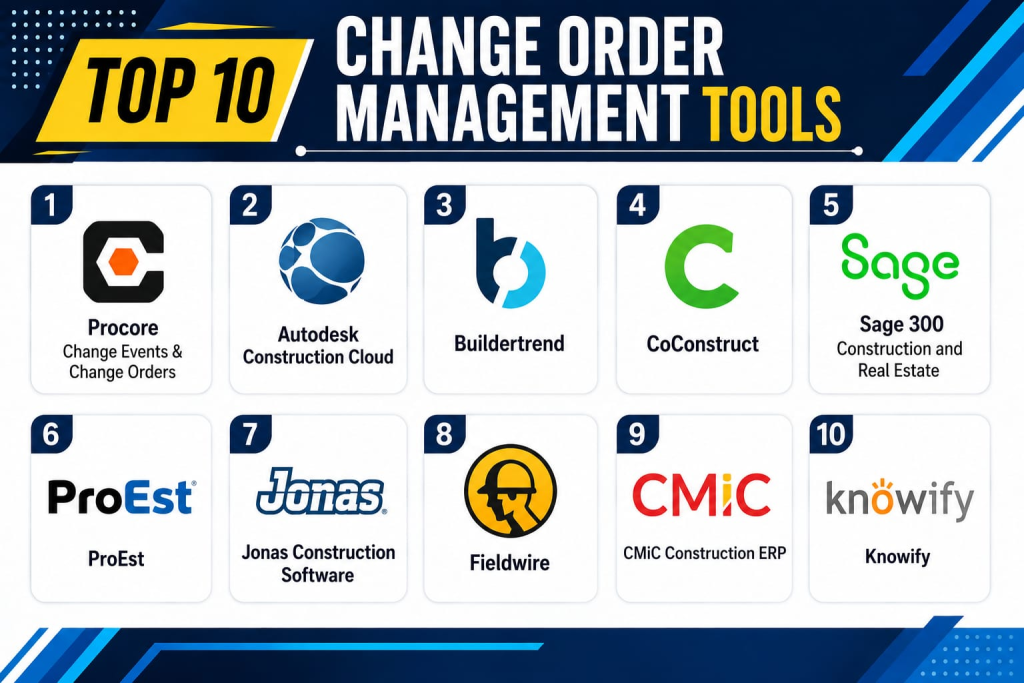
Top 10 Change Order Management Tools
1- Procore Change Events & Change Orders
Short description:
Procore is one of the most widely used construction management platforms, offering advanced change order management capabilities. It enables teams to track change events, evaluate cost impact, and manage approvals across stakeholders. The platform is widely adopted in large construction and infrastructure projects. It integrates deeply with budgeting, scheduling, and project management modules. Procore is known for enterprise-grade workflow automation. It is ideal for complex construction ecosystems.
Key Features
- Change order creation and tracking
- Change event management
- Budget impact analysis
- Automated approval workflows
- Contract integration
- Real-time collaboration
- Audit trails and reporting
Pros
- Strong enterprise adoption
- Excellent workflow automation
- Deep construction integration
Cons
- High cost for SMBs
- Complex onboarding
- Requires training for full use
Platforms / Deployment
- Web / Mobile
- Cloud
Security & Compliance
- SSO/SAML
- MFA
- Encryption
- Audit logs
- RBAC
Integrations & Ecosystem
- ERP systems
- BIM platforms
- Accounting tools
- Scheduling systems
- APIs
- Construction tools
Support & Community
Strong enterprise construction ecosystem support.
2- Autodesk Construction Cloud
Short description:
Autodesk Construction Cloud provides integrated project management and change order workflows across design and construction phases. It enables teams to track scope changes, manage approvals, and align budgets with design updates. The platform is widely used in architecture, engineering, and construction industries. It integrates closely with BIM workflows. Autodesk Construction Cloud is known for design-to-build traceability. It is ideal for enterprise construction environments.
Key Features
- Change order tracking
- Budget and cost alignment
- BIM-integrated workflows
- Document version control
- Approval automation
- Field collaboration tools
- Reporting dashboards
Pros
- Strong BIM integration
- Excellent project visibility
- Enterprise-grade reliability
Cons
- Expensive licensing
- Complex configuration
- Requires Autodesk ecosystem adoption
Platforms / Deployment
- Web / Mobile
- Cloud
Security & Compliance
- SSO
- MFA
- Encryption
- Audit logs
- Compliance: Not publicly stated
Integrations & Ecosystem
- AutoCAD
- Revit
- BIM 360
- ERP systems
- APIs
- Construction tools
Support & Community
Strong enterprise construction support.
3- Buildertrend
Short description:
Buildertrend is a construction management platform widely used by residential builders and remodelers with built-in change order management features. It helps track scope changes, client approvals, and budget updates in real time. The platform is popular in residential construction projects. It improves client communication and transparency. Buildertrend is known for ease of use and contractor-friendly workflows. It is ideal for SMB construction firms.
Key Features
- Change order tracking
- Client approval workflows
- Budget adjustment tools
- Scheduling updates
- Mobile access
- Document sharing
- Project communication
Pros
- Strong client communication
- Easy to use interface
- Good for residential builders
Cons
- Limited enterprise scalability
- Not ideal for large infrastructure projects
- Basic advanced analytics
Platforms / Deployment
- Android / iOS / Web
- Cloud
Security & Compliance
- SSO
- MFA
- Encryption
- Audit logs
Integrations & Ecosystem
- Accounting software
- CRM tools
- Payment systems
- APIs
- Scheduling tools
- Construction tools
Support & Community
Strong SMB construction support.
4- CoConstruct
Short description:
CoConstruct is a construction management platform designed for custom home builders with strong change order management features. It enables teams to manage client-driven scope changes, budgets, and approvals. The platform is widely used in residential construction. It helps streamline communication between builders and clients. CoConstruct is known for simplicity and builder-focused workflows. It is ideal for small to mid-sized contractors.
Key Features
- Change order management
- Client approvals
- Budget tracking
- Scheduling tools
- Document management
- Communication tools
- Mobile access
Pros
- Great for custom builders
- Strong client communication
- Easy workflow management
Cons
- Limited enterprise features
- Not suitable for large infrastructure projects
- Basic reporting capabilities
Platforms / Deployment
- Web / Mobile
- Cloud
Security & Compliance
- SSO
- MFA
- Encryption
- Audit logs
Integrations & Ecosystem
- Accounting systems
- CRM tools
- APIs
- Payment systems
- Scheduling tools
- Construction platforms
Support & Community
Good SMB-focused support.
5- Sage 300 Construction and Real Estate
Short description:
Sage 300 is an enterprise construction and real estate management platform with strong financial and change order management capabilities. It enables organizations to manage project costs, contracts, and change orders in a unified system. The platform is widely used in commercial construction. It integrates financial management with project execution. Sage 300 is known for strong accounting alignment. It is ideal for large contractors and developers.
Key Features
- Change order tracking
- Financial cost control
- Contract management
- Budget forecasting
- Document control
- Approval workflows
- Reporting tools
Pros
- Strong financial integration
- Excellent enterprise control
- Reliable accounting workflows
Cons
- Complex implementation
- High cost
- Requires training
Platforms / Deployment
- Web / Desktop
- Cloud / On-prem
Security & Compliance
- SSO
- MFA
- Encryption
- Audit logs
- RBAC
Integrations & Ecosystem
- ERP systems
- Accounting tools
- APIs
- Project management tools
- CRM platforms
- Construction systems
Support & Community
Strong enterprise support ecosystem.
6- ProEst
Short description:
ProEst is a construction estimating and cost management platform with change order tracking capabilities. It helps contractors manage estimates, budget adjustments, and scope changes. The platform is widely used in preconstruction and bidding workflows. It improves cost visibility across projects. ProEst is known for estimating accuracy and integration. It is suitable for mid-market construction firms.
Key Features
- Change order cost tracking
- Estimating tools
- Budget management
- Bid management
- Reporting dashboards
- Document control
- Workflow automation
Pros
- Strong estimating capabilities
- Good cost visibility
- Easy integration with workflows
Cons
- Limited field collaboration tools
- Not a full project management suite
- Requires setup effort
Platforms / Deployment
- Web
- Cloud
Security & Compliance
- SSO
- MFA
- Encryption
- Audit logs
Integrations & Ecosystem
- ERP systems
- Accounting tools
- APIs
- Construction software
- CRM tools
- Project systems
Support & Community
Good mid-market support.
7- Jonas Construction Software
Short description:
Jonas Construction Software is an enterprise ERP system designed for construction companies with strong change order management functionality. It integrates financial, project, and operational workflows. It is widely used in commercial and industrial construction. The platform supports contract and change tracking. Jonas is known for deep ERP integration. It is ideal for large construction enterprises.
Key Features
- Change order tracking
- ERP integration
- Financial management
- Job costing tools
- Contract management
- Reporting dashboards
- Workflow automation
Pros
- Strong ERP capabilities
- Excellent financial tracking
- Enterprise-grade system
Cons
- Complex setup
- High cost
- Requires training
Platforms / Deployment
- Web / Desktop
- Cloud / On-prem
Security & Compliance
- SSO
- MFA
- Encryption
- Audit logs
- RBAC
Integrations & Ecosystem
- Accounting systems
- ERP tools
- APIs
- CRM platforms
- Project tools
- Construction systems
Support & Community
Strong enterprise ERP support.
8- Fieldwire
Short description:
Fieldwire is a construction field management platform with change tracking and issue management features. It allows teams to manage site-level changes, assign tasks, and track project updates. The platform is widely used by contractors and field teams. It supports offline mobile workflows. Fieldwire is known for simplicity and ease of field adoption. It is suitable for SMB construction firms.
Key Features
- Task and change tracking
- Mobile field access
- Blueprint management
- Offline support
- Collaboration tools
- Reporting dashboards
- Photo documentation
Pros
- Very easy to use
- Strong mobile capabilities
- Fast deployment
Cons
- Limited enterprise features
- Basic financial tracking
- Not ideal for large projects
Platforms / Deployment
- Android / iOS / Web
- Cloud
Security & Compliance
- SSO
- MFA
- Encryption
- Audit logs
Integrations & Ecosystem
- Procore
- APIs
- Construction tools
- Cloud storage
- BIM tools
- Project systems
Support & Community
Good SMB construction support.
9- CMiC Construction ERP
Short description:
CMiC is a construction ERP platform that includes strong change order management capabilities integrated with financial and project systems. It is widely used in large-scale construction and engineering firms. The platform provides unified control over projects, costs, and contracts. It supports enterprise-level workflow automation. CMiC is known for deep ERP integration. It is ideal for large construction organizations.
Key Features
- Change order workflows
- ERP integration
- Financial tracking
- Project management tools
- Contract management
- Reporting dashboards
- Workflow automation
Pros
- Strong ERP integration
- Excellent enterprise scalability
- Unified construction platform
Cons
- Complex implementation
- High cost
- Requires training
Platforms / Deployment
- Web / Mobile
- Cloud / On-prem
Security & Compliance
- SSO
- MFA
- Encryption
- Audit logs
- RBAC
Integrations & Ecosystem
- ERP systems
- Accounting tools
- APIs
- CRM platforms
- Construction systems
- Analytics tools
Support & Community
Strong enterprise support.
10- Knowify
Short description:
Knowify is a construction management platform designed for subcontractors and specialty contractors with change order tracking features. It helps manage job costing, contracts, and scope changes. The platform is widely used in HVAC, plumbing, and electrical contracting. It provides financial visibility and workflow automation. Knowify is known for subcontractor-focused features. It is suitable for SMB construction businesses.
Key Features
- Change order tracking
- Job costing tools
- Contract management
- Budget tracking
- Mobile access
- Reporting dashboards
- Workflow automation
Pros
- Strong subcontractor focus
- Easy to use
- Good financial tracking
Cons
- Limited enterprise scalability
- Not ideal for large infrastructure projects
- Basic BIM integration
Platforms / Deployment
- Web / Mobile
- Cloud
Security & Compliance
- SSO
- MFA
- Encryption
- Audit logs
Integrations & Ecosystem
- Accounting tools
- CRM systems
- APIs
- Scheduling tools
- ERP systems
- Construction platforms
Support & Community
Good SMB contractor support.
Comparison Table
| Tool Name | Best For | Platform(s) Supported | Deployment | Standout Feature | Public Rating |
|---|---|---|---|---|---|
| Procore | Enterprise construction | Web/Mobile | Cloud | Full change control suite | N/A |
| Autodesk Construction Cloud | BIM projects | Web/Mobile | Cloud | BIM integration | N/A |
| Buildertrend | Residential builders | Web/Mobile | Cloud | Client approvals | N/A |
| CoConstruct | Remodelers | Web/Mobile | Cloud | Builder workflows | N/A |
| Sage 300 | Commercial construction | Web/Desktop | Cloud/On-prem | Financial integration | N/A |
| ProEst | Estimating teams | Web | Cloud | Cost control | N/A |
| Jonas ERP | Enterprise ERP | Web/Desktop | Cloud/On-prem | ERP integration | N/A |
| Fieldwire | SMB contractors | Mobile/Web | Cloud | Simple field tracking | N/A |
| CMiC | Large enterprises | Web/Mobile | Cloud/On-prem | Construction ERP | N/A |
| Knowify | Subcontractors | Web/Mobile | Cloud | Job costing + changes | N/A |
Evaluation & Scoring of Change Order Management Tools
| Tool Name | Core | Ease | Integrations | Security | Performance | Support | Value | Weighted Total |
|---|---|---|---|---|---|---|---|---|
| Procore | 9.5 | 8.5 | 9.5 | 9.5 | 9.0 | 9.0 | 8.0 | 9.0 |
| Autodesk Construction Cloud | 9.5 | 8.0 | 9.5 | 9.5 | 9.0 | 9.0 | 8.0 | 8.9 |
| Buildertrend | 9.0 | 9.0 | 9.0 | 9.0 | 8.5 | 8.5 | 9.0 | 8.8 |
| CoConstruct | 8.5 | 9.0 | 8.5 | 8.5 | 8.5 | 8.5 | 9.0 | 8.6 |
| Sage 300 | 9.5 | 8.0 | 9.5 | 9.5 | 9.0 | 9.0 | 8.0 | 8.9 |
| ProEst | 8.5 | 8.5 | 9.0 | 8.5 | 8.5 | 8.5 | 9.0 | 8.6 |
| Jonas ERP | 9.5 | 7.5 | 9.5 | 9.5 | 9.0 | 9.0 | 8.0 | 8.8 |
| Fieldwire | 8.5 | 9.5 | 8.5 | 8.5 | 8.5 | 8.5 | 9.0 | 8.6 |
| CMiC | 9.5 | 7.5 | 9.5 | 9.5 | 9.0 | 9.0 | 8.0 | 8.8 |
| Knowify | 8.5 | 9.0 | 8.5 | 8.5 | 8.5 | 8.5 | 9.0 | 8.6 |
These results show a strong divide between ERP-heavy enterprise platforms (Procore, CMiC, Sage 300) and SMB-friendly contractor tools (Buildertrend, CoConstruct, Fieldwire). Selection depends heavily on project complexity, financial integration needs, and organizational scale.
Frequently Asked Questions (FAQs)
1. What is a change order in construction?
It is a formal modification to a construction contract involving changes in scope, cost, or timeline.
2. Who uses change order management tools?
Contractors, developers, project managers, engineers, and construction firms.
3. Why are change orders important?
They ensure transparency and prevent disputes over project changes.
4. Do these tools track costs?
Yes, most platforms track financial impact and budget adjustments.
5. Are they mobile-friendly?
Yes, most tools support mobile approvals and field updates.
6. Do they integrate with ERP systems?
Yes, enterprise tools integrate with ERP and accounting systems.
7. Can they support BIM workflows?
Yes, platforms like Autodesk and Procore support BIM integration.
8. Are they suitable for small contractors?
Yes, tools like Buildertrend and Fieldwire are ideal for SMBs.
9. Do they provide audit trails?
Yes, audit logs are standard in most enterprise systems.
10. What is the biggest benefit?
The biggest benefit is better cost control and reduced project disputes.
Conclusion
Change Order Management Tools are essential for maintaining control, transparency, and financial accuracy in construction and engineering projects. Platforms like Procore, Autodesk Construction Cloud, CMiC, and Sage 300 provide powerful enterprise-grade workflows, while Buildertrend, CoConstruct, and Fieldwire offer simpler and more accessible solutions for SMB contractors. The right choice depends on project scale, financial complexity, and integration needs. A practical next step is to shortlist , test approval workflows, evaluate cost tracking accuracy, and validate integration with your ERP or project management systems before full deployment.
