Introduction
Digital Signage Software helps organizations create, manage, schedule, and display digital content across screens, kiosks, video walls, and interactive displays. These platforms replace traditional printed signage with dynamic digital experiences that can be updated remotely and in real time.
As organizations continue to embrace hybrid workplaces, smart retail environments, customer self-service, and data-driven communication, digital signage has become an essential business tool. Modern platforms now include AI-assisted content creation, centralized device management, audience analytics, automation workflows, and cloud-based administration.
Real-World Use Cases
- Retail promotions and in-store advertising
- Corporate internal communications and workplace announcements
- Restaurant menu boards and ordering displays
- Transportation and public information displays
- Healthcare patient information and wayfinding systems
Evaluation Criteria for Buyers
When evaluating Digital Signage Software, buyers should consider:
- Content management capabilities
- Ease of deployment and administration
- Multi-screen and multi-location support
- Scheduling and automation features
- Device compatibility
- Analytics and reporting capabilities
- Security and access controls
- Integration ecosystem
- Scalability
- Total cost of ownership
Best for: Retail chains, restaurants, healthcare facilities, educational institutions, transportation hubs, hospitality businesses, corporate offices, and organizations managing multiple display locations.
Not ideal for: Small businesses with minimal display needs, organizations requiring only static printed signage, or companies with limited digital infrastructure.
Key Trends in Digital Signage Software
- AI-powered content creation and scheduling automation.
- Increased adoption of cloud-native signage platforms.
- Interactive touchscreen and self-service kiosk integration.
- Advanced audience analytics and engagement measurement.
- Integration with IoT devices and smart building systems.
- Real-time data feeds from ERP, CRM, and business applications.
- Greater focus on cybersecurity and device protection.
- Energy-efficient display management and sustainability features.
- Enhanced support for remote workforce communication.
- Subscription-based pricing and scalable deployment models.
How We Selected These Tools (Methodology)
The following tools were selected based on:
- Strong market presence and industry recognition.
- Comprehensive content management capabilities.
- Scalability for SMB and enterprise deployments.
- Reliability and performance across large display networks.
- Security features and administrative controls.
- Device and operating system compatibility.
- Integration ecosystem and API availability.
- Customer adoption across multiple industries.
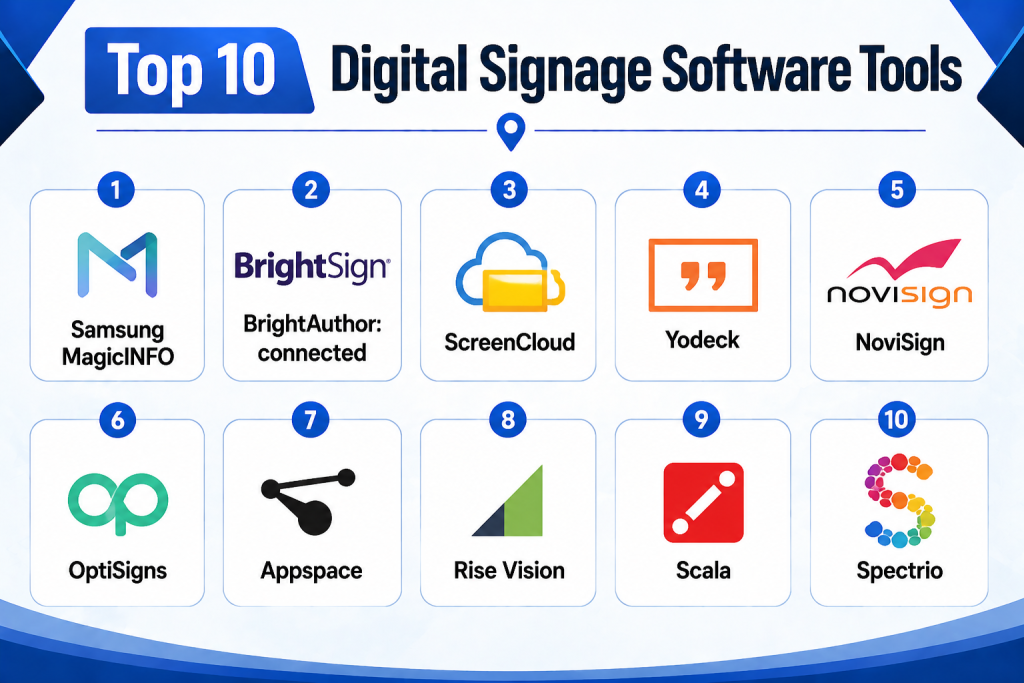
Top 10 Digital Signage Software Tools
1- Samsung MagicINFO
Short description:
Samsung MagicINFO is an enterprise-grade digital signage management platform designed primarily for Samsung display ecosystems. It provides centralized content management, scheduling, monitoring, and analytics for organizations operating large-scale signage networks. The platform is widely adopted across retail, hospitality, education, and corporate environments. Its integration with Samsung hardware creates a streamlined deployment experience. Organizations benefit from advanced remote device management and content distribution capabilities. MagicINFO supports both simple and highly complex digital signage deployments.
Key Features
- Centralized content management
- Remote device monitoring
- Multi-screen scheduling
- Video wall management
- Content approval workflows
- Performance analytics
- Emergency messaging support
Pros
- Strong Samsung hardware integration
- Enterprise scalability
- Comprehensive device management
Cons
- Best suited for Samsung hardware
- Learning curve for new administrators
- Advanced features require training
Platforms / Deployment
- Web
- Cloud / Hybrid
Security & Compliance
- RBAC
- Audit logs
- Encryption
- SSO support
Integrations & Ecosystem
MagicINFO integrates closely with Samsung display infrastructure and supports enterprise content workflows.
- CMS integrations
- Data feed integration
- API access
- Content scheduling tools
- Enterprise authentication systems
Support & Community
Strong enterprise support with global Samsung partner ecosystem and extensive documentation.
2- BrightSign BrightAuthor:connected
Short description:
BrightAuthor:connected is a powerful signage platform built around BrightSign media players. It offers centralized content publishing, monitoring, scheduling, and device administration. The platform supports enterprise-grade deployments and is known for reliability and performance. Organizations managing large screen networks benefit from flexible content workflows and remote management capabilities. It is widely used across retail, transportation, and education sectors.
Key Features
- Cloud-based management
- Device monitoring
- Playlist scheduling
- Interactive experiences
- Multi-location deployments
- Remote diagnostics
- Network management
Pros
- Highly reliable platform
- Strong hardware ecosystem
- Excellent scalability
Cons
- Requires BrightSign ecosystem
- Hardware dependency
- Some advanced features require configuration
Platforms / Deployment
- Web
- Cloud
Security & Compliance
- Role-based permissions
- Encryption
- User authentication
Integrations & Ecosystem
Supports extensive third-party integrations and enterprise deployment scenarios.
- APIs
- Data feeds
- CMS platforms
- Interactive applications
- Enterprise tools
Support & Community
Well-established user community with strong vendor support.
3- ScreenCloud
Short description:
ScreenCloud is a cloud-native digital signage platform designed for organizations seeking simplicity and flexibility. It enables users to manage displays remotely and publish content from a centralized dashboard. Businesses can create engaging workplace communications, marketing displays, and information screens. Its extensive app ecosystem makes it attractive for organizations requiring flexible integrations.
Key Features
- Cloud management
- App marketplace
- Multi-location support
- Content scheduling
- Media library
- Remote administration
- Team collaboration
Pros
- Easy deployment
- Strong app ecosystem
- User-friendly interface
Cons
- Subscription costs can grow
- Advanced customization may require effort
- Internet dependency
Platforms / Deployment
- Web
- Cloud
Security & Compliance
- MFA
- RBAC
- User permissions
Integrations & Ecosystem
ScreenCloud offers one of the largest digital signage integration marketplaces.
- Google Workspace
- Microsoft 365
- Slack
- Power BI
- APIs
Support & Community
Strong documentation and active customer support.
4- Yodeck
Short description:
Yodeck is a cloud-based signage platform known for affordability and ease of use. It supports businesses of all sizes and enables content scheduling, screen management, and centralized administration. The platform is popular among schools, retail stores, restaurants, and corporate offices seeking cost-effective signage solutions.
Key Features
- Cloud dashboard
- Scheduling automation
- Media management
- Remote monitoring
- Templates
- Emergency alerts
- Multi-user support
Pros
- Affordable pricing
- Easy setup
- Strong template library
Cons
- Limited enterprise customization
- Some advanced analytics missing
- Less suitable for highly complex deployments
Platforms / Deployment
- Cloud
- Web
Security & Compliance
- MFA
- User permissions
- Encryption
Integrations & Ecosystem
- Microsoft 365
- Google Workspace
- APIs
- Weather feeds
- Business dashboards
Support & Community
Responsive support and extensive knowledge base.
5- NoviSign
Short description:
NoviSign provides cloud-based signage software focused on interactive displays and business communication. Organizations use it for kiosks, educational displays, hospitality screens, and healthcare information systems. Its drag-and-drop design tools simplify content creation for non-technical users.
Key Features
- Interactive kiosk support
- Touchscreen experiences
- Drag-and-drop editor
- Cloud management
- Scheduling tools
- Device monitoring
- Templates
Pros
- Easy content creation
- Interactive capabilities
- Multiple deployment options
Cons
- Advanced analytics limited
- Enterprise reporting could improve
- Custom integrations may require effort
Platforms / Deployment
- Cloud
- Web
Security & Compliance
- User permissions
- Access controls
- Encryption
Integrations & Ecosystem
- APIs
- Business applications
- Cloud storage
- Interactive hardware
Support & Community
Good onboarding and technical support.
6- OptiSigns
Short description:
OptiSigns is a flexible signage solution supporting a broad range of hardware platforms. Organizations can deploy content quickly across multiple locations while leveraging templates, automation, and content scheduling. The platform is particularly attractive to SMBs seeking simplicity.
Key Features
- Hardware flexibility
- Cloud management
- Content scheduling
- Social media integration
- Templates
- Analytics
- Multi-location support
Pros
- Easy deployment
- Hardware compatibility
- Cost-effective
Cons
- Enterprise features less extensive
- Limited advanced workflows
- Reporting can be basic
Platforms / Deployment
- Cloud
- Web
Security & Compliance
- User management
- Encryption
- Access controls
Integrations & Ecosystem
- Google Workspace
- Microsoft 365
- Social platforms
- APIs
Support & Community
Strong customer support and onboarding resources.
7- Appspace
Short description:
Appspace combines digital signage, workplace communication, employee engagement, and workplace management into a unified platform. It is particularly popular among enterprises seeking integrated employee communication solutions. The platform supports modern workplace experiences through signage, room displays, and communication channels.
Key Features
- Employee communication
- Digital signage
- Workplace management
- Content automation
- Analytics
- Mobile access
- Enterprise administration
Pros
- Comprehensive workplace platform
- Strong enterprise features
- Excellent scalability
Cons
- Higher complexity
- Premium pricing
- May exceed SMB needs
Platforms / Deployment
- Cloud
Security & Compliance
- SSO
- MFA
- Audit logs
- RBAC
Integrations & Ecosystem
- Microsoft Teams
- Microsoft 365
- Google Workspace
- Workplace tools
- APIs
Support & Community
Enterprise-grade support with extensive training resources.
8- Rise Vision
Short description:
Rise Vision focuses on educational institutions and corporate communications. It provides easy-to-use content creation tools, scheduling capabilities, and cloud management features. Schools and universities frequently adopt Rise Vision for campus-wide communications.
Key Features
- Educational templates
- Scheduling tools
- Cloud management
- Media library
- Alerts
- Multi-screen support
- Dashboard analytics
Pros
- Education-focused
- Easy setup
- Affordable
Cons
- Limited advanced enterprise features
- Smaller ecosystem
- Fewer customization options
Platforms / Deployment
- Cloud
Security & Compliance
- User permissions
- Access controls
Integrations & Ecosystem
- Google Workspace
- Microsoft 365
- Calendar integrations
- APIs
Support & Community
Strong support for education sector deployments.
9- Scala
Short description:
Scala is a long-established enterprise digital signage platform known for complex deployments and large-scale implementations. Organizations use Scala to deliver immersive customer experiences, retail promotions, and data-driven communications. It supports extensive customization and enterprise workflows.
Key Features
- Enterprise deployment
- Interactive experiences
- Analytics
- Multi-location management
- Data-driven content
- Workflow automation
- Content scheduling
Pros
- Enterprise-grade scalability
- Advanced customization
- Strong analytics
Cons
- Complex implementation
- Higher costs
- Requires specialized expertise
Platforms / Deployment
- Cloud / Hybrid
Security & Compliance
- RBAC
- Audit logs
- Authentication controls
Integrations & Ecosystem
- Enterprise systems
- APIs
- Retail platforms
- Data integrations
Support & Community
Professional services and enterprise support offerings.
10- Spectrio
Short description:
Spectrio delivers digital signage, customer engagement, and in-location marketing solutions. The platform serves retail, healthcare, hospitality, and financial services organizations. Businesses use Spectrio to improve customer experiences and manage content across multiple locations.
Key Features
- Digital signage
- Content scheduling
- Marketing campaigns
- Analytics
- Multi-location management
- Templates
- Central administration
Pros
- Industry-focused solutions
- Easy deployment
- Strong content management
Cons
- Advanced customization may be limited
- Enterprise complexity can increase costs
- Reporting varies by deployment
Platforms / Deployment
- Cloud
Security & Compliance
- User management
- Access controls
- Encryption
Integrations & Ecosystem
- CRM integrations
- Marketing platforms
- APIs
- Business systems
Support & Community
Strong customer success and onboarding programs.
Comparison Table
| Tool Name | Best For | Platform(s) Supported | Deployment | Standout Feature | Public Rating |
|---|---|---|---|---|---|
| Samsung MagicINFO | Enterprise signage | Web | Hybrid | Samsung ecosystem integration | N/A |
| BrightAuthor:connected | Large display networks | Web | Cloud | BrightSign optimization | N/A |
| ScreenCloud | SMB and enterprise | Web | Cloud | App marketplace | N/A |
| Yodeck | Budget-conscious organizations | Web | Cloud | Affordable deployment | N/A |
| NoviSign | Interactive displays | Web | Cloud | Touchscreen support | N/A |
| OptiSigns | SMB deployments | Web | Cloud | Broad hardware compatibility | N/A |
| Appspace | Workplace communications | Cloud | Cloud | Employee engagement platform | N/A |
| Rise Vision | Education sector | Cloud | Cloud | Education-focused templates | N/A |
| Scala | Enterprise environments | Cloud | Hybrid | Advanced customization | N/A |
| Spectrio | Customer engagement | Cloud | Cloud | Marketing-focused signage | N/A |
Evaluation & Scoring of Digital Signage Software
| Tool | Core | Ease | Integrations | Security | Performance | Support | Value | Weighted Total |
|---|---|---|---|---|---|---|---|---|
| Samsung MagicINFO | 9 | 7 | 8 | 8 | 9 | 8 | 7 | 8.15 |
| BrightAuthor:connected | 9 | 7 | 8 | 8 | 9 | 8 | 7 | 8.15 |
| ScreenCloud | 8 | 9 | 9 | 8 | 8 | 8 | 8 | 8.35 |
| Yodeck | 8 | 9 | 7 | 7 | 8 | 8 | 9 | 8.10 |
| NoviSign | 8 | 8 | 7 | 7 | 8 | 8 | 8 | 7.85 |
| OptiSigns | 8 | 9 | 8 | 7 | 8 | 8 | 9 | 8.25 |
| Appspace | 9 | 8 | 9 | 9 | 9 | 9 | 7 | 8.60 |
| Rise Vision | 7 | 9 | 7 | 7 | 8 | 8 | 9 | 7.95 |
| Scala | 10 | 6 | 9 | 9 | 9 | 8 | 6 | 8.35 |
| Spectrio | 8 | 8 | 7 | 7 | 8 | 8 | 8 | 7.85 |
These scores are comparative and intended to help buyers evaluate relative strengths. Higher scores indicate stronger overall capabilities across multiple categories. Organizations should prioritize criteria aligned with their business needs rather than selecting solely based on total score. Enterprise buyers may prioritize security and scalability, while SMBs may focus on ease of use and value.
Which Digital Signage Software Tool Is Right for You?
Solo / Freelancer
Yodeck and OptiSigns provide affordable deployment, straightforward administration, and minimal technical complexity.
SMB
ScreenCloud, Yodeck, and OptiSigns offer strong functionality, flexible integrations, and manageable costs.
Mid-Market
ScreenCloud, NoviSign, and Spectrio provide balanced functionality, scalability, and deployment flexibility.
Enterprise
Samsung MagicINFO, Appspace, Scala, and BrightAuthor:connected are ideal for large-scale deployments and advanced management needs.
Budget vs Premium
- Budget: Yodeck, OptiSigns, Rise Vision
- Premium: Appspace, Scala, Samsung MagicINFO
Feature Depth vs Ease of Use
- Deep features: Scala, Appspace, MagicINFO
- Ease of use: ScreenCloud, Yodeck, OptiSigns
Integrations & Scalability
Organizations requiring extensive integrations should consider ScreenCloud, Appspace, and Scala.
Security & Compliance Needs
Enterprises with strict governance requirements should prioritize Appspace, Samsung MagicINFO, Scala, and BrightAuthor:connected.
Frequently Asked Questions (FAQs)
1- What is Digital Signage Software?
Digital Signage Software enables organizations to create, manage, schedule, and display digital content on screens and kiosks. It centralizes content management and helps businesses communicate information efficiently across multiple locations.
2- How much does Digital Signage Software cost?
Pricing varies depending on features, screen count, deployment size, and support requirements. Most vendors offer subscription-based pricing while enterprise deployments may involve custom quotes.
3- Is cloud deployment better than on-premises deployment?
Cloud deployment offers easier management and scalability, while on-premises deployment may suit organizations with strict control requirements. The best choice depends on security and operational needs.
4- Can digital signage integrate with business systems?
Yes. Many platforms integrate with productivity suites, CRMs, analytics platforms, calendars, social media feeds, and custom applications through APIs.
5- What industries benefit most from digital signage?
Retail, healthcare, education, transportation, hospitality, manufacturing, and corporate workplaces are among the industries that gain significant value from digital signage deployments.
6- Are digital signage platforms secure?
Most modern platforms include encryption, access controls, user permissions, and authentication mechanisms. Security capabilities vary across vendors and deployment models.
7- How difficult is implementation?
Implementation complexity depends on deployment size and requirements. Small deployments may be operational within hours, while enterprise rollouts can require significant planning.
8- What common mistakes should buyers avoid?
Organizations often underestimate content planning, network requirements, security controls, and long-term management needs. Proper evaluation prevents costly deployment issues.
9- Can organizations switch platforms later?
Yes. However, migration complexity depends on content formats, hardware compatibility, integrations, and workflow customization implemented in the existing platform.
10- What should be evaluated during a pilot project?
Buyers should test content management, scheduling, device performance, reporting, integrations, user experience, security controls, and administrative workflows before full deployment.
Conclusion
Digital signage has evolved from simple screen management into a strategic business communication platform. Organizations now use these solutions to engage customers, improve workplace communication, automate information delivery, and create data-driven experiences. While enterprise platforms such as Appspace, Samsung MagicINFO, Scala, and BrightAuthor:connected excel in scalability and governance, solutions like ScreenCloud, Yodeck, and OptiSigns provide excellent value and ease of use for growing organizations. The right choice depends on deployment size, integration requirements, security expectations, and budget. Before making a final decision, shortlist two or three platforms, conduct a pilot deployment, evaluate integrations and administrative workflows, and confirm long-term scalability requirements. This approach helps ensure the selected platform aligns with both current and future business needs.
