Introduction
Digital Evidence Management Systems help law enforcement agencies, public safety departments, legal teams, prosecutors, courts, and investigation units securely collect, store, organize, review, redact, share, and track digital evidence. In simple terms, these platforms replace scattered folders, DVDs, USB drives, email attachments, and manual evidence logs with one controlled system for managing videos, photos, audio files, documents, body camera footage, in-car camera footage, CCTV clips, interview recordings, mobile uploads, and case-related files.
Digital evidence is growing rapidly because modern investigations now involve many data sources. A single case may include body-worn camera video, dashcam footage, phone recordings, surveillance clips, drone files, social media screenshots, audio interviews, forensic reports, and digital documents. Without a dedicated system, agencies may struggle with storage costs, chain-of-custody tracking, redaction, secure sharing, and disclosure workflows.
Real-world use cases include police evidence storage, body camera footage management, prosecutor disclosure, court-ready case preparation, video redaction, evidence sharing with defense teams, audit trail management, and multi-agency investigation collaboration.
Evaluation Criteria for Buyers:
- Evidence ingestion from multiple sources
- Chain-of-custody tracking
- Secure storage and access controls
- Redaction and transcription tools
- Case file organization
- Sharing and disclosure workflows
- Search and metadata tagging
- Integration with RMS, CAD, body cameras, and court systems
- Cloud, on-premise, or hybrid deployment
- Compliance, audit logs, and data retention controls
Best for: Law enforcement agencies, prosecutors, public safety departments, courts, investigation units, forensic teams, correctional agencies, municipal governments, and enterprise security teams that manage high volumes of sensitive digital evidence.
Not ideal for: Very small teams that only manage a few files manually, organizations with no legal evidence workflow, or teams that only need basic cloud storage without chain-of-custody, redaction, secure sharing, or audit controls.
Key Trends in Digital Evidence Management Systems
- AI-assisted redaction: More platforms are using AI to speed up face, license plate, object, and audio redaction while keeping human review in control.
- Body camera ecosystem integration: Digital evidence platforms are increasingly connected with body-worn cameras, in-car video, interview room systems, and mobile capture tools.
- Cloud evidence storage: Agencies are shifting from local drives and discs to secure cloud repositories that support controlled access and long-term retention.
- Chain-of-custody automation: Automated audit logs help agencies prove who accessed, viewed, edited, shared, downloaded, or transferred evidence.
- Prosecutor and court sharing workflows: Secure digital sharing is replacing physical media delivery and manual evidence transfer.
- Multi-source evidence ingestion: Platforms now need to handle CCTV, phone videos, dashcam footage, drones, audio files, photos, PDF records, forensic exports, and third-party uploads.
- Search and metadata intelligence: Tagging, timestamps, transcription, object recognition, and case linking help investigators find relevant evidence faster.
- Privacy-first evidence handling: Redaction, access permissions, disclosure rules, and retention controls are becoming essential due to sensitive personal information.
- Vendor-neutral evidence management: Agencies increasingly want tools that can ingest files from different camera brands, systems, and departments.
- Interoperability with RMS and CAD: Digital evidence tools are becoming part of a larger public safety technology stack that connects dispatch, records, investigation, and prosecution workflows.
How We Selected These Tools
- Market relevance: Tools recognized in law enforcement, public safety, courts, prosecution, and investigation workflows were prioritized.
- Feature completeness: Each system was reviewed for ingestion, storage, tagging, redaction, search, chain-of-custody, and sharing capabilities.
- Evidence integrity: Tools with audit trails, permissions, retention controls, and case-based workflows were considered stronger.
- Integration ecosystem: RMS, CAD, body camera, in-car video, CCTV, prosecutor, and court workflow integrations were evaluated.
- Deployment flexibility: Cloud, on-premise, hybrid, and government cloud deployment options were considered.
- User workflow fit: Platforms that support officers, investigators, evidence technicians, prosecutors, admins, and command staff scored better.
- Scalability: Tools capable of handling large video files, long retention periods, multiple users, and multiple evidence sources were prioritized.
- Support and implementation: Vendor onboarding, training, documentation, and long-term support expectations were considered.
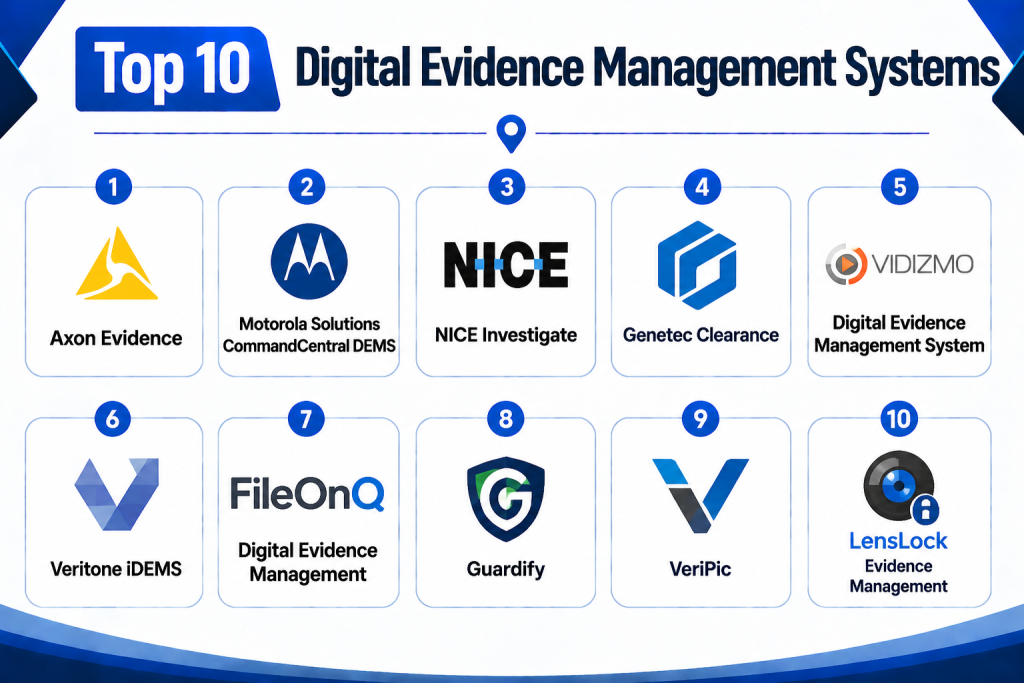
Top 10 Digital Evidence Management Systems
1- Axon Evidence
Short Description:
Axon Evidence is a widely recognized digital evidence management platform built for law enforcement and public safety agencies. It helps agencies capture, store, manage, review, redact, organize, and share digital evidence from body cameras, in-car video systems, mobile uploads, photos, audio files, and case documents. The platform is especially strong for agencies using Axon body-worn cameras and connected public safety tools. It supports evidence workflows from capture to review and disclosure. Investigators, officers, supervisors, prosecutors, and evidence administrators can use the platform to reduce manual handling and maintain evidence control. Axon Evidence is best suited for agencies that want an integrated public safety evidence ecosystem.
Key Features
- Cloud-based digital evidence storage
- Body camera and in-car video integration
- Evidence tagging and case organization
- AI-assisted redaction and transcription options
- Secure evidence sharing workflows
- Chain-of-custody tracking
- Role-based access and administrative controls
Pros
- Strong fit for agencies using Axon hardware
- Integrated workflow from capture to disclosure
- Useful redaction, review, and sharing capabilities
Cons
- Best value is often within the Axon ecosystem
- May be costly for smaller agencies
- Vendor dependency should be evaluated carefully
Platforms / Deployment
Web / iOS / Android
Cloud
Security & Compliance
Axon Evidence supports secure evidence storage, access controls, audit trails, and evidence governance workflows. Specific certifications and compliance documentation should be verified directly with the vendor.
SOC 2 / ISO 27001 / HIPAA: Not publicly stated.
Integrations & Ecosystem
Axon Evidence works best as part of the broader Axon public safety ecosystem. It connects capture devices, evidence workflows, review tools, and sharing processes into one platform.
- Axon body-worn cameras
- Axon in-car video systems
- Prosecutor sharing workflows
- Redaction tools
- Mobile evidence capture
- Public safety case workflows
Support & Community
Axon provides onboarding, training, documentation, and public safety-focused customer support. Agencies should evaluate data migration, storage policies, support coverage, and long-term contract requirements.
2- Motorola Solutions CommandCentral DEMS
Short Description:
Motorola Solutions CommandCentral DEMS is a digital evidence management system built for public safety agencies that need centralized access to video, audio, photos, documents, and other digital evidence. It is designed to help agencies collect, organize, review, redact, store, and share evidence while maintaining control over access and chain of custody. The platform fits well for agencies already using Motorola public safety solutions. It can connect with body-worn cameras, in-car video, records systems, and other evidence sources. CommandCentral DEMS helps reduce tool switching by bringing evidence into a unified environment. It is a strong option for agencies looking for evidence management connected with public safety operations.
Key Features
- Centralized digital evidence repository
- Evidence ingestion from multiple public safety sources
- Body camera and in-car video support
- AI-assisted evidence tools may be available
- Redaction and evidence review workflows
- Secure sharing and disclosure support
- Device and evidence control features
Pros
- Strong fit for Motorola public safety ecosystems
- Useful for agencies managing multiple evidence sources
- Supports evidence organization and controlled sharing
Cons
- Best value may depend on existing Motorola usage
- Implementation requires workflow and integration planning
- Smaller agencies may not need the full platform depth
Platforms / Deployment
Web / iOS / Android options may vary
Cloud / Hybrid options may vary
Security & Compliance
CommandCentral DEMS supports secure access, evidence control, and audit-focused workflows. Specific certifications should be verified directly with the vendor.
SOC 2 / ISO 27001 / HIPAA: Not publicly stated.
Integrations & Ecosystem
Motorola CommandCentral DEMS fits into a broader public safety workflow connecting evidence, records, dispatch, devices, and investigative processes.
- Body-worn cameras
- In-car video systems
- Motorola public safety systems
- RMS workflows
- Redaction tools
- Evidence sharing workflows
Support & Community
Motorola Solutions provides implementation support, documentation, training, and public safety account support. Buyers should validate onboarding, data migration, and integration requirements.
3- NICE Investigate
Short Description:
NICE Investigate is a digital evidence management and investigation platform designed for law enforcement, emergency communications, public safety, and justice workflows. It helps agencies collect, manage, analyze, and share digital evidence from different sources, including audio, video, documents, and communication records. NICE is especially relevant for agencies that need to connect evidence from emergency communications, investigations, and case preparation. The platform helps reduce manual evidence handling and supports stronger investigative workflows. It is useful for teams that need secure evidence review, collaboration, and disclosure. NICE Investigate is best suited for agencies managing complex, multi-source evidence cases.
Key Features
- Multi-source digital evidence collection
- Investigation and case-building workflows
- Audio and video evidence management
- Evidence review and collaboration
- Secure sharing and disclosure support
- Chain-of-custody and audit controls
- Integration with public safety systems
Pros
- Strong investigation-focused workflow
- Useful for multi-source evidence collection
- Good fit for agencies handling complex cases
Cons
- May require implementation planning
- Feature depth may be more than small teams need
- Pricing and modules may vary by agency requirements
Platforms / Deployment
Web
Cloud / Hybrid options may vary
Security & Compliance
NICE Investigate supports secure evidence workflows, audit controls, and controlled evidence access. Specific compliance certifications should be verified with the vendor.
SOC 2 / ISO 27001 / HIPAA: Not publicly stated.
Integrations & Ecosystem
NICE Investigate can connect emergency communications, evidence sources, investigation workflows, and prosecutor disclosure needs.
- Emergency communications systems
- Audio recordings
- Video evidence
- Case investigation workflows
- Public safety data systems
- Prosecutor sharing workflows
Support & Community
NICE provides enterprise and public safety support resources. Agencies should review implementation services, training, evidence migration, and workflow configuration.
4- Genetec Clearance
Short Description:
Genetec Clearance is a digital evidence management system designed to help agencies and organizations manage video evidence, case files, and secure evidence sharing. It is especially useful for teams handling CCTV footage, surveillance video, body-worn camera clips, photos, documents, and other digital evidence. The platform helps replace physical discs, manual transfers, and shared drives with a controlled digital workflow. Genetec Clearance is strong for organizations that already use Genetec security or video management systems, but it can also support broader evidence workflows. It helps investigators organize case files and collaborate securely. It is a practical option for public safety, security, and investigation teams that manage large video evidence volumes.
Key Features
- Digital evidence storage and organization
- Secure sharing of evidence files
- Video evidence management
- Case-based evidence grouping
- Access permissions and auditability
- Integration with security video workflows
- Cloud-based collaboration support
Pros
- Strong fit for video-heavy evidence workflows
- Useful for agencies and security teams using surveillance systems
- Reduces dependence on discs and shared drives
Cons
- Best value may come with Genetec ecosystem usage
- Advanced workflows may require configuration
- Some agencies may need deeper RMS integration
Platforms / Deployment
Web
Cloud
Security & Compliance
Genetec Clearance supports controlled access, secure sharing, and audit-focused evidence handling. Specific certifications should be verified directly with the vendor.
SOC 2 / ISO 27001 / HIPAA: Not publicly stated.
Integrations & Ecosystem
Genetec Clearance works well with video security, surveillance, and public safety evidence workflows. It is especially useful for organizations with many video sources.
- Video management systems
- CCTV workflows
- Body camera evidence
- Case file sharing
- Investigation workflows
- External evidence submissions
Support & Community
Genetec provides documentation, training resources, and support for security and public safety customers. Buyers should review integration support and storage governance.
5- VIDIZMO Digital Evidence Management System
Short Description:
VIDIZMO Digital Evidence Management System is a platform for storing, managing, redacting, analyzing, and sharing digital evidence across law enforcement, government, legal, and enterprise investigation workflows. It supports multiple evidence types, including body camera footage, CCTV video, dashcam files, audio, images, documents, and forensic exports. VIDIZMO is especially relevant for agencies that need vendor-neutral evidence ingestion and flexible deployment options. It can support cloud, private cloud, on-premise, and hybrid environments depending on governance needs. The platform includes AI-assisted redaction and evidence review capabilities. It is a strong option for buyers that want control over deployment, storage, and evidence workflows.
Key Features
- Multi-format evidence ingestion
- AI-assisted video and audio redaction
- Chain-of-custody and audit trails
- Secure evidence sharing
- Metadata tagging and advanced search
- Flexible deployment options
- Role-based access control
Pros
- Strong vendor-neutral evidence support
- Flexible deployment for data residency needs
- Useful AI redaction and review features
Cons
- Configuration may require planning
- Advanced AI and workflow features may need training
- Smaller teams may not need full platform depth
Platforms / Deployment
Web
Cloud / On-premise / Hybrid
Security & Compliance
VIDIZMO supports secure access controls, audit trails, encryption, and evidence governance features. Specific certifications and compliance documentation should be verified directly with the vendor.
SOC 2 / ISO 27001 / HIPAA: Not publicly stated.
Integrations & Ecosystem
VIDIZMO can support law enforcement, legal, and enterprise evidence workflows with broad file ingestion and integration options.
- Body camera footage
- CCTV systems
- Dashcam footage
- Legal case workflows
- Cloud storage environments
- API-based integrations
Support & Community
VIDIZMO provides implementation support, documentation, and enterprise support options. Buyers should validate deployment architecture, storage strategy, and redaction workflow setup.
6- Veritone iDEMS
Short Description:
Veritone iDEMS is an intelligent digital evidence management system built for public sector, legal, media, and investigation workflows. It focuses on AI-supported processing, search, transcription, evidence discovery, and digital content management. The platform is useful for agencies dealing with large volumes of audio, video, and unstructured evidence that need faster search and review. Veritone’s AI capabilities can help teams identify, transcribe, tag, and retrieve relevant content more efficiently. iDEMS is a strong option for organizations that want intelligent evidence analysis alongside storage and access control. It is especially relevant for evidence-heavy teams that need automation to reduce manual review effort.
Key Features
- AI-powered evidence search and analysis
- Audio and video transcription support
- Digital evidence storage and organization
- Metadata tagging and indexing
- Secure evidence access workflows
- Case-based content management
- Government-focused deployment options may be available
Pros
- Strong AI and search capabilities
- Useful for large audio and video evidence libraries
- Good fit for agencies needing intelligent review workflows
Cons
- AI workflows require governance and validation
- May be more advanced than basic evidence repositories
- Implementation and pricing may vary by use case
Platforms / Deployment
Web
Cloud / Government cloud options may vary
Security & Compliance
Veritone iDEMS supports secure digital evidence workflows and government-focused deployment options. Specific certifications should be verified directly with the vendor.
SOC 2 / ISO 27001 / HIPAA: Not publicly stated.
Integrations & Ecosystem
Veritone iDEMS supports AI-powered evidence workflows and can connect with data sources that generate large volumes of digital media.
- Audio evidence systems
- Video evidence sources
- Transcription workflows
- AI search tools
- Case file systems
- Public sector data workflows
Support & Community
Veritone provides enterprise support and implementation services. Buyers should review AI governance, search accuracy, deployment options, and training needs.
7- FileOnQ Digital Evidence Management
Short Description:
FileOnQ Digital Evidence Management helps law enforcement and public safety agencies securely manage digital evidence and related physical evidence workflows. It is designed to help agencies handle large volumes of video, images, documents, and other digital files while maintaining evidence control. FileOnQ is especially useful for agencies already using property and evidence management processes that need to expand into digital evidence. The platform supports secure storage, retrieval, tracking, and sharing of digital files. It helps reduce manual file handling and improves evidence accountability. Agencies that need both digital and physical evidence workflow alignment may find FileOnQ practical.
Key Features
- Digital evidence storage and retrieval
- Evidence tracking and accountability
- Secure access permissions
- Chain-of-custody support
- Digital file organization
- Integration with evidence management workflows
- Reporting and audit capabilities
Pros
- Strong fit for evidence management teams
- Useful for agencies managing both physical and digital evidence
- Helps improve storage and retrieval workflows
Cons
- May require integration with separate camera ecosystems
- Advanced AI features may be limited compared with AI-first tools
- Workflow setup depends on agency structure
Platforms / Deployment
Web / Windows options may vary
Cloud / On-premise / Hybrid options may vary
Security & Compliance
FileOnQ supports secure evidence handling, access control, and audit-focused workflows. Specific certifications should be verified directly with the vendor.
SOC 2 / ISO 27001 / HIPAA: Not publicly stated.
Integrations & Ecosystem
FileOnQ fits well into agency evidence operations where digital files and evidence tracking need to connect.
- Property and evidence workflows
- Digital file repositories
- Evidence tracking systems
- Reporting tools
- Case management workflows
- Secure sharing processes
Support & Community
FileOnQ provides customer support and implementation assistance for evidence management teams. Agencies should validate migration, configuration, and training support.
8- Guardify
Short Description:
Guardify is a digital evidence management platform designed for law enforcement, prosecutors, legal teams, and agencies that need secure evidence sharing, review, redaction, and case preparation. It helps users upload, organize, tag, timestamp, redact, share, and present evidence in a controlled environment. Guardify is especially useful for prosecutor offices and investigation teams that need to manage evidence disclosure and case collaboration. The platform includes tools for video editing, transcription, redaction, and permission-based sharing. It can help reduce reliance on discs, email transfers, and manual file tracking. Guardify is a practical option for teams that need simple but secure evidence collaboration.
Key Features
- Secure digital evidence storage
- Permission-based evidence sharing
- Video trimming and redaction tools
- Transcription and captioning support
- Case history and audit tracking
- User-level access controls
- Courtroom and witness preparation workflows
Pros
- Strong fit for prosecutors and legal evidence sharing
- Practical built-in redaction and transcription tools
- Easy collaboration around case evidence
Cons
- May not be a complete camera ecosystem platform
- Best fit depends on legal and prosecutor workflows
- Advanced public safety integrations should be verified
Platforms / Deployment
Web
Cloud
Security & Compliance
Guardify supports access permissions, timestamps, audit history, and secure evidence sharing features. Specific certifications should be verified directly with the vendor.
SOC 2 / ISO 27001 / HIPAA: Not publicly stated.
Integrations & Ecosystem
Guardify fits well into case preparation, legal review, prosecutor collaboration, and evidence disclosure workflows.
- Prosecutor workflows
- Legal case management
- Video redaction
- Evidence sharing
- Witness preparation
- Courtroom presentation workflows
Support & Community
Guardify provides support resources for evidence users and legal teams. Buyers should review onboarding, user permissions, and disclosure workflow configuration.
9- VeriPic
Short Description:
VeriPic provides digital evidence and media management solutions for law enforcement, corrections, public safety, and investigation teams. It supports secure storage, evidence tracking, file management, and digital media workflows. VeriPic is especially useful for agencies that manage photos, videos, forensic files, and long-term evidence archives. The platform helps maintain evidence integrity and retrieval efficiency while reducing reliance on physical storage media. VeriPic can be useful for agencies that want a focused digital evidence storage and chain-of-custody solution. It is a practical choice for departments seeking secure, structured evidence repositories.
Key Features
- Digital evidence storage
- Photo and video evidence management
- Secure archive workflows
- Chain-of-custody support
- Evidence retrieval and search
- Access controls and audit support
- Long-term evidence storage options
Pros
- Strong evidence storage and archive focus
- Useful for law enforcement and corrections teams
- Helps organize large digital media libraries
Cons
- May not offer the same AI depth as newer platforms
- Integration needs should be validated
- Interface and workflow fit should be tested during demo
Platforms / Deployment
Web / Windows options may vary
Cloud / On-premise / Hybrid options may vary
Security & Compliance
VeriPic supports secure evidence storage and evidence integrity workflows. Specific certifications should be verified directly with the vendor.
SOC 2 / ISO 27001 / HIPAA: Not publicly stated.
Integrations & Ecosystem
VeriPic can support evidence repositories, image evidence, video files, law enforcement archives, and investigation workflows.
- Photo evidence workflows
- Video evidence storage
- Evidence archive systems
- Law enforcement case workflows
- Corrections evidence workflows
- Secure retrieval tools
Support & Community
VeriPic provides support for evidence management users and public safety agencies. Buyers should review onboarding, storage planning, and migration requirements.
10- LensLock Evidence Management
Short Description:
LensLock Evidence Management is connected with LensLock body camera and law enforcement video systems. It helps agencies store, manage, review, redact, and share evidence captured through body-worn cameras and related sources. The platform is especially useful for agencies using LensLock equipment and wanting evidence management included with camera workflows. It supports secure video evidence handling, redaction, and controlled sharing. LensLock is practical for departments looking for a camera-plus-evidence ecosystem rather than a standalone DEMS vendor. It can help reduce the complexity of managing body camera evidence after capture.
Key Features
- Body camera evidence storage
- Video evidence upload and management
- Redaction tools
- Secure evidence sharing
- Evidence tagging and organization
- Access control for users
- Third-party evidence upload support may be available
Pros
- Strong fit for LensLock camera users
- Redaction and evidence workflows are built around video evidence
- Useful for agencies wanting hardware and evidence management together
Cons
- Best value depends on LensLock camera adoption
- May not be ideal for agencies with mixed hardware ecosystems
- Advanced integrations should be verified before purchase
Platforms / Deployment
Web / iOS / Android options may vary
Cloud
Security & Compliance
LensLock evidence workflows include secure storage and access controls. Specific certifications should be verified directly with the vendor.
SOC 2 / ISO 27001 / HIPAA: Not publicly stated.
Integrations & Ecosystem
LensLock Evidence Management fits into the LensLock law enforcement camera ecosystem and supports body camera evidence workflows.
- LensLock body cameras
- Video evidence workflows
- Redaction tools
- Secure sharing
- Third-party uploads
- Law enforcement review workflows
Support & Community
LensLock provides support for camera and evidence management customers. Agencies should evaluate onboarding, device deployment, evidence migration, and support response times.
Comparison Table
| Tool Name | Best For | Platform Supported | Deployment | Standout Feature | Public Rating |
|---|---|---|---|---|---|
| Axon Evidence | Agencies using Axon body cameras and public safety tools | Web, iOS, Android | Cloud | Integrated evidence ecosystem | N/A |
| Motorola CommandCentral DEMS | Motorola public safety agencies | Web, iOS, Android options may vary | Cloud / Hybrid options may vary | Centralized evidence and device workflows | N/A |
| NICE Investigate | Investigation-heavy public safety teams | Web | Cloud / Hybrid options may vary | Multi-source evidence investigation workflows | N/A |
| Genetec Clearance | Video-heavy evidence and surveillance workflows | Web | Cloud | Secure video evidence sharing | N/A |
| VIDIZMO DEMS | Vendor-neutral evidence management | Web | Cloud / On-premise / Hybrid | Flexible deployment and AI redaction | N/A |
| Veritone iDEMS | AI-assisted evidence search and analysis | Web | Cloud / Government cloud options may vary | AI-powered evidence intelligence | N/A |
| FileOnQ DEMS | Evidence units managing physical and digital records | Web, Windows options may vary | Cloud / On-premise / Hybrid options may vary | Digital and physical evidence workflow alignment | N/A |
| Guardify | Prosecutors and legal evidence sharing | Web | Cloud | Secure sharing with redaction tools | N/A |
| VeriPic | Evidence archives and media evidence storage | Web, Windows options may vary | Cloud / On-premise / Hybrid options may vary | Long-term evidence storage and retrieval | N/A |
| LensLock Evidence Management | LensLock camera users | Web, iOS, Android options may vary | Cloud | Camera-connected video evidence management | N/A |
Evaluation & Scoring Table
| Tool Name | Core 25% | Ease 15% | Integrations 15% | Security 10% | Performance 10% | Support 10% | Value 15% | Weighted Total |
| Axon Evidence | 9 | 8 | 9 | 8 | 9 | 8 | 8 | 8.50 |
| Motorola CommandCentral DEMS | 9 | 8 | 9 | 8 | 9 | 8 | 8 | 8.50 |
| NICE Investigate | 9 | 8 | 8 | 8 | 8 | 8 | 8 | 8.25 |
| Genetec Clearance | 8 | 8 | 8 | 8 | 8 | 8 | 8 | 8.00 |
| VIDIZMO DEMS | 9 | 8 | 8 | 8 | 8 | 8 | 8 | 8.25 |
| Veritone iDEMS | 8 | 7 | 8 | 8 | 8 | 8 | 7 | 7.75 |
| FileOnQ DEMS | 8 | 7 | 7 | 8 | 8 | 8 | 8 | 7.75 |
| Guardify | 8 | 8 | 7 | 7 | 8 | 8 | 8 | 7.75 |
| VeriPic | 7 | 7 | 7 | 7 | 8 | 7 | 8 | 7.30 |
| LensLock Evidence Management | 8 | 8 | 7 | 7 | 8 | 8 | 8 | 7.75 |
The scoring is comparative and should be used as a shortlist guide, not a final buying decision. Higher scores usually indicate stronger coverage across evidence ingestion, chain-of-custody, redaction, integrations, storage, search, and secure sharing. However, the right system depends on agency size, evidence volume, camera ecosystem, deployment preference, legal workflow, and budget. Buyers should test real evidence files, redaction workflows, permissions, sharing, retention rules, and integration needs before final selection.
Which Digital Evidence Management System Is Right for You?
Solo / Small Agencies
Small agencies should focus on ease of use, affordable storage, simple evidence upload, secure sharing, and basic chain-of-custody. Guardify, VeriPic, FileOnQ, and LensLock Evidence Management may be practical depending on the evidence source and budget. Smaller agencies should avoid overbuying advanced AI workflows unless they manage high video volume or complex disclosure requirements.
SMB / Local Departments
Local law enforcement, prosecutor offices, campus safety teams, and municipal investigation units should look for secure cloud storage, redaction, user permissions, case organization, and evidence sharing. Axon Evidence, Genetec Clearance, VIDIZMO, Guardify, and FileOnQ are strong candidates depending on camera systems and workflow needs. Local departments should prioritize low training burden and reliable support.
Mid-Market Agencies
Mid-sized agencies often need multi-source ingestion, RMS integration, prosecutor collaboration, retention rules, advanced search, and video redaction. Axon Evidence, Motorola CommandCentral DEMS, NICE Investigate, Genetec Clearance, and VIDIZMO are worth evaluating. The best choice depends on whether the agency is hardware-driven, investigation-driven, or vendor-neutral.
Enterprise / Regional Agencies
Large public safety organizations and regional agencies should prioritize scale, access governance, multi-agency sharing, advanced audit trails, AI redaction, long-term storage, and integration with RMS, CAD, court systems, and camera ecosystems. Axon Evidence, Motorola CommandCentral DEMS, NICE Investigate, VIDIZMO, and Veritone iDEMS are strong enterprise candidates. Large agencies should conduct structured pilots and review storage costs carefully.
Budget vs Premium
Budget-focused teams should choose a platform that solves their immediate evidence pain points, such as secure storage, sharing, or redaction. Premium buyers should look for AI-assisted search, automated redaction, multi-source ingestion, deep integrations, government cloud options, advanced retention rules, and prosecutor collaboration workflows. The cheapest platform may not be cost-effective if it creates manual labor or evidence handling risks.
Feature Depth vs Ease of Use
Feature-rich platforms can support complex investigations, multi-source evidence, AI analysis, and advanced disclosure workflows, but they require training and governance. Simpler platforms are faster to adopt but may not support long-term growth. Buyers should balance usability for officers and investigators with the needs of evidence technicians, prosecutors, and administrators.
Integrations & Scalability
Agencies should check integrations with body cameras, in-car cameras, CCTV systems, RMS, CAD, digital forensics tools, prosecutor systems, courts, cloud storage, and case management platforms. Scalability should include evidence volume, video file size, retention periods, number of users, number of agencies, and future data growth.
Security & Compliance Needs
Digital evidence includes sensitive footage, victim information, personally identifiable information, investigative files, witness statements, and court-related materials. Buyers should evaluate encryption, audit logs, role-based access, MFA, retention policies, legal hold, chain-of-custody, secure sharing, and disclosure controls. Security should be reviewed before deployment because evidence integrity directly affects case outcomes.
Frequently Asked Questions
1- What is a Digital Evidence Management System?
A Digital Evidence Management System is software used to store, organize, review, redact, track, and share digital evidence. It can manage videos, photos, audio recordings, documents, body camera footage, CCTV clips, and case files. The main goal is to protect evidence integrity while making evidence easier to find and use.
2- Who should use Digital Evidence Management Systems?
Law enforcement agencies, prosecutors, courts, public safety departments, investigation units, correctional agencies, forensic teams, and enterprise security departments can use these systems. Any organization handling sensitive digital evidence can benefit from controlled storage, chain-of-custody, secure sharing, and audit trails.
3- What types of evidence can these systems manage?
These systems can manage body-worn camera footage, dashcam video, interview recordings, CCTV clips, phone videos, audio files, photos, PDFs, reports, forensic exports, drone footage, and scanned documents. The supported file types vary by vendor, so buyers should test actual evidence formats before purchase.
4- Why is chain-of-custody important?
Chain-of-custody proves how evidence was collected, stored, accessed, transferred, reviewed, and shared. It helps show that evidence has not been mishandled or altered. A strong digital evidence system automatically records these actions through audit logs and access history.
5- Can Digital Evidence Management Systems help with redaction?
Yes, many modern systems include video, image, and audio redaction tools. Some platforms offer AI-assisted redaction for faces, license plates, screens, objects, or spoken information. Human review is still important because redaction errors can create privacy or legal risks.
6- How do these systems support prosecutors and courts?
Digital evidence platforms can help agencies securely share case files with prosecutors, defense teams, courts, and authorized partners. This reduces the need for DVDs, USB drives, and manual file transfers. Good systems provide permissions, expiration controls, audit trails, and disclosure history.
7- Are cloud-based evidence systems secure?
Cloud-based systems can be secure when they include encryption, access controls, audit logs, retention policies, secure sharing, and strong administrative governance. However, buyers should review vendor documentation, data residency, compliance needs, and agency policies before selecting cloud deployment.
8- What is the difference between DEMS and RMS?
A Records Management System manages official incident records, case reports, citations, arrests, and public safety documentation. A Digital Evidence Management System manages digital evidence files such as video, audio, photos, and documents. Many agencies need both systems connected for complete case workflows.
9- Can these systems integrate with body cameras?
Yes, many digital evidence platforms integrate with body-worn cameras, in-car cameras, CCTV systems, and mobile upload tools. Some platforms work best with their own camera ecosystem, while others are more vendor-neutral. Buyers should confirm compatibility with existing devices.
10- What are common mistakes when choosing a DEMS?
Common mistakes include focusing only on storage price, ignoring redaction workflow, overlooking chain-of-custody, skipping prosecutor sharing needs, and failing to test real video files. Agencies also sometimes underestimate long-term storage growth. A pilot with real evidence is essential before full rollout
Conclusion
Digital Evidence Management Systems are essential for agencies and investigation teams that need to manage growing volumes of video, audio, photo, document, and forensic evidence securely. The right platform helps preserve chain-of-custody, reduce manual file handling, improve case preparation, speed up redaction, and support secure sharing with prosecutors and courts. Axon Evidence, Motorola CommandCentral DEMS, NICE Investigate, Genetec Clearance, VIDIZMO DEMS, Veritone iDEMS, FileOnQ, Guardify, VeriPic, and LensLock Evidence Management each serve different evidence management needs. A camera-heavy police agency may prefer a hardware-connected ecosystem, while a prosecutor office may prioritize sharing and redaction. The best next step is to shortlist two or three platforms, test them with real evidence files, validate integrations and security, review storage costs, and run a pilot before full deployment
