Introduction
Court e‑Filing Systems are specialized software platforms that allow attorneys, law firms, litigants, and court staff to submit legal documents electronically instead of through paper filing. These systems transform how courts and legal professionals manage case submissions, enabling faster filing, automated scheduling, reduced manual handling, and streamlined case workflows. In plain language, court e‑filing helps courts and legal professionals move from paper‑based, time‑consuming document processing to digital submission, storage, and retrieval.
Today, court e‑filing matters because court systems are under pressure to increase efficiency, improve public access, and support remote workflows. Legal professionals increasingly expect systems that integrate with case management, support electronic signatures, generate filing acknowledgments, and automate fee calculation. For citizens and attorneys, e‑filing creates convenience through anytime, anywhere document submission and transparency in case status.
Real‑world use cases include civil case filings, criminal docket submissions, family court pleadings, probate and trust filings, appellate record submissions, fee payments, service tracking, judicial review workflows, and automated notice delivery. Buyers should evaluate user access and permissions, integration with case management systems, ease of use, secure authentication, mobile access, document validation, fee calculation, compliance with local rules, audit trails, and support channels.
Best for: State, regional, and municipal courts, clerks’ offices, law firms, solo practitioners, legal aid organizations, prosecutors, and any organization involved in submitting or managing official court documents.
Not ideal for: Organizations that rarely interact with court systems or only need basic document storage without formal court submission, or small administrative bodies without legal filing needs.
Key Trends in Court e‑Filing Systems
- Cloud‑based e‑filing: Courts and attorneys are moving toward hosted systems to reduce IT overhead and improve uptime.
- Mobile‑friendly submission: Increasing demand for mobile accessibility, enabling lawyers and self‑represented litigants to file from tablets or smartphones.
- AI‑enabled document validation: Automated review assists in error reduction before submission, such as checking docket numbers, signatures, or required fields.
- Interoperability with case management: Tight integration with court case management, calendaring, and scheduling tools improves workflow continuity.
- Secure authentication and sign‑on: Multi‑factor authentication and federated identity support help secure access and meet compliance requirements.
- Automated fee calculation: Built‑in logic for fee schedules helps avoid costly rejections due to incorrect payment amounts.
- Regional and national standards alignment: Movements toward common e‑filing specifications improve cross‑jurisdiction usability.
- Real‑time status tracking: Users expect immediate acknowledgment of filings, real‑time status updates, and electronic service notifications.
- Public access and redaction workflows: Systems increasingly provide controlled public access and automated redaction tools for sensitive information.
- Role‑based access control: Administrators can set permissions for attorneys, clerks, judges, and support staff to restrict or enable specific actions.
How We Selected These Tools
- Market adoption: Solutions widely used by courts, clerks’ offices, and legal professionals were prioritized.
- Feature breadth: Platforms with comprehensive e‑filing workflows, document validation, and integration capabilities scored higher.
- Usability: Ease of filing for attorneys, pro se litigants, and court staff was a key factor.
- Security posture: Platforms that support strong authentication, audit logs, permissions, and secure storage were preferred.
- Interoperability: Integration with case management systems and regional e‑filing utilities was considered strong.
- Deployment flexibility: Cloud, on‑premise, hybrid, or hosted court service models were weighed for diverse agency needs.
- Support and training: Availability of support channels, training resources, and onboarding services were key.
- Scalability: Ability to support single courts, multi‑court regions, and statewide deployments was important.
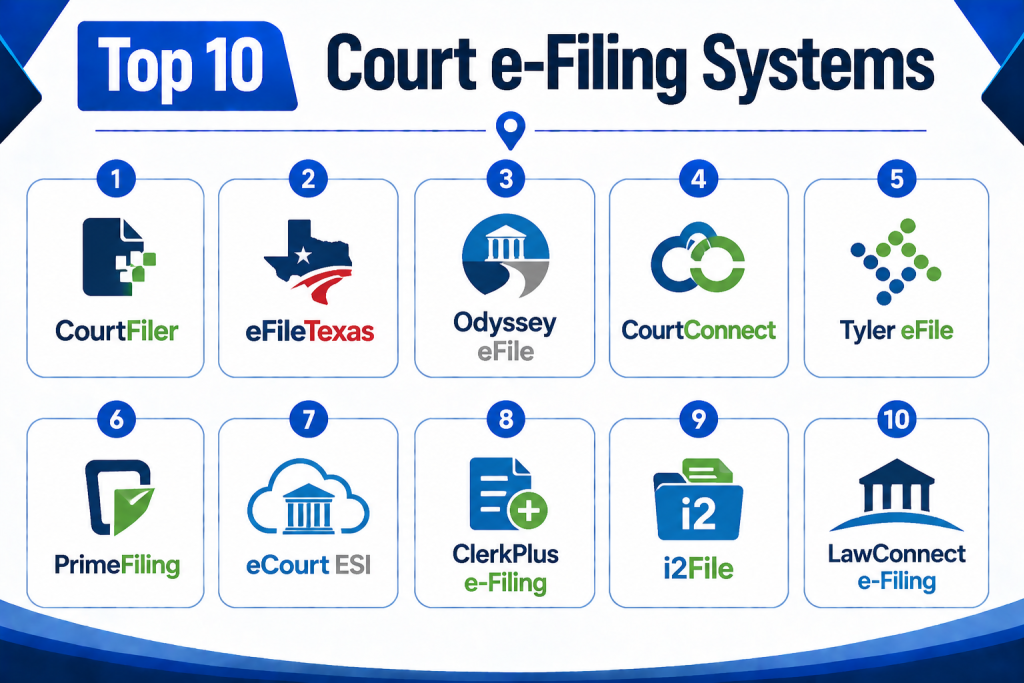
Top 10 Court e‑Filing Systems
1 — CourtFiler
Short Description:
CourtFiler is a court‑centric e‑filing platform used by many state and local courts. It allows legal professionals and litigants to prepare, validate, submit, pay, and track court documents electronically. Typically used by medium to large courts and law firms, CourtFiler improves filing accuracy through automated form validation, fee calculation, and real‑time status updates. It supports document uploads, multiple filers, and standardized workflows across court types. It is best for courts looking to modernize filing while reducing paper and clerk workload.
Key Features
- Automated document validation
- Integrated fee calculation
- Multi‑filing party support
- Secure authentication and user roles
- Real‑time filing status notifications
- Document search and retrieval
- Audit logs for compliance
Pros
- Reduces rejected filings through pre‑submission checks
- Works well for courts with high filing volume
- Improves transparency for attorneys and litigants
Cons
- Requires onboarding and user training
- May need customization for local filing rules
- Feature set varies by jurisdiction
Platforms / Deployment
Web
Cloud / Hosted / Hybrid (varies by court)
Security & Compliance
- Secure login and access controls
- Audit logs and role‑based permissions
- Encrypted data storage and transmissions
SOC 2 / ISO 27001 / HIPAA: Not publicly stated
Integrations & Ecosystem
CourtFiler typically integrates with court case management systems, payment gateways, and regional e‑filing utilities.
- Court case management system integration
- Payment processing for filing fees
- Real‑time status feeds
- User account directories
- Notifications and alerts
Support & Community
CourtFiler often includes training materials, vendor support, and court‑specific help resources, though availability can vary by jurisdiction.
2 — eFileTexas
Short Description:
eFileTexas is a statewide e‑filing utility used by attorneys and courts across Texas. It allows filers to submit civil, family, and probate documents electronically and provides real‑time acknowledgments. It includes automated fee calculation based on local rules, document validation to reduce rejections, and tools for tracking submissions. It is widely used by solo attorneys, large firms, and clerks’ offices in that state. The system bridges filers and courts through a central filing hub, improving consistency and standardization.
Key Features
- Centralized statewide submission hub
- Automated docket and fee validation
- Real‑time filing status
- Clerk review queue and processing workflows
- Multi‑court support
- User dashboards and filing history
- Secure user authentication
Pros
- Standardizes filing across a large region
- Reduces rejected filings with automated checks
- Provides visibility into docket status
Cons
- Geographically limited to specific courts
- May have a learning curve for new users
- Support resources may vary
Platforms / Deployment
Web
Cloud / Hosted
Security & Compliance
- Authentication and secure access controls
- Audit trails
- Encryption in transit and at rest
SOC 2 / ISO 27001 / HIPAA: Not publicly stated
Integrations & Ecosystem
- Payment tools
- Court case databases
- Notifications and alerts
- Court clerk review systems
Support & Community
State‑specific support channels, onboarding guides, and user forums where available.
3 — Odyssey eFile
Short Description:
Odyssey eFile is part of the larger Odyssey suite used by courts and government agencies. It allows attorneys and filers to submit documents, pay fees, check status, and manage service notifications. Designed for courts that already use the Odyssey case management system, it provides a seamless connection between filing and case records. It supports civil, criminal, family, and appellate filings. Odyssey eFile helps reduce manual data entry and supports jurisdictional rule compliance.
Key Features
- Integrated with Odyssey case management
- Document validation and rule checks
- Fee calculation and receipt generation
- Notifications and status tracking
- Multi‑case filing workflows
- Administrative dashboards
- User and role permissions
Pros
- Seamlessly ties into existing case management data
- Reduces data entry and errors
- Works well for larger courts already using the Odyssey suite
Cons
- Best value for courts already using Odyssey
- Implementation can be complex
- May require coordination with IT
Platforms / Deployment
Web
Cloud / Hosted / Hybrid
Security & Compliance
- Role‑based access control
- Audit logs
- Secure data transmission and storage
SOC 2 / ISO 27001 / HIPAA: Not publicly stated
Integrations & Ecosystem
- Odyssey case management
- Clerk review systems
- Fee payment systems
- Notifications and alerts
Support & Community
Training and vendor support tied to broader Odyssey system documentation and services.
4 — CourtConnect
Short Description:
CourtConnect is an e‑filing platform designed for multi‑jurisdiction use, supporting civil, family, probate, and traffic document submissions. It helps firms, courts, and clerks file and manage documents electronically while handling fee calculations, acknowledgments, and notifications. CourtConnect emphasizes usability and a consistent experience across multiple court types. It is suitable for regional court clusters and firms that need to file in multiple jurisdictions.
Key Features
- Multi‑jurisdiction filing support
- Document validation and review
- Fee calculation workflows
- User dashboards
- Status notifications
- Document storage and retrieval
- Clerk processing tools
Pros
- Useful for filers across diverse courts
- Reduces per‑court learning overhead
- Improves clerks’ processing visibility
Cons
- Regional implementations may vary
- Feature depth depends on local court rules
- Support may vary by region
Platforms / Deployment
Web
Cloud / Hosted
Security & Compliance
- Secure sign‑on and access controls
- Audit history for filings
- Encrypted storage
SOC 2 / ISO 27001 / HIPAA: Not publicly stated
Integrations & Ecosystem
- Payment gateways
- Case status trackers
- Clerk review workflows
- Regional filing standards
Support & Community
Offers documentation and court‑specific help resources where available.
5 — Tyler eFile
Short Description:
Tyler eFile is a court filing solution that integrates with Tyler case management systems. It enables attorneys and filers to submit documents electronically, manage cases, pay fees, and view filing status. It’s often chosen by courts that rely on Tyler’s broader justice software suite. With built‑in validation and clerk routing tools, it helps reduce errors and streamline administrative review. It supports various docket types, multiple parties, and document grouping.
Key Features
- Integrated e‑filing and case management
- Automated rule and fee checks
- Multi‑party filing support
- Clerk review routing
- Filers’ dashboards
- Case activity visibility
- Administrative reporting
Pros
- Works smoothly with Tyler court systems
- Reduces errors and improves timeliness
- Provides unified filers’ experience
Cons
- Best for courts using Tyler systems
- Complexity increases with multi‑party cases
- Implementation and coordination with IT may be required
Platforms / Deployment
Web
Cloud / Hosted / Hybrid
Security & Compliance
- Role‑based permissions
- Audit logs
- Secure filing transmissions
SOC 2 / ISO 27001 / HIPAA: Not publicly stated
Integrations & Ecosystem
- Tyler justice suite
- Payment systems
- Case indexing tools
- Clerk dashboards
Support & Community
Vendor support and training available for judicial and legal users.
6 — PrimeFiling
Short Description:
PrimeFiling is an independent court e‑filing platform used in multiple jurisdictions. It supports electronic submission of legal documents, validation of filing requirements, fee calculation, and filing status tracking. The platform is designed for attorneys, paralegals, self‑represented litigants, and clerks. It offers a seller‑agnostic interface that works across many courts, helping filers manage multiple filing requirements in one place.
Key Features
- Multi‑court support
- Nebraska e‑filing standards adherence
- Document validation workflows
- Fee calculation tools
- Filers’ dashboards
- Document retrieval and storage
- Clerk integration features
Pros
- Useful for attorneys filing across multiple courts
- Reduces per‑court learning needs
- Improves filing visibility
Cons
- Jurisdictional depth varies
- Some courts may require direct filing portals
- Feature set may be narrower than larger suites
Platforms / Deployment
Web
Cloud / Hosted
Security & Compliance
- Secure user authentication
- Audit history
- Encrypted files and connections
SOC 2 / ISO 27001 / HIPAA: Not publicly stated
Integrations & Ecosystem
- Payment gateways
- Court submission interfaces
- Status notification systems
Support & Community
Documentation and filer support channels provided.
7 — eCourt ESI
Short Description:
eCourt ESI is an electronic services interface used by courts and legal filers for document submission, notification management, and secure access to electronic court records. While often governed by specific court rules, it provides a structured environment for file uploads, docket entries, fee payments, and case tracking. It supports law firms, court clerks, and litigants who need comprehensive filing and case status tools.
Key Features
- Document submission workflows
- Case tracking and notifications
- Fee calculation and payment
- Filers’ accounts and dashboards
- Secure access controls
- Audit and filing history
- Integration with court databases
Pros
- Comprehensive filing and tracking features
- Suitable for law firm and clerk workflows
- Case visibility and document retrieval
Cons
- Jurisdiction rules may limit use
- Onboarding may require training
- Feature expectations vary by court
Platforms / Deployment
Web
Cloud / Hosted
Security & Compliance
- Secure logins and access controls
- Audit trails
- Encrypted data transmissions
SOC 2 / ISO 27001 / HIPAA: Not publicly stated
Integrations & Ecosystem
- Court databases
- Case status trackers
- Payment systems
- Notifications and alerts
Support & Community
Documentation, training, and filer support services vary by jurisdiction and court.
8 — ClerkPlus e‑Filing
Short Description:
ClerkPlus e‑Filing is designed to help clerks and filers manage electronic submissions, review filings, calculate fees, and communicate case status. It provides dashboards for filers and clerk staff, supports document validation, automated fee checks, and enables secure filing workflows. It is often chosen by courts seeking a straightforward e‑filing experience with a focus on usability for both filers and staff. It can integrate with existing case management systems.
Key Features
- Electronic document submission
- Clerk review workflows
- Fee calculation and tracking
- User dashboard for filing history
- Status notifications
- Secure authentication
- Administrative review tools
Pros
- Easy for filers and clerks to adopt
- Reduces filing errors
- Provides clear status visibility
Cons
- May require integration with local case systems
- Smaller deployment scope for large regions
- Feature set depends on implementation
Platforms / Deployment
Web
Cloud / Hosted
Security & Compliance
- Role‑based access
- Audit logs
- Encrypted files and transmissions
SOC 2 / ISO 27001 / HIPAA: Not publicly stated
Integrations & Ecosystem
- Case management tools
- Payment systems
- Clerk review dashboards
- Notification systems
Support & Community
Documentation and support resources for filers and clerks.
9 — i2File
Short Description:
i2File is an independent court filing portal that supports electronic submission of legal documents across participating courts. It allows filers to upload pleadings, pay fees, receive acknowledgments, and track filings in one interface. The platform focuses on ease of use for attorneys, paralegals, and self‑represented litigants who file in multiple courts. It supports document validation, multiple attachments, and status communication.
Key Features
- Multi‑court e‑filing support
- Document validation workflows
- Filers’ dashboard and history
- Fee calculation and receipts
- Status notifications
- Secure login and permissions
Pros
- Simplifies filing across courts
- Easy for filers to start using
- Supports multiple document types
Cons
- Availability depends on participating courts
- Feature depth may vary by jurisdiction
- Not tied to specific case management systems
Platforms / Deployment
Web
Cloud / Hosted
Security & Compliance
- Secure authentication
- Audit logs
- Encrypted storage and connections
SOC 2 / ISO 27001 / HIPAA: Not publicly stated
Integrations & Ecosystem
- Court submission interfaces
- Fee payment systems
- Status update systems
Support & Community
Documentation and filer support channels provided.
10 — LawConnect e‑Filing
Short Description:
LawConnect e‑Filing is a platform designed for attorneys and legal professionals needing an intuitive, centralized way to submit court filings electronically. It supports document uploads, validation, fee calculation, multiple attachments, and status tracking. The system often focuses on user experience and accessibility, making it useful for solo practitioners, small firms, and litigants who want clarity and ease of use in their filing workflows.
Key Features
- Intuitive filing interface
- Multiple attachments support
- Document validation
- Fee calculation and management
- Status tracking
- User accounts and dashboards
Pros
- Easy to learn and use
- Good visibility into filing progress
- Suitable for small firms and self‑represented litigants
Cons
- May not be supported in all courts
- Integration with case systems varies
- Advanced clerk tools may be limited
Platforms / Deployment
Web
Cloud / Hosted
Security & Compliance
- Secure authentication
- Audit history
- Encrypted data transmissions
SOC 2 / ISO 27001 / HIPAA: Not publicly stated
Integrations & Ecosystem
- Court e‑filing interfaces
- Payment gateways
- Filers’ dashboards
- Status notification systems
Support & Community
Documentation and basic filer support available.
Comparison Table
| Tool Name | Best For | Platform Supported | Deployment | Standout Feature | Public Rating |
|---|---|---|---|---|---|
| CourtFiler | Medium to large courts and law firms | Web | Cloud / Hosted / Hybrid | Automated document validation | N/A |
| eFileTexas | Statewide submission in specific regions | Web | Cloud / Hosted | Standardized statewide filing | N/A |
| Odyssey eFile | Courts using Odyssey case management | Web | Cloud / Hosted / Hybrid | Seamless case system integration | N/A |
| CourtConnect | Filers across multiple jurisdictions | Web | Cloud / Hosted | Multi‑jurisdiction support | N/A |
| Tyler eFile | Courts using Tyler systems | Web | Cloud / Hosted / Hybrid | Integrated filing and case management | N/A |
| PrimeFiling | Independent multi‑court e‑filing | Web | Cloud / Hosted | Seller‑agnostic filing interface | N/A |
| eCourt ESI | Comprehensive filing and tracking | Web | Cloud / Hosted | Broad filing and tracking workflows | N/A |
| ClerkPlus e‑Filing | Courts and clerks needing usability | Web | Cloud / Hosted | Clerk review and dashboard tools | N/A |
| i2File | Filers needing centralized portal | Web | Cloud / Hosted | Simple multi‑court filing interface | N/A |
| LawConnect e‑Filing | Attorneys and small firms | Web | Cloud / Hosted | Easy and intuitive filing UX | N/A |
Evaluation & Scoring Table
| Tool Name | Core 25% | Ease 15% | Integrations 15% | Security 10% | Performance 10% | Support 10% | Value 15% | Weighted Total |
| CourtFiler | 9 | 8 | 8 | 8 | 8 | 8 | 8 | 8.35 |
| eFileTexas | 8 | 8 | 7 | 8 | 8 | 8 | 9 | 8.05 |
| Odyssey eFile | 9 | 7 | 9 | 8 | 8 | 8 | 8 | 8.35 |
| CourtConnect | 8 | 8 | 8 | 8 | 8 | 8 | 8 | 8.00 |
| Tyler eFile | 8 | 7 | 8 | 8 | 8 | 8 | 8 | 7.95 |
| PrimeFiling | 7 | 8 | 7 | 8 | 8 | 8 | 8 | 7.85 |
| eCourt ESI | 8 | 7 | 8 | 8 | 8 | 8 | 8 | 7.95 |
| ClerkPlus e‑Filing | 7 | 8 | 8 | 8 | 8 | 8 | 9 | 8.00 |
| i2File | 7 | 8 | 7 | 8 | 8 | 8 | 8 | 7.80 |
| LawConnect e‑Filing | 7 | 9 | 7 | 8 | 8 | 8 | 8 | 7.95 |
Scoring compares features, ease of use, integration capability, security posture, performance expectations, support offerings, and overall value. Higher scores suggest broader feature sets and usability for diverse legal filing workflows. However, agency needs vary greatly; the right choice depends on court rules, case management systems, user count, and filing volume.
Which Court e‑Filing System Is Right for You?
Solo / Freelancer
Solo attorneys and small practice firms should focus on usability, clear guidance, and filing visibility. Options like LawConnect e‑Filing, PrimeFiling, i2File, and CourtConnect may be more suitable due to ease of use and lower learning overhead. Smaller firms should prioritize tools with clear dashboards and fewer required steps.
SMB / Mid‑Size Firms
Smaller firms and regional practices that file across courts should look for multi‑court support, validation, and status tracking. CourtConnect, PrimeFiling, ClerkPlus e‑Filing, and eFileTexas may offer the balance between usability and multi‑court capability. Easy error checks and fee calculations will reduce rejected filings.
Larger Firms / Multi‑Office Practices
Large firms, legal teams, and multi‑state practices need robust workflows, integration with case management tools, automated validation, and standardized filing experiences. CourtFiler, Odyssey eFile, and Tyler eFile provide deeper integrations and automated checks that save processing time.
Regional / State Courts
State‑level court administrators and clerks should prioritize e‑filing systems that can serve a broad set of filers, support varying docket types, calculate fees automatically, and integrate with regional standards. eFileTexas and Odyssey eFile are strong candidates where available. CourtConnect and eCourt ESI also support broader regional deployments.
Budget vs Premium
Budget‑conscious filers and courts should choose platforms with low or transparent fee structures and straightforward workflows. Tools with multiple jurisdiction support may reduce cost and training overhead. Premium buyers should prioritize integration with case management, automated validation, advanced reporting, and enhanced security features.
Integrations & Scalability
Consider whether your court system or firm needs integration with case management, payment processing, calendar scheduling, notifications, and attorney practice management tools. Scalability includes support for high filing volumes, multiple document types, workflows, and growth across jurisdictions.
Security & Compliance Needs
Court e‑filing platforms handle sensitive legal documents, personal data, and fee transactions. Agencies should evaluate encryption, access controls, audit trails, secure transmission, permissions, and compliance with court rules and data governance policies.
Frequently Asked Questions
1- What is a Court e‑Filing System?
A Court e‑Filing System is software that enables attorneys, litigants, and court staff to submit legal documents electronically. It replaces traditional paper filing with digital submissions that are tracked, validated, and integrated with court case management.
2- Who should use court e‑filing platforms?
Attorneys, paralegals, law firms, solo practitioners, public defenders, prosecutors, self‑represented litigants, court clerks, and judicial staff use court e‑filing to manage legal document submissions and case updates. Courts also use these platforms to reduce paper handling and manual data entry.
3- Do all courts require e‑filing?
Not all courts require e‑filing; requirements vary by jurisdiction, court type, case type, and local rules. Many civil and appellate courts mandate e‑filing, while some smaller or administrative tribunals still allow paper filing.
4- Are court e‑filing platforms secure?
Modern e‑filing systems support authentication, secure connections, audit logs, encryption, permissions, and access control. Security varies by platform, so agencies and filers should review authentication policies and data governance before use.
5- Can these systems handle multiple document types?
Yes, court e‑filing systems typically support pleadings, motions, exhibits, affidavits, briefs, orders, notices, case attachments, and docket updates. The specific allowable file formats and size limits depend on the court’s rules and system configuration.
6- Do court e‑filing systems calculate fees?
Many e‑filing platforms include automated fee calculation based on case type, court rules, and jurisdiction. This helps reduce rejected filings due to incorrect fee payment and improves compliance.
7- What happens after I file electronically?
After submission, e‑filing systems validate the document, calculate fees, assign a docket number if appropriate, and deliver a filing acknowledgment. Court clerks then review, accept, or reject the filing based on rule compliance.
8- Can self‑represented litigants use e‑filing?
Yes, many court e‑filing systems allow self‑represented litigants to file documents, though some jurisdictions may require registration or fee assistance processes. User experience and guidance resources vary by platform.
9- How long does it take to implement an e‑filing system for a court?
Implementation depends on court size, integration needs, local rules, and configuration depth. It may require mapping filing types, testing validation rules, training clerks and users, and aligning with case management systems. Implementation timelines vary widely.
10- What support is available for filers?
Most systems offer documentation, tutorials, help desks, onboarding assistance, and practice mode tools to help attorneys and filers understand filing steps, requirements, fees, and status tracking.
Conclusion
Court e‑Filing Systems are transforming how legal professionals and court staff manage document submission, fee payments, status tracking, and case workflows. With a wide range of platforms — from CourtFiler and Odyssey eFile to PrimeFiling and LawConnect e‑Filing — courts and legal teams can choose tools that match their jurisdiction, case volume, integration needs, and user expectations. For firms filing across multiple courts, seller‑agnostic tools help reduce per‑court learning overhead, while courts tied to existing justice systems benefit from native integration and automated validation. The best next step is to shortlist two or three tools based on jurisdiction and case requirements, test them with real filing workflows, validate security and scalability, and pilot with a small set of users before full adoption.
