Introduction
Geographic Information Systems (GIS) are platforms used to capture, store, analyze, and visualize spatial and geographic data. They allow organizations to map patterns, relationships, and trends across physical and digital spaces. GIS combines layers of data with location intelligence to support decision-making in fields ranging from urban planning and environmental monitoring to logistics, public health, and disaster management.
GIS matters because it transforms raw geographic data into actionable insights. It enables planners, government agencies, and businesses to make evidence-based decisions, optimize resources, respond to environmental and societal challenges, and enhance situational awareness. GIS helps identify patterns that are invisible without spatial analysis, facilitating smarter resource allocation and predictive modeling.
Real-world use cases include urban planning and zoning, infrastructure development, environmental monitoring, utility management, emergency response planning, disaster risk analysis, transportation route optimization, public health mapping, natural resource management, and field operations coordination.
What buyers should evaluate includes data visualization capabilities, spatial analysis tools, integration with satellite imagery or sensors, 3D mapping support, mobile and field data access, interoperability with other enterprise systems, analytics dashboards, scalability for large geospatial datasets, workflow automation, and security features.
Best for: Urban planners, environmental scientists, utility managers, government agencies, emergency response teams, transportation analysts, logistics companies, and researchers.
Not ideal for: Organizations that only require basic mapping or spreadsheet-based location tracking without spatial analytics.
Key Trends in GIS
- Cloud-based GIS for scalable, remote access
- Mobile GIS for field data collection and real-time updates
- Integration with IoT sensors and remote sensing data
- AI and machine learning for predictive spatial modeling
- 3D and 4D visualization for urban and environmental planning
- Open-source GIS adoption for flexible customization
- Real-time geospatial analytics dashboards
- Interoperability with CAD, BIM, and enterprise systems
- Data governance and secure access controls
- APIs for application development and data sharing
How We Selected These Tools
- Adoption across government, industry, and research sectors
- Depth of spatial analysis, mapping, and visualization capabilities
- Interoperability with sensors, satellite imagery, and other enterprise systems
- Mobile and field deployment capabilities
- Security and access control features
- Scalability for large datasets and high-volume analytics
- User experience for analysts, planners, and decision-makers
- Vendor support, training resources, and documentation
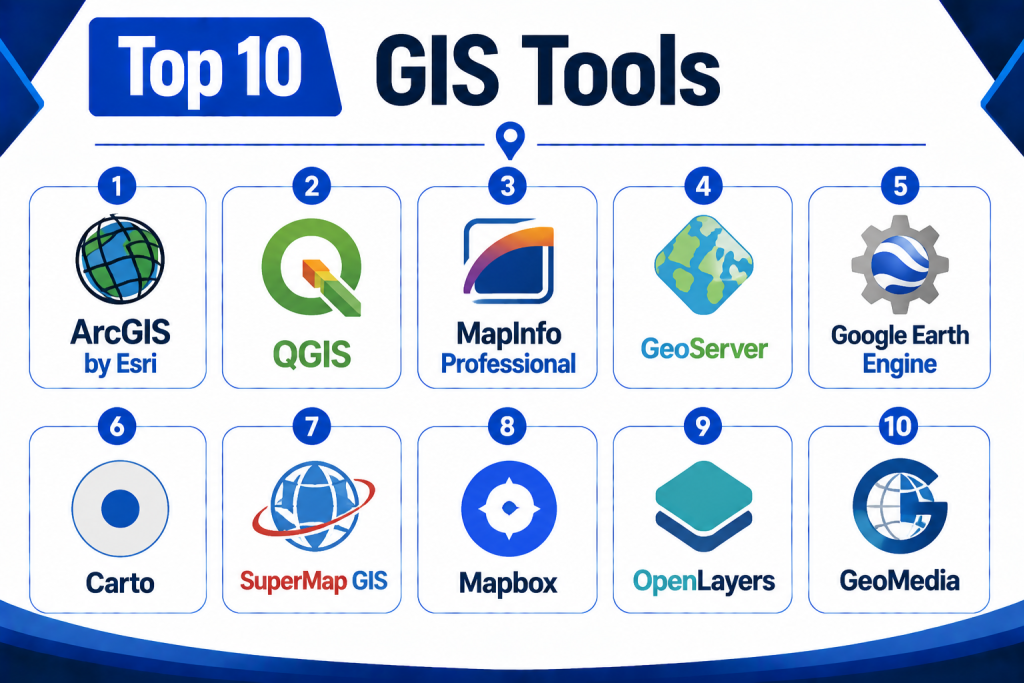
Top 10 GIS Tools
1 — ArcGIS by Esri
Short Description:
ArcGIS is a comprehensive GIS platform offering mapping, spatial analysis, and data visualization. It supports governments, enterprises, and research institutions with 2D and 3D mapping, predictive modeling, and real-time data integration.
Key Features
- 2D and 3D mapping
- Spatial analytics and modeling
- Mobile and web GIS applications
- Integration with IoT and sensors
- Dashboards and reporting
- GIS data management
- Cloud and on-premise deployment
Pros
- Mature and feature-rich platform
- Strong integration ecosystem
- Extensive user support and training resources
Cons
- High licensing cost
- Steep learning curve
- Complex setup for advanced workflows
Platforms / Deployment
Web / Desktop / Mobile
Cloud / On-premise / Hybrid
Security & Compliance
Role-based access, encryption, audit logs
SOC 2 / ISO 27001: Not publicly stated
Integrations & Ecosystem
- IoT and sensor feeds
- CAD and BIM systems
- Analytics dashboards
- Data warehouses
- APIs for developer extensions
Support & Community
Extensive training, documentation, and global user community.
2 — QGIS
Short Description:
QGIS is a leading open-source GIS platform providing mapping, spatial analysis, and geoprocessing tools. It is widely used in academia, research, and municipalities for flexible GIS workflows.
Key Features
- Open-source and customizable
- Mapping and visualization
- Spatial analysis tools
- Plugin ecosystem for extended functionality
- Mobile GIS via companion apps
- Support for multiple data formats
- Printing and reporting tools
Pros
- Free and open-source
- Extensive plugin ecosystem
- Active community support
Cons
- Limited vendor support
- Some advanced analysis requires external plugins
- User interface may require learning
Platforms / Deployment
Web / Desktop / Mobile
Cloud / On-premise / Hybrid
Security & Compliance
Role-based access (varies by deployment)
SOC 2 / ISO 27001: Not publicly stated
Integrations & Ecosystem
- Satellite imagery
- Database systems
- IoT sensors
- Analytics engines
Support & Community
Large open-source community, forums, and tutorials.
3 — MapInfo Professional
Short Description:
MapInfo Professional is a desktop GIS platform for spatial analysis, mapping, and visualization. It targets enterprises in utilities, telecom, retail, and transportation sectors.
Key Features
- Advanced mapping and spatial analysis
- Business intelligence integration
- Data visualization
- Location-based analytics
- CAD and GIS data support
- Reporting and dashboards
Pros
- Strong enterprise capabilities
- Excellent analytical tools
- Supports multiple data formats
Cons
- Desktop-focused
- Licensing cost can be high
- Limited cloud capabilities
Platforms / Deployment
Desktop / Web
On-premise / Hybrid
Security & Compliance
Role-based access, encryption
SOC 2 / ISO 27001: Not publicly stated
Integrations & Ecosystem
- BI systems
- CAD/BIM tools
- Database systems
Support & Community
Vendor support and documentation.
4 — GeoServer
Short Description:
GeoServer is an open-source server for sharing geospatial data. It allows organizations to publish maps and data using open standards like WMS, WFS, and WCS.
Key Features
- Map publishing using open standards
- Supports multiple geospatial data formats
- Integration with databases
- Web-based GIS services
- Thematic mapping and styling
- Extensible with plugins
Pros
- Open-source and standards-compliant
- Flexible server deployment
- Supports web-based GIS integration
Cons
- Requires technical expertise to set up
- Limited desktop GIS capabilities
- No native analytics dashboards
Platforms / Deployment
Web
Cloud / On-premise / Hybrid
Security & Compliance
User roles, authentication
SOC 2 / ISO 27001: Not publicly stated
Integrations & Ecosystem
- Web mapping clients
- GIS applications
- Databases and spatial servers
Support & Community
Community support and documentation.
5 — Google Earth Engine
Short Description:
Google Earth Engine is a cloud-based platform for planetary-scale environmental data analysis, supporting satellite imagery and geospatial analysis for research, environmental monitoring, and climate studies.
Key Features
- Massive geospatial datasets
- Cloud-based processing
- Time-series analysis
- Satellite imagery integration
- Scripting and API access
- Visualization and mapping tools
Pros
- Access to global datasets
- Powerful analytics at scale
- Cloud-based processing
Cons
- Requires coding skills
- Focused on environmental applications
- Less suited for enterprise GIS workflows
Platforms / Deployment
Web
Cloud
Security & Compliance
Authentication via Google Cloud
SOC 2 / ISO 27001: Not publicly stated
Integrations & Ecosystem
- Satellite datasets
- Python and JavaScript APIs
- GIS client tools
Support & Community
Documentation, tutorials, and academic support.
6 — Carto
Short Description:
Carto is a cloud-based GIS and location intelligence platform for businesses and government. It combines spatial analysis, visualization, and predictive analytics.
Key Features
- Location data analytics
- Interactive dashboards and maps
- Data integration and APIs
- Predictive spatial modeling
- Collaboration tools
Pros
- Intuitive UI and dashboards
- Strong business intelligence integration
- Cloud-based and scalable
Cons
- Licensing cost
- Advanced features require learning
- Focused on commercial and business analytics
Platforms / Deployment
Web / Mobile
Cloud
Security & Compliance
Role-based access, encryption
SOC 2 / ISO 27001: Not publicly stated
Integrations & Ecosystem
- Analytics engines
- APIs for data input
- Visualization dashboards
Support & Community
Vendor support and documentation.
7 — SuperMap GIS
Short Description:
SuperMap GIS provides enterprise GIS software for mapping, spatial analysis, and 3D visualization, supporting government, urban planning, and utility sectors.
Key Features
- 2D and 3D mapping
- Spatial analysis
- Mobile GIS
- Cloud and on-premise support
- GIS data management
Pros
- Enterprise-grade tools
- 3D visualization
- Mobile and field support
Cons
- Licensing cost
- Learning curve for advanced tools
- Limited global adoption
Platforms / Deployment
Web / Desktop / Mobile
Cloud / On-premise
Security & Compliance
Role-based access, encryption
SOC 2 / ISO 27001: Not publicly stated
Integrations & Ecosystem
- CAD/BIM
- IoT sensors
- Analytics engines
Support & Community
Vendor support and documentation.
8 — Mapbox
Short Description:
Mapbox is a cloud-based GIS and mapping platform that focuses on interactive maps, visualization, and location services for applications and developers.
Key Features
- Interactive map design
- Location services APIs
- Geocoding and routing
- Mobile SDKs
- Data visualization
Pros
- Developer-focused
- High-quality visual maps
- Cloud-based scalability
Cons
- Limited desktop GIS analysis
- Subscription cost for large usage
- Requires developer expertise
Platforms / Deployment
Web / Mobile
Cloud
Security & Compliance
Role-based access, encryption
SOC 2 / ISO 27001: Not publicly stated
Integrations & Ecosystem
- Mobile apps
- Web GIS clients
- Data visualization tools
Support & Community
Documentation and developer forums.
9 — OpenLayers
Short Description:
OpenLayers is an open-source JavaScript library for building web-based GIS applications and map visualizations.
Key Features
- Web map rendering
- Layer management
- Vector and raster support
- Customizable interactions
- API for map creation
Pros
- Open-source and flexible
- Ideal for web GIS development
- Supports multiple map sources
Cons
- Requires coding expertise
- No built-in analytics
- Limited desktop GIS functionality
Platforms / Deployment
Web
Cloud / On-premise
Security & Compliance
Depends on deployment
SOC 2 / ISO 27001: Not publicly stated
Integrations & Ecosystem
- Tile servers
- GIS APIs
- Web clients
Support & Community
Open-source community support and documentation.
10 — GeoMedia
Short Description:
GeoMedia is a GIS platform for enterprise spatial data management, mapping, and analysis. It is used by utilities, transportation, and government agencies.
Key Features
- Spatial data management
- Mapping and visualization
- Analysis tools
- Mobile field GIS
- Data integration
Pros
- Enterprise-grade analytics
- Mobile support for field work
- Strong data management
Cons
- Desktop focus
- Licensing costs
- Steep learning curve
Platforms / Deployment
Web / Desktop / Mobile
On-premise / Hybrid
Security & Compliance
Role-based access, encryption
SOC 2 / ISO 27001: Not publicly stated
Integrations & Ecosystem
- CAD/BIM
- GIS datasets
- Analytics tools
Support & Community
Vendor support and documentation.
Comparison Table
| Tool Name | Best For | Platforms | Deployment | Standout Feature | Public Rating |
|---|---|---|---|---|---|
| ArcGIS | Enterprise & government | Web, Desktop, Mobile | Cloud / On-prem / Hybrid | Comprehensive GIS | N/A |
| QGIS | Open-source, research | Web, Desktop, Mobile | Cloud / On-prem / Hybrid | Open-source flexibility | N/A |
| MapInfo Professional | Enterprise mapping | Desktop | On-prem / Hybrid | Business analytics | N/A |
| GeoServer | Open-source mapping server | Web | Cloud / On-prem | Standards-compliant | N/A |
| Google Earth Engine | Environmental analysis | Web | Cloud | Planetary-scale datasets | N/A |
| Carto | Location intelligence | Web / Mobile | Cloud | Analytics & visualization | N/A |
| SuperMap GIS | Enterprise GIS | Web, Desktop, Mobile | Cloud / On-prem | 3D mapping | N/A |
| Mapbox | Interactive maps | Web / Mobile | Cloud | Developer-focused mapping | N/A |
| OpenLayers | Web GIS | Web | Cloud / On-prem | Customizable JS maps | N/A |
| GeoMedia | Enterprise GIS | Web / Desktop / Mobile | On-prem / Hybrid | Enterprise spatial analytics | N/A |
Evaluation & Scoring Table
| Tool Name | Core 25% | Ease 15% | Integrations 15% | Security 10% | Performance 10% | Support 10% | Value 15% | Weighted Total |
|---|---|---|---|---|---|---|---|---|
| ArcGIS | 9 | 8 | 8 | 8 | 8 | 8 | 8 | 8.30 |
| QGIS | 8 | 7 | 7 | 8 | 8 | 7 | 8 | 7.85 |
| MapInfo | 8 | 7 | 8 | 8 | 8 | 7 | 8 | 7.90 |
| GeoServer | 8 | 7 | 7 | 8 | 8 | 7 | 8 | 7.85 |
| Google Earth Engine | 9 | 7 | 8 | 8 | 8 | 8 | 8 | 8.05 |
| Carto | 8 | 8 | 8 | 8 | 8 | 8 | 8 | 8.00 |
| SuperMap | 8 | 7 | 8 | 8 | 8 | 8 | 8 | 7.95 |
| Mapbox | 7 | 8 | 7 | 8 | 8 | 7 | 8 | 7.85 |
| OpenLayers | 7 | 7 | 7 | 8 | 8 | 7 | 8 | 7.75 |
| GeoMedia | 8 | 7 | 8 | 8 | 8 | 8 | 8 | 7.95 |
Decision Guide
Small Teams & Researchers: QGIS, GeoServer, OpenLayers — open-source flexibility for research and small projects.
Enterprise & Government Agencies: ArcGIS, MapInfo, SuperMap GIS, GeoMedia — advanced analytics, 3D mapping, and enterprise integration.
Cloud & Web Developers: Mapbox, Carto, Google Earth Engine — cloud-native, visualization-rich, API-accessible platforms.
Spatial Analytics vs Ease of Use: Enterprise solutions provide advanced 3D analytics and large datasets but require training; open-source platforms offer flexibility but less polished UI.
Integrations & Scalability: Consider GIS databases, remote sensing, IoT sensors, enterprise analytics, and field data capture.
Security & Compliance: Ensure role-based access, encryption, audit logs, and secure cloud deployment.
Frequently Asked Questions
1‑ What is GIS?
A Geographic Information System (GIS) is a platform for capturing, storing, analyzing, and visualizing spatial or geographic data.
2‑ Who uses GIS?
Government agencies, urban planners, environmental scientists, transportation analysts, utility managers, and businesses.
3‑ Can GIS handle real-time data?
Yes, platforms like ArcGIS, Carto, and Google Earth Engine support real-time updates from sensors and IoT devices.
4‑ Are mobile GIS tools available?
Most platforms provide mobile access for field data collection, visualization, and analysis.
5‑ Can GIS integrate with CAD or BIM?
Yes, enterprise GIS platforms often integrate with CAD, BIM, and other engineering systems.
6‑ Are there open-source options?
Yes, QGIS, GeoServer, and OpenLayers are widely used open-source GIS platforms.
7‑ Do GIS platforms support 3D visualization?
ArcGIS, SuperMap, and GeoMedia support 3D spatial analysis and visualization.
8‑ Is cloud deployment common?
Many platforms, including Carto, Mapbox, and Google Earth Engine, offer cloud-native services.
9‑ Can GIS handle big datasets?
Yes, GIS platforms are designed for large spatial datasets and satellite imagery.
10‑ Are APIs available for developers?
Most modern GIS platforms provide APIs for data access, visualization, and integration.
Conclusion
GIS platforms empower organizations to analyze spatial data, visualize trends, and make informed decisions. Solutions like ArcGIS, QGIS, MapInfo, GeoServer, Google Earth Engine, Carto, SuperMap, Mapbox, OpenLayers, and GeoMedia cater to varying needs from open-source research to enterprise-scale spatial analytics. Selecting the right GIS platform requires evaluating visualization, spatial analytics, integrations, mobile and field access, scalability, and security. Agencies should shortlist two to three systems, test with real datasets, validate integrations, and plan training for effective adoption.
