Introduction
Remote sensing and satellite image analysis platforms are specialized tools for capturing, processing, and interpreting data from satellites, aerial imagery, and drones. These platforms convert raw imagery into actionable insights, enabling users to monitor environmental changes, analyze land use, support disaster response, track agricultural trends, and manage natural resources.
These platforms matter because satellite imagery provides a consistent, global, and repeatable view of Earth’s surface, enabling real-time monitoring of environmental, urban, and climate dynamics. With AI and cloud computing, remote sensing tools now support automated change detection, predictive modeling, and high-resolution spatial analysis.
Real-world use cases include deforestation monitoring, urban expansion tracking, crop health assessment, flood and disaster monitoring, wildfire detection, coastal erosion analysis, infrastructure monitoring, climate change modeling, environmental compliance reporting, and water resource management.
Evaluation Criteria for Buyers:
Imagery processing capabilities, multi-sensor data integration, AI/ML support, cloud and mobile accessibility, GIS interoperability, image classification and analytics tools, workflow automation, scalability for large datasets, visualization and reporting tools, and security/compliance features.
Best for: Environmental agencies, urban planners, agricultural analysts, disaster management teams, climate researchers, NGOs, defense and intelligence organizations, and GIS specialists.
Not ideal for: Organizations needing only simple map viewing without analytics or large-scale spatial monitoring.
Key Trends in Remote Sensing & Satellite Image Analysis
- Cloud-native platforms for large-scale image processing
- AI and machine learning for automated classification and change detection
- Integration of multi-sensor datasets (optical, SAR, LiDAR, thermal)
- Real-time imagery for disaster monitoring and situational awareness
- High-resolution imagery for urban, agriculture, and environmental applications
- GIS integration for spatial analysis and mapping
- Mobile access and field validation
- Automated workflows for preprocessing and analysis
- Open data integration from government and commercial satellites
- Advanced visualization including 3D and temporal animation
How We Selected These Tools
- Adoption across research, government, and industry sectors
- Feature completeness in image processing, analytics, and visualization
- Integration with GIS, cloud storage, and multi-sensor data sources
- AI/ML capabilities for classification, prediction, and anomaly detection
- Scalability to handle large satellite datasets
- User interface and experience for analysts
- Security, compliance, and data governance
- Vendor support, documentation, and community
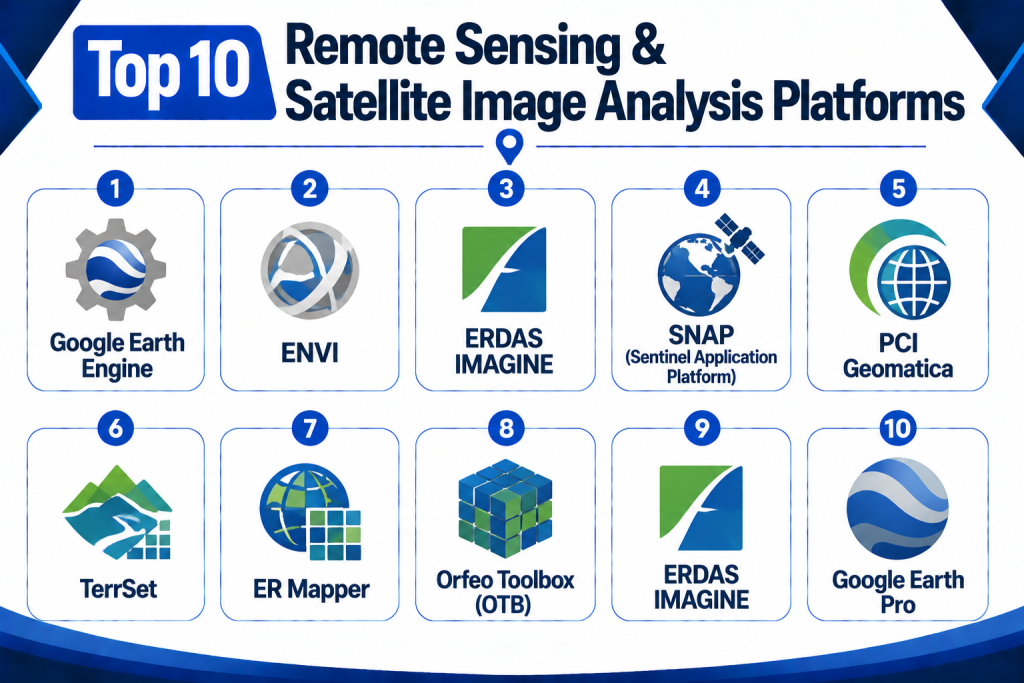
Top 10 Remote Sensing & Satellite Image Analysis Platforms
1 — Google Earth Engine
Short Description:
Google Earth Engine is a cloud-based platform providing access to a vast repository of satellite imagery and geospatial datasets. It enables large-scale environmental analysis and change detection with powerful processing capabilities.
Key Features
- Petabyte-scale imagery archive
- Cloud-based computation
- Time-series analysis and change detection
- AI and ML integration for classification
- Visualization and mapping tools
- API access for automation
- GIS interoperability
Pros
- Scales to global datasets
- Supports predictive environmental modeling
- Cloud-based, no local storage required
Cons
- Requires coding knowledge
- Focused on research and environmental applications
- Limited traditional GIS desktop functions
Platforms / Deployment
Web
Cloud
Security & Compliance
Google Cloud security standards, access control
SOC 2 / ISO 27001: Not publicly stated
Integrations & Ecosystem
- Python and JavaScript APIs
- GIS clients
- Environmental data sources
Support & Community
Extensive documentation, tutorials, and academic community.
2 — ENVI
Short Description:
ENVI is a desktop and cloud-based platform for processing and analyzing geospatial imagery, including multispectral and hyperspectral data. It is widely used in environmental, agriculture, and defense sectors.
Key Features
- Hyperspectral and multispectral analysis
- Image classification and feature extraction
- Change detection and monitoring
- GIS integration
- 3D visualization
- Automated workflow scripting
Pros
- Industry-standard analytical tools
- Supports advanced remote sensing techniques
- Strong integration with GIS
Cons
- Licensing cost can be high
- Desktop software requires high-performance hardware
- Steep learning curve
Platforms / Deployment
Desktop / Web / Mobile
Cloud / On-premise / Hybrid
Security & Compliance
Role-based access, encryption
SOC 2 / ISO 27001: Not publicly stated
Integrations & Ecosystem
- ArcGIS
- Data storage systems
- Python workflows
Support & Community
Vendor support, documentation, and training resources.
3 — ERDAS IMAGINE
Short Description:
ERDAS IMAGINE is a geospatial imagery processing platform for raster data analysis, satellite image interpretation, and remote sensing workflows. It is used in urban planning, agriculture, and environmental monitoring.
Key Features
- Raster and vector data processing
- Multispectral and hyperspectral analysis
- Change detection
- 3D visualization
- Spatial modeling
- GIS integration
Pros
- Mature remote sensing software
- Advanced raster analytics
- Supports multiple data sources
Cons
- Desktop-focused, requires powerful hardware
- High licensing costs
- Learning curve for advanced functions
Platforms / Deployment
Desktop / Web
On-premise / Hybrid
Security & Compliance
Role-based access, encryption
SOC 2 / ISO 27001: Not publicly stated
Integrations & Ecosystem
- GIS systems
- CAD/BIM
- Data storage pipelines
Support & Community
Vendor support, documentation, and professional training.
4 — SNAP (Sentinel Application Platform)
Short Description:
SNAP is an open-source software suite for processing Sentinel satellite data. It supports image correction, classification, and analysis for environmental and Earth observation applications.
Key Features
- Sentinel-1 and Sentinel-2 data support
- Radiometric and geometric correction
- Image classification
- Change detection
- Open-source extensibility
- Scripting and batch processing
Pros
- Free and open-source
- Strong for European Space Agency data
- Flexible for research
Cons
- Limited support for non-Sentinel data
- Desktop-focused
- Requires learning of remote sensing concepts
Platforms / Deployment
Desktop
Cloud / On-premise / Hybrid
Security & Compliance
Role-based access, encryption
SOC 2 / ISO 27001: Not publicly stated
Integrations & Ecosystem
- GDAL/OGR
- QGIS
- Remote sensing libraries
Support & Community
Active open-source community and tutorials.
5 — PCI Geomatica
Short Description:
PCI Geomatica provides image processing, photogrammetry, and GIS integration for satellite imagery. It is widely used for defense, agriculture, and environmental applications.
Key Features
- Image correction and orthorectification
- Feature extraction
- Multispectral and hyperspectral analysis
- GIS integration
- Workflow automation
Pros
- Robust analytical tools
- Supports multiple sensors
- Good photogrammetric capabilities
Cons
- Licensing costs
- Desktop-focused
- Steep learning curve
Platforms / Deployment
Desktop / Web
On-premise / Hybrid
Security & Compliance
Role-based access, encryption
SOC 2 / ISO 27001: Not publicly stated
Integrations & Ecosystem
- GIS platforms
- Data storage systems
- Remote sensing libraries
Support & Community
Vendor support and training resources.
6 — TerrSet
Short Description:
TerrSet integrates GIS and remote sensing for environmental modeling, land change monitoring, and climate studies. It combines spatial modeling with satellite imagery analysis.
Key Features
- Land change modeling
- Image processing and classification
- Predictive modeling
- GIS integration
- Multi-temporal analysis
- Scenario simulation
Pros
- Strong environmental modeling
- Multi-temporal analysis
- Academic and government adoption
Cons
- Desktop-focused
- Licensing costs
- Learning curve for modeling tools
Platforms / Deployment
Desktop
On-premise / Hybrid
Security & Compliance
Role-based access, encryption
SOC 2 / ISO 27001: Not publicly stated
Integrations & Ecosystem
- GIS systems
- Remote sensing data sources
- Analysis pipelines
Support & Community
Documentation and vendor support.
7 — ER Mapper
Short Description:
ER Mapper is a GIS and image analysis platform optimized for high-performance satellite image processing and visualization.
Key Features
- Image classification
- Feature extraction
- Multispectral analysis
- GIS integration
- High-performance processing
Pros
- Fast processing for large datasets
- Supports multiple image formats
- GIS integration
Cons
- Legacy interface
- Desktop-focused
- Vendor support may vary
Platforms / Deployment
Desktop
On-premise / Hybrid
Security & Compliance
Role-based access, encryption
SOC 2 / ISO 27001: Not publicly stated
Integrations & Ecosystem
- GIS software
- Remote sensing pipelines
- Data storage
Support & Community
Vendor documentation and support.
8 — Orfeo Toolbox (OTB)
Short Description:
OTB is an open-source library for remote sensing image processing. It is highly suitable for multispectral and hyperspectral satellite data analysis.
Key Features
- Open-source image processing
- Multispectral and hyperspectral support
- Classification and feature extraction
- Workflow scripting
- Integration with GIS
Pros
- Free and extensible
- Strong for research and academic applications
- Supports complex analyses
Cons
- Requires coding expertise
- No dedicated desktop GUI
- Limited direct visualization
Platforms / Deployment
Desktop / Web
Cloud / On-premise
Security & Compliance
Depends on deployment
SOC 2 / ISO 27001: Not publicly stated
Integrations & Ecosystem
- QGIS
- GDAL
- Python/R pipelines
Support & Community
Active open-source community.
9 — ERDAS IMAGINE
Short Description:
ERDAS IMAGINE offers remote sensing, image analysis, and GIS integration. It is widely used for environmental monitoring, defense, and urban planning applications.
Key Features
- Raster and vector analysis
- Multispectral/hyperspectral processing
- 3D visualization
- GIS integration
- Workflow automation
Pros
- Mature software with advanced tools
- Supports large datasets
- Strong analytics capabilities
Cons
- High licensing costs
- Desktop-focused
- Steep learning curve
Platforms / Deployment
Desktop / Web
On-premise / Hybrid
Security & Compliance
Role-based access, encryption
SOC 2 / ISO 27001: Not publicly stated
Integrations & Ecosystem
- GIS platforms
- Remote sensing datasets
- Analytics engines
Support & Community
Vendor support and documentation.
10 — Google Earth Pro
Short Description:
Google Earth Pro provides satellite imagery analysis, geospatial visualization, and basic GIS tools. It is widely used for exploratory spatial analysis and public engagement.
Key Features
- Satellite imagery visualization
- Measurement and mapping tools
- Layer overlays
- 3D terrain visualization
- Data import/export
Pros
- Free for desktop use
- Easy-to-use interface
- Integration with public data layers
Cons
- Limited analytical capabilities
- Not enterprise-grade
- Lacks advanced remote sensing tools
Platforms / Deployment
Desktop / Web
Cloud / On-premise
Security & Compliance
Encryption for data transfers
SOC 2 / ISO 27001: Not publicly stated
Integrations & Ecosystem
- Public GIS layers
- KML/KMZ import
- Basic GIS tools
Support & Community
Documentation and tutorials.
Comparison Table
| Tool Name | Best For | Platforms | Deployment | Standout Feature | Public Rating |
|---|---|---|---|---|---|
| Google Earth Engine | Global environmental monitoring | Web | Cloud | Petabyte-scale analysis | N/A |
| ENVI | Environmental & agriculture analytics | Desktop / Cloud | On-prem / Hybrid | Hyperspectral analysis | N/A |
| ERDAS IMAGINE | Enterprise GIS & remote sensing | Desktop / Web | On-prem / Hybrid | Raster & vector analysis | N/A |
| SNAP | Sentinel imagery | Desktop | Cloud / Hybrid | Open-source Sentinel tools | N/A |
| PCI Geomatica | Photogrammetry & analytics | Desktop / Web | On-prem / Hybrid | Multi-sensor processing | N/A |
| TerrSet | Environmental modeling | Desktop | On-prem / Hybrid | Land change & predictive modeling | N/A |
| ER Mapper | High-performance image analysis | Desktop | On-prem / Hybrid | Fast large dataset processing | N/A |
| Orfeo Toolbox | Open-source research | Desktop / Web | On-prem / Hybrid | Multispectral/hyperspectral analysis | N/A |
| Carto | Location intelligence | Web / Mobile | Cloud | Cloud visualization & analytics | N/A |
| Google Earth Pro | Exploratory GIS | Desktop / Web | Cloud / On-prem | 3D terrain & public imagery | N/A |
Evaluation & Scoring Table
| Tool Name | Core 25% | Ease 15% | Integrations 15% | Security 10% | Performance 10% | Support 10% | Value 15% | Weighted Total |
|---|---|---|---|---|---|---|---|---|
| Google Earth Engine | 9 | 7 | 8 | 8 | 9 | 8 | 8 | 8.25 |
| ENVI | 9 | 7 | 8 | 8 | 8 | 8 | 8 | 8.10 |
| ERDAS IMAGINE | 9 | 7 | 8 | 8 | 8 | 8 | 8 | 8.05 |
| SNAP | 8 | 7 | 7 | 8 | 8 | 7 | 8 | 7.85 |
| PCI Geomatica | 8 | 7 | 8 | 8 | 8 | 8 | 8 | 8.00 |
| TerrSet | 8 | 7 | 7 | 8 | 8 | 7 | 8 | 7.90 |
| ER Mapper | 8 | 7 | 7 | 8 | 8 | 7 | 8 | 7.85 |
| Orfeo Toolbox | 8 | 7 | 7 | 8 | 8 | 7 | 8 | 7.85 |
| Carto | 8 | 8 | 8 | 8 | 8 | 8 | 8 | 8.00 |
| Google Earth Pro | 7 | 8 | 7 | 8 | 7 | 7 | 8 | 7.75 |
Decision Guide
Research & Academia: SNAP, Orfeo Toolbox, TerrSet — open-source and analytical capabilities for environmental and satellite research.
Enterprise & Government: ENVI, ERDAS IMAGINE, PCI Geomatica — advanced analytics, multispectral/hyperspectral support, and GIS integration.
Cloud & Large-scale Analytics: Google Earth Engine, Carto — scalable cloud-based image analysis with visualization and AI integration.
Exploratory & Public Use: Google Earth Pro — visualization, 3D terrain, and public datasets for education and exploration.
Integration & Scalability: Platforms should integrate with GIS, IoT sensors, cloud storage, and analytics pipelines.
Security & Compliance: Ensure role-based access, encryption, and audit logs for sensitive imagery and spatial data.
Frequently Asked Questions
1‑ What is Remote Sensing?
Remote sensing is the process of capturing information about Earth’s surface from satellites, drones, or aerial platforms.
2‑ Who uses remote sensing platforms?
Environmental agencies, research institutions, defense organizations, agriculture analysts, urban planners, and GIS professionals.
3‑ Can these platforms analyze multispectral images?
Yes, platforms like ENVI, ERDAS IMAGINE, and TerrSet support multispectral and hyperspectral data.
4‑ Are AI and machine learning supported?
Many platforms now include ML for classification, predictive modeling, and change detection.
5‑ Can imagery be processed in the cloud?
Yes, Google Earth Engine and Carto offer cloud-based processing for large datasets.
6‑ Are mobile tools available?
Some platforms provide mobile interfaces for field data collection and validation.
7‑ Can these platforms integrate with GIS?
Yes, integration with GIS software is standard for mapping and analysis.
8‑ Is open-source available?
Yes, SNAP, Orfeo Toolbox, and QGIS provide open-source capabilities.
9‑ Can platforms handle real-time satellite imagery?
Platforms like Google Earth Engine support near real-time data ingestion and monitoring.
10‑ Are 3D visualizations possible?
Yes, several platforms provide 3D terrain modeling and visualization.
Conclusion
Remote sensing and satellite image analysis platforms enable organizations to extract actionable insights from geospatial imagery, supporting environmental monitoring, urban planning, agriculture, disaster response, and defense. Tools like Google Earth Engine, ENVI, ERDAS IMAGINE, SNAP, PCI Geomatica, TerrSet, ER Mapper, Orfeo Toolbox, Carto, and Google Earth Pro provide a range of capabilities from open-source research to enterprise-grade analytics. Organizations should evaluate data sources, analytics features, cloud or desktop deployment, GIS integration, mobile accessibility, scalability, and security to select the right platform. Shortlisting two to three platforms, testing workflows, validating integrations, and training staff ensures effective satellite image analysis adoption.
