Introduction
Geology Modeling Software refers to specialized digital platforms used by geoscientists, mining engineers, petroleum geologists, and environmental consultants to create 3D representations of subsurface geology. These models integrate geological data, borehole logs, geophysical surveys, and spatial information to visualize rock layers, faults, mineral deposits, reservoirs, and structural features. In and beyond, geology modeling tools are essential for reducing exploration risk, improving resource estimation, optimizing drilling and extraction, and supporting environmental planning.
Real‑world use cases include:
- Mineral exploration: Building 3D models of ore bodies to support resource estimation and mine planning.
- Oil & gas reservoir modeling: Integrating seismic, well log, and core data to forecast reservoir behavior.
- Hydrogeological studies: Mapping groundwater pathways and aquifer characteristics.
- Geotechnical analysis: Assessing rock stability for tunneling, construction, and infrastructure projects.
- Environmental site assessment: Modeling contaminant spread, soil layers, and remediation planning.
What buyers should evaluate:
- 3D modeling and visualization capabilities
- Data import from logs, seismic, and drillholes
- Geological interpretation and stratigraphic tools
- Simulation and predictive analytics
- Integration with GIS and CAD platforms
- Collaboration and version control
- Cloud, desktop, and hybrid deployment options
- Security and access control
- Support, training, and documentation quality
- Scalability for multi‑site or multi‑discipline projects
Best for: Exploration geologists, mining engineers, reservoir engineers, hydrogeologists, and environmental consultants.
Not ideal for: Small projects not requiring 3D modeling or discipline‑specific tools; these may use simpler GIS or spreadsheet methods.
Key Trends in Geology Modeling Software
- AI‑Assisted interpretation to accelerate structural analysis and anomaly detection
- Cloud‑native collaboration enabling geographically dispersed teams to work together
- Integration with real‑time sensor and drilling data for continuous model updates
- Digital twin creation for subsurface systems to simulate future scenarios
- Enhanced visualization (AR/VR) for immersive model exploration
- Open standard data exchange across GIS, CAD, and analytical tools
- Automated uncertainty and risk quantification built into workflows
- Scalable computing to handle petabyte‑scale seismic and geochemical datasets
- Environmental and ESG analytics integration for broader impact studies
- Mobile field capture and synchronization for on‑site data validation
How We Selected These Tools (Methodology)
- Market adoption and credibility within geology and resource industries
- Comprehensive modeling, visualization, and simulation capabilities
- Reliability and performance with large datasets
- Security posture including access controls and encryption
- Integration ability with GIS, CAD, seismic, and enterprise systems
- Scalability from small projects to enterprise deployments
- Vendor support, user community, and documentation quality
- Innovation in cloud, AI, and collaborative features
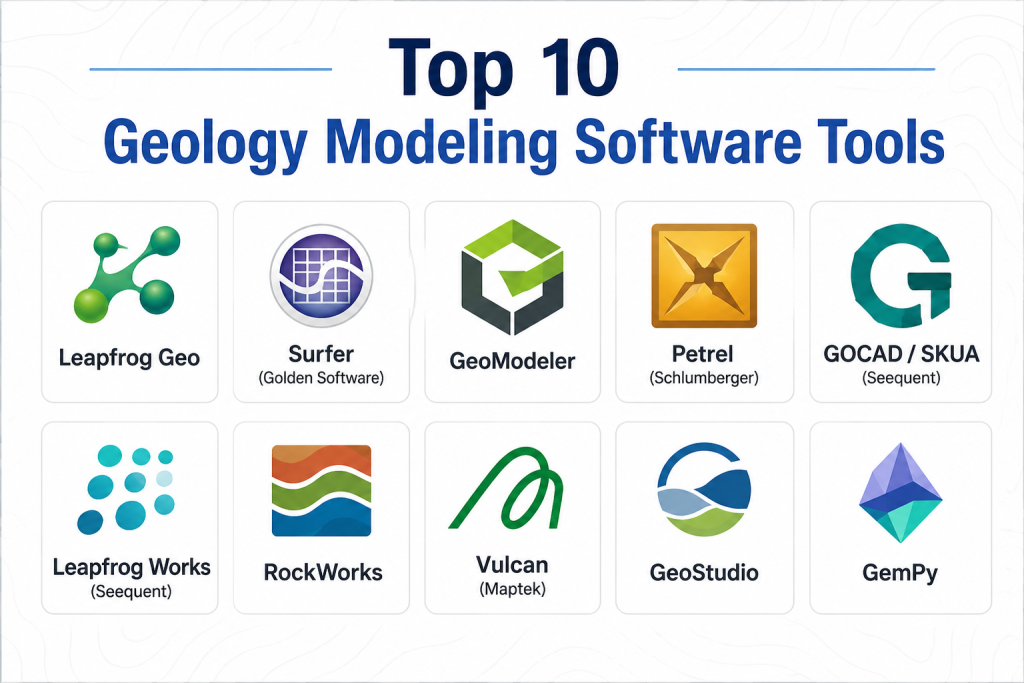
Top 10 Geology Modeling Software Tools
1 — Leapfrog Geo
Short description: Leapfrog Geo is an advanced geology modeling platform used for rapid 3D geological interpretation, data integration, and visualization across mining, environmental, and exploration workflows.
Key Features
- Intuitive 3D subsurface modeling
- Real‑time data integration from drillholes and surveys
- Structural interpretation tools
- Dynamic model updates with new data
- Geological grading and domain modeling
Pros
- Very fast modeling workflows
- Highly visual and intuitive interface
Cons
- Premium pricing for small users
- Specialized learning required for advanced features
Platforms / Deployment
- Windows / Web
- Cloud / Hybrid
Security & Compliance
- Not publicly stated
Integrations & Ecosystem
Leapfrog integrates with GIS, CAD, and analytical tools.
- GIS tool compatibility
- Seismic and drillhole data feeds
- Export to enterprise systems
Support & Community
- Vendor support and training courses
- Online documentation and user forums
2 — Surfer (Golden Software)
Short description: Surfer provides 2D and 3D surface modeling, contour mapping, and gridding for geological data, making it popular for geoscientists needing high‑quality maps and models.
Key Features
- Gridding and contouring
- 3D surface modeling
- Map layouts and annotation tools
- Cross‑section creation
- Data analysis and visualization
Pros
- Strong visualization and mapping tools
- Good for both 2D and 3D outputs
Cons
- Focused more on surfaces than full 3D subsurface interpretation
- Limited reservoir or geostatistical workflows
Platforms / Deployment
- Windows
- Cloud / Hybrid
Security & Compliance
- Not publicly stated
Integrations & Ecosystem
- GIS and map imports
- Export formats compatible with CAD and GIS
- Analytical data imports
Support & Community
- Documentation and training
- Vendor helpdesk
3 — GeoModeler
Short description: GeoModeler is a 3D geological modeling software offering multidisciplinary integration of structural, geophysical, and borehole data for robust subsurface interpretation.
Key Features
- 3D structural and stratigraphic modeling
- Integration of geophysical and borehole datasets
- Fault and domain modeling
- Cross‑section and block model outputs
- Uncertainty visualization
Pros
- Strong integration of multiple data types
- Useful for complex geology
Cons
- High complexity for new users
- Less intuitive for simple projects
Platforms / Deployment
- Windows / Web
- Cloud / Hybrid
Security & Compliance
- Not publicly stated
Integrations & Ecosystem
- Geophysical and survey data input
- GIS and CAD export
- Analytical tool integration
Support & Community
- Vendor training
- Documentation
4 — Petrel (Schlumberger)
Short description: Petrel is an industry‑standard subsurface modeling and reservoir engineering platform used in oil & gas to build integrated geological and reservoir models.
Key Features
- Integrated seismic interpretation
- Reservoir property modeling
- Fault and horizon mapping
- Dynamic simulation linkage
- Well planning and optimization
Pros
- Powerful reservoir modeling and integration
- Deep industry use in oil & gas
Cons
- Very high cost
- Requires specialized training
Platforms / Deployment
- Windows
- Cloud / Hybrid
Security & Compliance
- Not publicly stated
Integrations & Ecosystem
- Seismic and well log data
- Reservoir simulation tools
- GIS and production data
Support & Community
- Extensive vendor support
- Training and certification programs
5 — GOCAD / SKUA (Seequent)
Short description: GOCAD and SKUA provide advanced 3D geological and reservoir modeling with geostatistical capabilities widely used in mining and petroleum sectors.
Key Features
- 3D structural modeling
- Geostatistics and uncertainty modeling
- Multi‑domain reservoir workflows
- Data conditioning and QC
- Visualization and simulation coupling
Pros
- Excellent for integrated reservoir and geological modeling
- Geostatistical depth
Cons
- High complexity
- Premium pricing
Platforms / Deployment
- Windows / Web
- Cloud / Hybrid
Security & Compliance
- Not publicly stated
Integrations & Ecosystem
- Reservoir simulation packages
- Seismic and geological data
- GIS systems
Support & Community
- Vendor support
- Documentation
6 — Leapfrog Works (Seequent)
Short description: Leapfrog Works focuses on structural and geological modeling with rapid updating, widely used in mineral exploration and geotechnical contexts.
Key Features
- Fast structural modeling
- Drillhole data integration
- Fault and domain interpretation
- Cross‑section and longitudinal views
- Dynamic model updates
Pros
- Intuitive, visual interface
- Fast iteration and updates
Cons
- Limited advanced reservoir features
- Smaller ecosystem
Platforms / Deployment
- Windows / Web
- Cloud / Hybrid
Security & Compliance
- Not publicly stated
Integrations & Ecosystem
- GIS and geological data imports
- Export to analytics tools
- Third‑party connectors
Support & Community
- Training and documentation
- Support channels
7 — RockWorks
Short description: RockWorks offers a suite of geological modeling, visualization, and borehole data management tools for environmental, mining, and groundwater applications.
Key Features
- Borehole data import and QC
- 3D block modeling
- Stratigraphic visualization
- Contouring and cross sections
- Volume and resource calculations
Pros
- Strong borehole data management
- Broad industry use
Cons
- Interface and workflows are dated
- Not as scalable for very large datasets
Platforms / Deployment
- Windows
- Cloud / Hybrid
Security & Compliance
- Not publicly stated
Integrations & Ecosystem
- GIS and log data
- Export formats for CAD/GIS
- Analytical imports
Support & Community
- Documentation
- Vendor support
8 — Vulcan (Maptek)
Short description: Vulcan is a comprehensive geological and mine planning suite that includes 3D modeling, resource estimation, and scheduling tools for mining operations.
Key Features
- Geological block modeling
- Resource estimation
- Pit and underground design
- Grade control modeling
- 3D visualization
Pros
- Full mining value chain support
- Deep geological and estimation tools
Cons
- Expensive
- Steep learning curve
Platforms / Deployment
- Windows
- Cloud / Hybrid
Security & Compliance
- Not publicly stated
Integrations & Ecosystem
- GIS integration
- Mine planning systems
- Data export/import tools
Support & Community
- Vendor training
- Support services
9 — GeoStudio
Short description: GeoStudio is an integrated suite of geotechnical modeling tools used for slope stability, seepage, and stress analysis, often alongside geological interpretation.
Key Features
- Slope stability and geotechnical simulation
- Seepage and groundwater modeling
- Stress and deformation analysis
- 3D visualization modules
- Material library
Pros
- Excellent for engineering and safety studies
- Integrated simulation workflows
Cons
- Not optimized for pure geological mapping
- Specialized focus
Platforms / Deployment
- Windows
- Cloud / Hybrid
Security & Compliance
- Not publicly stated
Integrations & Ecosystem
- CAD and GIS imports
- Export to analytical tools
- Simulation connectors
Support & Community
- Vendor documentation
- Training resources
10 — GemPy
Short description: GemPy is an open‑source Python library for geological modeling, enabling customizable workflows, 3D simulations, and integration with scientific ecosystems.
Key Features
- Python‑based modeling
- Geological fault and stratigraphy support
- 3D voxel models
- Integration with scientific libraries
- Open extensibility
Pros
- Open source and highly flexible
- Customizable with Python ecosystem
Cons
- Requires programming skills
- Not a turnkey GUI solution
Platforms / Deployment
- Windows / macOS / Linux
- Cloud via notebooks
Security & Compliance
- Depends on deployment
Integrations & Ecosystem
- Python data libraries
- GIS via Python connectors
- Simulation tool integration
Support & Community
- Open‑source community
- Documentation and forums
Comparison Table (Top 10)
| Tool Name | Best For | Platform(s) Supported | Deployment | Standout Feature | Public Rating |
|---|---|---|---|---|---|
| Leapfrog Geo | Rapid 3D modeling | Windows/Web | Cloud/Hybrid | Instant dynamic models | N/A |
| Surfer | Mapping and surface models | Windows | Cloud/Hybrid | High‑quality contouring | N/A |
| GeoModeler | Structural integration | Windows/Web | Cloud/Hybrid | Multi‑data integration | N/A |
| Petrel | Reservoir & geology | Windows | Cloud/Hybrid | Integrated reservoir | N/A |
| GOCAD/SKUA | Geostatistics & reservoir | Windows/Web | Cloud/Hybrid | Geostatistical depth | N/A |
| Leapfrog Works | Structural geology | Windows/Web | Cloud/Hybrid | Fast structural updates | N/A |
| RockWorks | Borehole & blocks | Windows | Cloud/Hybrid | Borehole data management | N/A |
| Vulcan | Mining modeling & planning | Windows | Cloud/Hybrid | Full mining suite | N/A |
| GeoStudio | Geotech simulation | Windows | Cloud/Hybrid | Engineering analysis | N/A |
| GemPy | Open‑source modeling | Win/macOS/Linux | Cloud via notebooks | Python extensibility | N/A |
Evaluation & Scoring of Geology Modeling Tools
| Tool Name | Core (25%) | Ease (15%) | Integrations (15%) | Security (10%) | Performance (10%) | Support (10%) | Value (15%) | Weighted Total |
|---|---|---|---|---|---|---|---|---|
| Leapfrog Geo | 9 | 8 | 8 | 7 | 9 | 8 | 7 | 8.1 |
| Surfer | 8 | 8 | 7 | 7 | 8 | 7 | 8 | 7.7 |
| GeoModeler | 8 | 7 | 8 | 7 | 8 | 7 | 7 | 7.6 |
| Petrel | 9 | 7 | 9 | 7 | 9 | 8 | 6 | 8.0 |
| GOCAD/SKUA | 9 | 7 | 9 | 7 | 9 | 7 | 7 | 8.0 |
| Leapfrog Works | 8 | 8 | 7 | 7 | 8 | 7 | 7 | 7.7 |
| RockWorks | 7 | 7 | 7 | 7 | 8 | 7 | 7 | 7.2 |
| Vulcan | 9 | 6 | 8 | 7 | 9 | 8 | 6 | 7.7 |
| GeoStudio | 7 | 7 | 7 | 7 | 8 | 7 | 7 | 7.2 |
| GemPy | 7 | 6 | 6 | 7 | 7 | 6 | 8 | 6.7 |
How to Interpret the Scores:
Scores are comparative; higher totals indicate broad capabilities across modeling, usability, integration, security, performance, support, and value. Tools vary by domain focus — geological interpretation, reservoir modeling, mining integration, or open‑source flexibility — so score context depends on intended workflows.
Which Geology Modeling Tool Is Right for You?
Solo / Freelancer
GemPy or Surfer provides open flexibility (open source or affordable mapping) for small projects or academic work.
SMB
Leapfrog Works and RockWorks offer balanced features and usability for small to medium geology and environmental projects.
Mid‑Market
Leapfrog Geo, GeoModeler, and Vulcan deliver strong 3D modeling, data integration, and project workflows for mining and resource companies.
Enterprise
Petrel and GOCAD/SKUA suit oil & gas and large mining enterprises requiring geostatistical modeling and reservoir coupling.
Budget vs Premium
Open‑source tools like GemPy minimize cost but require technical expertise, while premium suites provide extensive workflows at higher cost.
Feature Depth vs Ease of Use
Solutions like Leapfrog Geo and Surfer balance powerful features with a manageable learning curve, while Petrel and GOCAD offer deep capabilities for experienced users.
Integrations & Scalability
Platforms that integrate GIS, CAD, seismic, ERP, and field data provide better scalability for large, distributed projects.
Security & Compliance Needs
Enterprise tools provide deeper access controls and governance features, important in regulated industries and collaborative teams.
Frequently Asked Questions (FAQs)
1— What is geology modeling software used for?
It’s used to create 3D models of subsurface geology, integrate drilling and survey data, visualize structures, and support exploration, extraction, and environmental workflows.
2— How much does geology modeling software cost?
Costs vary widely — open‑source tools are free; mid‑tier tools are moderate; enterprise and oil & gas suites are premium.
3— Can these tools handle large datasets?
Yes, enterprise packages and cloud‑enabled platforms are optimized for large drilling logs, seismic surveys, and multi‑site projects.
4— Do they integrate with GIS?
Many platforms support GIS import/export and spatial data integration for mapping and analysis.
5— Is cloud deployment secure?
Secure cloud deployments include encryption, access controls, and audit logging — check vendor specifics.
6— Can models be shared across teams?
Yes, cloud and hybrid platforms support collaboration, version control, and multi‑user access.
7— Do these tools support reservoir simulation?
Tools like Petrel and GOCAD/SKUA integrate geological models with reservoir simulation modules.
8— What skills are needed to use them?
Training in geology, structural interpretation, and software workflows improves accuracy — some tools require specialist expertise.
9— Are there mobile capabilities?
Mobile field capture is emerging but most core modeling workflows happen on desktops or cloud dashboards.
10— How do I choose the right tool?
Evaluate data sources, domain focus (mining vs oil & gas), scale, integration needs, and intended workflows before selection.
Conclusion
Geology Modeling Software is essential for geoscientists, mining engineers, and reservoir specialists to visualize, interpret, and simulate subsurface conditions. Open‑source tools like GemPy offer flexibility for small projects, while platforms like Leapfrog Geo, Petrel, and GOCAD/SKUA serve extensive exploration and reservoir needs. Start by shortlisting based on your data types, domain focus, and collaboration requirements, pilot critical integrations, and assess usability and support before full deployment — ensuring your chosen tool accelerates insight and reduces subsurface risk
