Introduction
Collections automation tools are software platforms designed to streamline and accelerate the accounts receivable (AR) collections process. Instead of manually tracking overdue invoices, sending reminders, and applying cash, these platforms automate repetitive tasks, improve customer communication, and provide analytics to help finance teams reduce Days Sales Outstanding (DSO), improve cash flow, and minimize bad debt.
In the context of and beyond, as businesses operate globally with hybrid billing models, subscription revenue, and complex customer agreements (including SaaS, influencer marketing deals, and recurring services), manual collections are becoming increasingly untenable. Automation not only reduces human effort but also improves accuracy, provides compliance audit trails, and enhances customer experience through self‑service portals and personalized reminders.
Real‑world use cases include:
- Automated reminders and dunning workflows for past‑due invoices.
- Predictive payment behavior to prioritize collections outreach.
- Cash application and reconciliation to match payments automatically.
- Customer self‑service portals to view invoice statuses and make payments.
- Analytics and forecasting to monitor AR trends and payment risk.
What buyers should evaluate:
- Support for rule‑based dunning and automated communications
- Integration with ERP, CRM, billing, and payment systems
- Predictive analytics and risk scoring
- Cash application automation
- Support for multi‑currency and global invoicing
- Compliance features and audit logs
- Reporting and dashboards
- Security and access controls
- Ease of user onboarding
- Vendor support and training
Best for: Accounts receivable teams, revenue operations, CFOs, and finance leaders in SMBs to enterprise organizations managing high invoice volumes and complex receivables.
Not ideal for: Very small businesses with minimal invoicing or simple billing where manual collection is manageable.
Key Trends in Collections Automation Tools
- AI‑driven risk scoring to predict the likelihood of late payments.
- Omni‑channel engagement (email, SMS, portal alerts, voice reminders).
- Self‑service customer portals for invoice lookup and payment.
- Automated cash application to reduce manual reconciliation.
- Real‑time AR dashboards for transparency across functions.
- Integration‑first platforms with CRM, ERP, billing, and payment engines.
- Smart segmentation of debtors based on payment history and risk.
- Compliance and audit trails embedded for financial governance.
- Dynamic dunning schedules customized per customer group or contract.
- Flexible pricing models to support SMB to global enterprise needs.
How We Selected These Tools (Methodology)
We used the following criteria to select the top 10 collections automation tools:
- Market adoption and mindshare within AR, finance, and revenue operations teams.
- Feature completeness across automation workflows, analytics, and integration capabilities.
- Performance and reliability based on uptime, scalability, and AR processing volume.
- Security posture including authentication controls, encryption, and audit capability.
- Integration ecosystem with ERP, CRM, payment processors, accounting, and reporting tools.
- Customer fit across segments, from SMBs with simple needs to global enterprises with complex revenue.
- Ease of adoption and learning curve for finance teams.
- Scalability and flexibility for varying invoice volumes and business models.
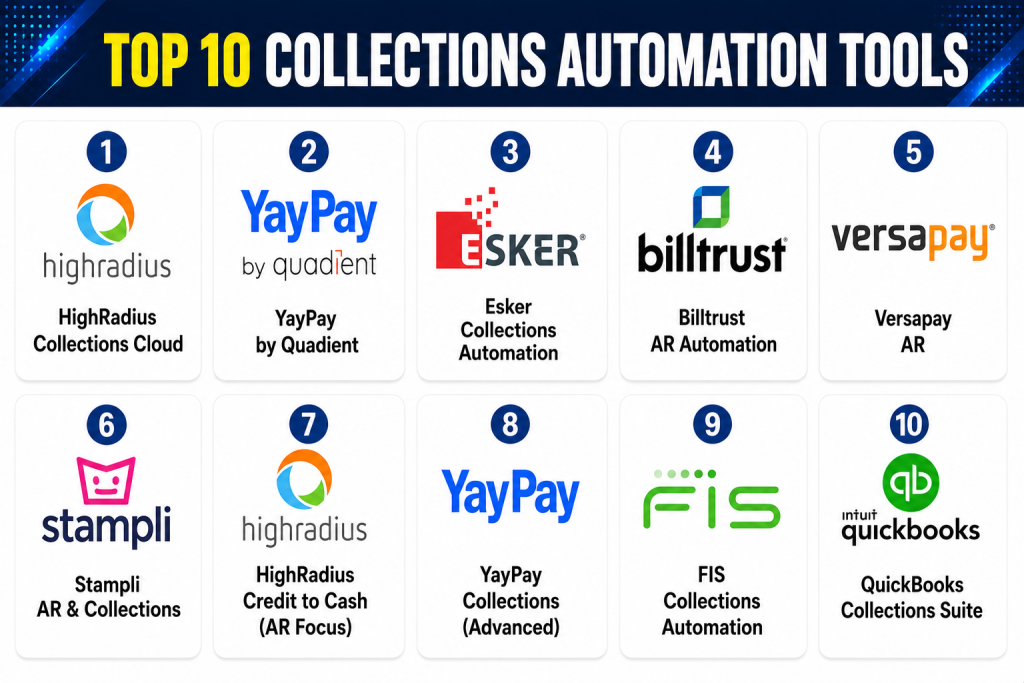
Top 10 Collections Automation Tools
1 — HighRadius Collections Cloud
Short description: HighRadius Collections Cloud provides AI‑driven collections automation, predictive risk scoring, and automated workflows designed to reduce DSO and improve cash flow for enterprise and mid‑market organizations.
Key Features
- Automated dunning and reminders
- Predictive payment scoring
- Smart task prioritization
- Customer self‑service portal
- Cash application integration
- Analytics dashboards
- Multi‑currency and multi‑entity support
Pros
- Strong AI and predictive capabilities
- Enterprise scalability
- Deep ERP integration
Cons
- Enterprise pricing
- Implementation requires planning
- Advanced features have learning curve
Platforms / Deployment
- Web
- Cloud
Security & Compliance
- SSO/SAML, encryption, audit logs
- SOC 2, GDPR
Integrations & Ecosystem
HighRadius integrates with:
- ERP systems (SAP, Oracle, NetSuite)
- CRM (Salesforce)
- Billing and payment processors
- APIs for custom extensions
Support & Community
- Enterprise support tiers
- Documentation and online training
2 — YayPay by Quadient
Short description: YayPay automates collections workflows and provides predictive analytics to help finance teams prioritize AR collections, forecast cash flow, and reduce delinquency.
Key Features
- Automated collections workflows
- Cash forecasting and risk scoring
- Payment reminders and escalation paths
- Customer self‑service invoice portal
- Integration with ERP and CRM
- Analytics dashboards
Pros
- Strong predictive analytics
- User‑friendly interface
- Works well for mid‑market companies
Cons
- Mature enterprise features are limited compared to larger suites
- Smaller integration ecosystem
- Analytics depth varies
Platforms / Deployment
- Web
- Cloud
Security & Compliance
- SSO, encryption
- SOC 2, GDPR
Integrations & Ecosystem
- ERP systems
- CRM platforms
- Payment gateways
- APIs
Support & Community
- Online documentation
- Support ticketing
3 — Esker Collections Automation
Short description: Esker provides collections automation as part of its broader AR automation suite, offering intelligent workflows and exception handling for high‑volume receivables.
Key Features
- Automated email reminders
- Escalation workflows
- Exception and dispute handling
- Analytics and dashboards
- Customer portal
- Multi‑currency support
Pros
- Strong workflow automation
- Good exception management
- Scalable for large invoice volumes
Cons
- Enterprise cost
- Configuration complexity
- Best suited for larger companies
Platforms / Deployment
- Web
- Cloud / Hybrid
Security & Compliance
- SSO, encryption
- SOC 2, GDPR
Integrations & Ecosystem
- ERP (SAP, Oracle)
- CRM
- Payment gateways
- APIs
Support & Community
- Global support network
- Extensive documentation
4 — Billtrust AR Automation
Short description: Billtrust focuses on automating billing, invoicing, and collections for SMBs and mid‑market companies, offering a balance of ease of use and automation capability.
Key Features
- Automated dunning and reminders
- Online payment portals
- AR dashboard and reporting
- Segmented debtor lists
- Integration with accounting systems
Pros
- SMB and mid‑market friendly
- Easy deployment
- Good reporting
Cons
- AI capabilities are limited
- Enterprise features less comprehensive
- Customization requires partner support
Platforms / Deployment
- Web
- Cloud
Security & Compliance
- Encryption, access controls
- SOC 2, GDPR
Integrations & Ecosystem
- Accounting systems
- Payment gateways
- APIs
Support & Community
- Phone and email support
- Documentation
5 — Versapay AR
Short description: Versapay automates invoice communications and collections, with a strong focus on customer engagement and collaboration to speed payment cycles.
Key Features
- Automated invoice follow‑ups
- Customer self‑service portal
- Payment matching and reconciliation
- Reminder workflows
- Real‑time AR dashboards
Pros
- Improves customer payment experience
- Reduces manual follow‑ups
- Intuitive interface
Cons
- Enterprise scalability limited
- Less predictive analytics
- Feature depth varies by plan
Platforms / Deployment
- Web
- Cloud
Security & Compliance
- Encryption, SSO
- SOC 2, GDPR
Integrations & Ecosystem
- ERP systems
- Payment gateways
- APIs
Support & Community
- Support tiers available
- Documentation
6 — Stampli AR & Collections
Short description: Stampli offers invoice and AR collections automation with collaboration tools and AI‑assisted exception handling, tailored for mid‑market finance teams.
Key Features
- Invoice tracking and reminders
- AI‑assisted exception resolution
- Workflow automation
- Cash application support
- Analytics and reporting
Pros
- Collaborative AR workflows
- Reduces errors and manual work
- Good for mid‑market
Cons
- Enterprise integration complexity
- Predictive analytics limited
- Implementation learning curve
Platforms / Deployment
- Web
- Cloud
Security & Compliance
- Encryption, access control
- SOC 2, GDPR
Integrations & Ecosystem
- ERP and accounting systems
- APIs
Support & Community
- Documentation and training
- Support tickets
7 — HighRadius Credit to Cash (AR Focus)
Short description: A module of HighRadius focused specifically on credit and collections workflows, integrating risk scoring, dunning automation, and cash collection prioritization.
Key Features
- Risk and payment propensity scoring
- Automated task workflows
- Prioritized collection actions
- Customer engagement portal
- Analytics and dashboards
Pros
- Enterprise‑level AR insights
- Strong automation and AI scoring
- Prioritizes high‑impact collections
Cons
- Enterprise pricing
- Implementation effort required
- Best for high‑volume receivables
Platforms / Deployment
- Web
- Cloud
Security & Compliance
- SSO, encryption, audit logs
- SOC 2, GDPR
Integrations & Ecosystem
- ERP, CRM, payment gateways
- APIs
Support & Community
- Enterprise support available
- Online tutorials
8 — YayPay Collections (Advanced)
Short description: Advanced version of YayPay with added workflows and analytics for predictive AR collections prioritization and cash impact modeling.
Key Features
- Predictive collections analytics
- Scenario modeling for cash flow
- Automated escalation paths
- Customer communications
- Exception handling
Pros
- Improves cash flow predictability
- AI‑based prioritization
- Good workflow depth
Cons
- Complexity for smaller teams
- Requires training for analytics modules
- Mid‑market focus
Platforms / Deployment
- Web
- Cloud
Security & Compliance
- SSO, encryption
- SOC 2, GDPR
Integrations & Ecosystem
- ERP, CRM, accounting systems
- APIs
Support & Community
- Online support resources
- Documentation
9 — FIS Collections Automation
Short description: FIS delivers enterprise-level collections automation with high‑volume transaction support, compliance controls, and advanced integration options for global finance teams.
Key Features
- Rule‑based reminders and dunning
- Cash application insights
- Dispute and exception handling
- AR dashboards
- Global currency support
Pros
- Handles complex enterprise AR
- Scales for global volumes
- Strong compliance controls
Cons
- Implementation complexity
- Higher cost
- Requires trained resources
Platforms / Deployment
- Web
- Cloud / Hybrid
Security & Compliance
- SSO, encryption, audit logs
- SOC 2, ISO 27001, GDPR
Integrations & Ecosystem
- ERP, CRM, payment processors
- APIs
Support & Community
- Enterprise support tiers
- Documentation
10 — QuickBooks Collections Suite
Short description: QuickBooks provides basic collections automation for small businesses, including automated reminders, payment tracking, and simple AR reporting.
Key Features
- Invoice reminders
- Payment tracking
- Cash application basics
- AR dashboard
- Recurring billing support
Pros
- Easy to use for SMBs
- Quick deployment
- Affordable
Cons
- Limited enterprise scale
- Basic automation
- Integration options limited
Platforms / Deployment
- Web / Windows / macOS / Mobile
- Cloud
Security & Compliance
- Encryption and access controls
- SOC 2, GDPR
Integrations & Ecosystem
- Payment gateways
- Accounting tools
- APIs
Support & Community
- Community forums
- Help center
Comparison Table (Top 10)
| Tool Name | Best For | Platform(s) Supported | Deployment | Standout Feature | Public Rating |
|---|---|---|---|---|---|
| HighRadius Collections Cloud | Enterprise AR | Web | Cloud | AI‑driven risk scoring | N/A |
| YayPay | Mid‑market AR | Web | Cloud | Predictive analytics | N/A |
| Esker Collections Automation | Enterprise | Web | Cloud/Hybrid | Exception handling | N/A |
| Billtrust AR Automation | SMB/Mid | Web | Cloud | Dunning workflows | N/A |
| Versapay AR | SMB/Mid | Web | Cloud | Customer self‑service | N/A |
| Stampli AR & Collections | Mid‑market | Web | Cloud | Collaboration + AI | N/A |
| HighRadius Credit to Cash | Enterprise | Web | Cloud | Prioritized collections | N/A |
| YayPay Collections (Advanced) | Mid‑market | Web | Cloud | Cash flow modeling | N/A |
| FIS Collections Automation | Enterprise | Web | Cloud/Hybrid | High‑volume AR support | N/A |
| QuickBooks Collections Suite | SMB | Web/Windows/Mobile | Cloud | Easy SMB AR | N/A |
Evaluation & Scoring
| Tool Name | Core (25%) | Ease (15%) | Integrations (15%) | Security (10%) | Performance (10%) | Support (10%) | Value (15%) | Weighted Total |
|---|---|---|---|---|---|---|---|---|
| HighRadius Collections Cloud | 9 | 8 | 9 | 9 | 9 | 8 | 8 | 8.9 |
| YayPay | 8 | 8 | 7 | 8 | 8 | 7 | 8 | 7.9 |
| Esker Collections Automation | 8 | 7 | 8 | 8 | 8 | 7 | 7 | 7.7 |
| Billtrust AR Automation | 7 | 9 | 7 | 7 | 7 | 8 | 8 | 7.7 |
| Versapay AR | 7 | 8 | 7 | 7 | 7 | 7 | 7 | 7.2 |
| Stampli AR & Collections | 7 | 8 | 7 | 7 | 7 | 7 | 7 | 7.2 |
| HighRadius Credit to Cash | 9 | 8 | 9 | 9 | 9 | 8 | 8 | 8.9 |
| YayPay Collections (Advanced) | 8 | 7 | 7 | 8 | 7 | 7 | 7 | 7.4 |
| FIS Collections Automation | 9 | 7 | 8 | 9 | 9 | 7 | 7 | 8.0 |
| QuickBooks Collections Suite | 6 | 9 | 6 | 7 | 6 | 8 | 9 | 7.1 |
Interpretation: Weighted totals compare overall capability across core collections features, ease of use, integration ecosystem, security, performance, support, and value. Higher scores indicate stronger platforms relative to others evaluated.
Which Collections Automation Tool Is Right for You?
Solo / Freelancer
- QuickBooks Collections Suite or Billtrust AR Automation — simple, quick to deploy.
SMB
- Billtrust AR Automation, Versapay AR, or YayPay — automated reminders and dashboards without complexity.
Mid‑Market
- Stampli AR & Collections, YayPay Collections (Advanced), Billtrust — predictive and workflow automation.
Enterprise
- HighRadius Collections Cloud, HighRadius Credit to Cash, or FIS Collections Automation — enterprise‑grade automation and compliance.
Budget vs Premium
- Budget: QuickBooks, Billtrust, Versapay
- Premium: HighRadius, FIS, Esker
Feature Depth vs Ease of Use
- Depth: HighRadius, FIS, Esker
- Ease: QuickBooks, Billtrust, Versapay
Integrations & Scalability
- Best for ERP/CRM integration: HighRadius, FIS, Esker
- Simpler adoption: QuickBooks, Billtrust
Security & Compliance Needs
- Highly regulated enterprises: HighRadius, FIS
- SMB compliance: QuickBooks, Billtrust
Frequently Asked Questions (FAQs)
1- What pricing models do collections automation tools use?
Most use subscription‑based licensing per user or enterprise tier. Some charge by invoice volume or modules.
2- How long does onboarding take?
Small teams can go live in weeks; enterprise deployments with ERP integration may take months.
3- Can these tools reduce DSO?
Yes — automation of reminders, prioritization of high‑risk accounts, and cash application reduce Days Sales Outstanding.
4- What are common implementation mistakes?
Skipping workflow design, ignoring integration planning, underestimating data migration.
5- How secure are these platforms?
Enterprise tools offer encryption, SSO/MFA, audit logs, and compliance with SOC 2 and GDPR.
6- Do they offer customer self‑service?
Many do, with portals for invoice lookup, payment tracking, and transaction history.
7- Can these tools help forecast cash flow?
Yes — predictive analytics, risk scoring, and AR dashboards help forecast receivables and cash inflow.
8- Are they mobile friendly?
Most offer web and mobile‑responsive interfaces; dedicated mobile apps vary by vendor.
9- Can collections and cash application be automated?
Leading platforms automate payment matching and reconciliation to reduce manual work.
10- What alternatives exist for small businesses?
Manual spreadsheets or basic accounting tools may suffice for low invoice volumes.
Conclusion
Choosing the right collections automation tool depends on invoice volume, integration needs, analytics sophistication, and budget. SMBs can benefit from QuickBooks, Billtrust, or Versapay for automated reminders and simple dashboards. Mid‑market teams will likely find value in YayPay or Stampli’s predictive analytics and workflow automation. Enterprise organizations focused on AI‑driven risk scoring, high‑volume processing, and deep ERP integration should consider HighRadius Collections Cloud, HighRadius Credit to Cash, or FIS Collections Automation.
