Introduction
Network Inventory Tools are software platforms that automatically discover, map, and monitor all devices, applications, and services across enterprise networks. They provide IT teams with visibility into routers, switches, servers, endpoints, and cloud resources, helping maintain accurate inventory records and manage network health efficiently. These tools are critical for operational efficiency, security, and compliance in modern IT environments.
Real-world use cases include:
- Maintaining an up-to-date inventory of all network devices for audits.
- Detecting unauthorized or unmanaged devices on the network.
- Tracking software versions and configurations for compliance.
- Supporting network troubleshooting and incident response.
- Monitoring performance metrics and network topology.
What buyers should evaluate:
- Discovery coverage across on-prem, cloud, and hybrid environments.
- Automation and frequency of scans.
- Integration with ITSM, CMDB, and monitoring platforms.
- Reporting, analytics, and visualization.
- Role-based access and audit logging.
- Scalability across large networks.
- Ease of deployment and use.
- Security features and compliance support.
Best for: IT operations teams, network administrators, security teams, and enterprises with complex, multi-site networks.
Not ideal for: Small businesses with minimal devices or single-location networks that do not require automated discovery.
Key Trends in Network Inventory Tools
- AI-assisted device classification and anomaly detection.
- Cloud-native and hybrid discovery capabilities.
- Real-time network monitoring and auto-updates of inventory.
- Integration with ITSM, CMDB, and security platforms.
- Automated software license and configuration tracking.
- Agentless scanning to reduce network footprint.
- Low-code workflows for automated remediation.
- Enhanced dashboards and visualization for topology and dependencies.
- Subscription or consumption-based pricing models.
- Security-first design including encryption, RBAC, and audit logging.
How We Selected These Tools (Methodology)
- Market adoption and mindshare in enterprise and mid-market segments.
- Feature completeness including discovery, reporting, and integrations.
- Reliability and performance signals from customers and deployments.
- Security posture including encryption, SSO, MFA, and audit logs.
- Ecosystem compatibility with ITSM, CMDB, and monitoring platforms.
- Scalability for SMB, mid-market, and enterprise deployments.
- AI and automation capabilities for network insights.
- Support, documentation, and community engagement levels.
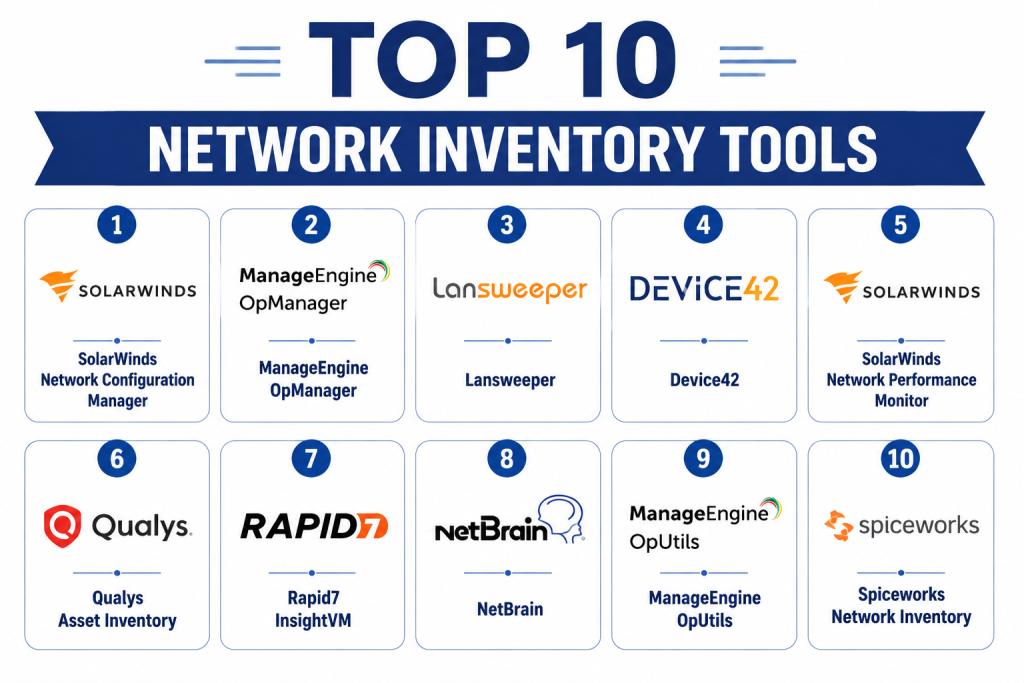
Top 10 Network Inventory Tools
1- SolarWinds Network Configuration Manager
Short description: SolarWinds Network Configuration Manager automates the discovery and management of network devices. It helps IT teams track configuration changes, enforce compliance, and maintain detailed inventory records.
Key Features
- Auto-discovery of network devices
- Configuration change monitoring
- Compliance and audit reporting
- Network topology visualization
- Alerts for unauthorized changes
- Integration with ITSM systems
Pros
- Comprehensive network coverage
- Strong compliance support
- Intuitive dashboards
Cons
- Limited cloud-native support
- Scaling for very large networks requires planning
- Licensing complexity
Platforms / Deployment
- Windows, Web
- On-prem / Cloud
Security & Compliance
- RBAC, encryption, SSO
- Not publicly stated
Integrations & Ecosystem
- ITSM tools
- Network monitoring suites
- API and automation support
Support & Community
- Documentation and email support
- Active user forums
- Paid enterprise support tiers
2- ManageEngine OpManager
Short description: ManageEngine OpManager provides network inventory and monitoring capabilities for SMB and mid-market organizations. It tracks devices, performance metrics, and alerts IT teams to network issues proactively.
Key Features
- Automated device discovery
- Performance and availability monitoring
- Network topology mapping
- Configuration and change tracking
- Alerting and notifications
Pros
- Quick deployment
- Affordable mid-market solution
- Detailed reporting
Cons
- Limited enterprise scalability
- Cloud-native support is basic
- UI can be complex for new users
Platforms / Deployment
- Web, Windows, Linux
- Cloud / On-prem
Security & Compliance
- SSO, RBAC
- Not publicly stated
Integrations & Ecosystem
- ITSM integration
- CMDB support
- API for custom workflows
Support & Community
- Documentation and tutorials
- Standard support tiers
- Community forums
3- Lansweeper
Short description: Lansweeper automatically discovers and inventories network devices, servers, and software. It is designed for SMBs and mid-market organizations requiring accurate IT asset tracking.
Key Features
- Agentless and agent-based scanning
- Network device and software inventory
- Configuration and hardware tracking
- CMDB integration
- Reporting dashboards
Pros
- Quick setup and deployment
- Broad asset coverage
- Affordable for SMBs
Cons
- Limited AI-assisted insights
- Cloud-native capabilities are minimal
- Scaling for large networks requires planning
Platforms / Deployment
- Windows, Web
- Cloud / On-prem
Security & Compliance
- RBAC, encryption
- Not publicly stated
Integrations & Ecosystem
- ITSM tools
- CMDB integration
- Network monitoring software
Support & Community
- Documentation and tutorials
- Paid support tiers
- Online community
4- Device42
Short description: Device42 provides enterprise-grade network inventory with deep dependency mapping. It helps IT teams manage complex infrastructures across data centers and cloud environments.
Key Features
- Auto-discovery of physical and virtual assets
- Application dependency mapping
- CMDB integration
- Cloud and on-prem tracking
- Change and alert notifications
Pros
- Excellent visualization of dependencies
- Enterprise scalability
- Supports hybrid and cloud environments
Cons
- Complex initial setup
- Less suited for SMBs
- Advanced reporting requires expertise
Platforms / Deployment
- Web
- Cloud / On-prem / Hybrid
Security & Compliance
- SSO, encryption, RBAC
- Not publicly stated
Integrations & Ecosystem
- ITSM and CMDB systems
- Cloud provider integrations
- API for custom workflows
Support & Community
- Documentation and training
- Enterprise support tiers
- Active professional community
5- SolarWinds Network Performance Monitor
Short description: SolarWinds NPM includes network inventory capabilities alongside performance monitoring, allowing IT teams to map devices and assess their operational health.
Key Features
- Device discovery and inventory
- Performance monitoring and alerting
- Topology visualization
- SLA and health reporting
- Integration with ITSM tools
Pros
- Integrated inventory and monitoring
- Detailed visual dashboards
- Scalable for mid to large networks
Cons
- Limited cloud-native discovery
- Licensing can be costly
- Setup complexity for very large networks
Platforms / Deployment
- Windows, Web
- On-prem / Cloud
Security & Compliance
- SSO, RBAC
- Not publicly stated
Integrations & Ecosystem
- ITSM integration
- CMDB support
- API and automation
Support & Community
- Documentation and tutorials
- Enterprise support
- Active user forums
6- Qualys Asset Inventory
Short description: Qualys Asset Inventory is a cloud-based solution for discovering IT assets and assessing vulnerabilities. It helps security and IT teams maintain accurate inventories in dynamic environments.
Key Features
- Cloud and on-prem asset discovery
- Continuous monitoring
- Software and configuration tracking
- Integration with SIEM and ITSM
- Reporting dashboards
Pros
- Security-focused discovery
- Real-time monitoring
- Cloud-native deployment
Cons
- Higher cost
- Less SMB-friendly
- Focused primarily on security
Platforms / Deployment
- Web
- Cloud
Security & Compliance
- SSO, encryption
- SOC 2, ISO 27001
Integrations & Ecosystem
- SIEM platforms
- ITSM and CMDB tools
- APIs for automation
Support & Community
- Documentation and support tiers
- Security-focused community
- Training available
7- Rapid7 InsightVM
Short description: Rapid7 InsightVM combines asset discovery with vulnerability management, enabling organizations to maintain an accurate network inventory while assessing security risks.
Key Features
- Asset discovery across networks and cloud
- Vulnerability scanning
- Software tracking and reporting
- Automated tagging and alerts
- Integration with SIEM and ITSM
Pros
- Security and inventory in one platform
- Cloud and on-prem support
- Continuous visibility
Cons
- Premium pricing
- Less focus on general IT operations
- Learning curve for IT teams
Platforms / Deployment
- Web
- Cloud
Security & Compliance
- SSO, encryption
- SOC 2, ISO 27001
Integrations & Ecosystem
- SIEM and ITSM integration
- API access
- Workflow automation
Support & Community
- Documentation and training
- Enterprise support
- Security-focused community
8- NetBrain
Short description: NetBrain offers automated network discovery and mapping for enterprises, with dynamic topology visualization and operational insights.
Key Features
- Automated discovery and mapping
- Dependency and topology visualization
- Network performance monitoring
- Alerts and SLA tracking
- CMDB integration
Pros
- Detailed network maps
- Scalable for large enterprises
- Strong operational visibility
Cons
- Complex configuration
- Higher cost for SMBs
- Advanced features require training
Platforms / Deployment
- Web
- Cloud / On-prem / Hybrid
Security & Compliance
- SSO, encryption, RBAC
- Not publicly stated
Integrations & Ecosystem
- ITSM and monitoring platforms
- CMDB integration
- API for workflows
Support & Community
- Documentation and tutorials
- Enterprise support tiers
- Active user community
9- ManageEngine OpUtils
Short description: ManageEngine OpUtils provides network inventory, IP address management, and switch port mapping, suitable for mid-market IT teams.
Key Features
- Network device discovery
- IP address tracking
- Switch port mapping
- Reporting dashboards
- Integration with ITSM
Pros
- Easy deployment
- Affordable mid-market solution
- Useful IP management features
Cons
- Limited cloud support
- Basic automation
- Scaling requires planning
Platforms / Deployment
- Web, Windows
- Cloud / On-prem
Security & Compliance
- SSO, RBAC
- Not publicly stated
Integrations & Ecosystem
- ITSM and CMDB
- Network monitoring tools
- API access
Support & Community
- Documentation and forums
- Standard support
- Online tutorials
10- Spiceworks Network Inventory
Short description: Spiceworks Network Inventory provides free inventory and monitoring tools for SMB IT teams, offering network discovery and basic reporting capabilities.
Key Features
- Device discovery and inventory
- Software tracking
- Basic network monitoring
- Reporting dashboards
- Alerts and notifications
Pros
- Free and easy to use
- Quick setup
- Useful for SMBs
Cons
- Limited features for enterprises
- Basic automation
- Minimal cloud support
Platforms / Deployment
- Windows, Web
- On-prem
Security & Compliance
- RBAC, encryption
- Not publicly stated
Integrations & Ecosystem
- ITSM tools
- Limited API support
- Basic integration options
Support & Community
- Documentation and forums
- Community-driven support
- Limited professional support
Comparison Table (Top 10)
| Tool Name | Best For | Platform(s) Supported | Deployment | Standout Feature | Public Rating |
|---|---|---|---|---|---|
| SolarWinds NCM | Enterprise | Windows, Web | On-prem / Cloud | Network device management | N/A |
| ManageEngine OpManager | SMB/Mid-market | Web, Windows, Linux | Cloud / On-prem | Performance and inventory | N/A |
| Lansweeper | SMB/Mid-market | Windows, Web | Cloud / On-prem | Agentless scanning | N/A |
| Device42 | Enterprise | Web | Cloud / On-prem / Hybrid | Dependency mapping | N/A |
| SolarWinds NPM | Mid-market/Enterprise | Windows, Web | On-prem / Cloud | Integrated monitoring | N/A |
| Qualys Asset Inventory | Security teams | Web | Cloud | Continuous cloud and network discovery | N/A |
| Rapid7 InsightVM | Security teams | Web | Cloud | Inventory + vulnerability management | N/A |
| NetBrain | Enterprise | Web | Cloud / On-prem / Hybrid | Dynamic topology visualization | N/A |
| ManageEngine OpUtils | Mid-market | Web, Windows | Cloud / On-prem | IP and switch management | N/A |
| Spiceworks | SMB | Windows, Web | On-prem | Free network inventory | N/A |
Evaluation & Scoring of Network Inventory Tools
| Tool Name | Core (25%) | Ease (15%) | Integrations (15%) | Security (10%) | Performance (10%) | Support (10%) | Value (15%) | Weighted Total |
|---|---|---|---|---|---|---|---|---|
| SolarWinds NCM | 9 | 7 | 9 | 8 | 9 | 8 | 6 | 8.2 |
| ManageEngine OpManager | 8 | 8 | 7 | 7 | 8 | 7 | 7 | 7.6 |
| Lansweeper | 7 | 9 | 6 | 7 | 7 | 6 | 8 | 7.3 |
| Device42 | 8 | 7 | 8 | 8 | 8 | 7 | 7 | 7.7 |
| SolarWinds NPM | 8 | 7 | 8 | 7 | 8 | 7 | 6 | 7.4 |
| Qualys Asset Inventory | 8 | 7 | 8 | 9 | 8 | 7 | 6 | 7.7 |
| Rapid7 InsightVM | 8 | 6 | 8 | 9 | 8 | 7 | 6 | 7.5 |
| NetBrain | 8 | 7 | 8 | 8 | 8 | 7 | 7 | 7.7 |
| ManageEngine OpUtils | 7 | 8 | 7 | 7 | 7 | 6 | 7 | 7.0 |
| Spiceworks | 6 | 9 | 5 | 7 | 6 | 6 | 9 | 7.0 |
Interpretation: Weighted scores compare features, ease, integrations, security, performance, support, and value. Higher totals indicate stronger overall capabilities. Selection depends on IT size, network complexity, and budget.
Which Network Inventory Tool Is Right for You?
Solo / Freelancer
- Spiceworks or Lansweeper for small-scale networks and quick visibility.
SMB
- Lansweeper, ManageEngine OpManager, or Spiceworks for affordable and functional inventory.
Mid-Market
- SolarWinds NPM, ManageEngine OpUtils, or Qualys Asset Inventory for broader coverage and cloud support.
Enterprise
- Device42, NetBrain, SolarWinds NCM, or Rapid7 InsightVM for complex networks, cloud integration, and dependency mapping.
Budget vs Premium
- Budget: Lansweeper, ManageEngine OpUtils, Spiceworks
- Premium: SolarWinds, Device42, Rapid7
Feature Depth vs Ease of Use
- High feature depth: Device42, NetBrain, SolarWinds NCM
- Ease of use: Spiceworks, Lansweeper, ManageEngine OpManager
Integrations & Scalability
- Enterprise integration: Device42, SolarWinds NCM, NetBrain
- SMB-focused: Lansweeper, ManageEngine OpManager
Security & Compliance Needs
- Strong enterprise compliance: Qualys Asset Inventory, Rapid7, Device42
- Basic SMB needs: Lansweeper, Spiceworks
Frequently Asked Questions (FAQs)
1- What is a network inventory tool?
A network inventory tool discovers, catalogs, and monitors devices and applications across a network, providing IT teams with visibility, control, and reporting.
2- How complex is deployment?
SMB tools deploy in days, while enterprise solutions may require weeks of configuration, integration, and training.
3- Are AI features included?
Enterprise tools include AI for asset classification, anomaly detection, and insights. SMB tools usually offer basic automation.
4- Can these tools integrate with ITSM?
Yes, most integrate with ITSM, CMDB, monitoring, and security platforms to provide comprehensive asset management.
5- Are cloud assets discoverable?
Yes, top tools provide discovery across cloud environments, on-prem devices, and hybrid networks.
6- How is security handled?
Most platforms support SSO, MFA, RBAC, encryption, and audit logs. Enterprise tools may also provide SOC 2 or ISO compliance.
7- Are mobile apps available?
Many platforms offer mobile or web access for monitoring and alerts on the go.
8- How is pricing structured?
Pricing is typically subscription-based or per asset, depending on deployment, users, and features.
9- Common mistakes when selecting tools?
Mistakes include ignoring cloud discovery, choosing tools that cannot scale, and underestimating integration needs.
10- Are open-source tools viable?
Open-source tools exist but often require technical expertise, manual configuration, and limited support.
Conclusion
Network Inventory Tools are essential for visibility, management, and security of IT infrastructure. SMBs can start with Lansweeper, ManageEngine, or Spiceworks, while enterprises benefit from Device42, NetBrain, or SolarWinds for comprehensive coverage. Start by shortlisting , test deployments, validate integrations and security, then scale for full operational efficiency.
