Introduction
Digital Experience Monitoring (DEM) Tools are software solutions that help organizations track, analyze, and optimize end-user experiences across applications, devices, and networks. In plain English, DEM tools allow IT teams to understand how users perceive applications and services, identify bottlenecks, and ensure smooth digital performance.
DEM is crucial for businesses delivering web, mobile, or SaaS services because poor digital experiences can lead to lost productivity, frustrated users, and decreased revenue. These tools provide actionable insights that allow organizations to proactively detect and resolve issues before they affect users.
Real-world use cases include:
- Monitoring website and application performance in real-time.
- Identifying and resolving latency, errors, and downtime issues.
- Tracking end-user interactions across multiple devices and locations.
- Evaluating SaaS or cloud service performance for employees or customers.
- Correlating network and application metrics with business impact.
Evaluation criteria for buyers include:
- Real-time monitoring capabilities
- End-to-end user experience tracking
- Synthetic and real-user monitoring support
- Analytics and reporting dashboards
- AI/ML-powered anomaly detection
- Integration with ITSM, APM, and network tools
- Scalability for multiple applications and users
- Mobile and multi-device support
- Security and compliance standards
- Ease of deployment and management
Best for: IT teams, DevOps, digital product owners, and organizations delivering web or mobile applications to customers or employees.
Not ideal for: Small internal applications or teams that do not rely heavily on digital experiences, where basic monitoring tools may suffice.
Key Trends in Digital Experience Monitoring Tools
- AI-driven anomaly detection and predictive insights
- Unified monitoring of web, mobile, cloud, and SaaS applications
- Real-user monitoring (RUM) and synthetic monitoring integration
- Multi-device and geo-location performance tracking
- Automated incident alerts and remediation workflows
- Integration with ITSM, APM, and observability platforms
- Real-time dashboards with business-impact correlation
- Cloud-native and hybrid deployment support
- Focus on user-centric metrics like Apdex, TTFB, and latency
- Subscription-based and flexible pricing models
How We Selected These Tools
- Evaluated market adoption and brand recognition
- Assessed completeness of monitoring features
- Considered performance and reliability metrics
- Reviewed security posture and compliance standards
- Measured integration capabilities with ITSM, APM, and cloud platforms
- Verified scalability across applications, locations, and users
- Assessed customer fit across SMB, mid-market, and enterprise segments
- Reviewed vendor support, documentation, and community engagement
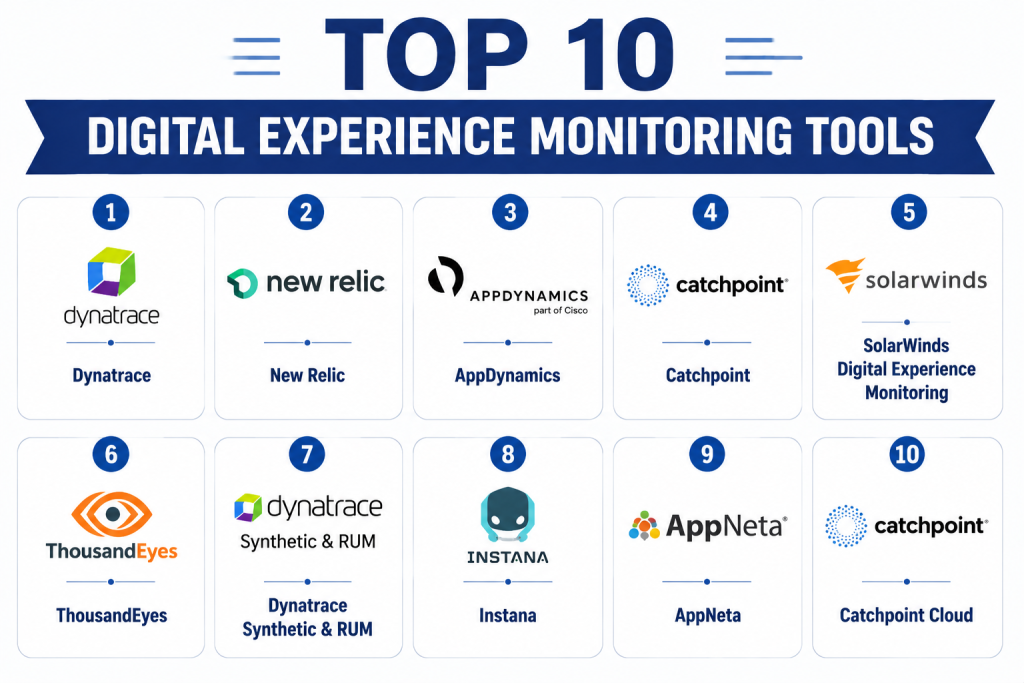
Top 10 Digital Experience Monitoring Tools
1- Dynatrace
Short description: Dynatrace offers AI-powered monitoring for applications, infrastructure, and user experience. It provides real-time insights and proactive problem detection.
Key Features
- Full-stack monitoring
- AI-assisted anomaly detection
- Real-user and synthetic monitoring
- Root-cause analysis
- Cloud and hybrid deployment support
Pros
- Predictive insights and AI automation
- End-to-end visibility of user experience
Cons
- Premium pricing
- Requires expertise for setup
Platforms / Deployment
- Web / Windows / macOS / Linux / iOS / Android
- Cloud / Hybrid
Security & Compliance
- SSO/SAML, encryption, audit logs
- SOC 2, ISO 27001
Integrations & Ecosystem
- Cloud platforms (AWS, Azure, GCP)
- ITSM tools
- Collaboration platforms
- APIs for custom integration
Support & Community
- 24/7 enterprise support
- Active knowledge base and community forums
2- New Relic
Short description: New Relic provides full-stack observability and digital experience monitoring, enabling teams to correlate user behavior with application performance.
Key Features
- Real-user and synthetic monitoring
- Full-stack observability
- AI anomaly detection
- Performance dashboards
- Integration with DevOps pipelines
Pros
- Easy visualization of user impact
- Robust alerting and reporting
Cons
- Complex pricing tiers
- Can be overwhelming for smaller teams
Platforms / Deployment
- Web / Windows / macOS / Linux / iOS / Android
- Cloud
Security & Compliance
- SSO, encryption, RBAC
- Not publicly stated
Integrations & Ecosystem
- Cloud providers
- ITSM and ticketing systems
- CI/CD pipelines
- APIs for custom dashboards
Support & Community
- Enterprise support tiers
- Active community and forums
3- AppDynamics
Short description: AppDynamics monitors application performance and user experience with AI-driven insights, helping businesses optimize digital interactions.
Key Features
- End-to-end application monitoring
- Business transaction tracing
- Real-user monitoring
- Predictive analytics
- Cloud and hybrid support
Pros
- Strong correlation of user experience to business impact
- AI-powered anomaly detection
Cons
- Expensive for smaller organizations
- Learning curve for advanced features
Platforms / Deployment
- Web / Windows / macOS / Linux / iOS / Android
- Cloud / Hybrid
Security & Compliance
- SSO, encryption
- Not publicly stated
Integrations & Ecosystem
- ITSM systems
- Cloud platforms
- APIs for custom integrations
Support & Community
- Vendor support and documentation
- Active user community
4- Catchpoint
Short description: Catchpoint focuses on digital experience monitoring with synthetic and real-user monitoring across networks and applications.
Key Features
- Synthetic and real-user monitoring
- Geo-location performance analysis
- Network and DNS monitoring
- Alerting and dashboards
- API access
Pros
- Excellent for web and SaaS performance monitoring
- Detailed geo-location insights
Cons
- Higher learning curve
- Focused primarily on web/SaaS, limited mobile support
Platforms / Deployment
- Web / iOS / Android
- Cloud
Security & Compliance
- Not publicly stated
Integrations & Ecosystem
- Cloud providers
- ITSM tools
- APIs for dashboards
Support & Community
- Documentation and email support
- Moderate community
5- SolarWinds Digital Experience Monitoring
Short description: SolarWinds DEM tracks user interactions and application performance to ensure optimal digital experiences for end-users.
Key Features
- Real-user monitoring
- Synthetic transactions
- Alerting and escalation
- Performance dashboards
- API integrations
Pros
- Easy to use for mid-market
- Strong reporting and visualization
Cons
- Limited AI predictive capabilities
- Smaller integration ecosystem
Platforms / Deployment
- Web / Windows / iOS / Android
- Cloud / On-premises
Security & Compliance
- Not publicly stated
Integrations & Ecosystem
- ITSM and network monitoring
- Cloud platform integrations
- APIs
Support & Community
- Documentation and support portal
- Moderate community engagement
6- ThousandEyes
Short description: ThousandEyes provides network and application monitoring to detect performance issues affecting digital user experience globally.
Key Features
- Network performance monitoring
- End-user experience tracking
- Synthetic and real-user monitoring
- Global endpoint testing
- Alerts and dashboards
Pros
- Excellent global network visibility
- Strong integration with cloud and SaaS
Cons
- Premium pricing
- Setup complexity
Platforms / Deployment
- Web / Windows / macOS / iOS / Android
- Cloud
Security & Compliance
- Not publicly stated
Integrations & Ecosystem
- Cloud providers
- ITSM and collaboration platforms
- APIs
Support & Community
- Enterprise support tiers
- Documentation and community resources
7- Dynatrace Synthetic & RUM
Short description: Dynatrace DEM provides combined synthetic and real-user monitoring with AI insights for full visibility of user interactions.
Key Features
- Real-user monitoring
- Synthetic transaction monitoring
- AI-based problem detection
- Dashboards and reporting
- Multi-cloud support
Pros
- End-to-end visibility
- Predictive problem detection
Cons
- Expensive for SMBs
- Requires advanced configuration
Platforms / Deployment
- Web / iOS / Android
- Cloud / Hybrid
Security & Compliance
- SSO, encryption
- SOC 2
Integrations & Ecosystem
- ITSM systems
- Cloud providers
- APIs
Support & Community
- Enterprise support
- Knowledge base and forums
8- Instana
Short description: Instana DEM tracks application performance and user interactions automatically, using AI to detect issues and optimize digital experiences.
Key Features
- Automatic application monitoring
- Real-user experience tracking
- AI-driven anomaly detection
- Dashboards for visibility
- Cloud-native support
Pros
- Automatic instrumentation
- AI insights reduce manual monitoring
Cons
- Learning curve for advanced features
- Premium pricing
Platforms / Deployment
- Web / iOS / Android
- Cloud / Hybrid
Security & Compliance
- Not publicly stated
Integrations & Ecosystem
- ITSM and monitoring tools
- APIs for automation
- Cloud platforms
Support & Community
- Vendor support tiers
- Active documentation
9- AppNeta
Short description: AppNeta DEM monitors network and application performance, providing detailed insights into end-user experiences.
Key Features
- Network and application monitoring
- Real-user and synthetic monitoring
- Performance dashboards
- Alerts and reporting
- Cloud and SaaS visibility
Pros
- Detailed network visibility
- Strong analytics
Cons
- Focused on networking, less on application internals
- Moderate integrations
Platforms / Deployment
- Web / iOS / Android
- Cloud
Security & Compliance
- Not publicly stated
Integrations & Ecosystem
- Cloud platforms
- ITSM tools
- APIs
Support & Community
- Documentation and email support
- Moderate community presence
10- Catchpoint Cloud
Short description: Catchpoint Cloud DEM provides synthetic and real-user monitoring for cloud and SaaS applications with global endpoint coverage.
Key Features
- Global synthetic monitoring
- Real-user monitoring
- Performance dashboards
- Alerts and automation
- API access
Pros
- Excellent for SaaS monitoring
- Detailed geographic insights
Cons
- Premium pricing
- Requires expertise for setup
Platforms / Deployment
- Web / iOS / Android
- Cloud
Security & Compliance
- Not publicly stated
Integrations & Ecosystem
- Cloud providers
- ITSM and monitoring tools
- APIs
Support & Community
- Vendor support tiers
- Knowledge base and forums
Comparison Table (Top 10 DEM)
| Tool Name | Best For | Platform(s) Supported | Deployment | Standout Feature | Public Rating |
|---|---|---|---|---|---|
| Dynatrace | Enterprise IT | Web / Windows / macOS / iOS / Android | Cloud / Hybrid | AI-driven problem detection | N/A |
| New Relic | IT/DevOps teams | Web / Windows / macOS / iOS / Android | Cloud | Full-stack observability | N/A |
| AppDynamics | Enterprise applications | Web / Windows / macOS / iOS / Android | Cloud / Hybrid | Business transaction tracing | N/A |
| Catchpoint | Web & SaaS monitoring | Web / iOS / Android | Cloud | Geo-location performance insights | N/A |
| SolarWinds DEM | Mid-market IT | Web / Windows / iOS / Android | Cloud / On-prem | Trend analytics dashboards | N/A |
| ThousandEyes | Global network monitoring | Web / Windows / macOS / iOS / Android | Cloud | Network visibility | N/A |
| Dynatrace RUM | Enterprise monitoring | Web / iOS / Android | Cloud / Hybrid | Combined RUM & synthetic tests | N/A |
| Instana | Cloud-native applications | Web / iOS / Android | Cloud / Hybrid | Automatic instrumentation | N/A |
| AppNeta | Network & app monitoring | Web / iOS / Android | Cloud | Detailed network insights | N/A |
| Catchpoint Cloud | SaaS & cloud monitoring | Web / iOS / Android | Cloud | Global synthetic monitoring | N/A |
Evaluation & Scoring of DEM Tools
| Tool Name | Core (25%) | Ease (15%) | Integrations (15%) | Security (10%) | Performance (10%) | Support (10%) | Value (15%) | Weighted Total (0–10) |
|---|---|---|---|---|---|---|---|---|
| Dynatrace | 9 | 7 | 9 | 9 | 9 | 8 | 7 | 8.6 |
| New Relic | 8 | 8 | 8 | 7 | 8 | 8 | 8 | 8.0 |
| AppDynamics | 8 | 7 | 8 | 7 | 8 | 7 | 7 | 7.6 |
| Catchpoint | 7 | 7 | 6 | 6 | 7 | 7 | 7 | 7.0 |
| SolarWinds DEM | 7 | 8 | 6 | 7 | 7 | 7 | 7 | 7.2 |
| ThousandEyes | 8 | 7 | 7 | 7 | 8 | 7 | 7 | 7.4 |
| Dynatrace RUM | 9 | 6 | 8 | 9 | 9 | 8 | 7 | 8.2 |
| Instana | 7 | 8 | 7 | 7 | 7 | 7 | 7 | 7.2 |
| AppNeta | 6 | 7 | 6 | 6 | 7 | 7 | 7 | 6.8 |
| Catchpoint Cloud | 7 | 7 | 6 | 6 | 7 | 7 | 7 | 7.0 |
Interpretation: Higher weighted totals indicate more comprehensive DEM capabilities, usability, integration depth, and value.
Which DEM Tool Is Right for You?
Solo / Freelancer
Freshservice DEM or AppNeta for ease of use and low-cost deployment.
SMB
SolarWinds DEM or Catchpoint for balance between functionality and affordability.
Mid-Market
New Relic or Instana for scalable workflows and integration support.
Enterprise
Dynatrace or AppDynamics for AI insights, predictive alerts, and full-stack visibility.
Budget vs Premium
Budget teams can use AppNeta or SolarWinds DEM. Premium users benefit from Dynatrace or AppDynamics.
Feature Depth vs Ease of Use
Complex environments suit Dynatrace and AppDynamics; simpler deployments work well with Catchpoint or SolarWinds.
Integrations & Scalability
Dynatrace, New Relic, and AppDynamics provide broad integrations and enterprise-level scalability.
Security & Compliance Needs
Enterprises requiring SOC 2, ISO 27001, or GDPR should prioritize Dynatrace or AppDynamics.
Frequently Asked Questions (FAQs)
1- What is the pricing model for DEM tools?
Most use subscription-based pricing, often by users, endpoints, or service points. SMB tools offer fixed monthly fees; enterprise platforms require custom quotes.
2- How long does implementation take?
Cloud-native SMB tools can deploy in days. Enterprise platforms may require weeks for configuration, integrations, and staff training.
3- Can these tools integrate with ITSM and monitoring platforms?
Yes. Most provide APIs and connectors. Enterprise tools offer deeper workflow and third-party integration support.
4- Do DEM tools offer AI-driven predictions?
Advanced tools like Dynatrace and AppDynamics provide predictive alerts. Mid-market tools have basic AI or rule-based monitoring.
5- How are security and compliance handled?
Enterprise tools provide SSO, MFA, encryption, audit logs, and RBAC. SOC 2, ISO 27001, and GDPR certifications may apply.
6- Are these tools suitable for small teams?
Yes. AppNeta, Catchpoint, or SolarWinds DEM offer simplified workflows and cost-effective pricing.
7- How robust are reporting capabilities?
All tools provide dashboards and KPI tracking. Enterprise tools offer advanced trend analysis, predictive reporting, and audit-ready logs.
8- Are mobile apps supported?
Most tools provide iOS and Android apps for monitoring and managing issues remotely.
9- What are common adoption challenges?
Challenges include workflow misalignment, insufficient training, over-customization, limited integrations, and underestimating setup time.
10- What are alternatives to DEM tools?
For limited needs, lightweight network monitoring, ITSM tools, or application performance monitoring solutions may suffice.
Conclusion
Digital Experience Monitoring tools are essential for maintaining optimal user experiences, reducing downtime, and improving operational efficiency. Tool selection depends on organizational size, complexity, integrations, and compliance requirements. Small teams may prioritize ease of use and cost, while enterprises require predictive analytics, full-stack monitoring, and scalability. Buyers should shortlist , run pilot deployments, and validate integrations and security before full-scale adoption.
