Introduction
Browser Management (Enterprise) platforms are solutions designed to help organizations secure, control, and optimize browser usage across corporate endpoints. These platforms provide centralized management of browser settings, extensions, security policies, and updates. With employees increasingly dependent on web applications and cloud tools, managing browsers effectively ensures security, compliance, and consistent user experience.
Real-world use cases include:
- Enforcing browser security policies and patch management.
- Controlling extensions to prevent malware or data leaks.
- Standardizing browser configurations across global teams.
- Monitoring browser usage and telemetry for IT insights.
- Ensuring regulatory compliance and internal policy adherence.
What buyers should evaluate:
- Cross-platform browser support (Chrome, Edge, Firefox, Safari).
- Integration with endpoint management and ITSM platforms.
- Policy enforcement, automation, and update management.
- Security and compliance features like SSO, MFA, and encryption.
- Reporting dashboards and real-time analytics.
- Scalability for hybrid and global workforce environments.
- Browser telemetry, usage monitoring, and anomaly detection.
- Ease of deployment, updates, and configuration.
- Vendor support, training, and community ecosystem.
Best for: IT administrators, security teams, and enterprises with distributed workforces using multiple browsers.
Not ideal for: Small businesses using a single managed browser or minimal IT governance needs.
Key Trends in Browser Management (Enterprise)
- AI-driven policy recommendations and automated enforcement.
- Cloud-based management dashboards for remote teams.
- Integration with endpoint security and DLP platforms.
- Automated patching and browser version control.
- Support for multi-browser and multi-OS environments.
- Real-time telemetry for usage, performance, and security insights.
- Role-based access and delegated administration.
- Compliance reporting for audits and regulatory adherence.
- Subscription and outcome-based pricing models.
- Cross-platform integration with ITSM, CMDB, and collaboration tools.
How We Selected These Tools (Methodology)
- Market adoption and enterprise recognition.
- Feature completeness including policy management, telemetry, and analytics.
- Reliability and performance in enterprise deployments.
- Security posture including encryption, SSO, MFA, and RBAC.
- Integration with MDM, ITSM, endpoint security, and analytics platforms.
- Scalability across SMB, mid-market, and enterprise organizations.
- AI and automation capabilities for policy enforcement and insights.
- Support quality, onboarding, and documentation.
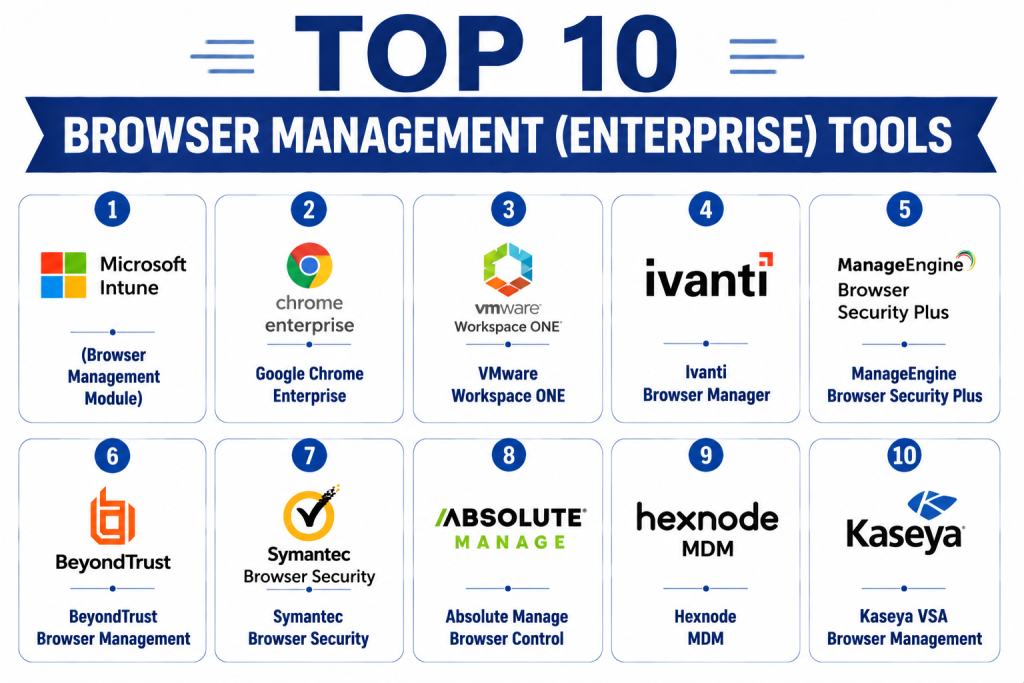
Top 10 Browser Management (Enterprise) Tools
1- Microsoft Intune (Browser Management Module)
Short description: Intune provides centralized management for enterprise browsers, enabling policy enforcement, security controls, extension management, and telemetry across Windows, macOS, and mobile devices.
Key Features
- Centralized policy enforcement
- Extension and plugin control
- Browser telemetry and usage analytics
- Patch and version management
- Role-based access control
- Integration with Microsoft 365 security suite
Pros
- Deep integration with Microsoft ecosystem
- Robust policy enforcement and security
- AI-assisted recommendations
Cons
- Best suited for Microsoft environments
- Complex initial setup
- Limited non-Microsoft browser features
Platforms / Deployment
- Windows, macOS, iOS, Android
- Cloud / Hybrid
Security & Compliance
- SSO, MFA, encryption, RBAC
- SOC 2, ISO 27001
Integrations & Ecosystem
- Microsoft 365
- Endpoint security and MDM tools
- APIs for automation
Support & Community
- Documentation, training, onboarding guides
- Enterprise support tiers
- Active Microsoft IT community
2- Google Chrome Enterprise
Short description: Chrome Enterprise enables organizations to manage Chrome browser settings, extensions, and policies centrally with analytics and compliance features.
Key Features
- Centralized policy management
- Extension control
- Safe browsing and security features
- Device telemetry and usage reporting
- Integration with Google Workspace
- Cloud dashboards
Pros
- Strong integration with Google Workspace
- Enterprise-grade security
- Continuous cloud updates
Cons
- Limited multi-browser support
- Advanced analytics require additional tools
- Works best in Google-centric environments
Platforms / Deployment
- Windows, macOS, Linux, iOS, Android
- Cloud
Security & Compliance
- SSO, encryption, RBAC
- SOC 2, ISO 27001
Integrations & Ecosystem
- Google Workspace
- Endpoint security tools
- APIs for reporting and automation
Support & Community
- Documentation and deployment guides
- Enterprise support tiers
- Google IT admin community
3- VMware Workspace ONE
Short description: Workspace ONE offers unified endpoint and browser management with policy enforcement, telemetry, and security integration across devices.
Key Features
- Centralized browser configuration
- Extension and plugin management
- Telemetry and usage analytics
- Automated patch and update deployment
- Integration with identity and endpoint security
- Role-based administration
Pros
- Multi-platform support
- Strong security integration
- Detailed reporting dashboards
Cons
- Premium pricing
- Complex setup for large environments
- Best utilized within VMware ecosystem
Platforms / Deployment
- Windows, macOS, iOS, Android
- Cloud / Hybrid
Security & Compliance
- SSO, MFA, encryption, RBAC
- Not publicly stated
Integrations & Ecosystem
- MDM/EMM tools
- Identity management platforms
- APIs for automation
Support & Community
- Enterprise support tiers
- Documentation and tutorials
- Active VMware IT community
4- Ivanti Browser Manager
Short description: Ivanti Browser Manager enables centralized management of browser policies, extensions, and telemetry for enterprise macOS and Windows environments.
Key Features
- Browser configuration enforcement
- Extension whitelisting/blacklisting
- Real-time telemetry
- Compliance reporting
- Policy automation
Pros
- Multi-browser support
- Strong compliance enforcement
- Automated policies
Cons
- Premium pricing for SMBs
- Limited mobile browser management
- Initial setup complexity
Platforms / Deployment
- Windows, macOS
- Cloud / On-prem
Security & Compliance
- SSO, RBAC, encryption
- Not publicly stated
Integrations & Ecosystem
- ITSM and endpoint security
- API for custom workflows
- Reporting dashboards
Support & Community
- Documentation and tutorials
- Enterprise support tiers
- Community forums
5- ManageEngine Browser Security Plus
Short description: Browser Security Plus provides centralized browser management with telemetry, policy enforcement, and compliance reporting for enterprises.
Key Features
- Extension and plugin management
- Patch and update enforcement
- Telemetry dashboards
- Compliance reporting
- Role-based access control
- Multi-browser support
Pros
- Affordable mid-market solution
- Easy deployment
- Strong telemetry and reporting
Cons
- Limited advanced analytics
- Cloud features may be restricted
- Less suitable for large enterprises
Platforms / Deployment
- Windows, macOS
- Cloud / On-prem
Security & Compliance
- SSO, RBAC, encryption
- Not publicly stated
Integrations & Ecosystem
- Endpoint security
- ITSM platforms
- API access
Support & Community
- Documentation and guides
- Standard support tiers
- Online community
6- BeyondTrust Browser Management
Short description: BeyondTrust provides enterprise-grade browser management with security-focused policies, telemetry, and patch control.
Key Features
- Policy enforcement for browsers
- Remote monitoring and telemetry
- Patch and update automation
- Security and compliance reporting
- Role-based management
Pros
- Enterprise security focus
- Strong remote control features
- Compliance-ready reporting
Cons
- Premium pricing
- Complex setup
- Limited SMB options
Platforms / Deployment
- Windows, macOS
- Cloud / On-prem
Security & Compliance
- SSO, MFA, encryption, RBAC
- SOC 2
Integrations & Ecosystem
- ITSM and endpoint security tools
- APIs for automation
- Reporting integration
Support & Community
- Enterprise support
- Documentation
- Active community forums
7- Symantec Browser Security
Short description: Symantec Browser Security manages browser configurations, security policies, and updates for enterprise devices with real-time monitoring.
Key Features
- Centralized policy enforcement
- Extension and plugin management
- Telemetry and alerts
- Security updates and patching
- Compliance reporting
Pros
- Strong security telemetry
- Enterprise-grade deployment
- Real-time monitoring
Cons
- Complex for small IT teams
- Pricing on the higher side
- Limited advanced analytics
Platforms / Deployment
- Windows, macOS
- Cloud / Hybrid
Security & Compliance
- SSO, MFA, encryption, RBAC
- SOC 2
Integrations & Ecosystem
- Endpoint security platforms
- ITSM integration
- API access
Support & Community
- Documentation and tutorials
- Enterprise support tiers
- Knowledge community
8- Absolute Manage Browser Control
Short description: Absolute Manage enables enterprise browser management with telemetry, policy enforcement, and patching for large-scale Mac and Windows deployments.
Key Features
- Device and browser telemetry
- Extension control and policy enforcement
- Patch management automation
- Compliance and audit reporting
- Remote troubleshooting
Pros
- Enterprise-grade security
- Scalable for large deployments
- Detailed telemetry
Cons
- Complex configuration
- Premium pricing
- Cloud-native features limited
Platforms / Deployment
- Windows, macOS
- Cloud / On-prem
Security & Compliance
- SSO, encryption, RBAC
- Not publicly stated
Integrations & Ecosystem
- ITSM systems
- Endpoint security tools
- API for automation
Support & Community
- Documentation and onboarding
- Enterprise support
- Community forums
9- Hexnode MDM
Short description: Hexnode MDM provides browser management capabilities including policy enforcement, updates, and telemetry for enterprise Mac and Windows devices.
Key Features
- Device enrollment and configuration
- Extension and plugin management
- Policy enforcement and compliance
- Telemetry and analytics dashboards
- Patch and update management
Pros
- Cross-platform support
- Cloud-based management
- Affordable mid-market solution
Cons
- Advanced analytics require setup
- Enterprise-scale insights limited
- Some automation needs scripting
Platforms / Deployment
- Windows, macOS
- Cloud
Security & Compliance
- SSO, encryption, RBAC
- Not publicly stated
Integrations & Ecosystem
- Endpoint security and ITSM tools
- API integration
- Reporting dashboards
Support & Community
- Documentation and tutorials
- Standard support tiers
- Community forums
10- Kaseya VSA Browser Management
Short description: Kaseya VSA provides enterprise browser management with remote control, telemetry, and policy enforcement for distributed IT teams.
Key Features
- Browser configuration and patch management
- Remote device monitoring
- Telemetry dashboards
- Policy enforcement
- Integration with endpoint security
Pros
- SMB and enterprise support
- Unified endpoint management
- Cloud and on-prem deployment
Cons
- Learning curve for large deployments
- Advanced analytics limited
- Requires integration for full telemetry
Platforms / Deployment
- Windows, macOS
- Cloud / On-prem
Security & Compliance
- SSO, encryption, RBAC
- Not publicly stated
Integrations & Ecosystem
- ITSM systems
- Endpoint security tools
- API for automation
Support & Community
- Documentation and tutorials
- Standard support tiers
- Active community forums
Comparison Table (Top 10)
| Tool Name | Best For | Platform(s) Supported | Deployment | Standout Feature | Public Rating |
|---|---|---|---|---|---|
| Microsoft Intune | Enterprise | Windows, macOS, iOS, Android | Cloud / Hybrid | Microsoft ecosystem integration | N/A |
| Google Chrome Enterprise | Enterprise | Windows, macOS, Linux, iOS, Android | Cloud | Chrome-centric policy management | N/A |
| VMware Workspace ONE | Enterprise | Windows, macOS, iOS, Android | Cloud / Hybrid | Unified endpoint & browser management | N/A |
| Ivanti Browser Manager | Enterprise | Windows, macOS | Cloud / On-prem | Multi-browser support | N/A |
| ManageEngine Browser Security Plus | SMB/Mid-market | Windows, macOS | Cloud / On-prem | Policy automation & telemetry | N/A |
| BeyondTrust Browser Management | Enterprise | Windows, macOS | Cloud / On-prem | Security-focused browser control | N/A |
| Symantec Browser Security | Enterprise | Windows, macOS | Cloud / Hybrid | Real-time security telemetry | N/A |
| Absolute Manage Browser Control | Enterprise | Windows, macOS | Cloud / On-prem | Enterprise telemetry & patching | N/A |
| Hexnode MDM | SMB/Mid-market | Windows, macOS | Cloud | Cross-platform browser management | N/A |
| Kaseya VSA | SMB/Enterprise | Windows, macOS | Cloud / On-prem | Remote monitoring & policy enforcement | N/A |
Evaluation & Scoring of Browser Management Tools
| Tool Name | Core (25%) | Ease (15%) | Integrations (15%) | Security (10%) | Performance (10%) | Support (10%) | Value (15%) | Weighted Total |
|---|---|---|---|---|---|---|---|---|
| Microsoft Intune | 9 | 7 | 9 | 9 | 9 | 8 | 6 | 8.4 |
| Google Chrome Enterprise | 8 | 8 | 8 | 8 | 8 | 7 | 7 | 7.8 |
| VMware Workspace ONE | 8 | 7 | 8 | 8 | 8 | 7 | 6 | 7.7 |
| Ivanti Browser Manager | 7 | 8 | 7 | 7 | 7 | 7 | 7 | 7.2 |
| ManageEngine BSP | 7 | 8 | 7 | 7 | 7 | 7 | 8 | 7.4 |
| BeyondTrust | 8 | 7 | 8 | 8 | 8 | 7 | 6 | 7.7 |
| Symantec | 8 | 7 | 8 | 8 | 8 | 7 | 6 | 7.7 |
| Absolute Manage | 8 | 7 | 8 | 8 | 8 | 7 | 6 | 7.7 |
| Hexnode | 7 | 8 | 7 | 7 | 7 | 6 | 7 | 7.0 |
| Kaseya VSA | 7 | 7 | 7 | 7 | 7 | 6 | 7 | 6.9 |
Interpretation: Weighted totals provide a comparative overview of features, usability, integrations, security, performance, support, and value. Selection should match organizational needs and device scale.
Which Browser Management Tool Is Right for You?
Solo / Freelancer
- Hexnode or ManageEngine BSP for lightweight browser management.
SMB
- Ivanti, Hexnode, or Kaseya for affordable mid-market management.
Mid-Market
- ManageEngine BSP, BeyondTrust for enhanced policy enforcement and telemetry.
Enterprise
- Microsoft Intune, VMware Workspace ONE, Symantec, Absolute Manage for large-scale browser control and compliance.
Budget vs Premium
- Budget: Hexnode, ManageEngine BSP, Ivanti
- Premium: Intune, VMware, Symantec, Absolute Manage
Feature Depth vs Ease of Use
- High feature depth: Intune, VMware, BeyondTrust
- Ease of adoption: Hexnode, Ivanti, Kaseya
Integrations & Scalability
- Enterprise: Intune, VMware, Symantec, Absolute Manage
- SMB: Hexnode, Ivanti, ManageEngine BSP
Security & Compliance Needs
- Enterprise-grade: Intune, VMware, BeyondTrust, Symantec
- Basic needs: Hexnode, Ivanti, Kaseya
Frequently Asked Questions (FAQs)
1- What is a Browser Management tool?
It allows IT teams to centrally configure, secure, and monitor enterprise browsers across devices.
2- Can it automate browser updates?
Yes, enterprise tools automate version control, patches, and security updates.
3- Are extensions controllable?
Yes, admins can whitelist, blacklist, or block extensions and plugins.
4- Do these tools support remote monitoring?
Yes, most provide telemetry dashboards and remote device control.
5- Which browsers are supported?
Leading platforms support Chrome, Edge, Firefox, and Safari.
6- How is security ensured?
Through SSO, MFA, encryption, RBAC, and audit logging.
7- Are these scalable?
Yes, enterprise-grade tools manage thousands of devices.
8- What pricing models exist?
Subscription-based, per-device, or feature-tiered pricing models.
9- Can they integrate with ITSM/MDM?
Yes, most platforms integrate with endpoint and IT management systems.
10- Are there open-source options?
Few exist; most require technical expertise and provide limited support.
Conclusion
Browser Management tools are essential for enterprises to secure, standardize, and optimize browser usage across devices. SMBs may benefit from Hexnode, Ivanti, or ManageEngine BSP, while enterprises gain more from Intune, VMware Workspace ONE, Symantec, or Absolute Manage. Organizations should shortlist , pilot deployments, validate integrations and security, and then scale for enterprise-wide browser management
