Introduction
Web Content Filtering Tools help organizations control which websites, web categories, applications, files, and online content users can access from company devices, school networks, remote laptops, or cloud environments. In simple English, these tools block unsafe, inappropriate, risky, or non-compliant web activity before it causes security, productivity, legal, or data protection problems.
Web content filtering matters now because users work from many locations, access SaaS apps daily, open links from email and chat, use AI tools, browse cloud storage sites, and connect from managed and unmanaged devices. Attackers also use phishing sites, malware pages, malicious ads, fake login portals, and compromised websites to bypass traditional defenses.
Real-world use cases include:
- Blocking malware, phishing, and suspicious websites
- Enforcing acceptable-use policies in workplaces and schools
- Managing access to social media, gambling, adult, proxy, or high-risk content
- Protecting remote users without forcing all traffic through a VPN
- Applying web policies by user, group, location, device, or risk level
Evaluation Criteria for Buyers:
- URL and category filtering accuracy
- DNS filtering and secure web gateway capabilities
- Malware and phishing protection
- Policy granularity and user/group controls
- Reporting and audit visibility
- Cloud, endpoint, and network deployment options
- Remote-user protection
- Integration with identity, SIEM, EDR, and firewall tools
- SSL inspection and privacy controls
- Pricing, scalability, and support quality
Best for: Web content filtering tools are best for IT teams, security teams, schools, universities, healthcare organizations, financial services, government agencies, MSPs, SMBs, mid-market companies, and enterprises that need safer browsing, policy enforcement, malware blocking, compliance support, and visibility into web activity.
Not ideal for: These tools may not be ideal for very small teams with simple browsing needs, organizations that only need basic DNS-level blocking, or companies already covered by a full SSE or SASE platform with built-in web filtering. In those cases, built-in firewall policies, DNS security, endpoint security, or browser-level controls may be enough before buying a dedicated web filtering product.
Key Trends in Web Content Filtering Tools
- Web filtering is moving into SSE and SASE platforms: Many organizations now want web filtering, secure web gateway, CASB, ZTNA, DLP, firewall-as-a-service, and browser isolation under one policy framework.
- DNS filtering remains popular for fast deployment: DNS-layer filtering is still attractive for SMBs, schools, MSPs, and distributed teams because it can block risky domains before a connection is made.
- AI and generative AI usage controls are becoming important: Companies increasingly need policies for AI tools, prompt sharing, file uploads, and sensitive data exposure through web apps.
- Remote and hybrid work require cloud-delivered protection: Traditional appliance-based filtering is less practical when users work from home, coworking spaces, branch offices, and mobile devices.
- SSL inspection is becoming more selective: Organizations need visibility into encrypted traffic, but they must balance security, privacy, performance, and legal requirements.
- Category filtering is becoming more context-aware: Buyers want different rules by department, user role, device posture, location, time, risk category, and business purpose.
- Phishing and malware intelligence are key differentiators: Web filters are expected to block newly registered domains, fake login pages, command-and-control sites, malicious downloads, and suspicious redirects.
- Education and child safety requirements remain strong drivers: Schools need web filtering for student safety, regulatory expectations, classroom focus, and device management.
- Reporting is shifting from logs to risk insights: Security teams want dashboards that show risky users, blocked categories, top threats, policy violations, and emerging web risks.
- MSP-friendly management is increasingly important: Managed service providers need multi-tenant dashboards, policy templates, client reporting, and simple deployment across many customers.
How We Selected These Tools Methodology
- Selected tools with strong recognition in web content filtering, DNS filtering, secure web gateway, cloud web security, or SSE web protection.
- Prioritized platforms that support real-world web access control, category filtering, malicious domain blocking, reporting, and policy enforcement.
- Considered fit across SMB, education, MSP, mid-market, enterprise, remote work, and regulated environments.
- Evaluated feature completeness across DNS filtering, URL filtering, malware protection, SSL inspection, reporting, identity controls, and cloud delivery.
- Considered integration strength with identity providers, Microsoft 365, Google Workspace, SIEM, firewalls, endpoint security, and network infrastructure.
- Reviewed deployment flexibility across cloud, endpoint agents, DNS forwarding, network appliances, remote users, and branch offices.
- Considered performance, reliability, policy granularity, ease of administration, and support model.
- Avoided invented ratings, unsupported compliance claims, and unverified certifications.
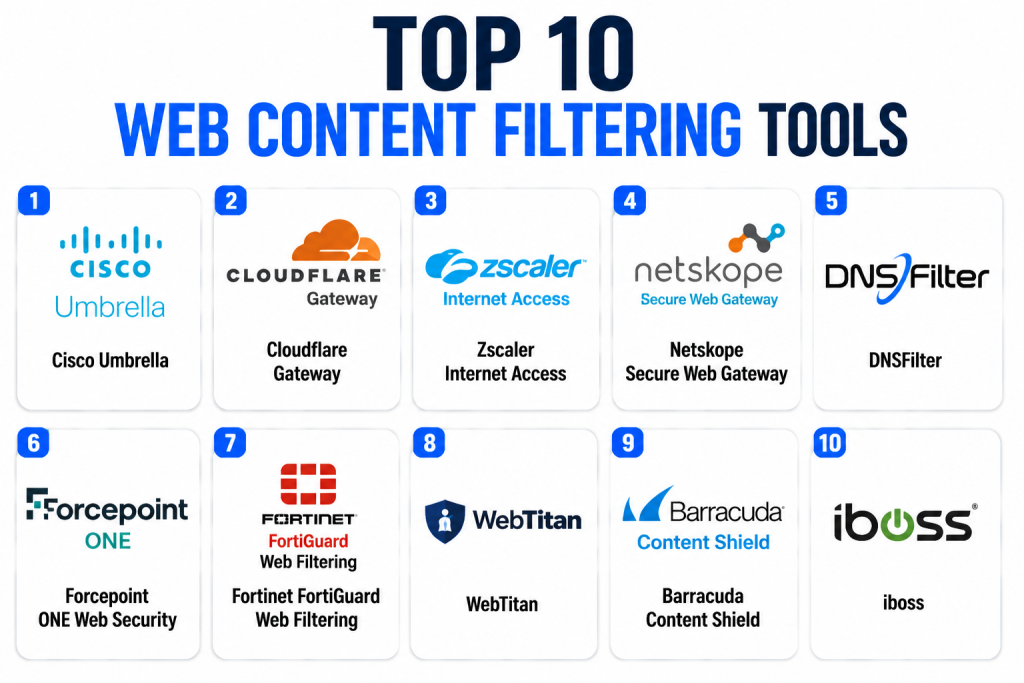
Top 10 Web Content Filtering Tools
1- Cisco Umbrella
Short description: Cisco Umbrella is a cloud-delivered DNS security and web filtering platform that helps organizations block malicious domains, phishing sites, malware destinations, and unwanted web categories. It is widely used by SMBs, enterprises, schools, and distributed teams that want fast protection across office networks and roaming users. Umbrella is especially useful when teams want DNS-layer security as a first line of defense before traffic reaches risky sites. It can support acceptable-use policies, threat intelligence-based blocking, reporting, and remote-user protection. Cisco Umbrella is also relevant for organizations already using Cisco security or networking products. Buyers should evaluate licensing, secure web gateway needs, roaming client options, and how Umbrella fits into a broader security architecture.
Key Features
- DNS-layer filtering and security
- Category-based web content filtering
- Malware and phishing domain blocking
- Roaming user protection
- Policy controls by user, group, or network
- Reporting and activity visibility
- Integration with broader Cisco security ecosystem
Pros
- Fast DNS-layer deployment for many environments
- Strong fit for distributed users and branch networks
- Useful for both security blocking and acceptable-use policies
Cons
- Advanced web inspection may require additional Cisco capabilities
- Licensing and packaging should be reviewed carefully
- Smaller teams may not need the full Cisco ecosystem
Platforms / Deployment
Web / Windows / macOS / iOS / Android
Cloud / Hybrid
Security & Compliance
Cisco Umbrella is part of Cisco’s broader security portfolio and supports enterprise web security workflows. Buyers should verify current product-specific certifications, access controls, encryption, logging, and compliance documentation directly.
SOC 2: Not publicly stated for this specific product
ISO 27001: Not publicly stated for this specific product
GDPR: Relevant in applicable regions
SSO/SAML: Varies by configuration
MFA: Varies by identity provider
RBAC and audit logs: Varies / N/A
Integrations & Ecosystem
Cisco Umbrella integrates well with Cisco networking, endpoint, firewall, and security operations environments.
- Cisco Secure ecosystem
- Identity provider integrations
- Active Directory and user/group policies
- SIEM and log export workflows
- Endpoint and roaming clients
- Network and branch office deployments
Support & Community
Cisco provides enterprise documentation, partner support, community resources, and professional services options. Support depth varies by license, partner relationship, and contract. Organizations already invested in Cisco may benefit from stronger ecosystem alignment and easier operational consolidation.
2- Cloudflare Gateway
Short description: Cloudflare Gateway is a secure web gateway and DNS filtering solution within Cloudflare’s Zero Trust platform. It helps organizations filter DNS and HTTP traffic, block malware and phishing, control web categories, and apply internet access policies for users and devices. Cloudflare Gateway is a strong fit for teams that want cloud-native web filtering with fast global performance and integration into Zero Trust access controls. It is useful for SMBs, mid-market businesses, remote teams, and enterprises already using Cloudflare services. The platform can support DNS filtering, secure web gateway policies, identity-aware rules, and visibility into user activity. Buyers should evaluate policy granularity, logging needs, traffic routing, and whether Cloudflare’s broader Zero Trust platform fits their roadmap.
Key Features
- DNS filtering and secure web gateway
- Category-based web access policies
- Malware and phishing protection
- Cloudflare Zero Trust integration
- Identity-aware policy enforcement
- Remote user protection
- Logs, analytics, and security visibility
Pros
- Strong cloud-native architecture
- Good fit for organizations using Cloudflare Zero Trust
- Useful for remote teams and distributed environments
Cons
- Best value comes when used with broader Cloudflare services
- Advanced policy design may require planning
- Buyers should test compatibility with complex environments
Platforms / Deployment
Web / Windows / macOS / Linux / iOS / Android
Cloud
Security & Compliance
Cloudflare provides cloud security infrastructure with encryption, access controls, logging, and identity integrations. Buyers should verify Gateway-specific security and compliance documentation directly.
SOC 2: Not publicly stated for this specific product
ISO 27001: Not publicly stated for this specific product
GDPR: Relevant in applicable regions
SSO/SAML: Supported through identity integrations depending on setup
MFA: Varies by identity provider
RBAC and audit logs: Varies / N/A
Integrations & Ecosystem
Cloudflare Gateway fits into Cloudflare’s broader Zero Trust, network security, and access ecosystem.
- Cloudflare Zero Trust
- Cloudflare Access
- Cloudflare WARP client
- Identity provider integrations
- SIEM and log export workflows
- DNS, HTTP, and network policy controls
Support & Community
Cloudflare provides documentation, community resources, enterprise support, and technical guidance. Support depth varies by plan. Teams should confirm onboarding help, support response expectations, and policy design assistance before large-scale deployment.
3- Zscaler Internet Access
Short description: Zscaler Internet Access is a cloud-delivered secure web gateway and internet security platform that includes web filtering, threat protection, SSL inspection, data protection, and cloud security controls. It is designed for enterprises and large organizations that need consistent web security for users across offices, branches, and remote locations. Zscaler is especially relevant for companies adopting Security Service Edge or Zero Trust internet access. It helps enforce web access policies, block threats, inspect traffic, and apply security controls without backhauling traffic through traditional data centers. Its biggest strength is enterprise-scale cloud security architecture. Buyers should evaluate licensing, rollout complexity, traffic forwarding methods, and integration with identity and endpoint tools.
Key Features
- Secure web gateway
- URL and category filtering
- Malware and phishing protection
- SSL traffic inspection
- Cloud app visibility and control
- DLP and data protection support
- Zero Trust and SSE alignment
Pros
- Strong enterprise web security platform
- Good fit for remote and hybrid workforces
- Broad policy controls across web and cloud traffic
Cons
- May be complex for smaller organizations
- Deployment requires careful traffic routing and policy design
- Pricing and packaging can be enterprise-oriented
Platforms / Deployment
Web / Windows / macOS / Linux / iOS / Android
Cloud
Security & Compliance
Zscaler provides enterprise cloud security services with identity integration, policy controls, and logging capabilities. Buyers should verify current product-specific certifications and compliance documentation directly.
SOC 2: Not publicly stated for this specific product
ISO 27001: Not publicly stated for this specific product
GDPR: Relevant in applicable regions
SSO/SAML: Varies by identity integration
MFA: Varies by identity provider
RBAC and audit logs: Varies / N/A
Integrations & Ecosystem
Zscaler Internet Access integrates into enterprise identity, endpoint, cloud, and security operations ecosystems.
- Identity provider integrations
- Endpoint forwarding clients
- SIEM and log export workflows
- CASB and DLP workflows
- Cloud security policies
- SSE and SASE architectures
Support & Community
Zscaler offers enterprise documentation, deployment resources, partner support, and professional services options. Buyers should confirm implementation assistance, policy migration support, and support tiers before deployment.
4- Netskope Secure Web Gateway
Short description: Netskope Secure Web Gateway provides cloud-delivered web filtering, secure web access, cloud app visibility, threat protection, and data protection controls. It is especially strong for organizations that need web content filtering connected to SaaS usage, CASB, DLP, and SSE policies. Netskope is useful for cloud-first enterprises, remote workforces, and businesses that need to understand web traffic and cloud application context together. The platform helps security teams block risky categories, inspect traffic, control uploads and downloads, and reduce exposure to malware or phishing. It is a strong fit for SaaS-heavy environments where simple URL blocking is not enough. Buyers should evaluate deployment planning, policy complexity, and integration with existing security tools.
Key Features
- Secure web gateway and URL filtering
- Cloud app visibility and control
- Malware and phishing protection
- DLP and sensitive data policies
- SSL inspection support
- Risk-based user and app policies
- Reporting and activity analytics
Pros
- Strong SaaS and cloud app context
- Good fit for SSE and CASB-aligned web security
- Useful for organizations focused on data protection
Cons
- May be more complex than basic DNS filtering tools
- Best value comes from broader Netskope platform usage
- Policy design requires careful planning
Platforms / Deployment
Web / Windows / macOS / Linux / iOS / Android
Cloud
Security & Compliance
Netskope provides enterprise cloud security and data protection capabilities. Buyers should verify product-specific certifications, access controls, encryption, and compliance documentation directly.
SOC 2: Not publicly stated for this specific product
ISO 27001: Not publicly stated for this specific product
GDPR: Relevant in applicable regions
SSO/SAML: Varies by identity provider
MFA: Varies by identity provider
RBAC and audit logs: Varies / N/A
Integrations & Ecosystem
Netskope integrates with identity, endpoint, cloud application, and security operations workflows.
- Identity provider integrations
- Endpoint clients
- CASB and DLP workflows
- SIEM and log exports
- Cloud app controls
- SSE architecture integrations
Support & Community
Netskope provides enterprise documentation, support, customer success, and professional services. Buyers should confirm onboarding support, traffic forwarding methods, and policy design guidance before rollout.
5- DNSFilter
Short description: DNSFilter is a DNS-layer web filtering and security platform designed for businesses, MSPs, schools, and distributed teams that need fast domain-level protection. It helps block phishing, malware, adult content, gambling, proxy sites, and other unwanted categories before users connect to risky domains. DNSFilter is especially attractive for SMBs and MSPs because it focuses on simple deployment, strong category filtering, reporting, and multi-tenant management. It can protect office networks, roaming users, and client environments without requiring a heavy secure web gateway rollout. The platform is useful when organizations need practical web filtering rather than full enterprise SSE complexity. Buyers should evaluate whether DNS-level controls are enough or whether deeper traffic inspection is required.
Key Features
- DNS-layer web content filtering
- Category-based blocking
- Threat and malicious domain protection
- Roaming client support
- MSP-friendly multi-tenant management
- Reporting and policy analytics
- Block pages and allow/block lists
Pros
- Easy deployment for SMBs and MSPs
- Strong fit for DNS-based filtering needs
- Useful for distributed networks and roaming users
Cons
- DNS filtering may not provide deep traffic inspection
- SSL content inspection is not the core focus
- Enterprises may need additional SWG or DLP tools
Platforms / Deployment
Web / Windows / macOS / iOS / Android
Cloud
Security & Compliance
DNSFilter processes DNS and web policy data. Buyers should verify current security documentation, encryption, access controls, privacy terms, and compliance coverage directly.
SOC 2: Not publicly stated
ISO 27001: Not publicly stated
GDPR: Relevant in applicable regions
SSO/SAML: Varies / N/A
MFA: Varies / N/A
RBAC and audit logs: Varies / N/A
Integrations & Ecosystem
DNSFilter integrates into network, endpoint, and MSP workflows where DNS-based control is the primary filtering layer.
- DNS forwarding
- Roaming clients
- MSP dashboards
- Policy templates
- Reporting exports
- Network and endpoint deployments
Support & Community
DNSFilter provides documentation, customer support, MSP resources, and deployment guidance. It is a practical option for teams that want straightforward filtering and reporting without building a large security architecture.
6- Forcepoint ONE Web Security
Short description: Forcepoint ONE Web Security provides secure web gateway, web filtering, malware protection, and data protection capabilities within Forcepoint’s broader security platform. It is designed for organizations that need to protect users, enforce acceptable-use policies, and control data movement across web and cloud environments. Forcepoint is especially relevant for regulated industries, government, financial services, healthcare, and enterprises focused on data-centric security. The platform can help block unsafe categories, inspect web traffic, control risky downloads, and support compliance workflows. It is useful when web filtering must work closely with DLP and cloud access policies. Buyers should evaluate platform fit, policy administration, and integration with existing Forcepoint tools.
Key Features
- Secure web gateway controls
- URL and category filtering
- Malware and phishing protection
- DLP and data protection support
- Cloud access security alignment
- User and group-based policies
- Reporting and audit visibility
Pros
- Strong fit for data protection-focused organizations
- Useful for regulated and compliance-heavy environments
- Can align web filtering with broader Forcepoint security tools
Cons
- May be more advanced than SMBs need
- Best value depends on Forcepoint ecosystem fit
- Policy setup may require security expertise
Platforms / Deployment
Web / Windows / macOS / iOS / Android
Cloud / Hybrid
Security & Compliance
Forcepoint provides enterprise security and data protection solutions. Buyers should verify product-specific certifications, access controls, audit logs, encryption, and compliance documentation directly.
SOC 2: Not publicly stated for this specific product
ISO 27001: Not publicly stated for this specific product
GDPR: Relevant in applicable regions
SSO/SAML: Varies / N/A
MFA: Varies / N/A
RBAC and audit logs: Varies / N/A
Integrations & Ecosystem
Forcepoint ONE Web Security integrates with broader Forcepoint and enterprise security workflows.
- Forcepoint security ecosystem
- DLP workflows
- Identity provider integrations
- SIEM and reporting exports
- Cloud app controls
- Endpoint and network policies
Support & Community
Forcepoint provides enterprise support, documentation, and professional services options. Buyers should confirm implementation support, policy migration guidance, and long-term account assistance before adoption.
7- Fortinet FortiGuard Web Filtering
Short description: Fortinet FortiGuard Web Filtering provides URL filtering and web security intelligence as part of the Fortinet security ecosystem. It is commonly used with FortiGate firewalls and other Fortinet products to block malicious, inappropriate, or non-compliant web content. FortiGuard is especially relevant for organizations already invested in Fortinet networking and security infrastructure. It supports category-based filtering, threat intelligence, policy enforcement, and web access controls across networks and users. The platform is useful for SMBs, mid-market companies, distributed branches, schools, and enterprises that want web filtering integrated with firewall and network security. Buyers should evaluate Fortinet ecosystem fit, policy granularity, reporting, and cloud-user coverage.
Key Features
- URL and web category filtering
- Threat intelligence-based web blocking
- Integration with Fortinet security products
- Firewall-based policy enforcement
- Malware and phishing site protection
- Application and content control support
- Reporting and security visibility
Pros
- Strong fit for Fortinet firewall customers
- Useful for network-integrated web filtering
- Practical for branch, campus, and distributed environments
Cons
- Best value depends on Fortinet ecosystem usage
- Remote-user protection may require additional components
- Advanced cloud-native controls may need broader Fortinet services
Platforms / Deployment
Web / Windows / macOS / Linux / iOS / Android
Cloud / Hardware appliance / Hybrid
Security & Compliance
Fortinet provides security infrastructure and threat intelligence services. Buyers should verify FortiGuard-specific controls, logging, certifications, and compliance documentation directly.
SOC 2: Not publicly stated for this specific service
ISO 27001: Not publicly stated for this specific service
GDPR: Relevant in applicable regions
SSO/SAML: Varies by Fortinet configuration
MFA: Varies / N/A
RBAC and audit logs: Varies / N/A
Integrations & Ecosystem
FortiGuard Web Filtering works best inside the Fortinet Security Fabric and firewall ecosystem.
- FortiGate firewalls
- Fortinet Security Fabric
- Network security policies
- Endpoint and VPN workflows
- SIEM and log reporting
- Branch and campus deployments
Support & Community
Fortinet provides documentation, partner support, training resources, and enterprise support options. Organizations using Fortinet infrastructure can benefit from ecosystem consistency and centralized management.
8- WebTitan
Short description: WebTitan by TitanHQ is a DNS-based web filtering solution commonly used by SMBs, MSPs, schools, healthcare organizations, and businesses that need practical content control without complex enterprise architecture. It helps block malware, phishing, adult content, gambling, proxy sites, and unwanted web categories. WebTitan is especially useful for managed service providers because it supports multi-tenant management and client reporting. It can protect office networks and roaming users through DNS-layer filtering. The platform is a strong option for organizations that want simple web filtering, policy management, and reporting at a manageable cost. Buyers should evaluate whether DNS-layer controls are enough or if deeper secure web gateway capabilities are needed.
Key Features
- DNS-based web content filtering
- Malware and phishing domain protection
- Category-based allow and block policies
- Roaming user support
- MSP multi-tenant management
- Reporting and usage analytics
- Custom block pages and policy controls
Pros
- Strong fit for SMBs and MSPs
- Practical and manageable DNS filtering approach
- Useful for education, healthcare, and business networks
Cons
- Not a full enterprise SSE platform
- Limited deep traffic inspection compared with SWG tools
- Large enterprises may need broader security integrations
Platforms / Deployment
Web / Windows / macOS
Cloud
Security & Compliance
WebTitan processes DNS and filtering policy data. Buyers should verify current security documentation, access controls, privacy terms, and compliance coverage directly.
SOC 2: Not publicly stated
ISO 27001: Not publicly stated
GDPR: Relevant in applicable regions
SSO/SAML: Varies / N/A
MFA: Varies / N/A
RBAC and audit logs: Varies / N/A
Integrations & Ecosystem
WebTitan integrates with network and MSP workflows where DNS-layer filtering is the primary control.
- DNS forwarding
- Roaming user agents
- MSP dashboards
- Client reporting
- Policy templates
- Network deployment workflows
Support & Community
TitanHQ provides documentation, onboarding resources, and support options. WebTitan is especially practical for MSPs and smaller organizations needing straightforward setup and customer reporting.
9- Barracuda Content Shield
Short description: Barracuda Content Shield is a web security and content filtering solution designed to protect users from malicious websites, phishing, malware, and inappropriate content. It is suitable for businesses, schools, and organizations that want manageable web filtering with security protection and reporting. Barracuda is especially relevant for teams already using Barracuda email, network, or security products. Content Shield can help enforce acceptable-use policies, protect remote users, and reduce web-based risk. It is practical for SMB and mid-market organizations that want a security vendor with a broader portfolio. Buyers should evaluate policy controls, remote-user support, reporting, and integration with their existing environment.
Key Features
- Web content filtering
- Malware and phishing protection
- Category-based blocking
- Remote-user filtering support
- Policy management
- Reporting and activity visibility
- Alignment with Barracuda security ecosystem
Pros
- Practical option for SMB and mid-market teams
- Useful for organizations already using Barracuda products
- Combines content filtering with web threat protection
Cons
- May not match the depth of large SSE platforms
- Integration needs should be reviewed carefully
- Advanced enterprise controls may vary by package
Platforms / Deployment
Web / Windows / macOS
Cloud
Security & Compliance
Barracuda provides security products for web, email, and network environments. Buyers should verify Content Shield-specific controls, certifications, logging, and compliance documentation directly.
SOC 2: Not publicly stated for this specific product
ISO 27001: Not publicly stated for this specific product
GDPR: Relevant in applicable regions
SSO/SAML: Varies / N/A
MFA: Varies / N/A
RBAC and audit logs: Varies / N/A
Integrations & Ecosystem
Barracuda Content Shield fits into broader Barracuda security workflows for organizations that prefer vendor consolidation.
- Barracuda security ecosystem
- Web filtering policies
- Endpoint and user filtering workflows
- Reporting dashboards
- Email and web security alignment
- Admin policy console
Support & Community
Barracuda provides documentation, partner support, customer support, and security resources. Buyers should confirm onboarding help, support tiers, and reporting guidance before deployment.
10- iboss
Short description: iboss is a cloud security platform that provides secure web gateway, web filtering, malware defense, cloud access controls, and Zero Trust-oriented web security. It is designed for organizations that need to secure users regardless of location, device, or network. iboss can help enforce web content policies, inspect traffic, protect against malicious sites, and apply access controls for remote and hybrid workforces. It is especially relevant for schools, enterprises, government agencies, and organizations replacing legacy appliance-based web filtering. The platform is useful when teams want cloud-delivered web security with policy consistency across users. Buyers should evaluate deployment options, reporting, performance, and fit with existing identity and security tools.
Key Features
- Cloud secure web gateway
- URL and category filtering
- Malware and phishing protection
- User and group-based policies
- Remote-user web security
- Cloud access and Zero Trust controls
- Reporting and policy visibility
Pros
- Strong fit for remote and distributed environments
- Useful for replacing legacy appliance-based web filtering
- Supports cloud-delivered web security at scale
Cons
- May require architecture planning for large deployments
- Buyers should validate integration and routing options
- Pricing and packaging are typically business-specific
Platforms / Deployment
Web / Windows / macOS / iOS / Android
Cloud
Security & Compliance
iboss provides cloud-delivered web security and access controls. Buyers should verify product-specific certifications, encryption, access controls, logging, and compliance documentation directly.
SOC 2: Not publicly stated
ISO 27001: Not publicly stated
GDPR: Relevant in applicable regions
SSO/SAML: Varies by identity integration
MFA: Varies by identity provider
RBAC and audit logs: Varies / N/A
Integrations & Ecosystem
iboss integrates with identity, endpoint, security operations, and cloud access workflows to support user-based web filtering.
- Identity provider integrations
- Endpoint agents
- SIEM and logging workflows
- Secure web gateway policies
- Cloud access controls
- Remote-user protection
Support & Community
iboss provides enterprise support, documentation, and deployment guidance. Buyers should confirm onboarding resources, policy migration support, and support tiers based on organization size and deployment complexity.
Comparison Table Top 10
| Tool Name | Best For | Platform Supported | Deployment | Standout Feature | Public Rating |
|---|---|---|---|---|---|
| Cisco Umbrella | DNS security and broad web filtering | Web, Windows, macOS, iOS, Android | Cloud / Hybrid | DNS-layer protection with Cisco ecosystem alignment | N/A |
| Cloudflare Gateway | Cloud-native Zero Trust web filtering | Web, Windows, macOS, Linux, iOS, Android | Cloud | DNS and SWG filtering inside Cloudflare Zero Trust | N/A |
| Zscaler Internet Access | Enterprise secure web gateway programs | Web, Windows, macOS, Linux, iOS, Android | Cloud | Enterprise-scale SWG and SSE web security | N/A |
| Netskope Secure Web Gateway | SaaS-heavy web and cloud security | Web, Windows, macOS, Linux, iOS, Android | Cloud | Web filtering with CASB and DLP context | N/A |
| DNSFilter | SMBs, MSPs, and DNS-based filtering | Web, Windows, macOS, iOS, Android | Cloud | Simple DNS filtering with MSP-friendly management | N/A |
| Forcepoint ONE Web Security | Data-centric web security and compliance | Web, Windows, macOS, iOS, Android | Cloud / Hybrid | Web filtering aligned with DLP and SSE controls | N/A |
| Fortinet FortiGuard Web Filtering | Fortinet firewall and branch environments | Web, Windows, macOS, Linux, iOS, Android | Cloud / Hardware / Hybrid | Web filtering inside Fortinet Security Fabric | N/A |
| WebTitan | SMB and MSP web filtering | Web, Windows, macOS | Cloud | Practical DNS filtering for managed environments | N/A |
| Barracuda Content Shield | SMB and mid-market web protection | Web, Windows, macOS | Cloud | Web filtering within Barracuda security ecosystem | N/A |
| iboss | Cloud-delivered SWG and remote user filtering | Web, Windows, macOS, iOS, Android | Cloud | Secure web gateway for distributed users | N/A |
Evaluation & Scoring of Web Content Filtering Tools
| Tool Name | Core 25% | Ease 15% | Integrations 15% | Security 10% | Performance 10% | Support 10% | Value 15% | Weighted Total 0–10 |
| Cisco Umbrella | 9 | 8 | 9 | 8 | 9 | 8 | 8 | 8.45 |
| Cloudflare Gateway | 8 | 9 | 9 | 8 | 9 | 8 | 9 | 8.60 |
| Zscaler Internet Access | 9 | 7 | 9 | 9 | 9 | 8 | 7 | 8.30 |
| Netskope Secure Web Gateway | 9 | 7 | 9 | 9 | 8 | 8 | 7 | 8.20 |
| DNSFilter | 8 | 9 | 7 | 7 | 9 | 8 | 9 | 8.15 |
| Forcepoint ONE Web Security | 8 | 7 | 8 | 8 | 8 | 8 | 7 | 7.75 |
| Fortinet FortiGuard Web Filtering | 8 | 8 | 8 | 8 | 8 | 8 | 8 | 8.00 |
| WebTitan | 8 | 9 | 7 | 7 | 8 | 8 | 9 | 8.00 |
| Barracuda Content Shield | 7 | 8 | 7 | 7 | 8 | 8 | 8 | 7.60 |
| iboss | 8 | 7 | 8 | 8 | 8 | 8 | 7 | 7.75 |
These scores are comparative and intended for shortlisting, not final vendor ranking. A higher score means stronger general fit across common web content filtering needs, but the right platform depends on organization size, current security stack, deployment model, regulatory needs, and budget. DNSFilter and WebTitan may be easier for SMBs and MSPs, while Zscaler, Netskope, Forcepoint, and iboss may fit larger cloud security programs. Cisco, Cloudflare, and Fortinet are especially strong when they align with existing infrastructure.
Which Web Content Filtering Tool Is Right for You?
Solo / Freelancer
Solo users and freelancers usually do not need a full enterprise web filtering platform. A secure DNS service, browser protection, password manager, MFA, endpoint security, and careful browsing habits may be enough. If you manage client systems or need basic filtering for a small office, a lightweight DNS filtering tool can be useful. The best choice should be simple, affordable, and easy to maintain.
SMB
SMBs should prioritize ease of deployment, simple policy management, strong category filtering, malware protection, and predictable pricing. DNSFilter, WebTitan, Cisco Umbrella, Cloudflare Gateway, and Barracuda Content Shield can be practical options depending on budget and existing tools. SMBs with remote workers should check roaming clients and endpoint support. The goal is to protect users without creating a large administrative workload.
Mid-Market
Mid-market organizations often need stronger reporting, identity-aware policies, remote-user coverage, and integration with security tools. Cisco Umbrella, Cloudflare Gateway, Fortinet FortiGuard, Forcepoint, iboss, and Netskope may be strong candidates depending on architecture. If the organization is cloud-first, SWG and SSE features become more important. If it is branch-heavy, firewall or DNS-based filtering may be more practical.
Enterprise
Enterprises should evaluate web content filtering as part of a broader SSE, SASE, Zero Trust, DLP, CASB, endpoint, and SIEM strategy. Zscaler Internet Access, Netskope Secure Web Gateway, Forcepoint ONE Web Security, iboss, Cisco Umbrella, Cloudflare Gateway, and Fortinet are strong enterprise candidates. Enterprises should validate performance, SSL inspection policies, global routing, role-based access, reporting, data controls, and compliance evidence.
Budget vs Premium
Budget-focused teams should start with DNS filtering because it is often easier and faster to deploy. Premium secure web gateway and SSE tools are more valuable when you need SSL inspection, cloud app controls, DLP, advanced threat protection, and identity-aware policies. A cheaper tool may be enough for category blocking, while a premium platform is better for complex security programs. Compare tool cost against risk reduction, admin effort, and existing platform overlap.
Feature Depth vs Ease of Use
DNSFilter and WebTitan are easier for practical DNS filtering. Cisco Umbrella and Cloudflare Gateway offer a strong balance of usability and broader security. Zscaler, Netskope, Forcepoint, and iboss provide deeper enterprise web security and policy controls. Fortinet is attractive when web filtering should align with firewall and network security. Choose feature depth only if your team can manage it effectively.
Integrations & Scalability
Web filtering tools should integrate with identity providers, endpoint clients, firewalls, SIEM tools, EDR platforms, cloud apps, and admin directories. Scalability includes remote-user coverage, global performance, policy delegation, log storage, and reporting speed. Schools and MSPs may need multi-tenant management, while enterprises may need role-based administration and compliance-ready logs. Always test deployment across real networks and remote devices.
Security & Compliance Needs
Organizations in education, healthcare, finance, government, and regulated industries should review audit logs, data retention, encryption, admin access controls, privacy settings, and reporting. SSL inspection policies require special care because they can affect privacy and application compatibility. Buyers should verify vendor documentation directly instead of assuming certifications. Compliance depends on both the tool and how policies are configured.
Frequently Asked Questions FAQs
1- What is a web content filtering tool?
A web content filtering tool controls access to websites, categories, domains, web apps, and online content. It helps block unsafe, inappropriate, or non-compliant browsing. Businesses use it for security, productivity, compliance, and acceptable-use policy enforcement.
2- How does web content filtering work?
Web filtering can work through DNS filtering, secure web gateway inspection, browser controls, endpoint agents, firewall policies, or cloud security platforms. The tool checks the requested site against categories, threat intelligence, policies, and user rules. It then allows, blocks, warns, or logs the request.
3- What is the difference between DNS filtering and secure web gateway filtering?
DNS filtering blocks access at the domain lookup stage, which makes it fast and easy to deploy. Secure web gateway filtering can inspect deeper web traffic, URLs, files, cloud apps, and encrypted traffic when configured. DNS filtering is simpler, while SWG is more advanced.
4- What pricing models do web filtering tools use?
Pricing is commonly based on users, devices, locations, DNS queries, traffic volume, platform tier, or enterprise contracts. MSP-focused tools may use multi-tenant or per-client pricing. Buyers should compare pricing with deployment scope, support needs, and included security features.
5- How long does implementation take?
Basic DNS filtering can often be deployed quickly by changing DNS settings or installing a roaming client. Secure web gateway deployments may take longer because they involve identity integration, traffic forwarding, SSL inspection, user groups, and policy testing. Enterprises should run a pilot before full rollout.
6- What are common mistakes when choosing a web filtering tool?
Common mistakes include choosing only by price, ignoring remote users, overblocking useful websites, and failing to test SSL inspection. Some teams also forget reporting, admin roles, and exception workflows. A good tool should protect users without blocking legitimate work.
7- Can web filtering stop phishing?
Web filtering can block known phishing domains, suspicious URLs, newly risky categories, and malicious redirects. However, phishing defense also needs email security, MFA, user training, browser protection, and incident response. Web filtering is an important layer but not a complete anti-phishing strategy alone.
8- Is web filtering useful for schools?
Yes, schools use web filtering to protect students, enforce acceptable-use policies, reduce distractions, and meet internet safety expectations. Education buyers should look for student-safe category controls, classroom policy flexibility, reporting, and easy device coverage. Remote learning support is also important.
9- Does web filtering affect privacy?
It can, because web filtering tools may log browsing activity, user identity, device information, and blocked requests. Organizations should create clear policies, limit access to logs, follow privacy rules, and avoid unnecessary monitoring. Privacy-aware configuration is especially important for schools and regulated industries.
10- What integrations matter most?
Important integrations include identity providers, Active Directory, Microsoft 365, Google Workspace, firewalls, SIEM tools, endpoint agents, EDR, and cloud security platforms. These integrations help apply user-based policies and improve visibility. The best tool should fit your existing architecture.
Conclusion
Web Content Filtering Tools help organizations create safer, more controlled, and more compliant internet access across offices, remote users, schools, cloud apps, and distributed devices. Cisco Umbrella is strong for DNS-layer security, Cloudflare Gateway is attractive for cloud-native Zero Trust teams, Zscaler and Netskope fit enterprise SSE strategies, DNSFilter and WebTitan are practical for SMBs and MSPs, Forcepoint supports data-centric security, Fortinet fits firewall-centered environments, Barracuda works well for practical mid-market filtering, and iboss is relevant for cloud-delivered secure web gateway needs. There is no single best tool for every organization because the right choice depends on company size, security maturity, existing stack, compliance needs, and budget. A practical is to shortlist two or three platforms, run a pilot with office and remote users, test policy accuracy and reporting, validate integrations and privacy controls, then scale web filtering based on real risk and business needs.
