Introduction
GitOps tools help teams manage infrastructure, applications, Kubernetes clusters, and deployment workflows using Git as the single source of truth. In simple terms, teams define the desired state of systems in Git repositories, and GitOps tools automatically sync, validate, deploy, and reconcile that state across environments. This approach matters now because modern software teams are managing more clusters, more cloud accounts, more compliance requirements, and faster release cycles than ever before.
Real-world use cases include Kubernetes deployment automation, multi-cluster application delivery, infrastructure change control, compliance-friendly release workflows, disaster recovery, and rollback management.
Buyers should evaluate:
- Kubernetes and cloud-native support
- Git repository integration
- Multi-cluster management
- Security and RBAC controls
- Policy and compliance support
- Rollback and drift detection
- CI/CD ecosystem compatibility
- Observability and audit logs
- Scalability for teams and environments
- Ease of onboarding
Best for: DevOps teams, platform engineering teams, SRE teams, cloud-native enterprises, regulated organizations, software companies, and teams managing Kubernetes or Infrastructure as Code at scale.
Not ideal for: Very small teams with simple manual deployments, organizations not using Git-based workflows, or businesses that only need basic CI/CD without continuous reconciliation.
Key Trends in GitOps Tools
- GitOps is becoming a core part of platform engineering strategies.
- Multi-cluster Kubernetes management is now a major requirement.
- AI-assisted deployment troubleshooting is gaining attention.
- Security teams are demanding stronger audit trails and RBAC.
- Policy as Code and GitOps workflows are becoming more connected.
- Progressive delivery is becoming standard for critical applications.
- GitOps is expanding beyond Kubernetes into cloud infrastructure.
- Enterprises are looking for centralized governance across teams.
- Open-source tools remain strong, but managed GitOps platforms are growing.
- Compliance-driven deployment visibility is becoming a buying priority.
How We Selected These Tools
- We considered tools with strong GitOps adoption and market visibility.
- We prioritized platforms used in Kubernetes and cloud-native environments.
- We included both open-source and commercial options.
- We evaluated multi-cluster and enterprise governance capabilities.
- We considered integration depth with Git, CI/CD, cloud, and observability tools.
- We looked at developer experience and operational simplicity.
- We considered security posture signals such as RBAC, audit logs, and access controls.
- We selected tools suitable for different company sizes and technical maturity levels.
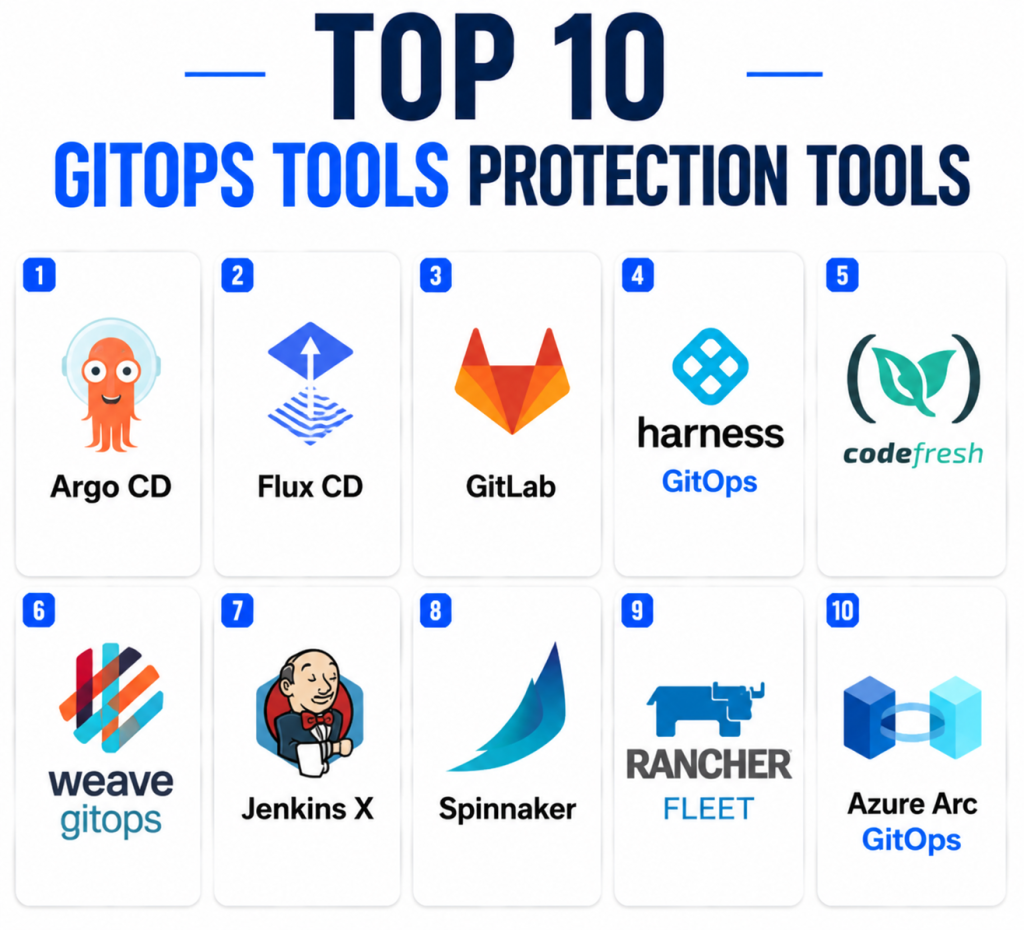
Top 10 GitOps Tools Protection Tools
1 — Argo CD
Short description:
Argo CD is one of the most widely adopted open-source GitOps tools for Kubernetes application delivery. It continuously compares the desired state stored in Git with the live state running in Kubernetes. When differences appear, Argo CD can detect drift and help teams sync changes safely. It is especially popular among platform engineering, DevOps, and SRE teams. Argo CD is known for its visual dashboard, strong Kubernetes-native design, and broad ecosystem support. It is suitable for teams that want a mature and flexible GitOps foundation.
Key Features
- Kubernetes-native continuous delivery
- Git-based desired state management
- Drift detection and reconciliation
- Multi-cluster deployment support
- Web UI and CLI support
- Role-based access controls
- Health status and sync visibility
Pros
- Strong open-source adoption and community support
- Excellent fit for Kubernetes-focused teams
- Clear visual interface for application state and sync status
Cons
- Primarily Kubernetes-focused
- Requires proper Git structure and access control planning
- Advanced multi-team governance may need additional setup
Platforms / Deployment
- Web / Linux / Kubernetes
- Cloud / Self-hosted / Hybrid
Security & Compliance
- RBAC
- SSO integration support
- Audit logs
- Encryption depends on deployment configuration
- Compliance certifications: Not publicly stated
Integrations & Ecosystem
Argo CD integrates well with modern DevOps, GitOps, and Kubernetes ecosystems. It is commonly used with Git repositories, Helm charts, Kustomize, and CI/CD tools.
- GitHub
- GitLab
- Bitbucket
- Helm
- Kustomize
- Kubernetes
Support & Community
Argo CD has a large open-source community, strong documentation, and wide ecosystem adoption. Commercial support may be available through third-party vendors and platform providers.
2 — Flux CD
Short description:
Flux CD is a Kubernetes-focused GitOps tool designed for automated deployment, reconciliation, and configuration management. It works by continuously applying the desired state from Git repositories to Kubernetes clusters. Flux is popular among teams that prefer lightweight, modular, and Kubernetes-native GitOps workflows. It supports Helm, Kustomize, image automation, and multi-cluster deployment patterns. Flux is often selected by platform teams that want a clean GitOps controller-based architecture. It is a strong choice for teams that prefer automation without relying heavily on a central UI.
Key Features
- GitOps reconciliation for Kubernetes
- Helm and Kustomize support
- Image automation capabilities
- Multi-cluster deployment support
- Pull-based deployment model
- Kubernetes controller architecture
- Strong Git repository integration
Pros
- Lightweight and Kubernetes-native
- Strong automation capabilities
- Good fit for Git-first platform teams
Cons
- Less visual than some alternatives
- Requires Kubernetes and GitOps knowledge
- Operational visibility may depend on additional tools
Platforms / Deployment
- Linux / Kubernetes
- Cloud / Self-hosted / Hybrid
Security & Compliance
- Kubernetes RBAC support
- Git-based change control
- Auditability depends on Git and cluster logging setup
- Compliance certifications: Not publicly stated
Integrations & Ecosystem
Flux CD works well with GitOps workflows, Kubernetes manifests, Helm releases, and container image automation.
- GitHub
- GitLab
- Bitbucket
- Helm
- Kustomize
- Kubernetes
Support & Community
Flux has strong open-source documentation and an active cloud-native community. Enterprise support depends on vendors and service providers using Flux in managed platforms.
3 — GitLab
Short description:
GitLab provides Git repository management, CI/CD, security scanning, and Kubernetes deployment workflows in one platform. While GitLab is not only a GitOps tool, it supports GitOps practices through repository-driven deployment, environments, agents, and CI/CD automation. It is useful for organizations that want source control, pipelines, security checks, and deployment visibility under one platform. GitLab is especially valuable for teams that prefer fewer tools and tighter lifecycle integration. It can support both small development teams and enterprise DevSecOps programs. Buyers should evaluate edition features carefully because capabilities vary by plan.
Key Features
- Git repository management
- CI/CD pipelines
- Kubernetes agent support
- Environment tracking
- Security scanning features
- Merge request workflows
- DevSecOps lifecycle support
Pros
- Broad DevOps platform coverage
- Strong CI/CD and source control integration
- Useful for teams wanting fewer disconnected tools
Cons
- GitOps depth may require configuration
- Advanced features may depend on paid tiers
- Can be complex for teams needing only GitOps deployment
Platforms / Deployment
- Web / Linux / Windows / macOS
- Cloud / Self-hosted / Hybrid
Security & Compliance
- SSO/SAML available in relevant editions
- MFA support
- RBAC and permissions
- Audit logs in higher-tier offerings
- Compliance certifications: Not publicly stated here
Integrations & Ecosystem
GitLab integrates across the software delivery lifecycle, from planning to deployment and security.
- Kubernetes
- Docker
- Terraform
- Cloud providers
- Security scanning tools
- Monitoring platforms
Support & Community
GitLab has extensive documentation, commercial support, training options, and a large user community. Support levels vary by subscription.
4 — Harness GitOps
Short description:
Harness GitOps is part of the broader Harness software delivery platform and helps teams manage Kubernetes deployments using GitOps principles. It is designed for organizations that want GitOps combined with CI/CD, feature flags, cloud cost management, security, and governance capabilities. Harness is especially relevant for mid-market and enterprise teams that need workflow automation, approvals, audit trails, and deployment intelligence. It provides a more commercial, platform-oriented approach compared to standalone open-source GitOps tools. Teams looking for governance and software delivery visibility may find it useful. It is best evaluated as part of a wider DevOps platform strategy.
Key Features
- GitOps-based deployment automation
- Kubernetes application delivery
- Deployment governance
- Approval workflows
- CI/CD platform integration
- Visibility into release workflows
- Enterprise controls
Pros
- Strong fit for enterprise delivery teams
- Combines GitOps with broader DevOps workflows
- Useful governance and workflow controls
Cons
- May be more than needed for small teams
- Commercial pricing can vary
- Best value when using multiple Harness modules
Platforms / Deployment
- Web
- Cloud / Hybrid
Security & Compliance
- RBAC
- SSO support
- Audit logs
- Enterprise security controls
- Compliance certifications: Not publicly stated here
Integrations & Ecosystem
Harness connects GitOps with CI/CD, cloud, collaboration, and observability tools.
- GitHub
- GitLab
- Bitbucket
- Kubernetes
- Helm
- Cloud providers
Support & Community
Harness provides commercial documentation, onboarding, customer support, and enterprise support tiers. Community strength is stronger around commercial adoption than open-source community contribution.
5 — Codefresh
Short description:
Codefresh is a software delivery platform with strong GitOps and Argo CD alignment. It helps teams manage Kubernetes deployments, release workflows, and continuous delivery pipelines. Codefresh is often considered by organizations that like Argo CD but need enterprise-grade visibility, governance, and workflow management around it. It supports teams building modern cloud-native delivery pipelines. Codefresh is especially useful for Kubernetes-heavy organizations that want GitOps plus release orchestration. It fits DevOps and platform teams that need operational control across applications and environments.
Key Features
- GitOps deployment workflows
- Argo CD-focused capabilities
- Kubernetes application delivery
- CI/CD pipeline support
- Release visibility
- Environment management
- Enterprise governance features
Pros
- Strong Kubernetes and GitOps focus
- Good fit for Argo CD users needing enterprise features
- Helpful visibility for release management
Cons
- Commercial platform may not suit all budgets
- Best suited for Kubernetes-centric teams
- May overlap with existing CI/CD tools
Platforms / Deployment
- Web
- Cloud / Hybrid
Security & Compliance
- RBAC
- SSO support
- Audit features
- Compliance certifications: Not publicly stated here
Integrations & Ecosystem
Codefresh integrates with Git repositories, Kubernetes environments, and CI/CD workflows.
- GitHub
- GitLab
- Bitbucket
- Kubernetes
- Argo CD
- Helm
Support & Community
Codefresh provides documentation, onboarding, and commercial support. Community visibility is closely tied to the Argo CD and Kubernetes ecosystem.
6 — Weave GitOps
Short description:
Weave GitOps is a GitOps-focused platform associated with Flux-based workflows and Kubernetes operations. It helps teams manage cluster configuration and application delivery using Git as the source of truth. Weave GitOps is designed for platform teams that want visibility, governance, and operational structure around GitOps. It is useful for organizations standardizing GitOps practices across multiple clusters and teams. The platform is especially relevant for users already familiar with Flux CD. Buyers should evaluate current product availability, support model, and commercial roadmap before adoption.
Key Features
- GitOps workflow management
- Flux-based GitOps support
- Kubernetes deployment visibility
- Multi-cluster operations
- Application delivery workflows
- Policy and governance alignment
- Operational dashboarding
Pros
- Strong alignment with Flux ecosystem
- Useful for Kubernetes platform teams
- Helps organize GitOps workflows
Cons
- Product availability and support should be validated
- Smaller ecosystem compared with Argo CD
- Best suited for Flux-oriented teams
Platforms / Deployment
- Web / Kubernetes
- Cloud / Self-hosted / Hybrid
Security & Compliance
- RBAC capabilities may vary by deployment
- Git-based auditability
- Compliance certifications: Not publicly stated
Integrations & Ecosystem
Weave GitOps fits Kubernetes and Flux-centered deployment models.
- Flux CD
- Kubernetes
- GitHub
- GitLab
- Helm
- Cloud-native tools
Support & Community
Support and community strength vary depending on the edition, deployment model, and vendor availability. Buyers should validate current support options.
7 — Jenkins X
Short description:
Jenkins X is a Kubernetes-native CI/CD and GitOps platform designed to automate software delivery for cloud-native applications. It builds on GitOps principles by using Git repositories to manage environments, promotions, and deployment workflows. Jenkins X is suitable for teams that want automated CI/CD pipelines tightly connected with Kubernetes deployments. It offers a more opinionated approach than traditional Jenkins. Teams already familiar with Jenkins may consider Jenkins X when modernizing toward Kubernetes-native delivery. However, adoption requires comfort with Kubernetes and GitOps concepts.
Key Features
- Kubernetes-native CI/CD
- GitOps-based environment promotion
- Automated preview environments
- Pipeline automation
- Cloud-native deployment workflows
- Git repository-driven delivery
- Helm and Kubernetes support
Pros
- Strong CI/CD and GitOps connection
- Useful for Kubernetes-native development
- Supports automated environment promotion
Cons
- More complex than basic CI/CD tools
- Requires Kubernetes expertise
- Community and adoption may be narrower than Argo CD or Flux
Platforms / Deployment
- Kubernetes / Linux
- Cloud / Self-hosted / Hybrid
Security & Compliance
- Kubernetes RBAC support
- Git-based audit trail
- Security depends on platform configuration
- Compliance certifications: Not publicly stated
Integrations & Ecosystem
Jenkins X connects CI/CD, Git, Kubernetes, and deployment automation workflows.
- GitHub
- GitLab
- Bitbucket
- Kubernetes
- Helm
- Container registries
Support & Community
Documentation and community resources are available, but enterprise support varies. Teams should evaluate project activity and support requirements before committing.
8 — Spinnaker
Short description:
Spinnaker is a continuous delivery platform originally built for complex multi-cloud deployments. While it is not a pure GitOps tool, many organizations use it alongside Git-driven workflows for progressive delivery, release automation, and deployment governance. Spinnaker is especially useful for enterprises managing large-scale application delivery across multiple cloud providers and environments. It supports deployment strategies such as canary releases and rolling updates. Teams with complex release requirements may value its depth. However, it can require significant operational expertise.
Key Features
- Multi-cloud continuous delivery
- Deployment pipelines
- Progressive delivery support
- Canary deployment patterns
- Release visibility
- Kubernetes support
- Enterprise-grade deployment workflows
Pros
- Strong for complex enterprise delivery
- Supports advanced deployment strategies
- Useful in multi-cloud environments
Cons
- Operationally complex
- Not a pure GitOps tool
- May be heavy for small or simple teams
Platforms / Deployment
- Web / Linux
- Cloud / Self-hosted / Hybrid
Security & Compliance
- RBAC support
- Authentication integrations
- Auditability depends on configuration
- Compliance certifications: Not publicly stated
Integrations & Ecosystem
Spinnaker integrates with cloud platforms, Kubernetes, CI/CD tools, and monitoring systems.
- Kubernetes
- AWS
- Google Cloud
- Azure
- Jenkins
- Container registries
Support & Community
Spinnaker has an established open-source community and enterprise ecosystem, though implementation often benefits from experienced platform engineering support.
9 — Rancher Fleet
Short description:
Rancher Fleet is a GitOps tool designed for managing Kubernetes clusters at scale, especially in Rancher-managed environments. It helps teams deploy applications and configuration across large numbers of clusters using Git-based workflows. Fleet is particularly relevant for organizations operating distributed Kubernetes environments, edge clusters, or multi-cluster platforms. It focuses on scale, cluster grouping, and consistent configuration delivery. Teams already using Rancher may find Fleet a natural GitOps extension. It is best suited for Kubernetes operations teams managing many clusters.
Key Features
- Multi-cluster GitOps management
- Kubernetes configuration delivery
- Cluster grouping
- Application deployment automation
- Rancher ecosystem alignment
- Edge and distributed cluster support
- Git repository-driven operations
Pros
- Strong multi-cluster management
- Good fit for Rancher users
- Useful for distributed Kubernetes environments
Cons
- Best value inside Rancher ecosystem
- Kubernetes-focused
- Less general-purpose than OPA-style governance tools
Platforms / Deployment
- Web / Kubernetes
- Cloud / Self-hosted / Hybrid
Security & Compliance
- RBAC support through Kubernetes and Rancher
- Auditability depends on configuration
- Compliance certifications: Not publicly stated
Integrations & Ecosystem
Fleet works well within the Rancher and Kubernetes ecosystem.
- Rancher
- Kubernetes
- Git repositories
- Helm
- Container registries
- Cloud providers
Support & Community
Documentation and support are connected to the Rancher ecosystem. Commercial support availability depends on the vendor and subscription model.
10 — Azure Arc GitOps
Short description:
Azure Arc GitOps enables organizations to apply GitOps workflows to Kubernetes clusters connected through Azure Arc. It is useful for teams managing hybrid, multi-cloud, and edge Kubernetes environments while using Azure governance and management services. Azure Arc GitOps helps standardize configuration and application deployment across clusters from a central cloud management plane. It is especially relevant for enterprises already invested in Microsoft Azure. Teams can use it to manage Kubernetes resources consistently across different infrastructure locations. It is best for Azure-centered organizations needing hybrid governance.
Key Features
- GitOps for Azure Arc-enabled Kubernetes
- Hybrid and multi-cloud cluster management
- Configuration management
- Integration with Azure governance
- Kubernetes deployment automation
- Centralized management
- Policy alignment with Azure services
Pros
- Strong fit for Azure-based enterprises
- Useful for hybrid and edge Kubernetes
- Centralized cloud management experience
Cons
- Best suited for Azure ecosystem users
- Less flexible for non-Azure-first organizations
- Requires Azure Arc knowledge
Platforms / Deployment
- Web / Kubernetes
- Cloud / Hybrid
Security & Compliance
- Azure identity integration
- RBAC
- Audit and governance features through Azure services
- Compliance certifications depend on Azure service scope
Integrations & Ecosystem
Azure Arc GitOps integrates with Microsoft cloud and Kubernetes environments.
- Azure Arc
- Kubernetes
- Git repositories
- Azure Policy
- Azure Monitor
- Cloud and edge clusters
Support & Community
Microsoft provides documentation and support through Azure support channels. Community support is strongest among Azure and Kubernetes users.
Comparison Table
| Tool Name | Best For | Platform(s) Supported | Deployment | Standout Feature | Public Rating |
|---|---|---|---|---|---|
| Argo CD | Kubernetes GitOps | Web / Linux / Kubernetes | Cloud / Self-hosted / Hybrid | Visual GitOps reconciliation | N/A |
| Flux CD | Lightweight Kubernetes GitOps | Linux / Kubernetes | Cloud / Self-hosted / Hybrid | Automated Git reconciliation | N/A |
| GitLab | Integrated DevSecOps | Web / Linux / Windows / macOS | Cloud / Self-hosted / Hybrid | Source control plus CI/CD | N/A |
| Harness GitOps | Enterprise software delivery | Web | Cloud / Hybrid | GitOps with delivery governance | N/A |
| Codefresh | Argo CD-based delivery | Web | Cloud / Hybrid | Kubernetes release visibility | N/A |
| Weave GitOps | Flux-based GitOps operations | Web / Kubernetes | Cloud / Self-hosted / Hybrid | Flux workflow management | N/A |
| Jenkins X | Kubernetes-native CI/CD | Linux / Kubernetes | Cloud / Self-hosted / Hybrid | GitOps-based environment promotion | N/A |
| Spinnaker | Enterprise progressive delivery | Web / Linux | Cloud / Self-hosted / Hybrid | Multi-cloud release automation | N/A |
| Rancher Fleet | Multi-cluster Kubernetes management | Web / Kubernetes | Cloud / Self-hosted / Hybrid | GitOps at cluster scale | N/A |
| Azure Arc GitOps | Azure hybrid Kubernetes | Web / Kubernetes | Cloud / Hybrid | Hybrid GitOps governance | N/A |
Evaluation & Scoring of GitOps Tools
| Tool Name | Core (25%) | Ease (15%) | Integrations (15%) | Security (10%) | Performance (10%) | Support (10%) | Value (15%) | Weighted Total |
| Argo CD | 10 | 8 | 10 | 8 | 9 | 9 | 10 | 9.25 |
| Flux CD | 9 | 8 | 9 | 8 | 9 | 8 | 10 | 8.85 |
| GitLab | 8 | 8 | 9 | 9 | 8 | 9 | 8 | 8.35 |
| Harness GitOps | 9 | 8 | 9 | 9 | 8 | 9 | 7 | 8.35 |
| Codefresh | 8 | 8 | 9 | 8 | 8 | 8 | 7 | 8.00 |
| Weave GitOps | 7 | 7 | 8 | 7 | 8 | 7 | 7 | 7.25 |
| Jenkins X | 7 | 6 | 8 | 7 | 7 | 7 | 8 | 7.15 |
| Spinnaker | 8 | 6 | 9 | 8 | 8 | 8 | 7 | 7.70 |
| Rancher Fleet | 8 | 7 | 8 | 8 | 8 | 8 | 8 | 7.85 |
| Azure Arc GitOps | 8 | 8 | 8 | 9 | 8 | 9 | 7 | 8.05 |
The scores are comparative and should not be treated as universal rankings for every organization. A Kubernetes-first startup may rate Argo CD or Flux higher, while an Azure-heavy enterprise may prefer Azure Arc GitOps. Commercial tools may score better for support and governance, while open-source tools often score better on flexibility and value. The best choice depends on deployment scale, compliance needs, internal skills, and ecosystem fit.
Which GitOps Tool Is Right for You?
Solo / Freelancer
Solo developers and freelancers usually need a lightweight setup that does not require complex enterprise governance. Flux CD, Argo CD, or GitLab can work well depending on the workflow. If the goal is learning GitOps for Kubernetes, Argo CD is often easier to visualize, while Flux is cleaner for automation-heavy users.
SMB
Small and medium-sized businesses should look for tools that balance simplicity, reliability, and cost. Argo CD and Flux CD are strong choices for Kubernetes teams. GitLab is useful when the company wants source control, CI/CD, and deployment workflows in one place. Codefresh may be useful for SMBs that want a more guided Kubernetes delivery experience.
Mid-Market
Mid-market companies often need multi-team workflows, better auditability, approval processes, and stronger release visibility. Argo CD, GitLab, Harness GitOps, Codefresh, and Rancher Fleet are practical options. The best fit depends on whether the organization values open-source flexibility, integrated DevOps workflows, or commercial governance.
Enterprise
Enterprises should prioritize scalability, RBAC, SSO, audit trails, policy integration, multi-cluster management, and support. Harness GitOps, GitLab, Argo CD, Codefresh, Rancher Fleet, Spinnaker, and Azure Arc GitOps can all fit enterprise scenarios. Azure-heavy enterprises may prefer Azure Arc GitOps, while Kubernetes platform teams may standardize on Argo CD or Flux.
Budget vs Premium
Open-source options like Argo CD, Flux CD, Jenkins X, and Rancher Fleet can provide strong value with lower licensing costs. Premium tools like Harness GitOps, GitLab enterprise editions, Codefresh, and Azure Arc-based workflows may add governance, support, security controls, and easier operational management.
Feature Depth vs Ease of Use
Argo CD offers strong depth with a user-friendly interface. Flux CD is powerful but more automation-oriented. Spinnaker provides deep release management but is heavier to operate. GitLab and Harness may be easier for organizations that want broader DevOps capabilities in one platform.
Integrations & Scalability
For integration depth, Argo CD, GitLab, Harness, Codefresh, and Spinnaker are strong options. For multi-cluster scalability, Argo CD, Flux CD, Rancher Fleet, and Azure Arc GitOps are especially relevant. Teams should test Git provider integration, Kubernetes support, Helm support, secrets workflows, and observability connections before final selection.
Security & Compliance Needs
Security-focused buyers should evaluate RBAC, SSO/SAML, audit logs, approval workflows, secrets handling, policy integration, and compliance reporting. GitLab, Harness, Azure Arc GitOps, Argo CD, and Rancher Fleet can support stronger governance patterns when properly configured. Regulated teams should avoid choosing a tool only on feature count and should validate evidence collection, access control, and change tracking.
Frequently Asked Questions
1- What is a GitOps tool?
A GitOps tool automates deployment and infrastructure management by using Git as the source of truth. It continuously compares the desired state in Git with the live environment and helps keep systems aligned.
2- Is GitOps only for Kubernetes?
GitOps is most commonly used with Kubernetes, but the same principles can apply to cloud infrastructure, configuration management, and application delivery. Kubernetes remains the strongest use case because it works well with declarative configuration.
3- Which GitOps tool is best for beginners?
Argo CD is often beginner-friendly because it provides a clear web interface and visual sync status. Flux CD is also excellent, but it may feel more command-line and automation-oriented for new users.
4- Are open-source GitOps tools good enough for enterprises?
Yes, many enterprises use Argo CD and Flux CD successfully. However, enterprises may add commercial platforms or internal tooling for governance, reporting, onboarding, and support.
5- How much do GitOps tools cost?
Open-source tools may have no license cost, but teams still need infrastructure, maintenance, and engineering time. Commercial tools usually follow subscription or usage-based pricing, and exact pricing varies by vendor.
6- What are common GitOps implementation mistakes?
Common mistakes include poor repository structure, weak access controls, unmanaged secrets, unclear rollback processes, and deploying GitOps before teams understand ownership. A pilot project helps avoid these issues.
7- Can GitOps improve security?
Yes, GitOps can improve security by creating clear change history, enforcing review workflows, reducing manual access, and supporting auditability. However, security still depends on correct RBAC, secrets management, and policy controls.
8- How long does GitOps onboarding take?
Onboarding can be quick for a single application but longer for multi-team or multi-cluster environments. Teams should start with one non-critical workload, validate sync behavior, and expand gradually.
9- Can GitOps tools integrate with CI/CD pipelines?
Yes, GitOps tools often work alongside CI/CD platforms. CI builds and tests artifacts, while GitOps tools deploy approved configuration changes from Git to target environments.
10- What is the difference between Argo CD and Flux CD?
Argo CD provides a strong visual interface and application-centric GitOps experience. Flux CD is more controller-driven and automation-focused, making it attractive for teams that prefer lightweight Kubernetes-native workflows.
Conclusion
GitOps tools have become essential for modern DevOps, Kubernetes, platform engineering, and cloud-native delivery teams. They help organizations improve deployment consistency, reduce manual changes, strengthen auditability, and manage infrastructure through Git-based workflows. Argo CD and Flux CD remain strong open-source choices, while GitLab, Harness, Codefresh, Rancher Fleet, Spinnaker, and Azure Arc GitOps serve different enterprise and ecosystem needs. There is no single best GitOps tool for every company. The right choice depends on your Kubernetes maturity, cloud strategy, governance requirements, team skills, budget, and integration needs. A practical is to shortlist two or three tools, run a pilot with one application or cluster, validate security and rollback workflows, and then scale GitOps adoption across teams.
