Introduction
Container image scanners help teams identify security risks inside container images before they are deployed into production. In simple terms, these tools inspect image layers, operating system packages, application dependencies, secrets, malware indicators, misconfigurations, and compliance issues. They help DevOps, DevSecOps, and platform teams catch vulnerabilities earlier in the software delivery lifecycle.
Container image scanning matters now because Kubernetes, microservices, cloud-native platforms, and CI/CD pipelines rely heavily on containers. A vulnerable base image, outdated package, exposed secret, or risky dependency can create serious production security risk.
Real-world use cases include:
- Scanning container images before deployment
- Checking base images for known vulnerabilities
- Enforcing CI/CD security gates
- Monitoring registry images continuously
- Supporting SBOM and compliance workflows
What buyers should evaluate:
- Vulnerability detection accuracy
- Container registry integration
- CI/CD pipeline support
- Kubernetes compatibility
- SBOM generation
- Policy enforcement
- Secrets and malware scanning
- Remediation guidance
- Reporting and audit logs
- Scalability across teams and clusters
Best for: DevSecOps teams, platform engineers, Kubernetes teams, cloud security teams, SRE teams, enterprises, SaaS companies, regulated industries, and organizations running containerized workloads at scale.
Not ideal for: Very small teams using few containers, organizations without CI/CD pipelines, or businesses that only need basic dependency scanning without container runtime or registry visibility.
Key Trends in Container Image Scanners
- SBOM-first security is becoming standard as organizations need deeper visibility into image components.
- AI-assisted remediation is growing through suggested fixes, risk summaries, and package upgrade recommendations.
- Runtime context is becoming more important because teams want to prioritize vulnerabilities that are actually exploitable in production.
- Cloud-native platforms are combining image scanning with Kubernetes posture management for broader container security.
- Shift-left scanning is now expected in developer workstations, pull requests, and CI/CD pipelines.
- Registry-native scanning is expanding across cloud registries and private artifact repositories.
- Policy-based deployment blocking is becoming common for high-severity vulnerabilities and non-compliant images.
- Multi-cloud and hybrid container scanning are key enterprise needs as teams deploy across many environments.
- Open-source scanners remain popular for fast adoption and pipeline automation.
- Compliance teams increasingly require audit-ready reports for images, packages, vulnerabilities, and remediation history.
How We Selected These Tools
- We selected tools recognized in container security, DevSecOps, and cloud-native software delivery.
- We included enterprise platforms, open-source scanners, cloud-native solutions, and registry-focused tools.
- We evaluated container vulnerability scanning depth, SBOM support, policy enforcement, and remediation workflows.
- We considered integration with Kubernetes, container registries, CI/CD pipelines, and developer workflows.
- We reviewed suitability for solo users, SMBs, mid-market teams, and large enterprises.
- We considered security controls such as RBAC, SSO, audit logs, and governance features where confidently known.
- We prioritized tools that help teams reduce risk before deployment and during ongoing image monitoring.
- We avoided guessed ratings and unsupported certifications, using “N/A” or “Not publicly stated” where needed.
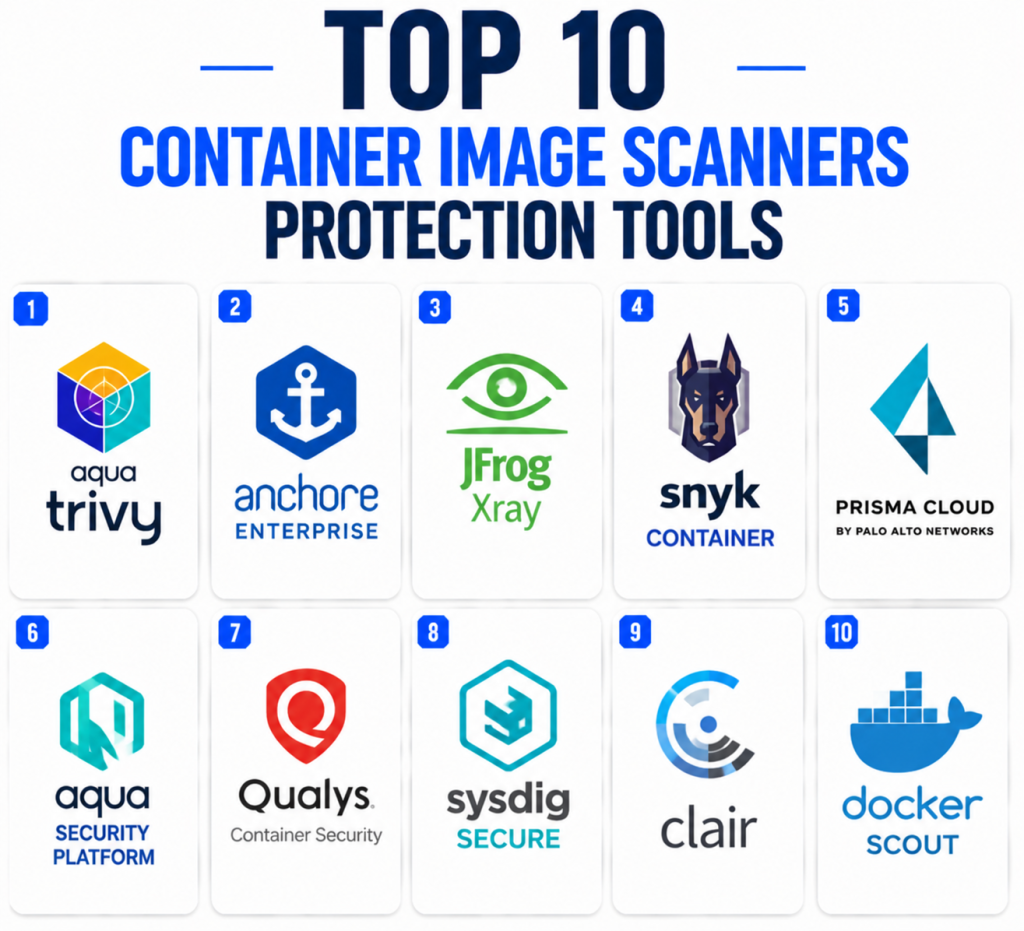
Top 10 Container Image Scanners Protection Tools
1 — Aqua Trivy
Short description:
Aqua Trivy is one of the most widely used open-source scanners for container images, file systems, Git repositories, Kubernetes configurations, Infrastructure as Code, secrets, and dependencies. It is popular because it is lightweight, fast, and easy to integrate into CI/CD pipelines. Trivy helps teams scan images before deployment and identify known vulnerabilities in operating system packages and application dependencies. It is especially useful for cloud-native teams that want practical scanning without heavy setup. Developers, DevOps teams, and security engineers often use Trivy as a first-line image scanning control. It is a strong fit for teams that need flexible open-source scanning across modern delivery workflows.
Key Features
- Container image vulnerability scanning
- SBOM generation support
- Dependency and OS package scanning
- Secrets and misconfiguration scanning
- Kubernetes and IaC scanning capabilities
- CI/CD pipeline integration
- Lightweight CLI-based workflow
Pros
- Easy to adopt and automate
- Strong open-source community adoption
- Broad scanning coverage beyond images
Cons
- Enterprise dashboards require additional tooling
- Governance workflows need process design
- Alert prioritization may require tuning
Platforms / Deployment
- Windows / macOS / Linux
- Self-hosted / Hybrid
Security & Compliance
- Local and pipeline-based scanning
- Auditability depends on CI/CD implementation
- RBAC depends on surrounding platform
- Compliance certifications: Not publicly stated
Integrations & Ecosystem
Trivy fits well into cloud-native development pipelines and container security workflows. It is commonly used in automated builds, registry checks, and Kubernetes security programs.
- Docker
- Kubernetes
- GitHub Actions
- GitLab CI
- Jenkins
- Container registries
Support & Community
Trivy has strong open-source documentation and community usage. Commercial support may be available through Aqua’s broader security platform offerings.
2 — Anchore Enterprise
Short description:
Anchore Enterprise is a container and software supply chain security platform focused on image scanning, SBOM management, policy enforcement, and compliance workflows. It helps organizations inspect container image contents, identify vulnerable packages, enforce policies, and maintain visibility across registries and pipelines. Anchore is especially relevant for enterprises that need strong SBOM support and audit-ready security controls. It fits regulated industries, platform engineering teams, and container-heavy organizations. The platform can support both build-time and registry-based scanning workflows. It is best for teams that need container image governance at scale.
Key Features
- Container image vulnerability scanning
- SBOM generation and management
- Policy enforcement
- Registry and CI/CD integration
- Image content analysis
- Compliance reporting
- Kubernetes workflow support
Pros
- Strong SBOM and container governance focus
- Useful for regulated environments
- Good policy enforcement capabilities
Cons
- More suitable for container-heavy teams
- Commercial deployment requires planning
- May be broader than small teams need
Platforms / Deployment
- Web / Linux
- Cloud / Self-hosted / Hybrid
Security & Compliance
- RBAC
- SSO/SAML may be available
- Audit logs may be available
- Compliance certifications: Not publicly stated here
Integrations & Ecosystem
Anchore integrates with container registries, CI/CD systems, Kubernetes workflows, and security reporting processes.
- Docker
- Kubernetes
- GitHub Actions
- GitLab CI
- Jenkins
- Container registries
Support & Community
Anchore provides documentation, onboarding resources, and commercial support. It also has strong visibility in container security and SBOM-focused communities.
3 — JFrog Xray
Short description:
JFrog Xray is a software composition analysis and security scanning tool that works closely with the JFrog platform. It scans container images, packages, artifacts, and dependencies for vulnerabilities and license issues. Xray is particularly useful for organizations using JFrog Artifactory as a central artifact repository. It helps teams inspect binaries and artifacts throughout the software supply chain, not only source code. This makes it valuable for enterprise DevSecOps teams managing large artifact inventories. It fits organizations that want image scanning connected with artifact governance and release workflows.
Key Features
- Container image vulnerability scanning
- Artifact and package analysis
- License compliance visibility
- Policy enforcement
- Integration with JFrog Artifactory
- Build and release risk visibility
- Security scanning across software artifacts
Pros
- Strong fit for JFrog ecosystem users
- Good artifact-level visibility
- Useful for enterprise release governance
Cons
- Best value inside JFrog environments
- Commercial licensing may be a factor
- Setup may require governance planning
Platforms / Deployment
- Web / Linux
- Cloud / Self-hosted / Hybrid
Security & Compliance
- RBAC
- SSO/SAML may be available
- Audit logs may be available
- Compliance certifications: Not publicly stated here
Integrations & Ecosystem
JFrog Xray works well with artifact repositories, build systems, container registries, and CI/CD workflows.
- JFrog Artifactory
- Docker
- Kubernetes
- Jenkins
- GitHub
- GitLab
Support & Community
JFrog provides commercial documentation, support, onboarding, and an established DevOps ecosystem. Support depth depends on subscription and deployment model.
4 — Snyk Container
Short description:
Snyk Container helps teams find vulnerabilities in container images and provides remediation guidance for base image and package risks. It is part of Snyk’s developer security platform, which also includes open-source dependency scanning, code scanning, and cloud security capabilities. Snyk Container is especially useful for developer-first teams that want security feedback inside repositories, pipelines, and container workflows. It helps teams prioritize image issues and improve container hygiene before deployment. The platform is a good fit for organizations that already use Snyk or want a unified application security approach. It supports both smaller teams and enterprises depending on plan and setup.
Key Features
- Container image vulnerability scanning
- Base image recommendations
- Dependency risk visibility
- CI/CD and registry integration
- Developer remediation guidance
- Integration with broader Snyk platform
- Image risk prioritization
Pros
- Developer-friendly remediation guidance
- Strong fit for teams already using Snyk
- Connects container scanning with broader AppSec workflows
Cons
- Advanced features may depend on plan
- May be broader than teams needing only image scanning
- Alert management requires tuning
Platforms / Deployment
- Web / Windows / macOS / Linux
- Cloud / Hybrid
Security & Compliance
- SSO/SAML may be available by plan
- RBAC
- Audit logs may be available by plan
- Compliance certifications: Not publicly stated here
Integrations & Ecosystem
Snyk Container integrates with development platforms, registries, cloud systems, and CI/CD pipelines.
- GitHub
- GitLab
- Bitbucket
- Docker
- Kubernetes
- CI/CD platforms
Support & Community
Snyk provides documentation, onboarding, training resources, and support tiers. It has a strong developer security community.
5 — Prisma Cloud by Palo Alto Networks
Short description:
Prisma Cloud is a cloud-native application protection platform that includes container image scanning, cloud workload protection, Kubernetes security, compliance monitoring, and runtime security. Its image scanning capabilities help teams identify vulnerabilities, misconfigurations, malware indicators, and risky packages before deployment. Prisma Cloud is especially suited for enterprises needing broad cloud security coverage beyond standalone image scanning. It works well for organizations managing multi-cloud, Kubernetes, container, and runtime environments. The platform is security-operations focused and often selected by mature cloud security teams. It is best for enterprises requiring centralized visibility and governance across cloud-native workloads.
Key Features
- Container image vulnerability scanning
- Registry and CI/CD scanning
- Kubernetes security
- Runtime protection
- Compliance monitoring
- Cloud workload visibility
- Policy enforcement
Pros
- Broad CNAPP security coverage
- Strong enterprise governance capabilities
- Useful for cloud-native and multi-cloud environments
Cons
- May be too broad for small teams
- Commercial platform investment required
- Implementation can require security operations maturity
Platforms / Deployment
- Web
- Cloud / Hybrid
Security & Compliance
- RBAC
- SSO/SAML may be available
- Audit logs may be available
- Compliance monitoring features
- Compliance certifications: Not publicly stated here
Integrations & Ecosystem
Prisma Cloud integrates with cloud platforms, registries, Kubernetes environments, and DevSecOps workflows.
- AWS
- Azure
- Google Cloud
- Kubernetes
- CI/CD tools
- Container registries
Support & Community
Palo Alto Networks provides enterprise support, documentation, onboarding, and professional services. Support depth depends on contract and deployment scope.
6 — Aqua Security Platform
Short description:
Aqua Security Platform provides container security, Kubernetes security, cloud security, image scanning, runtime protection, and compliance controls. It is built for organizations running containerized workloads across cloud-native environments. Aqua helps scan images during development, in registries, and before deployment while also extending visibility into runtime behavior. It is especially useful for teams that want image scanning as part of a broader container security strategy. Aqua is well-suited for enterprises, regulated industries, and Kubernetes-heavy organizations. It can help teams connect vulnerability scanning, policy enforcement, and runtime protection into one program.
Key Features
- Container image vulnerability scanning
- Kubernetes security controls
- Runtime protection
- Policy enforcement
- Registry and CI/CD scanning
- Compliance reporting
- Cloud-native workload visibility
Pros
- Strong container and Kubernetes security focus
- Broader platform beyond image scanning
- Useful for enterprise cloud-native programs
Cons
- May be more than small teams need
- Commercial platform requires planning
- Best value comes from broader platform adoption
Platforms / Deployment
- Web / Linux
- Cloud / Self-hosted / Hybrid
Security & Compliance
- RBAC
- SSO/SAML may be available
- Audit logs may be available
- Compliance monitoring features
- Compliance certifications: Not publicly stated here
Integrations & Ecosystem
Aqua integrates with DevOps, registry, Kubernetes, and cloud-native ecosystems.
- Kubernetes
- Docker
- Jenkins
- GitHub Actions
- GitLab CI
- Container registries
Support & Community
Aqua provides enterprise documentation, support, and onboarding. Its open-source ecosystem also benefits from tools such as Trivy.
7 — Qualys Container Security
Short description:
Qualys Container Security helps organizations scan container images, identify vulnerabilities, and monitor containerized workloads as part of the broader Qualys security platform. It is useful for enterprises already using Qualys for vulnerability management, cloud security, or compliance workflows. The tool helps security teams extend existing vulnerability management practices into container environments. It can support scanning across images, registries, and runtime container assets depending on deployment. Qualys Container Security is best for organizations that prefer centralized enterprise risk management. It is especially relevant for large teams that want container risks aligned with existing security operations.
Key Features
- Container image vulnerability scanning
- Registry scanning
- Runtime container visibility
- Vulnerability prioritization
- Enterprise reporting
- Integration with Qualys platform
- Compliance and risk management support
Pros
- Strong fit for existing Qualys customers
- Centralized vulnerability management approach
- Useful for enterprise security operations
Cons
- Best value inside Qualys ecosystem
- Less developer-first than some tools
- Commercial licensing and setup required
Platforms / Deployment
- Web
- Cloud / Hybrid
Security & Compliance
- RBAC
- SSO/SAML may be available
- Audit logs may be available
- Compliance reporting features
- Compliance certifications: Not publicly stated here
Integrations & Ecosystem
Qualys Container Security integrates with enterprise security and vulnerability management workflows.
- Container registries
- Kubernetes
- CI/CD workflows
- Cloud platforms
- Qualys VMDR ecosystem
- Security reporting workflows
Support & Community
Qualys provides enterprise support, documentation, and onboarding. Support depth depends on the subscription and broader platform usage.
8 — Sysdig Secure
Short description:
Sysdig Secure provides cloud and container security with image scanning, Kubernetes posture management, runtime detection, compliance controls, and threat detection. It is especially useful for teams that want to connect image vulnerabilities with runtime context. Sysdig helps organizations understand which vulnerabilities matter most based on whether workloads are actually running and exposed. This is valuable for prioritization because container environments can produce large volumes of alerts. Sysdig Secure fits Kubernetes-heavy enterprises, cloud-native teams, and security operations teams. It is best for organizations that want vulnerability scanning plus runtime security visibility.
Key Features
- Container image scanning
- Runtime vulnerability prioritization
- Kubernetes security posture
- Cloud workload protection
- Runtime threat detection
- Compliance reporting
- CI/CD and registry scanning
Pros
- Strong runtime context for prioritization
- Useful for Kubernetes and cloud-native teams
- Combines scanning with runtime security
Cons
- May be broader than standalone image scanning
- Commercial pricing may not suit every team
- Requires operational maturity for best results
Platforms / Deployment
- Web / Linux
- Cloud / Hybrid
Security & Compliance
- RBAC
- SSO/SAML may be available
- Audit logs may be available
- Compliance reporting features
- Compliance certifications: Not publicly stated here
Integrations & Ecosystem
Sysdig integrates with cloud-native infrastructure, registries, Kubernetes, and security operations workflows.
- Kubernetes
- Docker
- AWS
- Azure
- Google Cloud
- CI/CD tools
Support & Community
Sysdig provides commercial support, documentation, and onboarding. It also has strong visibility in container runtime and Kubernetes security communities.
9 — Clair
Short description:
Clair is an open-source container vulnerability analysis tool commonly associated with registry-based image scanning. It analyzes container image contents and matches packages against known vulnerabilities. Clair is often used by teams that want open-source image scanning integrated with container registries or internal platforms. It is suitable for organizations with engineering capacity to operate and customize security tooling. Clair may not provide the same out-of-the-box enterprise workflow as commercial platforms, but it can be useful for teams building their own container security pipeline. It is best for platform teams comfortable managing open-source infrastructure.
Key Features
- Container image vulnerability analysis
- Registry-oriented scanning workflows
- Open-source architecture
- Package vulnerability matching
- API-based integration
- Useful for internal platforms
- Supports custom security workflows
Pros
- Open-source and flexible
- Useful for registry-level scanning
- Good fit for platform teams building custom workflows
Cons
- Requires operational ownership
- Less user-friendly than commercial platforms
- Governance and reporting need additional tooling
Platforms / Deployment
- Linux
- Self-hosted
Security & Compliance
- Security controls depend on deployment
- Auditability depends on integration design
- Compliance certifications: Not publicly stated
Integrations & Ecosystem
Clair is commonly used in container registry and internal platform workflows.
- Container registries
- Kubernetes workflows
- CI/CD systems
- API-based platforms
- Internal security dashboards
- Linux-based deployments
Support & Community
Clair has open-source documentation and community usage. Support is mainly community-driven unless provided through a vendor or internal platform team.
10 — Docker Scout
Short description:
Docker Scout is a container image analysis and security tool designed to help developers understand vulnerabilities, image composition, and recommended fixes. It fits naturally into Docker-based development workflows and is useful for teams that build and manage container images regularly. Docker Scout helps developers identify vulnerable packages and improve image quality before deployment. It can support local workflows, repositories, and container image improvement processes. The tool is especially practical for teams that already use Docker tools heavily. It is best suited for developer-centric container security and image hygiene.
Key Features
- Container image vulnerability analysis
- Image composition visibility
- Remediation recommendations
- Developer workflow integration
- SBOM-related visibility
- Docker ecosystem alignment
- Image quality improvement guidance
Pros
- Natural fit for Docker users
- Developer-friendly image analysis
- Useful remediation guidance
Cons
- Best suited for Docker-centered workflows
- May not replace enterprise CNAPP platforms
- Advanced governance may require additional tools
Platforms / Deployment
- Web / Windows / macOS / Linux
- Cloud / Hybrid
Security & Compliance
- Access controls depend on Docker platform configuration
- Auditability depends on plan and setup
- Compliance certifications: Not publicly stated here
Integrations & Ecosystem
Docker Scout integrates with Docker workflows and container development processes.
- Docker Desktop
- Docker Hub
- GitHub workflows
- CI/CD pipelines
- Container images
- Developer workstations
Support & Community
Docker provides documentation and support resources depending on the plan. Community familiarity is strong because Docker is widely used by developers and DevOps teams.
Comparison Table
| Tool Name | Best For | Platform(s) Supported | Deployment | Standout Feature | Public Rating |
|---|---|---|---|---|---|
| Aqua Trivy | Open-source container scanning | Windows / macOS / Linux | Self-hosted / Hybrid | Broad CLI-based scanning | N/A |
| Anchore Enterprise | SBOM and container governance | Web / Linux | Cloud / Self-hosted / Hybrid | SBOM-driven image policy | N/A |
| JFrog Xray | Artifact and image security | Web / Linux | Cloud / Self-hosted / Hybrid | Artifact-level analysis | N/A |
| Snyk Container | Developer-first container security | Web / Windows / macOS / Linux | Cloud / Hybrid | Base image remediation guidance | N/A |
| Prisma Cloud | Enterprise cloud-native security | Web | Cloud / Hybrid | CNAPP image and runtime security | N/A |
| Aqua Security Platform | Full container security platform | Web / Linux | Cloud / Self-hosted / Hybrid | Image scanning plus runtime protection | N/A |
| Qualys Container Security | Enterprise vulnerability management | Web | Cloud / Hybrid | Container risk inside Qualys platform | N/A |
| Sysdig Secure | Runtime-aware container security | Web / Linux | Cloud / Hybrid | Runtime context for prioritization | N/A |
| Clair | Open-source registry scanning | Linux | Self-hosted | Registry-oriented vulnerability analysis | N/A |
| Docker Scout | Docker-based development teams | Web / Windows / macOS / Linux | Cloud / Hybrid | Developer-friendly image insights | N/A |
Evaluation & Scoring of Container Image Scanners
| Tool Name | Core (25%) | Ease (15%) | Integrations (15%) | Security (10%) | Performance (10%) | Support (10%) | Value (15%) | Weighted Total |
| Aqua Trivy | 9 | 9 | 9 | 7 | 9 | 8 | 10 | 8.85 |
| Anchore Enterprise | 9 | 8 | 8 | 9 | 8 | 9 | 7 | 8.30 |
| JFrog Xray | 8 | 7 | 9 | 8 | 8 | 8 | 7 | 7.85 |
| Snyk Container | 8 | 9 | 9 | 8 | 8 | 9 | 8 | 8.40 |
| Prisma Cloud | 9 | 7 | 9 | 9 | 8 | 9 | 7 | 8.30 |
| Aqua Security Platform | 9 | 7 | 9 | 9 | 8 | 9 | 7 | 8.30 |
| Qualys Container Security | 8 | 7 | 8 | 9 | 8 | 9 | 7 | 7.95 |
| Sysdig Secure | 9 | 8 | 9 | 9 | 9 | 8 | 7 | 8.45 |
| Clair | 7 | 6 | 7 | 7 | 8 | 6 | 9 | 7.15 |
| Docker Scout | 7 | 9 | 8 | 7 | 8 | 8 | 8 | 7.80 |
These scores are comparative and should be interpreted based on your architecture. A small DevOps team may value Trivy or Docker Scout more because they are easier to adopt. A regulated enterprise may prioritize Anchore, Prisma Cloud, Aqua Security, Sysdig, or Qualys for governance and reporting. Teams using JFrog heavily may find JFrog Xray more valuable than a standalone scanner. Runtime-aware tools can help prioritize issues that matter most in production.
Which Container Image Scanner Tool Is Right for You?
Solo / Freelancer
Solo developers usually need a scanner that is fast, low-cost, and easy to run locally. Aqua Trivy and Docker Scout are strong starting points. Trivy is useful for command-line and CI/CD scanning, while Docker Scout is practical for Docker-centered development workflows.
SMB
Small and medium-sized businesses should focus on ease of adoption, CI/CD integration, and practical remediation guidance. Aqua Trivy, Snyk Container, Docker Scout, and Anchore are good options depending on budget and security maturity. If the team already uses Docker heavily, Docker Scout may be convenient. If the team wants broader developer security, Snyk Container may fit better.
Mid-Market
Mid-market teams often need better reporting, policy controls, registry scanning, and Kubernetes integration. Snyk Container, Anchore Enterprise, JFrog Xray, Sysdig Secure, and Aqua Security Platform are strong candidates. The best choice depends on whether the team prioritizes developer workflows, artifact governance, runtime security, or compliance reporting.
Enterprise
Enterprises should prioritize scalability, RBAC, SSO, audit logs, compliance workflows, multi-cloud support, SBOM management, and policy enforcement. Prisma Cloud, Aqua Security Platform, Sysdig Secure, Anchore Enterprise, Qualys Container Security, and JFrog Xray are practical options. Large organizations should test scanning speed, false positive handling, registry coverage, and reporting quality before standardizing.
Budget vs Premium
Budget-conscious teams should consider Aqua Trivy, Clair, and Docker Scout depending on workflow needs. Premium tools such as Prisma Cloud, Aqua Security, Sysdig Secure, Anchore Enterprise, Qualys Container Security, JFrog Xray, and Snyk Container usually provide stronger governance, dashboards, support, and enterprise integrations.
Feature Depth vs Ease of Use
Trivy and Docker Scout are easier to adopt for developers and smaller teams. Prisma Cloud, Aqua Security, Sysdig, and Anchore offer deeper cloud-native security coverage but require more planning. JFrog Xray is deep for artifact-driven organizations, while Clair is flexible but requires more internal engineering ownership.
Integrations & Scalability
For CI/CD and developer workflows, Trivy, Snyk Container, Docker Scout, and JFrog Xray are strong. For Kubernetes and runtime context, Sysdig Secure, Aqua Security, and Prisma Cloud are strong. For SBOM and compliance workflows, Anchore Enterprise is especially relevant. Buyers should validate integrations with registries, CI/CD systems, Kubernetes clusters, ticketing tools, and security dashboards.
Security & Compliance Needs
Security-focused teams should evaluate RBAC, SSO, audit logs, policy enforcement, SBOM support, compliance reporting, vulnerability prioritization, and remediation evidence. Regulated organizations should avoid relying only on ad hoc scans and should choose tools that support repeatable workflows, ownership assignment, and audit-ready reporting.
Frequently Asked Questions
1- What is a container image scanner?
A container image scanner checks container images for vulnerabilities, outdated packages, secrets, malware indicators, misconfigurations, and compliance issues. It helps teams identify risk before images are deployed.
2- Why is container image scanning important?
Containers often include operating system packages, application dependencies, configuration files, and base images. If any layer contains a vulnerability, the deployed application may inherit that risk.
3- When should container images be scanned?
Images should be scanned during development, during CI/CD builds, before pushing to registries, before deployment, and continuously after deployment because new vulnerabilities may appear later.
4- Are open-source scanners enough?
Open-source tools like Trivy and Clair can be effective for many teams. Enterprises may need commercial platforms for governance, reporting, RBAC, policy enforcement, support, and compliance workflows.
5- What is the difference between image scanning and runtime security?
Image scanning checks container contents before or after build. Runtime security monitors running containers and workloads for active threats, suspicious behavior, and exploit activity.
6- Do container scanners support SBOMs?
Many modern container scanners support SBOM generation or analysis. SBOMs help teams understand what components exist inside an image and where risks may appear.
7- Can scanners block vulnerable images from deployment?
Yes. Many tools support policy-based enforcement in CI/CD pipelines, registries, or Kubernetes admission workflows. Teams can block images with critical vulnerabilities or policy violations.
8- What are common container scanning mistakes?
Common mistakes include scanning only once, ignoring base image updates, not prioritizing exploitable risks, failing to scan registries, and not connecting findings to remediation workflows.
9- How should teams prioritize image vulnerabilities?
Teams should consider severity, exploitability, whether the image is running, exposure level, available fixes, business criticality, and whether the vulnerable package is actually used.
10- What is the best container image scanner?
There is no universal best tool. Trivy is excellent for open-source scanning, Snyk is strong for developer workflows, Anchore is strong for SBOM governance, and enterprise CNAPP platforms are stronger for large-scale cloud-native security.
Conclusion
Container image scanners are essential for modern cloud-native security because containers package operating system layers, application dependencies, configuration files, and runtime components into deployable artifacts. A vulnerable image can create serious risk even when the application code itself is secure. Aqua Trivy is a strong open-source choice for fast adoption, while Docker Scout is practical for Docker-based workflows. Snyk Container is well suited for developer-first teams, and Anchore Enterprise is strong for SBOM and compliance-driven image governance. JFrog Xray fits artifact-heavy organizations, while Prisma Cloud, Aqua Security Platform, Sysdig Secure, and Qualys Container Security serve broader enterprise container and cloud security needs. The best scanner depends on your container maturity, Kubernetes usage, compliance expectations, budget, and integration requirements. A practical next step is to shortlist two or three tools, run a pilot across active images and registries, compare detection quality, validate CI/CD enforcement, and confirm reporting needs before scaling across teams.
