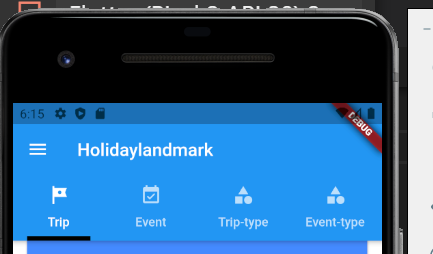
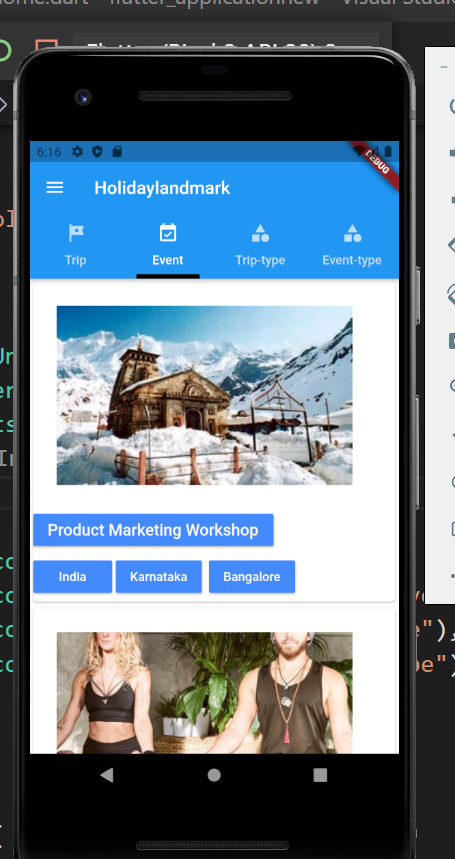
in below figure there are four tabbar view
trip,event,trip-type and event-type
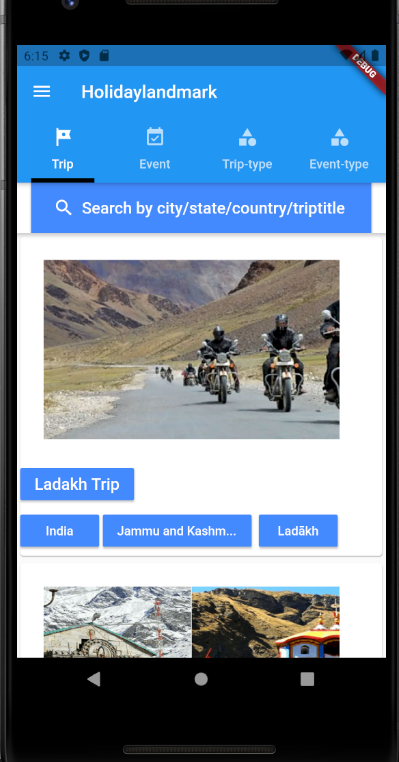
now, create four dart file alltrip.dart,allevent.dart,eventcategory.dart,tripcategory.dart
below alltrip.dart
similarly create other 3 dart file
We spend hours on Instagram and YouTube and waste money on coffee and fast food, but won’t spend 30 minutes a day learning skills to boost our careers.
Master in DevOps, SRE, DevSecOps & MLOps!
Learn from Guru Rajesh Kumar and double your salary in just one year.
in below figure there are four tabbar view
trip,event,trip-type and event-type
now, create four dart file alltrip.dart,allevent.dart,eventcategory.dart,tripcategory.dart
below alltrip.dart
similarly create other 3 dart file

Solution: Step 1: I fixed the problem by opening Android Studio. Step 2: Click to More Actions. Step 3: Then click on ‘SDK Manager’. Step 4: In Read More
What is flutter? Flutter is an open-source UI software development kit created by Google. It is used to build natively compiled applications for mobile, web, and desktop Read More
What went wrong: Execution failed for task ‘:app:processDebugGoogleServices’. No matching client found for package name ‘com.example.myapp ‘ Step -1: check your google-services.json and build.gradle matching applicationId and Read More
A confirm dialog is a dialog box that asks users to approve the requested operation. It usually appears with button pairs like Yes/No, OK/Cancel, Agree/Disagree. Confirm dialogs Read More