Introduction
Mac Management Tools are software solutions designed to help IT teams manage Apple devices efficiently across enterprise environments. These platforms provide centralized control over device configurations, security policies, software deployment, updates, and telemetry. With increasing adoption of macOS and iOS devices in workplaces, enterprises require robust management systems to maintain security, compliance, and operational efficiency.
Real-world use cases include:
- Automated deployment of software and updates across Mac fleets.
- Enforcing security policies like encryption, VPN access, and password rules.
- Monitoring device inventory, configurations, and compliance status.
- Remote troubleshooting and support for distributed teams.
- Audit reporting for regulatory compliance and internal governance.
What buyers should evaluate:
- Cross-platform support and device coverage.
- Centralized policy management and automation capabilities.
- Security and compliance features including SSO, MFA, and encryption.
- Integration with ITSM, MDM, and endpoint security platforms.
- Telemetry, reporting dashboards, and analytics.
- Scalability for global and hybrid workforces.
- Patch management and software update automation.
- Ease of deployment and usability.
- Support and community engagement.
Best for: IT administrators, enterprise IT teams, and organizations with mid-to-large Mac deployments.
Not ideal for: Small teams with a few Macs or organizations without complex IT and compliance requirements.
Key Trends in Mac Management Tools
- AI-driven automated device monitoring and configuration recommendations.
- Cloud-native management dashboards for remote and hybrid workforces.
- Integration with endpoint security, EDR, and ITSM platforms.
- Automated patching, updates, and software deployments.
- Cross-platform device support including iOS integration.
- Enhanced telemetry and analytics for performance and compliance.
- Policy enforcement for extensions, applications, and user behavior.
- Role-based access and delegation features.
- Compliance-ready reporting and audit features.
- Subscription-based or outcome-based pricing models.
How We Selected These Tools (Methodology)
- Market adoption and enterprise mindshare.
- Feature completeness including device management, telemetry, and security.
- Reliability and performance in large-scale deployments.
- Security posture including encryption, RBAC, SSO, and MFA.
- Integration with MDM, ITSM, EDR, and analytics platforms.
- Scalability for SMB, mid-market, and enterprise organizations.
- Automation and AI capabilities for policy enforcement.
- Quality of documentation, onboarding, and support resources.
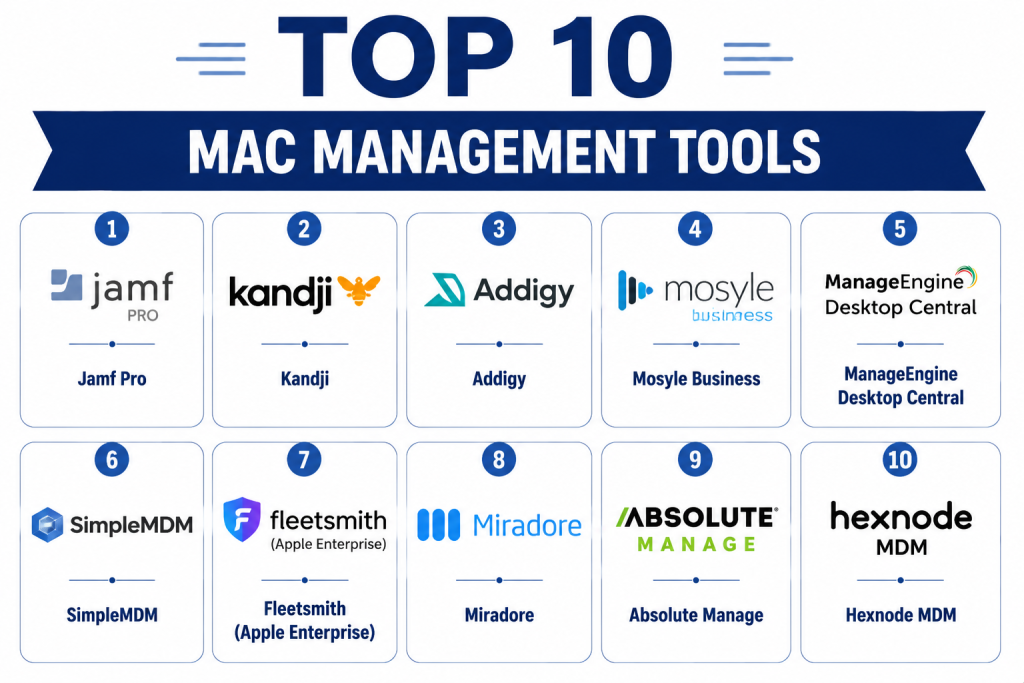
Top 10 Mac Management Tools
1- Jamf Pro
Short description: Jamf Pro provides enterprise-grade management for macOS and iOS devices, offering centralized control over configurations, applications, security policies, and telemetry insights.
Key Features
- Automated enrollment and configuration
- Application and patch management
- Security and compliance enforcement
- Inventory tracking and reporting
- Remote troubleshooting and support
- Integration with ITSM and security tools
Pros
- Deep integration with Apple ecosystem
- Enterprise-grade security and compliance
- Comprehensive telemetry and reporting
Cons
- Higher cost for smaller organizations
- Learning curve for advanced features
- Best suited for Apple-only environments
Platforms / Deployment
- macOS, iOS
- Cloud / On-prem
Security & Compliance
- SSO, MFA, encryption, RBAC
- SOC 2, ISO 27001
Integrations & Ecosystem
- ITSM platforms
- Endpoint security tools
- APIs for custom automation
Support & Community
- Enterprise support tiers
- Extensive documentation and training
- Active user forums
2- Kandji
Short description: Kandji is a cloud-native Mac management platform automating device setup, security compliance, and updates for enterprise environments.
Key Features
- Zero-touch deployment
- Automated compliance enforcement
- Patch and update management
- Device telemetry and reporting
- Application management
- Role-based administration
Pros
- Cloud-native and scalable
- Strong automation for security compliance
- Simplifies remote Mac management
Cons
- Premium pricing
- Limited on-prem support
- Advanced configuration requires training
Platforms / Deployment
- macOS, iOS
- Cloud
Security & Compliance
- SSO, MFA, encryption, RBAC
- Not publicly stated
Integrations & Ecosystem
- Endpoint security tools
- ITSM integration
- API access for automation
Support & Community
- Enterprise support tiers
- Documentation and tutorials
- Growing user community
3- Addigy
Short description: Addigy offers cloud-based Mac management and monitoring, providing real-time device visibility, security enforcement, and policy automation.
Key Features
- Automated provisioning and configuration
- Patch and software deployment
- Security and compliance enforcement
- Device monitoring and alerts
- Inventory reporting
- Multi-tenant support
Pros
- Cloud-native and scalable
- Strong remote monitoring
- Multi-tenant support for MSPs
Cons
- Premium pricing for SMBs
- Advanced automation requires IT expertise
- Limited non-Apple support
Platforms / Deployment
- macOS, iOS
- Cloud
Security & Compliance
- Encryption, RBAC, SSO
- Not publicly stated
Integrations & Ecosystem
- ITSM tools
- Endpoint security
- API support
Support & Community
- Documentation and knowledge base
- Enterprise support
- Community forums
4- Mosyle Business
Short description: Mosyle Business provides macOS and iOS management with automation for workflows, security enforcement, and software distribution for enterprises.
Key Features
- Automated device enrollment
- Security and compliance enforcement
- Application deployment and patching
- Telemetry and inventory reporting
- Remote support tools
Pros
- Affordable for mid-market
- Automated workflows reduce IT overhead
- Comprehensive reporting
Cons
- Limited advanced analytics
- Cloud-only deployment
- Mobile support mainly iOS
Platforms / Deployment
- macOS, iOS
- Cloud
Security & Compliance
- SSO, RBAC, encryption
- Not publicly stated
Integrations & Ecosystem
- Endpoint security
- ITSM platforms
- API integration
Support & Community
- Documentation and tutorials
- Standard support tiers
- Community forums
5- ManageEngine Desktop Central
Short description: Desktop Central provides cross-platform endpoint management including macOS, offering patching, software deployment, and security enforcement.
Key Features
- macOS configuration and patch management
- Remote monitoring and troubleshooting
- Application deployment
- Security policy enforcement
- Telemetry dashboards
- ITSM integration
Pros
- Cross-platform support
- Affordable mid-market solution
- Unified endpoint management
Cons
- Limited cloud-native features
- Setup complexity for large fleets
- Advanced automation may require training
Platforms / Deployment
- macOS, iOS, Windows
- Cloud / On-prem
Security & Compliance
- SSO, encryption, RBAC
- Not publicly stated
Integrations & Ecosystem
- ITSM systems
- Endpoint security tools
- API for custom workflows
Support & Community
- Documentation and onboarding guides
- Support tiers
- Active online community
6- SimpleMDM
Short description: SimpleMDM is a cloud-based Mac and iOS management tool providing policy enforcement, software deployment, and compliance reporting for enterprises.
Key Features
- Zero-touch enrollment
- Application deployment and updates
- Security configuration enforcement
- Device inventory and reporting
- Remote management capabilities
Pros
- Cloud-native and scalable
- Simple deployment for SMB and mid-market
- Clear compliance reporting
Cons
- Limited advanced analytics
- Minimal non-Apple support
- May require integration for ITSM workflows
Platforms / Deployment
- macOS, iOS
- Cloud
Security & Compliance
- SSO, encryption, RBAC
- Not publicly stated
Integrations & Ecosystem
- ITSM and security tools
- APIs for workflow automation
- Reporting and analytics tools
Support & Community
- Documentation and tutorials
- Standard support tiers
- Community forums
7- Fleetsmith (Apple Enterprise)
Short description: Fleetsmith, acquired by Apple, automates Mac management with cloud-based deployment, security enforcement, and telemetry for enterprises.
Key Features
- Automated configuration and enrollment
- Patch and update management
- Security policy enforcement
- Device telemetry dashboards
- Integration with Apple Business Manager
Pros
- Native Apple integration
- Simple cloud-based management
- Automated compliance enforcement
Cons
- Limited third-party device support
- Requires Apple Business Manager adoption
- Advanced reporting limited
Platforms / Deployment
- macOS, iOS
- Cloud
Security & Compliance
- SSO, encryption, RBAC
- Apple compliance standards
Integrations & Ecosystem
- Apple ecosystem
- ITSM via API
- Endpoint security tools
Support & Community
- Apple enterprise support
- Documentation and guides
- Apple IT admin community
8- Miradore
Short description: Miradore provides cloud-based Mac and iOS management with device monitoring, policy enforcement, and application deployment for enterprises and SMBs.
Key Features
- Device enrollment and configuration
- Application and patch management
- Security policy enforcement
- Telemetry and reporting
- Remote support
Pros
- Cloud-native and scalable
- Affordable for SMBs
- Cross-platform support
Cons
- Advanced analytics limited
- Enterprise reporting capabilities basic
- Mobile support focused on iOS
Platforms / Deployment
- macOS, iOS
- Cloud
Security & Compliance
- SSO, encryption, RBAC
- Not publicly stated
Integrations & Ecosystem
- Endpoint security tools
- ITSM platforms
- API access
Support & Community
- Documentation and tutorials
- Standard support tiers
- Community forums
9- Absolute Manage
Short description: Absolute Manage offers enterprise Mac management with security, patching, software deployment, and inventory reporting features.
Key Features
- Automated enrollment and configuration
- Patch and software management
- Security compliance enforcement
- Device telemetry dashboards
- Remote troubleshooting
Pros
- Enterprise-grade security features
- Comprehensive device management
- Detailed reporting and inventory tracking
Cons
- Complex setup for large fleets
- Premium pricing
- Limited cloud-native options
Platforms / Deployment
- macOS, iOS
- Cloud / On-prem
Security & Compliance
- SSO, MFA, encryption, RBAC
- Not publicly stated
Integrations & Ecosystem
- ITSM tools
- Endpoint security solutions
- API for automation
Support & Community
- Documentation and tutorials
- Enterprise support tiers
- Active user community
10- Hexnode MDM
Short description: Hexnode MDM provides Mac and iOS management with policy enforcement, app deployment, and telemetry monitoring for enterprise IT teams.
Key Features
- Device enrollment and configuration
- Application and patch management
- Security and compliance policies
- Telemetry and analytics dashboards
- Remote device management
Pros
- Cross-platform support
- Affordable for SMB and mid-market
- Cloud-native management
Cons
- Advanced reporting requires setup
- Limited enterprise-scale insights
- Some automation requires scripting
Platforms / Deployment
- macOS, iOS
- Cloud
Security & Compliance
- SSO, encryption, RBAC
- Not publicly stated
Integrations & Ecosystem
- ITSM and endpoint security
- APIs for workflow automation
- Reporting tools
Support & Community
- Documentation and tutorials
- Standard support tiers
- Community forums
Comparison Table (Top 10)
| Tool Name | Best For | Platform(s) Supported | Deployment | Standout Feature | Public Rating |
|---|---|---|---|---|---|
| Jamf Pro | Enterprise | macOS, iOS | Cloud / On-prem | Apple ecosystem integration | N/A |
| Kandji | Enterprise | macOS, iOS | Cloud | Automated compliance & patching | N/A |
| Addigy | Enterprise | macOS, iOS | Cloud | Real-time monitoring & multi-tenant | N/A |
| Mosyle Business | SMB/Mid-market | macOS, iOS | Cloud | Automated workflows | N/A |
| ManageEngine Desktop Central | Mid-market | macOS, iOS, Windows | Cloud / On-prem | Unified endpoint management | N/A |
| SimpleMDM | SMB/Mid-market | macOS, iOS | Cloud | Policy enforcement & updates | N/A |
| Fleetsmith | Enterprise | macOS, iOS | Cloud | Native Apple management | N/A |
| Miradore | SMB/Mid-market | macOS, iOS | Cloud | Device monitoring | N/A |
| Absolute Manage | Enterprise | macOS, iOS | Cloud / On-prem | Security & inventory tracking | N/A |
| Hexnode MDM | SMB/Mid-market | macOS, iOS | Cloud | Cross-platform MDM | N/A |
Evaluation & Scoring of Mac Management Tools
| Tool Name | Core (25%) | Ease (15%) | Integrations (15%) | Security (10%) | Performance (10%) | Support (10%) | Value (15%) | Weighted Total |
|---|---|---|---|---|---|---|---|---|
| Jamf Pro | 9 | 7 | 9 | 9 | 9 | 8 | 6 | 8.4 |
| Kandji | 8 | 8 | 8 | 8 | 8 | 7 | 7 | 7.8 |
| Addigy | 8 | 7 | 8 | 8 | 8 | 7 | 6 | 7.7 |
| Mosyle Business | 7 | 8 | 7 | 7 | 7 | 7 | 8 | 7.4 |
| Desktop Central | 7 | 7 | 7 | 7 | 7 | 7 | 7 | 7.0 |
| SimpleMDM | 7 | 8 | 7 | 7 | 7 | 7 | 7 | 7.2 |
| Fleetsmith | 8 | 7 | 8 | 8 | 8 | 7 | 6 | 7.7 |
| Miradore | 7 | 8 | 6 | 7 | 7 | 6 | 8 | 7.0 |
| Absolute Manage | 8 | 7 | 8 | 8 | 8 | 7 | 6 | 7.7 |
| Hexnode MDM | 7 | 8 | 7 | 7 | 7 | 6 | 7 | 7.1 |
Interpretation: Weighted scores provide a comparative view of feature depth, usability, integration capabilities, security, performance, support, and value. Selection should align with enterprise needs, size, and compliance requirements.
Which Mac Management Tool Is Right for You?
Solo / Freelancer
- SimpleMDM or Miradore for small teams and lightweight Mac management.
SMB
- Mosyle Business, Hexnode MDM, or SimpleMDM for mid-market affordable and functional management.
Mid-Market
- ManageEngine Desktop Central, Mosyle Business for broader enterprise workflows.
Enterprise
- Jamf Pro, Kandji, Addigy, Fleetsmith, Absolute Manage for advanced telemetry, automation, and compliance.
Budget vs Premium
- Budget: Mosyle, Hexnode, SimpleMDM
- Premium: Jamf Pro, Kandji, Addigy, Fleetsmith
Feature Depth vs Ease of Use
- High feature depth: Jamf Pro, Kandji, Addigy
- Ease of adoption: SimpleMDM, Miradore, Mosyle
Integrations & Scalability
- Enterprise: Jamf Pro, Addigy, Fleetsmith
- SMB: SimpleMDM, Mosyle, Hexnode
Security & Compliance Needs
- Enterprise-grade: Jamf Pro, Kandji, Fleetsmith
- Basic SMB needs: SimpleMDM, Mosyle, Hexnode
Frequently Asked Questions (FAQs)
1- What is a Mac Management Tool?
It is software that allows IT teams to configure, monitor, and secure Apple devices across an enterprise, including deployment, updates, and telemetry.
2- How complex is deployment?
SMB solutions deploy quickly, while enterprise-grade tools like Jamf Pro or Addigy may take several weeks for full configuration and integration.
3- Can these tools automate software updates?
Yes, most include patch management and automated OS and application updates for managed Mac fleets.
4- Are mobile devices supported?
Yes, leading platforms support iOS devices and some integrate with multi-platform endpoint management.
5- Do these tools enforce security policies?
Yes, policies include encryption, password rules, VPN configuration, and compliance with enterprise standards.
6- Can these platforms integrate with ITSM?
Most tools offer integration with ITSM, endpoint security, and MDM platforms for unified management.
7- How is data security handled?
Enterprise tools provide encryption, SSO/MFA, RBAC, and audit logging for all managed devices.
8- How scalable are these solutions?
Enterprise solutions scale across thousands of endpoints, while SMB-focused platforms manage hundreds effectively.
9- What pricing models exist?
Pricing may be subscription-based per device, per user, or tiered depending on features and enterprise size.
10- Are open-source tools available?
Open-source options exist but require manual configuration, technical expertise, and often limited support.
Conclusion
Mac Management Tools are essential for enterprises managing Apple devices, providing security, compliance, telemetry, and operational efficiency. SMBs can start with SimpleMDM, Miradore, or Mosyle, while enterprises benefit from Jamf Pro, Kandji, Addigy, Fleetsmith, or Absolute Manage. Begin by shortlisting 2–3 platforms, pilot their deployment, validate integrations and compliance, and scale for full enterprise management.
