Upgrade & Secure Your Future with DevOps, SRE, DevSecOps, MLOps!

We spend hours on Instagram and YouTube and waste money on coffee and fast food, but won’t spend 30 minutes a day learning skills to boost our careers.
Master in DevOps, SRE, DevSecOps & MLOps!

Learn from Guru Rajesh Kumar and double your salary in just one year.

Get Started Now!

How to install Git in windows 10

To install GitHub on Windows 10, you can follow these steps:

Step 1: Install Git

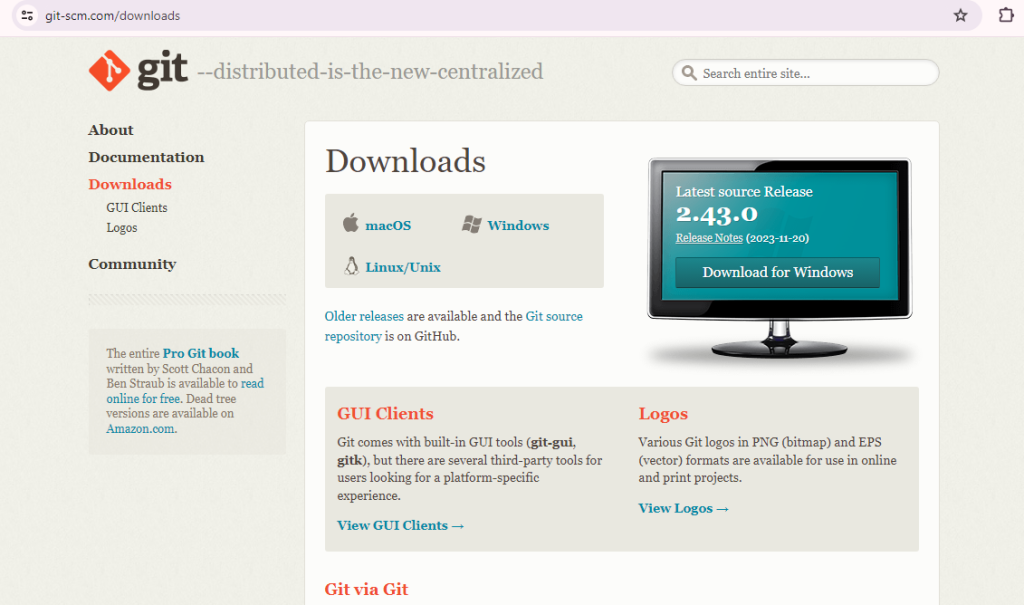
  • Click on the “Download for Windows” button and download the latest version.
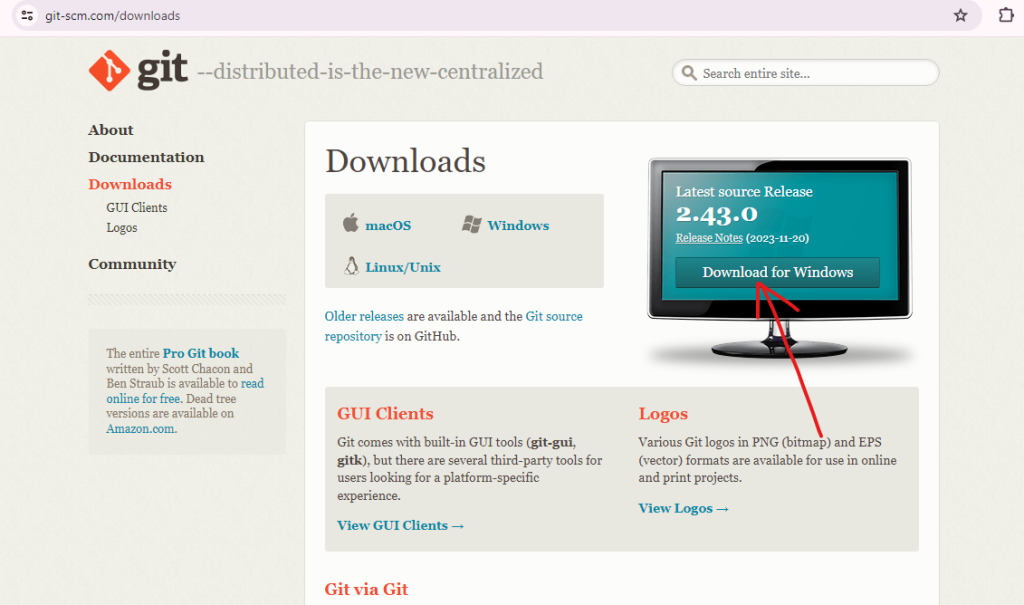
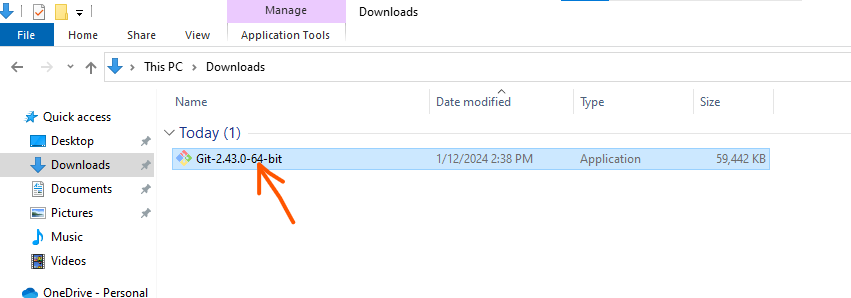
  • Run the downloaded installer and follow the on-screen instructions.
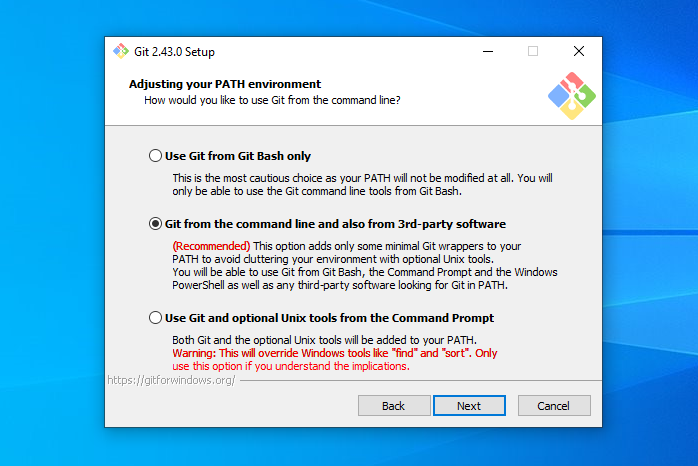
  • During installation, choose the default options, including “Use Git from the Windows Command Prompt.” and follow the instructions provided in the Git Setup wizard screen until the installation is complete
Step 2: Verify Git Installation

  • To verify that Git was installed correctly, open the windows command prompt or Git Bash.
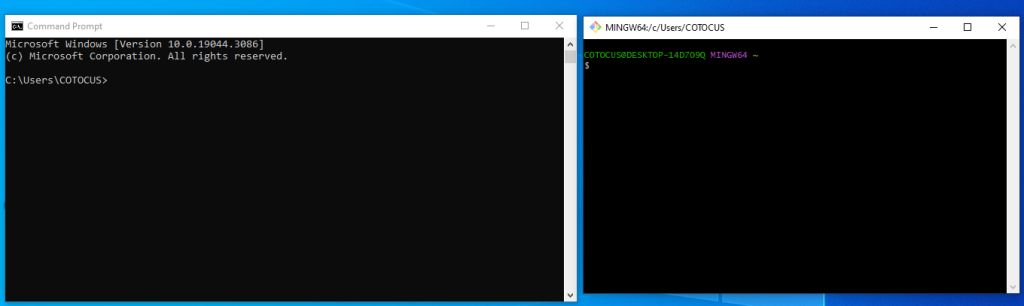
  • Type git version in the command prompt. The output should tell you which version of Git is installed.
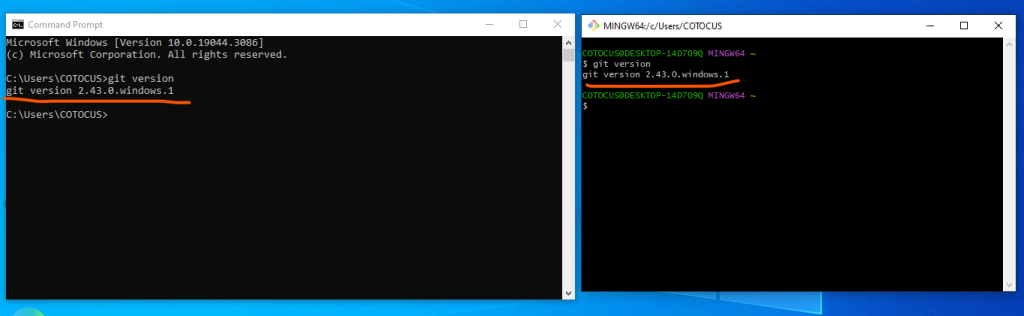
That’s it! You’ve now installed Git in your system.

Related Posts

Git Troubleshooting Advance Guides – aiuniverse

Here’s a guide to addressing several advanced Git issues, complete with solutions: 1. Resolving Merge Conflicts Problem: Merge conflicts occur when Git is unable to automatically resolve Read More

Read More

How to generate Personal access tokens in github?

To generate a personal access token in GitHub, follow these steps: Step1: Sign in to GitHub: Go to github.com and sign in to your GitHub account. Step2: Read More

Read More

How to set SSH key in window 10

Setting up an SSH key on Windows 10 involves a few steps. SSH keys are used for secure authentication when connecting to remote servers, including services like Read More

Read More

What is GitOps and What is the Feature of GitOps?

What is GitOps? GitOps is a way of implementing a continuous delivery approach for managing infrastructure and applications. It leverages the power of Git, a distributed version Read More

Read More

Difference between Mercurial and Git?

Mercurial Mercurial is a distributed revision control tool developed by Matt Mackall on April 19, 2005. It is designed for software developers and supports multiple operating systems, Read More

Read More
Subscribe
Notify of
guest
0 Comments
Oldest
Newest Most Voted
Inline Feedbacks
View all comments
0
Would love your thoughts, please comment.x
()
x