Introduction
Museum Collection Management Software (MCMS) helps museums organize, track, and preserve their collections digitally.
It allows curators and administrators to manage artifacts, artworks, and archival materials efficiently.
These platforms streamline cataloging, exhibitions, loan management, and reporting.
Choosing the right MCMS ensures collection security, accessibility, and effective operational workflows.
Real-world use cases:
- Art museums tracking fine art collections and provenance
- History museums managing artifacts and archival records
- Science museums handling specimens and educational exhibits
- Cultural institutions coordinating traveling exhibits
- University museums managing research and loaned collections
Key buyer evaluation criteria:
- Cataloging and metadata management
- Digital asset storage and retrieval
- Loan and exhibition management
- Reporting and analytics
- User access control and security
- Integration with existing museum systems
- Mobile and remote access
- Preservation workflows
- Scalability and cost
Best for: Museums of all sizes, cultural institutions, curators, archivists, and collection managers.
Not ideal for: Small private collections with minimal inventory or those managing entirely physical records.
Key Trends in Museum Collection Management Software
- AI-assisted cataloging and image recognition
- Cloud-based collections and remote access
- Integration with exhibition and visitor management systems
- Digital preservation of artifacts and high-resolution images
- Automated loan and provenance tracking
- Mobile-friendly apps for curators and staff
- Compliance with cultural heritage data standards
- Analytics for visitor engagement and collection usage
- Flexible subscription or SaaS pricing models
- Interoperability with research and archival platforms
How We Selected These Tools (Methodology)
- Evaluated adoption and mindshare in museums globally
- Assessed feature completeness for cataloging, preservation, and reporting
- Analyzed reliability and performance signals from deployed installations
- Reviewed security and compliance posture for cultural data
- Considered integration capabilities with third-party museum systems
- Checked suitability across small, medium, and large institutions
- Factored in mobile and cloud accessibility
- Prioritized tools with modern AI, workflow automation, and digital asset management
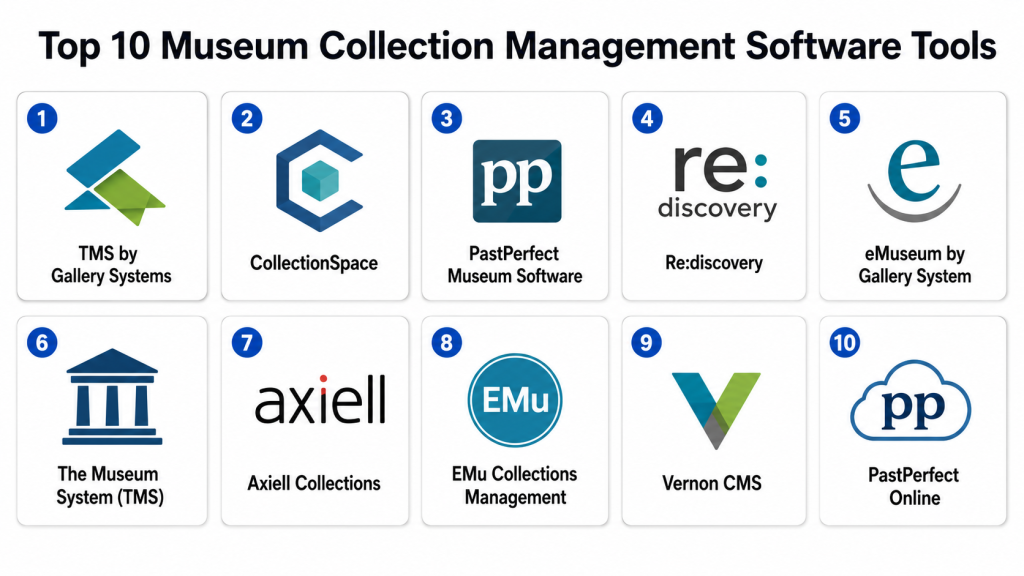
Top 10 Museum Collection Management Software Tools
#1 — TMS by Gallery Systems
Short description:
TMS is a comprehensive software for museums of all sizes.
It manages cataloging, provenance, and digital assets.
Supports exhibitions, loans, and conservation records.
Ideal for curators seeking enterprise-grade collection management.
Key Features
- Artifact cataloging and metadata management
- Digital asset integration and image management
- Loan and exhibition tracking
- Conservation and condition reporting
- Analytics and reporting dashboards
- Multi-user access and permissions
Pros
- Enterprise-level capabilities
- Scalable for large collections
- Comprehensive reporting
Cons
- Higher cost for small museums
- Steep learning curve
Platforms / Deployment
- Web
- Cloud / Hybrid
Security & Compliance
- SSO/SAML: Yes
- GDPR: Not publicly stated
Integrations & Ecosystem
- APIs for third-party systems
- Digital asset management integration
- Exhibition management connectors
Support & Community
- Vendor training and support
- Documentation and tutorials
- Active user community
#2 — CollectionSpace
Short description:
CollectionSpace is an open-source MCMS designed for small to mid-sized museums.
It handles cataloging, loans, and digital assets efficiently.
Supports research and preservation workflows.
Ideal for institutions needing a flexible, cost-effective solution.
Key Features
- Cataloging and metadata management
- Digital asset storage
- Loan and exhibition management
- Condition and conservation tracking
- Reporting dashboards
Pros
- Open-source and customizable
- Flexible for various institution sizes
- Community-driven development
Cons
- Requires technical setup
- Limited enterprise features
Platforms / Deployment
- Web
- Cloud / Self-hosted
Security & Compliance
- Not publicly stated
Integrations & Ecosystem
- APIs and custom integration options
- Support for standard metadata formats
Support & Community
- Community forums
- Documentation and tutorials
- Third-party professional support available
#3 — PastPerfect Museum Software
Short description:
PastPerfect is a user-friendly MCMS for small and medium museums.
Manages artifacts, photographs, and archival materials.
Supports loan tracking, exhibitions, and donor management.
Ideal for historical societies and small cultural institutions.
Key Features
- Artifact and archival cataloging
- Image and media management
- Loan and exhibition tracking
- Donor and membership management
- Reporting tools
Pros
- Easy to implement and use
- Affordable for small institutions
- Strong support for small collections
Cons
- Limited for very large collections
- Fewer advanced analytics
Platforms / Deployment
- Web / Windows
- Cloud / Hybrid
Security & Compliance
- Not publicly stated
Integrations & Ecosystem
- Barcode integration
- Media file support
Support & Community
- Vendor support and tutorials
- Documentation available
- Small user community
#4 — Re:discovery
Short description:
Re:discovery is a modern MCMS for medium and large museums.
Supports cataloging, digital preservation, and exhibitions.
Tracks loans, conditions, and research information.
Ideal for institutions managing diverse collections digitally.
Key Features
- Artifact cataloging and digital asset management
- Condition and conservation tracking
- Loan and exhibition management
- Analytics dashboards
- Multi-user access control
Pros
- Modern interface and digital support
- Scalable for growing collections
- Good reporting and analytics
Cons
- Setup requires technical support
- May be costly for small institutions
Platforms / Deployment
- Web
- Cloud / Hybrid
Security & Compliance
- SSO/SAML: Varies / N/A
Integrations & Ecosystem
- APIs for digital asset integration
- Connectors for research databases
Support & Community
- Vendor support
- Documentation and tutorials
#5 — eMuseum by Gallery Systems
Short description:
eMuseum manages online collections and public-facing portals.
Supports artifact cataloging, digital media, and web exhibitions.
Integrates with TMS for full collection management.
Ideal for museums seeking strong digital engagement.
Key Features
- Online collection portals
- Artifact cataloging
- Digital media management
- Integration with TMS
- Visitor engagement features
Pros
- Enhances public access to collections
- Integrates with core collection systems
- Supports media-rich collections
Cons
- Needs TMS backend
- Limited standalone features
Platforms / Deployment
- Web
- Cloud
Security & Compliance
- Not publicly stated
Integrations & Ecosystem
- TMS integration
- Digital asset management
Support & Community
- Vendor support
- Documentation and tutorials
#6 — The Museum System (TMS)
Short description:
TMS is used widely by larger museums for enterprise collection management.
Handles cataloging, conservation, exhibitions, and loans.
Supports research, acquisitions, and public access.
Ideal for large cultural and art institutions.
Key Features
- Cataloging and metadata management
- Loan and exhibition tracking
- Conservation and condition reporting
- Analytics and reporting
- Multi-site and multi-user access
Pros
- Enterprise-level support
- Scalable and feature-rich
- Strong reporting
Cons
- Expensive for small museums
- Complex implementation
Platforms / Deployment
- Web
- Cloud / Hybrid
Security & Compliance
- SSO/SAML: Yes
- GDPR: Not publicly stated
Integrations & Ecosystem
- APIs for integration with research and exhibition systems
- Media asset management
Support & Community
- Vendor support
- Documentation
- Training programs
#7 — Axiell Collections
Short description:
Axiell Collections serves museums, galleries, and libraries with digital collection management.
Supports cataloging, loan management, and exhibitions.
Manages multimedia assets and research data.
Ideal for medium to large institutions seeking integrated software.
Key Features
- Cataloging and search
- Loan and exhibition tracking
- Multimedia asset management
- Conservation tracking
- Reporting dashboards
Pros
- Comprehensive museum features
- Supports large collections
- Modern interface
Cons
- Cost may be high for small museums
- Implementation may require training
Platforms / Deployment
- Web
- Cloud / Hybrid
Security & Compliance
- Not publicly stated
Integrations & Ecosystem
- APIs for asset integration
- Research database connectors
Support & Community
- Vendor training
- Documentation available
- Active support
#8 — EMu Collections Management
Short description:
EMu is a versatile MCMS for natural history and cultural museums.
Handles cataloging, multimedia, conservation, and research data.
Supports loans, exhibitions, and public-facing collections.
Ideal for museums with complex, multi-type collections.
Key Features
- Cataloging and multimedia management
- Loan and exhibition tracking
- Condition and conservation management
- Reporting and analytics
- Multi-user access control
Pros
- Handles diverse collection types
- Enterprise-grade functionality
- Scalable for large museums
Cons
- Technical setup required
- Costly for small institutions
Platforms / Deployment
- Web
- Cloud / Hybrid
Security & Compliance
- Not publicly stated
Integrations & Ecosystem
- APIs for integration
- Connectors for research and digital assets
Support & Community
- Vendor support
- Documentation and tutorials
#9 — Vernon CMS
Short description:
Vernon CMS is designed for art, history, and cultural collections.
Supports cataloging, conservation, and loan management.
Integrates digital assets and exhibition planning.
Ideal for museums with public engagement and research focus.
Key Features
- Cataloging and metadata management
- Conservation tracking
- Loan and exhibition management
- Digital media management
- Reporting tools
Pros
- Supports research and public engagement
- Scalable for medium to large collections
- Flexible deployment
Cons
- Requires training for full use
- May be costly for small museums
Platforms / Deployment
- Web
- Cloud / Hybrid
Security & Compliance
- Not publicly stated
Integrations & Ecosystem
- APIs for asset management
- Integration with exhibition systems
Support & Community
- Vendor support
- Documentation
- Training available
#10 — PastPerfect Online
Short description:
PastPerfect Online manages collections, artifacts, and photographs.
Supports digital assets, exhibitions, and loans.
Provides reporting tools for staff and curators.
Ideal for small to medium museums and historical societies.
Key Features
- Cataloging and metadata management
- Digital media integration
- Loan and exhibition tracking
- Reporting dashboards
- Public access portals
Pros
- Easy to implement and use
- Affordable for small museums
- Supports digital engagement
Cons
- Limited advanced analytics
- Not designed for very large collections
Platforms / Deployment
- Web
- Cloud
Security & Compliance
- Not publicly stated
Integrations & Ecosystem
- Basic API support
- Digital asset connectors
Support & Community
- Vendor support
- Documentation
- Small user community
Comparison Table (Top 10)
| Tool Name | Best For | Platform(s) Supported | Deployment | Standout Feature | Public Rating |
|---|---|---|---|---|---|
| TMS | Large museums | Web | Cloud / Hybrid | Enterprise cataloging | N/A |
| CollectionSpace | Small to mid museums | Web | Cloud / Self-hosted | Open-source flexibility | N/A |
| PastPerfect Museum | Small/medium museums | Web / Windows | Cloud / Hybrid | Easy use, small collections | N/A |
| Re:discovery | Medium/large museums | Web | Cloud / Hybrid | Modern digital support | N/A |
| eMuseum | Museums needing public portals | Web | Cloud | Online collection portals | N/A |
| The Museum System | Large museums | Web | Cloud / Hybrid | Full enterprise features | N/A |
| Axiell Collections | Medium to large museums | Web | Cloud / Hybrid | Multimedia management | N/A |
| EMu | Complex collections | Web | Cloud / Hybrid | Multi-type collection handling | N/A |
| Vernon CMS | Art/history museums | Web | Cloud / Hybrid | Research and engagement | N/A |
| PastPerfect Online | Small/medium museums | Web | Cloud | Affordable digital collections | N/A |
Evaluation & Scoring
| Tool Name | Core (25%) | Ease (15%) | Integrations (15%) | Security (10%) | Performance (10%) | Support (10%) | Value (15%) | Weighted Total |
|---|---|---|---|---|---|---|---|---|
| TMS | 10 | 7 | 8 | 7 | 9 | 8 | 6 | 8.3 |
| CollectionSpace | 8 | 8 | 7 | 6 | 7 | 7 | 9 | 7.5 |
| PastPerfect Museum | 7 | 9 | 6 | 6 | 7 | 7 | 8 | 7.4 |
| Re:discovery | 9 | 8 | 7 | 7 | 8 | 7 | 6 | 7.7 |
| eMuseum | 7 | 8 | 6 | 6 | 7 | 7 | 7 | 7.0 |
| The Museum System | 10 | 7 | 8 | 7 | 9 | 8 | 6 | 8.3 |
| Axiell Collections | 9 | 8 | 7 | 7 | 8 | 7 | 6 | 7.7 |
| EMu | 9 | 7 | 8 | 7 | 8 | 7 | 6 | 7.6 |
| Vernon CMS | 8 | 7 | 7 | 7 | 7 | 7 | 6 | 7.2 |
| PastPerfect Online | 7 | 9 | 6 | 6 | 7 | 7 | 8 | 7.4 |
Decision Guide
Solo / Freelancer
PastPerfect Online or CollectionSpace – small museums or historical societies with limited IT staff.
SMB
PastPerfect Museum or eMuseum – scalable for growing collections, cost-effective.
Mid-Market
Re:discovery, Axiell Collections – support for multiple exhibitions, digital media, and reporting.
Enterprise
TMS, EMu, The Museum System – full enterprise features, large-scale collections, complex workflows.
Budget vs Premium
Open-source options (CollectionSpace) – low cost, flexible.
Premium software (TMS, EMu) – robust features, higher cost.
Feature Depth vs Ease of Use
Enterprise systems provide rich features but need training.
Small museum tools focus on ease of use and quick deployment.
Integrations & Scalability
Enterprise software integrates with digital asset management, research databases, and public portals.
Smaller systems may have limited integrations.
Security & Compliance
Enterprise tools include SSO, MFA, and audit logging.
Open-source platforms rely on IT configuration.
Frequently Asked Questions (FAQs)
1. What is the pricing model for museum collection management software?
Most MCMS platforms use subscription pricing. Open-source systems are free but may need paid support or hosting. Costs vary by collection size and features.
2. How difficult is the onboarding process?
Enterprise software may take weeks with training. Smaller systems can be deployed in days. Staff familiarization ensures smooth operations.
3. Can I switch MCMS platforms easily?
Switching requires exporting collections, images, and metadata. Open standards like MARC or Dublin Core simplify migration, but proprietary data may need conversion.
4. Are digital assets supported?
Yes. MCMS platforms support images, videos, documents, and 3D scans. DRM or format support should be verified.
5. How is security handled?
Enterprise software includes SSO, MFA, encryption, and audit logs. Open-source systems rely on IT configuration to ensure secure access.
6. Do MCMS tools support mobile access?
Many provide web portals or mobile apps for curators and staff to access collections remotely.
7. What common mistakes should museums avoid?
Avoid choosing overly complex software for small collections, ignoring backups, and overlooking integration needs.
8. How do MCMS platforms integrate with other systems?
APIs and connectors allow integration with digital asset management, exhibition planning, and research databases.
9. Can MCMS track usage and loans?
Yes. Platforms provide dashboards for artifact usage, exhibition engagement, and loan tracking.
10. Are there alternatives to MCMS software?
Spreadsheets or basic databases can track small collections, but they lack automation, reporting, and digital asset management.
Conclusion
Selecting the right Museum Collection Management Software depends on collection size, operational needs, and budget. Small museums benefit from easy-to-use and affordable platforms, while large institutions need enterprise-grade solutions with workflow automation, reporting, and digital asset management. Shortlist , run pilot implementations, and validate integrations, security, and usability before full deployment. A suitable MCMS streamlines operations, protects collections, and enhances public access to cultural assets.
