Introduction
Email archiving tools help organizations securely preserve, store, manage, search, and retrieve email communications for compliance, governance, operational continuity, and legal discovery purposes. Unlike simple email backups, archiving platforms are designed for long-term retention, fast indexing, audit readiness, and policy-driven information management.
As organizations continue moving toward cloud-first communication environments, email archiving has become more important than ever. Businesses face increasing cybersecurity threats, stricter compliance regulations, remote work expansion, and growing volumes of communication data. Modern email archiving platforms now include AI-assisted search, intelligent retention management, automated classification, and advanced compliance analytics.
Real World Use Cases
- Legal discovery and litigation support
- Regulatory compliance and audit preparation
- Long-term business communication preservation
- Internal investigations and employee monitoring
- Protection against accidental deletion and ransomware
Evaluation Criteria for Buyers
- Retention policy flexibility
- Search and eDiscovery performance
- Security and encryption standards
- Cloud vs hybrid deployment options
- Integration with Microsoft 365 and Google Workspace
- Administrative usability
- Compliance certifications and governance features
- Scalability for storage growth
- AI-powered search and automation
- Pricing predictability and operational cost
Best for: Enterprises, legal firms, healthcare providers, financial institutions, government agencies, IT administrators, and organizations with strict compliance or long-term retention requirements.
Not ideal for: Very small businesses with limited compliance needs, temporary project teams, or organizations that only require basic mailbox backup functionality.
Key Trends in Email Archiving Tools
- AI-powered eDiscovery and contextual email search are becoming standard capabilities.
- Cloud-native archiving adoption continues replacing legacy on-premise systems.
- Immutable storage and ransomware-resistant retention are increasingly important.
- Multi-channel communication archiving now includes Teams, Slack, Zoom, and social messaging.
- Compliance automation reduces manual retention and governance workloads.
- Organizations are prioritizing data sovereignty and regional storage control.
- Hybrid deployment models remain important for highly regulated enterprises.
- Storage optimization and intelligent cold storage are reducing long-term costs.
- Advanced insider threat monitoring is becoming integrated into archiving platforms.
- Predictable subscription pricing models are gaining buyer attention.
How We Selected These Tools
The tools in this list were selected using a practical enterprise and SMB evaluation framework.
- Strong market adoption and long-term credibility
- Broad feature completeness across archiving and compliance workflows
- Scalability across SMB, mid-market, and enterprise environments
- Quality of eDiscovery and legal hold capabilities
- Security and governance readiness
- Integration ecosystem maturity
- Ease of deployment and administration
- Reliability, performance, and operational stability
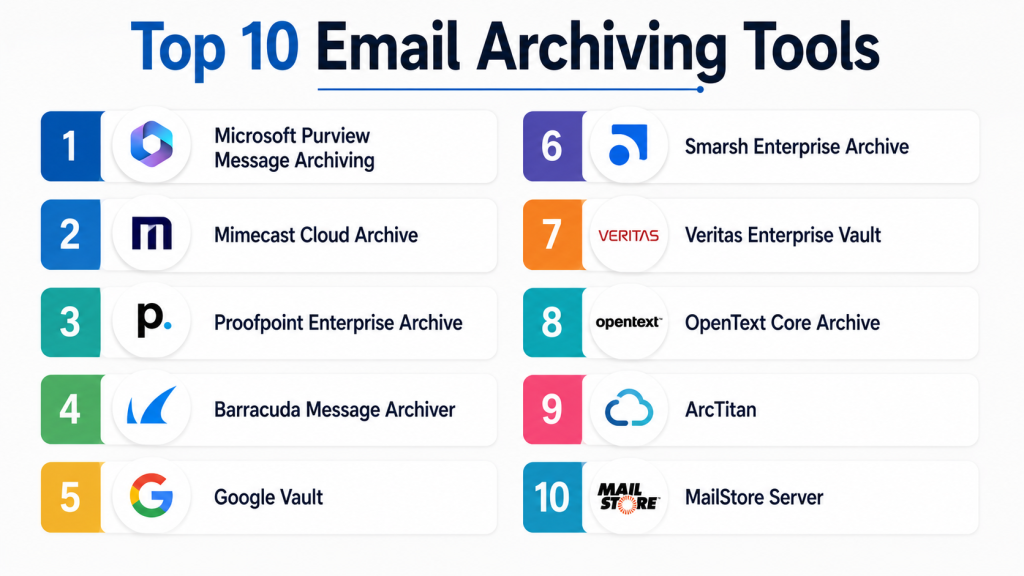
Top 10 Email Archiving Tools
1- Microsoft Purview Message Archiving
Short description:
Microsoft Purview Message Archiving is Microsoft’s enterprise-grade archiving and compliance platform built into Microsoft 365. It helps organizations manage long-term email retention, legal hold, governance, and eDiscovery from a centralized environment. The platform is widely used by enterprises already invested in the Microsoft ecosystem. Purview extends beyond email by managing compliance across Teams, SharePoint, OneDrive, and collaboration tools. Large enterprises value its scalability, AI-assisted classification, and integrated compliance workflows.
Key Features
- Microsoft 365-native archiving
- Advanced eDiscovery and legal hold
- Retention labels and policy automation
- AI-assisted data classification
- Compliance dashboards and auditing
- Insider risk management
- Unified governance controls
Pros
- Deep Microsoft ecosystem integration
- Strong enterprise governance capabilities
- Excellent scalability for large organizations
Cons
- Can become expensive for large deployments
- Complex administration for smaller teams
- Best suited for Microsoft-centric environments
Platforms / Deployment
- Web
- Cloud / Hybrid
Security & Compliance
- SSO/SAML
- MFA
- RBAC
- Audit logs
- Encryption
- GDPR
- ISO 27001
Integrations & Ecosystem
Microsoft Purview integrates deeply with Microsoft infrastructure and enterprise identity management environments.
- Microsoft 365
- Exchange Online
- Teams
- SharePoint
- Azure Active Directory
- Power Platform
Support & Community
Strong enterprise documentation, extensive partner ecosystem, and broad Microsoft enterprise support availability.
2- Mimecast Cloud Archive
Short description:
Mimecast Cloud Archive is a cloud-based email archiving solution focused on compliance, business continuity, and rapid email retrieval. It is widely used by enterprises and regulated organizations requiring dependable long-term communication retention. Mimecast emphasizes secure cloud storage, operational resilience, and fast search functionality. The platform also integrates security protection and continuity services into the archiving workflow. It is commonly deployed in healthcare, legal, education, and financial sectors.
Key Features
- Cloud-native email archiving
- Full-text email indexing
- Legal hold and eDiscovery
- Email continuity services
- Tamper-resistant storage
- Automated retention policies
- Security integration capabilities
Pros
- Strong compliance-oriented design
- Excellent disaster recovery support
- Reliable search performance
Cons
- Enterprise-oriented pricing
- Advanced configuration can be complex
- Interface may require onboarding training
Platforms / Deployment
- Web
- Cloud
Security & Compliance
- Encryption
- MFA
- Audit logging
- Access controls
- GDPR support
Integrations & Ecosystem
Mimecast integrates with enterprise email, security, and monitoring ecosystems.
- Microsoft 365
- Exchange
- Google Workspace
- SIEM tools
- Active Directory
- Security monitoring platforms
Support & Community
Well-established enterprise support ecosystem with extensive onboarding resources and implementation assistance.
3- Proofpoint Enterprise Archive
Short description:
Proofpoint Enterprise Archive combines advanced archiving, compliance supervision, communication monitoring, and eDiscovery capabilities into a centralized enterprise platform. It is especially popular among highly regulated industries and large enterprises. The solution emphasizes intelligent policy enforcement, rapid retrieval, and communication governance. Proofpoint also provides advanced compliance review workflows for organizations managing legal and regulatory obligations.
Key Features
- Intelligent retention management
- Advanced eDiscovery workflows
- Communication supervision
- AI-assisted search capabilities
- Legal hold functionality
- Cloud archive infrastructure
- Compliance review workflows
Pros
- Excellent compliance supervision features
- Strong enterprise scalability
- Advanced search and governance tools
Cons
- Higher learning curve
- Premium enterprise pricing
- Overkill for smaller businesses
Platforms / Deployment
- Web
- Cloud
Security & Compliance
- Encryption
- Audit trails
- RBAC
- Compliance policy controls
- GDPR support
Integrations & Ecosystem
Proofpoint integrates with enterprise security and compliance infrastructure.
- Microsoft 365
- Exchange
- SIEM platforms
- DLP tools
- Compliance monitoring systems
- Identity providers
Support & Community
Enterprise-focused support with strong compliance consulting and partner ecosystem.
4- Barracuda Message Archiver
Short description:
Barracuda Message Archiver provides email retention, compliance management, search, and storage optimization features for SMB and mid-market organizations. The platform focuses on simplifying administration while maintaining dependable archiving functionality. Barracuda supports cloud and hybrid deployments and integrates effectively with Microsoft 365 environments. Organizations seeking straightforward deployment and manageable operational overhead often consider Barracuda.
Key Features
- Policy-based email archiving
- Full-text search functionality
- Legal hold support
- Storage optimization
- Microsoft 365 integration
- Exchange compatibility
- Flexible deployment options
Pros
- Easy administration experience
- Good SMB and mid-market fit
- Flexible deployment support
Cons
- Fewer advanced AI capabilities
- Enterprise analytics less extensive
- UI modernization could improve
Platforms / Deployment
- Web
- Cloud / Hybrid
Security & Compliance
- Encryption
- Audit logs
- MFA support
- Access controls
- Retention policy enforcement
Integrations & Ecosystem
Barracuda integrates mainly with business email and security environments.
- Microsoft 365
- Exchange
- Active Directory
- Security gateways
- Backup systems
Support & Community
Responsive SMB-focused support with practical onboarding and documentation resources.
5- Google Vault
Short description:
Google Vault is Google Workspace’s native archiving and eDiscovery solution designed for cloud-first organizations. It enables retention management, legal hold, audit support, and communication search across Gmail and Workspace services. Google Vault is commonly adopted by startups, educational institutions, and organizations fully invested in the Google ecosystem. Its simplicity and native integration make deployment relatively straightforward.
Key Features
- Gmail archiving
- Legal hold capabilities
- eDiscovery search
- Cloud-native infrastructure
- Audit and export tools
- Workspace integration
- Retention policy management
Pros
- Excellent Google Workspace integration
- Easy deployment and administration
- Strong cloud scalability
Cons
- Limited outside Google ecosystem
- Fewer advanced governance features
- Enterprise customization is more limited
Platforms / Deployment
- Web
- Cloud
Security & Compliance
- Encryption
- MFA
- Audit logging
- GDPR support
- Google security infrastructure
Integrations & Ecosystem
Google Vault integrates directly into Workspace administration and collaboration services.
- Gmail
- Google Drive
- Google Chat
- Google Meet
- Workspace Admin
Support & Community
Strong cloud-native documentation and large adoption within education and startup environments.
6- Smarsh Enterprise Archive
Short description:
Smarsh Enterprise Archive specializes in compliance-driven communication archiving for highly regulated industries. In addition to email retention, the platform archives social media, collaboration tools, and messaging channels. Smarsh is especially strong in financial services and regulated communication supervision. The platform emphasizes regulatory compliance, audit readiness, and communication monitoring.
Key Features
- Multi-channel communication archiving
- Regulatory supervision workflows
- Legal hold management
- Communication surveillance
- Automated policy enforcement
- Compliance analytics
- Cloud-native storage
Pros
- Excellent financial compliance capabilities
- Broad communication coverage
- Strong supervision workflows
Cons
- Enterprise-focused pricing
- Complexity for smaller businesses
- Advanced functionality requires training
Platforms / Deployment
- Web
- Cloud
Security & Compliance
- Encryption
- Audit logs
- RBAC
- Regulatory supervision support
- Compliance-focused governance
Integrations & Ecosystem
Smarsh integrates with modern communication and compliance platforms.
- Microsoft 365
- Slack
- Teams
- Zoom
- Bloomberg
- Compliance systems
Support & Community
Strong enterprise support with specialized regulatory expertise and implementation consulting.
7- Veritas Enterprise Vault
Short description:
Veritas Enterprise Vault is one of the most established enterprise archiving platforms in the industry. It supports deep retention management, hybrid deployment flexibility, governance automation, and large-scale archival environments. Organizations with legacy infrastructure or highly customized compliance requirements frequently adopt Enterprise Vault. The platform remains popular in enterprise and government sectors.
Key Features
- Enterprise email archiving
- Hybrid deployment support
- Advanced retention controls
- eDiscovery workflows
- Compliance storage optimization
- Policy automation
- Multi-source content archiving
Pros
- Highly customizable platform
- Strong hybrid infrastructure support
- Mature enterprise capabilities
Cons
- Complex deployment process
- Requires specialized expertise
- Interface feels dated in some areas
Platforms / Deployment
- Windows
- Cloud / Self-hosted / Hybrid
Security & Compliance
- Encryption
- Audit logs
- Access controls
- Compliance retention support
Integrations & Ecosystem
Veritas integrates with enterprise storage and governance infrastructure.
- Microsoft 365
- Exchange
- SharePoint
- Enterprise storage systems
- File platforms
Support & Community
Large enterprise support ecosystem with experienced implementation partners.
8- OpenText Core Archive
Short description:
OpenText Core Archive is a cloud-based governance and archiving platform designed for enterprise information management and compliance preservation. It focuses on secure retention, policy automation, and governance workflows. Organizations already using OpenText content management products often adopt Core Archive for centralized governance operations.
Key Features
- Cloud email archiving
- Governance automation
- Retention policy controls
- eDiscovery functionality
- Compliance-focused workflows
- Secure preservation
- Enterprise content integration
Pros
- Strong governance orientation
- Enterprise scalability
- Good compliance automation
Cons
- Less SMB-focused
- Broader OpenText ecosystem complexity
- Requires administrative training
Platforms / Deployment
- Web
- Cloud
Security & Compliance
- Encryption
- Audit logs
- Access controls
- Compliance policy support
Integrations & Ecosystem
OpenText supports integrations across enterprise information management environments.
- Microsoft 365
- Exchange
- Enterprise content systems
- Governance platforms
- Security environments
Support & Community
Enterprise-focused support structure with implementation partner ecosystem.
9- ArcTitan
Short description:
ArcTitan is a cloud-based email archiving solution focused on affordability, simplicity, and fast deployment. It is especially popular among SMBs and managed service providers seeking cost-effective retention management. ArcTitan provides rapid indexing, efficient search performance, and streamlined administration without excessive enterprise complexity.
Key Features
- Cloud email archiving
- Fast search indexing
- Retention automation
- Simple deployment
- Storage optimization
- Microsoft 365 support
- Multi-tenant functionality
Pros
- Cost-effective pricing
- Easy administration
- Fast archive retrieval
Cons
- Limited advanced enterprise governance
- Smaller ecosystem footprint
- Fewer AI-powered capabilities
Platforms / Deployment
- Web
- Cloud
Security & Compliance
- Encryption
- Access controls
- Audit functionality
- Retention policy enforcement
Integrations & Ecosystem
ArcTitan focuses on practical integrations for SMB and MSP environments.
- Microsoft 365
- Exchange
- MSP tools
- Backup environments
Support & Community
Strong SMB support reputation with relatively simple onboarding.
10- MailStore Server
Short description:
MailStore Server is a popular SMB-focused email archiving solution supporting on-premise and hybrid environments. The platform emphasizes affordability, fast deployment, and reliable search functionality. Businesses seeking straightforward email retention without enterprise-level complexity often choose MailStore. It supports multiple mail systems and provides practical long-term storage capabilities for smaller organizations.
Key Features
- On-premise email archiving
- Full-text search
- Multi-mailbox support
- Retention management
- PST import and export
- Backup optimization
- Compliance-oriented storage
Pros
- Affordable SMB solution
- Easy deployment process
- Strong search capabilities
Cons
- Limited enterprise analytics
- Smaller ecosystem
- Fewer AI-driven capabilities
Platforms / Deployment
- Windows
- Self-hosted / Hybrid
Security & Compliance
- Encryption
- Access controls
- Audit support
- Retention policies
Integrations & Ecosystem
MailStore integrates with common SMB email infrastructure environments.
- Microsoft Exchange
- Microsoft 365
- IMAP servers
- SMTP environments
- Active Directory
Support & Community
Well-established SMB user base with practical deployment documentation and support.
Comparison Table
| Tool Name | Best For | Platform(s) Supported | Deployment | Standout Feature | Public Rating |
|---|---|---|---|---|---|
| Microsoft Purview | Large enterprises | Web | Cloud / Hybrid | Unified compliance governance | N/A |
| Mimecast Cloud Archive | Regulated organizations | Web | Cloud | Email continuity integration | N/A |
| Proofpoint Enterprise Archive | Enterprise compliance | Web | Cloud | Communication supervision | N/A |
| Barracuda Message Archiver | SMB and mid-market | Web | Cloud / Hybrid | Simple administration | N/A |
| Google Vault | Google Workspace users | Web | Cloud | Native Workspace integration | N/A |
| Smarsh Enterprise Archive | Financial services | Web | Cloud | Regulatory supervision | N/A |
| Veritas Enterprise Vault | Hybrid enterprises | Windows | Cloud / Hybrid / Self-hosted | Deep retention customization | N/A |
| OpenText Core Archive | Governance-heavy enterprises | Web | Cloud | Information governance integration | N/A |
| ArcTitan | SMB and MSPs | Web | Cloud | Affordable cloud archiving | N/A |
| MailStore Server | Small businesses | Windows | Self-hosted / Hybrid | Cost-effective retention | N/A |
Evaluation & Scoring of Email Archiving Tools
| Tool Name | Core 25% | Ease 15% | Integrations 15% | Security 10% | Performance 10% | Support 10% | Value 15% | Weighted Total |
| Microsoft Purview | 9.5 | 7.5 | 9.5 | 9.5 | 9.0 | 9.0 | 7.5 | 8.8 |
| Mimecast Cloud Archive | 9.0 | 8.0 | 8.5 | 9.0 | 9.0 | 8.5 | 8.0 | 8.6 |
| Proofpoint Enterprise Archive | 9.5 | 7.0 | 8.5 | 9.5 | 9.0 | 8.5 | 7.0 | 8.5 |
| Barracuda Message Archiver | 8.0 | 8.5 | 8.0 | 8.0 | 8.0 | 8.0 | 8.5 | 8.1 |
| Google Vault | 8.0 | 9.0 | 8.0 | 8.5 | 8.5 | 8.0 | 8.5 | 8.3 |
| Smarsh Enterprise Archive | 9.0 | 7.0 | 8.5 | 9.5 | 9.0 | 8.5 | 7.0 | 8.4 |
| Veritas Enterprise Vault | 9.0 | 6.5 | 8.5 | 9.0 | 8.5 | 8.0 | 7.0 | 8.1 |
| OpenText Core Archive | 8.5 | 7.0 | 8.0 | 8.5 | 8.5 | 8.0 | 7.5 | 8.0 |
| ArcTitan | 7.5 | 8.5 | 7.0 | 7.5 | 8.0 | 7.5 | 9.0 | 7.9 |
| MailStore Server | 7.5 | 8.0 | 7.0 | 7.5 | 8.0 | 7.5 | 9.0 | 7.8 |
These scores are comparative and intended to help buyers prioritize evaluation categories based on operational needs. Enterprise-focused tools generally score higher in governance and compliance depth, while SMB-focused platforms often provide stronger value and ease of use. Organizations should weigh scalability, integrations, and compliance obligations carefully before selecting a platform.
Which Email Archiving Tool Is Right for You?
Solo / Freelancer
Solo professionals and freelancers generally benefit from simple and affordable solutions such as MailStore Server or ArcTitan. These tools provide reliable retention and retrieval functionality without enterprise-level complexity or administrative overhead.
SMB
Small and mid-sized businesses should prioritize ease of deployment, manageable pricing, and Microsoft 365 compatibility. Barracuda Message Archiver, Google Vault, and ArcTitan offer practical retention management for growing organizations.
Mid-Market
Mid-market organizations often require stronger compliance workflows and scalable storage management. Mimecast Cloud Archive and OpenText Core Archive provide balanced governance, operational management, and search performance.
Enterprise
Large enterprises with legal and regulatory obligations should evaluate Microsoft Purview, Proofpoint Enterprise Archive, Smarsh Enterprise Archive, and Veritas Enterprise Vault. These platforms provide advanced governance, compliance automation, and supervision capabilities.
Budget vs Premium
Budget-focused organizations may prefer ArcTitan or MailStore Server due to lower operational costs and simplified deployment. Premium enterprise platforms justify higher pricing with broader compliance tooling, analytics, and governance functionality.
Feature Depth vs Ease of Use
Organizations prioritizing operational simplicity may prefer Google Vault or Barracuda. Enterprises requiring extensive legal workflows and regulatory supervision may accept higher complexity in exchange for deeper feature sets.
Integrations & Scalability
Microsoft-centric businesses benefit from Purview, Mimecast, or Barracuda integrations. Google Workspace organizations should strongly consider Google Vault. Businesses archiving multiple communication channels may benefit from Smarsh.
Security & Compliance Needs
Highly regulated industries should prioritize immutable retention, audit logs, role-based access controls, and legal hold functionality. Financial and healthcare organizations often require enterprise-grade compliance governance capabilities.
Frequently Asked Questions
1. What is an email archiving tool?
An email archiving tool is a platform that stores, indexes, manages, and preserves email communications for long-term retention, compliance, legal discovery, and operational continuity. Unlike basic backups, archiving systems provide fast search capabilities, retention policies, and audit-ready storage environments.
2. Why do businesses need email archiving?
Businesses use email archiving to meet compliance regulations, protect communication records, support legal investigations, and improve operational resilience. Many industries require organizations to retain email records for multiple years to satisfy regulatory obligations.
3. What is the difference between email backup and email archiving?
Email backup focuses mainly on disaster recovery and restoring deleted mailboxes, while email archiving is designed for long-term searchable storage, governance, compliance management, and eDiscovery workflows. Archiving systems are optimized for retention and legal access.
4. Are cloud-based email archiving tools secure?
Most enterprise-grade cloud archiving vendors implement encryption, MFA, audit logging, role-based access controls, and data redundancy. Security quality varies by provider, so organizations should validate compliance certifications and governance controls before deployment.
5. Which industries benefit most from email archiving?
Financial services, healthcare, legal firms, government agencies, education institutions, and enterprise IT organizations benefit heavily from email archiving. These industries often face strict compliance obligations and audit requirements related to communication retention.
6. How long should organizations retain archived emails?
Retention periods depend on industry regulations, legal obligations, and internal governance policies. Some businesses may retain communications for only a few years, while regulated industries may require retention periods exceeding seven years or longer.
7. Can archived emails be searched quickly?
Modern email archiving platforms use advanced indexing technologies that allow rapid retrieval across millions of stored emails. Many solutions also provide metadata filtering, AI-assisted search, and contextual discovery capabilities.
8. Is Microsoft 365 enough for email archiving?
Microsoft 365 includes native compliance and retention features through Microsoft Purview, which may be sufficient for many organizations. However, businesses requiring advanced supervision or multi-platform archiving may still choose third-party solutions.
9. What are common mistakes during implementation?
Organizations often underestimate storage growth, retention complexity, access control planning, and compliance workflows. Another common mistake is selecting tools without validating integration compatibility and future scalability requirements.
10. How should businesses compare pricing models?
Organizations should evaluate user licensing costs, storage pricing, eDiscovery charges, support tiers, and long-term retention expenses. Predictable operational pricing becomes increasingly important as communication volumes continue growing.
Conclusion
Email archiving platforms have evolved into essential compliance, governance, and cybersecurity infrastructure for modern organizations. Businesses now require scalable, searchable, secure, and regulation-ready archiving solutions capable of supporting legal discovery, operational continuity, audit readiness, and long-term communication preservation. Enterprise organizations typically prioritize governance depth, compliance automation, and advanced supervision capabilities, while SMBs focus more heavily on affordability, simplicity, and operational efficiency. Microsoft Purview, Mimecast, Proofpoint, and Smarsh remain strong enterprise choices, while Barracuda, Google Vault, ArcTitan, and MailStore offer practical solutions for smaller organizations and cloud-first teams. The right platform ultimately depends on infrastructure strategy, compliance requirements, communication volume, and deployment preferences. Before making a final investment decision, organizations should shortlist two or three platforms, validate integrations with existing email environments, test search and retention workflows, and run pilot deployments to confirm scalability, usability, and long-term operational fit.
