Introduction
Email encryption tools protect sensitive email content by making messages unreadable to unauthorized users. In simple terms, they help ensure that confidential information such as contracts, financial records, legal documents, patient details, employee data, and business discussions can only be accessed by approved recipients. These tools may use end-to-end encryption, transport encryption, secure portals, policy-based encryption, data loss prevention, identity verification, and access controls.
Email encryption matters more now because organizations are dealing with stricter privacy regulations, remote work, phishing risks, supply chain threats, and AI-driven cyberattacks. Email is still one of the most common channels for business communication, which makes it a major target for data exposure.
Real-world use cases include:
- Sending confidential legal, HR, finance, and healthcare documents.
- Protecting customer records and personally identifiable information.
- Securing executive, board, and investor communications.
- Meeting compliance requirements for regulated industries.
- Reducing risk from accidental email forwarding or misdelivery.
What buyers should evaluate:
- Encryption type and policy controls.
- Ease of use for senders and recipients.
- Microsoft 365 and Google Workspace compatibility.
- DLP and threat protection features.
- Audit logs and reporting.
- Mobile access support.
- Admin controls and user management.
- Compliance alignment.
- Integration ecosystem.
- Pricing and scalability.
Best for: Security teams, compliance teams, legal departments, healthcare providers, financial institutions, government agencies, enterprises, SMBs handling sensitive data, and organizations using Microsoft 365 or Google Workspace.
Not ideal for: Very small teams that only exchange low-risk information, companies already using a complete secure collaboration portal, or organizations that do not send sensitive email content externally.
Key Trends in Email Encryption Tools
- AI-assisted data protection: More platforms are using AI to detect sensitive email content and recommend encryption automatically.
- Policy-based encryption: Admins increasingly prefer automatic rules instead of relying on users to manually encrypt messages.
- Integrated DLP workflows: Email encryption is becoming tightly connected with data loss prevention, insider risk, and compliance monitoring.
- Zero-trust email security: Organizations are applying identity verification, access expiration, and recipient authentication before allowing message access.
- Microsoft 365 and Google Workspace-first adoption: Buyers want encryption tools that work naturally inside existing email environments.
- Secure portals for external users: Many vendors now provide web-based secure message portals for recipients outside the organization.
- Compliance-driven buying: Healthcare, finance, legal, and public-sector teams are choosing tools based on auditability and retention needs.
- Mobile-friendly encryption: Secure email access from phones and tablets is becoming a standard requirement.
- Stronger admin visibility: Security leaders want dashboards showing encrypted messages, policy triggers, user behavior, and risk events.
- Bundled security suites: Email encryption is often packaged with phishing protection, archiving, DLP, threat defense, and compliance tools.
How We Selected These Tools
The tools in this list were selected based on:
- Market recognition and adoption across business email security.
- Strength of encryption and secure message delivery features.
- Fit for Microsoft 365, Google Workspace, and enterprise email environments.
- Security posture signals such as access controls, audit logs, and policy management.
- Suitability for regulated industries and compliance-focused workflows.
- Ease of use for both internal senders and external recipients.
- Integration ecosystem with DLP, identity, archiving, and security tools.
- Customer fit across SMB, mid-market, enterprise, and specialized use cases.
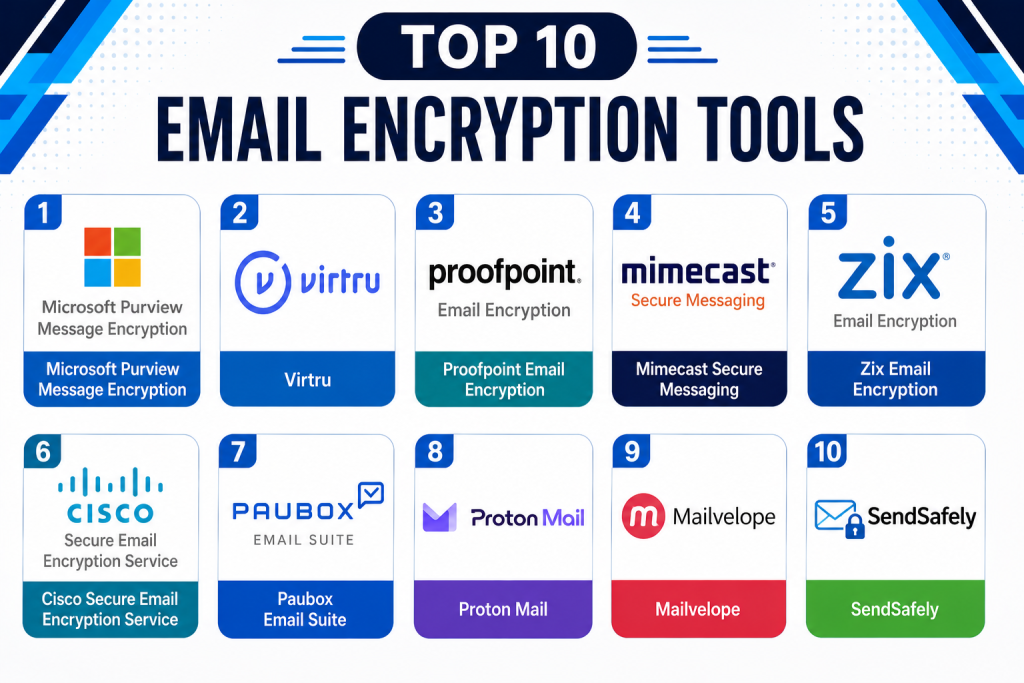
Top 10 Email Encryption Tools
#1 — Microsoft Purview Message Encryption
Short description:
Microsoft Purview Message Encryption helps organizations protect emails and attachments within Microsoft 365 environments. It is especially useful for businesses already using Outlook, Exchange Online, Teams, and Microsoft security tools. The platform supports policy-based encryption, rights management, and secure external sharing. Security teams can apply encryption rules automatically based on content, recipients, or compliance requirements. It works well for enterprises that want encryption built into their Microsoft ecosystem. It is commonly used by regulated organizations that need centralized control over sensitive communications.
Key Features
- Email encryption for Microsoft 365 users.
- Policy-based message protection.
- Rights management for email and attachments.
- External recipient secure access.
- Integration with Microsoft Purview compliance tools.
- Admin controls for encryption rules.
- Support for Outlook and Exchange workflows.
Pros
- Strong fit for Microsoft 365 organizations.
- Reduces the need for separate encryption tools.
- Good policy automation for enterprise environments.
Cons
- Best value is mainly for Microsoft-centric teams.
- Setup can require Microsoft security expertise.
- External recipient experience may vary by configuration.
Platforms / Deployment
- Web
- Windows
- macOS
- iOS
- Android
- Cloud
Security & Compliance
- Encryption
- MFA through Microsoft Entra ID
- RBAC
- Audit logs
- SSO/SAML through Microsoft Entra ID
- Compliance support varies by Microsoft licensing and configuration
Integrations & Ecosystem
Microsoft Purview Message Encryption is deeply connected with the Microsoft security, compliance, and productivity ecosystem.
- Microsoft Outlook
- Exchange Online
- Microsoft Purview
- Microsoft Entra ID
- Microsoft Defender
- Microsoft 365 admin center
Support & Community
Microsoft provides extensive documentation, admin guidance, enterprise support plans, and a large professional community. Support quality depends on licensing, support tier, and internal Microsoft expertise.
#2 — Virtru
Short description:
Virtru is an email and file encryption platform designed for organizations that need user-friendly protection inside daily email workflows. It is widely known for Gmail and Outlook encryption support. Virtru allows users to protect messages, revoke access, set expiration dates, and control forwarding. It is suitable for legal, education, healthcare, government, and business teams that exchange sensitive information externally. The platform focuses on making encryption easier for both senders and recipients. It is a strong option for teams that want practical email privacy without overly complex workflows.
Key Features
- End-to-end email encryption.
- Gmail and Outlook support.
- Access revocation.
- Message expiration controls.
- Forwarding controls.
- Secure file sharing.
- Admin policy management.
Pros
- User-friendly sender experience.
- Strong fit for Google Workspace and Microsoft 365.
- Good controls for external sharing.
Cons
- Advanced enterprise features may require higher plans.
- Recipient experience depends on email environment.
- Some workflows may need user training.
Platforms / Deployment
- Web
- Windows
- macOS
- iOS
- Android
- Cloud
Security & Compliance
- Encryption
- Access controls
- Admin policies
- Audit features
- Compliance support varies by plan and configuration
Integrations & Ecosystem
Virtru works well with common business productivity environments and secure sharing workflows.
- Gmail
- Google Workspace
- Outlook
- Microsoft 365
- APIs
- Secure file-sharing workflows
Support & Community
Virtru offers documentation, onboarding resources, and business support options. Community visibility is moderate, with stronger adoption among security-conscious Google Workspace and Microsoft 365 users.
#3 — Proofpoint Email Encryption
Short description:
Proofpoint Email Encryption is part of Proofpoint’s broader email security and compliance ecosystem. It helps organizations automatically encrypt sensitive outbound messages based on policies and data protection rules. The tool is often used by enterprises that need strong controls for regulated communications. Proofpoint is especially relevant for companies already using its email security gateway, threat protection, archiving, or DLP capabilities. It supports secure delivery for external recipients and reduces manual encryption decisions. Security teams can combine encryption with broader email risk management.
Key Features
- Policy-based outbound encryption.
- Secure message delivery.
- DLP-aware encryption workflows.
- Integration with Proofpoint email security.
- Admin reporting and visibility.
- Recipient authentication options.
- Enterprise policy controls.
Pros
- Strong enterprise email security ecosystem.
- Good fit for compliance-heavy organizations.
- Useful automation for sensitive outbound email.
Cons
- May be too complex for small teams.
- Best value comes with broader Proofpoint adoption.
- Pricing and packaging can vary.
Platforms / Deployment
- Web
- Cloud
- Hybrid depending on email environment
Security & Compliance
- Encryption
- Audit logs
- Policy controls
- Access controls
- Compliance support varies by deployment and package
Integrations & Ecosystem
Proofpoint integrates with enterprise email, security, compliance, and data protection workflows.
- Microsoft 365
- Google Workspace
- Secure email gateway tools
- DLP workflows
- Archiving systems
- Security operations tools
Support & Community
Proofpoint provides enterprise-grade support, documentation, and implementation services. It is better suited to organizations with security teams or managed service support.
#4 — Mimecast Secure Messaging
Short description:
Mimecast Secure Messaging helps organizations send sensitive email content securely while supporting broader email security and continuity requirements. It is commonly used by organizations that want encryption alongside email threat protection, archiving, continuity, and compliance features. Mimecast supports secure delivery of messages and attachments through controlled recipient access. It is particularly suitable for mid-market and enterprise buyers. The platform helps reduce risk from accidental exposure and unauthorized access. It works best when used as part of Mimecast’s wider email security suite.
Key Features
- Secure message delivery.
- Email and attachment protection.
- Policy-based encryption.
- Recipient access controls.
- Integration with Mimecast email security.
- Reporting and audit visibility.
- Support for external communication protection.
Pros
- Strong email security suite alignment.
- Good for organizations needing multiple email controls.
- Useful for compliance-focused communication.
Cons
- May be more than needed for basic encryption.
- Administration can require security expertise.
- Best value is within the Mimecast ecosystem.
Platforms / Deployment
- Web
- Cloud
Security & Compliance
- Encryption
- Access controls
- Audit logs
- Policy management
- Compliance support varies by plan and configuration
Integrations & Ecosystem
Mimecast connects encryption with email security, archiving, continuity, and compliance operations.
- Microsoft 365
- Google Workspace
- Email security gateways
- Archiving workflows
- Security tools
- Admin APIs where available
Support & Community
Mimecast provides enterprise support, documentation, training, and partner assistance. It has strong visibility among email security administrators.
#5 — Zix Email Encryption
Short description:
Zix Email Encryption is a secure email solution commonly used by healthcare, finance, legal, and regulated organizations. It focuses on making encryption practical through automatic policy-based protection and secure recipient access. Zix is known for helping organizations protect sensitive outbound email without forcing users into complex manual steps. It supports secure portals, compliance workflows, and administrative reporting. The platform is often selected by organizations that need dependable encryption for everyday sensitive communications. It is suitable for SMBs, mid-market organizations, and compliance-driven teams.
Key Features
- Policy-based email encryption.
- Secure message portal.
- Automatic encryption triggers.
- Recipient authentication.
- Compliance-focused workflows.
- Admin reporting.
- Protection for sensitive attachments.
Pros
- Strong fit for regulated industries.
- Practical encryption workflows.
- Good option for SMB and mid-market teams.
Cons
- Interface and experience may vary by configuration.
- Advanced customization may require support.
- Ecosystem depth may be narrower than large suites.
Platforms / Deployment
- Web
- Cloud
Security & Compliance
- Encryption
- Policy controls
- Audit features
- Access controls
- Compliance support varies by industry and configuration
Integrations & Ecosystem
Zix is designed to work with common business email systems and secure message workflows.
- Microsoft 365
- Exchange environments
- Secure web portal
- DLP-style policies
- Email gateway workflows
Support & Community
Zix provides customer support, implementation help, and documentation. It is commonly supported through direct service and partner channels.
#6 — Cisco Secure Email Encryption Service
Short description:
Cisco Secure Email Encryption Service helps organizations protect sensitive email communications as part of Cisco’s broader secure email platform. It supports policy-based encryption, secure delivery, and administrative control for outbound messages. The tool is useful for enterprises already using Cisco email security products. It helps reduce exposure of confidential data while fitting into larger security operations. Cisco’s approach is suited for organizations that prefer integrated network, cloud, and email security capabilities. It is often adopted by enterprises with mature security programs.
Key Features
- Email encryption service.
- Policy-based outbound protection.
- Secure message access.
- Integration with Cisco Secure Email.
- Admin controls.
- Reporting and audit visibility.
- Enterprise security alignment.
Pros
- Strong fit for Cisco security customers.
- Enterprise-grade email protection.
- Good for centralized security teams.
Cons
- May be complex for smaller businesses.
- Best value requires Cisco ecosystem alignment.
- Implementation may require admin expertise.
Platforms / Deployment
- Web
- Cloud
- Hybrid depending on email architecture
Security & Compliance
- Encryption
- Access controls
- Policy management
- Audit features
- Compliance support varies by deployment
Integrations & Ecosystem
Cisco Secure Email Encryption connects with Cisco’s wider email and security ecosystem.
- Cisco Secure Email
- Microsoft 365
- Exchange environments
- Security operations workflows
- Email gateway controls
Support & Community
Cisco provides enterprise documentation, technical support, partner services, and a large security professional community.
#7 — Paubox Email Suite
Short description:
Paubox Email Suite is designed for secure and compliant email communication, with strong adoption in healthcare-focused environments. It helps organizations send encrypted email without requiring recipients to use portals in many common workflows. Paubox emphasizes simplicity, usability, and secure delivery for regulated communication. It is especially useful for healthcare providers, clinics, and teams that need to protect patient-related information. The platform reduces user friction while supporting compliance-oriented communication. It is a practical option for organizations that want encryption with minimal workflow disruption.
Key Features
- Secure email encryption.
- Healthcare-focused secure communication.
- Automatic outbound protection.
- User-friendly recipient experience.
- Admin controls.
- Secure email delivery.
- Reporting and monitoring.
Pros
- Strong usability for healthcare workflows.
- Reduces friction for recipients.
- Good option for compliance-driven teams.
Cons
- Best fit is healthcare and similar use cases.
- May not have the broadest enterprise suite features.
- Advanced governance needs may require additional tools.
Platforms / Deployment
- Web
- Cloud
Security & Compliance
- Encryption
- HIPAA-focused capabilities
- Access controls
- Compliance support varies by configuration
Integrations & Ecosystem
Paubox works with common email environments and healthcare communication workflows.
- Microsoft 365
- Google Workspace
- Email hosting systems
- Admin dashboards
- Secure outbound communication workflows
Support & Community
Paubox provides onboarding, documentation, and support services. It has strong recognition among healthcare-focused customers.
#8 — Proton Mail
Short description:
Proton Mail is a privacy-focused encrypted email service designed for individuals, professionals, and organizations that prioritize secure communication. It offers end-to-end encryption between Proton users and secure options for communicating with external recipients. Proton Mail is often chosen by privacy-conscious users, journalists, activists, consultants, small businesses, and teams wanting a secure mailbox experience. It is not just an encryption add-on but a full email service. The platform emphasizes privacy, security, and user control. It is suitable for teams that can adopt Proton as their primary secure email environment.
Key Features
- End-to-end encrypted email.
- Secure mailbox service.
- Password-protected external messages.
- Mobile and web apps.
- Custom domain support.
- Privacy-focused account controls.
- Secure calendar and ecosystem options.
Pros
- Strong privacy-first positioning.
- Easy for individuals and small teams.
- Full secure email environment.
Cons
- Not ideal as a simple add-on to existing enterprise email.
- Some enterprise workflows may need adjustment.
- Integration flexibility may be lower than business suites.
Platforms / Deployment
- Web
- Windows
- macOS
- Linux
- iOS
- Android
- Cloud
Security & Compliance
- End-to-end encryption
- MFA
- Access controls
- Privacy-focused architecture
- Other compliance details vary by plan
Integrations & Ecosystem
Proton Mail is part of a broader privacy ecosystem rather than a traditional enterprise email security gateway.
- Proton Calendar
- Proton Drive
- Mobile apps
- Desktop apps
- Custom domains
- Secure external messaging
Support & Community
Proton has extensive documentation, user support, and a strong privacy-focused community. Enterprise support depends on plan level.
#9 — Mailvelope
Short description:
Mailvelope is an open-source browser extension that enables OpenPGP email encryption for webmail services. It is useful for privacy-focused users, technical teams, researchers, and organizations that want lightweight encryption without replacing their existing webmail provider. Mailvelope works with common webmail platforms and gives users control over encryption keys. It is especially suitable for technically comfortable users who understand key management. The tool is not a full enterprise compliance platform, but it provides practical encrypted email capabilities. It is a good choice for open-source and budget-conscious encryption needs.
Key Features
- OpenPGP email encryption.
- Browser extension-based workflow.
- Works with webmail platforms.
- User-controlled key management.
- Open-source model.
- Message encryption and decryption.
- Lightweight deployment.
Pros
- Open-source and cost-effective.
- Flexible for technical users.
- Works with existing webmail accounts.
Cons
- Requires user understanding of keys.
- Not ideal for enterprise policy automation.
- Limited centralized administration.
Platforms / Deployment
- Web
- Windows
- macOS
- Linux
- Self-hosted elements vary by implementation
Security & Compliance
- OpenPGP encryption
- Compliance features not publicly stated
- Enterprise audit controls not publicly stated
Integrations & Ecosystem
Mailvelope is designed for browser-based email encryption and open standards.
- Gmail
- Outlook webmail
- Yahoo Mail
- OpenPGP workflows
- Browser extensions
- Key server workflows where applicable
Support & Community
Support is mainly documentation and open-source community driven. It is better suited for technical users than non-technical business teams.
#10 — SendSafely
Short description:
SendSafely is a secure file and message exchange platform used by organizations that need to share sensitive information safely. While it is broader than traditional email encryption, it is often used as a secure alternative for sending confidential data through email workflows. Users can send secure links, protect files, and control access to sensitive content. It is useful for customer support, security teams, legal teams, and organizations that exchange sensitive attachments. SendSafely works well when email attachments are too risky or too large. It supports secure collaboration without relying only on standard inbox delivery.
Key Features
- Secure file exchange.
- Secure message delivery.
- Access-controlled links.
- Expiration controls.
- Activity tracking.
- Team workflows.
- API support.
Pros
- Strong secure sharing experience.
- Useful for sensitive attachments.
- Good fit for customer support and security teams.
Cons
- Not a traditional mailbox encryption tool.
- Requires workflow adoption.
- May need integration planning for enterprise use.
Platforms / Deployment
- Web
- Cloud
Security & Compliance
- Encryption
- Access controls
- Audit-style activity tracking
- Compliance details vary by plan
Integrations & Ecosystem
SendSafely connects secure sharing with support, operations, and business workflows.
- Customer support platforms
- APIs
- Web portals
- Secure links
- Team workspaces
- Business communication workflows
Support & Community
SendSafely provides documentation, business support, and onboarding guidance. Community visibility is more specialized than large email security suites.
Comparison Table
| Tool Name | Best For | Platform(s) Supported | Deployment | Standout Feature | Public Rating |
|---|---|---|---|---|---|
| Microsoft Purview Message Encryption | Microsoft 365 enterprises | Web, Windows, macOS, iOS, Android | Cloud | Native Microsoft 365 encryption | N/A |
| Virtru | Gmail and Outlook users | Web, Windows, macOS, iOS, Android | Cloud | User-friendly end-to-end encryption | N/A |
| Proofpoint Email Encryption | Enterprise email security | Web | Cloud, Hybrid | Policy-based secure delivery | N/A |
| Mimecast Secure Messaging | Email security suite users | Web | Cloud | Secure messaging inside broader email security | N/A |
| Zix Email Encryption | Regulated SMB and mid-market teams | Web | Cloud | Automatic compliance-focused encryption | N/A |
| Cisco Secure Email Encryption Service | Cisco security environments | Web | Cloud, Hybrid | Enterprise secure email integration | N/A |
| Paubox Email Suite | Healthcare communication | Web | Cloud | Low-friction secure healthcare email | N/A |
| Proton Mail | Privacy-focused users and small teams | Web, Windows, macOS, Linux, iOS, Android | Cloud | Full encrypted email service | N/A |
| Mailvelope | Open-source encryption users | Web, Windows, macOS, Linux | Self-hosted / Browser-based | OpenPGP webmail encryption | N/A |
| SendSafely | Secure file and message exchange | Web | Cloud | Secure link-based sharing | N/A |
Evaluation & Scoring of Email Encryption Tools
| Tool Name | Core (25%) | Ease (15%) | Integrations (15%) | Security (10%) | Performance (10%) | Support (10%) | Value (15%) | Weighted Total (0–10) |
| Microsoft Purview Message Encryption | 9 | 8 | 10 | 9 | 9 | 9 | 8 | 8.9 |
| Virtru | 9 | 9 | 9 | 9 | 8 | 8 | 8 | 8.6 |
| Proofpoint Email Encryption | 9 | 7 | 9 | 9 | 9 | 9 | 7 | 8.4 |
| Mimecast Secure Messaging | 8 | 7 | 8 | 9 | 8 | 8 | 7 | 7.9 |
| Zix Email Encryption | 8 | 8 | 7 | 8 | 8 | 8 | 8 | 7.9 |
| Cisco Secure Email Encryption Service | 8 | 7 | 8 | 9 | 8 | 8 | 7 | 7.8 |
| Paubox Email Suite | 8 | 9 | 7 | 8 | 8 | 8 | 8 | 8.0 |
| Proton Mail | 8 | 9 | 6 | 9 | 8 | 8 | 9 | 8.1 |
| Mailvelope | 7 | 6 | 6 | 8 | 7 | 6 | 10 | 7.0 |
| SendSafely | 8 | 8 | 8 | 8 | 8 | 8 | 8 | 8.0 |
The scores are comparative and should not be treated as universal rankings. A healthcare provider may value Paubox more highly than a general enterprise, while a Microsoft-first company may prioritize Microsoft Purview. Open-source users may prefer Mailvelope despite lower enterprise administration scores. The best choice depends on email environment, compliance requirements, user experience expectations, and integration needs.
Which Email Encryption Tool Is Right for You?
Solo / Freelancer
Solo professionals should consider Proton Mail, Mailvelope, or Virtru depending on how they work. Proton Mail is useful when privacy is a core requirement and the user wants a secure mailbox. Mailvelope is better for technical users who understand OpenPGP. Virtru is practical for freelancers already using Gmail or Outlook and needing easy encrypted sharing.
SMB
SMBs should evaluate Virtru, Zix, Paubox, Proton Mail, and Microsoft Purview depending on their email environment. A Google Workspace or Microsoft 365 business may prefer Virtru for usability. Healthcare-focused SMBs may find Paubox practical. Microsoft 365 teams may choose Microsoft Purview if licensing and admin capability are already in place.
Mid-Market
Mid-market organizations often need a balance between usability, compliance, and centralized controls. Virtru, Zix, Mimecast, Microsoft Purview, and Proofpoint are strong candidates. The right choice depends on whether the company wants a standalone encryption layer, a broader email security suite, or native Microsoft integration.
Enterprise
Enterprises should prioritize Microsoft Purview, Proofpoint, Mimecast, Cisco Secure Email Encryption Service, and Virtru. These tools offer stronger policy management, admin visibility, and integration options. Enterprises should also evaluate DLP alignment, identity management, audit logs, compliance reporting, and support quality before committing.
Budget vs Premium
Budget-conscious users may consider Mailvelope or Proton Mail for focused privacy needs. SMBs may evaluate Paubox, Zix, or Virtru depending on industry fit. Premium buyers with complex governance needs should look at Proofpoint, Mimecast, Cisco, or Microsoft Purview as part of larger security programs.
Feature Depth vs Ease of Use
Virtru, Paubox, and Proton Mail are easier for many users to adopt. Microsoft Purview, Proofpoint, Mimecast, and Cisco provide deeper enterprise controls but require more planning. Mailvelope offers strong encryption flexibility but depends heavily on user knowledge.
Integrations & Scalability
Microsoft Purview is strongest for Microsoft 365 environments. Virtru works well across Google Workspace and Microsoft 365. Proofpoint, Mimecast, and Cisco are better for organizations that need encryption connected to broader email security and compliance operations. SendSafely is suitable when secure file exchange is a major use case.
Security & Compliance Needs
Healthcare organizations should evaluate Paubox, Zix, Microsoft Purview, and Proofpoint. Financial services and legal teams may prefer Microsoft Purview, Proofpoint, Mimecast, or Virtru. Privacy-focused individuals and smaller teams may choose Proton Mail. Organizations with strict audit and policy requirements should prioritize admin controls, logging, DLP compatibility, and recipient authentication.
Frequently Asked Questions (FAQs)
1. What is email encryption?
Email encryption protects message content so unauthorized users cannot read it. It can protect the email body, attachments, or both, depending on the tool and configuration.
2. Why do businesses need email encryption?
Businesses use email encryption to protect sensitive data, reduce breach risk, and support compliance. It is especially important when sending customer, patient, legal, HR, or financial information.
3. Is email encryption difficult to use?
Modern tools are much easier than older encryption systems. Many platforms now support automatic policy-based encryption, secure portals, and simple recipient access.
4. What is policy-based encryption?
Policy-based encryption automatically encrypts emails based on rules. For example, a message containing financial data, patient information, or certain keywords can be encrypted without user action.
5. Can email encryption work with Microsoft 365?
Yes. Many tools support Microsoft 365, including Microsoft Purview, Virtru, Proofpoint, Mimecast, Zix, Cisco, and Paubox. The best fit depends on your security stack and licensing.
6. Can email encryption work with Google Workspace?
Yes. Virtru, Paubox, Proton Mail, Mailvelope, and other solutions can support Google Workspace or webmail workflows. Buyers should validate compatibility before deployment.
7. What is the difference between email encryption and secure file sharing?
Email encryption protects email messages and attachments, while secure file sharing often sends protected links instead of attachments. Some organizations use both approaches together.
8. What mistakes should buyers avoid?
Common mistakes include choosing tools based only on price, ignoring recipient experience, skipping DLP integration, and failing to train users. Encryption must fit real communication workflows.
9. Are open-source email encryption tools suitable for businesses?
Open-source tools like Mailvelope can work well for technical users, but they may lack centralized admin controls. Businesses with compliance needs often require stronger reporting and policy management.
10. How long does implementation take?
Basic setup can be quick for smaller teams, while enterprise deployment may require policy design, identity integration, testing, training, and compliance review. Complexity depends on scale and risk level.
Conclusion
Email encryption tools are essential for organizations that send confidential information through business email. The right platform can reduce accidental data exposure, support compliance, improve customer trust, and make secure communication easier for employees. Microsoft Purview is a strong option for Microsoft 365 organizations, while Virtru works well for teams that want user-friendly encryption across Gmail and Outlook. Proofpoint, Mimecast, and Cisco are better suited for larger security programs, while Zix and Paubox serve regulated communication needs. Proton Mail and Mailvelope are practical for privacy-focused users, and SendSafely is useful when secure file exchange is a priority. The best choice depends on your email environment, compliance pressure, user experience needs, and integration requirements. Start by shortlisting two or three tools, run a pilot with real users, validate security and recipient workflows, and then scale the platform that fits your business communication model.
