Introduction
Secure Messaging Apps are communication platforms designed to protect conversations, files, calls, and collaboration data through encryption, access controls, privacy settings, and enterprise governance. Unlike basic chat apps, secure messaging tools focus on confidentiality, identity protection, compliance, and safe communication across teams, customers, partners, and external stakeholders.
Secure messaging matters now because organizations handle more sensitive data across remote teams, mobile devices, customer support channels, healthcare workflows, legal discussions, influencer collaborations, and partner ecosystems. With rising cyber threats, stricter privacy expectations, and distributed work models, businesses need tools that protect communication without slowing productivity.
Real-world use cases include:
- Private team collaboration
- Secure client and partner communication
- Healthcare and legal messaging
- Encrypted file sharing
- Crisis communication and incident response
What buyers should evaluate:
- End-to-end encryption
- Admin controls and access management
- Device and session security
- Compliance readiness
- Message retention and audit controls
- File-sharing protection
- Cross-platform availability
- Integration ecosystem
- User experience
- Total cost and scalability
Best for: Security-conscious businesses, healthcare teams, legal firms, financial services, enterprise IT teams, remote teams, privacy-focused professionals, journalists, consultants, and organizations handling confidential communication.
Not ideal for: Teams that only need casual chat, organizations already using a compliant enterprise collaboration suite, or businesses where open community collaboration is more important than strict privacy controls.
Key Trends in Secure Messaging Apps
- End-to-end encryption is becoming a baseline expectation for both consumer and business messaging.
- AI-assisted moderation and summarization are expanding, but buyers must evaluate how message data is processed.
- Enterprise governance is becoming more important as businesses need retention, audit logs, and admin visibility.
- Zero-trust communication models are influencing messaging security design.
- Mobile-first secure communication is growing as more work happens outside traditional desktops.
- Secure file sharing and disappearing messages are becoming standard features.
- Interoperability with productivity tools is becoming a key buying factor.
- Privacy-focused alternatives to mainstream chat platforms are gaining attention.
- Regulated industries are demanding stronger compliance controls for messaging workflows.
- Self-hosted and open-source options remain important for organizations requiring maximum control.
How We Selected These Tools
The following methodology was used to choose the top secure messaging apps:
- Market adoption and overall industry recognition
- Security architecture and encryption approach
- Business and enterprise suitability
- Cross-platform availability
- Ease of use for technical and non-technical users
- Admin, governance, and compliance capabilities
- Integration ecosystem and extensibility
- Fit for different users, from individuals to large enterprises
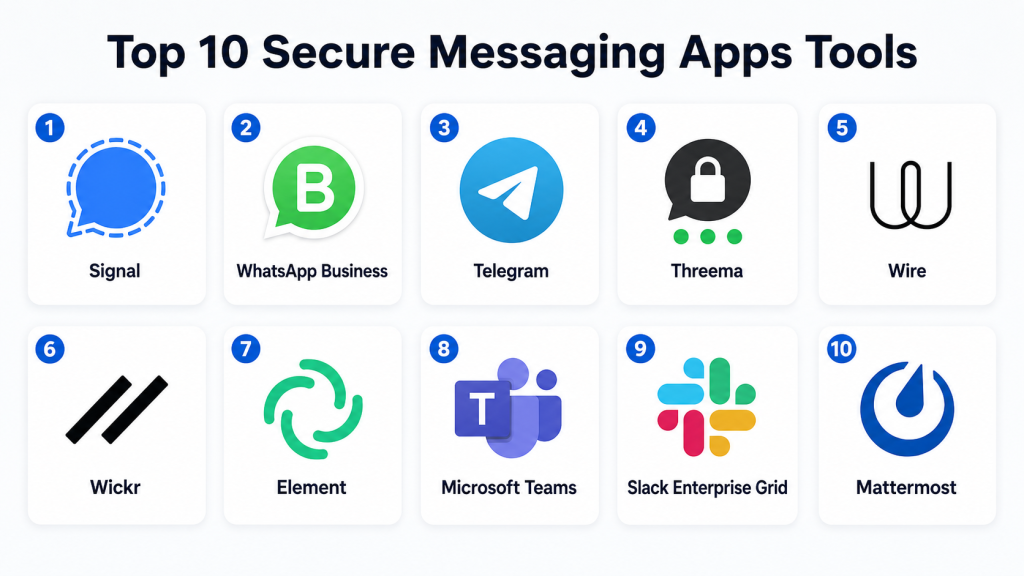
Top 10 Secure Messaging Apps Tools
#1 — Signal
Short description
: Signal is one of the most trusted secure messaging apps for private communication. It is widely known for strong end-to-end encryption and a privacy-first design. The platform supports one-to-one chats, group messaging, voice calls, video calls, and media sharing. Signal is especially useful for individuals, journalists, activists, consultants, and teams that value confidentiality. It does not focus heavily on enterprise administration, but its security reputation is strong. For organizations needing simple secure communication without complex setup, Signal is a practical choice.
Key Features
- End-to-end encrypted messaging
- Encrypted voice and video calls
- Disappearing messages
- Group chats
- Secure media sharing
- Minimal data collection approach
- Cross-platform access
Pros
- Strong privacy reputation
- Simple and user-friendly interface
- Free to use
Cons
- Limited enterprise administration
- Not ideal for complex compliance workflows
- Fewer business integrations than enterprise tools
Platforms / Deployment
- Web / Windows / macOS / Linux / iOS / Android
- Cloud
Security & Compliance
- End-to-end encryption
- Screen security features
- Disappearing messages
- Compliance certifications: Not publicly stated
Integrations & Ecosystem
Signal is intentionally lightweight and does not prioritize enterprise integrations. Its strength is private communication rather than workflow automation.
- Mobile contacts
- Desktop app
- Secure media sharing
- Group messaging
Support & Community
Signal has public documentation, community support, and strong awareness among privacy-focused users. Enterprise support tiers are not publicly stated.
#2 — WhatsApp Business
Short description
: WhatsApp Business helps companies communicate with customers through a familiar and widely adopted messaging interface. It supports business profiles, customer conversations, catalogs, quick replies, and automated messaging features. For small businesses and customer-facing teams, it can be a practical secure messaging option. WhatsApp uses end-to-end encryption for personal messaging, while business messaging workflows may vary depending on API and provider setup. It is best suited for customer communication rather than internal enterprise collaboration.
Key Features
- Business profile
- Customer messaging
- Quick replies
- Labels and conversation organization
- Broadcast messaging
- Catalog support
- API options for larger businesses
Pros
- Very familiar user experience
- Strong customer reach
- Useful for SMB customer engagement
Cons
- Limited internal collaboration features
- Business API setup can require partners
- Governance controls may not meet all enterprise needs
Platforms / Deployment
- Web / Windows / macOS / iOS / Android
- Cloud
Security & Compliance
- Encryption available
- Two-step verification
- Business data handling varies by setup
- Compliance certifications: Not publicly stated
Integrations & Ecosystem
WhatsApp Business integrates with many customer communication and support tools through API-based workflows.
- CRM systems
- Helpdesk tools
- Chatbot platforms
- Marketing automation tools
- Customer support platforms
Support & Community
Documentation is available for business and API users. Support depends on whether the company uses the app directly or through an official solution provider.
#3 — Telegram
Short description: Telegram is a popular messaging app known for speed, large groups, channels, bots, and flexible communication features. It supports private chats, public communities, file sharing, voice calls, and automation through bots. Telegram offers secret chats with end-to-end encryption, but standard cloud chats are designed differently. It is useful for communities, creators, influencers, and teams needing fast communication and broadcast features. Buyers should carefully review security settings before using it for highly sensitive communication.
Key Features
- Large group chats
- Public and private channels
- Bot ecosystem
- File sharing
- Secret chats
- Cross-device sync
- Broadcast communication
Pros
- Excellent community features
- Strong automation through bots
- Easy cross-device experience
Cons
- End-to-end encryption is not default for all chats
- Enterprise compliance controls are limited
- Not ideal for highly regulated communication
Platforms / Deployment
- Web / Windows / macOS / Linux / iOS / Android
- Cloud
Security & Compliance
- Secret chats with end-to-end encryption
- Two-step verification
- Self-destructing messages in specific modes
- Compliance certifications: Not publicly stated
Integrations & Ecosystem
Telegram has a strong developer and bot ecosystem, making it useful for automation and community workflows.
- Bots
- APIs
- Community channels
- Web integrations
- Automation tools
Support & Community
Telegram has broad community usage and developer documentation. Formal enterprise support is limited compared with business collaboration platforms.
#4 — Threema
Short description: Threema is a privacy-focused secure messaging app designed for individuals, teams, and organizations that want confidential communication. It supports encrypted messages, voice calls, file sharing, group chats, and business-focused options. One major appeal is that users can communicate without requiring a phone number. Threema is often considered by organizations that want stronger privacy controls than mainstream consumer messaging apps. Its business offerings make it more suitable for professional use than many consumer-only secure messengers.
Key Features
- End-to-end encrypted messaging
- No phone number required
- Secure voice calls
- Group chats
- File sharing
- Business messaging options
- Contact verification
Pros
- Strong privacy-first design
- Business-friendly options
- Good for privacy-sensitive teams
Cons
- Smaller user base than mainstream apps
- Paid model may limit casual adoption
- Fewer integrations than enterprise suites
Platforms / Deployment
- Web / Windows / macOS / Linux / iOS / Android
- Cloud / Self-hosted options may vary
Security & Compliance
- End-to-end encryption
- Contact verification
- Access controls for business plans
- Compliance certifications: Not publicly stated
Integrations & Ecosystem
Threema focuses more on secure communication than broad third-party integrations, but business options provide administrative capabilities.
- Business management tools
- Mobile device management support
- Contact management
- Secure file sharing
Support & Community
Threema provides documentation and business support resources. Community size is smaller than mass-market messaging apps but strong among privacy-focused users.
#5 — Wire
Short description: Wire is a secure collaboration and messaging platform designed for teams, enterprises, and privacy-conscious organizations. It supports encrypted messaging, voice calls, video meetings, file sharing, and team spaces. Wire is often evaluated by organizations looking for a more business-ready alternative to consumer secure messaging apps. It offers administrative controls and collaboration features that make it more suitable for workplace communication. Wire is useful for teams that need security, usability, and enterprise management in one platform.
Key Features
- End-to-end encrypted messaging
- Secure voice and video calls
- Team collaboration spaces
- File sharing
- Admin controls
- Cross-platform support
- Enterprise deployment options
Pros
- Good balance of security and collaboration
- Business-friendly feature set
- Useful for distributed teams
Cons
- Smaller ecosystem than Microsoft or Slack
- May require user training
- Pricing may vary by business needs
Platforms / Deployment
- Web / Windows / macOS / Linux / iOS / Android
- Cloud / Self-hosted / Hybrid options may vary
Security & Compliance
- End-to-end encryption
- Access controls
- Admin management
- Compliance certifications: Not publicly stated
Integrations & Ecosystem
Wire supports business communication workflows but is more security-focused than integration-heavy collaboration suites.
- Team administration
- File sharing
- Identity management options
- Enterprise deployment support
- APIs where available
Support & Community
Wire provides business documentation, customer support, and enterprise onboarding depending on plan and deployment model.
#6 — Wickr
Short description): Wickr is a secure messaging and collaboration platform known for encrypted communications and advanced security controls. It has historically been used by organizations requiring high levels of confidentiality, including security-sensitive teams. Wickr supports encrypted messaging, calling, file sharing, and administrative controls. It is suitable for teams that need secure collaboration with governance and retention options. Buyers should evaluate current availability, packaging, and fit based on their region and business requirements.
Key Features
- Encrypted messaging
- Secure file sharing
- Voice and video communication
- Message expiration controls
- Admin controls
- Team management
- Secure collaboration spaces
Pros
- Strong security orientation
- Useful for sensitive communications
- Business-focused controls
Cons
- May be more complex than simple messaging apps
- Product availability may vary
- Requires careful deployment planning
Platforms / Deployment
- Web / Windows / macOS / Linux / iOS / Android
- Cloud
Security & Compliance
- End-to-end encryption
- Admin controls
- Message retention controls
- Compliance certifications: Not publicly stated
Integrations & Ecosystem
Wickr is designed for secure collaboration rather than broad consumer-style integrations.
- Team administration
- File sharing
- Identity workflows
- Security operations use cases
Support & Community
Support and onboarding vary by product plan and organizational requirements. Public community presence is smaller than mainstream messaging apps.
#7 — Element
Short description: Element is a secure messaging and collaboration app built on the Matrix protocol. It is popular among organizations that want open, decentralized, and self-hostable communication. Element supports encrypted messaging, rooms, file sharing, voice and video communication, and federation. It is especially useful for governments, open-source communities, developers, and organizations that need control over messaging infrastructure. Its flexibility is a major advantage, but setup can be more technical than consumer apps.
Key Features
- Matrix-based communication
- End-to-end encrypted messaging
- Self-hosting options
- Federated communication
- Rooms and communities
- Voice and video support
- Open ecosystem
Pros
- Strong control and flexibility
- Open protocol foundation
- Self-hosting support
Cons
- Technical setup can be challenging
- User experience may require training
- Enterprise deployment needs planning
Platforms / Deployment
- Web / Windows / macOS / Linux / iOS / Android
- Cloud / Self-hosted / Hybrid
Security & Compliance
- End-to-end encryption
- Self-hosting control
- Access management options
- Compliance certifications: Not publicly stated
Integrations & Ecosystem
Element benefits from the Matrix ecosystem and supports flexible integration patterns.
- Matrix bridges
- Bots
- APIs
- Self-hosted services
- Developer tools
Support & Community
Element has strong open-source community support, public documentation, and commercial support options for organizations.
#8 — Microsoft Teams
Short description: Microsoft Teams is a widely used enterprise collaboration platform that includes messaging, meetings, file sharing, calling, and productivity integrations. While not positioned purely as a secure messenger, it offers strong enterprise administration and compliance controls through the Microsoft ecosystem. Teams is especially valuable for organizations already using Microsoft 365. It supports secure collaboration at scale across departments, regions, and devices. For regulated enterprises, governance and identity controls are major advantages.
Key Features
- Team messaging
- Video meetings
- File collaboration
- Enterprise administration
- Compliance controls
- Microsoft 365 integration
- Guest access management
Pros
- Strong enterprise ecosystem
- Excellent productivity integrations
- Good governance controls
Cons
- Can feel complex for small teams
- Not privacy-first like Signal or Threema
- Licensing can be difficult to compare
Platforms / Deployment
- Web / Windows / macOS / Linux / iOS / Android
- Cloud
Security & Compliance
- MFA
- SSO/SAML
- Encryption
- Audit logs
- RBAC
- Compliance capabilities through Microsoft ecosystem
Integrations & Ecosystem
Microsoft Teams has one of the strongest business integration ecosystems.
- Microsoft 365
- SharePoint
- OneDrive
- Power Automate
- CRM and business apps
- APIs and apps marketplace
Support & Community
Microsoft provides extensive documentation, enterprise support, partner services, training resources, and a large global user community.
#9 — Slack Enterprise Grid
Short description: Slack Enterprise Grid is a business messaging and collaboration platform designed for larger organizations. It supports team channels, direct messages, workflow automation, app integrations, and enterprise administration. While Slack is not primarily known as a privacy-first encrypted messenger, its enterprise version provides security, governance, and compliance controls for business communication. It is best for teams that value productivity, integrations, and structured collaboration. Organizations handling highly sensitive conversations should carefully review encryption and retention settings.
Key Features
- Team channels
- Direct messaging
- Workflow automation
- App integrations
- Enterprise administration
- Searchable conversation history
- External collaboration
Pros
- Excellent integrations
- Strong user experience
- Useful for fast-moving teams
Cons
- Not a privacy-first secure messenger
- Enterprise features can be expensive
- Requires governance planning
Platforms / Deployment
- Web / Windows / macOS / Linux / iOS / Android
- Cloud
Security & Compliance
- SSO/SAML
- MFA
- Encryption
- Audit logs
- Enterprise access controls
- Compliance details vary by plan
Integrations & Ecosystem
Slack has a very strong app and workflow ecosystem.
- CRM tools
- Project management tools
- DevOps tools
- HR platforms
- Workflow automation
- APIs
Support & Community
Slack offers documentation, enterprise support, app marketplace resources, and a large professional user community.
#10 — Mattermost
Short description: Mattermost is a secure collaboration and messaging platform often chosen by technical teams, DevOps teams, and organizations that want deployment control. It supports team messaging, channels, file sharing, workflow integrations, and self-hosted deployment. Mattermost is especially useful for organizations that need internal secure collaboration with control over infrastructure and data residency. It can serve as an alternative to cloud-only messaging platforms. Its strength lies in security-conscious collaboration and developer-friendly extensibility.
Key Features
- Team messaging
- Self-hosted deployment
- Channels and direct messages
- File sharing
- DevOps integrations
- Admin controls
- Workflow automation
Pros
- Strong deployment control
- Good for technical teams
- Self-hosting support
Cons
- Requires operational management
- Less mainstream than Slack or Teams
- Setup complexity for non-technical teams
Platforms / Deployment
- Web / Windows / macOS / Linux / iOS / Android
- Cloud / Self-hosted / Hybrid
Security & Compliance
- SSO/SAML
- MFA
- Encryption
- Audit logs
- RBAC
- Compliance certifications: Not publicly stated
Integrations & Ecosystem
Mattermost is strong for developer and operations workflows.
- DevOps tools
- CI/CD platforms
- Incident management tools
- APIs
- Webhooks
- Project management systems
Support & Community
Mattermost has strong documentation, open-source community participation, and commercial support options for enterprise users.
Comparison Table
| Tool Name | Best For | Platform(s) Supported | Deployment | Standout Feature | Public Rating |
|---|---|---|---|---|---|
| Signal | Private individual and small-team messaging | Web, Windows, macOS, Linux, iOS, Android | Cloud | Strong privacy-first messaging | N/A |
| WhatsApp Business | Customer communication for SMBs | Web, Windows, macOS, iOS, Android | Cloud | Large customer reach | N/A |
| Telegram | Communities and broadcast messaging | Web, Windows, macOS, Linux, iOS, Android | Cloud | Channels and bot ecosystem | N/A |
| Threema | Privacy-focused professional messaging | Web, Windows, macOS, Linux, iOS, Android | Cloud | Messaging without phone number dependency | N/A |
| Wire | Secure team collaboration | Web, Windows, macOS, Linux, iOS, Android | Cloud / Hybrid | Business-ready secure collaboration | N/A |
| Wickr | High-security team communication | Web, Windows, macOS, Linux, iOS, Android | Cloud | Secure message expiration controls | N/A |
| Element | Open and self-hostable secure messaging | Web, Windows, macOS, Linux, iOS, Android | Cloud / Self-hosted / Hybrid | Matrix-based federation | N/A |
| Microsoft Teams | Enterprise collaboration | Web, Windows, macOS, Linux, iOS, Android | Cloud | Microsoft 365 integration | N/A |
| Slack Enterprise Grid | Enterprise productivity messaging | Web, Windows, macOS, Linux, iOS, Android | Cloud | Large app integration ecosystem | N/A |
| Mattermost | Secure technical team collaboration | Web, Windows, macOS, Linux, iOS, Android | Cloud / Self-hosted / Hybrid | Self-hosted control for teams | N/A |
Evaluation & Scoring of Secure Messaging Apps
| Tool Name | Core (25%) | Ease (15%) | Integrations (15%) | Security (10%) | Performance (10%) | Support (10%) | Value (15%) | Weighted Total (0–10) |
| Signal | 8.5 | 9.5 | 6.0 | 9.5 | 9.0 | 7.5 | 9.5 | 8.5 |
| WhatsApp Business | 8.0 | 9.0 | 8.0 | 8.0 | 9.0 | 8.0 | 9.0 | 8.4 |
| Telegram | 8.0 | 9.0 | 8.5 | 7.0 | 9.0 | 7.5 | 9.0 | 8.2 |
| Threema | 8.0 | 8.5 | 6.5 | 9.0 | 8.5 | 8.0 | 8.0 | 8.0 |
| Wire | 8.5 | 8.0 | 7.5 | 9.0 | 8.5 | 8.0 | 7.5 | 8.2 |
| Wickr | 8.5 | 7.5 | 7.0 | 9.0 | 8.5 | 7.5 | 7.5 | 8.0 |
| Element | 8.5 | 7.5 | 8.0 | 9.0 | 8.0 | 8.0 | 8.5 | 8.2 |
| Microsoft Teams | 9.0 | 8.0 | 9.5 | 8.5 | 9.0 | 9.0 | 8.0 | 8.7 |
| Slack Enterprise Grid | 8.5 | 9.0 | 9.5 | 8.0 | 9.0 | 9.0 | 7.5 | 8.6 |
| Mattermost | 8.5 | 7.5 | 8.5 | 8.5 | 8.5 | 8.0 | 8.0 | 8.3 |
These scores are comparative and should not be treated as universal rankings. A privacy-first individual may score Signal highest, while a large enterprise may score Microsoft Teams or Slack higher because of governance and integrations. Buyers should adjust the weight of each criterion based on their needs, especially around compliance, deployment control, and user adoption. Security scores consider encryption and control, while integration scores reflect business workflow readiness.
Which Secure Messaging App Tool Is Right for You?
Solo / Freelancer
Solo professionals who need private communication should consider Signal, Threema, or Telegram secret chats depending on the type of communication. Signal is best for simple secure conversations, while Threema is useful when privacy and identity separation matter. Freelancers working with clients may also use WhatsApp Business if customer reach is more important than enterprise governance.
SMB
SMBs often need secure communication without heavy administration. WhatsApp Business works well for customer messaging, while Signal or Threema can support private team communication. If the SMB needs structured internal collaboration, Microsoft Teams or Slack may be more practical because they support channels, files, workflows, and business integrations.
Mid-Market
Mid-market organizations should look at Wire, Mattermost, Slack Enterprise Grid, and Microsoft Teams. These platforms offer stronger team management, integrations, and governance than consumer-focused secure messaging apps. Mattermost is useful for technical teams that want deployment control, while Teams and Slack are stronger for productivity ecosystems.
Enterprise
Enterprises usually need security, compliance, administration, identity management, retention policies, and integrations. Microsoft Teams, Slack Enterprise Grid, Wire, Mattermost, and Element are strong candidates depending on governance needs. Element and Mattermost are especially relevant when self-hosting, federation, or infrastructure control is important.
Budget vs Premium
Free or low-cost options like Signal, Telegram, and WhatsApp Business are useful for individuals and small teams. Premium platforms such as Slack Enterprise Grid, Microsoft Teams, Wire, and Mattermost provide stronger administrative controls, support, integrations, and governance. The right choice depends on whether the organization values low cost or controlled collaboration.
Feature Depth vs Ease of Use
Signal and WhatsApp Business are easier for non-technical users. Slack and Teams offer deeper collaboration features but require governance planning. Element and Mattermost provide more infrastructure flexibility, but they can be harder to deploy and manage for non-technical teams.
Integrations & Scalability
Slack Enterprise Grid, Microsoft Teams, and Mattermost are strongest for integrations and scalable workflows. Telegram also has a strong bot ecosystem, but it is less suited for enterprise compliance. Teams is ideal for Microsoft-heavy organizations, while Slack is strong for app-driven collaboration environments.
Security & Compliance Needs
For privacy-first personal messaging, Signal and Threema are strong options. For enterprise compliance needs, Microsoft Teams, Slack Enterprise Grid, Wire, Mattermost, and Element are better candidates. Regulated organizations should validate encryption model, audit logs, retention controls, identity management, and administrative permissions before adoption.
Frequently Asked Questions (FAQs)
1. What is a secure messaging app?
A secure messaging app is a communication tool designed to protect messages, calls, files, and user identity through encryption and privacy controls. Business-focused tools may also include admin controls, audit logs, retention settings, and compliance features.
2. Is end-to-end encryption necessary for secure messaging?
End-to-end encryption is important when only the sender and receiver should access message content. However, enterprises may also need audit logs, identity controls, retention policies, and governance features, so encryption alone is not enough for every business use case.
3. Which secure messaging app is best for business teams?
For business teams, Microsoft Teams, Slack Enterprise Grid, Wire, Mattermost, and Element are strong options depending on security, integrations, and deployment needs. Signal and Threema are better for simple private messaging rather than complex team governance.
4. Are free secure messaging apps safe for professional use?
Free secure messaging apps can be safe for basic communication, but they may lack enterprise controls such as admin management, audit logs, compliance reporting, and retention policies. Businesses should match the tool to their risk level and regulatory needs.
5. What common mistakes should buyers avoid?
Common mistakes include choosing based only on popularity, ignoring compliance requirements, failing to train users, mixing personal and business communication, and not reviewing retention or backup policies. Security depends on both the app and how it is used.
6. Can secure messaging apps integrate with CRM or workflow tools?
Some apps support broad integrations, while others intentionally limit integrations for privacy reasons. Slack, Microsoft Teams, Mattermost, and Telegram offer stronger integration ecosystems, while Signal and Threema focus more on secure communication.
7. Are secure messaging apps suitable for regulated industries?
Some secure messaging apps can support regulated workflows, but buyers must validate encryption, access controls, retention, auditing, and compliance alignment. Healthcare, finance, legal, and government teams should review governance features carefully before adoption.
8. How should companies onboard teams to secure messaging?
Companies should define usage policies, configure access controls, train users on safe communication practices, and decide what data can be shared. For enterprise tools, administrators should also configure retention, guest access, device controls, and audit settings.
9. Can organizations switch secure messaging apps later?
Yes, but switching can be difficult if message history, files, integrations, and user habits are deeply embedded. Organizations should plan migration, export needs, user training, and governance changes before replacing a messaging platform.
10. What are alternatives to secure messaging apps?
Alternatives include encrypted email, enterprise collaboration suites, customer support platforms, secure portals, project management tools, and self-hosted communication systems. The best alternative depends on whether the priority is privacy, workflow management, compliance, or customer communication.
Conclusion
Secure Messaging Apps play an important role in protecting conversations, customer interactions, internal collaboration, and confidential files. The best tool depends on the organization’s communication style, security expectations, compliance needs, budget, and existing technology stack. Signal and Threema are strong for privacy-first communication, WhatsApp Business is practical for customer reach, Telegram is useful for communities, and Element or Mattermost are valuable for organizations that want more infrastructure control. For larger enterprises, Microsoft Teams, Slack Enterprise Grid, Wire, and Mattermost provide stronger administration, integrations, and governance. A smart next step is to shortlist two or three tools, test them with real users, validate security settings, review compliance requirements, and confirm integrations before making a final decision.
