Introduction
Meeting Management Software refers to platforms designed to plan, organize, run, document, and optimize meetings across teams and organizations. These tools go beyond simple calendar scheduling by adding structured agendas, pre-meeting preparation, real-time collaboration, automated notes, action tracking, and post-meeting follow-ups.
In modern workplaces, meetings are one of the biggest productivity cost centers. Without structure, they become fragmented, repetitive, and poorly documented. Meeting management platforms solve this by turning meetings into structured workflows with clear ownership, outcomes, and accountability.
These tools are especially important in hybrid and remote-first organizations where meetings are distributed across time zones and teams need a shared system of record for decisions and actions.
Real-world use cases include:
- Structured team meetings with agendas and outcomes
- Board and leadership meeting governance
- Project and sprint planning sessions
- Client and stakeholder meetings
- Retrospectives and agile ceremonies
- Compliance-heavy documented meetings
What buyers should evaluate:
- Agenda creation and workflow structure
- Action item tracking and follow-up automation
- Integration with calendars and collaboration tools
- Meeting documentation and minutes generation
- Task management integration
- Role-based access and governance controls
- Analytics on meeting effectiveness
- Ease of adoption across teams
- AI support for summaries and decisions
- Scalability for enterprise-wide usage
Best for: Enterprise teams, product and engineering teams, project managers, leadership teams, consulting firms, and organizations focused on structured decision-making.
Not ideal for: Individuals with very few meetings or teams that only need basic scheduling without structured workflows.
Key Trends in Meeting Management Software
- AI-generated agendas, notes, and action items becoming standard
- Shift from “meeting scheduling” to “meeting execution platforms”
- Deep integration with task management tools like Jira and Asana
- Real-time meeting intelligence and decision tracking
- Automated follow-up workflows and accountability systems
- Voice-to-action conversion using AI assistants
- Increased focus on meeting ROI analytics
- Hybrid meeting optimization (in-person + virtual sync)
- Compliance-ready meeting documentation for regulated industries
- Unified workspace platforms combining chat, docs, and meetings
How We Selected These Tools (Methodology)
- Market adoption in enterprise and SMB segments
- Depth of meeting workflow management features
- AI capabilities for notes and automation
- Integration ecosystem with productivity tools
- Ease of use and team adoption speed
- Security, governance, and compliance readiness
- Scalability for large organizations
- Real-world meeting productivity impact
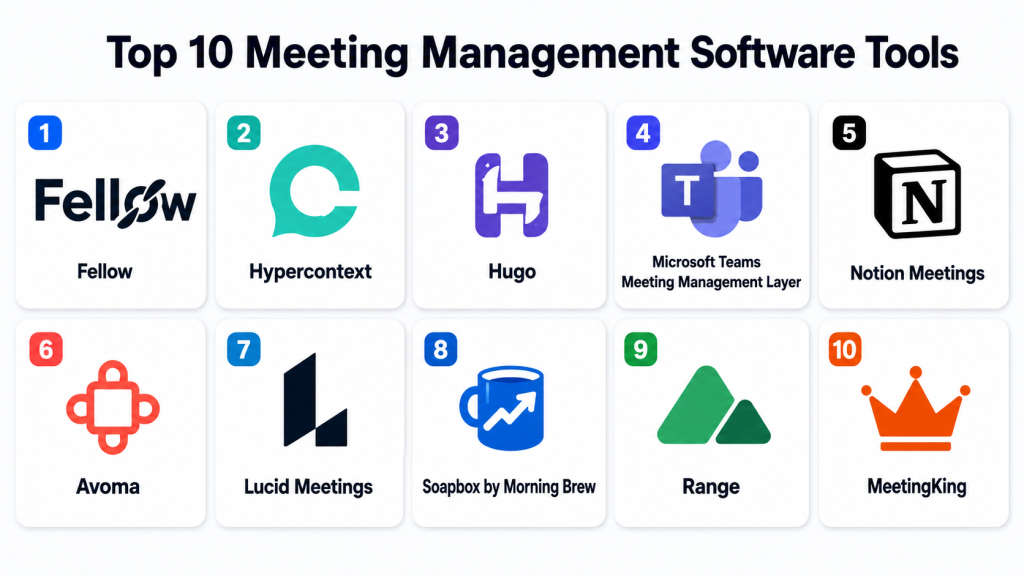
Top 10 Meeting Management Software Tools
1- Fellow
Short description:
Fellow is a meeting management platform designed to help teams run structured, productive meetings with agendas, notes, and action tracking. It centralizes meeting workflows so teams can collaborate before, during, and after meetings in one place. Fellow is widely used by managers, HR teams, and leadership groups. It helps reduce unproductive meetings by enforcing structure and accountability. The platform integrates with calendars and collaboration tools. It is especially strong for recurring team meetings and leadership communication.
Key Features
- Meeting agenda creation
- Shared meeting notes
- Action item tracking
- Meeting templates
- Real-time collaboration
- Calendar integration
- Feedback and follow-ups
Pros
- Strong meeting structure enforcement
- Easy collaboration
- Improves meeting accountability
Cons
- Not ideal for very informal teams
- Advanced features require paid plans
- Limited enterprise customization
Platforms / Deployment
- Web / Desktop / Mobile
- Cloud
Security & Compliance
- SSO/SAML
- MFA
- Encryption
- Access controls
Integrations & Ecosystem
- Google Calendar
- Microsoft Outlook
- Slack
- Zoom
- Asana
- APIs
Support & Community
Strong documentation and growing user community.
2- Hypercontext
Short description:
Hypercontext is a meeting management tool focused on improving one-on-one meetings, team meetings, and performance conversations. It helps managers and employees collaborate on agendas and track meeting outcomes. Hypercontext is widely used in people management and HR-driven environments. It provides structured workflows for recurring meetings. The platform emphasizes feedback and accountability. It is suitable for teams focused on continuous performance conversations.
Key Features
- Meeting agendas
- One-on-one meeting templates
- Action item tracking
- Feedback tools
- Goal alignment
- Calendar integration
- Notes collaboration
Pros
- Excellent for one-on-one meetings
- Strong manager tools
- Easy to use
Cons
- Limited enterprise governance
- Not suited for complex workflows
- Basic analytics features
Platforms / Deployment
- Web / Mobile
- Cloud
Security & Compliance
- Encryption
- SSO
- Access controls
Integrations & Ecosystem
- Google Calendar
- Slack
- Microsoft Teams
- Asana
- APIs
Support & Community
Good onboarding support and documentation.
3- Hugo
Short description:
Hugo is a meeting management platform that connects agendas, notes, and action items into one workflow system. It is designed to improve meeting productivity and alignment across teams. Hugo is widely used in product, engineering, and operations teams. It supports integrations with task management tools to ensure follow-through on decisions. The platform focuses on structured meeting documentation. It is especially useful for teams that need consistent meeting records.
Key Features
- Meeting agendas
- Shared notes
- Action item tracking
- Task integration
- Templates for meetings
- Calendar sync
- Collaboration tools
Pros
- Strong workflow integration
- Good for structured teams
- Easy collaboration
Cons
- Limited advanced analytics
- Not ideal for informal teams
- Enterprise features are moderate
Platforms / Deployment
- Web / Desktop / Mobile
- Cloud
Security & Compliance
- SSO
- Encryption
- Access controls
Integrations & Ecosystem
- Jira
- Asana
- Slack
- Google Calendar
- Microsoft Teams
- APIs
Support & Community
Good support resources and documentation.
4- Microsoft Teams (Meeting Management Layer)
Short description:
Microsoft Teams provides meeting management capabilities within the broader Microsoft 365 ecosystem. It supports meeting scheduling, agendas, notes, recordings, and AI-powered summaries. Teams is widely used in enterprise environments for structured and unstructured meetings. It integrates deeply with Outlook and other Microsoft tools. It supports collaboration before, during, and after meetings. It is especially strong for organizations already invested in Microsoft infrastructure.
Key Features
- Meeting scheduling
- Integrated agendas
- AI meeting summaries
- Recording and transcription
- Task integration
- Calendar sync
- Collaboration channels
Pros
- Strong enterprise ecosystem
- Deep integration with Microsoft tools
- Scalable for large organizations
Cons
- Can feel complex
- Requires Microsoft dependency
- Not lightweight for small teams
Platforms / Deployment
- Web / Desktop / Mobile
- Cloud
Security & Compliance
- SSO/SAML
- MFA
- Encryption
- Audit logs
- RBAC
Integrations & Ecosystem
- Microsoft 365
- Outlook
- SharePoint
- Power Platform
- APIs
Support & Community
Extensive enterprise support and global adoption.
5- Notion Meetings
Short description:
Notion Meetings uses Notion’s workspace to manage meeting agendas, notes, and action items in a structured and collaborative way. It is widely used by startups and knowledge-driven teams. It helps teams document meetings directly inside their workspace. The platform supports templates for recurring meetings. It is flexible and highly customizable. It is especially useful for teams already using Notion for documentation.
Key Features
- Meeting note templates
- Agenda planning
- Action item tracking
- Collaborative documentation
- Workspace integration
- Task linking
- Searchable meeting history
Pros
- Highly flexible
- Easy to customize
- Strong documentation capability
Cons
- Not a dedicated meeting system
- Limited automation features
- Requires discipline in usage
Platforms / Deployment
- Web / Desktop / Mobile
- Cloud
Security & Compliance
- Encryption
- SSO
- Access controls
Integrations & Ecosystem
- Slack
- Google Calendar
- Zapier
- APIs
- Productivity tools
Support & Community
Strong community and documentation resources.
6- Avoma
Short description:
Avoma is an AI-powered meeting management platform designed for scheduling, note-taking, transcription, and collaboration. It is widely used by sales and customer success teams. Avoma combines meeting intelligence with workflow automation. It helps teams capture insights and convert them into actionable tasks. The platform supports structured meeting workflows. It is especially strong for revenue-focused teams.
Key Features
- AI meeting notes
- Agenda management
- Conversation intelligence
- Action item tracking
- CRM integration
- Meeting recording
- Analytics dashboards
Pros
- Strong AI capabilities
- Excellent for sales teams
- Good automation features
Cons
- Complex for simple use cases
- Premium pricing
- Requires setup effort
Platforms / Deployment
- Web
- Cloud
Security & Compliance
- SSO
- Encryption
- Access controls
Integrations & Ecosystem
- Salesforce
- HubSpot
- Zoom
- Google Meet
- APIs
Support & Community
Strong enterprise onboarding and support.
7- Lucid Meetings
Short description:
Lucid Meetings is a structured meeting management platform focused on improving meeting discipline and outcomes. It provides frameworks for running effective meetings with agendas, decision tracking, and follow-ups. It is widely used in leadership and operations teams. The platform emphasizes meeting effectiveness and governance. It is especially useful for organizations focused on structured decision-making. It helps reduce inefficient meetings.
Key Features
- Meeting agendas
- Decision tracking
- Meeting templates
- Action item management
- Governance workflows
- Reporting dashboards
- Collaboration tools
Pros
- Strong meeting discipline focus
- Good governance features
- Structured workflows
Cons
- Less modern UI
- Requires training for adoption
- Limited AI capabilities
Platforms / Deployment
- Web
- Cloud
Security & Compliance
- SSO
- Encryption
- Access controls
Integrations & Ecosystem
- Google Calendar
- Microsoft Outlook
- Slack
- APIs
- Task tools
Support & Community
Good documentation and structured onboarding support.
8- Soapbox by Morning Brew
Short description:
Soapbox is a lightweight meeting management tool focused on agendas, notes, and team alignment. It is designed to improve meeting productivity for small and mid-sized teams. Soapbox helps teams collaborate on meeting agendas before meetings and document outcomes afterward. It is widely used for team standups and recurring meetings. The platform emphasizes simplicity and ease of use. It is ideal for fast-moving teams.
Key Features
- Meeting agendas
- Shared notes
- Action items
- Templates
- Calendar sync
- Collaboration tools
- Meeting summaries
Pros
- Very easy to use
- Lightweight and fast setup
- Good for small teams
Cons
- Limited enterprise features
- Basic automation
- Not suitable for complex workflows
Platforms / Deployment
- Web
- Cloud
Security & Compliance
- Encryption
- Access controls
- Compliance details: Not publicly stated
Integrations & Ecosystem
- Slack
- Google Calendar
- Microsoft Teams
- APIs
- Productivity tools
Support & Community
Good support for SMB users.
9- Range
Short description:
Range is a team communication and meeting management platform designed to improve alignment and collaboration. It helps teams run check-ins, share updates, and track meeting outcomes. Range is widely used by remote teams and distributed organizations. It focuses on improving team communication quality. It supports structured check-ins and asynchronous updates. It is especially useful for remote-first companies.
Key Features
- Team check-ins
- Meeting agendas
- Async updates
- Action tracking
- Team alignment tools
- Integrations with calendars
- Collaboration dashboards
Pros
- Strong remote team support
- Good async communication
- Easy alignment tracking
Cons
- Limited advanced meeting automation
- Not enterprise-heavy
- Basic analytics
Platforms / Deployment
- Web
- Cloud
Security & Compliance
- Encryption
- SSO
- Access controls
Integrations & Ecosystem
- Slack
- Google Calendar
- Microsoft Teams
- APIs
- Task tools
Support & Community
Good documentation and onboarding support.
10- MeetingKing
Short description:
MeetingKing is a structured meeting management tool designed to create agendas, take notes, and generate meeting minutes. It is widely used by small businesses and professional teams. The platform focuses on formal meeting documentation and follow-ups. It helps ensure accountability in meetings. It is especially useful for organizations that require meeting records. It is simple and practical in design.
Key Features
- Agenda creation
- Meeting minutes
- Action tracking
- Task management
- Templates
- Collaboration tools
- Export options
Pros
- Simple and structured
- Good for formal meetings
- Easy to adopt
Cons
- Limited modern features
- Basic UI design
- Not AI-driven
Platforms / Deployment
- Web
- Cloud
Security & Compliance
- Encryption
- Access controls
- Compliance details: Not publicly stated
Integrations & Ecosystem
- Calendar tools
- Task management apps
- APIs
- Productivity tools
Support & Community
Basic support and documentation available.
Comparison Table
| Tool Name | Best For | Platform(s) Supported | Deployment | Standout Feature | Public Rating |
|---|---|---|---|---|---|
| Fellow | Structured meetings | Web, Mobile | Cloud | Agenda + action tracking | N/A |
| Hypercontext | 1:1 meetings | Web, Mobile | Cloud | Manager tools | N/A |
| Hugo | Team workflows | Web, Mobile | Cloud | Task integration | N/A |
| Microsoft Teams | Enterprise meetings | Web, Mobile | Cloud | Microsoft ecosystem | N/A |
| Notion Meetings | Documentation teams | Web, Mobile | Cloud | Flexible notes | N/A |
| Avoma | Sales teams | Web | Cloud | AI meeting intelligence | N/A |
| Lucid Meetings | Governance | Web | Cloud | Meeting discipline | N/A |
| Soapbox | SMB teams | Web | Cloud | Lightweight workflows | N/A |
| Range | Remote teams | Web | Cloud | Async alignment | N/A |
| MeetingKing | Formal meetings | Web | Cloud | Structured minutes | N/A |
Evaluation & Scoring of Meeting Management Software
| Tool Name | Core | Ease | Integrations | Security | Performance | Support | Value | Weighted Total |
|---|---|---|---|---|---|---|---|---|
| Fellow | 9.0 | 9.0 | 9.0 | 8.5 | 9.0 | 8.5 | 9.0 | 8.8 |
| Hypercontext | 8.5 | 9.0 | 8.5 | 8.5 | 8.5 | 8.5 | 9.0 | 8.6 |
| Hugo | 9.0 | 8.5 | 9.0 | 9.0 | 8.5 | 8.5 | 8.5 | 8.7 |
| Microsoft Teams | 9.5 | 8.5 | 9.5 | 9.5 | 9.0 | 9.0 | 8.5 | 9.0 |
| Notion | 8.5 | 9.5 | 9.0 | 8.5 | 8.5 | 8.5 | 9.5 | 8.7 |
| Avoma | 9.0 | 8.0 | 9.0 | 9.0 | 9.0 | 8.5 | 8.5 | 8.8 |
| Lucid Meetings | 8.5 | 8.0 | 8.5 | 9.0 | 8.5 | 8.5 | 8.5 | 8.5 |
| Soapbox | 8.0 | 9.5 | 8.5 | 8.5 | 8.5 | 8.5 | 9.0 | 8.5 |
| Range | 8.5 | 9.0 | 8.5 | 8.5 | 8.5 | 8.5 | 8.5 | 8.5 |
| MeetingKing | 8.0 | 9.0 | 8.0 | 8.5 | 8.0 | 8.5 | 9.0 | 8.4 |
These scores reflect comparative strength in meeting structure, collaboration depth, and workflow automation. Tools like Fellow, Avoma, and Microsoft Teams perform strongly due to integration and structure, while Notion and Soapbox excel in usability. Buyers should choose based on whether their priority is structured governance, collaboration simplicity, or AI-driven meeting intelligence.
Frequently Asked Questions (FAQs)
1. What is meeting management software?
It is a tool that helps teams plan, organize, document, and follow up on meetings using structured workflows.
2. How is it different from scheduling tools?
Scheduling tools book meetings, while meeting management tools manage agendas, notes, and outcomes.
3. Do these tools include AI features?
Yes, many tools now include AI for summaries, action items, and meeting insights.
4. Can they integrate with calendars?
Yes, most tools integrate with Google Calendar, Outlook, and other scheduling systems.
5. Are they suitable for small teams?
Yes, many tools like Notion, Soapbox, and Hypercontext are ideal for small teams.
6. Do they improve productivity?
Yes, they reduce unstructured meetings and improve accountability and follow-through.
7. Can they replace note-taking?
Yes, many tools automate meeting notes and documentation.
8. Are they secure?
Enterprise platforms include encryption, SSO, access controls, and audit logs.
9. What is the biggest challenge?
The biggest challenge is consistent adoption across teams.
10. Do they work for remote teams?
Yes, they are widely used in hybrid and remote work environments.
Conclusion
Meeting Management Software helps organizations transform meetings from unstructured conversations into productive, outcome-driven workflows. Tools like Fellow, Avoma, Microsoft Teams, Hugo, and Notion provide structured agendas, AI-driven insights, and action tracking that improve accountability and efficiency. However, the best tool depends on team size, workflow complexity, and integration needs. A smart next step is to shortlist , run pilot meetings, test collaboration workflows, and validate integration with calendars and task systems before full rollout.
