Introduction
Punch List Management Tools are digital platforms used to create, assign, track, and resolve incomplete or defective work items—commonly known as “punch list items”—in construction, real estate development, and facility management projects. These tools replace paper checklists and manual site walkthrough notes with structured workflows that improve accountability and project closure speed.
In construction and infrastructure projects, the final phase is often delayed due to incomplete tasks, miscommunication, or lack of visibility. Punch list software solves this by centralizing issue tracking, enabling real-time collaboration between contractors, engineers, and site supervisors, and ensuring that every defect or unfinished task is resolved before project handover.
These platforms are critical for ensuring quality assurance, reducing rework costs, and speeding up project delivery timelines.
Real-world use cases include:
- Construction site defect tracking and resolution
- Real estate project handover inspections
- Facility maintenance issue tracking
- Snag list management in interior fit-outs
- Infrastructure project quality audits
- Contractor accountability tracking
What buyers should evaluate:
- Mobile-first field issue capture (photos, notes, GPS)
- Task assignment and workflow tracking
- Real-time collaboration between site teams
- Integration with project management tools (BIM, ERP, CMMS)
- Offline inspection capabilities
- Reporting and analytics dashboards
- Ease of use for field workers
- Version control and audit trails
- Subcontractor coordination features
- Scalability for large construction projects
Best for: Construction companies, real estate developers, contractors, project managers, and facility management teams.
Not ideal for: Small teams without physical project sites or businesses not involved in construction or infrastructure work.
Key Trends in Punch List Management Tools
- AI-powered defect detection using site photos and computer vision
- Real-time collaboration between field and office teams
- BIM-integrated punch list tracking (digital twin alignment)
- Offline-first mobile inspection workflows
- Automated task assignment based on defect type
- Predictive analytics for project delay prevention
- Voice-to-punch-list item creation on-site
- Integration with construction ERP and scheduling tools
- Cloud-based centralized project closeout dashboards
- Drone and IoT-based site inspection integration
How We Selected These Tools (Methodology)
- Adoption in construction and real estate industries
- Mobile usability for field inspections
- Task management and workflow capabilities
- Integration with construction and project management ecosystems
- Offline functionality for job site usage
- Reporting and audit trail strength
- Scalability for large infrastructure projects
- Ease of adoption for contractors and site teams
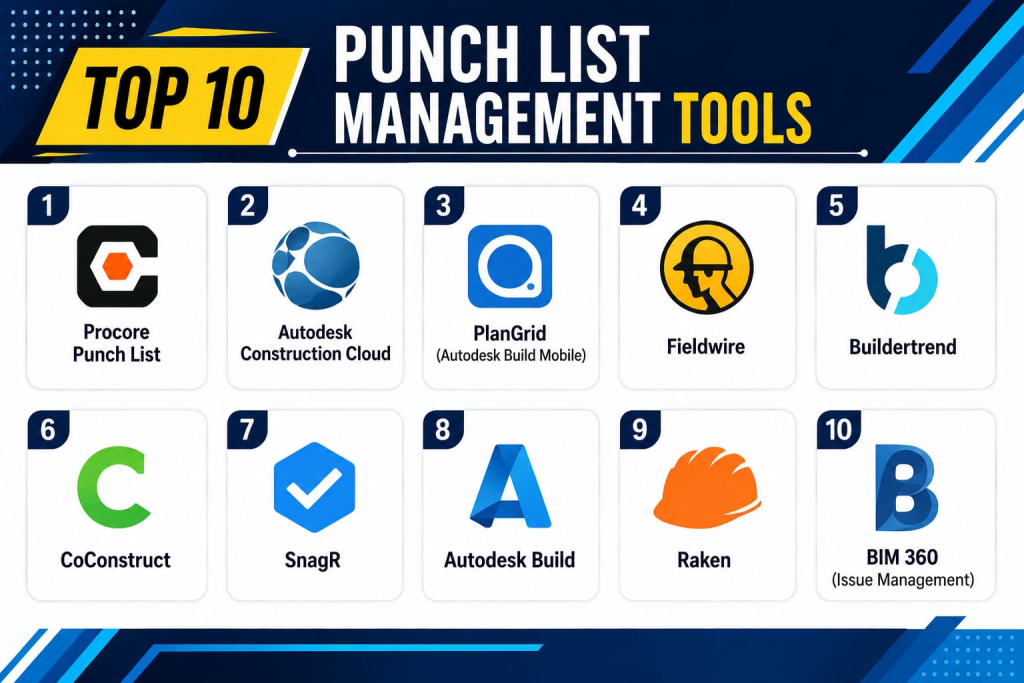
Top 10 Punch List Management Tools
1- Procore Punch List
Short description:
Procore is one of the most widely used construction management platforms with powerful punch list management capabilities. It enables teams to track defects, assign tasks, and manage project closeout workflows. It is widely adopted in large construction and infrastructure projects. The platform integrates deeply with project management, BIM, and financial systems. Procore is known for enterprise-grade scalability. It is ideal for complex construction ecosystems.
Key Features
- Punch list creation and tracking
- Mobile field inspections
- Real-time collaboration
- Photo and document attachments
- Task assignment workflows
- Project closeout dashboards
- BIM integration
Pros
- Strong enterprise adoption
- Excellent collaboration tools
- Deep construction ecosystem
Cons
- High cost for small firms
- Complex onboarding
- Requires training
Platforms / Deployment
- Web / Mobile
- Cloud
Security & Compliance
- SSO/SAML
- MFA
- Encryption
- Audit logs
- RBAC
Integrations & Ecosystem
- BIM tools
- ERP systems
- Scheduling tools
- APIs
- Accounting systems
- Construction software
Support & Community
Strong enterprise construction support ecosystem.
2- Autodesk Construction Cloud
Short description:
Autodesk Construction Cloud provides integrated construction management tools including powerful punch list and issue tracking capabilities. It is widely used in architecture, engineering, and construction industries. The platform supports BIM-based workflows and real-time collaboration. It enables structured defect tracking and project closeout. Autodesk is known for its design-to-construction integration. It is ideal for large construction firms.
Key Features
- Issue and punch list tracking
- BIM integration
- Mobile field management
- Document management
- Task assignment workflows
- Real-time collaboration
- Project analytics
Pros
- Excellent BIM integration
- Strong collaboration features
- Industry-standard platform
Cons
- Expensive enterprise licensing
- Complex setup
- Requires ecosystem adoption
Platforms / Deployment
- Web / Mobile
- Cloud
Security & Compliance
- SSO
- MFA
- Encryption
- Audit logs
- Compliance: Not publicly stated
Integrations & Ecosystem
- AutoCAD
- Revit
- BIM 360 ecosystem
- ERP systems
- APIs
- Construction tools
Support & Community
Strong enterprise construction support.
3- PlanGrid (Autodesk Build Mobile)
Short description:
PlanGrid, now part of Autodesk Build, is a mobile-first construction management tool with strong punch list and field issue tracking capabilities. It enables real-time collaboration between office and field teams. It is widely used for site inspections and project closeouts. The platform supports blueprint management and issue tracking. PlanGrid is known for simplicity and speed in field operations. It is ideal for mobile construction workflows.
Key Features
- Mobile punch list creation
- Blueprint annotation
- Real-time updates
- Task tracking
- Photo documentation
- Offline access
- Collaboration tools
Pros
- Very strong mobile usability
- Easy for field teams
- Fast issue tracking
Cons
- Limited enterprise customization
- Dependent on Autodesk ecosystem
- Basic analytics
Platforms / Deployment
- Android / iOS / Web
- Cloud
Security & Compliance
- SSO
- MFA
- Encryption
- Audit logs
Integrations & Ecosystem
- Autodesk ecosystem
- BIM tools
- ERP systems
- APIs
- Document storage systems
- Construction tools
Support & Community
Strong construction-focused support.
4- Fieldwire
Short description:
Fieldwire is a construction field management platform with strong punch list and task management features. It helps teams manage site issues, assign tasks, and track project progress. It is widely used by contractors and site supervisors. The platform supports offline mobile workflows. Fieldwire is known for its simplicity and fast adoption. It is suitable for SMB and mid-market construction firms.
Key Features
- Punch list tracking
- Task assignment
- Mobile field access
- Blueprint management
- Photo documentation
- Offline mode
- Progress tracking
Pros
- Easy to use
- Strong mobile support
- Fast deployment
Cons
- Limited enterprise depth
- Basic reporting features
- Not ideal for large BIM workflows
Platforms / Deployment
- Android / iOS / Web
- Cloud
Security & Compliance
- SSO
- MFA
- Encryption
- Audit logs
Integrations & Ecosystem
- Procore
- BIM tools
- APIs
- Cloud storage
- Project management tools
- Construction apps
Support & Community
Good SMB construction support.
5- Buildertrend
Short description:
Buildertrend is a residential construction management platform that includes punch list management for contractors and home builders. It helps manage project tasks, client communication, and site issues. The platform is widely used in residential construction and remodeling. It provides mobile access for field teams. Buildertrend is known for its ease of use and customer communication features. It is ideal for residential contractors.
Key Features
- Punch list tracking
- Client communication portal
- Task management
- Scheduling tools
- Mobile inspections
- Photo sharing
- Project tracking
Pros
- Great for residential builders
- Strong client communication
- Easy adoption
Cons
- Limited enterprise features
- Not ideal for large infrastructure projects
- Basic BIM support
Platforms / Deployment
- Android / iOS / Web
- Cloud
Security & Compliance
- SSO
- MFA
- Encryption
- Audit logs
Integrations & Ecosystem
- Accounting systems
- CRM tools
- APIs
- Scheduling tools
- Construction software
- Payment systems
Support & Community
Strong SMB construction support.
6- CoConstruct
Short description:
CoConstruct is a construction management platform designed for custom home builders and remodelers with punch list management features. It helps manage project tasks, client communication, and field issues. The platform is widely used in residential construction. It enables structured closeout workflows. CoConstruct is known for simplicity and builder-focused features. It is ideal for small to mid-sized builders.
Key Features
- Punch list tracking
- Task management
- Client communication
- Scheduling tools
- Budget tracking
- Mobile access
- Photo documentation
Pros
- Strong for custom builders
- Easy client communication
- Simple workflows
Cons
- Limited enterprise scalability
- Basic reporting features
- Not suitable for large commercial projects
Platforms / Deployment
- Web / Mobile
- Cloud
Security & Compliance
- SSO
- MFA
- Encryption
- Audit logs
Integrations & Ecosystem
- Accounting software
- CRM tools
- APIs
- Scheduling platforms
- Payment systems
- Construction tools
Support & Community
Good SMB-focused support.
7- SnagR
Short description:
SnagR is a digital snag list and punch list management platform designed for construction and infrastructure projects. It allows teams to capture site issues using mobile devices and track resolution workflows. The platform is widely used in large-scale construction projects. It supports offline inspections and reporting. SnagR is known for its simplicity and field usability. It is suitable for infrastructure contractors.
Key Features
- Digital snag list creation
- Mobile inspections
- Task assignment
- Offline access
- Photo documentation
- Reporting dashboards
- Workflow tracking
Pros
- Strong field usability
- Simple interface
- Good for large sites
Cons
- Limited advanced integrations
- Basic analytics
- UI feels traditional
Platforms / Deployment
- Web / Mobile
- Cloud
Security & Compliance
- Encryption
- Access controls
- Audit logs
- Compliance: Not publicly stated
Integrations & Ecosystem
- ERP systems
- APIs
- Construction tools
- Document systems
- Cloud storage
- Reporting tools
Support & Community
Good enterprise field support.
8- Autodesk Build
Short description:
Autodesk Build is a unified construction management platform that includes advanced punch list and issue tracking capabilities. It supports field collaboration, BIM integration, and project closeout workflows. It is widely used in large construction enterprises. The platform integrates design and construction workflows. Autodesk Build is known for its powerful ecosystem. It is ideal for complex construction environments.
Key Features
- Punch list tracking
- BIM integration
- Field collaboration
- Document management
- Task workflows
- Reporting dashboards
- Issue resolution tracking
Pros
- Strong BIM integration
- Enterprise-grade capabilities
- Excellent collaboration
Cons
- Expensive licensing
- Complex onboarding
- Requires ecosystem adoption
Platforms / Deployment
- Web / Mobile
- Cloud
Security & Compliance
- SSO
- MFA
- Encryption
- Audit logs
Integrations & Ecosystem
- AutoCAD
- Revit
- BIM tools
- ERP systems
- APIs
- Construction systems
Support & Community
Strong enterprise construction support.
9- Raken
Short description:
Raken is a field reporting and punch list management platform designed for construction teams. It enables daily reporting, site inspections, and issue tracking. It is widely used by contractors and site managers. The platform supports mobile-first workflows. Raken is known for simplicity and ease of reporting. It is suitable for SMB construction firms.
Key Features
- Daily reporting
- Punch list tracking
- Mobile inspections
- Photo documentation
- Task assignments
- Time tracking
- Reporting dashboards
Pros
- Very easy to use
- Strong mobile reporting
- Good for SMB contractors
Cons
- Limited enterprise depth
- Basic customization
- Not ideal for BIM-heavy workflows
Platforms / Deployment
- Android / iOS / Web
- Cloud
Security & Compliance
- SSO
- MFA
- Encryption
- Audit logs
Integrations & Ecosystem
- Procore
- APIs
- ERP systems
- Accounting tools
- Construction platforms
- Cloud storage
Support & Community
Good SMB construction support.
10- BIM 360 (Issue Management)
Short description:
BIM 360 is Autodesk’s construction management platform that includes punch list and issue tracking features integrated with BIM workflows. It enables teams to manage construction defects, coordinate tasks, and ensure project quality. It is widely used in large infrastructure projects. The platform supports real-time collaboration and model-based workflows. BIM 360 is known for its deep design-to-construction integration. It is ideal for enterprise construction environments.
Key Features
- BIM-based issue tracking
- Punch list management
- Task assignment
- Mobile field access
- Real-time collaboration
- Document management
- Project analytics
Pros
- Strong BIM integration
- Excellent enterprise scalability
- Industry-leading platform
Cons
- High cost
- Complex onboarding
- Requires Autodesk ecosystem
Platforms / Deployment
- Web / Mobile
- Cloud
Security & Compliance
- SSO
- MFA
- Encryption
- Audit logs
- Compliance: Not publicly stated
Integrations & Ecosystem
- Revit
- AutoCAD
- Autodesk Build
- ERP systems
- APIs
- Construction tools
Support & Community
Strong enterprise construction support.
Comparison Table
| Tool Name | Best For | Platform(s) Supported | Deployment | Standout Feature | Public Rating |
|---|---|---|---|---|---|
| Procore | Enterprise construction | Web/Mobile | Cloud | Full construction suite | N/A |
| Autodesk Construction Cloud | BIM projects | Web/Mobile | Cloud | BIM integration | N/A |
| PlanGrid | Field teams | Mobile/Web | Cloud | Mobile punch lists | N/A |
| Fieldwire | SMB contractors | Mobile/Web | Cloud | Simple task tracking | N/A |
| Buildertrend | Home builders | Mobile/Web | Cloud | Client communication | N/A |
| CoConstruct | Remodelers | Web/Mobile | Cloud | Builder workflows | N/A |
| SnagR | Infrastructure | Web/Mobile | Cloud | Snag list tracking | N/A |
| Autodesk Build | Enterprise BIM | Web/Mobile | Cloud | Integrated workflows | N/A |
| Raken | SMB reporting | Mobile/Web | Cloud | Daily reports | N/A |
| BIM 360 | Large projects | Web/Mobile | Cloud | BIM-based issues | N/A |
Evaluation & Scoring of Punch List Management Tools
| Tool Name | Core | Ease | Integrations | Security | Performance | Support | Value | Weighted Total |
|---|---|---|---|---|---|---|---|---|
| Procore | 9.5 | 8.5 | 9.5 | 9.5 | 9.0 | 9.0 | 8.0 | 9.0 |
| Autodesk Construction Cloud | 9.5 | 8.0 | 9.5 | 9.5 | 9.0 | 9.0 | 8.0 | 8.9 |
| PlanGrid | 9.0 | 9.0 | 9.0 | 9.0 | 9.0 | 8.5 | 9.0 | 8.9 |
| Fieldwire | 9.0 | 9.5 | 9.0 | 9.0 | 8.5 | 8.5 | 9.0 | 8.8 |
| Buildertrend | 9.0 | 9.0 | 9.0 | 9.0 | 8.5 | 8.5 | 9.0 | 8.8 |
| CoConstruct | 8.5 | 9.0 | 8.5 | 8.5 | 8.5 | 8.5 | 9.0 | 8.6 |
| SnagR | 8.5 | 8.5 | 8.5 | 8.5 | 8.5 | 8.5 | 8.5 | 8.5 |
| Autodesk Build | 9.5 | 8.0 | 9.5 | 9.5 | 9.0 | 9.0 | 8.0 | 8.9 |
| Raken | 8.5 | 9.0 | 8.5 | 8.5 | 8.5 | 8.5 | 9.0 | 8.6 |
| BIM 360 | 9.5 | 8.0 | 9.5 | 9.5 | 9.0 | 9.0 | 8.0 | 8.9 |
These scores show a clear split between enterprise BIM platforms (Procore, Autodesk, BIM 360) and SMB-friendly field tools (Fieldwire, Buildertrend, Raken). The right selection depends on project complexity, BIM usage, and scale of construction operations.
Frequently Asked Questions (FAQs)
1. What is a punch list in construction?
It is a list of incomplete or defective tasks that must be fixed before project completion.
2. Who uses punch list software?
Construction companies, contractors, engineers, and project managers.
3. Can these tools work offline?
Yes, most mobile apps support offline field inspections.
4. Do they support photos and documentation?
Yes, most tools support images, videos, and notes.
5. Are they integrated with BIM?
Enterprise tools like Autodesk and Procore support BIM integration.
6. Are they suitable for small contractors?
Yes, tools like Fieldwire and Buildertrend are ideal for SMBs.
7. Do they support real-time collaboration?
Yes, most platforms support live updates and collaboration.
8. Can they track task completion?
Yes, task assignment and tracking is a core feature.
9. Are these tools secure?
Yes, enterprise platforms include encryption, SSO, and audit logs.
10. What is the biggest benefit?
The biggest benefit is faster project closeout and reduced rework.
Conclusion
Punch List Management Tools are essential for ensuring construction projects are completed efficiently, with all defects and unfinished tasks properly tracked and resolved. Platforms like Procore, Autodesk Construction Cloud, BIM 360, and Autodesk Build provide enterprise-grade BIM-integrated workflows, while Fieldwire, Buildertrend, and Raken offer simple and effective solutions for SMB contractors. The right choice depends on project scale, BIM requirements, and team collaboration needs. A practical next step is to shortlist, test mobile field workflows, evaluate collaboration efficiency, and validate integration with your construction management ecosystem before full adoption.
