Introduction
Event venue management tools help venues manage bookings, inquiries, contracts, calendars, floor plans, catering details, payments, event operations, and client communication from one central system. In plain English, these tools help event spaces run more smoothly by reducing manual work, avoiding double bookings, and keeping every event detail organized.
They matter now because venues are handling more hybrid events, faster booking cycles, higher client expectations, and more complex operational requirements. A banquet hall, hotel, convention center, stadium, wedding venue, or corporate event space needs more than spreadsheets to manage availability, proposals, staff coordination, and revenue visibility.
Real-world use cases include venue booking management, event sales CRM, banquet event orders, floor planning, catering coordination, contract management, and revenue reporting. Buyers should evaluate ease of use, booking calendar quality, proposal and contract workflows, payment handling, integrations, mobile access, reporting, support, security, and scalability.
Best for: Event venue owners, banquet halls, hotels, restaurants, stadiums, convention centers, coworking spaces, wedding venues, universities, event sales teams, and operations managers that need structured booking and event execution workflows.
Not ideal for: Very small venues with rare bookings, freelancers who only need task lists, or teams that already use a full event management suite and do not need dedicated venue booking, room scheduling, or venue operations features.
Key Trends in Event Venue Management Tools
- AI-assisted event sales workflows: More venue platforms are adding AI-supported lead qualification, proposal drafting, client communication summaries, and booking follow-up suggestions.
- Automated proposal and contract generation: Venues want faster quote-to-contract cycles with branded proposals, e-signature workflows, deposits, invoices, and approval steps.
- Real-time availability and booking visibility: Teams are moving away from static spreadsheets toward live calendars that show rooms, halls, packages, catering, staff, and equipment availability.
- Hybrid and multi-format event support: Venues now need tools that support weddings, corporate meetings, social events, exhibitions, conferences, virtual add-ons, and mixed-use spaces.
- Integrated payment and deposit workflows: Buyers increasingly prefer systems that connect bookings, deposits, payment schedules, invoices, and financial reporting in one workflow.
- Operations and sales alignment: Venue management is no longer only about reservations. Teams need connected CRM, BEOs, task assignments, floor plans, vendor notes, and day-of-event coordination.
- Mobile-first staff coordination: Event managers, banquet teams, catering teams, and venue staff need access to event details from phones or tablets while on-site.
- Analytics for revenue optimization: Venues want insights into lead sources, win rates, popular packages, room utilization, booking value, and seasonal demand.
- Integration with marketing and event platforms: Stronger connectivity with websites, forms, email, calendars, accounting tools, event registration systems, and CRM platforms is becoming important.
- Security and privacy expectations: Venues handling contracts, payment details, client information, guest data, and vendor records need better access controls, encryption, audit visibility, and permission management.
How We Selected These Tools
The tools in this list were selected using a practical SaaS and venue-operations evaluation approach. The goal is to include recognized platforms that help venues manage event bookings, sales, operations, and client workflows.
- Market adoption and mindshare: Tools with visible adoption across hotels, restaurants, banquet halls, event venues, stadiums, convention centers, and hospitality businesses were prioritized.
- Feature completeness: Platforms were evaluated for booking calendars, CRM, proposals, contracts, invoicing, BEOs, floor plans, reporting, and operational workflows.
- Reliability and performance signals: Tools suited for multi-event, multi-space, and high-volume venue operations were considered stronger.
- Security posture signals: Role-based access, user permissions, data protection, payment handling, and enterprise readiness were considered where confidently known.
- Integrations and ecosystem: Stronger tools support calendars, accounting, CRM, payment tools, websites, email, event platforms, and reporting workflows.
- Customer fit across segments: The list balances tools for small venues, hospitality groups, restaurants, hotels, campuses, stadiums, and enterprise event spaces.
- Ease of onboarding: Platforms that reduce manual work and are easier for sales and operations teams to adopt scored better.
- Long-term scalability: Tools that can support multiple rooms, locations, teams, event types, and revenue reporting were prioritized.
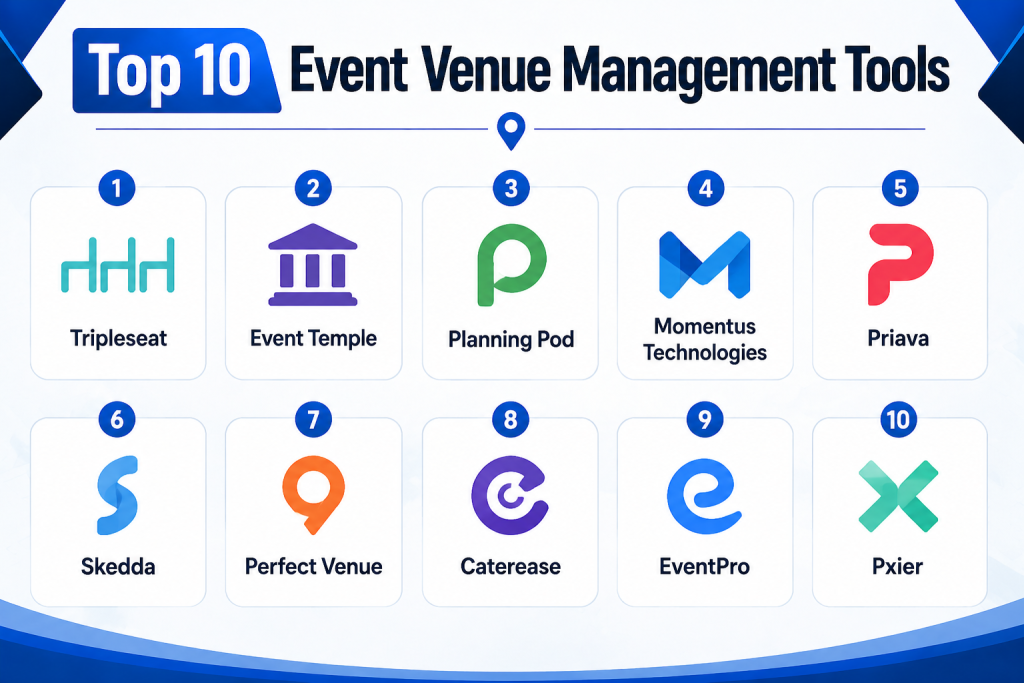
Top 10 Event Venue Management Tools
1- Tripleseat
Short description:
Tripleseat is a sales and event management platform widely used by restaurants, hotels, unique venues, and hospitality groups. It helps teams manage leads, bookings, proposals, contracts, calendars, event details, and client communication from one place. The platform is especially useful for venues that receive frequent private event inquiries and need to convert them into confirmed bookings faster. Tripleseat supports event sales teams that need better visibility into pipeline, availability, and revenue opportunities. It is also practical for teams that want to reduce manual email follow-ups and improve event documentation. For hospitality-driven venues, Tripleseat is a strong option because it combines event CRM and operational coordination.
Key Features
- Lead and inquiry management for private events
- Event booking calendar and availability visibility
- Proposal and contract workflows
- Event CRM for client and account tracking
- Banquet event order and event detail management
- Revenue tracking and reporting
- Communication and follow-up workflow support
Pros
- Strong fit for restaurants, hotels, and private event venues
- Helps connect sales pipeline with event execution
- Useful for teams that want to reduce manual booking workflows
Cons
- May be more than needed for very small venues with low booking volume
- Advanced workflows may require training and setup
- Pricing and package details may vary by venue size and needs
Platforms / Deployment
Web / iOS / Android
Cloud
Security & Compliance
Security features may include user permissions and controlled access depending on plan and configuration. Specific compliance certifications should be verified directly with the vendor.
SOC 2 / ISO 27001 / HIPAA: Not publicly stated.
Integrations & Ecosystem
Tripleseat is commonly used with hospitality, sales, marketing, calendar, payment, and reporting workflows. It is especially useful when venues want event sales and operations to work from the same source of truth.
- Website inquiry forms
- Calendar tools
- Payment workflows
- Email communication
- CRM and marketing workflows
- Reporting and revenue dashboards
Support & Community
Tripleseat provides onboarding and support resources for venue teams. Its user base across hospitality and event venues makes it a practical option for teams looking for proven event sales workflows. Support tiers and onboarding depth may vary by plan.
2- Event Temple
Short description:
Event Temple is a venue and hotel sales platform designed for event spaces, hotels, hospitality groups, and venue sales teams. It helps manage leads, proposals, contracts, bookings, tasks, and team communication in a structured workflow. The platform is especially useful for venues that need CRM-style sales tracking combined with event booking management. Event Temple is built to support sales productivity, pipeline visibility, and operational handoff. It works well for teams that want to manage corporate events, social events, room blocks, group sales, and venue bookings more efficiently. For hotels and event spaces, Event Temple can help replace scattered spreadsheets and email chains with a more organized process.
Key Features
- Event and group sales CRM
- Lead tracking and pipeline management
- Proposal and contract generation
- Booking calendar and activity management
- Task assignments and sales follow-ups
- Reporting and sales performance visibility
- Hotel and venue-focused workflows
Pros
- Strong fit for hotels and venue sales teams
- Good balance of CRM and booking workflow features
- Helps standardize follow-ups, proposals, and contracts
Cons
- May require process setup to match existing sales workflows
- Some operational teams may still need additional event execution tools
- Public compliance details are limited
Platforms / Deployment
Web
Cloud
Security & Compliance
Access controls and user permissions may be available depending on plan. Specific compliance certifications should be verified with the vendor.
SOC 2 / ISO 27001 / HIPAA: Not publicly stated.
Integrations & Ecosystem
Event Temple can connect with hospitality sales, calendar, communication, and operational workflows. It is useful where event sales and group booking processes need better structure.
- Email tools
- Calendar workflows
- CRM-related processes
- Hotel sales workflows
- Proposal and contract workflows
- Reporting systems
Support & Community
Event Temple offers onboarding and customer support for venue and hospitality teams. Buyers should review implementation support, training resources, and migration help before rollout.
3- Planning Pod
Short description:
Planning Pod is an event management and venue management platform that supports bookings, floor plans, event details, proposals, contracts, invoices, task lists, and client collaboration. It is useful for event venues, planners, caterers, banquet halls, and event service providers that need an all-in-one system. Planning Pod is especially practical for teams that want to manage both sales and operational planning in one workspace. It supports the full event lifecycle from inquiry to execution. The platform can also help venues organize layouts, timelines, documents, and payment details. For small to mid-sized venues, Planning Pod is a flexible option because it brings many event planning tools together.
Key Features
- Event booking and calendar management
- Floor plan and layout tools
- Proposals, contracts, and invoices
- Client portal and collaboration features
- Task lists, timelines, and event checklists
- BEO-style event detail management
- Payment and financial tracking support
Pros
- Broad feature set for venues and event planners
- Useful for teams that want sales, planning, and operations in one platform
- Floor planning and collaboration tools add practical value
Cons
- Broad toolset may take time to learn fully
- Some teams may only need a smaller booking-focused system
- Advanced enterprise requirements may need careful validation
Platforms / Deployment
Web
Cloud
Security & Compliance
Security features may include account-based access and data protection controls. Specific certifications are not confidently public.
SOC 2 / ISO 27001 / HIPAA: Not publicly stated.
Integrations & Ecosystem
Planning Pod fits into event planning, venue booking, accounting, payment, and client collaboration workflows. It is useful when teams want to reduce tool switching.
- Calendar tools
- Payment workflows
- Accounting workflows
- Website inquiry forms
- Client collaboration portals
- Document and contract workflows
Support & Community
Planning Pod provides support resources, documentation, and onboarding materials. Teams should plan internal training to ensure sales, planning, and operations users adopt the system consistently.
4- Momentus Technologies
Short description:
Momentus Technologies provides venue and event management software for complex venues such as stadiums, arenas, convention centers, performing arts centers, campuses, and large public event spaces. It is designed for organizations that need robust booking, event operations, space management, reporting, and enterprise-grade workflows. Momentus is especially relevant for large venues with many event types, spaces, stakeholders, and operational requirements. It supports venue teams that need visibility across bookings, logistics, contracts, and event execution. The platform is suited for enterprise venues where reliability, scale, and operational control matter. For stadiums and convention centers, Momentus is often evaluated as a serious venue management option.
Key Features
- Enterprise venue booking and event management
- Space and resource management
- Event operations planning
- CRM and sales workflow support
- Reporting and business intelligence
- Contract and financial workflow support
- Multi-venue and complex event support
Pros
- Strong fit for stadiums, arenas, convention centers, and large venues
- Designed for complex operational environments
- Supports enterprise-scale venue management needs
Cons
- May be too advanced for small venues
- Implementation can require planning, training, and process alignment
- Pricing and deployment scope may be enterprise-oriented
Platforms / Deployment
Web
Cloud / Hybrid options may vary
Security & Compliance
Enterprise access controls, permissions, and security features may be available depending on deployment. Specific certifications should be confirmed directly with the vendor.
SOC 2 / ISO 27001 / HIPAA: Not publicly stated.
Integrations & Ecosystem
Momentus is commonly used in large venue ecosystems where event operations connect with finance, CRM, ticketing, reporting, facility operations, and business intelligence.
- CRM workflows
- Finance and reporting systems
- Ticketing-related workflows
- Facility operations systems
- Business intelligence tools
- Enterprise APIs and integrations
Support & Community
Momentus typically serves larger organizations that need structured onboarding, implementation support, and long-term account management. Buyers should evaluate migration, training, support tiers, and implementation timelines carefully.
5- Priava
Short description:
Priava is an event and venue management platform built for venues, universities, cultural institutions, conference centers, and event teams that need centralized booking and space management. It helps teams manage event inquiries, bookings, calendars, resources, tasks, and operational details. Priava is especially useful for organizations that manage multiple rooms, event spaces, or internal and external bookings. It supports teams that need clear visibility into availability, approvals, and event requirements. The platform can help reduce double bookings and improve operational coordination. For education, arts, and venue-based organizations, Priava is a practical tool for structured event space management.
Key Features
- Venue booking and space management
- Event calendar and availability tracking
- Resource and equipment scheduling
- Inquiry and booking workflow support
- Task and operational detail management
- Reporting and utilization insights
- Multi-space and multi-event support
Pros
- Strong fit for universities, venues, and cultural institutions
- Helps manage shared spaces and booking complexity
- Useful for operations teams needing centralized visibility
Cons
- Interface and workflow fit should be tested with real users
- May need configuration for complex approval processes
- Compliance details should be verified directly
Platforms / Deployment
Web
Cloud
Security & Compliance
Security features may include user access controls and permissions depending on configuration. Specific certifications are not confidently public.
SOC 2 / ISO 27001 / HIPAA: Not publicly stated.
Integrations & Ecosystem
Priava can support venue operations, calendar workflows, reporting, and resource management processes. It is useful where event space scheduling needs to connect with operational planning.
- Calendar systems
- Room and resource workflows
- Reporting tools
- Operational planning processes
- Finance-related workflows
- APIs where available
Support & Community
Priava provides support and onboarding resources for venue and event teams. Buyers should confirm training, data migration support, and implementation assistance based on venue complexity.
6- Skedda
Short description:
Skedda is a space booking and scheduling platform used by offices, coworking spaces, universities, studios, sports facilities, community venues, and shared spaces. While it is broader than traditional event venue software, it is highly useful for venues that need flexible room booking, rules-based scheduling, self-service reservations, and online availability management. Skedda is especially practical for organizations that want users to book spaces without heavy manual coordination. It supports recurring bookings, booking rules, user permissions, and calendar visibility. For smaller venues and shared spaces, Skedda can be a simple and effective alternative to complex enterprise event platforms. It is best when space scheduling is the core requirement.
Key Features
- Online space booking and scheduling
- Booking rules and user permissions
- Calendar and availability management
- Self-service reservation workflows
- Payment and booking policy support may vary by plan
- Multi-space and recurring booking support
- Reporting and usage visibility
Pros
- Easy fit for shared spaces and room booking
- Useful for self-service reservations
- Simpler than many enterprise venue management systems
Cons
- Not a full event sales CRM for complex hospitality workflows
- May need additional tools for contracts, BEOs, and catering operations
- Best suited for space booking rather than full-service event execution
Platforms / Deployment
Web / Mobile-friendly web
Cloud
Security & Compliance
Skedda supports common business access and permission controls. Specific enterprise compliance details should be verified by buyers.
SOC 2 / ISO 27001 / HIPAA: Not publicly stated.
Integrations & Ecosystem
Skedda fits well into scheduling, calendars, access control, workplace, and shared-space workflows. It is useful when organizations want to publish availability and let users reserve spaces easily.
- Calendar systems
- Workplace tools
- Payment workflows
- Access and space workflows
- Website embeds
- Reporting exports
Support & Community
Skedda offers documentation and support resources for admins and users. Because the platform is relatively self-service friendly, smaller teams can often adopt it faster than heavier venue management suites.
7- Perfect Venue
Short description:
Perfect Venue is an event management platform built for restaurants, hospitality groups, private dining teams, and event venues that manage private events and catering-style bookings. It helps teams handle inquiries, proposals, contracts, payments, event details, and client communication. The platform is especially useful for restaurants and hospitality venues that want a modern system focused on private event sales. Perfect Venue can help reduce manual follow-ups, organize event pipelines, and improve visibility into bookings. It is practical for teams that want a clean sales workflow without overcomplicating daily operations. For restaurants and smaller hospitality groups, it can be a focused venue management solution.
Key Features
- Private event inquiry management
- Proposal and contract workflows
- Event calendar and booking visibility
- Payment and deposit support
- Client communication tracking
- Event details and internal notes
- Reporting and sales visibility
Pros
- Strong fit for restaurants and private dining teams
- Focused workflow for private event sales
- Helps reduce manual coordination and scattered communication
Cons
- May not be ideal for stadiums or complex convention centers
- Advanced venue operations may require additional tools
- Compliance and enterprise security details should be verified
Platforms / Deployment
Web
Cloud
Security & Compliance
Access controls and security features may be available depending on plan. Specific compliance certifications are not confidently public.
SOC 2 / ISO 27001 / HIPAA: Not publicly stated.
Integrations & Ecosystem
Perfect Venue is commonly used with hospitality sales, inquiry forms, payment workflows, calendars, and internal event coordination processes.
- Website forms
- Calendar workflows
- Payment tools
- Email communication
- Reporting workflows
- Hospitality operations processes
Support & Community
Perfect Venue provides onboarding and customer support for hospitality teams. Buyers should evaluate implementation help, data migration options, and training resources for sales and operations users.
8- Caterease
Short description:
Caterease is a catering and event management platform used by caterers, banquet teams, venues, and hospitality businesses. It supports event planning, menus, proposals, contracts, BEOs, staffing, rentals, and financial workflows. Caterease is especially useful for venues where catering and food-service details are central to event delivery. It helps teams organize menus, services, guest counts, production notes, and event documents. The platform can support both sales and back-of-house coordination. For banquet halls, catering companies, and food-driven event venues, Caterease is a practical choice because it focuses deeply on catering-related event operations.
Key Features
- Catering and event planning workflows
- Menu and package management
- Proposals, contracts, and invoices
- Banquet event order support
- Staffing, rentals, and operational details
- Financial and reporting tools
- Client and event history tracking
Pros
- Strong fit for catering-heavy venues
- Detailed event documentation and BEO support
- Useful for banquet and food-service operations
Cons
- May feel more catering-focused than venue-sales focused
- Teams may need training to use deeper operational features
- Interface preferences should be tested during demo
Platforms / Deployment
Web / Windows options may vary
Cloud / Desktop deployment options may vary
Security & Compliance
Security features depend on deployment and configuration. Specific compliance certifications are not confidently public.
SOC 2 / ISO 27001 / HIPAA: Not publicly stated.
Integrations & Ecosystem
Caterease fits into catering, banquet, accounting, payment, and event document workflows. It is especially relevant when menu planning and BEO accuracy are key operational needs.
- Accounting workflows
- Payment processes
- Catering operations
- Event documents
- Menu and package workflows
- Reporting tools
Support & Community
Caterease provides training and support resources for catering and event teams. Because the platform can support detailed workflows, onboarding and staff training are important for success.
9- EventPro
Short description:
EventPro is an event and venue management platform designed for event planners, venues, conference centers, caterers, and organizations managing complex event operations. It supports booking, planning, registration-related workflows, resource management, invoices, contracts, and reporting. EventPro is useful for teams that need structured event records and operational control across multiple event types. The platform is especially relevant for organizations that manage recurring events, rooms, services, resources, and client details. It can help reduce reliance on spreadsheets and scattered documents. For venues that want a detailed operational system, EventPro is a practical option to evaluate.
Key Features
- Event and venue booking management
- Client and contact management
- Resource and service scheduling
- Contracts, invoices, and event documents
- Task and operations planning
- Reporting and event history
- Multi-event and multi-space support
Pros
- Broad event operations coverage
- Useful for venues, planners, and conference teams
- Helps centralize records, resources, and event details
Cons
- May require configuration to fit team workflows
- User experience should be tested before purchase
- Some modern integration expectations should be validated
Platforms / Deployment
Web / Windows options may vary
Cloud / Self-hosted / Hybrid options may vary
Security & Compliance
Security and access controls vary by deployment. Specific certifications are not confidently public.
SOC 2 / ISO 27001 / HIPAA: Not publicly stated.
Integrations & Ecosystem
EventPro can support event operations, financial workflows, reporting, and client management processes. Buyers should confirm current integration availability based on their systems.
- Accounting workflows
- Calendar processes
- Event documentation
- Client management
- Reporting tools
- Operational planning systems
Support & Community
EventPro provides customer support and implementation resources. Buyers should confirm support availability, training approach, and deployment model before making a decision.
10- Pxier
Short description:
Pxier is an event booking and banquet management platform used by banquet halls, hotels, conference centers, event venues, restaurants, and catering businesses. It helps manage event inquiries, bookings, proposals, contracts, catering details, payments, and customer records. Pxier is especially useful for teams that want a cloud-based system focused on banquet and venue operations. It can help replace disconnected spreadsheets, emails, and manual booking logs. The platform is practical for venues that need a balance of CRM, event booking, and billing workflows. For hospitality and banquet-focused organizations, Pxier can be a useful option to include in the selection process.
Key Features
- Event booking and banquet management
- CRM for customer and inquiry tracking
- Proposal and contract support
- Catering and event detail management
- Payment and billing workflows
- Calendar and availability tracking
- Reporting and operational visibility
Pros
- Good fit for banquet halls and hospitality venues
- Combines CRM, booking, catering, and payment workflows
- Useful for teams moving away from manual event records
Cons
- Interface and workflow fit should be validated during demo
- May not match enterprise stadium or convention center needs
- Compliance details should be verified directly
Platforms / Deployment
Web
Cloud
Security & Compliance
Security features may include account access controls depending on plan. Specific compliance certifications are not confidently public.
SOC 2 / ISO 27001 / HIPAA: Not publicly stated.
Integrations & Ecosystem
Pxier supports venue booking, banquet operations, payments, customer records, and reporting workflows. It is useful where sales, event details, and billing need to stay connected.
- Payment workflows
- Customer records
- Calendar systems
- Catering operations
- Reporting workflows
- Booking inquiry processes
Support & Community
Pxier provides vendor support for setup and usage. Buyers should evaluate onboarding quality, training resources, response times, and migration assistance before rollout.
Comparison Table
| Tool Name | Best For | Platform(s) Supported | Deployment | Standout Feature | Public Rating |
|---|---|---|---|---|---|
| Tripleseat | Restaurants, hotels, private event venues | Web, iOS, Android | Cloud | Event sales CRM and booking workflows | N/A |
| Event Temple | Hotel and venue sales teams | Web | Cloud | Sales pipeline plus event booking | N/A |
| Planning Pod | Venues, planners, caterers, SMB teams | Web | Cloud | All-in-one event planning and venue tools | N/A |
| Momentus Technologies | Stadiums, arenas, convention centers | Web | Cloud / Hybrid | Enterprise venue operations management | N/A |
| Priava | Universities, cultural venues, shared spaces | Web | Cloud | Space and resource booking management | N/A |
| Skedda | Shared spaces, rooms, studios, coworking | Web, Mobile-friendly web | Cloud | Self-service space booking | N/A |
| Perfect Venue | Restaurants and private dining teams | Web | Cloud | Private event sales workflow | N/A |
| Caterease | Caterers and banquet venues | Web, Windows options may vary | Cloud / Desktop options may vary | Catering and BEO management | N/A |
| EventPro | Venues and complex event operations teams | Web, Windows options may vary | Cloud / Hybrid options may vary | Structured event operations management | N/A |
| Pxier | Banquet halls, hotels, conference centers | Web | Cloud | Banquet booking and payment workflow | N/A |
Evaluation & Scoring of Event Venue Management Tools
The scoring below is comparative and based on practical buyer needs for event venue management. It does not mean one tool is best for every organization. A restaurant, stadium, hotel, university, banquet hall, and coworking space will each prioritize different capabilities. Use the score as a shortlist guide, then validate with demos, workflow testing, integrations, pricing review, and security checks.
| Tool Name | Core (25%) | Ease (15%) | Integrations (15%) | Security (10%) | Performance (10%) | Support (10%) | Value (15%) | Weighted Total |
| Tripleseat | 9 | 8 | 8 | 7 | 8 | 8 | 8 | 8.10 |
| Event Temple | 8 | 8 | 8 | 7 | 8 | 8 | 8 | 7.85 |
| Planning Pod | 8 | 8 | 8 | 7 | 8 | 8 | 8 | 7.85 |
| Momentus Technologies | 9 | 7 | 8 | 8 | 9 | 8 | 7 | 8.10 |
| Priava | 8 | 7 | 7 | 7 | 8 | 7 | 8 | 7.50 |
| Skedda | 7 | 9 | 8 | 7 | 8 | 8 | 9 | 7.95 |
| Perfect Venue | 8 | 8 | 7 | 7 | 8 | 8 | 8 | 7.70 |
| Caterease | 8 | 7 | 7 | 6 | 8 | 8 | 8 | 7.45 |
| EventPro | 8 | 7 | 7 | 6 | 8 | 7 | 7 | 7.20 |
| Pxier | 8 | 7 | 7 | 6 | 8 | 7 | 8 | 7.35 |
A higher weighted score generally reflects stronger coverage across booking, CRM, operations, integrations, support, and venue scalability. However, the best tool depends heavily on venue type and workflow depth. For example, Skedda may be excellent for shared space booking, while Momentus may be stronger for enterprise venues. Always compare tools using your actual booking process, contract workflow, event volume, staff roles, and reporting needs.
Which Event Venue Management Tool Is Right for You?
Solo / Freelancer
Solo planners and freelancers usually do not need a heavy enterprise venue platform unless they manage venue bookings for clients. Planning Pod can be useful if you need planning, contracts, timelines, and client collaboration in one place. If you only manage tasks and communication, a lighter project management or calendar tool may be enough.
SMB
Small and mid-sized venues should prioritize ease of use, booking visibility, proposal workflows, and payment handling. Tripleseat, Perfect Venue, Planning Pod, Pxier, and Skedda can be practical choices depending on whether the business is a restaurant, banquet hall, shared space, or small event venue. SMB buyers should avoid overbuying enterprise tools if they only need booking and client coordination.
Mid-Market
Mid-market venues often need a stronger mix of CRM, contracts, BEOs, reporting, team permissions, and integrations. Tripleseat, Event Temple, Planning Pod, Priava, Caterease, and EventPro are worth evaluating. The right choice depends on whether the business is hospitality-led, catering-led, campus-led, or multi-room venue-led.
Enterprise
Enterprise venues such as stadiums, convention centers, hotel groups, universities, and large cultural venues should prioritize scalability, security, reporting, multi-space management, integrations, and support. Momentus Technologies, Tripleseat, Event Temple, Priava, and EventPro are stronger candidates for complex environments. Enterprise buyers should run a structured pilot and review implementation effort before rollout.
Budget vs Premium
Budget-focused teams should choose tools that solve the most painful workflow first, such as space booking, inquiry tracking, or proposal generation. Premium buyers should look for deeper CRM, reporting, automation, integrations, role-based permissions, and operational workflows. The lowest-cost option is not always best if it creates manual work later.
Feature Depth vs Ease of Use
Tools with deep event operations, BEOs, resource planning, and enterprise reporting can be powerful but may require more setup. Simpler platforms are easier to adopt but may not support complex event execution. Buyers should match feature depth with staff capacity and process maturity.
Integrations & Scalability
Venues should check integrations with calendars, accounting systems, payment processors, website forms, CRM tools, email platforms, digital signage, registration systems, and reporting tools. Scalability should include multiple rooms, multiple locations, many users, different event types, and flexible permissions.
Security & Compliance Needs
Venues manage client details, payment records, contracts, guest information, vendor notes, and internal pricing. Buyers should check SSO, MFA, permissions, encryption, audit logs, and data retention policies. If payment data or sensitive client information is involved, security review should happen before signing the contract.
Frequently Asked Questions
1- What is event venue management software?
Event venue management software helps venues manage bookings, inquiries, calendars, contracts, proposals, payments, event details, staff tasks, and reporting. It gives sales and operations teams one organized system instead of scattered spreadsheets, emails, and paper documents.
2- Who needs event venue management tools?
Hotels, restaurants, banquet halls, wedding venues, conference centers, stadiums, universities, coworking spaces, and cultural venues can benefit from these tools. Any organization that manages multiple bookings, rooms, clients, or event details can use venue management software to reduce manual work.
3- How much does event venue management software cost?
Pricing varies by vendor, venue size, number of users, number of spaces, feature requirements, integrations, and support level. Some platforms use monthly subscriptions, while others use custom pricing for enterprise venues. Buyers should request a quote based on real booking volume and workflow needs.
4- What features should buyers look for first?
The most important features are booking calendar, inquiry management, proposal creation, contract workflows, payment handling, event details, task management, reporting, integrations, and permissions. Venues with catering needs should also evaluate BEOs, menus, guest counts, and service notes.
5- How long does implementation take?
Implementation depends on data migration, number of spaces, workflow complexity, contract templates, integrations, and staff training. A small venue can often start faster than a stadium or multi-location hospitality group. A phased rollout helps reduce disruption.
6- What are common mistakes when choosing a tool?
Common mistakes include choosing based only on price, ignoring staff adoption, skipping integration checks, and not testing real booking scenarios. Some teams also forget to involve both sales and operations users. The best selection process includes demos, workflow testing, and a pilot.
7- Is event venue management software secure?
Most serious vendors provide basic account protection and access controls, but security depth varies. Buyers should ask about SSO, MFA, encryption, audit logs, permissions, payment security, and data retention. Do not assume compliance certifications unless the vendor provides documentation.
8- Can these tools integrate with accounting and payment systems?
Many event venue management tools support payment workflows, invoices, exports, or accounting-related integrations. Integration depth varies by platform and plan. Buyers should confirm whether their exact accounting, payment, CRM, calendar, and website tools are supported.
9- Can small venues use these platforms?
Yes, small venues can use venue management software if they manage frequent bookings or want to improve client communication. However, very small venues with occasional events may prefer a simpler booking or scheduling tool. The best choice depends on event volume and process complexity.
10- When should a venue switch from spreadsheets to software?
A venue should consider switching when double bookings, missed follow-ups, unclear availability, inconsistent proposals, manual contracts, or scattered event details start affecting revenue or client experience. Software becomes more valuable as booking volume, team size, and event complexity grow.
Conclusion
Event venue management tools help venues organize bookings, improve sales follow-up, reduce double bookings, manage event details, and create smoother client experiences. The right platform depends on venue type, event volume, team size, budget, workflow complexity, and integration needs. Tripleseat, Event Temple, Planning Pod, Momentus Technologies, Priava, Skedda, Perfect Venue, Caterease, EventPro, and Pxier each serve different venue management needs. A restaurant may need private dining sales workflows, while a stadium may need enterprise-grade event operations and reporting.
