Introduction
Crowd Management Tools help organizations plan, monitor, guide, and control large groups of people during live events, public gatherings, transport operations, festivals, stadium matches, conferences, and high-traffic venues. In simple terms, these tools help teams understand where crowds are moving, detect congestion, coordinate staff, respond to incidents, and keep people safe.
Crowd management matters more now because venues are expected to deliver safer, faster, and more organized experiences. Modern tools use mobile reporting, real-time dashboards, video analytics, AI-assisted alerts, digital maps, sensor data, and communication workflows to help teams act before small issues become serious problems.
Real-world use cases include:
- Stadium crowd monitoring
- Festival and concert safety operations
- Airport and transport queue management
- Public event incident coordination
- Venue entry, exit, and wayfinding control
Buyers should evaluate:
- Real-time visibility
- Incident reporting
- Mobile access
- Crowd analytics
- Communication workflows
- Integration support
- Security controls
- Ease of deployment
- Scalability
- Reporting and audit history
Best for: Stadiums, arenas, event organizers, security teams, transport hubs, smart city teams, universities, convention centers, public safety teams, and large venue operators.
Not ideal for: Very small venues, low-risk private gatherings, or teams that only need basic ticket scanning or simple staff scheduling.
Key Trends in Crowd Management Tools
- AI-powered crowd analytics: Tools increasingly use video, sensor, and operational data to identify congestion, unusual movement, and risk patterns.
- Real-time command center dashboards: Operations teams need live visibility into crowd density, incidents, entry points, exits, queues, and staff response.
- Mobile-first field reporting: Security, volunteers, and event staff can report incidents, upload photos, assign tasks, and escalate issues from mobile devices.
- Integration with venue systems: Crowd tools are connecting with ticketing, CCTV, access control, digital signage, emergency alerts, and workforce platforms.
- Predictive crowd flow planning: Organizers are using historical attendance and layout data to predict crowd pressure points before events begin.
- Automated alerts and escalation: Platforms can notify the right team when crowd density, wait times, or incidents cross defined thresholds.
- Privacy-conscious analytics: Buyers are looking for solutions that support safety while respecting data privacy, access control, and retention rules.
- Hybrid deployment models: Large venues may use a mix of cloud software, on-site infrastructure, edge analytics, and integrated control room systems.
- Post-event reporting: Teams increasingly require structured reports for safety reviews, insurance documentation, and future event planning.
- Better guest experience: Crowd management is not only about safety; it also improves queue times, wayfinding, entry speed, and overall visitor satisfaction.
How We Selected These Tools
The following tools were selected based on practical crowd management relevance:
- Strong adoption across venues, events, security, transport, or public safety environments.
- Ability to support real-time crowd visibility, monitoring, or operational coordination.
- Feature completeness across incident reporting, analytics, communication, and planning.
- Reliability signals for high-pressure live operations.
- Mobile usability for field teams, security staff, and event operators.
- Integration potential with cameras, ticketing, access control, sensors, dashboards, and alerting systems.
- Suitability across stadiums, festivals, campuses, airports, and public venues.
- Security posture signals such as user permissions, audit logs, access controls, and controlled data visibility.
- Vendor maturity, documentation, onboarding, and support availability.
- Balanced coverage across enterprise-grade platforms, event-specific tools, and facility-focused solutions.
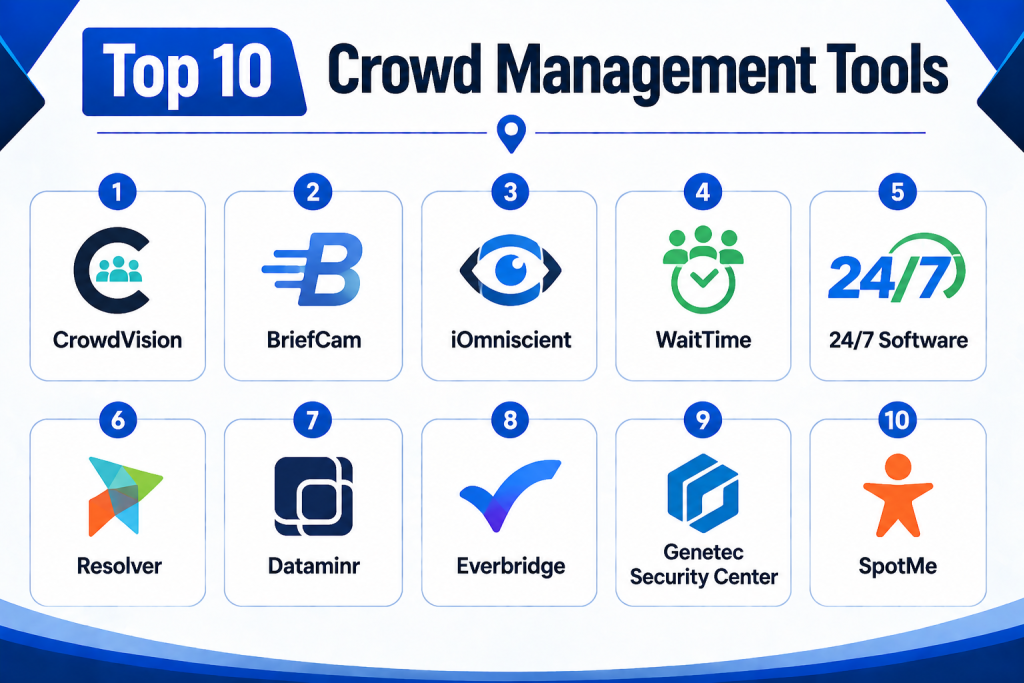
Top 10 Crowd Management Tools
1- CrowdVision
Short description:
CrowdVision is a crowd analytics platform designed to help organizations monitor crowd movement, queue behavior, occupancy, and passenger or visitor flow. It is commonly associated with airports, transport hubs, large venues, and public environments where crowd visibility is critical. The platform helps teams identify bottlenecks, understand movement patterns, and improve operational decisions. It is useful for teams that need measurable insights rather than only manual observation. CrowdVision can support queue optimization, capacity planning, and safety monitoring. It is best suited for organizations that need data-driven crowd intelligence across complex spaces.
Key Features
- Crowd flow analytics
- Queue monitoring
- Occupancy insights
- Real-time dashboards
- Movement pattern analysis
- Operational reporting
- Camera and sensor-based visibility
Pros
- Strong focus on crowd analytics.
- Useful for transport hubs and high-traffic venues.
- Helps teams make data-based operational decisions.
Cons
- May require camera or sensor infrastructure.
- Not a full event planning platform.
- Implementation can require technical setup.
Platforms / Deployment
- Web
- Cloud / Hybrid
Security & Compliance
- Access controls
- User permissions
- Data privacy details: Not publicly stated
Integrations & Ecosystem
CrowdVision fits into environments where crowd data needs to connect with operational dashboards and venue systems.
- CCTV systems
- Sensor infrastructure
- Operational dashboards
- Reporting tools
- Airport and transport systems
- API availability varies
Support & Community
Support is typically vendor-led with onboarding and technical configuration assistance. Community strength is more enterprise and industry-specific than open community-based.
2- BriefCam
Short description:
BriefCam is a video analytics platform that helps organizations search, analyze, and understand video footage more efficiently. For crowd management, it can support people counting, movement analysis, object detection, and situational awareness. Security and operations teams can use it to review incidents, identify patterns, and improve response planning. It is especially useful for large venues, smart cities, campuses, and public safety environments with existing camera infrastructure. BriefCam is not only a crowd management tool, but its video analytics capabilities make it relevant for crowd monitoring and safety workflows. It is best for organizations that already rely heavily on video surveillance.
Key Features
- Video analytics
- People and object detection
- Crowd and movement analysis
- Searchable video review
- Real-time alerts
- Investigation support
- Dashboard-based insights
Pros
- Strong video intelligence capabilities.
- Useful for security and public safety teams.
- Can improve incident review speed.
Cons
- Requires camera infrastructure.
- May need specialist configuration.
- Broader than crowd management alone.
Platforms / Deployment
- Web / Windows
- Cloud / Hybrid / On-premises options may vary
Security & Compliance
- User access controls
- Role-based permissions
- Audit-related capabilities may vary
- Additional compliance details: Not publicly stated
Integrations & Ecosystem
BriefCam is commonly used with video management systems and security operations environments.
- CCTV and VMS platforms
- Security operations tools
- Investigation workflows
- Alerting systems
- Dashboards
- API options may vary
Support & Community
Support is generally enterprise-focused, with implementation guidance, technical services, and training resources available through vendor and partner channels.
3- iOmniscient
Short description:
iOmniscient provides AI-based video analytics and crowd management capabilities for security, public safety, transport, and smart city use cases. Its solutions can support people counting, crowd density monitoring, queue analysis, behavior detection, and automated alerts. The platform is designed for organizations that need advanced visual intelligence in complex environments. It is relevant for airports, stadiums, transport stations, shopping centers, and public spaces. iOmniscient can help teams identify congestion, security risks, and abnormal patterns. It is best suited for buyers looking for analytics-led crowd monitoring rather than simple event coordination.
Key Features
- AI video analytics
- Crowd density monitoring
- People counting
- Queue management
- Behavior detection
- Automated alerts
- Smart city and venue applications
Pros
- Strong analytics-led crowd management.
- Useful for high-security environments.
- Supports proactive monitoring.
Cons
- Requires suitable camera infrastructure.
- Advanced deployment may need technical support.
- Not ideal for teams needing only simple event planning.
Platforms / Deployment
- Web / Varies
- Cloud / Hybrid / On-premises options may vary
Security & Compliance
- User access controls
- Security configuration varies by deployment
- Additional compliance details: Not publicly stated
Integrations & Ecosystem
iOmniscient is often used within security and surveillance ecosystems where crowd analytics must connect with control rooms and alert workflows.
- CCTV systems
- Video management systems
- Security dashboards
- Smart city platforms
- Alerting tools
- Operational reporting systems
Support & Community
Support is generally project-led, with deployment, configuration, and technical assistance depending on the solution scope.
4- WaitTime
Short description:
WaitTime is a crowd intelligence platform focused on real-time crowd density, queue visibility, and guest flow insights. It is especially relevant for stadiums, arenas, entertainment venues, and large public locations where operators need to understand where people are gathering. The platform helps improve fan experience by identifying crowded concession areas, restrooms, entrances, exits, and high-traffic zones. Teams can use insights to redirect guests, adjust staffing, and reduce wait times. WaitTime is useful for both operational efficiency and visitor satisfaction. It is best suited for venues that want real-time crowd visibility during live events.
Key Features
- Real-time crowd density insights
- Queue and wait time visibility
- Guest flow analytics
- Venue dashboard
- Operational alerts
- Staffing support insights
- Fan experience optimization
Pros
- Strong fit for stadiums and arenas.
- Helps reduce wait times and congestion.
- Useful for live-event decisions.
Cons
- May require hardware or sensor setup.
- Focused more on crowd visibility than full event management.
- Best value appears in high-traffic venues.
Platforms / Deployment
- Web
- Cloud / Hybrid
Security & Compliance
- Access controls
- User permissions
- Additional compliance details: Not publicly stated
Integrations & Ecosystem
WaitTime can support venue operations by connecting crowd intelligence with operational workflows and fan experience systems.
- Venue dashboards
- Digital signage workflows
- Staffing decisions
- Concession operations
- Reporting systems
- Sensor-based analytics
Support & Community
Support is typically venue-focused and may include onboarding, deployment assistance, and customer success support.
5- 24/7 Software
Short description:
24/7 Software is a venue operations platform used by stadiums, arenas, convention centers, and large event facilities. For crowd management, it helps teams document incidents, track activity logs, coordinate staff, manage inspections, and respond to guest or safety issues. It does not primarily provide video analytics, but it supports the operational side of crowd management through reporting and response workflows. Event-day teams can log issues, assign tasks, track resolution, and maintain a clear record of activity. This makes it valuable for command centers and safety operations. It is best for venues that need structured incident and operations management during large events.
Key Features
- Incident reporting
- Activity logs
- Guest issue tracking
- Task assignment
- Inspection workflows
- Operations dashboards
- Lost and found tracking
Pros
- Strong fit for stadium and venue operations.
- Helps structure real-time response workflows.
- Useful for documentation and post-event review.
Cons
- Not mainly a sensor analytics platform.
- May require staff training.
- Better for organized venues than small events.
Platforms / Deployment
- Web / iOS / Android
- Cloud
Security & Compliance
- Role-based access
- User permissions
- Audit-friendly records
- Additional compliance details: Not publicly stated
Integrations & Ecosystem
24/7 Software connects crowd-related incidents with operational workflows across venue departments.
- Security operations
- Guest services
- Facility teams
- Reporting dashboards
- Event operations workflows
- Communication systems
Support & Community
Support is typically focused on onboarding, training, and venue-specific implementation. It is well suited for professional operations teams.
6- Resolver
Short description:
Resolver is a risk, incident, and security operations platform that can support crowd management through incident reporting, risk tracking, case management, and operational response workflows. It is useful for organizations that view crowd management as part of a broader risk and safety program. Security teams can document incidents, track investigations, manage corrective actions, and analyze recurring patterns. While not a dedicated crowd analytics tool, Resolver is valuable for structured safety governance. It is best for enterprises, campuses, venues, and public-facing organizations that need strong incident and risk workflows. Teams can use it to create a consistent record of crowd-related issues and response activities.
Key Features
- Incident management
- Risk tracking
- Case management
- Corrective action workflows
- Reporting and analytics
- Security operations support
- Audit-friendly documentation
Pros
- Strong risk and incident management depth.
- Useful for compliance-minded teams.
- Good fit for enterprise security operations.
Cons
- Not a dedicated crowd density platform.
- May require configuration for venue-specific use.
- Can be more complex than simple event tools.
Platforms / Deployment
- Web
- Cloud
Security & Compliance
- Role-based permissions
- Access controls
- Audit logs
- Additional compliance details: Not publicly stated
Integrations & Ecosystem
Resolver fits broader security, risk, and operations ecosystems where crowd incidents need formal tracking.
- Security operations tools
- Reporting systems
- Case management workflows
- Risk registers
- Enterprise dashboards
- API options may vary
Support & Community
Support is generally enterprise-focused with onboarding and professional services depending on deployment needs.
7- Dataminr
Short description:
Dataminr is a real-time event detection and alerting platform that helps organizations identify emerging risks from public information signals. For crowd management, it can support situational awareness around protests, public gatherings, severe weather, transport disruptions, security incidents, and emergency situations. It is not a venue crowd tracking tool, but it is valuable for public safety, corporate security, event risk teams, and large organizations monitoring external threats. Teams can use alerts to prepare for crowd movement risks before they impact an event or facility. Dataminr is best suited for enterprise risk intelligence and security teams. It works as part of a broader crowd safety and operations strategy.
Key Features
- Real-time risk alerts
- Public event monitoring
- Crisis intelligence
- Security operations support
- Situation awareness
- Alert workflows
- Location-based risk signals
Pros
- Strong real-time external risk intelligence.
- Useful for public events and security planning.
- Helps teams detect emerging issues early.
Cons
- Not a direct crowd flow analytics tool.
- Best suited for enterprise security teams.
- Requires trained users to interpret alerts.
Platforms / Deployment
- Web / Mobile options may vary
- Cloud
Security & Compliance
- User access controls
- Enterprise security features may vary
- Additional compliance details: Not publicly stated
Integrations & Ecosystem
Dataminr is commonly used alongside security operations centers and crisis management workflows.
- Security operations platforms
- Crisis management tools
- Alerting workflows
- Location intelligence
- Enterprise dashboards
- Communication systems
Support & Community
Support is enterprise-oriented and may include onboarding, account support, and workflow guidance for security teams.
8- Everbridge
Short description:
Everbridge is a critical event management and mass notification platform used by enterprises, governments, healthcare organizations, campuses, and public safety teams. For crowd management, it helps organizations communicate quickly during emergencies, disruptions, evacuations, severe weather, security issues, or major event incidents. It is not primarily a crowd analytics tool, but it is highly relevant for crowd communication and emergency response. Teams can notify staff, guests, responders, or stakeholders through multiple channels. Everbridge is best suited for organizations that need structured emergency communication and operational resilience. It works well as part of a larger crowd safety stack.
Key Features
- Mass notification
- Critical event management
- Emergency communication
- Multi-channel alerts
- Incident response workflows
- Location-based communication
- Operational resilience reporting
Pros
- Strong emergency communication capabilities.
- Useful for large organizations and public safety teams.
- Supports structured crisis response.
Cons
- Not focused on crowd density monitoring.
- Can be more than small events need.
- Requires planning and message templates.
Platforms / Deployment
- Web / iOS / Android
- Cloud
Security & Compliance
- Access controls
- User permissions
- Audit logs
- Additional compliance details: Not publicly stated
Integrations & Ecosystem
Everbridge integrates into emergency management, security, and communication environments.
- HR systems
- Security operations
- Communication channels
- Alerting workflows
- Crisis management tools
- Public safety systems
Support & Community
Support is enterprise-focused with onboarding, training, and customer success resources. Buyers should validate support tiers and response expectations.
9- Genetec Security Center
Short description:
Genetec Security Center is a unified physical security platform combining video surveillance, access control, automatic license plate recognition, and security operations. For crowd management, it can help teams monitor venue entry points, public areas, restricted zones, and security incidents through a unified command interface. It is not only a crowd management product, but it provides important infrastructure for crowd safety and situational awareness. Large venues, airports, campuses, and public facilities can use it to coordinate security monitoring and response. It is best suited for organizations that need advanced physical security integration. Crowd management teams can use it alongside analytics, incident, and communication tools.
Key Features
- Video surveillance management
- Access control
- Unified security operations
- Incident monitoring
- Real-time alerts
- Investigation workflows
- Multi-site security management
Pros
- Strong physical security foundation.
- Useful for large venues and campuses.
- Integrates multiple security systems.
Cons
- Not a standalone crowd flow platform.
- Requires security infrastructure.
- Implementation can be complex.
Platforms / Deployment
- Windows / Web options may vary
- Cloud / Hybrid / On-premises options may vary
Security & Compliance
- Role-based access
- Audit logs
- User permissions
- Encryption capabilities may vary by deployment
- Additional compliance details: Not publicly stated
Integrations & Ecosystem
Genetec has a broad physical security ecosystem and is useful where crowd operations depend on cameras, access control, and security systems.
- CCTV systems
- Access control
- Sensors
- Security operations centers
- Investigation workflows
- Third-party security integrations
Support & Community
Support is available through vendor and certified partner channels. Large deployments often require planning, integration support, and administrator training.
10- SpotMe
Short description:
SpotMe is an event engagement platform used for conferences, corporate events, internal events, and hybrid experiences. While it is not a traditional crowd safety analytics tool, it can support crowd management through attendee engagement, session check-ins, event apps, communication, personalized agendas, and attendee flow guidance. Event teams can use it to direct attendees, reduce confusion, communicate changes, and improve movement across venues. It is best suited for conferences, summits, corporate events, and organized attendee experiences. SpotMe works well when crowd management is closely tied to event communication and attendee engagement. It is less suitable for stadium-scale physical security operations.
Key Features
- Event app
- Attendee communication
- Session check-ins
- Agenda management
- Engagement tools
- Event analytics
- Hybrid event support
Pros
- Strong attendee communication experience.
- Useful for conferences and corporate events.
- Helps guide attendee movement and reduce confusion.
Cons
- Not designed for security command centers.
- Limited crowd density analytics.
- Best for structured events, not open public crowds.
Platforms / Deployment
- Web / iOS / Android
- Cloud
Security & Compliance
- User permissions
- Access controls
- Additional compliance details: Not publicly stated
Integrations & Ecosystem
SpotMe fits into event technology stacks where attendee communication and engagement are important.
- CRM tools
- Marketing automation
- Event registration tools
- Analytics platforms
- Communication workflows
- Event apps
Support & Community
Support usually includes onboarding, event support, documentation, and customer success resources depending on event size and plan.
Comparison Table
| Tool Name | Best For | Platform(s) Supported | Deployment | Standout Feature | Public Rating |
|---|---|---|---|---|---|
| CrowdVision | Crowd analytics and queue monitoring | Web | Cloud / Hybrid | Crowd flow visibility | N/A |
| BriefCam | Video analytics and investigation | Web / Windows | Cloud / Hybrid / Varies | Searchable video intelligence | N/A |
| iOmniscient | AI-based crowd monitoring | Web / Varies | Cloud / Hybrid / Varies | AI video analytics | N/A |
| WaitTime | Stadium and venue crowd intelligence | Web | Cloud / Hybrid | Real-time crowd density insights | N/A |
| 24/7 Software | Venue incident and operations management | Web / iOS / Android | Cloud | Live-event incident workflows | N/A |
| Resolver | Risk and incident governance | Web | Cloud | Enterprise incident management | N/A |
| Dataminr | External risk and event alerts | Web / Mobile varies | Cloud | Real-time risk intelligence | N/A |
| Everbridge | Emergency communication | Web / iOS / Android | Cloud | Mass notification | N/A |
| Genetec Security Center | Physical security operations | Windows / Web varies | Cloud / Hybrid / Varies | Unified security platform | N/A |
| SpotMe | Attendee communication and event guidance | Web / iOS / Android | Cloud | Event app engagement | N/A |
Evaluation & Scoring of Crowd Management Tools
| Tool Name | Core (25%) | Ease (15%) | Integrations (15%) | Security (10%) | Performance (10%) | Support (10%) | Value (15%) | Weighted Total |
| CrowdVision | 9 | 7 | 8 | 8 | 9 | 8 | 7 | 8.15 |
| BriefCam | 9 | 7 | 9 | 8 | 9 | 8 | 7 | 8.30 |
| iOmniscient | 9 | 7 | 8 | 8 | 8 | 8 | 7 | 8.05 |
| WaitTime | 9 | 8 | 8 | 7 | 9 | 8 | 8 | 8.30 |
| 24/7 Software | 8 | 8 | 8 | 8 | 8 | 8 | 8 | 8.00 |
| Resolver | 8 | 7 | 8 | 8 | 8 | 8 | 7 | 7.75 |
| Dataminr | 8 | 7 | 8 | 8 | 9 | 8 | 6 | 7.75 |
| Everbridge | 8 | 8 | 8 | 8 | 9 | 9 | 7 | 8.10 |
| Genetec Security Center | 9 | 6 | 9 | 9 | 9 | 8 | 6 | 8.05 |
| SpotMe | 7 | 9 | 8 | 7 | 8 | 8 | 8 | 7.75 |
These scores are comparative and should be used as a decision-support guide, not as fixed public ratings. A higher weighted score suggests stronger alignment with the selected criteria, but the best choice depends on use case. A stadium may prioritize real-time crowd density and incident response, while a corporate event team may prioritize attendee communication. Buyers should match scores to operational needs, venue risk level, budget, and integration requirements.
Which Crowd Management Tool Is Right for You?
Solo / Freelancer
Solo event planners and independent consultants usually need simple communication, attendee guidance, or event coordination rather than complex surveillance analytics.
Best options:
- SpotMe for attendee engagement and communication.
- Everbridge if emergency communication is a priority.
- 24/7 Software may be useful only if supporting professional venue operations.
For solo users, ease of use and deployment speed matter more than advanced control room capabilities.
SMB
Small and mid-sized venues need practical tools that help them reduce crowd confusion, improve response, and manage incidents without heavy technical complexity.
Best options:
- SpotMe for conferences and organized attendee events.
- 24/7 Software for venue operations and incident tracking.
- WaitTime for venues needing crowd density visibility.
- Everbridge for emergency notifications.
SMBs should focus on user-friendly dashboards, mobile access, and clear operational workflows.
Mid-Market
Mid-market stadiums, campuses, event centers, and transport spaces usually need stronger visibility, reporting, and integration capabilities.
Best options:
- WaitTime for live crowd intelligence.
- CrowdVision for crowd flow and queue analytics.
- 24/7 Software for operational response.
- Resolver for incident governance.
- Everbridge for emergency communication.
Mid-market buyers should evaluate how well the platform fits existing camera systems, ticketing tools, communication channels, and staffing workflows.
Enterprise
Enterprise venues, airports, smart cities, stadium groups, and public safety agencies need advanced security, analytics, reliability, and integration depth.
Best options:
- BriefCam for video analytics.
- Genetec Security Center for unified security operations.
- CrowdVision for crowd flow analytics.
- iOmniscient for AI-based crowd monitoring.
- Dataminr for external risk intelligence.
- Everbridge for critical event communication.
Enterprise buyers should prioritize governance, scalability, control room integration, data security, and vendor support.
Budget vs Premium
Budget-focused buyers should avoid overbuying complex analytics if their main need is attendee communication or basic incident documentation.
Budget-friendly direction:
- SpotMe for structured event communication.
- 24/7 Software for venue operations workflows.
- Everbridge for communication-focused resilience.
Premium direction:
- BriefCam for advanced video analytics.
- Genetec Security Center for unified physical security.
- CrowdVision and WaitTime for crowd intelligence.
- Dataminr for risk intelligence.
Feature Depth vs Ease of Use
Tools with deeper analytics often need more infrastructure, configuration, and training. Easier platforms may be faster to deploy but less powerful for high-risk environments.
Feature depth:
- BriefCam
- Genetec Security Center
- CrowdVision
- iOmniscient
- Dataminr
Ease of use:
- SpotMe
- 24/7 Software
- Everbridge
- WaitTime
Integrations & Scalability
Crowd management often depends on multiple systems working together. Buyers should ask whether the tool connects with CCTV, access control, ticketing, POS, staff communication, emergency alerts, reporting dashboards, and digital signage.
Best integration-focused options:
- Genetec Security Center
- BriefCam
- Everbridge
- Dataminr
- CrowdVision
- 24/7 Software
Scalability matters most for venues with multiple entrances, large attendance, high-risk events, or distributed operations teams.
Security & Compliance Needs
Crowd management data can include incident records, video analytics, operational alerts, staff actions, and public safety information. Buyers should review access controls, authentication, audit logs, data retention, encryption, and privacy posture.
Best-fit options for stronger governance needs:
- Genetec Security Center
- BriefCam
- Everbridge
- Resolver
- Dataminr
- 24/7 Software
Before purchasing, always request vendor security documentation and confirm privacy requirements for your region and industry.
Frequently Asked Questions
1- What are Crowd Management Tools?
Crowd Management Tools help organizations monitor, guide, communicate with, and respond to large groups of people. They are used in stadiums, airports, public events, conferences, campuses, and transport hubs to improve safety and operational efficiency.
2- How much do Crowd Management Tools cost?
Pricing varies widely based on venue size, number of users, cameras, sensors, modules, integrations, and support needs. Many enterprise-grade tools use custom pricing, while event communication tools may offer subscription or event-based pricing.
3- Are Crowd Management Tools only for stadiums?
No. They are also used by airports, train stations, universities, shopping centers, festivals, conferences, smart cities, and public safety agencies. Any organization managing large groups of people can benefit from crowd management technology.
4- What features should buyers prioritize?
Important features include real-time dashboards, crowd density monitoring, incident reporting, mobile access, alerts, integrations, reporting, communication tools, and role-based access. The right priority depends on whether the main need is safety, analytics, communication, or operations.
5- Can these tools integrate with CCTV systems?
Many crowd analytics and security platforms can integrate with CCTV or video management systems. However, integration depends on camera type, existing infrastructure, vendor support, and deployment model. Buyers should validate compatibility before purchase.
6- Do Crowd Management Tools use AI?
Many modern tools use AI for video analytics, people counting, queue analysis, object detection, alerting, and risk identification. However, AI capability varies by vendor, and buyers should test accuracy in real venue conditions before relying on automated outputs.
7- Are these tools secure?
Security depends on the vendor and deployment. Buyers should look for role-based permissions, audit logs, encryption, MFA, SSO, secure APIs, data retention controls, and privacy documentation. Sensitive crowd and incident data should be carefully protected.
8- How long does implementation take?
Implementation can range from a quick event app setup to a complex multi-month deployment involving cameras, sensors, integrations, dashboards, and staff training. The timeline depends on infrastructure, venue size, and workflow complexity.
9- What mistakes should buyers avoid?
Common mistakes include buying tools without testing live workflows, ignoring camera or sensor requirements, underestimating staff training, overlooking privacy concerns, and failing to define escalation processes before deployment.
10- Can organizations switch tools later?
Yes, but switching can be difficult if the platform contains historical incident data, analytics configurations, integrations, or custom workflows. Buyers should ask about data exports, contract terms, migration support, and API access before committing.
Conclusion
Crowd Management Tools are becoming essential for venues and organizations that need safer, smoother, and more data-driven public experiences. The right platform depends on the environment: stadiums may need WaitTime, 24/7 Software, CrowdVision, or Genetec Security Center; airports and transport hubs may benefit from CrowdVision, BriefCam, or iOmniscient; corporate event teams may prefer SpotMe or Everbridge; and enterprise security teams may require Dataminr, Resolver, or Genetec. There is no single best tool for every organization because crowd management can involve analytics, communication, incident response, video intelligence, safety documentation, and operational planning. The best next step is to shortlist two or three tools, run a pilot in a real crowd environment, validate integrations and security controls, and choose the solution that fits your risk level, venue size, and operational workflow.
