Introduction
Cartography and map design tools are specialized software platforms used to create, visualize, and publish maps for digital and print media. These tools allow designers, GIS professionals, researchers, and organizations to turn spatial data into informative, visually appealing, and accurate maps. They support geospatial analysis, thematic mapping, data visualization, and graphic design integration.
In , map design is essential not only for navigation but also for communication, data storytelling, research, and policy planning. Advanced cartography tools combine GIS functionality with aesthetic controls, supporting multi-layered spatial visualization, interactive maps, and integration with datasets.
Real-world use cases include thematic maps for public health or environmental monitoring, urban planning maps, disaster response maps, historical and cultural mapping, navigation and wayfinding, education and outreach visualizations, storytelling for data journalism, spatial analytics visualization, event mapping, and interactive online maps for civic engagement.
Buyers should evaluate rendering quality, GIS integration, thematic and interactive map capabilities, vector and raster support, ease of design, layer management, annotation and labeling, export formats, 3D visualization, collaboration features, and security for proprietary datasets.
Best for: Cartographers, GIS specialists, urban planners, educators, data journalists, design agencies, government mapping departments, and researchers.
Not ideal for: Organizations needing only basic digital maps without design or analytical requirements.
Key Trends in Cartography & Map Design Tools
- Integration of GIS and graphic design workflows
- Cloud-based and collaborative map design platforms
- Interactive and web map publishing
- 3D and temporal map visualization
- AI-assisted map styling and labeling
- Open-source tool adoption for flexibility
- Multi-format export including print-ready maps
- Integration with satellite imagery and remote sensing
- Real-time data overlay on interactive maps
- Storytelling dashboards for maps and spatial data
How We Selected These Tools
- Popularity in professional and academic cartography
- Feature depth for design, visualization, and GIS integration
- Support for interactive and print map workflows
- Mobile and cloud collaboration capabilities
- Scalability for large datasets and multiple layers
- Ease of use and learning curve for designers
- Security and compliance for sensitive datasets
- Documentation, support, and active user communities
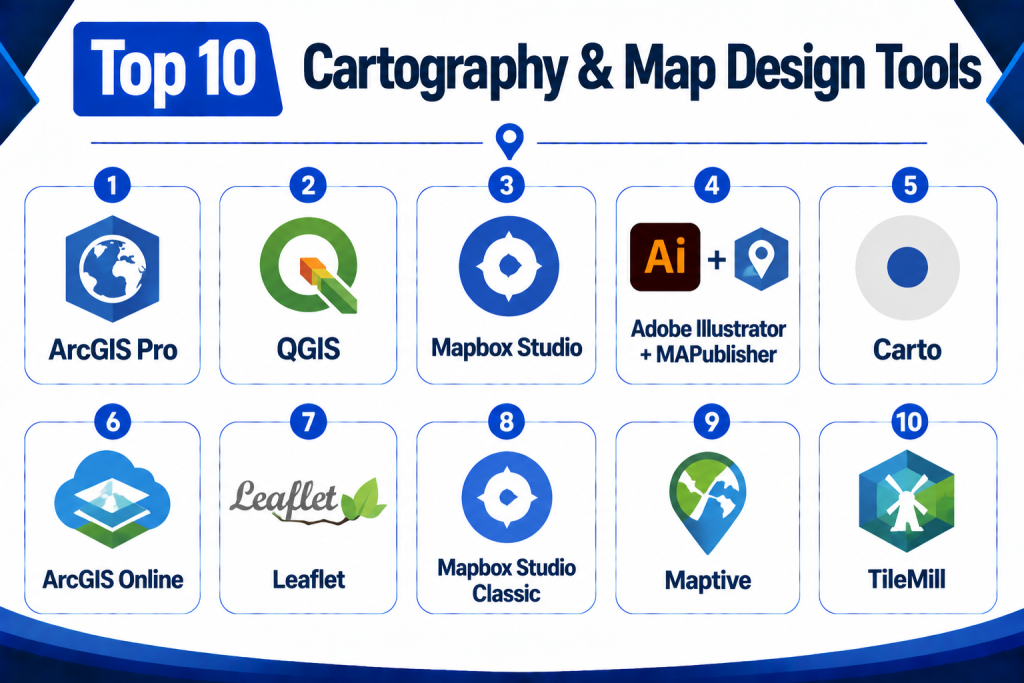
Top 10 Cartography & Map Design Tools
1 — ArcGIS Pro
Short Description:
ArcGIS Pro is a professional GIS and map design platform that allows advanced spatial analysis, thematic mapping, and 2D/3D visualization. It is widely used by urban planners, researchers, and government agencies.
Key Features
- 2D and 3D map creation
- Advanced symbology and labeling
- Integration with GIS datasets
- Interactive dashboards and layouts
- Analytical tools and geoprocessing
- High-quality printing/export options
- Mobile and cloud connectivity
Pros
- Comprehensive GIS and cartography toolset
- Advanced analytical and visualization capabilities
- Supports multi-layer and complex datasets
Cons
- Licensing cost is high
- Steep learning curve for beginners
- Resource-intensive desktop application
Platforms / Deployment
Desktop / Web / Mobile
Cloud / On-premise / Hybrid
Security & Compliance
Role-based access, encryption, audit logs
SOC 2 / ISO 27001: Not publicly stated
Integrations & Ecosystem
- CAD/BIM systems
- Remote sensing and satellite imagery
- GIS databases and cloud services
- Analytics and reporting tools
Support & Community
Vendor support, extensive documentation, user forums.
2 — QGIS
Short Description:
QGIS is a popular open-source GIS and cartography tool, offering map creation, spatial analysis, and layout design for desktop users and developers.
Key Features
- Open-source with plugin ecosystem
- Map styling and labeling tools
- Multi-layer data support
- 2D and limited 3D visualization
- Integration with GIS databases
- Export to multiple formats (PDF, SVG, raster)
Pros
- Free and open-source
- Extensible with plugins
- Strong community support
Cons
- Interface may require customization
- Some advanced design tools need plugins
- Less polished for print layouts compared to ArcGIS
Platforms / Deployment
Desktop / Web
Cloud / On-premise / Hybrid
Security & Compliance
Role-based access depends on deployment
SOC 2 / ISO 27001: Not publicly stated
Integrations & Ecosystem
- GIS datasets
- Remote sensing imagery
- Plugin-based analytics
Support & Community
Open-source community forums, tutorials, and documentation.
3 — Mapbox Studio
Short Description:
Mapbox Studio is a cloud-based map design platform focused on interactive and web map creation. It is used by developers, designers, and agencies for custom styling and visualization.
Key Features
- Vector and raster map styling
- Interactive web map creation
- Real-time map rendering
- Layered data visualization
- Map animation and labeling
- Integration with APIs and developer tools
Pros
- Modern web-based interface
- High-quality interactive maps
- Cloud-hosted and scalable
Cons
- Limited offline or desktop-only use
- Subscription-based licensing
- Requires technical skills for advanced styling
Platforms / Deployment
Web / Mobile
Cloud
Security & Compliance
Encrypted access, role management
SOC 2 / ISO 27001: Not publicly stated
Integrations & Ecosystem
- Web APIs
- GIS databases
- Data visualization libraries
Support & Community
Documentation, developer forums, vendor support.
4 — Adobe Illustrator + MAPublisher
Short Description:
Adobe Illustrator combined with MAPublisher allows designers to create professional cartographic layouts with vector editing and GIS data integration.
Key Features
- Advanced vector design tools
- GIS data import and transformation
- Labeling and annotation controls
- High-quality print export
- Layer and style management
Pros
- Industry-standard design quality
- Precise control over visual styling
- Integration of GIS data in design workflows
Cons
- Requires both Illustrator and MAPublisher licenses
- Not suitable for real-time or web maps
- Desktop-only workflow
Platforms / Deployment
Desktop
On-premise
Security & Compliance
Local file security and access controls
SOC 2 / ISO 27001: Not publicly stated
Integrations & Ecosystem
- GIS datasets
- Vector graphics libraries
- Print publishing workflows
Support & Community
Vendor support and design community.
5 — Carto
Short Description:
Carto is a cloud-based platform for location intelligence and interactive map design. It is used for web maps, visual storytelling, and spatial analytics.
Key Features
- Interactive map creation
- Data visualization and styling
- Location-based analytics
- Cloud-hosted map rendering
- API and developer support
Pros
- Modern interactive mapping
- Cloud-based, scalable
- Developer-friendly
Cons
- Subscription model
- Less advanced print capabilities
- Focused on analytics rather than design aesthetics
Platforms / Deployment
Web / Mobile
Cloud
Security & Compliance
Role-based access, encryption
SOC 2 / ISO 27001: Not publicly stated
Integrations & Ecosystem
- GIS datasets
- Remote sensing feeds
- Web visualization libraries
Support & Community
Vendor support, documentation, and tutorials.
6 — ArcGIS Online
Short Description:
ArcGIS Online is a cloud extension of ArcGIS Pro for collaborative web map design, sharing, and analysis across organizations.
Key Features
- Web map creation and publishing
- Interactive dashboards
- Collaboration tools
- Data analysis and visualization
- API access for automation
Pros
- Cloud-based collaboration
- Integration with ArcGIS ecosystem
- Real-time analytics and sharing
Cons
- Subscription costs
- Requires familiarity with ArcGIS suite
- Some features require desktop prep
Platforms / Deployment
Web / Mobile
Cloud
Security & Compliance
Role-based access, encrypted data
SOC 2 / ISO 27001: Not publicly stated
Integrations & Ecosystem
- ArcGIS desktop and server
- Cloud datasets
- Analytics dashboards
Support & Community
Documentation, vendor training, user forums.
7 — Leaflet
Short Description:
Leaflet is an open-source JavaScript library for building interactive web maps. It is lightweight and developer-focused for online mapping projects.
Key Features
- Interactive map rendering
- Layer management
- Vector and raster support
- Mobile-friendly maps
- Extensible with plugins
Pros
- Open-source and lightweight
- Excellent for web developers
- Flexible plugin ecosystem
Cons
- Requires coding skills
- No desktop GUI
- Limited analytics out-of-the-box
Platforms / Deployment
Web
Cloud / On-premise
Security & Compliance
Depends on hosting and deployment
SOC 2 / ISO 27001: Not publicly stated
Integrations & Ecosystem
- GIS APIs
- Web data sources
- Mapping plugins
Support & Community
Open-source community and documentation.
8 — Mapbox Studio Classic
Short Description:
Mapbox Studio Classic offers vector-based design for interactive and aesthetic web maps with advanced styling controls.
Key Features
- Vector tile styling
- Interactive labels and layers
- Custom map projection
- Web visualization
- Layer management
Pros
- High-quality vector design
- Cloud-based rendering
- Web-focused interactivity
Cons
- Requires Mapbox subscription
- Developer familiarity needed
- Limited print support
Platforms / Deployment
Web / Mobile
Cloud
Security & Compliance
Encrypted data access, role-based access
SOC 2 / ISO 27001: Not publicly stated
Integrations & Ecosystem
- APIs
- GIS datasets
- Web visualization libraries
Support & Community
Vendor support and developer forums.
9 — Maptive
Short Description:
Maptive is a cloud-based map design platform for business and marketing, enabling interactive map creation, visualization, and reporting.
Key Features
- Interactive map creation
- Data import from spreadsheets
- Custom map styling
- Export and reporting tools
- API access
Pros
- Easy to use for business users
- Cloud-based and accessible
- Spreadsheet data integration
Cons
- Focused on business use
- Limited GIS analytics
- Less suited for scientific mapping
Platforms / Deployment
Web / Mobile
Cloud
Security & Compliance
Role-based access, encryption
SOC 2 / ISO 27001: Not publicly stated
Integrations & Ecosystem
- Spreadsheets
- Cloud storage
- Reporting dashboards
Support & Community
Vendor support and tutorials.
10 — TileMill
Short Description:
TileMill is an open-source map design tool for creating high-quality, custom-styled maps for web and print.
Key Features
- Cartographic styling
- Map exporting (SVG, PDF, PNG)
- Layer management
- Custom fonts and colors
- Integration with GIS data
Pros
- Open-source and free
- Professional cartographic styling
- Flexible export options
Cons
- No longer actively developed
- Requires GIS knowledge
- Desktop-focused
Platforms / Deployment
Desktop
On-premise
Security & Compliance
Depends on deployment
SOC 2 / ISO 27001: Not publicly stated
Integrations & Ecosystem
- GIS datasets
- Export to web or print
- Map tiles
Support & Community
Community forums and tutorials.
Comparison Table
| Tool Name | Best For | Platforms | Deployment | Standout Feature | Public Rating |
|---|---|---|---|---|---|
| ArcGIS Pro | Professional GIS & design | Web, Desktop, Mobile | Cloud / On-prem / Hybrid | Advanced GIS & 3D | N/A |
| QGIS | Open-source GIS | Web, Desktop, Mobile | Cloud / On-prem | Open-source flexibility | N/A |
| Mapbox Studio | Interactive web maps | Web / Mobile | Cloud | Web interactivity | N/A |
| Adobe Illustrator + MAPublisher | Professional print maps | Desktop | On-prem | Vector styling & GIS | N/A |
| Carto | Location intelligence | Web / Mobile | Cloud | Cloud analytics & visualization | N/A |
| ArcGIS Online | Web-based mapping | Web / Mobile | Cloud | Collaboration & dashboards | N/A |
| Leaflet | Web developers | Web | Cloud | Lightweight JS library | N/A |
| Mapbox Studio Classic | Vector map design | Web / Mobile | Cloud | Vector tile styling | N/A |
| Maptive | Business & marketing | Web / Mobile | Cloud | Spreadsheet integration | N/A |
| TileMill | Cartographic design | Desktop | On-prem | Custom map styling | N/A |
Evaluation & Scoring Table
| Tool Name | Core 25% | Ease 15% | Integrations 15% | Security 10% | Performance 10% | Support 10% | Value 15% | Weighted Total |
|---|---|---|---|---|---|---|---|---|
| ArcGIS Pro | 9 | 7 | 8 | 8 | 8 | 8 | 8 | 8.15 |
| QGIS | 8 | 7 | 7 | 8 | 8 | 7 | 8 | 7.85 |
| Mapbox Studio | 8 | 8 | 7 | 8 | 8 | 7 | 8 | 7.95 |
| Adobe Illustrator + MAPublisher | 8 | 7 | 7 | 8 | 8 | 7 | 8 | 7.90 |
| Carto | 8 | 8 | 8 | 8 | 8 | 8 | 8 | 8.00 |
| ArcGIS Online | 8 | 8 | 8 | 8 | 8 | 8 | 8 | 8.00 |
| Leaflet | 7 | 8 | 7 | 8 | 8 | 7 | 8 | 7.85 |
| Mapbox Studio Classic | 8 | 7 | 7 | 8 | 8 | 7 | 8 | 7.90 |
| Maptive | 7 | 8 | 7 | 8 | 8 | 7 | 8 | 7.85 |
| TileMill | 7 | 7 | 7 | 8 | 8 | 7 | 8 | 7.75 |
Decision Guide
Professional GIS & Designers: ArcGIS Pro, Adobe Illustrator + MAPublisher — advanced mapping, vector design, and print-ready outputs.
Open-source & Research: QGIS, TileMill — flexible, cost-effective, and suitable for educational or open projects.
Web & Interactive Maps: Mapbox Studio, Leaflet, Carto, Mapbox Studio Classic — cloud-focused, developer-friendly, with interactive visualization tools.
Business & Marketing Applications: Maptive — simple mapping and spreadsheet integration for business insights.
Integration & Scalability: Ensure tools support GIS layers, vector/raster datasets, cloud storage, APIs, and multi-layer data management.
Security & Compliance: Check role-based access, encryption, and secure data storage for proprietary or sensitive spatial datasets.
Frequently Asked Questions
1‑ What is a cartography tool?
A software platform for creating, visualizing, and publishing maps with control over styling, layers, and spatial analysis.
2‑ Who uses cartography tools?
Cartographers, GIS specialists, designers, urban planners, environmental scientists, researchers, and educators.
3‑ Can these tools create interactive maps?
Yes, Mapbox, Leaflet, and ArcGIS Online support interactive web maps.
4‑ Are print-ready maps supported?
Adobe Illustrator + MAPublisher, ArcGIS Pro, and TileMill provide high-resolution map export.
5‑ Do these platforms integrate GIS data?
Yes, all major platforms support GIS data import/export and layer management.
6‑ Are 3D visualizations possible?
ArcGIS Pro, ArcGIS Online, and Carto support 3D map visualization.
7‑ Can these tools process satellite imagery?
Some GIS-integrated tools like ArcGIS Pro and QGIS support remote sensing layers.
8‑ Are open-source options available?
Yes, QGIS, Leaflet, and TileMill are open-source solutions.
9‑ Do these tools provide analytics dashboards?
Carto, ArcGIS Online, and Mapbox provide analytics dashboards for interactive map metrics.
10‑ Are mobile maps supported?
Many platforms offer mobile access and responsive web mapping.
Conclusion
Cartography and map design tools enable organizations to convert spatial data into compelling, accurate, and functional maps. Platforms such as ArcGIS Pro, QGIS, Mapbox Studio, Adobe Illustrator + MAPublisher, Carto, ArcGIS Online, Leaflet, Mapbox Studio Classic, Maptive, and TileMill cater to a wide range of users from designers and researchers to enterprises and government agencies. Choosing the right platform depends on intended map output, integration needs, data size, collaboration requirements, cloud or desktop deployment, and budget. Agencies should shortlist two to three platforms, test sample maps, validate workflows, and provide training for effective adoption.
