Introduction
Geofencing tools are software platforms that enable organizations to define virtual boundaries on geographic areas and trigger actions when devices enter, exit, or dwell within those regions. By combining GPS, cellular, Wi‑Fi, and Bluetooth data, geofencing platforms monitor location behavior in real time and automate responses such as notifications, alerts, tracking logs, and workflow triggers. These tools are used across industries to drive location‑aware experiences, improve operational efficiency, and enforce compliance and safety.
Geofencing matters because it allows businesses, public agencies, and developers to build spatial intelligence into applications and processes. Whether managing delivery fleets, enforcing restricted access zones, enhancing customer engagement, or tracking assets and personnel, geofencing provides a real‑time spatial context that elevates decision‑making and automation. Organizations benefit from automated triggers that eliminate manual checks, provide timely visibility into movement patterns, and enable compliance enforcement without constant monitoring.
Real‑world use cases include triggering push notifications when customers enter a retail district, alerting field supervisors when an asset leaves a job site, enforcing no‑go zones around sensitive infrastructure, automating attendance tracking for mobile workers, initiating safety messages when workers enter hazardous zones, delivering targeted in‑app messaging based on location, tracking delivery vehicles and their compliance with routes, optimizing last‑mile logistics based on live location, and monitoring compliance with restricted airspace or worksite boundaries.
What buyers should evaluate includes accuracy and reliability of location detection, ease of geofence creation and management, real‑time monitoring and alerting, integration with mobile apps and IoT devices, battery efficiency for tracking devices, analytics and reporting, security and privacy protections, scalability for large fleets or high traffic usage, and support for cross‑platform development.
Best for: Retail marketers, logistics and delivery operations, field service managers, workforce compliance teams, safety and risk officers, asset tracking teams, IoT developers, mobile app developers, and public safety agencies.
Not ideal for: Organizations with no need for location‑triggered automation or those relying solely on static mapping without dynamic triggers.
Key Trends in Geofencing Tools
- Cloud‑native geofencing services enabling scalable, real‑time region monitoring
- Multi‑platform/sdk support for iOS, Android, web, and wearables
- Integration with IoT and BLE beacons for high‑precision indoor geofencing
- AI‑assisted predictive triggers that anticipate movement patterns
- Event‑based automation workflows tied to other business systems
- Low‑power, battery‑efficient tracking for mobile and wearable devices
- Privacy‑first location permission handling for compliance with regulations
- Advanced analytics and heatmaps showing movement trends
- APIs for developer integration into custom apps and enterprise workflows
- Geofencing combined with geotargeting for marketing and personalization
How We Selected These Tools
- Feature breadth: region definition, monitoring, alerts, and automation
- Integration capability with mobile apps, IoT, and enterprise systems
- Real‑time performance and location accuracy
- Scalability across users, devices, and geofences
- Security and privacy features for sensitive location data
- Ease of setup and management for developers and non‑technical users
- Support documentation, training resources, and customer service
- Cross‑platform compatibility (mobile, web, wearables)
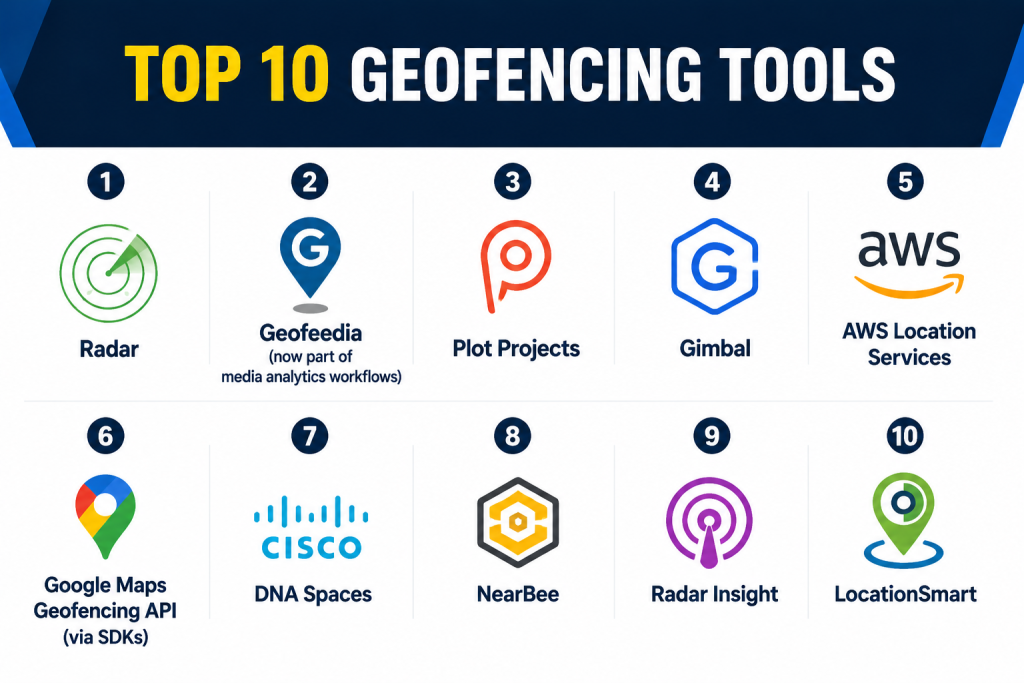
Top 10 Geofencing Tools
1 — Radar
Short Description:
Radar is a geofencing and location intelligence platform that allows developers to create, manage, and monitor geofences, location triggers, and movement analytics. It focuses on ease of integration into mobile apps and real‑time geolocation workflows.
Key Features
- Multi‑platform SDKs for mobile and web
- Geofence creation and management
- Real‑time triggers and activity detection
- Movement analytics and insights
- Visual geofence mapping
- Webhook and event triggers
- Role‑based access controls
Pros
- Developer‑friendly with clear SDKs
- Real‑time monitoring and alerts
- Strong analytics package
Cons
- Requires development effort for custom workflows
- Advanced features need tailored setup
- Pricing scales with usage
Platforms / Deployment
Web / Mobile (iOS, Android)
Cloud
Security & Compliance
Encrypted communication, role access
SOC 2 / ISO 27001 / HIPAA: Not publicly stated
Integrations & Ecosystem
Radar integrates with messaging services, analytics platforms, and automation workflows.
- IoT platforms
- Push messaging/messaging queues
- Analytics engines
- CRM and campaign systems
Support & Community
Vendor documentation, SDK examples, customer support.
2 — Geofeedia (now part of media analytics workflows)
Short Description:
Geofeedia enables location‑based monitoring and alerts by correlating geofencing triggers with social media and sensor data. It supports geofence‑triggered insights for security, marketing, and public safety.
Key Features
- Geofence definition and alerts
- Location‑based social and media insights
- Real‑time monitoring
- Dashboard visualization
- Custom reporting
Pros
- Combines geofencing with social signal analytics
- Useful for situational awareness
- Rich dashboard tools
Cons
- Less focused on mobile SDK integration
- Heavy data processing requirements
- Best suited for enterprises with analytics workflows
Platforms / Deployment
Web
Cloud
Security & Compliance
Role‑based access, encrypted data
SOC 2 / ISO 27001 / HIPAA: Not publicly stated
Integrations & Ecosystem
- Social signal aggregators
- Analytics platforms
- Alerting engines
Support & Community
Documentation and enterprise support.
3 — Plot Projects
Short Description:
Plot Projects provides geofencing, geo‑engagement, and location intelligence APIs that support mobile apps, targeting triggers, and automated engagement based on spatial context.
Key Features
- Geofence creation tools
- Real‑time triggers
- Beacon and indoor support
- Analytics dashboards
- Developer APIs
- Campaign automation
Pros
- Supports both geofencing and beacon interactions
- Flexible developer tools
- Real‑time notification triggers
Cons
- Analytics depth may be limited for complex workflows
- Smaller ecosystem than some competitors
- Requires SDK integration
Platforms / Deployment
Web / Mobile
Cloud
Security & Compliance
Encrypted traffic, permission management
SOC 2 / ISO 27001 / HIPAA: Not publicly stated
Integrations & Ecosystem
- Push notification services
- CRM integration
- Analytics tools
Support & Community
Documentation, developer support.
4 — Gimbal
Short Description:
Gimbal offers enterprise‑grade geofencing and proximity solutions with support for mobile apps and IoT devices. It excels in precise location triggers and scalable geofencing campaigns.
Key Features
- Geofence creation
- Proximity triggers (BLE, Wi‑Fi)
- Real‑time event handling
- Spatial analytics
- Cross‑device SDKs
Pros
- Precise geolocation with BLE support
- Strong enterprise capabilities
- Multi‑device deployment
Cons
- Enterprise pricing
- Integration complexity
- Limited out‑of‑the‑box marketing tools
Platforms / Deployment
Web / Mobile / IoT
Cloud
Security & Compliance
Encrypted data, access controls
SOC 2 / ISO 27001 / HIPAA: Not publicly stated
Integrations & Ecosystem
- IoT sensors
- Mobile SDKs
- Analytics pipelines
Support & Community
Vendor support, documentation.
5 — AWS Location Services
Short Description:
AWS Location Services enables developers to build geolocation workflows including geofencing, maps, and tracking. It integrates with cloud computing and analytics within a scalable infrastructure.
Key Features
- Geofencing APIs
- Maps and routing
- Tracking and place indexing
- Real‑time event triggers
- Cloud integration
- API access
Pros
- Scales with cloud infrastructure
- Easy integration with other cloud services
- Flexible developer APIs
Cons
- Requires cloud tech expertise
- Pricing tied to cloud usage
- Less specialized dashboard tooling
Platforms / Deployment
Web / Mobile
Cloud
Security & Compliance
Cloud encryption, IAM access
SOC 2 / ISO 27001 / HIPAA: Not publicly stated
Integrations & Ecosystem
- Cloud data systems
- Analytics platforms
- Notification services
Support & Community
Cloud provider documentation and support.
6 — Google Maps Geofencing API (via SDKs)
Short Description:
Google Maps SDKs support geofencing through mobile APIs used by developers to trigger events based on region entry, exit, and dwell. It works with maps, location tracking, and mobile apps.
Key Features
- Mobile geofencing triggers
- Real‑time location callbacks
- Integration with Google Maps visualization
- Event handling
- Cross‑platform SDKs
Pros
- High location reliability
- Integrates with mapping visualization
- Strong developer ecosystem
Cons
- Billing tied to usage
- Limited enterprise dashboard
- Requires developer skills
Platforms / Deployment
Mobile (iOS / Android)
Cloud
Security & Compliance
Encrypted connections, platform controls
SOC 2 / ISO 27001 / HIPAA: Not publicly stated
Integrations & Ecosystem
- Mobile SDKs
- Maps visualization
- Analytics systems
Support & Community
Developer documentation and community.
7 — Cisco DNA Spaces
Short Description:
Cisco DNA Spaces provides geofencing via Wi‑Fi and enterprise network sensors. It is focused on location intelligence inside facilities, campuses, and retail environments.
Key Features
- Wi‑Fi‑based geofencing
- Beacon and BLE support
- Indoor tracking
- Occupancy analytics
- Event triggers
Pros
- Good for indoor and campus geofencing
- Integrates with enterprise network
- Strong analytics
Cons
- Requires network sensor infrastructure
- Setup complexity
- Less suited for outdoor mobile workflows
Platforms / Deployment
Web / Mobile
Cloud
Security & Compliance
Encrypted Wi‑Fi tracking, role access
SOC 2 / ISO 27001 / HIPAA: Not publicly stated
Integrations & Ecosystem
- Network hardware
- Analytics dashboards
- Access control systems
Support & Community
Vendor support and documentation.
8 — NearBee
Short Description:
NearBee supports proximity and geofencing triggers using BLE beacons, Wi‑Fi, and GPS for indoor and outdoor spaces, enabling notifications, analytics, and location workflows.
Key Features
- BLE beacon geofencing
- GPS region triggers
- Real‑time event logging
- Proximity alerts
- Analytics
Pros
- Supports indoor + outdoor
- Easy beacon integration
- Real‑time triggers
Cons
- Smaller ecosystem
- Limited enterprise tools
- Requires beacon deployment
Platforms / Deployment
Web / Mobile
Cloud
Security & Compliance
Encrypted data, access controls
SOC 2 / ISO 27001 / HIPAA: Not publicly stated
Integrations & Ecosystem
- Beacon systems
- Mobile apps
- Analytics dashboards
Support & Community
Documentation and support.
9 — Radar Insight
Short Description:
Radar Insight combines geofencing with movement analytics and insights into regional behavior, enabling organizations to monitor trends, heatmaps, and spatial triggers.
Key Features
- Geofence analytics
- Movement heatmaps
- Real‑time alerts
- SDKs for mobile
- Reports and dashboards
Pros
- Great analytics view
- Detailed heatmap visualizations
- Real‑time monitoring
Cons
- Requires data volume to surface insights
- Not focused solely on triggers
- Integration work required
Platforms / Deployment
Web / Mobile
Cloud
Security & Compliance
Encrypted communication, role access
SOC 2 / ISO 27001 / HIPAA: Not publicly stated
Integrations & Ecosystem
- Analytics engines
- Mobile SDKs
- Reporting systems
Support & Community
Documentation and support.
10 — LocationSmart
Short Description:
LocationSmart provides geolocation services including geofencing, device tracking, and location APIs that support automation and regulatory compliance workflows.
Key Features
- Geofence triggers
- Device tracking
- Alerts and notifications
- APIs for developers
- Event logging
Pros
- Broad location coverage
- APIs for custom apps
- Flexible triggers
Cons
- Less visualization tooling
- Enterprise performance scales with usage
- Set up requires developer expertise
Platforms / Deployment
Web / Mobile
Cloud
Security & Compliance
Encrypted data, access controls
SOC 2 / ISO 27001 / HIPAA: Not publicly stated
Integrations & Ecosystem
- Analytics engines
- Mobile SDKs
- IoT platforms
Support & Community
Vendor documentation and support teams.
Comparison Table
| Tool Name | Best For | Platforms Supported | Deployment | Standout Feature | Public Rating |
|---|---|---|---|---|---|
| Radar | App developers & triggers | Web, Mobile | Cloud | Real‑time geofence triggers | N/A |
| Geofeedia | Social geofencing insights | Web | Cloud | Geo + social trend monitoring | N/A |
| Plot Projects | Engagement & beacons | Web, Mobile | Cloud | Beacon support | N/A |
| Gimbal | Enterprise proximity | Web, Mobile, IoT | Cloud | BLE + GPS accuracy | N/A |
| AWS Location Services | Cloud infrastructure | Web, Mobile | Cloud | Cloud integration & scalability | N/A |
| Google Maps API | Mobile dev ecosystem | Mobile | Cloud | Location reliability | N/A |
| Cisco DNA Spaces | Indoor enterprise | Web, Mobile | Cloud | Wi‑Fi geofencing | N/A |
| NearBee | Proximity alerts | Web, Mobile | Cloud | BLE + GPS | N/A |
| Radar Insight | Analytics & heatmaps | Web, Mobile | Cloud | Movement analytics | N/A |
| LocationSmart | Device tracking | Web, Mobile | Cloud | Flexible APIs | N/A |
Evaluation & Scoring Table
| Tool Name | Core 25% | Ease 15% | Integrations 15% | Security 10% | Performance 10% | Support 10% | Value 15% | Weighted Total |
|---|---|---|---|---|---|---|---|---|
| Radar | 9 | 8 | 8 | 8 | 8 | 8 | 8 | 8.30 |
| Geofeedia | 7 | 7 | 7 | 8 | 8 | 8 | 8 | 7.75 |
| Plot Projects | 8 | 8 | 7 | 8 | 8 | 8 | 8 | 8.00 |
| Gimbal | 8 | 7 | 8 | 8 | 8 | 8 | 8 | 8.05 |
| AWS Location Services | 9 | 7 | 9 | 8 | 8 | 8 | 8 | 8.25 |
| Google Maps API | 8 | 8 | 8 | 8 | 8 | 8 | 8 | 8.00 |
| Cisco DNA Spaces | 7 | 7 | 7 | 8 | 8 | 8 | 8 | 7.75 |
| NearBee | 7 | 8 | 7 | 8 | 8 | 7 | 8 | 7.85 |
| Radar Insight | 8 | 7 | 8 | 8 | 8 | 8 | 8 | 8.00 |
| LocationSmart | 8 | 7 | 8 | 8 | 8 | 8 | 8 | 8.00 |
Which Geofencing Tool Is Right for You?
Solo Developers & Small Teams
If you’re building mobile apps or prototypes, Radar, Plot Projects, or Google Maps Geofencing API provide flexible SDKs that integrate quickly and handle real‑time triggers with minimal setup.
Enterprise & Asset Tracking
Large organizations with IoT and enterprise workflows should consider Gimbal, AWS Location Services, or LocationSmart for scalable APIs and deep integration capabilities.
Marketing & Engagement
Teams focusing on location‑based engagement and campaign triggers benefit from tools like Plot Projects, Radar, and NearBee for proximity alerts and engagement workflows.
Campus & Indoor Deployments
For facilities and campus scenarios with indoor zones, Cisco DNA Spaces and BLE‑supported platforms like NearBee offer location triggers that do not depend solely on GPS.
Analytics & Movement Trends
Where understanding movement patterns and behavior matters, Radar Insight and Geofeedia provide analytics dashboards and trend insights in addition to geofencing triggers.
Cloud & Enterprise Integration
If you need geofencing as part of a broader cloud ecosystem, AWS Location Services delivers a scalable backend with maps, routing, and events that fit into existing cloud workflows.
Frequently Asked Questions
1‑ What is a geofencing tool?
A geofencing tool lets you define virtual geographic boundaries and automatically trigger actions when devices enter or exit those regions.
2‑ Who uses geofencing?
Retail marketers, logistics and delivery teams, safety managers, app developers, asset operations, and public safety agencies all use geofencing for location‑aware workflows.
3‑ How accurate are geofencing triggers?
Accuracy depends on the device’s GPS, Wi‑Fi, Bluetooth signals, and the platform’s processing. BLE and Wi‑Fi enhancements improve indoor precision.
4‑ Can geofencing work indoors?
Yes, with beacons (BLE) and Wi‑Fi positioning, geofencing can trigger inside buildings and campus environments.
5‑ Are geofencing tools battery‑efficient?
Modern SDKs and platform motion‑detection features are designed to optimize battery usage during location monitoring.
6‑ Do geofencing tools support multiple platforms?
Top tools offer SDKs and APIs for iOS, Android, and web applications, plus support for IoT devices.
7‑ Are notifications supported?
Most tools can trigger push notifications, webhooks, or backend workflows when location events occur.
8‑ Can geofencing trigger marketing campaigns?
Yes, many tools are used for location‑based marketing, including in‑app messaging when users enter a designated area.
9‑ Do these platforms integrate with analytics systems?
Yes, integration with analytics engines, dashboards, and reporting systems is common.
10‑ Is geofencing compliant with data privacy norms?
Responsible tools support permission‑based location access and data privacy controls to comply with user consent requirements.
Conclusion
Geofencing tools bring real‑time spatial intelligence to applications, processes, and operational workflows. Whether you’re a developer building mobile engagement features, an enterprise managing assets or fleets, or a marketer delivering location‑based campaigns, there’s a geofencing platform tailored to your needs. Tools like Radar, AWS Location Services, Gimbal, Plot Projects, Google Maps Geofencing API, and Cisco DNA Spaces provide a range of capabilities from developer‑friendly SDKs to enterprise‑grade automation and analytics. To select the right solution, define your use case, evaluate integration needs, test motion accuracy, and ensure compliance with data privacy and user permission requirements before deployment.
