Introduction
Customer Support Knowledge Management Platforms (KM Platforms) are systems that help organizations capture, organize, and make searchable the collective knowledge needed to support customers effectively. Rather than relying on scattered documents, emails, or tribal know‑how, a KM platform centralizes knowledge — articles, FAQs, troubleshooting steps, policies, procedures, and answers — so both customers and support agents can find the right information quickly.
In and beyond, businesses of all sizes are dealing with increasingly complex products, hybrid support channels, and empowered customers who expect accurate answers instantly, whether they are interacting via chatbots, web portals, or support agents. A centralized knowledge system improves support efficiency, reduces resolution time, boosts self‑service adoption, and preserves organizational memory.
Real‑world use cases include:
- Agent support: Quick access to up‑to‑date support articles during live interactions.
- Customer self‑service: Deliver relevant help articles via portals, chatbots, or embedded widgets.
- Onboarding & training: New support hires use the knowledge base to accelerate learning.
- Consistency enforcement: Standardize answers across channels to avoid conflicting responses.
- Issue deflection: Reduce inbound ticket volume by presenting self‑help content first.
What buyers should evaluate:
- Search relevance and speed
- Multi‑channel delivery (web, chatbot, in‑app, mobile)
- Article versioning and approval workflows
- Analytics and knowledge usage insights
- Integration with support tools (ticketing, CRM, chat)
- Feedback loops from agents and customers
- Tagging, taxonomy, and categorization features
- AI‑assisted recommendations and content suggestions
- Self‑service portal customization
- Security and compliance
Best for: Support leaders, knowledge managers, customer success teams, enterprise documentation teams, and product support functions in organizations that need consistent, scalable support information delivery.
Not ideal for: Very small teams with minimal support articles or organizations that have simple FAQ pages with limited content.
Key Trends in Knowledge Management Platforms
- AI‑assisted content suggestions to automatically surface related articles and improve search relevance.
- Semantic search and natural language understanding (NLU) so users can search in plain phrases.
- Multi‑channel delivery including web portals, in‑app help, chatbots, and messaging.
- Feedback and content scoring to highlight helpful articles and retire outdated ones.
- Collaborative authoring and workflows for subject matter experts across teams.
- Usage analytics and gap identification showing where knowledge is missing.
- Automated content tagging and taxonomy using AI.
- Version control and audit trails for regulated industries.
- User personalization to show relevant content based on context or role.
- Integration with support systems for ticket deflection and agent context.
How We Selected These Tools (Methodology)
Our selection is based on the following evaluation logic:
- Market adoption and recognition among support and knowledge management teams
- Feature completeness including search, creation, analytics, and governance
- Performance and reliability — search speed, scale of content, uptime
- Security posture — encryption, access management, audit trails
- Integration ecosystem with CRM, ticketing, chatbots, BI, and portals
- Customer fit across SMB to enterprise scenarios
- Ease of content creation and modernization workflows
- Multi‑channel support & scalability for global audiences
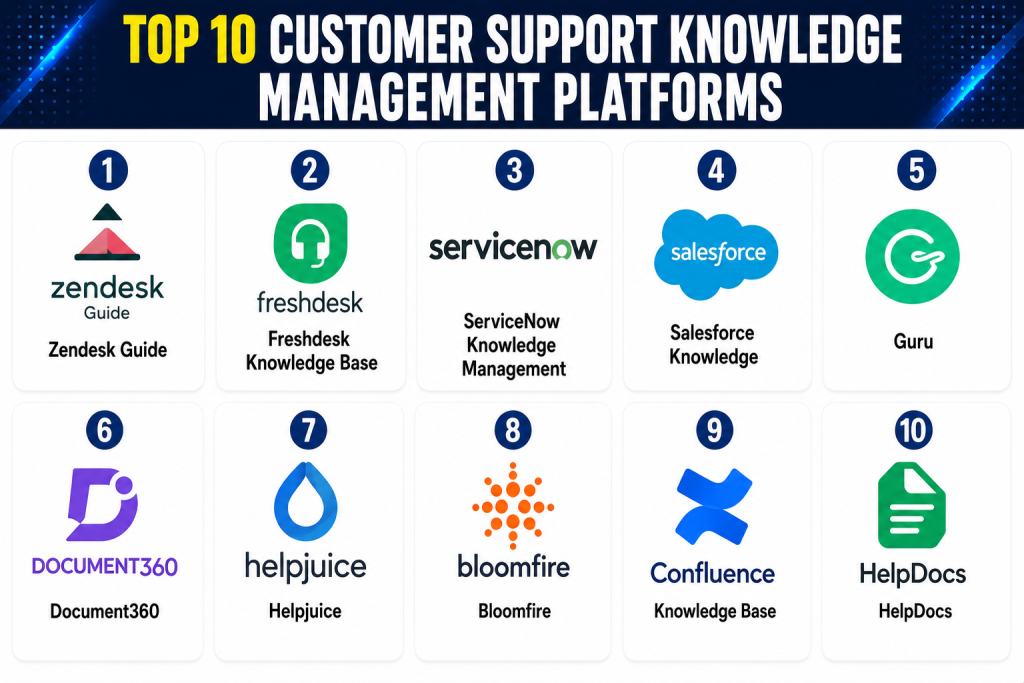
Top 10 Customer Support Knowledge Management Platforms
1 — Zendesk Guide
Short description: Zendesk Guide is a knowledge management system built to work with Zendesk Support. It helps support teams build out self‑service portals, agent knowledge bases, and AI‑assisted content suggestions across channels.
Key Features
- Contextual help center builder
- AI‑recommended articles based on search query
- Version and content approval workflows
- Integrates with Zendesk Support and Chat
- Role‑based content publishing
- Multi‑locale support
Pros
- Seamless integration with Zendesk Support
- Strong authoring interface
- AI‑based article suggestions
Cons
- Works best within Zendesk ecosystem
- Advanced analytics may require higher plans
- Limited standalone use
Platforms / Deployment
- Web
- Cloud
Security & Compliance
- Encryption at rest and in transit
- Role‑based access controls
- Audit trails
Integrations & Ecosystem
Zendesk Guide connects with:
- Zendesk Support & Chat
- CRM systems
- Search widgets on web and in‑app portals
- Analytics tools
Support & Community
- Tiered Zendesk support
- Documentation and community forums
2 — Freshdesk Knowledge Base
Short description: Freshdesk includes a robust knowledge base component as part of its support suite, enabling teams to deliver articles to customers and agents and track usage and feedback.
Key Features
- Article categorization and tags
- Feedback and rating system
- Version control
- Multi‑channel publishing
- Search analytics
- Customizable themes
Pros
- Intuitive UI for authors
- Good integration with Freshdesk ticketing
- Customer feedback scoring
Cons
- AI search capabilities vary by plan
- Best experience within Freshdesk ecosystem
- Analytics depth limited for enterprises
Platforms / Deployment
- Web
- Cloud
Security & Compliance
- Standard encryption
- Access levels
Integrations & Ecosystem
- Freshdesk support suite
- Chat systems
- Portals
Support & Community
- Freshworks support
- Online docs and tutorials
3 — ServiceNow Knowledge Management
Short description: Part of the ServiceNow Customer Service and ITSM offerings, this solution provides enterprise‑level knowledge workflows, approval chains, and multi‑product support knowledge portals.
Key Features
- Guided article creation
- Workflows for review and approval
- Enterprise search with relevance tuning
- Analytics on usage and gaps
- Multi‑language support
- Integration with Incident and Problem modules
Pros
- Enterprise governance and workflows
- Strong analytics and compliance readiness
- Unified with ITSM and CSM
Cons
- High implementation effort
- Best suited for large enterprises
- Content modeling requires planning
Platforms / Deployment
- Web / Mobile
- Cloud / Hybrid
Security & Compliance
- RBAC, audit logs
- Encryption
- Compliance reporting
Integrations & Ecosystem
- ServiceNow ITSM modules
- CRM and portal systems
- Search and analytics tools
Support & Community
- Global support tiers
- Documentation and expert community
4 — Salesforce Knowledge
Short description: Salesforce Knowledge is a structured content repository that works within the Salesforce ecosystem to deliver knowledge articles to both support agents and customers.
Key Features
- Structured data articles
- Role‑based publishing
- Omni‑channel article delivery
- Feedback and version control
- Article scoring and metrics
- Multi‑language and translation features
Pros
- Seamless with Salesforce Service Cloud
- Strong governance tools
- Tailored content by user role
Cons
- Best value within Salesforce stack
- Set‑up complexity
- Analytics more CRM‑centric
Platforms / Deployment
- Web / Mobile
- Cloud
Security & Compliance
- Salesforce security model
- Encryption and access control
- Audit trails
Integrations & Ecosystem
- Salesforce CRM & Service Cloud
- Portals and communities
- Third‑party tools via APIs
Support & Community
- Salesforce support
- Trailhead and community resources
5 — Guru
Short description: Guru is a knowledge management platform focused on real‑time expert knowledge capture and delivery, using browser extensions and AI to surface relevant cards during support interactions.
Key Features
- Real‑time knowledge cards
- Browser and Slack extensions
- AI suggestions based on context
- Card verification workflows
- Analytics on usage and gaps
Pros
- Lightweight and fast
- AI context suggestions
- Great for agent productivity
Cons
- Less structured portal for customers
- Standalone use may need connectors
- Pricing tied to user seats
Platforms / Deployment
- Web / Browser extensions / Slack
- Cloud
Security & Compliance
- Encryption in transit and at rest
- Access controls
Integrations & Ecosystem
- Slack and messaging tools
- CRM systems
- Ticketing systems
Support & Community
- Documentation and onboarding help
- Support tiers
6 — Document360
Short description: Document360 is a dedicated knowledge base platform offering powerful authoring tools, category management, advanced search, and analytics suitable for both customer‑facing and internal support knowledge bases.
Key Features
- Advanced Markdown editor
- Versioning and rollback
- Multi‑site support
- Powerful search and filters
- Usage and search analytics
- Custom domains and theming
Pros
- Rich knowledge authoring tools
- Excellent search experience
- Granular access controls
Cons
- Standalone — needs integration for agent delivery
- Knowledge portals not tied to support tickets natively
- Implementation of connectors required
Platforms / Deployment
- Web
- Cloud
Security & Compliance
- Role‑based access
- Encryption
- Audit trails
Integrations & Ecosystem
- Ticketing tools
- CRM systems
- Widgets for portal integration
Support & Community
- Support documentation
- Online community
7 — Helpjuice
Short description: Helpjuice focuses on large‑scale knowledge base creation and search performance, boasting powerful analytics and customizable user experiences.
Key Features
- Custom article templates
- Advanced search algorithm
- AI‑based article suggestions
- Feedback and rating tools
- Multi‑language support
- Usage analytics
Pros
- Exceptional search relevance
- Customizable designs
- Strong analytics
Cons
- Less integrated with ticketing out‑of‑the‑box
- Enterprise needs integration work
- Can be expensive at scale
Platforms / Deployment
- Web
- Cloud
Security & Compliance
- Encryption and access control
- Audit logs
Integrations & Ecosystem
- CRM and support systems
- APIs
Support & Community
- Dedicated support
- Extensive documentation
8 — Bloomfire
Short description: Bloomfire is a knowledge sharing and collaborative platform designed to capture tribal knowledge, documents, videos, and answers in a searchable, social knowledge repository.
Key Features
- Document and video knowledge storage
- AI‑powered search
- Q&A and community forums
- Tagging and taxonomy
- Analytics on engagement and usage
Pros
- Great for rich media knowledge capture
- Social and Q&A features
- AI search relevance
Cons
- Not ticketing‑centric
- Workflow governance less structured
- Best for internal knowledge
Platforms / Deployment
- Web / Mobile
- Cloud
Security & Compliance
- Encryption and access controls
- Audit trails
Integrations & Ecosystem
- CRM tools
- Collaboration platforms
- APIs
Support & Community
- Support tiers
- Community resources
9 — Confluence Knowledge Base
Short description: Confluence provides a collaborative workspace for knowledge creation, versioning, and structured documentation that can be surfaced to customer support and internal teams.
Key Features
- Page authoring and hierarchies
- Version control and history
- Permissions and access policies
- Search and labels
- Templates and macros
- Collaboration and comments
Pros
- Excellent authoring and collaboration
- Flexible content structure
- Integrates with many systems
Cons
- Not built exclusively for support knowledge
- Search experience can be basic without tuning
- Requires portal integration
Platforms / Deployment
- Web
- Cloud / Self‑hosted
Security & Compliance
- RBAC, encryption
- Audit logs
Integrations & Ecosystem
- Jira and other Atlassian tools
- CRM and ticketing via connectors
Support & Community
- Large community
- Documentation and forums
10 — HelpDocs
Short description: HelpDocs is a knowledge base platform designed for simplicity and speed, with strong search and easy setup for customer‑facing self‑service documentation.
Key Features
- Clean authoring experience
- Instant search and suggestions
- Categorization and tags
- Feedback and rating widgets
- Custom themes
Pros
- Fast to set up
- Excellent search relevance
- Great for customer portals
Cons
- Less enterprise governance
- Limited internal agent workflow tooling
- Integrations need work
Platforms / Deployment
- Web
- Cloud
Security & Compliance
- Encryption and access control
- Standard audit features
Integrations & Ecosystem
- CRM and support systems
- Chatbots and portals via APIs
Support & Community
- Online help
- Documentation
Comparison Table (Top 10)
| Tool Name | Best For | Platform(s) Supported | Deployment | Standout Feature | Public Rating |
|---|---|---|---|---|---|
| Zendesk Guide | Support + self‑service | Web/Mobile | Cloud | Omnichannel help center | N/A |
| Freshdesk Knowledge Base | SMB/Mid support | Web/Mobile | Cloud | Integrated with support suite | N/A |
| ServiceNow KM | Enterprise support ops | Web/Mobile | Cloud/Hybrid | Governance + workflows | N/A |
| Salesforce Knowledge | CRM‑aligned support | Web/Mobile | Cloud | Role‑based content | N/A |
| Guru | Agent context & suggestions | Web/Extensions | Cloud | Real‑time knowledge cards | N/A |
| Document360 | Dedicated knowledge base | Web | Cloud | Rich authoring + analytics | N/A |
| Helpjuice | Search‑focused KM | Web | Cloud | Advanced search relevance | N/A |
| Bloomfire | Collaborative knowledge | Web/Mobile | Cloud | Media + social QA | N/A |
| Confluence KB | Collaborative documentation | Web | Cloud/Self‑hosted | Flexible content structure | N/A |
| HelpDocs | Simple self‑service | Web | Cloud | Fast setup + search | N/A |
Evaluation & Scoring
| Tool Name | Core (25%) | Ease (15%) | Integrations (15%) | Security (10%) | Performance (10%) | Support (10%) | Value (15%) | Weighted Total |
|---|---|---|---|---|---|---|---|---|
| Zendesk Guide | 9 | 8 | 9 | 8 | 9 | 8 | 8 | 8.7 |
| Freshdesk Knowledge | 8 | 9 | 8 | 8 | 8 | 8 | 9 | 8.3 |
| ServiceNow KM | 9 | 7 | 9 | 9 | 9 | 8 | 7 | 8.4 |
| Salesforce Knowledge | 8 | 8 | 9 | 9 | 8 | 8 | 7 | 8.1 |
| Guru | 7 | 9 | 8 | 8 | 8 | 7 | 8 | 7.8 |
| Document360 | 8 | 8 | 7 | 8 | 8 | 7 | 8 | 7.8 |
| Helpjuice | 8 | 7 | 8 | 8 | 8 | 8 | 8 | 7.9 |
| Bloomfire | 7 | 8 | 7 | 8 | 7 | 7 | 7 | 7.3 |
| Confluence KB | 7 | 7 | 8 | 8 | 7 | 7 | 8 | 7.6 |
| HelpDocs | 7 | 9 | 7 | 8 | 7 | 7 | 9 | 7.8 |
Interpretation: Higher weighted totals indicate stronger overall platforms when balancing feature depth, search functionality, integrations, ease of use, security, performance, support, and value.
Which Knowledge Management Platform Is Right for You?
Solo / SMB
- HelpDocs or Freshdesk Knowledge Base: Quick setup, excellent search, and affordable self‑service.
Mid‑Market
- Zendesk Guide, Helpjuice: Balanced search relevance, analytics, and workflows.
Enterprise
- ServiceNow Knowledge Management, Salesforce Knowledge: Enterprise workflows, governance, and compliance.
Content Creation vs Search
- Best for authoring & analytics: Document360, Helpjuice
- Best for search and discovery: Zendesk Guide, HelpDocs
Integrations & Ecosystem
- Broad ecosystem: Zendesk Guide, Salesforce Knowledge
- Lightweight, flexible integrations: Document360, Guru
Internal vs Customer‑Facing
- Focus on internal expertise capture: Bloomfire, Confluence KB
- Customer portals & public knowledge base: HelpDocs, Zendesk Guide
Frequently Asked Questions (FAQs)
1 — What pricing models do knowledge management platforms use?
Most use subscription pricing, often tiered based on features, users, or content volume. Some offer enterprise add‑ons.
2 — What makes a good search experience?
Semantic search, natural language support, AI‑suggested matches, and relevance tuning improve findability.
3 — How important are feedback and ratings?
They help identify which articles are helpful and which need improvement — crucial for content governance.
4 — Can knowledge platforms integrate with ticketing systems?
Yes — integrations with support ticketing tools help deflect tickets and surface articles during agent interactions.
5 — Do these platforms support multi‑language content?
Many support multi‑locale content, translation workflows, and localized portals.
6 — Are there mobile options?
Most cloud platforms offer responsive or native mobile experiences for content access on the go.
7 — How does governance work in knowledge bases?
Governance involves review/approval workflows, version control, and role‑based publishing permissions.
8 — What analytics are useful?
Search queries, article views, usefulness ratings, time‑to‑answer impacts, and gap reports show where content is lacking.
9 — Can knowledge be personalized?
Some platforms surface content based on user role, context, or previous searches.
10 — What alternatives exist?
For very small teams, simple FAQ pages or shared document folders may suffice initially.
Conclusion
Customer Support Knowledge Management Platforms are vital for scaling support operations, improving self‑service, and reducing agent workload. SMBs and small teams will find HelpDocs or Freshdesk Knowledge Base easy to adopt. Mid‑market teams benefit from Zendesk Guide and Helpjuice for search quality and CRM/portal impact. Enterprises with complex governance needs should evaluate ServiceNow Knowledge Management or Salesforce Knowledge for robust workflows and compliance.
