Introduction
GPU Cluster Scheduling Tools are specialized platforms that manage and optimize the allocation of GPU resources across high-performance computing (HPC) clusters or AI/ML training environments. These tools coordinate workloads, balance GPU utilization, reduce idle time, and ensure that compute-intensive tasks like deep learning training, scientific simulations, and graphics rendering run efficiently across multi-node GPU clusters.
In , GPU scheduling is critical as AI workloads, deep learning models, and computational simulations continue to grow in scale and complexity. Organizations require solutions that provide real-time visibility into GPU usage, intelligent job prioritization, and integration with cloud and on-premises infrastructure. Efficient scheduling reduces resource wastage, accelerates model training, and optimizes cost across both enterprise and research environments.
Real-world use cases include:
- AI and ML model training across multiple GPU nodes.
- High-performance rendering for visual effects and graphics-intensive workloads.
- Scientific simulations in genomics, climate modeling, or physics requiring parallel GPU computation.
- Cloud-based GPU rental services needing fair resource allocation.
- Data analytics pipelines leveraging GPU acceleration for faster computation.
Evaluation Criteria for Buyers:
- Multi-GPU and multi-node support
- Job prioritization and preemption capabilities
- Real-time monitoring and utilization tracking
- Integration with Kubernetes or container orchestration
- Support for AI/ML frameworks (TensorFlow, PyTorch)
- Scalability and dynamic resource allocation
- Scheduling policies for fair-share or priority queues
- Deployment flexibility (cloud, on-prem, hybrid)
- Ease of use and management dashboard
- Security, access control, and compliance features
Best for: AI researchers, data scientists, HPC administrators, enterprise IT teams, cloud providers, and DevOps teams managing GPU-intensive workloads.
Not ideal for: Small-scale single-GPU environments or workloads that do not require high parallelism; simple batch jobs may use native OS scheduling or container runtimes instead.
Key Trends in GPU Cluster Scheduling Tools
- AI-driven scheduling for predictive job placement and GPU utilization optimization.
- Container-native scheduling integration with Kubernetes and GPU-aware orchestration.
- Dynamic workload scaling across on-premises and cloud GPU clusters.
- Fair-share, preemption, and priority-based job scheduling for multi-tenant environments.
- GPU virtualization and multi-tenant isolation for secure multi-user clusters.
- Enhanced telemetry dashboards with real-time metrics and historical analysis.
- Cloud provider integration for hybrid GPU workload management.
- Open-source and commercial convergence for flexible deployments.
- Cost-aware scheduling to reduce cloud GPU expenditure.
- Automation of job retries, dependency management, and GPU health monitoring.
How We Selected These Tools (Methodology)
- Evaluated market adoption and recognition in AI/HPC communities.
- Assessed feature completeness: multi-GPU support, scheduling policies, monitoring.
- Verified performance signals from large-scale AI training or HPC clusters.
- Checked security posture, including access controls and isolation.
- Reviewed integration capabilities with container orchestration and AI frameworks.
- Considered customer fit across small teams, mid-market, and enterprise users.
- Prioritized tools with AI/ML support for training and inference workloads.
- Examined support ecosystem: documentation, community, and vendor support.
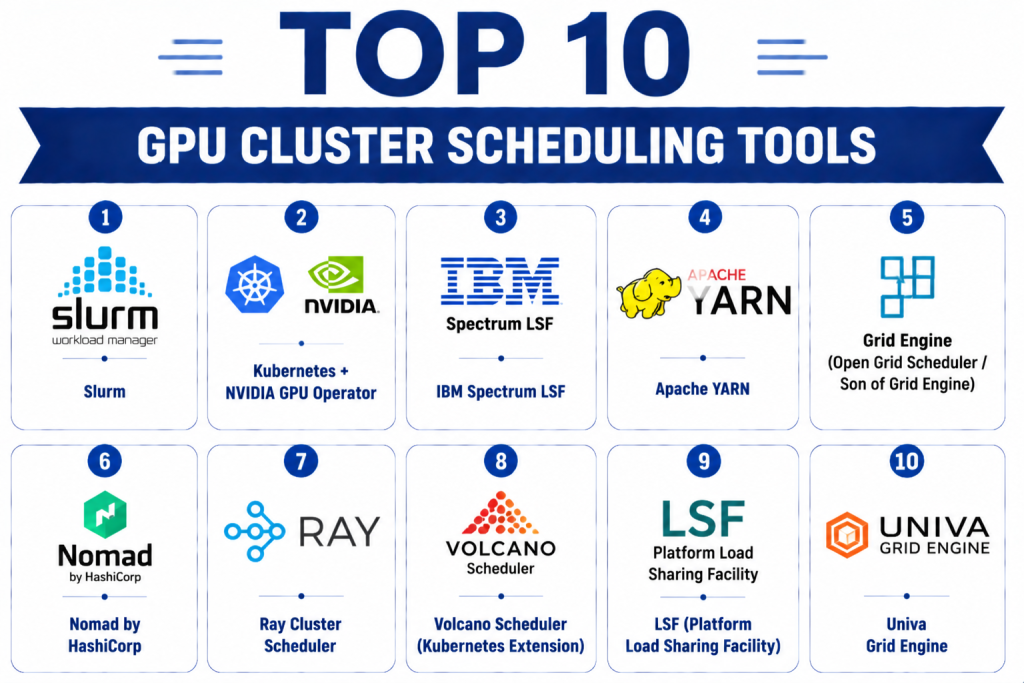
Top 10 GPU Cluster Scheduling Tools
1- Slurm
Short description: Slurm is an open-source, highly scalable cluster scheduler widely used in HPC environments. It is designed for resource allocation, job scheduling, and managing multi-node GPU clusters for scientific computing and AI workloads.
Key Features
- Job queueing and prioritization
- GPU-aware scheduling and allocation
- Preemption and fair-share policies
- Real-time job and node monitoring
- Accounting and reporting
- Scalable to thousands of nodes
Pros
- Open-source and widely adopted in research
- Highly configurable for diverse workloads
- Supports complex dependency chains
Cons
- Requires expertise to configure and maintain
- Minimal native GUI; mostly command-line driven
Platforms / Deployment
- Linux / On-premises / Hybrid
Security & Compliance
- RBAC and user-based access control
- Not publicly stated for certifications
Integrations & Ecosystem
Integrates with HPC frameworks, AI libraries, and monitoring tools.
- Kubernetes via Slurm plugin
- NVIDIA GPU drivers
- Prometheus monitoring
Support & Community
Large open-source community, extensive documentation, commercial support available from vendors.
2- Kubernetes + NVIDIA GPU Operator
Short description: Kubernetes with NVIDIA GPU Operator schedules GPU workloads in containerized clusters, automating driver installation, GPU monitoring, and workload orchestration.
Key Features
- Automated GPU provisioning in Kubernetes
- Driver and CUDA toolkit management
- GPU-aware pod scheduling
- Real-time cluster metrics
- Multi-tenant namespace support
Pros
- Native Kubernetes integration
- Simplifies containerized GPU workload deployment
- Scalable and cloud-compatible
Cons
- Requires Kubernetes expertise
- Limited batch job queueing compared to HPC schedulers
Platforms / Deployment
- Linux / Cloud / On-premises
Security & Compliance
- SSO/SAML and RBAC via Kubernetes
- Not publicly stated for certifications
Integrations & Ecosystem
Supports AI/ML frameworks and monitoring solutions.
- TensorFlow, PyTorch
- Prometheus, Grafana
- Helm charts and APIs
Support & Community
Active Kubernetes and NVIDIA community, extensive documentation.
3- IBM Spectrum LSF
Short description: IBM Spectrum LSF is a commercial enterprise scheduler for HPC and AI workloads, offering GPU-aware scheduling, job management, and analytics for large clusters.
Key Features
- Multi-GPU and multi-node scheduling
- Job dependency and workflow management
- Advanced resource policies
- GPU utilization analytics
- Cloud and hybrid support
Pros
- Enterprise-grade features and support
- Robust GPU scheduling and analytics
- Workflow automation for HPC and AI workloads
Cons
- Commercial license required
- Setup and configuration complexity
Platforms / Deployment
- Linux / Cloud / On-premises
Security & Compliance
- Encryption, RBAC
- Not publicly stated
Integrations & Ecosystem
Integrates with AI frameworks, HPC job scripts, and cluster monitoring.
- TensorFlow, PyTorch
- Prometheus, Grafana
- HPC storage systems
Support & Community
Enterprise support from IBM, detailed documentation, smaller user community than open-source solutions.
4- Apache YARN
Short description: Apache YARN manages distributed GPU workloads in big data and AI environments, providing resource allocation, job scheduling, and cluster management.
Key Features
- Resource manager for GPU and CPU clusters
- Job prioritization and preemption
- Fault tolerance and recovery
- Real-time metrics
- Scalable for multi-tenant clusters
Pros
- Open-source and widely used in big data
- GPU scheduling via plugins
- Integrates with Hadoop and Spark ecosystems
Cons
- Limited native GPU-specific policies
- Setup complexity in heterogeneous clusters
Platforms / Deployment
- Linux / Cloud / On-premises
Security & Compliance
- RBAC, encryption
- Not publicly stated
Integrations & Ecosystem
- Spark, Hadoop, TensorFlow
- REST APIs
- Prometheus monitoring
Support & Community
Active Apache community, documentation and user forums.
5- Grid Engine (Open Grid Scheduler / Son of Grid Engine)
Short description: A classic HPC scheduler supporting GPU workloads, managing job queues, priorities, and GPU allocation in multi-node clusters.
Key Features
- GPU-aware job scheduling
- Fair-share and priority policies
- Job preemption and dependency management
- Accounting and reporting
- Multi-cluster support
Pros
- Open-source and mature
- Lightweight and reliable for HPC workloads
- Flexible policy configuration
Cons
- Minimal native GUI
- Limited cloud-native features
Platforms / Deployment
- Linux / On-premises / Hybrid
Security & Compliance
- User-based access control
- Not publicly stated
Integrations & Ecosystem
- AI/ML frameworks
- Monitoring via Prometheus or Ganglia
- HPC storage systems
Support & Community
Open-source community, commercial support through vendors.
6- Nomad by HashiCorp
Short description: Nomad is a multi-cloud scheduler that supports GPU workloads in containerized and virtualized environments with simple deployment and scalability.
Key Features
- GPU-aware scheduling
- Multi-datacenter workload orchestration
- Integration with container runtimes
- Preemption and scaling policies
- Lightweight and minimalistic design
Pros
- Simple and easy-to-use interface
- Supports hybrid and multi-cloud deployments
- Flexible job definitions
Cons
- Less advanced GPU-specific analytics
- Smaller community for HPC-focused workloads
Platforms / Deployment
- Linux / Cloud / On-premises
Security & Compliance
- RBAC, ACLs
- Not publicly stated
Integrations & Ecosystem
- Kubernetes, Docker, AI frameworks
- REST APIs
- Monitoring with Prometheus
Support & Community
Commercial support via HashiCorp, growing community, good documentation.
7- Ray Cluster Scheduler
Short description: Ray manages distributed GPU workloads for AI/ML workloads, optimizing resource allocation and parallel task execution across clusters.
Key Features
- Distributed task scheduling
- GPU resource management
- Autoscaling and load balancing
- Integration with Python ML libraries
- Fault-tolerant execution
Pros
- Optimized for AI/ML workloads
- Python-native integration
- Supports large multi-node clusters
Cons
- Requires programming knowledge
- Less suited for general HPC workloads
Platforms / Deployment
- Linux / Cloud / On-premises
Security & Compliance
- Not publicly stated
Integrations & Ecosystem
- TensorFlow, PyTorch
- Dask, Spark
- Custom Python APIs
Support & Community
Active open-source community, detailed documentation.
8- Volcano Scheduler (Kubernetes Extension)
Short description: Volcano extends Kubernetes to provide advanced GPU-aware batch scheduling, job dependencies, and priority-based scheduling for AI/ML workloads.
Key Features
- Batch job management
- GPU resource allocation
- Job priority and preemption
- Dependency management
- Integration with Kubernetes
Pros
- Leverages Kubernetes ecosystem
- Designed for batch AI/ML workloads
- Open-source
Cons
- Requires Kubernetes knowledge
- Complex setup for heterogeneous clusters
Platforms / Deployment
- Linux / Cloud / Hybrid
Security & Compliance
- RBAC via Kubernetes
- Not publicly stated
Integrations & Ecosystem
- TensorFlow, PyTorch
- Helm charts
- Prometheus monitoring
Support & Community
Open-source community, active GitHub repository, documentation.
9- LSF (Platform Load Sharing Facility)
Short description: Enterprise-grade GPU scheduler for HPC clusters, providing robust job scheduling, priority queues, and GPU resource management.
Key Features
- Multi-GPU and multi-node scheduling
- Job dependencies and preemption
- GPU utilization analytics
- Cloud and hybrid support
- Policy-based job prioritization
Pros
- Enterprise-grade reliability
- Advanced GPU scheduling policies
- Cloud integration for hybrid clusters
Cons
- Commercial license required
- Steep learning curve
Platforms / Deployment
- Linux / Cloud / On-premises
Security & Compliance
- Encryption, RBAC
- Not publicly stated
Integrations & Ecosystem
- AI frameworks and HPC storage
- Kubernetes integration
- Monitoring dashboards
Support & Community
Commercial support from vendor, documentation available.
10- Univa Grid Engine
Short description: Enterprise scheduler for GPU clusters, managing HPC and AI workloads with flexible job scheduling and resource management.
Key Features
- GPU-aware scheduling
- Job queueing and prioritization
- Preemption and fair-share policies
- Multi-cluster support
- Monitoring and analytics
Pros
- Mature and stable
- Flexible configuration
- Supports enterprise AI workloads
Cons
- Requires administrative expertise
- Premium pricing
Platforms / Deployment
- Linux / Cloud / On-premises
Security & Compliance
- User access control
- Not publicly stated
Integrations & Ecosystem
- AI/ML frameworks
- REST APIs
- Monitoring with Prometheus or custom dashboards
Support & Community
Enterprise support available, active documentation.
Comparison Table (Top 10)
| Tool Name | Best For | Platform(s) Supported | Deployment | Standout Feature | Public Rating |
|---|---|---|---|---|---|
| Slurm | HPC clusters | Linux | On-prem / Hybrid | Open-source, highly scalable | N/A |
| Kubernetes + NVIDIA GPU Operator | Containerized GPU workloads | Linux | Cloud / On-prem | GPU Operator automation | N/A |
| IBM Spectrum LSF | Enterprise AI/HPC | Linux | Cloud / On-prem | GPU-aware job analytics | N/A |
| Apache YARN | Big data + GPU | Linux | Cloud / On-prem | Hadoop ecosystem integration | N/A |
| Grid Engine | HPC job scheduling | Linux | On-prem / Hybrid | Lightweight, reliable | N/A |
| Nomad | Hybrid cloud GPU workloads | Linux | Cloud / On-prem | Simple, multi-cloud | N/A |
| Ray Cluster Scheduler | Distributed AI/ML | Linux | Cloud / On-prem | Python-native parallelism | N/A |
| Volcano Scheduler | Kubernetes batch jobs | Linux | Cloud / Hybrid | Batch GPU scheduling | N/A |
| LSF | Enterprise HPC | Linux | Cloud / On-prem | Advanced scheduling policies | N/A |
| Univa Grid Engine | AI/HPC enterprise | Linux | Cloud / On-prem | Flexible GPU job scheduling | N/A |
Evaluation & Scoring of GPU Cluster Scheduling Tools
| Tool Name | Core (25%) | Ease (15%) | Integrations (15%) | Security (10%) | Performance (10%) | Support (10%) | Value (15%) | Weighted Total |
|---|---|---|---|---|---|---|---|---|
| Slurm | 9 | 7 | 8 | 7 | 9 | 7 | 9 | 8.1 |
| Kubernetes + NVIDIA GPU Operator | 8 | 8 | 9 | 7 | 8 | 8 | 8 | 8.0 |
| IBM Spectrum LSF | 9 | 7 | 8 | 8 | 9 | 8 | 7 | 8.1 |
| Apache YARN | 8 | 7 | 8 | 7 | 8 | 7 | 7 | 7.5 |
| Grid Engine | 8 | 6 | 7 | 7 | 8 | 6 | 8 | 7.4 |
| Nomad | 7 | 8 | 8 | 7 | 8 | 7 | 8 | 7.7 |
| Ray Cluster Scheduler | 8 | 7 | 7 | 7 | 8 | 7 | 7 | 7.5 |
| Volcano Scheduler | 8 | 7 | 7 | 7 | 8 | 6 | 7 | 7.4 |
| LSF | 9 | 7 | 8 | 8 | 9 | 8 | 7 | 8.1 |
| Univa Grid Engine | 8 | 7 | 8 | 7 | 8 | 7 | 7 | 7.6 |
Interpretation: Weighted totals indicate overall platform strength; higher scores reflect more robust scheduling, integrations, and GPU optimization. Category scores highlight relative strengths.
Which GPU Cluster Scheduling Tool Is Right for You?
Solo / Freelancer
- Lightweight clusters may benefit from Slurm or Ray for flexibility and minimal overhead.
SMB
- Nomad or Kubernetes + NVIDIA GPU Operator provide simple deployment and multi-cloud support.
Mid-Market
- Apache YARN, Grid Engine, or Univa Grid Engine balance multi-node support with enterprise features.
Enterprise
- LSF, IBM Spectrum LSF, Volcano Scheduler for robust, multi-site GPU cluster management.
Budget vs Premium
- Open-source solutions like Slurm and YARN are cost-effective; commercial tools provide advanced features and support.
Feature Depth vs Ease of Use
- LSF and IBM Spectrum LSF offer advanced scheduling policies but require expertise; Nomad balances usability and functionality.
Integrations & Scalability
- Kubernetes + NVIDIA GPU Operator and Volcano offer strong cloud-native integration and autoscaling.
Security & Compliance Needs
- Enterprises requiring isolation, RBAC, and multi-tenant security should prefer LSF or IBM Spectrum LSF.
Frequently Asked Questions (FAQs)
1- What pricing models are used for GPU scheduling tools?
Open-source schedulers like Slurm and Grid Engine are free; commercial platforms require enterprise licensing, often based on nodes or users.
2- How long does deployment take?
Depends on cluster size; small-scale can deploy in hours, enterprise-grade clusters may require weeks of setup.
3- Can these tools handle multi-node GPU clusters?
Yes, all top tools support multi-GPU, multi-node clusters for AI, ML, and HPC workloads.
4- Are AI and ML workloads supported?
Yes, frameworks like TensorFlow, PyTorch, and MXNet are commonly supported across these platforms.
5- What is the difference between open-source and commercial tools?
Open-source tools provide flexibility but limited support; commercial tools offer enterprise-grade features, analytics, and vendor assistance.
6- Do these platforms support cloud deployments?
Yes, most support cloud, on-premises, or hybrid deployments, including AWS, Azure, and GCP.
7- How is security handled?
Access controls, RBAC, and multi-tenant isolation are standard; encryption and SSO/SAML support is common for enterprise platforms.
8- Can workloads be preempted or prioritized?
Yes, most schedulers support job preemption, priority queues, and fair-share policies.
9- Are these platforms scalable?
Enterprise-grade tools like LSF, IBM Spectrum LSF, and Kubernetes+NVIDIA GPU Operator scale to thousands of nodes.
10- What are alternatives for small teams?
Single-node GPU scheduling via Docker, native OS scheduling, or cloud batch services can be sufficient for small workloads.
Conclusion
GPU Cluster Scheduling Tools are essential for managing complex AI, ML, and HPC workloads across multi-node clusters. Choosing the right platform depends on workload scale, cluster size, cloud/on-premises needs, and integration requirements. Open-source tools offer flexibility and cost efficiency, while commercial platforms provide advanced scheduling, monitoring, and enterprise support.
