Introduction
Ontology Management Tools provide organizations with the ability to define, organize, and govern complex data relationships and semantic structures. They act as the backbone for knowledge graphs, semantic search, AI reasoning, and advanced data interoperability. By maintaining structured ontologies, businesses can enhance data discoverability, enable smarter analytics, and streamline integration across heterogeneous systems.
Real-world use cases include:
- Integrating multiple enterprise data sources for unified knowledge.
- Powering AI reasoning and natural language understanding applications.
- Enabling semantic search and intelligent recommendations.
- Supporting data governance and compliance initiatives.
- Optimizing cross-domain analytics in complex enterprise environments.
What buyers should evaluate: data modeling flexibility, semantic reasoning capabilities, AI/ML integration, scalability, security & compliance, ease of use, deployment flexibility, ecosystem and API support, collaboration features, and cost efficiency.
Best for: data architects, knowledge engineers, large enterprises, AI-driven organizations, and research institutions.
Not ideal for: small businesses with limited data complexity or those seeking simple database solutions.
Key Trends in Container Orchestration Ontology Management Tools
- Growing adoption of AI-driven ontology generation and validation.
- Integration with knowledge graphs and graph databases for real-time analytics.
- Automated reasoning and inference engines for complex data relationships.
- Cloud-native deployments for scalability and distributed access.
- Support for multi-domain and cross-organization ontology integration.
- Enhanced security frameworks with role-based access and audit logs.
- Interoperability with data catalogs, metadata management, and ETL pipelines.
- Focus on low-code or no-code modeling interfaces for wider adoption.
How We Selected These Tools (Methodology)
- Analyzed market adoption and enterprise mindshare.
- Evaluated feature completeness and semantic reasoning capabilities.
- Assessed performance, reliability, and scalability.
- Reviewed security posture and compliance certifications.
- Checked integration options and API extensibility.
- Considered customer fit across small, mid-market, and enterprise segments.
- Validated support and community strength.
- Prioritized platforms enabling AI/ML integration and knowledge graph support.
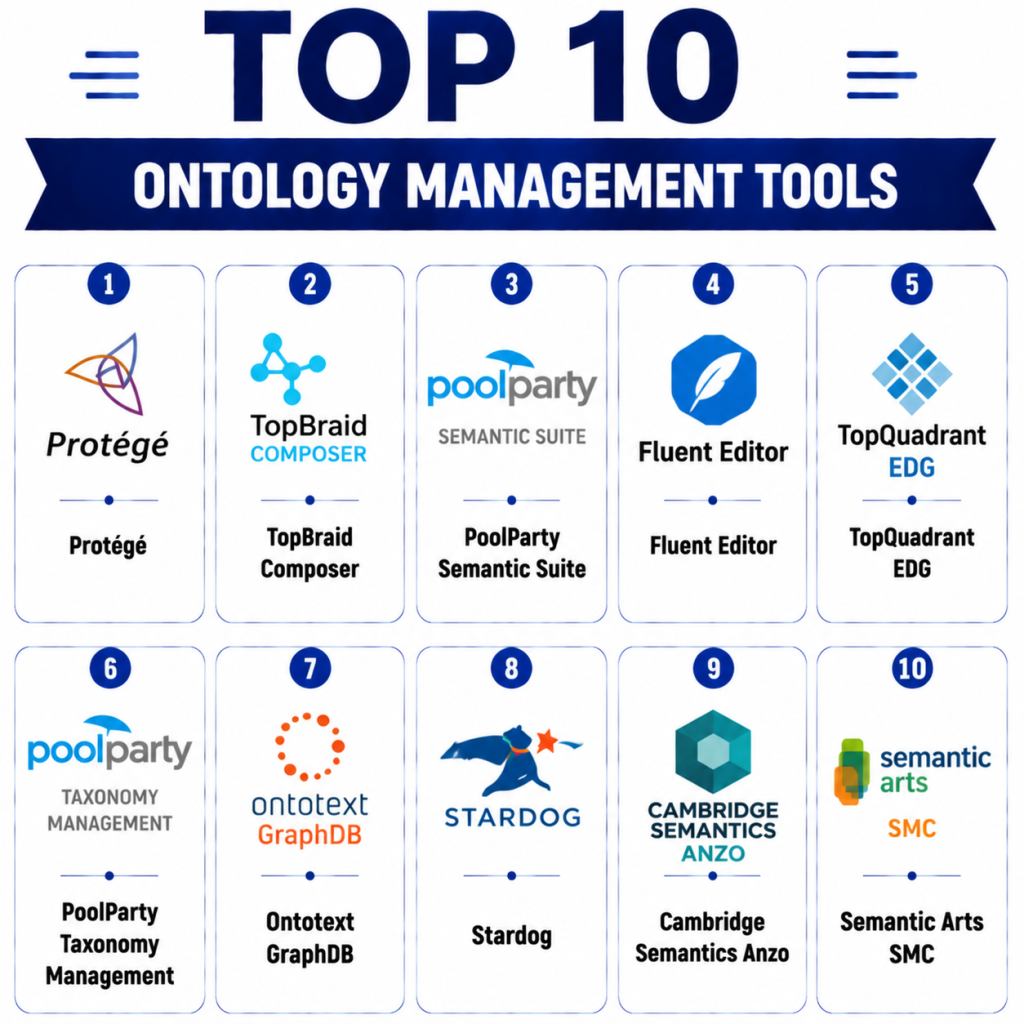
Top 10 Ontology Management Tools
1 — Protégé
Short description: Open-source ontology editor used for creating, visualizing, and managing ontologies. Ideal for researchers, developers, and enterprises requiring a flexible modeling tool.
Key Features
- OWL/RDF support for semantic web standards.
- Graphical ontology visualization and editing.
- Plugin architecture for extensibility.
- Reasoner integration for consistency checking.
- Collaborative ontology management.
Pros
- Free and open-source.
- Strong community support.
Cons
- Learning curve for beginners.
- Limited cloud-native features.
Platforms / Deployment
- Windows / macOS / Linux
- Self-hosted / Local
Security & Compliance
- Not publicly stated
Integrations & Ecosystem
Supports extensions and APIs for ontology import/export, SPARQL endpoints, and reasoners.
- OWL API
- SPARQL endpoints
- Custom plugins
Support & Community
Extensive documentation, forums, and academic support. Community-driven plugin ecosystem.
2 — TopBraid Composer
Short description: Enterprise-grade ontology modeling and management platform. Supports semantic data governance, linked data integration, and AI/ML pipelines.
Key Features
- Visual modeling and validation.
- SPARQL and REST API access.
- Linked Data and RDF support.
- Role-based collaboration.
- Integration with TopBraid EDG for governance.
Pros
- Enterprise-grade reliability.
- Strong data governance capabilities.
Cons
- Licensing cost may be high.
- Requires training for complex models.
Platforms / Deployment
- Windows / macOS
- Cloud / On-premises
Security & Compliance
- Supports RBAC, SSO/SAML.
Integrations & Ecosystem
Works with metadata tools, BI platforms, and AI engines.
- REST APIs
- Linked Data frameworks
- Data catalogs
Support & Community
Dedicated enterprise support and training programs.
3 — PoolParty Semantic Suite
Short description: Semantic knowledge management platform that facilitates ontology creation, linked data integration, and enterprise taxonomy management.
Key Features
- Ontology-based metadata management.
- SKOS and RDF support.
- Linked Open Data integration.
- AI-driven recommendations.
- Graph visualization tools.
Pros
- Strong semantic reasoning.
- Enterprise scalability.
Cons
- Premium pricing.
- May require technical expertise.
Platforms / Deployment
- Web
- Cloud / Hybrid
Security & Compliance
- GDPR compliance and SSO support
Integrations & Ecosystem
Integrates with CMS, BI, and AI platforms.
- REST APIs
- NLP tools
- Knowledge graphs
Support & Community
Professional support with documentation and webinars.
4 — Fluent Editor
Short description: Lightweight ontology and taxonomy editor suitable for enterprises needing agile knowledge modeling. Supports integration with semantic databases.
Key Features
- Drag-and-drop ontology editing.
- JSON-LD and RDF support.
- Version control for ontology evolution.
- API-based integrations.
- Validation tools for consistency.
Pros
- Easy to use.
- Supports agile development.
Cons
- Limited enterprise collaboration.
- Smaller community.
Platforms / Deployment
- Web
- Cloud / Self-hosted
Security & Compliance
- Not publicly stated
Integrations & Ecosystem
- REST API for data integration
- Connection to RDF stores
- Basic BI tool integration
Support & Community
Vendor support available; community smaller but active.
5 — TopQuadrant EDG
Short description: Enterprise Data Governance platform integrating ontology management, metadata management, and data stewardship tools.
Key Features
- Ontology-driven data governance.
- Role-based collaboration.
- Integration with BI and analytics platforms.
- SPARQL querying and validation.
- Advanced reporting.
Pros
- Strong governance capabilities.
- Scalable for large enterprises.
Cons
- Complexity requires training.
- Licensing cost high.
Platforms / Deployment
- Web
- Cloud / On-premises
Security & Compliance
- SSO, RBAC, GDPR support
Integrations & Ecosystem
Connects with data catalogs, BI tools, and knowledge graphs.
- REST APIs
- SPARQL endpoints
- BI integration
Support & Community
Dedicated enterprise support; professional services available.
6 — PoolParty Taxonomy Management
Short description: Focused on taxonomy and ontology management for knowledge graphs and semantic search applications.
Key Features
- Taxonomy editing.
- Linked Data integration.
- Semantic search enablement.
- RDF and SKOS standards support.
- AI-assisted suggestion of terms.
Pros
- Excellent for semantic search.
- AI-assisted taxonomy enrichment.
Cons
- Requires some training.
- Limited free resources.
Platforms / Deployment
- Web
- Cloud / Hybrid
Security & Compliance
- Not publicly stated
Integrations & Ecosystem
- NLP tools
- BI integration
- Linked Data frameworks
Support & Community
Documentation and vendor support.
7 — Ontotext GraphDB
Short description: High-performance RDF database with ontology management and reasoning capabilities for enterprises needing scalable semantic data solutions.
Key Features
- OWL/RDF support.
- Reasoning engine.
- SPARQL endpoint.
- Linked Data integration.
- Scalable graph storage.
Pros
- Excellent reasoning support.
- High scalability.
Cons
- Requires technical knowledge.
- Premium cost for enterprise editions.
Platforms / Deployment
- Linux / Windows
- Cloud / Self-hosted
Security & Compliance
- Not publicly stated
Integrations & Ecosystem
- REST/SPARQL API
- BI tools
- Knowledge graph integration
Support & Community
Professional enterprise support; active technical community.
8 — Stardog
Short description: Enterprise knowledge graph platform offering ontology management, reasoning, and semantic data integration for analytics and AI.
Key Features
- OWL/RDF support.
- AI-powered reasoning.
- SPARQL queries.
- Graph analytics.
- Integration with machine learning pipelines.
Pros
- Strong AI integration.
- Scalable graph database.
Cons
- Licensing costs high.
- Learning curve for complex features.
Platforms / Deployment
- Windows / Linux
- Cloud / Hybrid
Security & Compliance
- RBAC, encryption supported
Integrations & Ecosystem
- ML pipelines
- REST API
- Data catalogs
Support & Community
Enterprise support; strong documentation.
9 — Cambridge Semantics Anzo
Short description: Data fabric and knowledge graph platform supporting ontology management, integration, and enterprise analytics.
Key Features
- Ontology and schema management.
- SPARQL support.
- Data virtualization integration.
- Enterprise reporting.
- Collaboration tools.
Pros
- Enterprise-grade analytics support.
- Flexible integration options.
Cons
- Can be complex to configure.
- Premium licensing.
Platforms / Deployment
- Web
- Cloud / On-premises
Security & Compliance
- Not publicly stated
Integrations & Ecosystem
- BI platforms
- Data virtualization tools
- REST APIs
Support & Community
Professional support; active enterprise client base.
10 — Semantic Arts SMC
Short description: Ontology lifecycle management and semantic integration platform for knowledge-driven organizations and AI applications.
Key Features
- Ontology lifecycle management.
- Linked Data and RDF support.
- Integration with enterprise apps.
- SPARQL endpoints.
- Reasoning and validation tools.
Pros
- Streamlined ontology lifecycle.
- Integration-friendly.
Cons
- Niche community.
- Advanced features require training.
Platforms / Deployment
- Web
- Cloud / On-premises
Security & Compliance
- Not publicly stated
Integrations & Ecosystem
- REST APIs
- Knowledge graphs
- Enterprise application integration
Support & Community
Vendor support available; small technical community.
Comparison Table (Top 10)
| Tool Name | Best For | Platform(s) Supported | Deployment | Standout Feature | Public Rating |
|---|---|---|---|---|---|
| Protégé | Researchers / Developers | Windows / macOS / Linux | Self-hosted | Open-source ontology editor | N/A |
| TopBraid Composer | Enterprises | Windows / macOS | Cloud / On-prem | Enterprise-grade ontology & governance | N/A |
| PoolParty Semantic Suite | Enterprises | Web | Cloud / Hybrid | Semantic knowledge management | N/A |
| Fluent Editor | SMB / Enterprises | Web | Cloud / Self-hosted | Agile ontology modeling | N/A |
| TopQuadrant EDG | Enterprises | Web | Cloud / On-prem | Data governance integration | N/A |
| PoolParty Taxonomy Management | Knowledge teams | Web | Cloud / Hybrid | Taxonomy & semantic search | N/A |
| Ontotext GraphDB | Enterprises | Linux / Windows | Cloud / Self-hosted | High-performance reasoning | N/A |
| Stardog | AI-driven enterprises | Windows / Linux | Cloud / Hybrid | Knowledge graph + AI | N/A |
| Cambridge Semantics Anzo | Enterprises | Web | Cloud / On-prem | Data fabric + ontology | N/A |
| Semantic Arts SMC | AI-focused orgs | Web | Cloud / On-prem | Ontology lifecycle management | N/A |
Evaluation & Scoring of Survey Tools
| Tool Name | Core (25%) | Ease (15%) | Integrations (15%) | Security (10%) | Performance (10%) | Support (10%) | Value (15%) | Weighted Total (0–10) |
|---|---|---|---|---|---|---|---|---|
| Protégé | 9 | 8 | 7 | 6 | 7 | 8 | 9 | 7.9 |
| TopBraid Composer | 9 | 7 | 8 | 8 | 8 | 9 | 7 | 8.0 |
| PoolParty Semantic Suite | 8 | 7 | 8 | 7 | 8 | 8 | 7 | 7.6 |
| Fluent Editor | 7 | 9 | 7 | 6 | 7 | 7 | 8 | 7.3 |
| TopQuadrant EDG | 9 | 7 | 8 | 8 | 8 | 8 | 7 | 7.9 |
| PoolParty Taxonomy Management | 8 | 8 | 7 | 7 | 7 | 7 | 7 | 7.3 |
| Ontotext GraphDB | 9 | 7 | 8 | 7 | 9 | 8 | 7 | 7.8 |
| Stardog | 9 | 7 | 8 | 7 | 9 | 8 | 7 | 7.8 |
| Cambridge Semantics Anzo | 8 | 7 | 8 | 7 | 8 | 7 | 7 | 7.4 |
| Semantic Arts SMC | 8 | 7 | 7 | 7 | 8 | 7 | 7 | 7.2 |
Scores are comparative; higher weighted total indicates stronger overall capability across enterprise and AI-driven ontology projects.
Which Ontology Management Tool Is Right for You?
Solo / Freelancer
Protégé is ideal for individual researchers and small teams needing a free, flexible ontology editor.
SMB
Fluent Editor and PoolParty Taxonomy Management suit small-to-medium businesses with agile modeling needs.
Mid-Market
TopQuadrant EDG and PoolParty Semantic Suite support mid-market organizations integrating governance with semantic analytics.
Enterprise
Stardog, TopBraid Composer, and Ontotext GraphDB excel for large enterprises requiring AI integration, reasoning, and knowledge graph scale.
Budget vs Premium
Open-source tools like Protégé offer cost-effective modeling. Premium solutions provide governance, integration, and support.
Feature Depth vs Ease of Use
Enterprise tools excel in advanced capabilities; Protégé and Fluent Editor are simpler but less feature-rich.
Integrations & Scalability
Stardog, TopBraid, and GraphDB provide scalable APIs, cloud deployment, and multi-system integration.
Security & Compliance Needs
TopBraid and TopQuadrant EDG include RBAC, SSO, and enterprise-grade compliance.
Frequently Asked Questions (FAQs)
1- What is an ontology management tool?
It’s software that helps create, manage, and govern ontologies, structuring data and knowledge for AI, analytics, and semantic applications.
2- How do these tools support AI?
They enable reasoning, semantic search, and integration with machine learning pipelines to improve insights and automation.
3- Are there free ontology management tools?
Yes, Protégé is a widely-used open-source tool for ontology creation and basic management.
4- Can these tools integrate with other systems?
Most provide APIs, SPARQL endpoints, and connectors for BI, AI, and enterprise applications.
5- Do these tools support collaboration?
Yes, enterprise editions offer role-based access, versioning, and collaborative editing features.
6- How complex is learning these tools?
Open-source tools require technical expertise; enterprise solutions offer guided onboarding and documentation.
7- Are they suitable for small businesses?
Simpler tools like Protégé or Fluent Editor can be adopted, but full-featured platforms are better for mid-market and enterprise.
8- How is security handled?
Enterprise tools include RBAC, SSO/SAML, and audit logs; open-source tools require additional configuration.
9- Can ontologies be exported?
Yes, most tools support OWL, RDF, and other standard formats for reuse and integration.
10- How to choose the right tool?
Evaluate team size, AI integration needs, governance requirements, budget, and desired ease of use.
Conclusion
Ontology Management Tools streamline knowledge representation and semantic data integration for enterprises and AI projects. Choose based on scale, integration needs, and governance requirements. Start by shortlisting , run a pilot, and verify integration and compliance.
