Introduction
Phishing Simulation Tools help organizations safely test how employees respond to realistic phishing-style emails, messages, links, attachments, login pages, QR codes, and social engineering scenarios. In simple English, these tools send controlled phishing tests to employees, measure risky behavior, and assign training so people can recognize real attacks more confidently.
Phishing simulation matters now because attackers are using AI-generated emails, business email compromise, fake invoices, QR phishing, credential theft pages, deepfake voice messages, and highly personalized social engineering. Security teams need more than annual training; they need continuous, measurable behavior improvement.
Real-world use cases include:
- Testing employee response to phishing emails
- Training high-risk departments such as finance, HR, and IT
- Measuring reporting rates and click rates
- Running compliance-focused security awareness campaigns
- Reducing credential theft and business email compromise risk
Evaluation Criteria for Buyers:
- Phishing template quality
- Training content depth
- Campaign automation
- Risk-based user targeting
- Reporting and analytics
- Integrations with email and identity systems
- Multi-language support
- User experience and admin usability
- Compliance reporting
- Pricing and scalability
Best for: Phishing simulation tools are best for security teams, IT leaders, compliance managers, CISOs, HR training teams, MSPs, schools, healthcare organizations, banks, SaaS companies, government agencies, and enterprises that want to reduce human cyber risk through measurable training.
Not ideal for: These tools may not be ideal for very small teams with minimal email risk, organizations that already have strong managed security awareness programs, or businesses that only need basic security training videos. In those cases, built-in email security controls, basic awareness content, MFA, password managers, and internal policy training may be enough before purchasing a dedicated platform.
Key Trends in Phishing Simulation Tools
- AI-generated phishing simulations are becoming more realistic: Platforms are adding smarter templates, adaptive scenarios, and role-based content to reflect modern attacker behavior.
- Multi-channel simulations are expanding: Email is still central, but organizations are increasingly testing SMS phishing, voice phishing, QR phishing, collaboration-tool messages, and fake login pages.
- Just-in-time training is replacing generic annual lessons: Instead of sending the same course to everyone, modern platforms trigger targeted training based on actual behavior and risk level.
- Behavioral risk scoring is becoming standard: Tools now measure repeat clickers, reporting behavior, department risk, campaign difficulty, and improvement over time.
- Security culture metrics are becoming more important: Buyers want dashboards that show reporting rates, resilience trends, training completion, and department-level behavior changes.
- Integration with email security is growing: Phishing simulation tools increasingly connect with Microsoft 365, Google Workspace, email gateways, SIEM tools, and phishing report buttons.
- Personalized training is replacing one-size-fits-all modules: Finance teams, executives, developers, HR, and support teams often need different phishing scenarios and learning paths.
- Compliance reporting is becoming a key requirement: Regulated industries want clear evidence of employee training, test history, policy coverage, and audit-ready reports.
- Ethical simulation design matters more: Security teams are moving away from embarrassing employees and toward coaching-focused programs that build trust and improve reporting.
- Managed services are becoming popular: Some organizations prefer vendor-assisted campaign planning, template creation, reporting, and program maturity guidance.
How We Selected These Tools Methodology
- Selected tools with strong recognition in phishing simulation, security awareness training, human risk management, or anti-phishing education.
- Prioritized platforms that support phishing campaigns, training assignment, reporting, and measurable employee behavior change.
- Considered fit across SMB, mid-market, enterprise, education, healthcare, public sector, and managed service provider use cases.
- Evaluated feature completeness across templates, campaign automation, reporting, multi-language content, report buttons, and learner experience.
- Considered integration strength with Microsoft 365, Google Workspace, identity systems, email security tools, SIEM platforms, and HR systems.
- Reviewed practical usability for both security teams and non-technical administrators.
- Considered scalability, support model, content library depth, and ability to manage repeat campaigns over time.
- Avoided invented ratings, unsupported compliance claims, and unverified certifications.
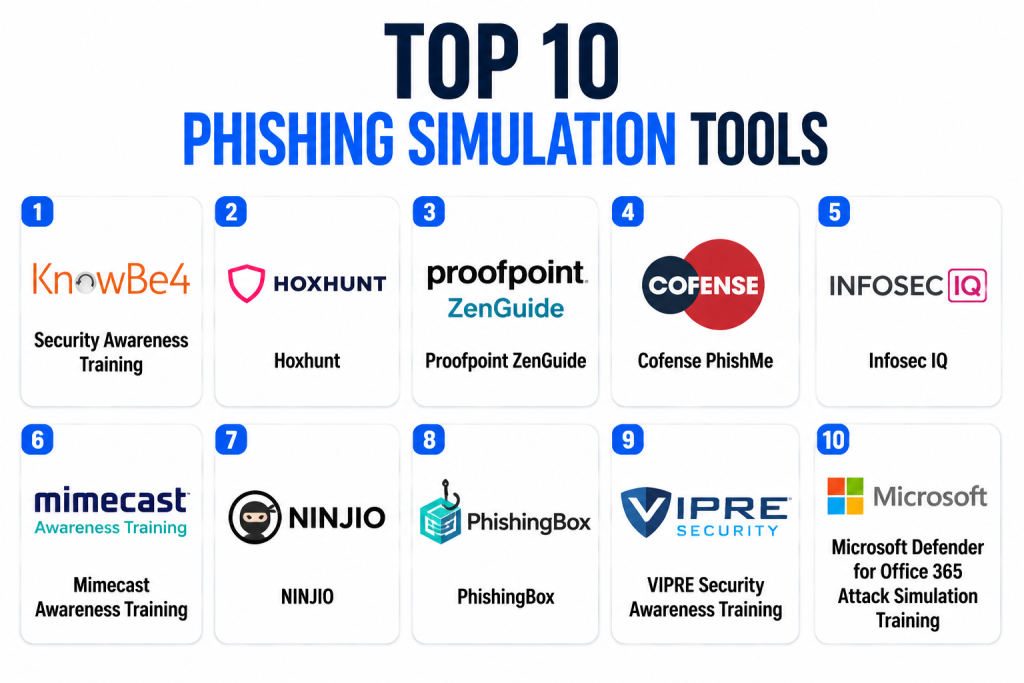
Top 10 Phishing Simulation Tools
1- KnowBe4 Security Awareness Training
Short description: KnowBe4 Security Awareness Training is one of the most widely recognized platforms for phishing simulation, security awareness training, and human risk management. It helps organizations run simulated phishing campaigns, assign training modules, measure risky behavior, and track improvement over time. The platform is suitable for SMBs, mid-market businesses, enterprises, schools, government agencies, and regulated industries. KnowBe4 is often chosen by teams that want a large content library, frequent phishing tests, and structured reporting. It is especially useful for organizations building a long-term security awareness program rather than a one-time training exercise. Buyers should evaluate content fit, admin workflow, pricing, and integration needs before rollout.
Key Features
- Phishing simulation campaigns
- Large security awareness content library
- Automated training assignments
- Phishing report button support
- Risk scoring and behavior analytics
- Multi-language training content
- Campaign templates and reporting dashboards
Pros
- Strong market recognition and broad feature set
- Large content library for different training needs
- Useful for scaling phishing simulation programs across many users
Cons
- Admin experience may require learning for advanced workflows
- Larger content libraries can require curation
- Pricing and packaging should be reviewed carefully by organization size
Platforms / Deployment
Web
Cloud
Security & Compliance
KnowBe4 supports security awareness workflows and user training data management. Specific security certifications, access controls, and compliance documentation should be verified directly during procurement.
SOC 2: Not publicly stated
ISO 27001: Not publicly stated
GDPR: Relevant in applicable regions
SSO/SAML: Varies / N/A
MFA: Varies / N/A
RBAC and audit logs: Varies / N/A
Integrations & Ecosystem
KnowBe4 integrates with common email, identity, and security awareness workflows to support campaign delivery and reporting.
- Microsoft 365
- Google Workspace
- Active Directory and identity workflows
- Phishing report button
- APIs and reporting exports
- Security and compliance dashboards
Support & Community
KnowBe4 provides documentation, onboarding resources, training materials, and customer support. Support depth may vary by plan and contract. Its large user base and mature category presence make it easier for teams to find implementation guidance, best practices, and administrator learning resources.
2- Hoxhunt
Short description: Hoxhunt is a security behavior change and phishing simulation platform designed to make training more personalized, continuous, and engaging. It helps employees practice detecting phishing attempts through realistic simulations and rewards safe behavior through gamified experiences. Hoxhunt is well suited for mid-market and enterprise organizations that want to improve reporting culture, not just reduce click rates. The platform emphasizes automation, user engagement, and role-based learning. It can be especially useful for organizations that want phishing training to feel less like punishment and more like skill development. Buyers should evaluate campaign customization, reporting needs, language coverage, and fit with existing security culture goals.
Key Features
- Personalized phishing simulations
- Gamified security awareness experience
- Employee reporting behavior tracking
- Automated training workflows
- Risk-based learning paths
- Multi-language content support
- Analytics for security culture measurement
Pros
- Strong learner engagement model
- Useful for building positive reporting culture
- Good fit for continuous behavior change programs
Cons
- May be more programmatic than small teams need
- Buyers should evaluate pricing and onboarding effort
- Some organizations may prefer more traditional training libraries
Platforms / Deployment
Web
Cloud
Security & Compliance
Hoxhunt processes employee training and simulation data. Buyers should verify security documentation, access controls, privacy terms, and compliance coverage directly.
SOC 2: Not publicly stated
ISO 27001: Not publicly stated
GDPR: Relevant in applicable regions
SSO/SAML: Varies / N/A
MFA: Varies / N/A
RBAC and audit logs: Varies / N/A
Integrations & Ecosystem
Hoxhunt integrates with email and identity environments to deliver simulations, collect user reports, and manage training outcomes.
- Microsoft 365
- Google Workspace
- Identity provider workflows
- Phishing report button
- Security operations reporting
- HR and learning workflows where supported
Support & Community
Hoxhunt provides onboarding, documentation, customer success, and program guidance. Its support model is useful for organizations that want help improving security culture over time rather than simply launching isolated phishing campaigns.
3- Proofpoint ZenGuide
Short description: Proofpoint ZenGuide is part of Proofpoint’s broader human-centric security and awareness approach, helping organizations train employees, simulate phishing attacks, and reduce risky behavior. It is especially relevant for enterprises already using Proofpoint email security or human risk management tools. The platform helps security teams deliver awareness content, run phishing simulations, and analyze employee risk. Proofpoint’s strength is its alignment with email security, threat intelligence, and enterprise security workflows. It is a strong choice for organizations that want phishing simulation connected to broader email threat protection. Buyers should review platform packaging, integration requirements, and whether they need the full Proofpoint ecosystem.
Key Features
- Phishing simulation campaigns
- Security awareness training
- Human risk analytics
- Email security ecosystem alignment
- Targeted learning assignments
- Reporting and compliance dashboards
- Phishing report workflows
Pros
- Strong fit for organizations using Proofpoint products
- Useful for enterprise email security alignment
- Supports human risk and awareness workflows together
Cons
- May be less attractive outside the Proofpoint ecosystem
- Packaging and product naming should be reviewed carefully
- Enterprise setup may require planning
Platforms / Deployment
Web
Cloud
Security & Compliance
Proofpoint provides enterprise security products and awareness training workflows. Buyers should verify current product-specific certifications, access controls, privacy details, and compliance documentation directly.
SOC 2: Not publicly stated for this specific product
ISO 27001: Not publicly stated for this specific product
GDPR: Relevant in applicable regions
SSO/SAML: Varies / N/A
MFA: Varies / N/A
RBAC and audit logs: Varies / N/A
Integrations & Ecosystem
Proofpoint ZenGuide fits into broader Proofpoint and enterprise email security environments.
- Proofpoint email security ecosystem
- Microsoft 365
- Google Workspace
- Phishing report workflows
- Security dashboards
- SIEM and compliance workflows where supported
Support & Community
Proofpoint offers enterprise support, documentation, and customer success options. Support depth depends on contract and broader Proofpoint deployment. Buyers should confirm onboarding assistance, campaign setup guidance, and reporting support before implementation.
4- Cofense PhishMe
Short description: Cofense PhishMe is a phishing simulation and security awareness tool designed to help organizations train employees through realistic phishing scenarios. It is part of Cofense’s broader phishing defense ecosystem, which also includes phishing reporting and response workflows. Cofense is often used by organizations that want simulation training closely connected to real phishing reporting and security operations. It is suitable for mid-market and enterprise teams, especially those with mature email security and incident response processes. The platform helps measure employee susceptibility, improve reporting behavior, and support anti-phishing readiness. Buyers should assess whether they need only simulation or the broader Cofense phishing defense stack.
Key Features
- Realistic phishing simulation campaigns
- Employee susceptibility measurement
- Awareness training workflows
- Phishing reporting alignment
- Campaign analytics and reporting
- Template and scenario management
- Security operations integration potential
Pros
- Strong focus on phishing defense
- Useful when simulation and phishing reporting need to connect
- Good fit for organizations with mature security teams
Cons
- May be more specialized than general awareness platforms
- Full value may require broader Cofense ecosystem
- Smaller organizations may prefer simpler tools
Platforms / Deployment
Web
Cloud
Security & Compliance
Cofense handles phishing simulation, reporting, and training-related data. Buyers should verify current security documentation, privacy controls, access management, and compliance coverage directly.
SOC 2: Not publicly stated
ISO 27001: Not publicly stated
GDPR: Relevant in applicable regions
SSO/SAML: Varies / N/A
MFA: Varies / N/A
RBAC and audit logs: Varies / N/A
Integrations & Ecosystem
Cofense integrates with phishing reporting and email security workflows, making it useful for teams that want employee reports connected to response processes.
- Microsoft 365
- Google Workspace
- Phishing report button
- Security operations workflows
- Incident response processes
- Cofense phishing defense ecosystem
Support & Community
Cofense provides documentation, onboarding, customer support, and phishing defense expertise. Buyers should confirm training support, integration assistance, and reporting guidance based on contract level.
5- Infosec IQ
Short description: Infosec IQ is a security awareness and phishing simulation platform designed to help organizations train employees, run simulations, and measure human risk. It provides phishing templates, training modules, campaign tools, and learner-focused education resources. The platform is suitable for SMBs, mid-market businesses, enterprises, schools, and compliance-driven organizations. Infosec IQ is useful for teams that want structured awareness training with practical phishing simulation capabilities. It can support both technical and non-technical learners through varied training content. Buyers should evaluate content relevance, campaign workflow, reporting depth, and pricing fit.
Key Features
- Phishing simulation campaigns
- Security awareness training library
- Training assignment automation
- Learner progress tracking
- Campaign reports and analytics
- Role-based training content
- Compliance-oriented training support
Pros
- Balanced awareness training and phishing simulation features
- Useful for organizations needing structured learning paths
- Good fit for compliance and employee education programs
Cons
- May require content planning to avoid generic training fatigue
- Advanced security operations integration may be limited compared with specialized platforms
- Pricing and packaging should be reviewed by learner count
Platforms / Deployment
Web
Cloud
Security & Compliance
Infosec IQ manages training and simulation data. Buyers should verify current certifications, access controls, privacy terms, and compliance documentation directly.
SOC 2: Not publicly stated
ISO 27001: Not publicly stated
GDPR: Relevant in applicable regions
SSO/SAML: Varies / N/A
MFA: Varies / N/A
RBAC and audit logs: Varies / N/A
Integrations & Ecosystem
Infosec IQ supports common awareness and training workflows for organizations that need phishing campaigns and education content.
- Email campaign delivery
- User and group management
- Learning workflows
- Reporting exports
- Identity and directory workflows where supported
- Phishing reporting workflows where supported
Support & Community
Infosec IQ provides documentation, onboarding support, and training resources. Support depth varies by plan and organization size. It is suitable for teams that want a guided security awareness program without building everything internally.
6- Mimecast Awareness Training
Short description: Mimecast Awareness Training helps organizations educate employees about phishing, email security, cyber hygiene, and risky behavior. It is especially relevant for businesses already using Mimecast email security or collaboration protection products. The platform supports security awareness content and phishing-related education designed to improve employee decisions. It can help IT and security teams reinforce safer behavior while keeping training manageable. Mimecast is a good fit for organizations that prefer an awareness platform connected to a broader email security vendor. Buyers should review current product packaging, phishing simulation depth, reporting capabilities, and integration needs.
Key Features
- Security awareness training content
- Phishing and email threat education
- Employee risk behavior tracking
- Campaign and learning management
- Reporting dashboards
- Integration with Mimecast security ecosystem
- Training content for common cyber risks
Pros
- Strong fit for Mimecast customers
- Useful for email-threat-focused awareness training
- Supports broader security education beyond phishing
Cons
- May not be as simulation-centric as specialized phishing platforms
- Best value may come when used with Mimecast ecosystem
- Buyers should validate campaign customization depth
Platforms / Deployment
Web
Cloud
Security & Compliance
Mimecast provides enterprise security and awareness-related solutions. Buyers should verify product-specific certifications, access controls, privacy terms, and compliance documentation directly.
SOC 2: Not publicly stated for this specific product
ISO 27001: Not publicly stated for this specific product
GDPR: Relevant in applicable regions
SSO/SAML: Varies / N/A
MFA: Varies / N/A
RBAC and audit logs: Varies / N/A
Integrations & Ecosystem
Mimecast Awareness Training fits best inside organizations using Mimecast for email security, archiving, or cyber resilience workflows.
- Mimecast security ecosystem
- Microsoft 365
- Google Workspace
- Email security workflows
- User awareness reporting
- Compliance reporting workflows
Support & Community
Mimecast provides documentation, support, and account assistance depending on product and contract. Buyers should confirm onboarding, awareness program guidance, and reporting support before adoption.
7- NINJIO
Short description: NINJIO is a cybersecurity awareness training platform known for story-driven, animated, and engaging content that teaches employees about phishing, scams, social engineering, and other cyber risks. While it is often recognized for training content, it can support phishing awareness programs by helping employees understand attacker tactics in a memorable way. NINJIO is suitable for organizations that want engaging, accessible training rather than dry compliance-style modules. It works well for SMBs, mid-market businesses, schools, healthcare teams, and companies trying to improve security culture. The platform is useful when learner engagement is the main challenge. Buyers should verify phishing simulation depth if they need advanced campaign testing.
Key Features
- Story-based security awareness content
- Phishing and social engineering education
- Employee training assignment workflows
- Short-form learning modules
- Learner progress tracking
- Multi-topic cybersecurity awareness coverage
- Reporting for training completion
Pros
- Strong learner engagement through storytelling
- Useful for improving general security awareness
- Good fit for teams that struggle with training fatigue
Cons
- May not be as deep in phishing simulation as specialized tools
- Advanced campaign automation should be validated
- Not ideal if the main need is security operations integration
Platforms / Deployment
Web
Cloud
Security & Compliance
NINJIO manages training and learner data. Buyers should verify current security documentation, privacy controls, and compliance coverage directly.
SOC 2: Not publicly stated
ISO 27001: Not publicly stated
GDPR: Relevant in applicable regions
SSO/SAML: Varies / N/A
MFA: Varies / N/A
RBAC and audit logs: Varies / N/A
Integrations & Ecosystem
NINJIO supports training delivery and learner management workflows for security awareness programs.
- Learning management workflows
- User and group management
- Reporting exports
- Email training notifications
- HR and LMS workflows where supported
- Awareness campaign planning
Support & Community
NINJIO provides training resources, support, and onboarding assistance. It is best for organizations prioritizing employee engagement and memorable security lessons over highly technical simulation workflows.
8- PhishingBox
Short description: PhishingBox is a phishing simulation and security awareness training platform designed to help organizations test users, assign training, and measure phishing risk. It is often considered by SMBs, MSPs, consultants, and organizations that want practical phishing simulation without excessive complexity. PhishingBox supports campaign creation, templates, landing pages, training assignments, and reporting. It can be useful for teams that need a focused tool for running repeat simulations and documenting training outcomes. The platform is especially relevant for organizations that want more control over campaigns and user groups. Buyers should evaluate template quality, admin usability, and support model.
Key Features
- Phishing simulation campaigns
- Campaign templates and landing pages
- Security awareness training modules
- User group targeting
- Reporting and analytics
- Training assignment workflows
- MSP-friendly use cases
Pros
- Practical phishing simulation feature set
- Useful for SMBs and service providers
- Good fit for repeat testing and training workflows
Cons
- May not have the same enterprise ecosystem depth as larger vendors
- Content library depth should be evaluated
- Advanced analytics may vary by plan
Platforms / Deployment
Web
Cloud
Security & Compliance
PhishingBox handles user training and simulation data. Buyers should verify security documentation, access controls, privacy terms, and compliance details directly.
SOC 2: Not publicly stated
ISO 27001: Not publicly stated
GDPR: Relevant in applicable regions
SSO/SAML: Varies / N/A
MFA: Varies / N/A
RBAC and audit logs: Varies / N/A
Integrations & Ecosystem
PhishingBox supports campaign delivery, user management, and reporting workflows for phishing simulation programs.
- Email simulation workflows
- User group management
- Training modules
- Reporting exports
- MSP and client management workflows
- Awareness campaign tools
Support & Community
PhishingBox provides documentation and support resources. It can be especially useful for smaller teams and service providers that want a focused phishing simulation platform with manageable administration.
9- VIPRE Security Awareness Training
Short description: VIPRE Security Awareness Training helps organizations train employees to recognize phishing, malware, social engineering, and everyday cyber risks. It is a practical option for organizations that want security awareness and phishing simulation capabilities from a broader security vendor. VIPRE can support employee training, simulated phishing, reporting, and risk reduction initiatives. It is suitable for SMBs, mid-market businesses, education, healthcare, and companies that prefer a manageable awareness solution. The platform may be especially useful for organizations already considering VIPRE’s wider security portfolio. Buyers should validate phishing simulation depth, reporting flexibility, and integration requirements.
Key Features
- Security awareness training
- Phishing simulation support
- Employee risk education
- Training assignment workflows
- Campaign reporting
- Cyber hygiene content
- Business-friendly administration
Pros
- Practical option for SMB and mid-market awareness programs
- Useful if aligned with broader VIPRE security products
- Simpler approach than some enterprise-heavy platforms
Cons
- May not offer the deepest enterprise simulation analytics
- Content and reporting depth should be reviewed
- Buyers should confirm integration support before rollout
Platforms / Deployment
Web
Cloud
Security & Compliance
VIPRE Security Awareness Training manages employee learning and simulation data. Buyers should verify security controls, privacy documentation, and compliance coverage directly.
SOC 2: Not publicly stated for this specific product
ISO 27001: Not publicly stated for this specific product
GDPR: Relevant in applicable regions
SSO/SAML: Varies / N/A
MFA: Varies / N/A
RBAC and audit logs: Varies / N/A
Integrations & Ecosystem
VIPRE Security Awareness Training fits into awareness and cyber hygiene workflows for organizations that need practical employee education.
- Email training workflows
- Phishing simulation campaigns
- User management
- Reporting dashboards
- Security awareness content
- Broader VIPRE security ecosystem where applicable
Support & Community
VIPRE provides customer support, documentation, and product assistance. Organizations should confirm onboarding help, support tiers, and reporting guidance based on their selected plan.
10- Microsoft Defender for Office 365 Attack Simulation Training
Short description: Microsoft Defender for Office 365 Attack Simulation Training helps organizations run phishing and credential-harvesting simulations inside the Microsoft security ecosystem. It is especially relevant for businesses already using Microsoft 365, Exchange Online, Entra ID, and Defender security tools. The platform allows security teams to simulate phishing-style attacks, assign training, and measure user behavior without adding a separate standalone vendor. It is a strong fit for Microsoft-centric organizations that want native alignment with their email and identity environment. Its biggest advantage is ecosystem fit, while its limitations depend on whether the organization needs deeper third-party content, customization, or managed awareness services.
Key Features
- Attack simulation training for Microsoft 365 environments
- Phishing and credential-harvesting simulation options
- User targeting and campaign management
- Training assignment workflows
- Microsoft security ecosystem integration
- Reporting and behavior measurement
- Native fit with Defender for Office 365
Pros
- Strong fit for Microsoft 365 organizations
- Reduces need for a separate tool in some environments
- Useful for native email and identity-aligned simulations
Cons
- Less suitable for non-Microsoft environments
- Content and workflow depth may not match dedicated awareness platforms
- Licensing and availability should be reviewed carefully
Platforms / Deployment
Web
Cloud
Security & Compliance
Microsoft Defender for Office 365 operates within Microsoft’s security and compliance ecosystem. Buyers should verify tenant-specific licensing, admin controls, audit logs, access settings, and compliance requirements.
SOC 2: Not publicly stated for this specific feature
ISO 27001: Not publicly stated for this specific feature
GDPR: Relevant in applicable regions
SSO/SAML: Supported through Microsoft identity ecosystem
MFA: Supported through Microsoft identity ecosystem
RBAC and audit logs: Available depending on Microsoft tenant configuration
Integrations & Ecosystem
Attack Simulation Training is most useful for organizations already standardized on Microsoft 365 and Defender security tools.
- Microsoft 365
- Defender for Office 365
- Exchange Online
- Microsoft Entra ID
- Security portal reporting
- Microsoft compliance and admin workflows
Support & Community
Microsoft provides documentation, admin guidance, enterprise support, and partner ecosystem resources. Support depth depends on licensing, support plan, and internal Microsoft administration expertise.
Comparison Table Top 10
| Tool Name | Best For | Platform Supported | Deployment | Standout Feature | Public Rating |
|---|---|---|---|---|---|
| KnowBe4 Security Awareness Training | Broad phishing simulation and awareness programs | Web | Cloud | Large content library and mature simulations | N/A |
| Hoxhunt | Behavior change and employee engagement | Web | Cloud | Gamified, personalized phishing training | N/A |
| Proofpoint ZenGuide | Enterprise email security-aligned awareness | Web | Cloud | Human risk training connected to Proofpoint ecosystem | N/A |
| Cofense PhishMe | Phishing defense and reporting-focused programs | Web | Cloud | Simulation aligned with phishing reporting workflows | N/A |
| Infosec IQ | Structured security awareness and compliance training | Web | Cloud | Balanced training library and simulation tools | N/A |
| Mimecast Awareness Training | Mimecast email security customers | Web | Cloud | Awareness training within Mimecast ecosystem | N/A |
| NINJIO | Story-driven security awareness training | Web | Cloud | Engaging animated training content | N/A |
| PhishingBox | SMBs, MSPs, and focused phishing simulations | Web | Cloud | Practical campaign creation and training workflows | N/A |
| VIPRE Security Awareness Training | SMB and mid-market awareness programs | Web | Cloud | Practical awareness training from security vendor ecosystem | N/A |
| Microsoft Defender for Office 365 Attack Simulation Training | Microsoft 365 organizations | Web | Cloud | Native Microsoft phishing simulation capability | N/A |
Evaluation & Scoring of Phishing Simulation Tools
| Tool Name | Core 25% | Ease 15% | Integrations 15% | Security 10% | Performance 10% | Support 10% | Value 15% | Weighted Total 0–10 |
| KnowBe4 Security Awareness Training | 9 | 8 | 8 | 8 | 8 | 8 | 8 | 8.30 |
| Hoxhunt | 9 | 8 | 8 | 8 | 8 | 8 | 8 | 8.30 |
| Proofpoint ZenGuide | 8 | 7 | 9 | 8 | 8 | 8 | 7 | 7.95 |
| Cofense PhishMe | 8 | 7 | 8 | 8 | 8 | 8 | 7 | 7.75 |
| Infosec IQ | 8 | 8 | 7 | 7 | 8 | 8 | 8 | 7.80 |
| Mimecast Awareness Training | 7 | 8 | 8 | 8 | 8 | 8 | 7 | 7.65 |
| NINJIO | 7 | 9 | 7 | 7 | 8 | 8 | 8 | 7.75 |
| PhishingBox | 8 | 8 | 7 | 7 | 7 | 7 | 8 | 7.55 |
| VIPRE Security Awareness Training | 7 | 8 | 7 | 7 | 7 | 7 | 8 | 7.40 |
| Microsoft Defender for Office 365 Attack Simulation Training | 8 | 8 | 9 | 8 | 8 | 7 | 9 | 8.20 |
These scores are comparative and designed for shortlisting, not final vendor ranking. A higher score means stronger general fit across common buyer needs, but the best tool depends on your email ecosystem, training culture, compliance requirements, user count, and security operations maturity. Microsoft-native teams may prefer Defender Attack Simulation Training, while organizations needing broader content and behavior analytics may prefer KnowBe4, Hoxhunt, Proofpoint, Cofense, or Infosec IQ. Always pilot with real user groups before scaling.
Which Phishing Simulation Tool Is Right for You?
Solo / Freelancer
Solo professionals and very small teams usually do not need a full phishing simulation platform. Basic security hygiene, password managers, MFA, email filtering, and short security awareness resources may be enough. If you manage a small client base or run an MSP-style service, PhishingBox or a lightweight awareness platform may be useful. The goal should be practical learning without adding unnecessary administration.
SMB
SMBs should look for ease of setup, simple reporting, ready-made templates, training automation, and affordable pricing. KnowBe4, Infosec IQ, PhishingBox, VIPRE, and Microsoft Defender Attack Simulation Training may be practical depending on environment. If the SMB already uses Microsoft 365, Microsoft’s native tool may reduce extra vendor complexity. If stronger content and campaign variety are needed, a dedicated platform may be better.
Mid-Market
Mid-market organizations usually need consistent campaigns, department-level reporting, role-based training, and compliance documentation. KnowBe4, Hoxhunt, Infosec IQ, Cofense, Proofpoint, and Mimecast can be strong candidates. The best choice depends on whether the organization values content depth, reporting, security operations integration, or employee engagement. Mid-market buyers should also test how easily admins can create and adjust campaigns.
Enterprise
Enterprises should prioritize scalability, identity integration, multi-language support, phishing report buttons, advanced analytics, regional controls, and program governance. KnowBe4, Hoxhunt, Proofpoint, Cofense, Mimecast, and Microsoft Defender Attack Simulation Training are strong enterprise options depending on existing stack. Enterprises should also evaluate integration with SIEM, SOC workflows, HR systems, and compliance reporting. Large organizations need tools that support both centralized governance and local program flexibility.
Budget vs Premium
Budget-focused buyers should consider whether Microsoft-native capabilities, basic awareness tools, or simpler phishing platforms meet their needs. Premium platforms often provide deeper content libraries, stronger automation, richer reporting, better support, and managed program guidance. The best decision is not just the lowest price; it is the platform that improves reporting behavior, reduces risky clicks, and supports compliance without overloading admins.
Feature Depth vs Ease of Use
KnowBe4 and Hoxhunt offer strong feature depth for ongoing awareness programs. Microsoft Defender Attack Simulation Training is easier for Microsoft-centered organizations that want native functionality. NINJIO is stronger for engaging training content, while Cofense and Proofpoint are better when phishing defense must connect with security operations. PhishingBox and VIPRE may be easier for smaller teams that want focused functionality.
Integrations & Scalability
Phishing simulation tools should integrate with email platforms, identity systems, user directories, report buttons, HR systems, and security dashboards. Microsoft 365 and Google Workspace compatibility are especially important. Large organizations should check campaign scheduling, regional segmentation, user grouping, automation, multi-language delivery, and reporting exports. Scalability also includes how easily admins can manage repeat campaigns without creating training fatigue.
Security & Compliance Needs
Phishing simulation platforms process employee data, training records, campaign results, and behavior metrics. Buyers should review access controls, encryption, data retention, audit logs, privacy controls, and regional compliance requirements. Regulated industries should confirm reporting formats, evidence collection, role-based access, and administrator permissions. Security awareness data should be handled respectfully because it can affect employee trust.
Frequently Asked Questions FAQs
1- What is a phishing simulation tool?
A phishing simulation tool sends safe, controlled phishing-style messages to employees to test awareness and response. It tracks actions such as clicks, credential entry, attachment opening, and phishing reports. The goal is to educate users and improve real-world phishing resilience.
2- How often should phishing simulations be run?
Many organizations run simulations monthly or quarterly, depending on risk level and company size. High-risk teams like finance, HR, IT, and executives may need more frequent targeted testing. The key is consistency without overwhelming employees or creating fatigue.
3- Are phishing simulations effective?
They can be effective when combined with good training, positive coaching, strong email security, and clear reporting workflows. Simulations alone are not enough if they only shame users or measure clicks. The best programs focus on behavior change, reporting culture, and continuous improvement.
4- What pricing models do phishing simulation tools use?
Pricing is commonly based on number of users, training modules, platform tier, campaign volume, or enterprise contract. Some vendors offer bundled security awareness training, report buttons, managed services, or advanced analytics. Buyers should compare total cost against content depth and admin workload.
5- How long does implementation take?
Basic setup can be quick when the platform supports Microsoft 365 or Google Workspace integration. Larger deployments may require domain allowlisting, user sync, report button setup, admin training, and communication planning. Enterprises should also plan pilot campaigns before full rollout.
6- What are common mistakes in phishing simulation programs?
Common mistakes include using overly tricky tests, embarrassing employees, running campaigns without training follow-up, and measuring only click rates. Some teams also ignore reporting rates, repeat behavior, and department-level trends. A mature program should coach users and build trust.
7- Should phishing simulations include executives?
Yes, executives are often high-value targets for business email compromise and social engineering. However, executive simulations should be realistic, respectful, and aligned with business risk. Senior leaders also need clear reporting channels and targeted training.
8- Do phishing simulation tools integrate with Microsoft 365?
Many leading tools support Microsoft 365 or are built directly into the Microsoft security ecosystem. Integration can include email delivery, user sync, report buttons, and security dashboards. Buyers should verify exact integration scope before purchasing.
9- What metrics should teams track?
Useful metrics include click rate, report rate, credential submission rate, repeat failure rate, training completion, department risk, campaign difficulty, and time-to-report. Reporting rate is especially important because fast employee reporting can help security teams respond to real attacks sooner.
10- Are phishing simulations safe for employees?
They are safe when designed ethically, communicated clearly, and used for coaching rather than punishment. Simulations should avoid exploiting trauma, personal hardship, or overly deceptive themes. Trust matters because employees are more likely to report suspicious messages when they feel supported.
Conclusion
Phishing Simulation Tools help organizations move from one-time awareness training to measurable, continuous human risk reduction. KnowBe4 is strong for broad content and mature campaign management, Hoxhunt is useful for behavior change and engagement, Proofpoint and Cofense fit teams that want phishing defense aligned with security operations, Infosec IQ and Mimecast support structured awareness programs, NINJIO is strong for engaging storytelling, PhishingBox and VIPRE are practical for SMB and mid-market use cases, and Microsoft Defender for Office 365 Attack Simulation Training is a natural fit for Microsoft-centered environments. The best tool depends on company size, email stack, risk level, compliance needs, employee culture, and budget. A practical next step is to shortlist two or three tools, run a pilot campaign, measure click and report behavior, validate integrations and privacy controls, then scale the program with regular coaching-focused simulations.
