Introduction
IT Financial Management tools help organizations plan, track, optimize, and govern technology spending across cloud services, software licenses, infrastructure, projects, vendors, and business units. In plain English, these tools show where IT money is going, who is consuming it, whether spending is justified, and how technology costs can be aligned with business value.
As technology budgets become more complex, IT leaders need better visibility into SaaS spend, cloud usage, hybrid infrastructure costs, vendor contracts, chargeback, showback, forecasting, and cost governance. Modern IT Financial Management platforms often combine IT budgeting, Technology Business Management, FinOps, procurement intelligence, service costing, and analytics.
Real-world use cases include:
- Tracking IT spend by department, product, project, or business service
- Managing cloud cost allocation and forecasting
- Planning IT budgets and comparing actuals vs forecasts
- Supporting chargeback and showback models
- Optimizing software, vendor, and infrastructure costs
What buyers should evaluate:
- Budgeting and forecasting depth
- Cloud and SaaS cost visibility
- Chargeback and showback support
- ERP and accounting integrations
- Reporting and executive dashboards
- Cost allocation flexibility
- Governance and audit controls
- Security and access management
- Scalability for enterprise environments
- Ease of implementation
Best for: CIOs, CFOs, IT finance teams, FinOps teams, procurement leaders, enterprise architects, cloud operations teams, and organizations with complex technology spending across multiple departments or regions.
Not ideal for: Very small teams with simple IT expenses, startups using only basic accounting tools, or organizations that only need lightweight expense tracking rather than full IT financial governance.
Key Trends in IT Financial Management Tools
- FinOps and ITFM are converging as organizations want one view of cloud, SaaS, infrastructure, labor, and vendor costs.
- AI-powered forecasting is improving budget planning, anomaly detection, and spend prediction.
- Cloud cost transparency is becoming mandatory as multi-cloud and Kubernetes environments grow.
- SaaS spend governance is now a major priority due to subscription sprawl and unused licenses.
- Business-value reporting is replacing simple cost reporting, helping leaders connect IT spend to outcomes.
- Chargeback and showback models are becoming more automated and easier to explain to business units.
- ERP and procurement integration is critical for connecting planned budgets with actual invoices and contracts.
- Executive dashboards are becoming more visual, role-based, and real-time.
- Governance and compliance controls are stronger, especially for regulated enterprises.
- Scenario planning is becoming important for budget cuts, cloud migration, vendor consolidation, and transformation programs.
How We Selected These Tools
The Top 10 tools were selected using the following evaluation logic:
- Market adoption and recognition among IT finance, TBM, FinOps, and enterprise technology teams.
- Breadth of IT financial planning, budgeting, forecasting, and cost allocation features.
- Strength of reporting, executive dashboards, and business-value communication.
- Ability to support cloud, SaaS, infrastructure, vendor, and project cost visibility.
- Integration potential with ERP, accounting, procurement, ITSM, cloud, and data platforms.
- Security posture signals such as access controls, auditability, and enterprise identity support.
- Fit across enterprise, mid-market, and growing technology organizations.
- Practical usability for IT finance, CIO office, FinOps, and business stakeholders.
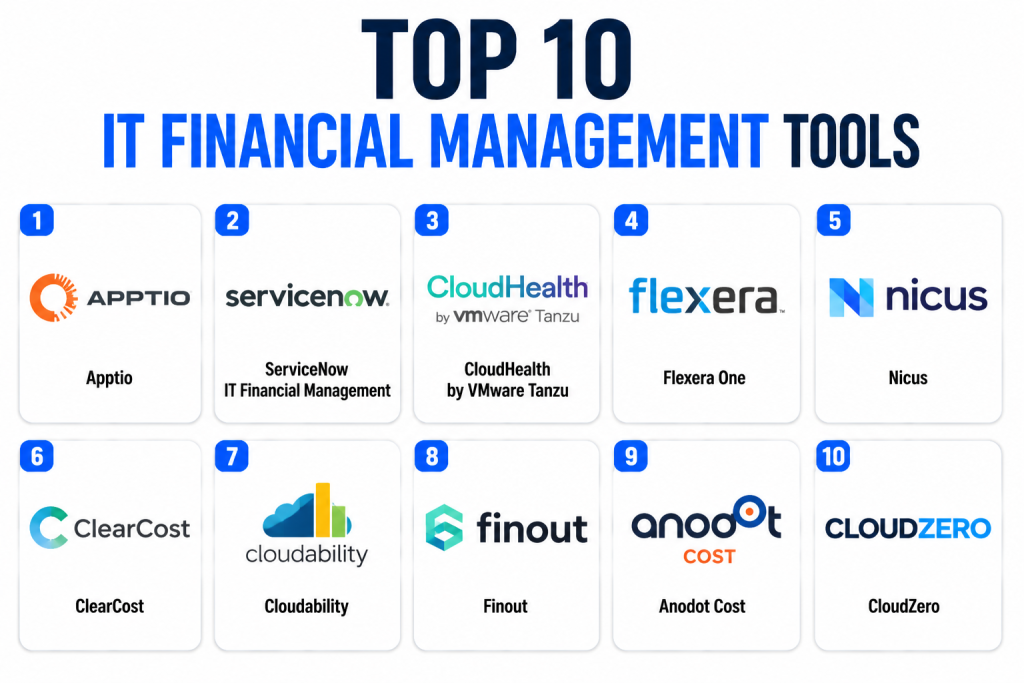
Top 10 IT Financial Management Tools
1 — Apptio
Short description: Apptio is one of the most recognized Technology Business Management and IT Financial Management platforms for enterprises. It helps organizations connect technology spending with business services, applications, cloud usage, and organizational value. The platform is commonly used by CIO offices, IT finance teams, and enterprise technology leaders. Apptio supports budgeting, forecasting, cost transparency, showback, chargeback, and portfolio-level financial decision-making. It is especially useful for organizations that need structured TBM reporting and executive-level IT cost governance. Large enterprises often use it to translate technical costs into business-friendly financial views.
Key Features
- Technology Business Management capabilities
- IT budgeting and forecasting
- Cost allocation and service costing
- Showback and chargeback support
- Cloud financial management capabilities
- Executive dashboards and reporting
- Business-unit cost transparency
Pros
- Strong fit for enterprise IT finance teams
- Mature TBM model and financial reporting depth
- Useful for aligning IT spend with business outcomes
Cons
- Can be complex to implement
- Best suited for larger organizations
- Requires clean financial and operational data
Platforms / Deployment
- Web
- Cloud
Security & Compliance
- SSO/SAML
- RBAC
- Audit logs
- Encryption
- Additional certifications: Not publicly stated
Integrations & Ecosystem
Apptio typically connects with financial systems, ITSM platforms, cloud providers, and operational data sources to build a unified IT cost model.
- ERP and finance systems
- Cloud billing data
- ITSM platforms
- Project and portfolio systems
- Data warehouse sources
- APIs and data connectors
Support & Community
Enterprise support, onboarding services, documentation, and consulting resources are available. Community strength is stronger among large IT finance and TBM teams.
2 — ServiceNow IT Financial Management
Short description: ServiceNow IT Financial Management helps organizations connect IT costs with services, applications, projects, and operational workflows. It is especially valuable for companies already using ServiceNow for ITSM, ITOM, or enterprise workflow automation. The platform helps IT leaders manage budgets, track actual costs, forecast expenses, and allocate spend to business services. Because it sits inside the ServiceNow ecosystem, it can connect financial planning with operational service data. This makes it useful for enterprises seeking one platform for IT workflows and financial visibility. It is generally best for mature IT organizations with structured processes.
Key Features
- IT budget planning
- Cost modeling and allocation
- Service-based financial visibility
- Integration with ITSM workflows
- Reporting and dashboards
- Forecasting and variance tracking
- Workflow automation
Pros
- Strong fit for ServiceNow customers
- Connects finance with IT operations
- Useful for service-based cost transparency
Cons
- Best value comes inside the ServiceNow ecosystem
- Implementation can require configuration expertise
- May be excessive for small teams
Platforms / Deployment
- Web
- Mobile
- Cloud
Security & Compliance
- SSO/SAML
- MFA
- RBAC
- Audit logs
- Encryption
Integrations & Ecosystem
ServiceNow integrates broadly across enterprise IT and workflow environments.
- ServiceNow ITSM
- ServiceNow ITOM
- ERP systems
- Procurement systems
- Cloud platforms
- Workflow automation tools
Support & Community
Strong enterprise support, large partner ecosystem, extensive documentation, training resources, and a broad user community.
3 — CloudHealth by VMware Tanzu
Short description: CloudHealth is a cloud financial management and governance platform focused on cloud cost visibility, optimization, and policy-based management. It helps organizations understand cloud spend, allocate costs, monitor usage, and identify optimization opportunities. While it is more cloud-focused than traditional ITFM tools, it is highly relevant for teams where cloud has become a major part of technology spend. FinOps, cloud operations, and IT finance teams use it to improve accountability and reduce waste. It is especially useful for multi-cloud environments and organizations needing detailed reporting by business unit, application, or owner.
Key Features
- Cloud cost visibility
- Cost allocation and reporting
- Budget tracking
- Policy-based governance
- Reserved instance and savings analysis
- Multi-cloud management
- Optimization recommendations
Pros
- Strong cloud cost management capabilities
- Useful for FinOps teams
- Good visibility across cloud usage and ownership
Cons
- Less focused on full IT budgeting beyond cloud
- Requires tagging and cost allocation discipline
- May need other tools for broader ITFM
Platforms / Deployment
- Web
- Cloud
Security & Compliance
- SSO support
- Role-based access controls
- Audit capabilities
- Additional certifications: Not publicly stated
Integrations & Ecosystem
CloudHealth integrates with major cloud platforms and financial reporting workflows.
- Public cloud platforms
- Cloud billing exports
- Reporting systems
- Data platforms
- Ticketing workflows
- APIs
Support & Community
Support is available through enterprise channels. Documentation and cloud cost management resources are generally available.
4 — Flexera One
Short description: Flexera One provides technology spend optimization across software, SaaS, cloud, and IT assets. It is useful for organizations that want visibility into IT financial management, software asset management, license optimization, cloud cost control, and vendor spend. The platform helps IT, procurement, and finance teams identify waste, manage entitlements, and improve technology cost governance. Flexera is especially strong where software licensing, hybrid infrastructure, and cloud spend overlap. It is often used by enterprises that need better control over complex technology portfolios.
Key Features
- IT asset visibility
- Software spend optimization
- SaaS management
- Cloud cost management
- License management
- Vendor and contract insights
- Reporting and analytics
Pros
- Strong software and cloud cost visibility
- Useful for procurement and IT finance teams
- Good fit for complex enterprise environments
Cons
- Can require significant data setup
- Feature depth may feel complex
- Best suited for organizations with mature governance needs
Platforms / Deployment
- Web
- Cloud
Security & Compliance
- SSO support
- RBAC
- Audit logging
- Encryption
- Additional certifications: Not publicly stated
Integrations & Ecosystem
Flexera connects with asset data sources, cloud platforms, procurement systems, and IT management tools.
- Cloud platforms
- Software asset management data
- Procurement systems
- ERP systems
- ITSM platforms
- APIs
Support & Community
Enterprise support, documentation, customer success resources, and implementation assistance are available.
5 — Nicus
Short description: Nicus is an IT Financial Management platform focused on IT budgeting, forecasting, cost allocation, showback, chargeback, and service costing. It is designed for organizations that need structured IT finance processes without necessarily adopting a very large enterprise suite. IT finance teams can use Nicus to create clearer financial models, communicate technology costs, and improve planning accuracy. The platform is useful for organizations that want practical ITFM capabilities with a strong focus on budgeting and transparency. It fits well for mid-market and enterprise teams looking for dedicated IT financial governance.
Key Features
- IT budgeting
- Forecasting and planning
- Cost allocation
- Showback and chargeback
- Service costing
- Variance reporting
- Executive dashboards
Pros
- Strong focus on IT finance workflows
- Useful for cost transparency initiatives
- Practical for dedicated ITFM teams
Cons
- Smaller ecosystem than major enterprise platforms
- May require integration planning
- Less known outside ITFM-specialist circles
Platforms / Deployment
- Web
- Cloud
Security & Compliance
- Role-based access controls
- Authentication controls
- Audit capabilities
- Additional certifications: Not publicly stated
Integrations & Ecosystem
Nicus supports financial and operational data integration to help build IT cost models.
- ERP systems
- General ledger data
- ITSM platforms
- Cloud cost data
- Reporting tools
- Data imports and APIs
Support & Community
Support, implementation guidance, and customer success resources are available. Public community size is more specialized than broad enterprise platforms.
6 — ClearCost
Short description: ClearCost is an IT Financial Management platform designed to help organizations improve IT cost transparency, budgeting, forecasting, and service-based financial reporting. It helps IT leaders explain technology costs in business terms and create better accountability across departments. The platform is useful for companies that want to move beyond spreadsheets and manual financial reporting. It supports structured ITFM workflows, cost modeling, and executive reporting. ClearCost is commonly positioned for organizations that need dedicated IT finance capabilities but want a focused platform rather than a broad enterprise suite.
Key Features
- IT cost transparency
- Budget planning
- Forecasting
- Cost allocation
- Service costing
- Executive reporting
- Financial model management
Pros
- Focused ITFM functionality
- Good fit for IT finance teams
- Helps replace manual spreadsheet-heavy processes
Cons
- Public ecosystem information is limited
- May require data preparation
- Not as broad as full enterprise workflow platforms
Platforms / Deployment
- Web
- Cloud
Security & Compliance
- Not publicly stated
Integrations & Ecosystem
ClearCost typically supports financial and operational data inputs required for IT cost models.
- Financial systems
- IT operational data
- Cloud spend data
- Reporting tools
- Data imports
- APIs where available
Support & Community
Varies / Not publicly stated.
7 — Cloudability
Short description: Cloudability is a cloud financial management platform commonly associated with cloud cost visibility, optimization, and FinOps practices. It helps organizations track cloud spending, allocate costs, manage budgets, and identify opportunities to reduce waste. While it is cloud-focused rather than a complete ITFM platform, it is highly relevant for organizations where cloud spend is a major budget driver. IT finance, FinOps, and cloud platform teams can use it to improve accountability and forecast cloud usage. It is often considered by enterprises that need stronger cloud cost governance and business-unit reporting.
Key Features
- Cloud cost reporting
- Budget tracking
- Cost allocation
- Forecasting
- Optimization insights
- Business-unit reporting
- FinOps dashboards
Pros
- Strong for cloud financial management
- Useful for FinOps operating models
- Helps improve cloud spend accountability
Cons
- Not a full ITFM suite by itself
- Requires cloud tagging discipline
- Best value depends on cloud maturity
Platforms / Deployment
- Web
- Cloud
Security & Compliance
- SSO support
- Role-based permissions
- Audit capabilities
- Additional certifications: Not publicly stated
Integrations & Ecosystem
Cloudability connects with public cloud billing and operational data sources.
- Public cloud platforms
- Cloud billing exports
- Data analytics tools
- Reporting workflows
- APIs
- Finance reporting systems
Support & Community
Enterprise support and FinOps-oriented resources are available. Community strength is strongest among cloud financial management teams.
8 — Finout
Short description: Finout is a modern cloud cost management and business observability platform that helps organizations understand and allocate cloud and infrastructure costs. It is useful for engineering, finance, and FinOps teams that need detailed visibility into cost drivers. Finout focuses on cost allocation across services, teams, customers, products, and environments. It is especially relevant for cloud-native companies and SaaS businesses that need unit economics and cost-per-customer visibility. Compared with traditional ITFM tools, Finout is more engineering and cloud-finance oriented.
Key Features
- Cloud cost allocation
- Unit economics visibility
- Cost monitoring
- Anomaly detection
- Forecasting
- Kubernetes cost visibility
- Business-level cost reporting
Pros
- Strong fit for cloud-native organizations
- Useful for SaaS unit economics
- Modern interface and cost analytics focus
Cons
- Less suited for traditional IT budgeting
- May not replace enterprise ITFM platforms
- Requires good cloud and service metadata
Platforms / Deployment
- Web
- Cloud
Security & Compliance
- SSO support
- Role-based access controls
- Additional certifications: Not publicly stated
Integrations & Ecosystem
Finout integrates with cloud and infrastructure data sources to provide cost intelligence.
- Cloud platforms
- Kubernetes environments
- Data warehouses
- Monitoring tools
- Business intelligence tools
- APIs
Support & Community
Support and onboarding resources are available. Community visibility is stronger in cloud-native and FinOps circles.
9 — Anodot Cost
Short description: Anodot Cost focuses on cloud cost management, anomaly detection, forecasting, and optimization. It is useful for organizations that want to identify unexpected spend patterns quickly and improve cloud budget control. The platform combines cost analytics with automated insights to help teams reduce waste and investigate unusual cost behavior. It is especially useful for cloud operations, FinOps, and engineering teams managing dynamic cloud environments. While it does not replace full ITFM for all technology spend, it can be a strong component of a broader IT financial governance stack.
Key Features
- Cloud cost monitoring
- Anomaly detection
- Forecasting
- Budget alerts
- Optimization recommendations
- Cost allocation
- Automated insights
Pros
- Strong anomaly detection focus
- Useful for dynamic cloud environments
- Helps reduce surprise cloud bills
Cons
- More cloud-focused than general ITFM
- Requires integration with cloud billing data
- Broader IT finance workflows may need another system
Platforms / Deployment
- Web
- Cloud
Security & Compliance
- Role-based access controls
- Authentication controls
- Additional certifications: Not publicly stated
Integrations & Ecosystem
Anodot Cost connects with cloud billing, monitoring, and financial reporting workflows.
- Cloud providers
- Billing exports
- Notification tools
- Reporting systems
- APIs
- FinOps workflows
Support & Community
Support and onboarding are available. Public community details are Varies / Not publicly stated.
10 — CloudZero
Short description: CloudZero is a cloud cost intelligence platform designed to help organizations understand cloud spend in business context. It focuses on cost allocation, unit economics, engineering accountability, and cost visibility by product, feature, customer, or team. This makes it especially useful for SaaS companies and cloud-native engineering organizations. CloudZero helps finance and engineering teams collaborate on cost optimization without relying only on raw cloud billing reports. It is not a traditional ITFM platform, but it is valuable for organizations where cloud cost is a major financial priority.
Key Features
- Cloud cost intelligence
- Cost allocation by business dimension
- Engineering cost visibility
- Unit cost analysis
- Budget monitoring
- Anomaly detection
- SaaS cost analytics
Pros
- Strong for engineering-driven cost visibility
- Useful for SaaS and cloud-native companies
- Helps connect cloud cost to business metrics
Cons
- Not designed as a full enterprise ITFM suite
- Best suited for cloud-heavy organizations
- Requires strong service and cost metadata
Platforms / Deployment
- Web
- Cloud
Security & Compliance
- SSO support
- Role-based permissions
- Additional certifications: Not publicly stated
Integrations & Ecosystem
CloudZero integrates with cloud and business data sources to create cost intelligence models.
- Cloud platforms
- Kubernetes data
- Data warehouses
- Business systems
- Monitoring tools
- APIs
Support & Community
Support, onboarding, and documentation are available. Community strength is strongest among SaaS, FinOps, and engineering-led organizations.
Comparison Table
| Tool Name | Best For | Platform(s) Supported | Deployment | Standout Feature | Public Rating |
|---|---|---|---|---|---|
| Apptio | Enterprise TBM and IT finance | Web | Cloud | Technology Business Management | N/A |
| ServiceNow IT Financial Management | ServiceNow-based enterprises | Web, Mobile | Cloud | IT workflow and financial alignment | N/A |
| CloudHealth | Multi-cloud cost governance | Web | Cloud | Cloud cost optimization | N/A |
| Flexera One | Software, SaaS, and cloud spend optimization | Web | Cloud | Technology spend visibility | N/A |
| Nicus | Dedicated IT finance teams | Web | Cloud | IT budgeting and showback | N/A |
| ClearCost | IT cost transparency | Web | Cloud | Service-based cost modeling | N/A |
| Cloudability | FinOps and cloud budgeting | Web | Cloud | Cloud financial management | N/A |
| Finout | Cloud-native cost allocation | Web | Cloud | Unit economics visibility | N/A |
| Anodot Cost | Cloud anomaly detection | Web | Cloud | Automated cloud cost alerts | N/A |
| CloudZero | SaaS and engineering cost intelligence | Web | Cloud | Business-context cloud cost analysis | N/A |
Evaluation & Scoring of IT Financial Management Tools
| Tool Name | Core (25%) | Ease (15%) | Integrations (15%) | Security (10%) | Performance (10%) | Support (10%) | Value (15%) | Weighted Total |
| Apptio | 10 | 7 | 9 | 9 | 9 | 9 | 7 | 8.65 |
| ServiceNow IT Financial Management | 9 | 7 | 10 | 9 | 9 | 9 | 7 | 8.55 |
| Flexera One | 9 | 7 | 9 | 8 | 8 | 8 | 8 | 8.25 |
| CloudHealth | 8 | 8 | 8 | 8 | 8 | 8 | 8 | 8.00 |
| Cloudability | 8 | 8 | 8 | 8 | 8 | 8 | 8 | 8.00 |
| Nicus | 8 | 8 | 7 | 7 | 8 | 8 | 8 | 7.75 |
| CloudZero | 8 | 8 | 8 | 7 | 8 | 8 | 8 | 7.90 |
| Finout | 8 | 8 | 8 | 7 | 8 | 8 | 8 | 7.90 |
| Anodot Cost | 7 | 8 | 7 | 7 | 8 | 7 | 8 | 7.45 |
| ClearCost | 7 | 8 | 7 | 6 | 7 | 7 | 8 | 7.15 |
These scores are comparative and should not be treated as universal rankings. Enterprise platforms score higher in governance, integrations, and strategic IT finance depth. Cloud-focused platforms score well for FinOps, cost allocation, and cloud visibility but may not replace a full ITFM system. Buyers should prioritize the criteria that match their operating model, budget maturity, and technology environment.
Which IT Financial Management Tool Is Right for You?
Solo / Freelancer
Solo professionals usually do not need a full IT Financial Management platform. Basic accounting software, spreadsheets, or lightweight subscription tracking may be enough. If cloud spend is the main concern, a cloud-native cost tool may be useful only when usage becomes complex.
SMB
SMBs should look for tools that are easy to deploy, affordable, and not overloaded with enterprise configuration. Finout, CloudZero, Anodot Cost, or simpler IT cost tools may work well if cloud spend is the main priority. For broader IT budgeting, Nicus or ClearCost may be worth evaluating.
Mid-Market
Mid-market organizations often need better budgeting, forecasting, SaaS visibility, and cloud cost allocation. Flexera One, Nicus, CloudHealth, Cloudability, and CloudZero are strong options depending on whether the main challenge is software spend, IT finance, or cloud cost control.
Enterprise
Enterprises with large IT budgets, complex service models, and executive reporting needs should evaluate Apptio, ServiceNow IT Financial Management, Flexera One, and CloudHealth. These tools are better suited for structured governance, integrations, accountability, and large-scale reporting.
Budget vs Premium
Budget-conscious teams should avoid buying a large enterprise suite before defining requirements clearly. Premium platforms such as Apptio and ServiceNow are best when the organization has mature processes and needs enterprise governance. Cloud-focused tools may provide faster value for teams mainly struggling with cloud waste.
Feature Depth vs Ease of Use
Apptio, ServiceNow, and Flexera offer deeper capabilities but may require more planning and implementation effort. Finout, CloudZero, and Anodot Cost are often easier for cloud-native teams but are narrower in scope. Nicus and ClearCost sit between dedicated ITFM depth and focused usability.
Integrations & Scalability
Large organizations should prioritize ERP, ITSM, procurement, cloud, SaaS, HR, and data warehouse integrations. Apptio, ServiceNow, Flexera, and CloudHealth are typically stronger for complex integration environments. Cloud-native teams should prioritize cloud billing, Kubernetes, monitoring, and data warehouse integrations.
Security & Compliance Needs
Enterprises should evaluate identity management, RBAC, audit logs, encryption, data residency, and compliance documentation before purchase. Regulated industries should ask vendors directly about SOC 2, ISO 27001, GDPR, HIPAA, and internal audit requirements. Do not assume certifications unless the vendor clearly confirms them.
Frequently Asked Questions
1- What is IT Financial Management software?
IT Financial Management software helps organizations track, plan, allocate, and optimize technology spending. It gives IT and finance leaders visibility into cloud, SaaS, infrastructure, labor, vendor, and project costs.
2- How is ITFM different from accounting software?
Accounting software records financial transactions, while ITFM explains technology costs in operational and business terms. ITFM connects spend to services, teams, applications, cloud usage, and business value.
3- What is the difference between ITFM, TBM, and FinOps?
ITFM covers broad technology financial planning and governance. TBM is a structured framework for mapping IT costs to business value. FinOps focuses mainly on cloud financial management and cloud cost accountability.
4- Which teams use ITFM tools?
Common users include CIO offices, IT finance teams, CFO teams, FinOps teams, cloud operations, procurement, vendor management, and business unit leaders. The exact users depend on the organization’s cost model.
5- Are IT Financial Management tools expensive?
Pricing varies widely based on vendor, modules, users, data volume, and enterprise requirements. Large TBM platforms are usually premium, while cloud cost tools may be more flexible depending on usage and scope.
6- How long does implementation take?
Implementation can range from a few weeks for focused cloud cost tools to several months for enterprise ITFM platforms. Data quality, cost allocation rules, integrations, and stakeholder alignment strongly affect timeline.
7- What are common mistakes when choosing an ITFM tool?
Common mistakes include choosing a tool before defining the cost model, ignoring data quality, underestimating integration work, and focusing only on dashboards instead of governance workflows.
8- Can ITFM tools help reduce cloud costs?
Yes, many ITFM and FinOps tools help identify unused resources, budget overruns, poor tagging, cost anomalies, and optimization opportunities. However, savings depend on team discipline and operational follow-through.
9- Do ITFM tools support chargeback and showback?
Many dedicated ITFM and TBM tools support chargeback and showback. These features help organizations allocate costs to departments, products, services, or business units more transparently.
10- Should a company replace spreadsheets with ITFM software?
If IT spend is simple, spreadsheets may be enough. But once budgets, cloud usage, vendors, SaaS subscriptions, and cost allocation become complex, ITFM software provides better governance, automation, and reporting.
Conclusion
IT Financial Management tools are becoming essential for organizations that need better visibility, control, and accountability over technology spending. The best platform depends on whether the main challenge is enterprise IT budgeting, Technology Business Management, SaaS governance, software optimization, cloud cost control, or engineering-led cost visibility. Apptio, ServiceNow, and Flexera are strong choices for large enterprises, while Nicus and ClearCost are useful for focused IT finance teams. CloudHealth, Cloudability, Finout, Anodot Cost, and CloudZero are better suited for organizations where cloud and FinOps are the primary cost challenges. is to shortlist two or three tools, define your cost allocation model, run a pilot with real financial and operational data, and validate integrations, security, reporting, and stakeholder usability before scaling.
