Introduction
Secrets scanning tools help organizations find exposed credentials such as API keys, passwords, tokens, private keys, database credentials, cloud access keys, and service account secrets before attackers can misuse them. In simple terms, these tools scan code repositories, Git history, CI/CD pipelines, container images, logs, collaboration tools, and cloud environments to detect sensitive secrets that should not be publicly or internally exposed.
Secrets scanning matters more than ever because software teams now use more APIs, SaaS tools, cloud services, AI platforms, automation tokens, and machine identities. One leaked key can lead to data theft, cloud account takeover, financial loss, or compliance failure.
Real-world use cases include:
- Detecting secrets in source code
- Blocking exposed API keys before commit
- Scanning Git history for old leaked credentials
- Monitoring CI/CD pipelines and containers
- Supporting incident response and credential rotation
What buyers should evaluate:
- Detection accuracy
- False positive control
- Git history scanning
- CI/CD integration
- Secret verification
- Developer workflow support
- Remediation guidance
- Compliance reporting
- Alert routing
- Enterprise access controls
Best for: DevSecOps teams, AppSec teams, cloud security teams, platform engineering teams, software companies, SaaS providers, financial services, healthcare, enterprises, and fast-moving engineering teams using APIs, cloud services, and automated deployments.
Not ideal for: Very small teams with no shared code repositories, businesses with limited software development activity, or teams that already use a broader application security platform with strong built-in secret detection.
Key Trends in Secrets Scanning Tools
- AI and SaaS API keys are becoming high-risk secrets because development teams increasingly connect applications to AI models, payment platforms, automation tools, and cloud services.
- Shift-left secret detection is now expected through pre-commit hooks, pull request checks, and CI/CD pipeline scanning.
- Secret validation is becoming more important because teams want to know whether a leaked credential is still active, expired, or already revoked.
- Enterprise buyers want end-to-end remediation workflows including ownership mapping, alert routing, ticketing, severity scoring, and rotation guidance.
- Git history scanning is now a baseline requirement because many leaked credentials remain buried in old commits even after being removed from the latest code.
- Cloud-native scanning is expanding into containers, Kubernetes manifests, Infrastructure as Code, build logs, package registries, and cloud storage.
- Developer experience is a major differentiator because noisy alerts and unclear remediation steps slow down adoption.
- Compliance teams want stronger audit evidence for access control, incident response, credential handling, and secure software development practices.
- Platform-native scanning is growing inside GitHub, GitLab, Bitbucket, and broader DevSecOps platforms.
- Open-source tools remain popular for lightweight scanning, local developer checks, and CI/CD enforcement.
How We Selected These Tools
- We selected tools with strong recognition in the secrets scanning and DevSecOps market.
- We included a balance of open-source, platform-native, and enterprise-grade commercial options.
- We evaluated how well each tool supports Git repositories, Git history, CI/CD workflows, and developer feedback loops.
- We considered detection depth, false positive handling, secret verification, and remediation support.
- We looked at ecosystem fit across GitHub, GitLab, Bitbucket, cloud providers, ticketing systems, and SIEM workflows.
- We considered usability for solo developers, SMBs, mid-market teams, and large enterprises.
- We reviewed security posture signals such as RBAC, audit logs, SSO, and enterprise governance support where confidently known.
- We avoided public ratings and certifications unless confidently known, using “N/A” or “Not publicly stated” where appropriate.
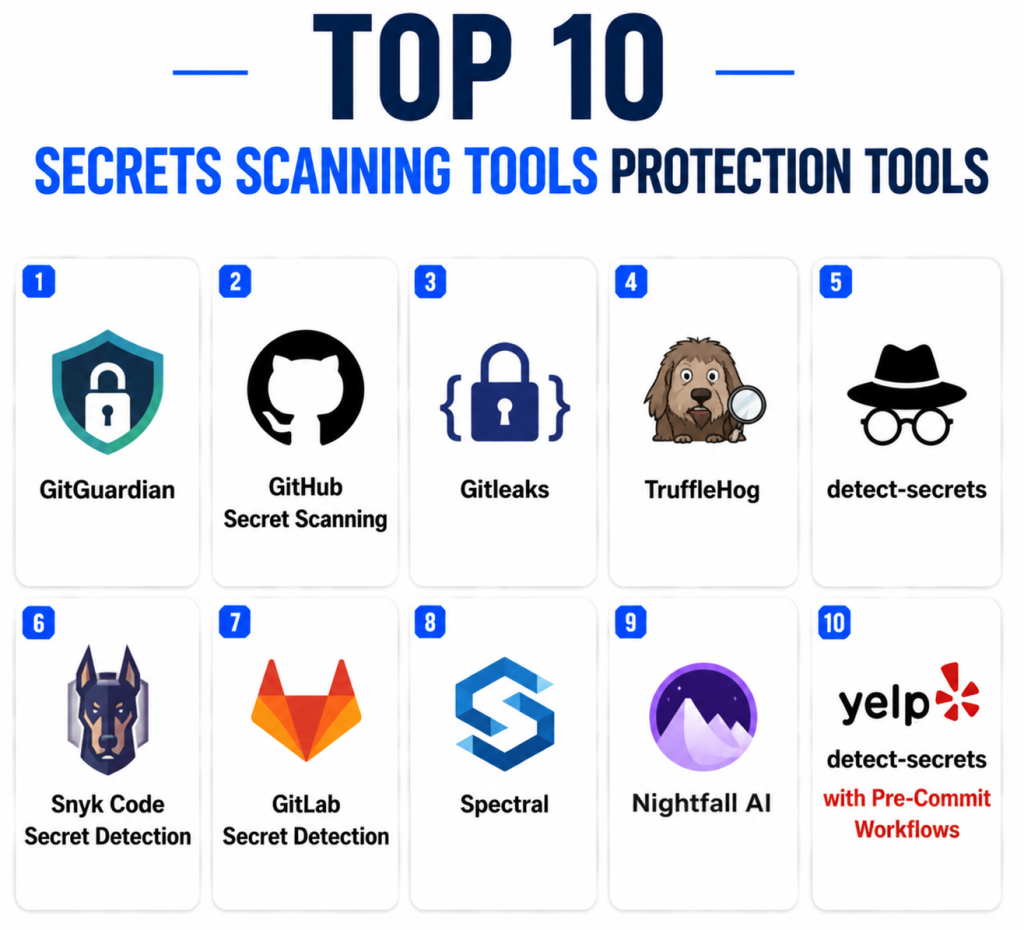
Top 10 Secrets Scanning Tools Protection Tools
1 — GitGuardian
Short description:
GitGuardian is an enterprise-focused secrets detection and remediation platform built for DevSecOps teams. It helps organizations find leaked secrets across code repositories, Git history, CI/CD pipelines, developer environments, and other parts of the software delivery lifecycle. GitGuardian is especially useful for teams that need centralized visibility, alert management, remediation workflows, and governance at scale. It is commonly considered by organizations that want more than basic repository scanning. The platform is designed for security teams that need to collaborate with developers without creating excessive alert fatigue. It fits fast-growing engineering teams, enterprises, and security-conscious SaaS companies.
Key Features
- Secrets detection across repositories and development workflows
- Git history scanning for exposed credentials
- Alert management and remediation workflows
- Developer collaboration features
- Secret validity and risk context capabilities
- Dashboarding and visibility for security teams
- Enterprise workflow and governance support
Pros
- Strong fit for enterprise DevSecOps programs
- Good remediation and alert management capabilities
- Useful for monitoring secret sprawl across teams and repositories
Cons
- May be more advanced than small teams need
- Commercial pricing may not suit every budget
- Requires process maturity for best results
Platforms / Deployment
- Web
- Cloud / Hybrid
Security & Compliance
- SSO/SAML support
- RBAC
- Audit logs
- Encryption controls
- Compliance certifications: Not publicly stated
Integrations & Ecosystem
GitGuardian integrates well with common development, collaboration, and security workflows. It is useful for teams that want alerts to move into developer or security operations systems.
- GitHub
- GitLab
- Bitbucket
- Jira
- Slack
- SIEM workflows
Support & Community
GitGuardian provides documentation, onboarding resources, and commercial support. Community visibility is strong in the DevSecOps and secrets detection space, while support depth depends on the selected plan.
2 — GitHub Secret Scanning
Short description:
GitHub Secret Scanning is a platform-native capability for detecting secrets inside GitHub repositories. It is useful for organizations already using GitHub as their main source code platform. The tool scans repositories and Git history for known secret patterns such as tokens, API keys, and credentials. For GitHub users, it offers a convenient way to detect exposed secrets without adding a separate standalone scanning tool. It is especially valuable when combined with broader GitHub security workflows. Teams using GitHub heavily should evaluate it as part of their code security strategy.
Key Features
- Native GitHub repository scanning
- Git history scanning
- Detection of known secret patterns
- Alerting inside GitHub workflows
- Integration with GitHub security alerts
- Support for push protection in applicable plans
- Developer-friendly repository-level visibility
Pros
- Native experience for GitHub users
- Easy to adopt inside GitHub workflows
- Useful for teams already using GitHub security features
Cons
- Best suited for GitHub environments
- Limited value for teams using multiple Git platforms
- Advanced enterprise needs may require additional tooling
Platforms / Deployment
- Web
- Cloud
Security & Compliance
- GitHub authentication and access controls
- RBAC through GitHub permissions
- Audit logs depend on GitHub plan and configuration
- Compliance certifications: Not publicly stated here
Integrations & Ecosystem
GitHub Secret Scanning fits naturally into GitHub-based development workflows. It is strongest when paired with pull requests, code review, repository permissions, and GitHub security features.
- GitHub repositories
- GitHub Actions
- GitHub Advanced Security workflows
- Pull request workflows
- Security alerts
- Developer notifications
Support & Community
GitHub provides documentation and platform support depending on the customer plan. Community adoption is strong because GitHub is widely used by developers and organizations.
3 — Gitleaks
Short description:
Gitleaks is a popular open-source secrets scanning tool used to detect hardcoded credentials in Git repositories, files, and CI/CD workflows. It is known for being lightweight, fast, and easy to integrate into developer workflows. Teams often use Gitleaks as a pre-commit, pre-push, or pipeline-based control to stop secrets before they reach production repositories. It is useful for startups, SMBs, and platform teams that want a practical open-source scanner. Gitleaks is also commonly used as part of layered secret detection strategies. It works well when teams want fast scanning without adopting a full commercial platform immediately.
Key Features
- Git repository secrets scanning
- Git history scanning support
- Configurable detection rules
- CI/CD pipeline integration
- Pre-commit and local scanning workflows
- JSON and structured output support
- Lightweight command-line operation
Pros
- Open-source and developer-friendly
- Fast and easy to automate
- Good fit for CI/CD and local checks
Cons
- No built-in enterprise dashboard
- Remediation workflows require additional tooling
- Rule tuning may be needed to reduce noise
Platforms / Deployment
- Windows / macOS / Linux
- Self-hosted
Security & Compliance
- Local scanning support
- Policy enforcement depends on CI/CD setup
- Auditability depends on pipeline and repository logging
- Compliance certifications: Not publicly stated
Integrations & Ecosystem
Gitleaks works well with Git-based development and automation workflows. It is often used as a lightweight control in pipelines and developer environments.
- GitHub Actions
- GitLab CI
- Jenkins
- Bitbucket Pipelines
- Pre-commit workflows
- Docker-based workflows
Support & Community
Gitleaks has strong open-source community adoption and documentation. Enterprise support is not the core model, so organizations may need internal ownership for governance and maintenance.
4 — TruffleHog
Short description:
TruffleHog is a widely used secrets discovery tool focused on finding, verifying, and analyzing exposed credentials. It scans Git repositories, filesystems, cloud storage, containers, logs, and other sources depending on configuration. One of its biggest strengths is secret verification, which helps teams determine whether a detected credential is still active. This is valuable during incident response because not every detected secret carries the same risk. TruffleHog is a strong option for security engineers who need deep scanning and validation. It is also useful for historical repository reviews and broader secret discovery projects.
Key Features
- Secrets discovery across multiple sources
- Git history scanning
- Secret verification capabilities
- Pattern and entropy-based detection
- Filesystem and repository scanning
- CI/CD integration support
- Useful output for incident response workflows
Pros
- Strong secret validation capabilities
- Good for deep historical and broad environment scans
- Useful for security engineering and incident response
Cons
- May require more tuning for enterprise workflows
- Can be heavier than simpler scanners
- Governance dashboards require additional tooling or commercial options
Platforms / Deployment
- Windows / macOS / Linux
- Self-hosted
Security & Compliance
- Local and pipeline-based scanning
- Auditability depends on implementation
- Compliance certifications: Not publicly stated
Integrations & Ecosystem
TruffleHog is flexible and can be integrated into several security and DevOps workflows. It is often used for deeper analysis, validation, and periodic scanning.
- Git repositories
- CI/CD pipelines
- Docker workflows
- Cloud storage scanning workflows
- Filesystem scanning
- Security automation scripts
Support & Community
TruffleHog has strong open-source visibility and documentation. Support depends on community resources or commercial offerings associated with the broader Truffle Security ecosystem.
5 — detect-secrets
Short description:
detect-secrets is an open-source secrets scanning tool originally designed to help teams manage secret detection in large existing codebases. Its baseline model allows teams to record known findings and focus future scans on newly introduced secrets. This makes it practical for organizations that cannot immediately clean every historical finding. Developers and security teams use it in pre-commit workflows, CI pipelines, and code review processes. detect-secrets is especially useful when reducing alert fatigue is a top priority. It is a good fit for teams that want controlled rollout and manageable adoption.
Key Features
- Baseline-based secret detection
- Plugin-based detection model
- Entropy and pattern-based scanning
- Pre-commit integration
- CI/CD support
- Useful for legacy repositories
- Interactive audit workflow
Pros
- Good for large existing repositories
- Helps reduce alert fatigue during rollout
- Open-source and practical for developer workflows
Cons
- Less comprehensive than some modern platforms
- No enterprise dashboard by default
- Requires process discipline to manage baselines correctly
Platforms / Deployment
- Windows / macOS / Linux
- Self-hosted
Security & Compliance
- Local scanning and baseline workflows
- Auditability depends on Git and CI/CD processes
- Compliance certifications: Not publicly stated
Integrations & Ecosystem
detect-secrets is commonly used with local developer workflows and CI/CD systems. Its baseline approach makes it useful for gradual adoption.
- Pre-commit framework
- Git repositories
- GitHub Actions
- GitLab CI
- Jenkins
- Local development workflows
Support & Community
detect-secrets has open-source documentation and community usage. Support is community-driven unless an organization builds internal governance around it.
6 — Snyk Code Secret Detection
Short description:
Snyk provides secrets detection as part of a broader developer security platform that also covers code, open-source dependencies, containers, and cloud configurations. It is useful for organizations that want secret scanning connected with wider application security workflows. Snyk is especially attractive to developer-first security teams that want findings embedded in code review, IDE, repository, and CI/CD workflows. It is not only a secrets scanning tool, so buyers should evaluate it as part of a broader DevSecOps investment. Teams already using Snyk for other security areas may find secrets detection easier to adopt. It fits SMBs, mid-market companies, and enterprises wanting consolidated security tooling.
Key Features
- Secret detection in developer workflows
- Code security platform integration
- Repository and pipeline scanning
- Developer-focused remediation guidance
- Integration with broader AppSec findings
- CI/CD and SCM support
- Risk visibility across software projects
Pros
- Good fit for teams already using Snyk
- Combines secrets scanning with broader security workflows
- Developer-friendly user experience
Cons
- Secrets scanning may not be the only buying reason
- Advanced capabilities may depend on plan
- Teams wanting only open-source scanning may prefer lighter tools
Platforms / Deployment
- Web / Windows / macOS / Linux
- Cloud / Hybrid
Security & Compliance
- SSO/SAML support may be available by plan
- RBAC
- Audit logs may be available by plan
- Compliance certifications: Not publicly stated here
Integrations & Ecosystem
Snyk integrates with common development platforms and security workflows. It is useful when secret scanning needs to sit alongside code and dependency security.
- GitHub
- GitLab
- Bitbucket
- Azure DevOps
- CI/CD platforms
- IDE workflows
Support & Community
Snyk provides documentation, onboarding resources, support tiers, and a large developer security community. Support varies by subscription level.
7 — GitLab Secret Detection
Short description:
GitLab Secret Detection is a platform-native capability for identifying secrets in GitLab projects and CI/CD workflows. It is useful for organizations already using GitLab for source control, merge requests, pipelines, and DevSecOps practices. Secret Detection can be integrated into GitLab security dashboards and pipeline workflows depending on configuration and plan. It helps developers detect exposed credentials as part of the software delivery process. GitLab is especially useful for teams that prefer a single platform for repository management, CI/CD, security, and compliance workflows. It is best evaluated alongside GitLab’s broader security capabilities.
Key Features
- Native GitLab workflow integration
- CI/CD-based secret detection
- Merge request and pipeline visibility
- Security dashboard support
- Repository scanning workflows
- Developer security feedback
- DevSecOps lifecycle integration
Pros
- Strong fit for GitLab users
- Reduces tool fragmentation
- Integrates with GitLab CI/CD workflows
Cons
- Best suited for GitLab environments
- May require plan-specific features
- Less useful for teams using multiple source control platforms
Platforms / Deployment
- Web / Linux
- Cloud / Self-hosted / Hybrid
Security & Compliance
- GitLab RBAC and permissions
- SSO/SAML may be available by plan
- MFA support
- Audit logs may be available by plan
- Compliance certifications: Not publicly stated here
Integrations & Ecosystem
GitLab Secret Detection works inside the GitLab ecosystem and can connect with broader DevSecOps workflows.
- GitLab repositories
- GitLab CI/CD
- Merge requests
- Security dashboards
- Issue workflows
- Container and dependency scanning workflows
Support & Community
GitLab provides extensive documentation and commercial support depending on plan. Community resources are strong because GitLab is widely used across DevOps teams.
8 — Spectral
Short description:
Spectral is a developer-focused code security platform that includes secret scanning and related security detection capabilities. It is designed to help teams find exposed keys, tokens, and risky configuration patterns in code and development workflows. Spectral is often considered by organizations that want automated scanning with developer-friendly alerts and security visibility. It fits teams that need more than basic command-line scanning but may not require a large enterprise platform. Spectral can be useful for SaaS companies, startups, and security teams improving software supply chain hygiene. Buyers should validate current product packaging, support, and integration needs.
Key Features
- Secret detection in code workflows
- Risky configuration detection
- Repository scanning
- Developer-focused alerts
- CI/CD integration
- Security visibility
- Remediation workflow support
Pros
- Developer-oriented experience
- Useful for fast-moving engineering teams
- Can support broader code security use cases
Cons
- Product scope and packaging should be validated
- May overlap with broader AppSec platforms
- Public certification details are not clearly stated
Platforms / Deployment
- Web
- Cloud / Hybrid
Security & Compliance
- RBAC may be available
- Audit features may vary
- SSO support may vary by plan
- Compliance certifications: Not publicly stated
Integrations & Ecosystem
Spectral integrates with common code and delivery workflows. It is useful where secret detection needs to be connected with developer activity.
- GitHub
- GitLab
- Bitbucket
- CI/CD pipelines
- Slack
- Jira
Support & Community
Support varies by plan and product packaging. Documentation and onboarding resources may be available, but buyers should validate support expectations before purchase.
9 — Nightfall AI
Short description:
Nightfall AI is a data loss prevention and sensitive data detection platform that can help identify secrets and sensitive data across SaaS applications, cloud environments, and workflows. While it is broader than code-only secret scanning, it is useful for organizations concerned about exposed credentials in collaboration tools, documents, messages, and cloud data stores. Nightfall is often considered by security teams that need DLP coverage beyond repositories. It can help detect tokens, credentials, personal data, and other sensitive information across business systems. For teams worried about secret leakage outside Git, Nightfall can add valuable coverage. It is best for organizations needing broader sensitive data discovery and protection.
Key Features
- Sensitive data detection
- SaaS and cloud workflow monitoring
- Credential and token detection use cases
- DLP policy enforcement
- Alerting and remediation workflows
- Data classification support
- Security operations visibility
Pros
- Useful beyond code repositories
- Strong fit for SaaS and data leakage use cases
- Helps security teams monitor collaboration and cloud environments
Cons
- Not a pure developer-first Git scanner
- May be broader than needed for code-only scanning
- Pricing and packaging may vary
Platforms / Deployment
- Web
- Cloud
Security & Compliance
- SSO/SAML may be available
- RBAC
- Audit logs may be available
- Compliance certifications: Not publicly stated here
Integrations & Ecosystem
Nightfall AI integrates with business and cloud platforms where sensitive data may appear outside traditional repositories.
- Slack
- Google Workspace
- Microsoft 365
- Cloud storage workflows
- SaaS applications
- API-based workflows
Support & Community
Nightfall provides commercial documentation and support. Community strength is more vendor-led than open-source.
10 — Yelp detect-secrets with Pre-Commit Workflows
Short description:
A structured detect-secrets plus pre-commit workflow deserves separate consideration because many organizations do not need a full platform at the beginning. This approach combines local developer enforcement, repository baselines, CI validation, and team review processes. It is especially useful for engineering teams that want low-cost, controlled secret scanning without introducing another commercial platform. Teams can customize rules, maintain baselines, and gradually improve security coverage. This model works well for smaller teams, internal platforms, and organizations with strong DevOps discipline. However, it requires ownership because governance, dashboards, and reporting must be built around the workflow.
Key Features
- Pre-commit secret blocking
- Repository baseline management
- Local developer scanning
- CI/CD validation
- Custom detection rules
- Gradual rollout for legacy repositories
- Low-cost adoption model
Pros
- Cost-effective and practical
- Strong fit for developer-led teams
- Good way to reduce new secret leaks quickly
Cons
- Requires internal ownership
- No native enterprise dashboard
- Reporting and governance must be designed separately
Platforms / Deployment
- Windows / macOS / Linux
- Self-hosted
Security & Compliance
- Local scanning
- Git-based audit trail
- CI/CD enforcement depends on implementation
- Compliance certifications: Not publicly stated
Integrations & Ecosystem
This workflow integrates with developer machines, Git hooks, and CI/CD tools. It is useful for organizations that prefer internal control over commercial platforms.
- Pre-commit framework
- Git repositories
- GitHub Actions
- GitLab CI
- Jenkins
- Internal policy workflows
Support & Community
Support is mostly open-source and internal-team-driven. Documentation is available, but organizations should assign ownership for rule tuning, baseline review, and developer adoption.
Comparison Table
| Tool Name | Best For | Platform(s) Supported | Deployment | Standout Feature | Public Rating |
|---|---|---|---|---|---|
| GitGuardian | Enterprise secrets governance | Web | Cloud / Hybrid | Centralized remediation workflows | N/A |
| GitHub Secret Scanning | GitHub-native teams | Web | Cloud | Native GitHub secret alerts | N/A |
| Gitleaks | Lightweight open-source scanning | Windows / macOS / Linux | Self-hosted | Fast CI/CD and local scanning | N/A |
| TruffleHog | Deep secret discovery and validation | Windows / macOS / Linux | Self-hosted | Secret verification | N/A |
| detect-secrets | Large legacy repositories | Windows / macOS / Linux | Self-hosted | Baseline-based scanning | N/A |
| Snyk Code Secret Detection | Developer-first AppSec teams | Web / Windows / macOS / Linux | Cloud / Hybrid | Broader DevSecOps platform fit | N/A |
| GitLab Secret Detection | GitLab-based DevSecOps | Web / Linux | Cloud / Self-hosted / Hybrid | Native GitLab CI/CD scanning | N/A |
| Spectral | Developer-focused code security | Web | Cloud / Hybrid | Code security plus secret detection | N/A |
| Nightfall AI | SaaS and DLP-focused security | Web | Cloud | Sensitive data detection beyond code | N/A |
| detect-secrets with Pre-Commit | Budget-conscious developer teams | Windows / macOS / Linux | Self-hosted | Low-cost local enforcement | N/A |
Evaluation & Scoring of Secrets Scanning Tools
| Tool Name | Core (25%) | Ease (15%) | Integrations (15%) | Security (10%) | Performance (10%) | Support (10%) | Value (15%) | Weighted Total |
| GitGuardian | 10 | 9 | 9 | 9 | 9 | 9 | 8 | 9.10 |
| GitHub Secret Scanning | 8 | 9 | 9 | 8 | 9 | 8 | 8 | 8.40 |
| Gitleaks | 8 | 8 | 8 | 7 | 9 | 7 | 10 | 8.25 |
| TruffleHog | 9 | 7 | 8 | 8 | 8 | 7 | 9 | 8.20 |
| detect-secrets | 7 | 8 | 7 | 7 | 8 | 7 | 9 | 7.60 |
| Snyk Code Secret Detection | 8 | 9 | 9 | 8 | 8 | 9 | 8 | 8.40 |
| GitLab Secret Detection | 8 | 8 | 9 | 8 | 8 | 8 | 8 | 8.15 |
| Spectral | 8 | 8 | 8 | 7 | 8 | 7 | 7 | 7.60 |
| Nightfall AI | 7 | 8 | 8 | 8 | 8 | 8 | 7 | 7.65 |
| detect-secrets with Pre-Commit | 7 | 7 | 7 | 7 | 8 | 6 | 10 | 7.45 |
These scores are comparative and should be interpreted based on organizational context. A GitHub-only team may score GitHub Secret Scanning higher, while an enterprise security team may prefer GitGuardian. Open-source tools often provide excellent value but require more internal ownership. Commercial platforms usually score better for governance, support, reporting, and remediation workflows.
Which Secrets Scanning Tool Is Right for You?
Solo / Freelancer
Solo developers should start with lightweight tools that are easy to run locally and do not require complex setup. Gitleaks, TruffleHog, and detect-secrets are practical options. Gitleaks is useful for fast checks, while TruffleHog is better when you need deeper scans and secret validation.
SMB
Small and medium-sized businesses should focus on fast adoption, developer workflow fit, and low operational overhead. GitHub Secret Scanning is a strong choice for GitHub-based teams, while GitLab Secret Detection works well for GitLab users. Gitleaks and detect-secrets can provide affordable scanning if the team has DevOps ownership.
Mid-Market
Mid-market organizations usually need centralized alerts, better remediation workflows, and integration with ticketing or collaboration tools. GitGuardian, Snyk, GitLab Secret Detection, and GitHub Secret Scanning are practical options. TruffleHog can also be added for deep validation and historical scanning.
Enterprise
Enterprises should prioritize governance, scale, audit trails, RBAC, SSO, remediation workflows, reporting, and integration with SIEM or ticketing systems. GitGuardian, Snyk, GitHub Secret Scanning, GitLab Secret Detection, and Nightfall AI are strong candidates depending on the environment. Enterprises should also consider open-source scanners as complementary controls inside CI/CD pipelines.
Budget vs Premium
Budget-conscious teams should consider Gitleaks, TruffleHog, and detect-secrets. These tools can provide strong protection if implemented carefully. Premium platforms such as GitGuardian, Snyk, Nightfall AI, and platform-native enterprise features are better when the organization needs dashboards, governance, support, and compliance visibility.
Feature Depth vs Ease of Use
Gitleaks is easy to adopt and fast to run. TruffleHog offers deeper discovery and verification but may require more tuning. GitGuardian and Snyk provide broader workflows and better visibility but introduce commercial platform considerations. detect-secrets is useful when baseline-based rollout matters more than maximum detection depth.
Integrations & Scalability
For integration depth, GitGuardian, GitHub Secret Scanning, GitLab Secret Detection, Snyk, and Nightfall AI are strong options. For pipeline-based scalability, Gitleaks and TruffleHog are practical choices. Organizations should validate Git provider support, CI/CD support, ticketing integrations, SIEM export, API access, and alert routing.
Security & Compliance Needs
Security-focused buyers should evaluate RBAC, SSO, audit logs, alert ownership, remediation evidence, access controls, and policy reporting. Regulated teams should prefer tools that support clear audit trails and repeatable remediation workflows. Open-source tools can still support compliance, but teams must build reporting and process controls around them.
Frequently Asked Questions
1- What is a secrets scanning tool?
A secrets scanning tool detects exposed credentials such as API keys, tokens, passwords, cloud keys, and private keys in code, repositories, pipelines, or cloud systems. It helps teams prevent credential leaks before they become security incidents.
2- Why are secrets scanning tools important?
Secrets are often used by applications and services to authenticate with other systems. If exposed, attackers may use them to access data, cloud accounts, databases, or internal services.
3- Are open-source secrets scanners enough?
Open-source tools like Gitleaks, TruffleHog, and detect-secrets can be very effective. However, enterprises may need commercial platforms for dashboards, ownership mapping, compliance reporting, and centralized remediation.
4- What is the difference between secret detection and secret verification?
Secret detection identifies strings that look like credentials. Secret verification checks whether a detected credential is still active or valid, which helps teams prioritize urgent remediation.
5- Can secrets scanning stop leaks before code is committed?
Yes. Many tools can run as pre-commit hooks, pre-push checks, or CI/CD pipeline gates. This helps block secrets before they enter shared repositories.
6- Do secrets scanners work on Git history?
Many modern tools can scan Git history to find credentials that were committed in the past. This is important because removing a secret from the latest code does not erase it from historical commits.
7- How should teams respond to a leaked secret?
Teams should revoke or rotate the secret, investigate where it was exposed, check whether it was used suspiciously, update code or configuration, and improve prevention controls.
8- What are common mistakes when implementing secret scanning?
Common mistakes include ignoring false positives, failing to rotate discovered secrets, scanning only new code, not scanning Git history, and not assigning ownership for remediation.
9- How much do secrets scanning tools cost?
Open-source tools may have no license cost but require internal setup and maintenance. Commercial tools usually use subscription pricing, and exact pricing varies by vendor, team size, and feature requirements.
10- Can secrets scanning integrate with CI/CD pipelines?
Yes. Most secrets scanning tools support CI/CD integration through command-line execution, pipeline jobs, repository checks, or native platform features. This makes secret detection part of the development workflow.
Conclusion
Secrets scanning tools are now essential for modern software security because credentials are spread across code, pipelines, cloud systems, SaaS tools, and developer workflows. A single exposed API key or cloud token can create serious business risk, so teams need automated detection, fast remediation, and clear ownership. GitGuardian is a strong enterprise choice, while GitHub Secret Scanning and GitLab Secret Detection are practical for teams already committed to those platforms. Gitleaks, TruffleHog, and detect-secrets remain valuable open-source options for lightweight scanning, local checks, and CI/CD enforcement. Snyk, Spectral, and Nightfall AI are useful when secrets detection needs to connect with broader AppSec, code security, or DLP strategies. The best tool depends on your code hosting platform, team size, compliance needs, budget, and remediation maturity. A practical is to shortlist two or three tools, run a pilot across active and historical repositories, validate detection quality, test remediation workflows, and confirm security controls before scaling organization-wide.
