Introduction
SOAR Playbook Builders Protection Tools help security teams design, automate, test, and manage incident response workflows. In simple terms, these tools allow SOC teams to create step-by-step playbooks for common security events such as phishing alerts, malware detection, suspicious login activity, ransomware signals, endpoint compromise, cloud misconfiguration, and vulnerability response. Instead of manually repeating the same tasks, analysts can automate enrichment, ticket creation, containment actions, notifications, evidence collection, and escalation.
These tools matter because security teams face high alert volumes, tool sprawl, skills shortages, and pressure to respond faster. A good SOAR playbook builder improves consistency, reduces manual work, supports auditability, and helps analysts follow approved response procedures.
Common use cases include phishing response automation, threat intelligence enrichment, endpoint isolation workflows, SIEM alert triage, cloud incident response, user account lockout, vulnerability prioritization, and case management.
Buyers should evaluate playbook design experience, automation depth, integrations, approval controls, audit logs, scalability, security permissions, case management, reporting, pricing model, and fit with existing SOC workflows.
Best for: SOC teams, incident responders, MSSPs, security engineers, threat hunters, enterprise security teams, cloud security teams, and organizations that manage high alert volumes across many tools.
Not ideal for: very small teams with low alert volume, organizations without defined incident response processes, or businesses that only need basic ticketing, simple alert routing, or fully managed detection and response services.
Key Trends in SOAR Playbook Builders Protection Tools
- AI-assisted playbook creation is becoming more common: Vendors are adding AI to help analysts summarize incidents, suggest next steps, generate automation logic, and speed up response design.
- Low-code and no-code playbook builders are in demand: Security teams want drag-and-drop workflow design so analysts can build automations without heavy scripting.
- Human approval gates are becoming essential: Teams want automation but still need controlled approval before risky actions such as blocking users, isolating endpoints, or disabling accounts.
- Cloud security automation is growing fast: Playbooks now need to respond to cloud identity risks, misconfigurations, exposed workloads, suspicious API activity, and container-related alerts.
- SOAR is merging with SIEM, XDR, and case management: Many platforms now combine alert investigation, automation, ticketing, evidence tracking, threat intelligence, and response orchestration.
- MSSP-friendly multi-tenant workflows are important: Managed security providers need reusable playbooks, customer separation, reporting, and scalable automation across many clients.
- Integration depth is a major selection factor: A strong SOAR tool must connect with SIEM, EDR, XDR, firewalls, email security, identity systems, threat intelligence, ITSM, and collaboration tools.
- Playbook governance is becoming more mature: Teams are adding version control, testing, approval workflows, rollback planning, audit logs, and documentation for response automation.
- Security automation is expanding beyond the SOC: SOAR playbooks are increasingly used for vulnerability management, cloud operations, fraud response, compliance tasks, and IT workflows.
- Pricing transparency remains a buyer concern: Organizations must review whether pricing is based on users, cases, automations, actions, integrations, data volume, or enterprise package size.
How We Selected These Tools
- We prioritized tools widely recognized in security orchestration, automation, response, incident management, and SOC workflow automation.
- We considered platforms with strong playbook building capabilities, including low-code design, workflow automation, approval steps, and reusable response actions.
- We evaluated integration strength across SIEM, EDR, XDR, identity, email security, firewall, cloud, threat intelligence, ticketing, and collaboration systems.
- We included a balanced mix of enterprise SOAR platforms, cloud-native automation tools, MSSP-ready solutions, and open-source options.
- We considered usability for analysts, security engineers, SOC managers, incident responders, and automation specialists.
- We reviewed fit across company sizes, including SMB, mid-market, enterprise, and managed service provider environments.
- We avoided unsupported public ratings, invented certifications, or unverified compliance claims.
- We focused on practical value, including response speed, alert reduction, case documentation, automation governance, and security operations maturity.
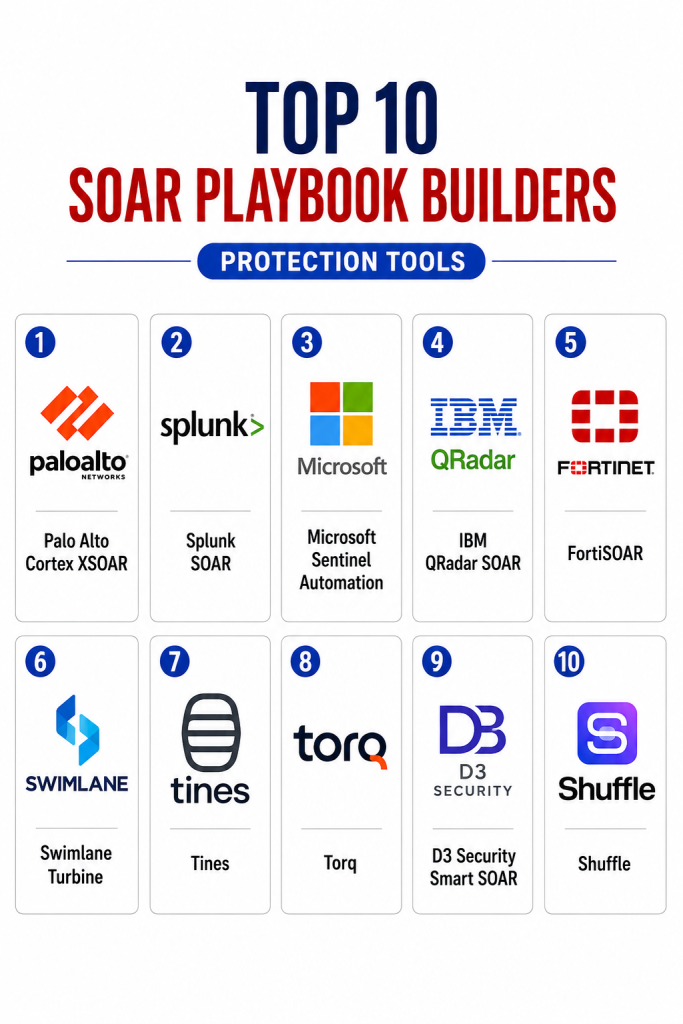
Top 10 SOAR Playbook Builders Protection Tools
1- Palo Alto Cortex XSOAR
Short description:
Palo Alto Cortex XSOAR is an enterprise SOAR platform for security orchestration, incident response, and playbook automation.
It helps SOC teams automate repetitive investigation steps, enrich alerts, manage cases, and coordinate response actions across many security tools.
The platform is suitable for large security teams that need mature automation, case management, and integration depth.
It works especially well for organizations already using Palo Alto Networks products or a complex SOC ecosystem.
Key Features
- Visual playbook builder for response automation
- Incident case management and analyst collaboration
- Threat intelligence enrichment workflows
- Large integration ecosystem for security tools
- Automated alert triage and response actions
- Human approval steps for controlled automation
- Reporting, dashboards, and operational visibility
Pros
- Strong enterprise SOAR capability
- Deep security ecosystem and integration support
- Good fit for mature SOC and incident response teams
Cons
- Can be complex for smaller teams
- Best value requires strong process maturity
- Licensing and implementation effort should be reviewed carefully
Platforms / Deployment
Web / Cloud / Hybrid
Security & Compliance
Enterprise security controls may include SSO/SAML, RBAC, audit logs, encryption, and administrative controls. Specific compliance certifications should be verified directly with the vendor.
Integrations & Ecosystem
Cortex XSOAR integrates with many security, IT, cloud, and collaboration systems. It is designed to act as an orchestration layer across the SOC.
- SIEM and XDR platforms
- Firewalls and endpoint security tools
- Threat intelligence feeds
- Identity and access management tools
- ITSM and ticketing systems
- Slack, Microsoft Teams, and email workflows
Support & Community
Palo Alto Networks provides enterprise support, documentation, training, professional services, and partner resources. Community strength is strong among enterprise SOC and Palo Alto ecosystem users.
2- Splunk SOAR
Short description:
Splunk SOAR is a security orchestration and automation platform for building response playbooks and managing security incidents.
It helps teams automate alert enrichment, containment, investigation steps, ticketing, and reporting.
The platform is especially useful for organizations already using Splunk for SIEM, logging, and security analytics.
It is best for SOC teams that want automation connected closely with Splunk-based detection and investigation workflows.
Key Features
- Visual playbook creation and automation
- Case management and incident tracking
- Alert enrichment and investigation workflows
- Integration with Splunk security ecosystem
- Automated response actions and approvals
- Analyst collaboration and task management
- Reporting and metrics for SOC performance
Pros
- Strong fit for Splunk-centered SOC teams
- Good automation and case management depth
- Useful for improving response consistency
Cons
- Best value often depends on Splunk ecosystem adoption
- Playbook design may require trained users
- Implementation can take time in complex environments
Platforms / Deployment
Web / Cloud / Self-hosted / Hybrid
Security & Compliance
Security controls may include RBAC, authentication integrations, audit logs, encryption, and administrative controls. Specific compliance coverage should be verified directly with the vendor.
Integrations & Ecosystem
Splunk SOAR connects with security tools, IT systems, threat intelligence sources, and collaboration platforms. It is strong where security data already lives in Splunk.
- Splunk Enterprise Security
- SIEM and log analytics platforms
- EDR and endpoint security tools
- Threat intelligence sources
- ITSM and ticketing platforms
- ChatOps and collaboration tools
Support & Community
Splunk offers documentation, training, professional services, support plans, and a large enterprise user community. Support strength depends on deployment type and subscription level.
3- Microsoft Sentinel Automation
Short description:
Microsoft Sentinel provides cloud-native SIEM and SOAR capabilities through automation rules, analytics, incidents, and Logic Apps-based playbooks.
It helps security teams automate response workflows across Microsoft security products, Azure services, and third-party tools.
The platform is useful for organizations already invested in Microsoft security, identity, cloud, and productivity ecosystems.
It is best for teams that want cloud-native detection and automation in one Microsoft-centered security operations environment.
Key Features
- Automation rules for incident handling
- Playbook creation through Logic Apps
- Integration with Microsoft security ecosystem
- Cloud-native SIEM and SOAR workflows
- Identity, endpoint, email, and cloud response actions
- Incident enrichment and notification workflows
- Scalable automation for Azure-based environments
Pros
- Strong fit for Microsoft security customers
- Cloud-native and scalable architecture
- Useful for automating identity, endpoint, and cloud response
Cons
- Best value depends on Microsoft ecosystem adoption
- Logic Apps knowledge may be needed for advanced playbooks
- Cost management requires careful monitoring
Platforms / Deployment
Web / Cloud
Security & Compliance
Microsoft cloud services commonly support enterprise identity, RBAC, audit logging, encryption, and security governance controls. Specific compliance scope should be verified for the selected services, tenant, and region.
Integrations & Ecosystem
Microsoft Sentinel automation works deeply with Microsoft Defender, Entra ID, Azure, Microsoft 365, and Logic Apps. It also supports third-party integrations through connectors and APIs.
- Microsoft Defender products
- Microsoft Entra ID
- Azure services
- Microsoft 365 security tools
- Logic Apps connectors
- Third-party security and IT systems
Support & Community
Microsoft provides documentation, enterprise support, training, partner services, and community resources. Community strength is strong among Azure, Microsoft security, and cloud operations users.
4- IBM QRadar SOAR
Short description:
IBM QRadar SOAR is a security orchestration, automation, and response platform focused on incident case management, playbooks, and response coordination.
It helps SOC teams standardize incident response, automate repetitive tasks, document actions, and integrate security tools.
The platform is useful for enterprises that need structured response workflows, governance, and auditability.
It is best for organizations using IBM QRadar or teams that require strong incident response documentation and playbook control.
Key Features
- Incident case management and task tracking
- Playbook automation for response workflows
- Integration with QRadar and other security tools
- Response planning and collaboration
- Audit trails and documentation support
- Threat intelligence and enrichment workflows
- Metrics for SOC performance and response quality
Pros
- Strong case management and response governance
- Useful for enterprise SOC documentation
- Good fit for IBM QRadar ecosystem users
Cons
- May require implementation planning
- Best value depends on integration maturity
- Can be more than smaller teams need
Platforms / Deployment
Web / Cloud / Self-hosted / Hybrid
Security & Compliance
Enterprise controls may include RBAC, authentication integrations, audit logs, encryption, and administrative governance. Specific certifications should be verified directly with the vendor.
Integrations & Ecosystem
IBM QRadar SOAR integrates with SIEM, threat intelligence, endpoint security, ticketing, and collaboration tools. It is useful for structured SOC workflows and incident documentation.
- IBM QRadar ecosystem
- SIEM and security analytics tools
- EDR and endpoint tools
- Threat intelligence sources
- ITSM and ticketing tools
- Collaboration and notification systems
Support & Community
IBM provides enterprise support, documentation, training, professional services, and implementation resources. Community strength is strongest among enterprise security and IBM ecosystem users.
5- FortiSOAR
Short description:
FortiSOAR is a security orchestration, automation, and response platform from Fortinet for building playbooks and automating SOC processes.
It helps teams standardize response workflows, integrate security tools, manage incidents, and automate repetitive security operations tasks.
The platform is useful for organizations using Fortinet security products as well as teams needing broader SOC orchestration.
It is best for security teams that want playbook automation connected with network, endpoint, email, and SIEM workflows.
Key Features
- Visual playbook builder
- Incident and alert management
- Automation across security and IT systems
- Fortinet ecosystem integrations
- Case management and analyst workflows
- Dashboards and operational reporting
- Customizable modules and response processes
Pros
- Strong fit for Fortinet security environments
- Good balance of automation and case management
- Useful for SOC standardization
Cons
- Best value may depend on Fortinet ecosystem alignment
- Advanced workflows may require trained administrators
- Integration setup should be validated during pilot
Platforms / Deployment
Web / Cloud / Self-hosted / Hybrid
Security & Compliance
Security controls may include RBAC, authentication, audit logs, encryption, and administrative controls. Specific compliance details should be verified directly with Fortinet for the chosen deployment model.
Integrations & Ecosystem
FortiSOAR integrates with Fortinet tools and many third-party security systems. It supports playbooks across detection, enrichment, containment, escalation, and reporting.
- FortiGate, FortiSIEM, FortiMail, and Fortinet ecosystem
- SIEM and EDR platforms
- Threat intelligence tools
- ITSM systems
- Collaboration tools
- APIs and custom connectors
Support & Community
Fortinet provides documentation, training, certification resources, enterprise support, and partner services. Community strength is high among Fortinet customers and security operations teams.
6- Swimlane Turbine
Short description:
Swimlane Turbine is a low-code security automation platform designed to automate SOC, IT, compliance, and security operations workflows.
It helps teams build playbooks, connect tools, enrich alerts, manage cases, and automate repetitive analyst tasks.
The platform is useful for organizations that want flexible automation beyond traditional SOC use cases.
It is best for teams needing low-code workflow design, broad integration, and automation across security and business processes.
Key Features
- Low-code automation and playbook builder
- Case management and workflow orchestration
- Security alert enrichment and response automation
- Integration with security and IT tools
- Dashboards and metrics for operations
- Human approval and decision logic
- Automation beyond traditional SOC workflows
Pros
- Flexible low-code automation experience
- Useful across security, IT, and compliance workflows
- Strong fit for teams wanting custom automation
Cons
- Requires process design discipline
- May need technical resources for advanced integrations
- Pricing and deployment should be reviewed carefully
Platforms / Deployment
Web / Cloud / Hybrid options vary
Security & Compliance
Security controls may include role-based permissions, audit logs, authentication integrations, and administrative governance. Specific compliance certifications should be verified directly.
Integrations & Ecosystem
Swimlane is designed to connect with many security and IT systems. It supports use cases such as alert triage, vulnerability response, phishing investigation, case routing, and compliance automation.
- SIEM and security analytics tools
- EDR, XDR, and endpoint platforms
- Threat intelligence feeds
- ITSM and ticketing systems
- Cloud and identity tools
- APIs and custom integrations
Support & Community
Swimlane provides documentation, onboarding support, customer success resources, and enterprise support options. Community strength is strongest among security automation and SOC operations users.
7- Tines
Short description:
Tines is a no-code automation platform widely used by security, IT, and operations teams to build response workflows and automate repetitive tasks.
It allows teams to create playbooks using visual stories, connect APIs, enrich alerts, route cases, and trigger approved response actions.
The platform is useful for teams that want flexible automation without heavy scripting or traditional SOAR complexity.
It is best for security teams that value speed, usability, and integration flexibility.
Key Features
- No-code workflow and playbook builder
- API-first automation approach
- Alert enrichment and routing workflows
- Human approval and decision points
- Security, IT, and business process automation
- Reusable templates and workflow components
- Case and ticket automation support
Pros
- Easy to build and modify workflows
- Strong flexibility for API-based automation
- Useful for security and non-security operations
Cons
- Not a traditional full SIEM/SOAR replacement by itself
- Advanced governance requires careful workflow design
- Deep security use cases may require integration planning
Platforms / Deployment
Web / Cloud
Security & Compliance
Security controls may include SSO, RBAC, audit logs, encryption, and administrative controls. Specific certifications and compliance scope should be verified directly with the vendor.
Integrations & Ecosystem
Tines is highly integration-focused and can connect with tools that expose APIs, webhooks, or email-based workflows. It is especially useful for custom automation.
- SIEM and EDR platforms
- Cloud and identity tools
- Email security systems
- Ticketing and ITSM tools
- Slack, Microsoft Teams, and collaboration apps
- APIs and webhooks
Support & Community
Tines provides documentation, templates, customer support, onboarding resources, and an active practitioner community. It is popular among security teams that want fast automation without heavy engineering overhead.
8- Torq
Short description:
Torq is a no-code security automation platform focused on helping teams automate response, investigation, enrichment, and operational workflows.
It allows security teams to build workflows across cloud, identity, endpoint, email, vulnerability, and incident response tools.
The platform is useful for organizations that want fast security automation with strong workflow flexibility.
It is best for cloud-first teams, modern SOCs, and security engineering teams that want scalable automation without heavy custom code.
Key Features
- No-code security automation workflows
- Playbook creation for response and enrichment
- Cloud, identity, endpoint, and email automation
- Integration with security and IT tools
- Approval steps and conditional workflow logic
- Reporting and operational visibility
- Scalable automation for modern security teams
Pros
- Strong no-code automation experience
- Good fit for cloud and identity security workflows
- Helps reduce manual analyst work
Cons
- May require workflow governance as usage grows
- Deep customization may need skilled security engineers
- Vendor fit should be tested with real integrations
Platforms / Deployment
Web / Cloud
Security & Compliance
Security controls may include identity integration, access permissions, audit logs, encryption, and administrative governance. Specific certifications should be verified directly with the vendor.
Integrations & Ecosystem
Torq connects with security tools, cloud platforms, identity systems, collaboration apps, and IT workflows. It is useful for automating repetitive security and operations tasks.
- Cloud security tools
- Identity and access systems
- SIEM and EDR platforms
- Email security tools
- ITSM and collaboration platforms
- APIs, webhooks, and custom workflows
Support & Community
Torq provides onboarding resources, documentation, customer support, and workflow guidance. Community visibility is growing among cloud security, SOC automation, and security engineering teams.
9- D3 Security Smart SOAR
Short description:
D3 Security Smart SOAR is a security orchestration and response platform designed for SOC automation, case management, and incident response workflows.
It helps teams build playbooks, automate alert triage, coordinate investigations, and manage response tasks across security tools.
The platform is useful for enterprises and MSSPs that need structured workflows and multi-client security operations.
It is best for teams that want SOAR automation with strong case handling and operational process control.
Key Features
- SOAR playbook builder
- Incident and case management
- Alert triage and enrichment
- MSSP and multi-tenant workflows
- Integrations with security and IT tools
- Threat intelligence and response workflows
- Dashboards and reporting
Pros
- Strong fit for SOC and MSSP workflows
- Useful case management capabilities
- Supports structured response operations
Cons
- May require configuration effort
- Best value depends on integration planning
- Smaller teams may not need full SOAR depth
Platforms / Deployment
Web / Cloud / Self-hosted / Hybrid options may vary
Security & Compliance
Security features may include RBAC, audit trails, authentication integrations, encryption, and administrative controls. Specific compliance coverage should be verified directly.
Integrations & Ecosystem
D3 Security Smart SOAR integrates with many security tools and supports SOC workflows across detection, enrichment, containment, escalation, and reporting.
- SIEM and EDR platforms
- Threat intelligence sources
- Firewalls and network security tools
- ITSM and ticketing systems
- Email and collaboration tools
- APIs and custom integrations
Support & Community
D3 Security provides documentation, implementation assistance, customer support, and professional services. Its market presence is strongest among SOC teams, MSSPs, and enterprise security operations groups.
10- Shuffle
Short description:
Shuffle is an open-source SOAR platform for building security automation workflows and connecting tools through apps, APIs, and playbooks.
It helps teams automate alert handling, enrichment, notifications, response actions, and repetitive SOC tasks.
The platform is useful for smaller teams, learners, security engineers, and organizations that want flexible open-source automation.
It is best for technical users who want control, customization, and cost-effective SOAR capabilities.
Key Features
- Open-source SOAR automation
- Workflow and playbook builder
- App-based integrations
- API and webhook automation
- Alert enrichment and notification workflows
- Community-driven use cases
- Flexible deployment options
Pros
- Open-source and cost-effective
- Good for learning and custom automation
- Flexible for technical security teams
Cons
- Requires technical expertise for best results
- Support may depend on community or selected service options
- May need more governance for enterprise use
Platforms / Deployment
Web / Cloud / Self-hosted
Security & Compliance
Security and compliance depend on deployment model, configuration, access controls, and operational governance. Specific certifications are not publicly stated for all use cases.
Integrations & Ecosystem
Shuffle supports integrations through apps, APIs, webhooks, and community-built workflows. It is useful for teams that want flexible automation without a heavy commercial SOAR commitment.
- SIEM and alerting tools
- EDR and endpoint systems
- Threat intelligence sources
- Chat and notification platforms
- APIs and webhooks
- Custom app-based integrations
Support & Community
Shuffle has an open-source community, documentation, examples, and learning resources. Support strength depends on whether the team uses community resources, hosted options, or commercial support where available.
Comparison Table
| Tool Name | Best For | Platform(s) Supported | Deployment | Standout Feature | Public Rating |
|---|---|---|---|---|---|
| Palo Alto Cortex XSOAR | Enterprise SOC automation | Web | Cloud / Hybrid | Mature playbooks and large integration ecosystem | N/A |
| Splunk SOAR | Splunk-centered security operations | Web | Cloud / Self-hosted / Hybrid | Automation connected with Splunk workflows | N/A |
| Microsoft Sentinel Automation | Microsoft cloud security teams | Web | Cloud | Logic Apps-based cloud-native playbooks | N/A |
| IBM QRadar SOAR | Enterprise incident response governance | Web | Cloud / Self-hosted / Hybrid | Strong case management and response documentation | N/A |
| FortiSOAR | Fortinet ecosystem and SOC workflows | Web | Cloud / Self-hosted / Hybrid | Customizable security automation playbooks | N/A |
| Swimlane Turbine | Low-code security automation | Web | Cloud / Hybrid | Flexible automation across security and IT | N/A |
| Tines | No-code API-first automation | Web | Cloud | Fast workflow building with strong API flexibility | N/A |
| Torq | Cloud-first security automation | Web | Cloud | No-code automation for modern security workflows | N/A |
| D3 Security Smart SOAR | SOC and MSSP operations | Web | Cloud / Self-hosted / Hybrid | Case-focused SOAR and multi-tenant workflows | N/A |
| Shuffle | Open-source SOAR automation | Web | Cloud / Self-hosted | Flexible open-source playbook builder | N/A |
Evaluation & Scoring of SOAR Playbook Builders
| Tool Name | Core (25%) | Ease (15%) | Integrations (15%) | Security (10%) | Performance (10%) | Support (10%) | Value (15%) | Weighted Total (0–10) |
| Palo Alto Cortex XSOAR | 9.5 | 7.8 | 9.3 | 8.7 | 8.8 | 8.7 | 7.4 | 8.62 |
| Splunk SOAR | 9.0 | 7.7 | 8.8 | 8.5 | 8.5 | 8.5 | 7.4 | 8.31 |
| Microsoft Sentinel Automation | 8.7 | 8.0 | 9.0 | 8.8 | 8.7 | 8.5 | 8.0 | 8.53 |
| IBM QRadar SOAR | 8.7 | 7.8 | 8.5 | 8.7 | 8.4 | 8.5 | 7.5 | 8.24 |
| FortiSOAR | 8.6 | 7.8 | 8.4 | 8.4 | 8.4 | 8.3 | 7.8 | 8.21 |
| Swimlane Turbine | 8.7 | 8.4 | 8.5 | 8.2 | 8.3 | 8.2 | 7.7 | 8.31 |
| Tines | 8.4 | 9.0 | 8.7 | 8.2 | 8.4 | 8.2 | 8.2 | 8.44 |
| Torq | 8.4 | 8.8 | 8.5 | 8.2 | 8.3 | 8.0 | 8.0 | 8.31 |
| D3 Security Smart SOAR | 8.5 | 7.8 | 8.3 | 8.2 | 8.2 | 8.0 | 7.7 | 8.08 |
| Shuffle | 7.7 | 7.6 | 7.8 | 7.2 | 7.8 | 7.0 | 9.0 | 7.75 |
These scores are comparative and should be used as a shortlist guide, not as fixed rankings. A higher score means the platform performs well across multiple buyer criteria, but the best fit depends on your SOC maturity, existing tools, budget, and automation goals. Enterprise teams may prefer mature commercial SOAR platforms, while smaller technical teams may value open-source or no-code tools. Always validate real integrations, playbook reliability, approval controls, and security governance before final selection.
Which SOAR Playbook Builder Tool Is Right for You?
Solo / Freelancer
Solo security professionals and freelancers usually do not need a heavy enterprise SOAR platform unless they manage multiple client environments. Shuffle is a strong option for learning automation and building cost-effective workflows. Tines can also be useful if the user wants fast no-code automation and API-based workflows. For consultants, the best tool is usually one that is easy to demonstrate, easy to customize, and flexible across client tools.
SMB
Small and medium businesses should prioritize easy deployment, simple playbook creation, and strong integrations with existing tools. Tines, Torq, Shuffle, and Microsoft Sentinel Automation can be practical depending on budget and environment. If the business already uses Microsoft security products, Sentinel Automation is a natural fit. SMBs should avoid overbuilding complex playbooks before they have clear response procedures.
Mid-Market
Mid-market teams usually need stronger governance, repeatable workflows, better case tracking, and integrations with SIEM, EDR, identity, and ticketing tools. Swimlane Turbine, FortiSOAR, D3 Security Smart SOAR, Splunk SOAR, and Microsoft Sentinel Automation can fit well depending on the stack. If the team wants low-code flexibility, Swimlane or Tines may be attractive. If the team already uses Splunk or Fortinet, their ecosystem-aligned SOAR options may be more efficient.
Enterprise
Enterprises need mature playbook governance, audit logs, RBAC, integration scale, case management, reporting, approval workflows, and vendor support. Palo Alto Cortex XSOAR, Splunk SOAR, IBM QRadar SOAR, FortiSOAR, Swimlane Turbine, and D3 Security Smart SOAR are strong candidates. Microsoft Sentinel Automation is also a strong option for Microsoft-centered enterprises. Enterprise buyers should test complex incident scenarios such as ransomware, account compromise, phishing, cloud alerts, and endpoint isolation.
Budget vs Premium
Budget-focused teams can start with Shuffle, basic automation inside Microsoft Sentinel, or smaller no-code workflows. This approach works well when the team has technical skills and clear use cases. Premium platforms offer stronger support, governance, integrations, case management, and enterprise-ready playbook libraries. The right choice depends on whether your priority is cost savings, speed of deployment, deep SOC functionality, or long-term automation governance.
Feature Depth vs Ease of Use
Cortex XSOAR, Splunk SOAR, IBM QRadar SOAR, FortiSOAR, and D3 Security Smart SOAR provide deep SOC functionality but may require more setup and training. Tines and Torq are easier for many teams because of their no-code workflow experience. Swimlane Turbine offers strong low-code flexibility across security and IT operations. Shuffle is flexible and affordable but requires more technical ownership.
Integrations & Scalability
SOAR playbook builders are only valuable if they connect with the tools your team actually uses. Buyers should verify integrations with SIEM, EDR, XDR, identity, email security, firewalls, vulnerability scanners, cloud platforms, ITSM, collaboration tools, and threat intelligence feeds. Enterprise teams should test scale with real alert volume. MSSPs should also validate multi-tenant workflows, reporting, and customer separation.
Security & Compliance Needs
Security-sensitive organizations should evaluate SSO, MFA, RBAC, audit logs, encryption, approval gates, credential handling, and playbook activity history. Playbooks can take powerful actions, so governance matters. Teams should document who can create, approve, modify, and execute automations. Regulated organizations should also verify vendor compliance documentation and ensure automated response actions are properly logged.
Frequently Asked Questions
1- What is a SOAR playbook builder?
A SOAR playbook builder is a tool that helps security teams design automated response workflows.
It can connect security tools, enrich alerts, create tickets, notify teams, and trigger response actions.
Playbooks help analysts follow consistent steps during incidents.
They reduce manual work and improve response speed.
2- How is SOAR different from SIEM?
SIEM focuses on collecting, correlating, and analyzing security logs and alerts.
SOAR focuses on automating the response process after an alert is created.
Many organizations use SIEM for detection and SOAR for investigation and response.
Some modern platforms combine both capabilities.
3- What are common SOAR playbook use cases?
Common use cases include phishing investigation, malware triage, suspicious login response, endpoint isolation, and threat intelligence enrichment.
Teams also use playbooks for vulnerability routing, cloud incident response, and user account lockout.
SOAR can automate repetitive steps while keeping analysts in control.
The best use cases are frequent, repeatable, and low-risk.
4- How much do SOAR tools cost?
Pricing varies by vendor, users, integrations, actions, cases, deployment model, and enterprise package.
Some platforms are premium enterprise products, while others offer open-source or lower-cost options.
Buyers should calculate total cost based on real automation volume.
Support, implementation, and training should also be included in the cost review.
5- How long does implementation take?
Implementation depends on the number of tools, playbooks, approval steps, and SOC workflows involved.
A basic phishing or alert enrichment playbook can be created quickly.
Enterprise rollout may take longer because governance, testing, permissions, and integrations must be planned.
A phased rollout is usually safer than automating everything at once.
6- What mistakes should buyers avoid?
A common mistake is automating poor processes instead of improving them first.
Teams also fail when they create too many playbooks without ownership, testing, or documentation.
Another mistake is allowing risky automated actions without approval controls.
Successful SOAR adoption requires governance, testing, and continuous improvement.
7- Are SOAR playbooks secure?
SOAR playbooks can be secure when access, credentials, approvals, and audit logs are managed properly.
However, poorly governed playbooks can create operational risk.
Teams should control who can edit, approve, and execute automations.
Credential storage and sensitive response actions must be carefully reviewed.
8- Can SOAR tools scale for enterprises?
Yes, many SOAR platforms are designed for enterprise SOC environments.
Scalability depends on alert volume, integrations, playbook complexity, API limits, and infrastructure design.
Enterprises should test performance with realistic incident loads.
They should also confirm support, reporting, and governance at scale.
9- What integrations matter most?
The most important integrations include SIEM, EDR, XDR, identity systems, email security, firewalls, cloud platforms, threat intelligence, ITSM, and collaboration tools.
A SOAR tool with weak integrations may require too much manual work.
Teams should test integrations before purchase.
Real workflow validation is more useful than a long integration list.
10- Is switching SOAR platforms difficult?
Switching can be difficult because playbooks, integrations, cases, credentials, templates, and approval rules may need to be rebuilt.
Teams should export workflows where possible and document automation logic clearly.
Using standard APIs and modular playbooks can reduce migration effort.
Before switching, compare migration work with expected operational improvement.
Conclusion
SOAR Playbook Builders Protection Tools help security teams automate repeatable response tasks, reduce alert fatigue, improve investigation consistency, and strengthen SOC operations. The best tool depends on company size, security maturity, existing technology stack, budget, integration needs, and governance requirements. Palo Alto Cortex XSOAR, Splunk SOAR, Microsoft Sentinel Automation, IBM QRadar SOAR, FortiSOAR, Swimlane Turbine, Tines, Torq, D3 Security Smart SOAR, and Shuffle each serve different security automation needs.A practical next step is to shortlist two or three tools based on your existing SIEM, EDR, cloud, identity, and ticketing systems. Run a pilot using real incident scenarios such as phishing, endpoint compromise, suspicious login activity, and malware triage. Validate integrations, approval controls, audit logs, reporting, security permissions, and total cost before committing. The best SOAR playbook builder is not always the most complex platform; it is the one your team can use confidently during real incidents.
